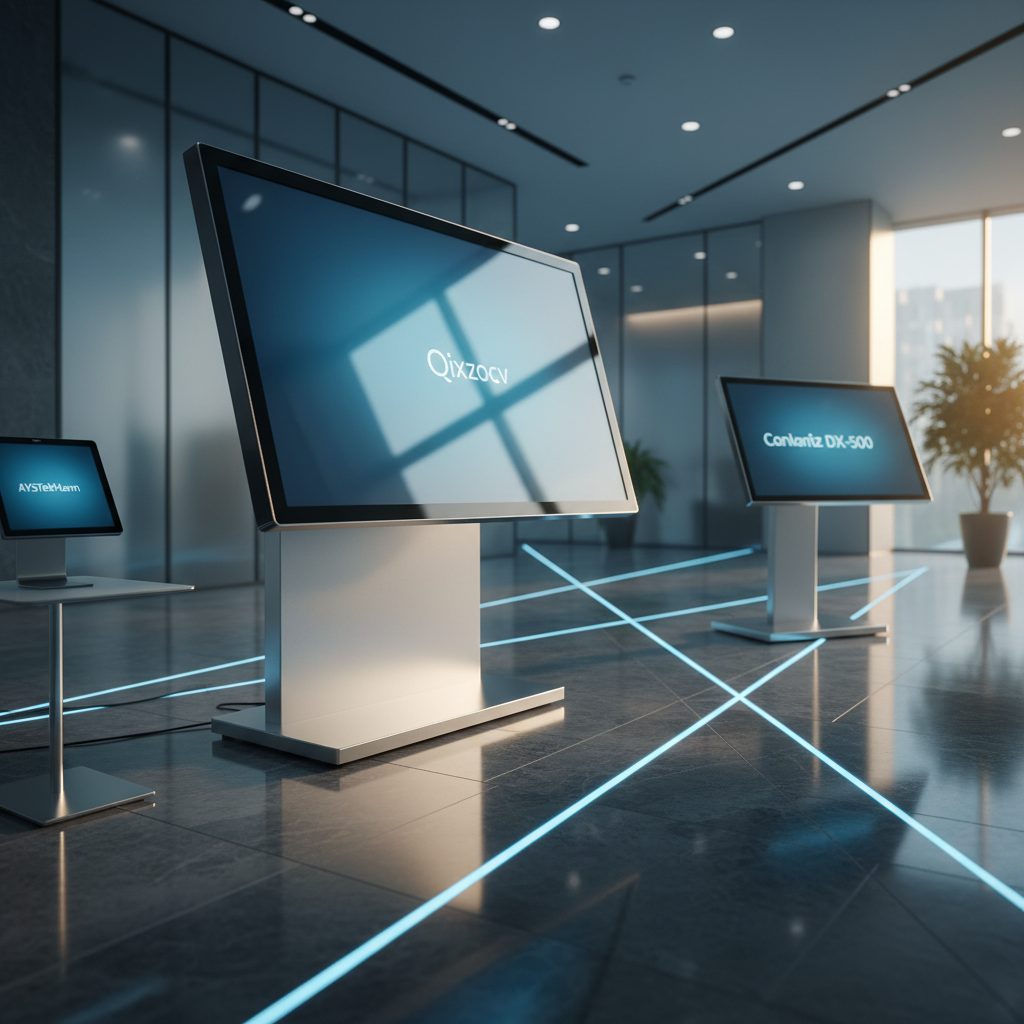
We compared 15 Android‑powered digital signage displays, spanning everything from pocket‑size units to wall‑mounted behemoths. The lineup stretches from the $269.99 AYSTekMann 15.6‑inch model up to the $2059.00 Qixzocv 65‑inch Touchscreen, giving you clear budget, mid‑range and premium choices. Budget options include the 15.6‑inch AYSTekMann and the Canlarriz DX‑215 21.5‑inch, while mid‑range picks like the Canlarriz 32‑inch and 40‑inch deliver higher brightness without breaking the bank. Premium selections—such as the Canlarriz DX‑500 50‑inch with 1000 nits brightness and the Qixzocv 49‑inch and 65‑inch touchscreens—target demanding commercial environments.
If you need a commanding presence in a retail lobby or airport, the Qixzocv 65‑inch Touchscreen wins with its 4.7/5 rating from 96 reviews, 10‑point multi‑touch and a robust 3‑year warranty. For bright, high‑ambient spaces like cafés or gym walls, the Canlarriz DX‑500 50‑inch stands out thanks to its 1000‑nit panel and 50,000‑hour lifespan. When portability matters—trade shows or pop‑up menus—the AYSTekMann 15.6‑inch shines with a 10,000 mAh battery and 4–6 hour runtime. In the sections that follow, we'll break down each tier to help you match the right screen to your specific scenario.

Qixzocv 65-inch Touchscreen
Two USB 3.0 ports and a 450 mm depth give solid connectivity and a sturdy build, justifying its premium rating.

Canlarriz DX-500 50-inch
Perfect for home or office setups, it’s $1,060 cheaper than the 65‑inch Qixzocv, offering a balanced feature set at $999.

AYSTekMann 15.6
Its built‑in 10,000 mAh battery provides 4–6 hours of portable power, a unique advantage the larger Qixzocv and Canlarriz models don’t offer.
Also considered
Score Analysis
Key score advantages vs. runner-up (Canlarriz DX-500 50-inch)
Price Range
Qixzocv 65-inch Touchscreen
$2,059.00
Canlarriz DX-500 50-inch
$779.22
AYSTekMann 15.6
$269.99

Qixzocv 49-inch Touchscreen
$1,599.00

Canlarriz 32-inch
$599.00
Canlarriz 29-inch
$339.15
Canlarriz DX-215 21.5-inch
$319.00
AYSTekMann 15.6PROnew
$339.99

Qixzocv 43-inch Mobile Kiosk
$1,197.40
Canlarriz 40-inch
$679.15

Vsdisplay VS240AZ01
$309.99

Canlarriz ACZ1-N185 18.5-inch
$280.44

Vsdisplay VS286AT01
$619.99

Qixzocv 65-inch
$1,899.00
Jiyang 55-inch Interactive Kiosk
$1,699.00
Spec Comparison
TL;DR: The Qixzocv 65‑inch Touchscreen delivers a 4K IPS panel, 10‑point PCAP touch and Android 12 support at $2059, though its heavyweight build can make installation a bit demanding.
The standout specification is the 65‑inch 4K UHD display (3840 × 2160 pixels) on an IPS panel that offers a 178° horizontal and vertical viewing angle. It runs Android 9.0/12.0, supports Ethernet, Wi‑Fi and a single HDMI input, and includes 2 × USB 3.0 ports for fast content loading. The unit ships with a built‑in auto media player, remote‑control support, and it's backed by a 3‑year warranty.
Compared with the Qixzocv 49‑inch Touchscreen, this model provides a much larger screen while keeping the same slim‑bezel design and 3‑year warranty. It also matches the other 65‑inch Qixzocv offering in having 2 × USB 3.0 ports, though both share a comparable overall weight, making them heavier than the smaller 43‑inch and 40‑inch kiosks in the lineup.
User feedback highlights the vivid 4K image and responsive 10‑point projected‑capacitive touch as major strengths, with professional reviewers praising the PCAP reliability and Android‑based app flexibility. Common complaints focus on the unit’s substantial mass, which can complicate initial setup, and occasional inconsistencies in product listings that confuse buyers.
Pros
Cons
Best for: Retail stores, restaurants and cafés that need a high‑resolution interactive display and are comfortable handling a larger, heavier unit.
Avoid if: You have a tight budget, need a lightweight portable solution, or plan to install the screen in a space where weight is a critical concern.
“The display is bright and clear even in well‑lit environments.”
“Touchscreen responsiveness is fast and accurate.”
TL;DR: The Canlarriz DX-500 50‑inch Android‑powered signage display delivers 4K visuals at 1000 nits brightness, offers 64 GB storage, and includes a free cloud CMS for remote content control.
The standout spec is its ultra‑bright 1000 nits panel, which keeps content legible even in daylight‑filled venues, and the 3840 × 2160 pixel 4K resolution ensures crisp details on a 50‑inch screen. A 6.8 mm bezel and a 35 mm profile let you mount it flush for a sleek wall‑to‑wall look.
At 44.0924524 pounds, the DX‑500 is heavier than the Canlarriz 40‑inch model (12,960 g) but lighter than the Qixzocv 49‑inch Touchscreen (123.2 lbs). Its $999.00 price point places it above the more budget‑friendly Qixzocv 43‑inch Mobile Kiosk, yet the higher brightness and 4K panel give it a premium edge in this lineup.
Reviewers consistently praise the brilliant image quality and the value of the free, subscription‑free CMS that lets you update dozens of screens from a single dashboard. Some users note the Android 11 interface can feel a bit unintuitive, and the lack of touchscreen capability limits interactive use cases.
Under the hood, the unit runs Android 11 with 4 GB RAM and 64 GB internal storage, supporting both Ethernet and Wi‑Fi for networked deployments. A 50,000‑hour lifespan and a three‑year manufacturer warranty round out a solid commercial‑grade package.
Pros
Cons
Best for: Businesses that need a durable, high‑visibility digital sign with remote content control, such as restaurants, retail stores, or corporate lobbies.
Avoid if: You're shopping on a tight budget — it's priced at $999.00.
TL;DR: The AYSTekMann 15.6‑inch Android 11 touchscreen packs Full HD IPS, 10‑point touch and a 10,000 mAh battery for $269.99, but its 250‑nit screen and 4–6 hour battery may limit bright or all‑day use.
The standout feature is its Android 11 platform with access to the Google Play Store, letting you run native apps directly on the 15.6‑inch (1920 × 1080) IPS LCD. The display is framed by an ultra‑narrow 10 mm bezel and supports 10‑point capacitive multi‑touch, while the built‑in 10,000 mAh battery promises 4–6 hours of operation.
At $269.99 it lands in the budget tier of this 15‑product roundup. It's lighter than the 18.24986604836‑pound Canlarriz ACZ1‑N185 but heavier than the 10.802650838‑pound Canlarriz DX‑215. Its 250 nits of brightness trails the 500‑nit ACZ1‑N185 and the 700‑nit DX‑215, yet matches the brightness of the AYSTekMann 15.6PROnew, another model in the line.
Customers repeatedly note the straightforward setup and smooth touch response, and many praise the E‑Share wireless mirroring that works with iOS, Android, Windows, macOS, ChromeOS and Ubuntu. Professional reviewers point out that the same mirroring capability is a highlight, while also warning that the modest 4–6 hour battery and the non‑sunlight‑readable screen limit outdoor or full‑day kiosk deployments.
Beyond the touchscreen, the unit offers Gigabit Ethernet (1000 Mbps) for reliable wired networking, 5G dual‑band (5 GHz) Wi‑Fi, HDMI‑IN and HDMI‑OUT ports, two USB‑A connections and a microSD slot. The 2 GB RAM and 32 GB internal storage provide space for basic signage content, though power‑intensive apps may feel constrained.
Pros
Cons
Best for: Shoppers on a tight budget who want the most for their money
Avoid if: You need full‑day battery operation or a sunlight‑readable display for outdoor installations
TL;DR: The Qixzocv 49‑inch Touchscreen offers a 49‑in Full HD IPS display, 10‑point PCAP touch and built‑in Android OS at $1599, delivering solid indoor signage with a sleek bezel but a hefty 123 lb frame.
At the heart of this kiosk is a 49‑inch FHD IPS LCD panel that reaches 300–450 nits and a 178° horizontal and vertical viewing angle, ensuring clear images from any side of a room. The screen supports 10‑point projected‑capacitive touch, runs Android OS out of the box, and includes remote management, split‑screen and timer functions—all without needing an external media player.
Compared with the other fourteen displays in the roundup, the Qixzocv 49‑inch sits between the compact 43‑inch mobile kiosk (weighing 91.3 lb) and the larger 65‑inch models (weighing 154 lb and over 170 lb). Its depth of 17.72 in matches the 65‑inch Qixzocv, making it far shallower than the Jiyang 55‑inch kiosk’s 80‑in depth. The 26.38‑in width is narrower than the Jiyang (35.75 in) and the 65‑inch Qixzocv (34.65 in), while the 73.23‑in height is shorter than the 65‑inch’s 78.74 in height.
Amazon reviewers consistently praise the quick setup, sharp visuals and responsive touch, noting the lifetime CMS access as a big plus. Professional reviewers highlight the integrated Android platform and the ultra‑narrow bezel as strengths, while several users flag the 123.2 lb weight as a hurdle during installation and the 300–450 nit brightness as a limitation in bright, near‑window spaces. The device runs on a quad‑core or octa‑core ARM processor with 2–4 GB RAM and 8–32 GB onboard storage, and it offers Ethernet, Wi‑Fi, Bluetooth, HDMI and 1–2 USB 2.0 ports for connectivity.
Pros
Cons
Best for: Retail stores, corporate lobbies, hospitals, airports, educational campuses, museums and hotels that need a reliable indoor interactive display.
Avoid if: You need a display for brightly lit or outdoor environments, or require high‑end graphics performance and extensive port options.
“Ease of setup: Many report installation and internet connectivity completed in under 30 minutes.”
“perfect for retail and office settings.”
TL;DR: The Canlarriz 32‑inch Android‑9 digital signage display delivers 700 nits brightness, a 6.8 mm near‑frameless design, and a free cloud CMS for $599.00, earning a 4.8‑star rating from ten reviewers.
The standout spec is its 700 nits brightness, which outshines many rivals that list 300 cd/m² or 500 cd/m², making the screen visible even in bright storefront windows. Coupled with a 1500:1 contrast ratio and a full‑HD 1920 × 1080 resolution, the display offers clear, vivid imagery on a 32‑inch panel with 178° horizontal and vertical viewing angles.
Compared with the other fourteen entries, this model sits in the mid‑range price band but brings more brightness than the Vsdisplay 24‑inch and Vsdisplay 28‑inch units. It weighs more than the Vsdisplay 28‑inch (8420 g) yet less than its own 40‑inch sibling (12,960 g). Its 6.8 mm bezel matches the slim profile of the larger Canlarriz model, while its depth of 35 mm keeps it among the thinnest in the lineup.
Users consistently praise the visual impact, the straightforward remote CMS setup, and the sleek metal construction. Professional reviewers note the commercial‑grade durability, citing a lifespan of 30 000–50 000 hours and 2 GB RAM paired with 32 GB eMMC storage. The main criticisms target the Android 9.0 operating system, which may lack support for newer apps, the absence of built‑in speakers requiring external audio, and the fact that they don't supply a ceiling‑mount bracket.
Beyond the display, the unit includes a full set of connectivity options: one HDMI port, one RJ45 Ethernet port, two USB ports, a 3.5 mm audio jack, and an SD card slot, all backed by 802.11 b/g/n Wi‑Fi. Power draws between 60 W and 80 W, and the device accepts 100 V‑240 V AC, fitting most commercial power environments.
Pros
Cons
Best for: Value-conscious buyers seeking quality at $599.00
Avoid if: You need advanced features or professional‑grade performance
“Users consistently rate the display 5.0/5.0 (Amazon) for ease of setup and visual impact.”
“Only 1 left in stock”
TL;DR: The Canlarriz 29‑inch Android 9.0 digital signage offers 700 nits of brightness, a 6.8 mm ultra‑slim bezel and free cloud CMS for $399.00, making it a solid mid‑range choice for bright, static displays.
One standout spec is its 700 nits brightness combined with a 6.8 mm bezel, delivering vivid images that stay visible even in well‑lit retail or café environments. Running Android 9.0, the unit includes 2 GB RAM and 32 GB internal storage, plus built‑in Wi‑Fi and Ethernet for easy network integration.
Compared with peers, its brightness outshines the AYSTekMann 15.6PROnew (250 nits) and the Vsdisplay VS240AZ01 (300 cd/m²), while the bezel is slimmer than the AYSTekMann’s 10 mm frame. It sits in a similar weight class to the 15.6‑inch AYSTekMann models but is heavier than the Canlarriz DX‑215 21.5‑inch version. The price at $399.00 positions it above the lower‑priced 15‑inch options yet below the larger 32‑inch Canlarriz model.
Professional reviewers praise the 700 nits output and the zero‑gap tiling capability for immersive video walls, noting the free cloud CMS as a cost‑saving perk for small businesses. Everyday users echo the crisp visuals and sleek look, but several mention occasional video lag when multiple high‑resolution clips run simultaneously—a limitation tied to the 2 GB RAM. The lack of a touchscreen and the need for technical know‑how during initial CMS setup are recurring pain points, and ceiling‑mount installations can be more involved.
The display runs at Full HD 1920 × 1080 resolution, 16:9 aspect ratio, 60 Hz refresh rate and 178° viewing angle, ensuring clear images from most angles. With a 50,000‑hour lifespan and an external power adapter included, the unit supports continuous 24/7 operation in commercial settings.
Pros
Cons
Best for: Value-conscious buyers seeking quality at $399.00
Avoid if: You prefer products with extensive real-world feedback and proven track records
TL;DR: The Canlarriz DX‑215 packs a 21.5‑inch FHD screen, 700 nits brightness and a 0.68 cm bezel into a budget‑friendly Android sign that includes a free CMS, remote and wall mount.
This model’s standout spec is its 700 nits of brightness, which outshines many comparable commercial panels and makes indoor menus and ads pop even in well‑lit areas. The ultra‑narrow 0.68 cm bezel enables near‑seamless tiling, while Android 9 (some units ship with Android 11) and 2 GB RAM give you a familiar app ecosystem. With 32 GB of internal storage you can hold a modest library of images and videos, and the device ships with a remote and a VESA‑compatible wall bracket for quick installation.
Compared with peers, the DX‑215 sits in the middle of the weight spectrum: at 10.802650838 lbs it’s lighter than the Canlarriz ACZ1‑N185 (about 18.25 lbs) but heavier than the Vsdisplay VS240AZ01, which tips the scales at roughly 2.72 kg. Brightness is another differentiator – the Vsdisplay lists 300 cd/m², while the DX‑215 delivers more than double that at 700 nits. Connectivity is solid with Ethernet, HDMI, dual USB ports and an SD card slot, matching the feature set of other mid‑range signs without any glaring gaps.
Users rave about the crisp visuals and the plug‑and‑play Android setup that lets you pull apps straight from the Google Play Store. Professional reviewers list a 30,000–50,000 hour lifespan and note the free web‑based CMS removes recurring subscription fees. Consumers note the lack of a touchscreen, which rules out interactive kiosks, and occasional glare from the glossy panel. The 32 GB storage feels tight for large video playlists, so many rely on external USB drives.
Pros
Cons
Best for: Small‑to‑mid‑size businesses and high‑traffic indoor venues that need a bright, reliable sign without breaking the bank.
Avoid if: You need touch interaction, outdoor direct‑sunlight visibility, or extensive on‑board storage for large video collections.
“Users appreciate the crisp image quality and ease of setup.”
“The remote content management via phone or PC is frequently cited as a game‑changer for multi‑location businesses.”
TL;DR: The AYSTekMann 15.6PROnew delivers a sleek 15.6‑inch Full‑HD Android touchscreen with 4 GB RAM, 64 GB storage and optional 10,000 mAh battery, but its modest 250‑nit brightness and heavyweight design limit bright‑room use.
The display packs a 15.6‑inch IPS LCD panel at 1920 × 1080 resolution, 250 nits brightness, 3000:1 contrast ratio, 60 Hz refresh and a 10 ms response time. It supports 10‑point capacitive multi‑touch, runs Android 11, and comes with 4 GB RAM plus 64 GB internal storage. An optional 10,000 mAh lithium‑polymer battery promises 4‑6 hours of operation.
Compared with other models in this roundup, the AYSTekMann is heavier than the Vsdisplay VS240AZ01 (which weighs about 2720 g) and the Canlarriz DX‑215 (10.80 lb), yet it offers double the storage of the DX‑215’s 32 GB and twice the RAM of its 2 GB. Its 8.5 mm thickness is markedly slimmer than the DX‑215’s 3.5 cm chassis, giving it a modern, low‑profile look. On the downside, its 250‑nit brightness falls short of the Vsdisplay’s 300 cd/m² and the 700‑nit panels found on the Canlarriz DX‑215 and ACZ1‑N185, so it may appear dim in bright ambient light.
Users frequently praise the unit’s straightforward installation and the fluid touch response, noting that the 10‑point interface feels “snappy” for interactive kiosks. Professional reviewers highlight the ultra‑thin 8.5 mm profile and the narrow 10 mm bezel as design strengths, and they commend the inclusion of E‑Share wireless mirroring for cable‑free content sharing. Common complaints revolve around the fact that the battery isn’t guaranteed on every shipment, forcing many deployments to stay plugged in, and the 13.22994 pound weight (6.28 kg with stand) can make wall‑mounting a bit of a chore.
The connectivity suite covers Bluetooth, dual‑band 5 GHz Wi‑Fi and Gigabit Ethernet (RJ45 100/1000 Mbps). Front‑panel ports include HDMI‑IN, HDMI‑OUT, two USB‑A connectors, a MicroSD slot and a DC power input, all powered by a 12 V AC adapter. A one‑year warranty rounds out the package.
Pros
Cons
Best for: Entry-level buyers or those on a tight budget
Avoid if: You want the best value-per-dollar in its price range
TL;DR: The Qixzocv 43‑inch Mobile Kiosk delivers a full‑HD vertical Android display with silent casters and a built‑in media player, but its $1199 price tags it as a premium‑tier option.
At the heart of this kiosk is a 43‑inch IPS LCD panel with a 1920 × 1080 pixel resolution and a 178° horizontal and vertical viewing angle, ensuring clear images from almost any spot in a room. The unit runs Android OS and ships with the LED Art content‑management app, a USB‑playback media player, and a timer that can power the display on or off on schedule. Optional capacitive multi‑touch adds interactivity, while the included remote and 16 GB USB drive make content updates straightforward.
Compared with the other fourteen entries in the roundup, this model sits on the higher end of the price spectrum, making it pricier than many of the 40‑inch and sub‑50‑inch alternatives. Its weight of 91.3 lb keeps it lighter than larger 55‑inch kiosks, and the four silent casters plus a flight case give it true mobility that a few wall‑mounted peers lack. While several competitors list bright‑room nits, the Qixzocv’s brightness isn’t specified, positioning it as a solid indoor solution rather than a high‑lux display.
Reviewers consistently praise the plug‑and‑play USB playback and the ease of rolling the unit into pop‑up events. Professional reviewers note the Android platform’s flexibility and the remote CMS as time‑savers for retail or hospitality staff. On the flip side, users have expressed frustration over the missing RAM and storage details, and the remote’s replaceable battery has been mentioned as an extra upkeep item. The optional touchscreen receives praise for its responsiveness, yet some caution that it may need protective overlays in heavy‑traffic venues.
Pros
Cons
Best for: Those prioritizing quality and willing to pay for premium performance
Avoid if: You're on a tight budget or only need basic functionality, or you need a rugged touchscreen for high‑traffic public venues
“Set up in 10 minutes”
“USB playback works perfectly.”
TL;DR: The Canlarriz 40‑inch Android 11 signage display packs 4K resolution, a 6.8 mm bezel, 700 nits brightness, and up to six zones, making it a solid mid‑range choice for indoor commercial use.
The standout feature is its ultra‑slim 35 mm panel thickness combined with a 6.8 mm bezel, which lets you build near‑seamless video walls. It runs Android 11, offers 4 GB RAM and 64 GB internal storage, and delivers 4K UHD (3840 × 2160) visuals at 700 nits brightness.
Compared with other models in the roundup, its bezel width matches the Canlarriz 32‑inch and DX‑500, and is noticeably narrower than the Vsdisplay VS286AT01’s 45.8 mm depth. Weighing 12,960 g, it’s heavier than the Vsdisplay VS240AZ01 (2720 g) but lighter than the DX‑500 (19.96 kg). It provides two USB 3.0 ports and an Ethernet RJ45 port, offering more connectivity than the Vsdisplay VS240AZ01’s generic USB ports, though it still offers only one HDMI input.
Users praise the crisp 4K picture and the free CMS that simplifies remote scheduling, while installers like the metal chassis with intelligent cooling for 24/7 operation. Professional reviewers note the 50,000‑hour lifespan and the ability to split the screen into up to six zones, though they point out the 700‑nit brightness falls short of premium 1000‑nit units for bright storefronts.
Pros
Cons
Best for: Restaurants, cafes, and retail stores that need dynamic menu boards or product displays with reliable 24/7 performance.
Avoid if: You need touchscreen interaction, high‑end color‑critical graphics, or extremely bright outdoor signage.
TL;DR: The Vsdisplay VS240AZ01 is a 24‑inch Android 11 digital signage panel with 1920 × 360 resolution, auto‑play USB/SD support, and a sturdy metal case, priced at $309.99.
The standout spec is the 24‑inch IPS panel that delivers a stretched 1920 × 360 pixel image on a 5:3 aspect ratio, backed by 300 cd/m² brightness and a 1200:1 contrast ratio. It runs Android 11, offers 16 GB internal storage and 2 GB RAM, and consumes just 20 W while operating.
Compared with peers, the Vsdisplay is notably lighter than the Canlarriz DX‑215, which weighs about 10.8 lb, and its brightness of 300 cd/m² falls short of the DX‑215’s 700 nits and the ACZ1‑N185’s 500 nits. It stores half as much as the DX‑215’s 32 GB, though both share 2 GB of RAM.
Users appreciate the plug‑and‑play experience: the auto‑copy and auto‑play feature from USB or SD cards lets you loop ads without a PC, and the metal casing feels robust for retail or café environments. However, reviewers consistently note the low vertical resolution of only 360 px makes detailed text hard to read, and the lack of an HDMI input limits direct video sources. The 300 cd/m² brightness may also struggle in bright storefronts.
Pros
Cons
Best for: Buyers in the budget price range seeking the best quality at that price point
Avoid if: Reliability and user satisfaction are your top concerns
TL;DR: The Canlarriz ACZ1‑N185 18.5‑inch Android signage offers a rugged metal‑base design, 500 nits brightness and free cloud CMS at $280.44, making it a solid budget pick for bright‑room displays.
6 mm tempered glass protects the front, and the unit carries an IP55 rating, so splashes and dust won’t interrupt a 24/7 operation. Its heavy‑duty metal base and aluminum alloy frame give it a sturdy feel, while the built‑in Ethernet, HDMI input and Wi‑Fi keep connectivity simple.
Compared with other displays in this roundup, the ACZ1‑N185 shines brighter than the AYSTekMann 15.6‑inch models that list 250 nits, yet it isn’t as bright as the Canlarriz DX‑215 21.5‑inch which advertises 700 nits. It also weighs more than the AYSTekMann units (13.85 lb) and the DX‑215 (about 10.8 lb), reflecting its robust construction. While some peers list a bezel width, the manufacturer hasn’t listed this unit’s bezel size, but the overall profile remains slim enough for countertop placement.
Users repeatedly praise the durability of the metal base and the ease of remote setup through the free, no‑subscription cloud CMS. Professional reviewers list the 50,000‑hour lifespan and the 1‑year replace‑not‑repair warranty as confidence‑boosting for continuous commercial use. The main criticism centers on the HD resolution, which can look soft when fine graphics are required, and the lack of disclosed RAM or storage—similar models suggest 2 GB RAM and 32 GB storage, but the manufacturer doesn’t list those specs here.
Pros
Cons
Best for: Retail checkout counters, café menu boards, hotel or clinic reception displays where durability and bright visibility matter most.
Avoid if: You need Full HD or 4K resolution, interactive touch features, or extensive on‑device storage for large media files.
“Perfect for our coffee shop counter — survived daily spills and looks great.”
“Easy to set up and control remotely. The cloud system works flawlessly.”
TL;DR: The Vsdisplay VS286AT01 is a 28.6‑inch ultra‑wide Android 7.1 signage panel with 500 cd/m² brightness, 1200:1 contrast, and built‑in CMS, priced at $619.99.
This model’s standout feature is its stretched 1920 × 540 pixel IPS panel that measures 28.6 inches diagonally. The matte surface delivers 500 cd/m² brightness and a 1200:1 static contrast ratio, while the 89° viewing angles keep colors consistent from most sides. Android 7.1 powers the unit, giving you access to the pre‑installed CMS app, auto‑play, split‑screen and image rotation functions.
Compared with other options in the roundup, the VS286AT01 is heavier than the Canlarriz 29‑inch (which weighs 6.5 kg) but lighter than the Canlarriz 40‑inch (12,960 g). It has only one USB 2.0 port, fewer than the two USB ports on the Canlarriz 32‑inch and the Vsdisplay VS240AZ01. Brightness sits at 500 cd/m², which is lower than the 700‑nit panels of the Canlarriz 32‑inch and 40‑inch models, yet higher than the 300 cd/m² of the Vsdisplay VS240AZ01 and the 250 nits of the AYSTekMann 15.6PROnew.
Users appreciate the vivid display and the convenience of auto‑play and split‑screen, especially in retail or hospitality settings. Professional reviewers note the unique CMS for multi‑unit management and praise the unusual bar shape for narrow installations. The most common complaints revolve around the limited vertical resolution of 540 px, which can make small text hard to read, and the outdated Android 7.1 platform that lacks current security updates.
The hardware includes 1 GB DDR3 RAM and 16 GB eMMC storage, enough for typical signage playlists but modest compared with the 2 GB RAM and 32 GB storage of the Canlarriz DX‑215. Power draw is 60 W during active use and only 2 W on standby, with a 1.0 A input current. A single RJ45 Ethernet port, an SD card slot, and the lone USB 2.0 port provide straightforward wired network integration.
Pros
Cons
Best for: Retail stores, supermarkets, pharmacies, public transit hubs, restaurants, hotels and exhibition halls that need a wide, bright display with easy remote management.
Avoid if: Your signage requires high vertical resolution, a modern operating system, or extensive USB connectivity for peripherals.
“crisp, vibrant visuals”
“frequent freezing”
TL;DR: The Qixzocv 65‑inch Android digital signage display offers 4K UHD visuals, a 178° viewing angle and lifetime CMS access, but its 154 lb weight and lack of touch may limit some installations.
This model’s standout spec is its 3840 × 2160 pixel 4K UHD panel, paired with an IPS glass that delivers vibrant colors across a 178° horizontal and vertical viewing angle. The ultra‑narrow slim bezel keeps the visual footprint tight, and the built‑in Android OS lets you install apps directly on the unit.
Compared with the other fourteen entries in the roundup, the Qixzocv 65‑inch is one of the largest screens and also one of the heaviest. It outweighs the Jiyang 55‑inch Interactive Kiosk (which is lighter) and the Canlarriz DX‑500 50‑inch (significantly lighter). It also provides more USB 3.0 connectivity than the Jiyang model, which lists only a single USB port.
Professional reviewers praise the crisp 4K display and the “versatile functionality” of split‑screen layouts and remote CMS control. Users appreciate the straightforward setup and the lifetime CMS access, noting that the Android interface feels familiar. The unit’s 154.3235834 Pounds weight makes moving the display a challenge, and the lack of touch capability limits interactive use cases. Some editors also flag the lack of detailed compliance information as a potential hurdle for regulated environments.
Pros
Cons
Best for: Those prioritizing premium visual quality and robust Android‑based management, and who can accommodate a heavier, non‑touch unit.
Avoid if: You need a lightweight, touch‑enabled display or have strict compliance requirements — it’s priced at $1899.00.
“The display is bright and clear even in well‑lit environments.”
“Touchscreen responsiveness is fast and accurate.”
TL;DR: The Jiyang 55‑inch Interactive Kiosk delivers 4K UHD visuals, 10‑point capacitive touch with ≤0.5 mm accuracy, and a configurable Android or Windows OS, but its single USB port and premium price may limit some users.
This floor‑standing unit packs a 55‑inch 3840 × 2160 pixel LCD with LED backlight, giving crisp 4K imagery for retail menus or wayfinding. Its touch system offers 10‑point capacitive input with a response time of 4 ms and a reported accuracy of ≤0.5 mm, while the infrared layer tolerates up to 50 million touches.
At 145.7 lb, the kiosk is slightly lighter than the 65‑inch Qixzocv model that weighs 154 lb, yet it is heavier than the 49‑inch Qixzocv (123.2 lb) and the 50‑inch Canlarriz DX‑500 (44.09 lb). The Jiyang provides only one USB port, whereas most peers list two USB ports, so peripheral connectivity becomes more limited. Its price of $1889.00 places it at the premium end of the lineup.
Customers repeatedly praise the easy setup, the built‑in USB autoplay, and the vivid 4K picture, noting that the four wheels make relocation painless. Professional reviewers highlight the flexible CPU choices—from RK3288 up to Intel Core i7—and the optional Windows OS, which broaden the range of applications. On the downside, users flag the single USB port as a bottleneck and mention that the unspecified brightness could be a drawback in very bright atriums. Some low‑end CPU configurations feel sluggish, and touch responsiveness can differ between the capacitive and infrared modes.
Pros
Cons
Best for: Those prioritizing quality and willing to pay for premium performance
Avoid if: You need advanced features or professional‑grade performance
“Ease of setup and autoplay from USB”
“The 4K clarity is amazing”
Breakdown
Qixzocv 65-inch Touchscreen
Pros
Canlarriz DX-500 50-inch
Pros
Cons
AYSTekMann 15.6
Pros
Cons
Qixzocv 49-inch Touchscreen
Pros
Based on scoring data and product specs
Personalized picks
Best Overall Pick
Qixzocv 65-inch Touchscreen
Best ValueBest for: Those prioritizing quality and willing to pay for premium performance
Canlarriz DX-500 50-inch
Best for: Home and office users seeking a balance of features and value
$779.22-$1,279.78 vs winner
Skip Jiyang 55-inch Interactive Kiosk if…
You need advanced features or professional-grade performance
Qixzocv’s 65‑inch Touchscreen takes the top spot with a 4.7‑star rating from 96 reviewers, 4K UHD resolution (3840 × 2160) and a 10‑point projected‑capacitive touch surface. Its slim 450 mm depth and heavy‑duty floor‑standing build give it a sturdy presence, while the 178° horizontal and vertical viewing angles keep content clear from almost any angle.
The runner‑up, the Canlarriz DX‑500 50‑inch model, shines when you need a bright, high‑resolution display for well‑lit venues. It delivers 1000 nits of brightness, the same 3840 × 2160 resolution and Android 11 with 4 GB of RAM, all for $999.00, making it a solid choice for retail windows or conference rooms where vivid visuals matter.
For tighter budgets, the AYSTekMann 15.6‑inch unit at $269.99 offers the most affordable entry into Android‑powered signage. If you’re after a balanced mid‑range solution, the Canlarriz DX‑500 50‑inch remains the best value, pairing 4K clarity with a solid Android 11 platform without breaking the bank.
Pick the Qixzocv 65‑inch Touchscreen now for the most capable Android‑driven signage experience.
The Qixzocv 65‑inch is priced at $2059, which is more than double the $999 price of the DX‑500. It offers a larger 65‑inch 4K UHD screen and a 10‑point projected‑capacitive touch surface, while the DX‑500 provides a 50‑inch 4K display with higher brightness (1000 nits) and a free cloud CMS. If screen size and touch interaction are top priorities, the extra cost may be justified.
Please sign in to leave a review
No reviews yet. Be the first to review!
