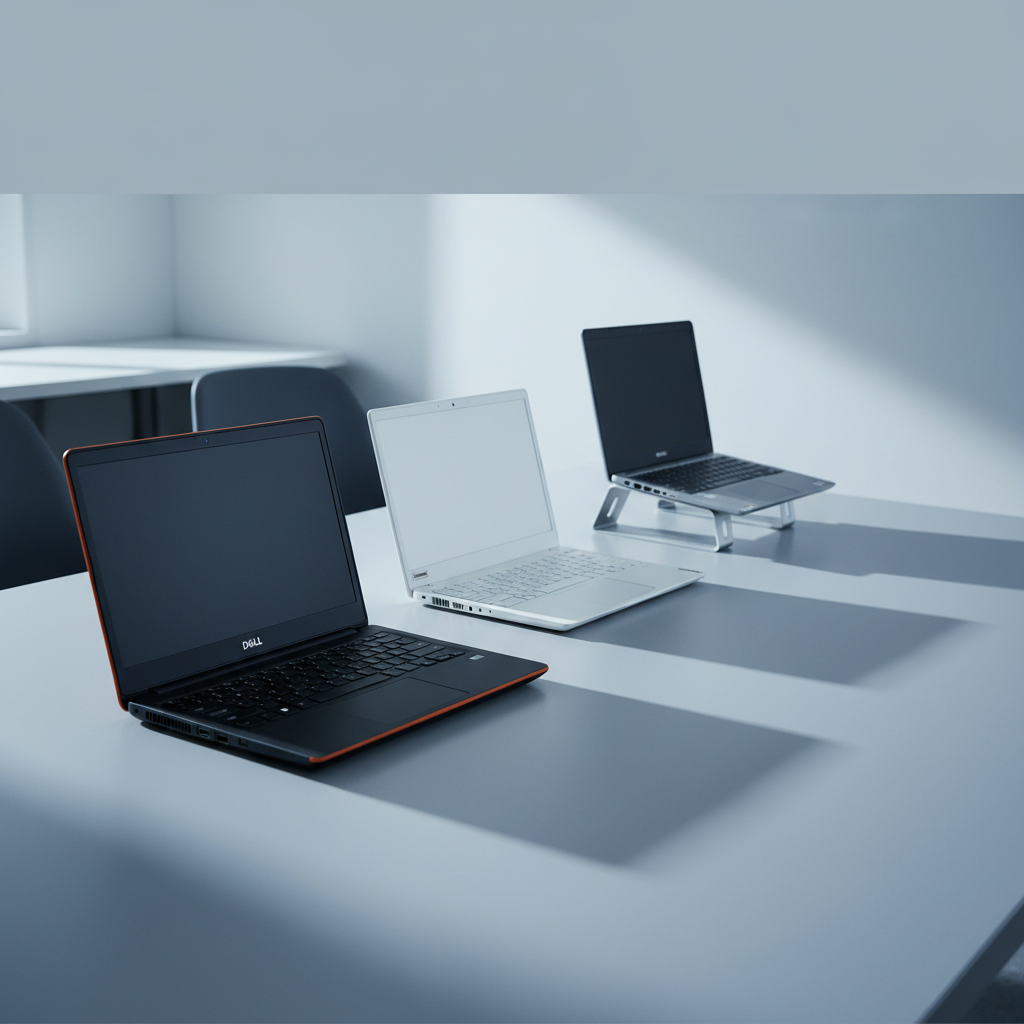
Finding a capable 2‑in‑1 that stays under $200 can feel like hunting for a needle in a haystack, so we lined up seven contenders and sorted them into three price tiers. The budget tier holds the Dell Chromebook 3100 ($73.20), Fujitsu Tablet Stylistic Q5010 ($77.00) and Lenovo 500e Chromebook ($68.95). The mid‑range slot features the Toshiba Dynabook K50 at $92.00, while the premium tier includes the HP Premium 11‑inch ($149.00), Dell Latitude 3190 ($184.99) and Samsung Chromebook Plus V2 ($199.99).
If durability for a classroom or on‑the‑go study session is your top priority, the Dell Latitude 3190 wins thanks to its rugged build, 8 GB DDR4 RAM and an 11‑hour manufacturer‑claimed battery life at a price of $184.99. For the tightest budget without sacrificing battery life, the Lenovo 500e Chromebook takes the lead with an $68.95 price tag and up to 11 hours of battery life. When you need a lightweight Windows tablet that can last through a long lecture, the Toshiba Dynabook K50 shines with an advertised 16‑hour battery life and a compact 10.1‑inch screen.
Below you’ll see how each model stacks up in detail, so you can match the right 2‑in‑1 to your daily workflow.

Dell Latitude 3190 11.6-inch
Its 11‑hour manufacturer‑claimed battery lasts up to 11 hours, matching the strong rating and popularity that set it apart as the top pick.

Lenovo 500e Chromebook
Ideal for entry‑level buyers or tight budgets, it costs about $105 less than the Dell, while still offering up to 11 hours of battery.

Toshiba Dynabook K50 10.1-inch
Stands out with a manufacturer‑claimed 16‑hour battery life, giving extra endurance that the Dell and Lenovo don’t promise, while staying under $100.
Also considered
Score Analysis
Key score advantages vs. runner-up (Lenovo 500e Chromebook)
Price Range
Dell Latitude 3190 11.6-inch
$189.99
Lenovo 500e Chromebook
$54.99
Toshiba Dynabook K50 10.1-inch
$92.00

HP Premium 11-inch
$149.00
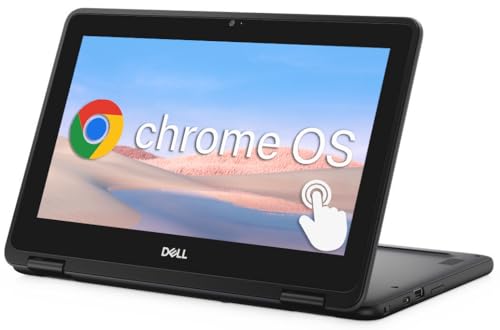
Dell Chromebook 3100
$73.20
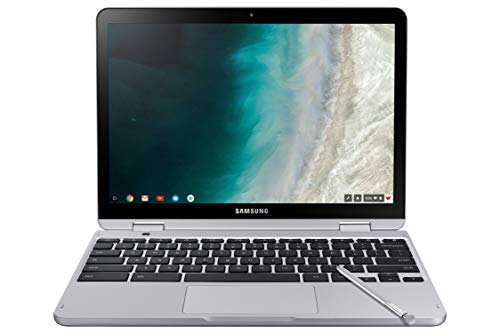
Samsung Chromebook Plus V2 Light Titan
$199.99

Fujitsu Tablet Stylistic Q5010 10.1-inch
$72.00
Spec Comparison
TL;DR: Dell Latitude 3190 11.6‑inch 2‑in‑1 offers a rugged build, 8 GB RAM, 256 GB SSD, and up to 11‑hour claimed battery life for $184.99, making it a solid budget convertible.
The standout feature is its MIL‑STD‑810G‑tested reinforced polymer chassis, which keeps the laptop sturdy while the spill‑resistant, rubberized keyboard adds extra protection. At 2.0 pounds it’s light enough to carry around all day, and the 42 Wh battery promises up to 11 hours of use on paper. Inside, the Intel Pentium Silver N5030 delivers four cores with a 1.1 GHz base and 3.1 GHz turbo boost, paired with 8 GB DDR4 RAM and a fast 256 GB SSD.
Compared with the other six contenders, the Latitude is lighter than the HP Premium 11‑inch (about 4.45 pounds) but a bit heftier than the Fujitsu Tablet Stylistic at 0.65 kilograms. Its 42 Wh battery matches the Lenovo 500e Chromebook and outpaces Samsung’s 39 Wh pack. Storage-wise, 256 GB tops the HP model’s 128 GB, giving you more room for files without needing an extra drive. The 11.6‑inch HD screen is slightly larger than HP’s 11‑inch panel, though the resolution stays at 1366 × 768.
User feedback repeatedly praises the device’s durability and the snappy SSD boot‑up, while reviewers note the touchscreen’s accurate 10‑point response and the optional Corning Gorilla Glass protection. The downside that surfaces in both consumer and expert comments is the 1366 × 768 HD display, which can feel cramped for multitasking, and the Pentium Silver processor’s limited horsepower for anything beyond web browsing or document work.
Under the hood, the laptop runs Windows 10 Pro (upgradeable to Windows 11 Pro) and offers Intel UHD Graphics 605, 802.11ac Wi‑Fi, and Bluetooth 4.1/4.2. Security features include TPM 2.0, BIOS‑level safeguards, and a Noble Wedge lock slot. The 720p webcam and dual noise‑cancelling microphones round out the basic communication tools you’d expect from a budget 2‑in‑1.
Pros
Cons
Best for: Students, travelers, and casual users who need a durable, lightweight convertible for web browsing, document editing, and note‑taking.
Avoid if: You require high‑resolution graphics, video editing, gaming, or a lower price point than $184.99.
“The Latitude 3190 2-in-1 punches above its weight in durability and versatility, though the specs reflect its entry-level positioning.”
“Great little laptop for school, but the charger was wrong—had to wait days for the correct one.”
TL;DR: The Lenovo 500e Chromebook costs $79.95, offers MIL‑STD‑810G durability, up to 11 hours of battery life, and a 4.2‑star rating, making it a solid budget 2‑in‑1 for classrooms.
The standout feature is a semi‑rugged build: it carries MIL‑STD‑810G certification, has rubberized edges, and can survive drops up to 29.5 in (749 mm). The spill‑resistant keyboard tolerates up to 11 oz of liquid, which reviewers praise for surviving the inevitable classroom mishaps.
At 3.0 lbs, the 500e weighs more than the Dell Chromebook 3100 (about 1.41 kg) yet less than the HP Premium 11‑inch model (around 4.45 lbs). Its 42 Wh battery also outpaces the Fujitsu Tablet Stylistic Q5010’s 31 Wh pack, letting it hit the manufacturer‑claimed 11 hours of runtime.
Users love the long battery life and the 360° hinge that lets the device flip into tablet or tent mode. Professional reviewers note the low‑resolution 1366 × 768 touchscreen and muffled bottom‑firing speakers as drawbacks, and the Intel Celeron N3450U (1.10 GHz base, 2.20 GHz turbo, 4 GB RAM, 32 GB eMMC) feels modest for multitasking. The 720p front camera and 5 MP rear camera are adequate for video calls, while Wi‑Fi 6 keeps the connection snappy.
Pros
Cons
Best for: Entry-level buyers or those on a tight budget
Avoid if: You need powerful performance or professional‑grade features
“Survived my kid dropping it daily.”
“Battery lasts all day at school.”
TL;DR: The Toshiba Dynabook K50 packs a 10.1‑inch touchscreen, detachable keyboard and a manufacturer‑claimed 16‑hour battery life into a 2.6‑pound, Windows 11 Pro‑enabled 2‑in‑1 for under $100.
The standout spec is the claimed up‑to‑16‑hour battery life, which dwarfs the roughly 11‑hour runtime of the Lenovo 500e Chromebook and the 11‑hour claim on the Dell Latitude 3190. Weighing just 2.6 pounds, the K50 is lighter than the Lenovo and HP models, yet it's a touch heavier than the ultra‑light Fujitsu Tablet Stylistic. Its 10.1‑inch TFT LCD offers a 1280 × 800 resolution, a modest size that keeps the device thin at 12.7 mm and easy to carry.
Everyday users praise the tablet’s portability and the long‑lasting battery, noting that the detachable keyboard dock makes it feel like a tiny laptop for note‑taking and video calls. Reviewers also like the built‑in stylus support, which works with the passive capacitive digitizer. On the flip side, owners complain that the 64 GB eMMC storage fills up quickly and that the eMMC speed feels sluggish compared with SSDs. The 4 GB DDR4 RAM, while sufficient for web browsing and Office tasks, struggles when many browser tabs are open, and the low‑resolution screen can appear dim in bright sunlight.
Under the hood sits an Intel Celeron N4020 dual‑core processor with a 1.1 GHz base clock and a 2.8 GHz turbo boost, paired with integrated Intel UHD Graphics 600. Windows 11 Pro brings enterprise‑grade security, including TPM 2.0‑equivalent protection. You can expand storage via a microSD slot that accepts up to 512 GB, and connectivity includes Wi‑Fi a/b/g/n/ac, Bluetooth 5.0, a USB‑C port for data and charging, plus HDMI and USB‑A ports on the keyboard dock.
Pros
Cons
Best for: Students, field workers, or anyone needing a portable Windows tablet for light productivity and long battery endurance.
Avoid if: You need high‑performance CPU, large SSD storage, or a high‑resolution display for media‑intensive tasks.
“Perfect for my daughter’s online classes – lightweight and lasts all day.”
“Surprisingly good build quality for a budget device.”
TL;DR: The HP Premium 11‑inch 2‑in‑1 offers a 360° HD touchscreen, 4‑core Pentium CPU, 8 GB RAM and 128 GB SSD for $149, making it a solid budget convertible for everyday tasks.
The standout feature is its 11‑inch 1366 × 768 HD IPS touchscreen that flips 360° for laptop, tablet, tent or stand modes, all housed in a chassis that measures 11.81 in depth, 0.83 in height and 8.07 in width and weighs 4.45 lb. Under the hood sits a 4‑core Intel Pentium processor clocked up to 3.30 GHz, paired with 8 GB DDR4 SDRAM and a 128 GB solid‑state drive, which reviewers note gives fast boot times.
Compared with the six other picks, the HP is heavier than the Dell Latitude 3190 (2.0 lb) and the Toshiba Dynabook K50 (2.6 lb) but lighter than the Samsung Chromebook Plus V2 (3.0 lb) and the Lenovo 500e Chromebook (3.0 lb). Its 11‑inch screen is a touch below the Dell’s 11.6‑inch panel and the Samsung’s 11.35‑inch display, while offering more ports than many rivals, including USB‑C, HDMI and an RJ‑45 Ethernet jack that some Chromebooks lack.
Consumer sentiment highlights the convertible design and SSD speed as wins, but users repeatedly call out the low‑resolution HD screen and the modest 128 GB storage that can fill quickly with apps and updates. Professional reviewers echo this, praising the build quality and value but noting the Pentium CPU and integrated Intel UHD graphics struggle with heavy multitasking or creative workloads.
Additional context: the device runs Windows 11 Home, supports Wi‑Fi 6 (802.11ac) and includes an integrated webcam. HP lists the battery health at ≥80% of its original capacity, and the unit ships with an AC charger. A 90‑day warranty rounds out the package.
Pros
Cons
Best for: Students taking notes, casual users who value a flexible form factor, and seniors who need simple email and video‑call capabilities.
Avoid if: You need a high‑resolution display, large local storage, or professional‑grade performance for gaming, video editing or heavy multitasking.
“smooth performance for web browsing, email, and YouTube.”
“The device feels newer than expected for a renewed product.”
TL;DR: The Dell Chromebook 3100 offers a rugged 11.6‑inch HD touchscreen, up to 14‑hour claimed battery, and MIL‑STD‑810G durability for just $73, making it a solid budget 2‑in‑1.
This model leans heavily on durability: it survives 30‑inch drops and resists up to 354 ml of liquid spills, meeting an “exceeds” MIL‑STD‑810G standard. Dell markets the battery for up to 14 hours of use, and independent testing rates it at about 9.43 hours (9 h 26 m). At 1.41Kilograms, it’s sturdier than the Fujitsu Tablet Stylistic Q5010 (0.65Kilograms) but lighter than the Lenovo 500e Chromebook (3.0Pounds) and most of the other peers.
Compared with the six other devices in this roundup, the 3100 packs a richer port selection: two USB 3.1 Gen 1 Type‑A ports, a USB‑C port that handles data, video, and charging, an HDMI output, a microSD slot, and a headphone/microphone combo jack. Many competitors list fewer connectivity options, so the 3100 gives you more flexibility for peripherals without needing adapters. Its 11.6‑inch 1366 × 768 TN panel runs at 60 Hz, which is common in this price range, though the TN technology means off‑axis viewing isn’t as vibrant as the IPS panels you might find on pricier rivals.
Professional reviewers highlight the Chromebook’s rugged chassis and the long Auto Update Expiration through June 2029, which eases management for schools or small businesses. Users consistently praise the quick startup, USB‑C charging convenience, and the spill‑resistant keyboard. The downsides that surface in consumer feedback are the washed‑out colors of the TN screen, the modest 4 GB LPDDR4 RAM (soldered, non‑upgradable), and the limited 16 GB or 32 GB eMMC storage, which can feel cramped after a few apps and offline files.
Pros
Cons
Best for: Entry-level buyers or those on a tight budget
Avoid if: You need advanced features or professional‑grade performance
TL;DR: The Samsung Chromebook Plus V2 Light Titan offers a premium aluminum build, 12.2‑inch 1920×1200 IPS touchscreen and built‑in Wacom stylus for $199.99, but its 4 GB RAM and 64 GB storage may limit power users.
The standout hardware is the 12.2‑inch IPS display with a 1920×1200 resolution that yields 185.59 PPI, making text and images look crisp on the 16:10 panel. The chassis tucks away a built‑in active Wacom stylus, giving you pen‑on‑paper feel without carrying an extra accessory.
At 3.0 pounds, the Chromebook is heavier than the Dell Latitude 3190’s 2.0‑pound frame but matches the Lenovo 500e’s 3.0‑pound weight and is noticeably heavier than the Toshiba Dynabook’s 2.6‑pound tablet. Its 39 Wh battery sits below the Dell Latitude’s 42 Wh pack and the Lenovo 500e’s 42 Wh, so you’ll see shorter runtimes than those models. The 12.2‑inch screen also outsizes the 11.6‑inch display of the Dell Latitude, the 11‑inch panel on the HP Premium, and the 10.1‑inch screens of Toshiba, Fujitsu and Dell Chromebook 3100, giving you more visual real‑estate for the same price tier.
Reviewers consistently praise the solid aluminum‑polycarbonate chassis and the always‑available stylus for note‑taking and sketching. Professional reviewers note the sharp IPS screen and the premium feel, but they also point out the lack of a backlit keyboard and the modest 4 GB LPDDR3 RAM paired with 64 GB eMMC storage, which can feel cramped when many tabs are open. Battery life delivers about 5.25 hours during heavy video playback and around 7 hours of web browsing, falling short of the manufacturer’s “up to 10 hours” claim.
Under the hood, the device runs an Intel Celeron 3965Y processor at 1.5 GHz with Intel HD Graphics 615, and it supports Android apps via the Google Play Store. A TPM 2.0 chip bolsters security, and connectivity includes two USB‑C ports (charging, DisplayPort, data), one USB‑A 3.0 port, Bluetooth 4.0, and 802.11ac dual‑band Wi‑Fi. Storage can be expanded with a microSD card up to 400 GB, offering a workaround for the limited internal 64 GB eMMC.
Pros
Cons
Best for: Students, educators, and casual users who value a premium build and need a built‑in stylus for note‑taking or drawing.
Avoid if: You're shopping on a tight budget — it's priced at $199.99 and may feel pricey compared to lighter, lower‑cost alternatives.
“still trying to figure it out... it’s a little hard to figure out it’s not like a regular computer.”
TL;DR: At $77, the Fujitsu Stylistic Q5010 offers a rugged 10.1‑inch Windows tablet with a 500‑nit IPS display, 4 GB RAM, 64 GB eMMC storage, and up to 10.5 hours of battery life.
The standout feature is its durability: the tablet carries an IP54 rating, MIL‑STD‑810H certification, and can survive drops up to 1.2 meters, all while showing a bright 500‑nit anti‑glare IPS panel that stays readable outdoors. An integrated active‑pen garage adds true 2‑in‑1 flexibility for sketching or data entry.
At just 0.65 Kilograms, it’s markedly lighter than the Lenovo 500e Chromebook (3.0 pounds) and the Dell Latitude 3190 (2.0 pounds). Its 31 Wh battery is smaller than the 42 Wh packs found in both the Lenovo and Dell Latitude, yet the claimed 10.5‑hour runtime still holds up for a full workday. The 10.1‑inch screen is a touch smaller than the HP Premium’s 11‑inch panel and the Dell Latitude’s 11.6‑inch display, but it remains larger than many 8‑inch convertibles.
Users consistently praise the tablet’s rugged chassis and the bright, anti‑glare screen for field work, noting that the optional keyboard dock turns it into a functional laptop. Reviewers also highlight the 10.5‑hour runtime and the convenience of the built‑in stylus. On the downside, the Intel Celeron N4020 processor paired with 4 GB RAM can feel modest when juggling demanding apps, and the 64 GB eMMC storage fills quickly for larger file sets. The 3.0/5 star rating from two reviews suggests mixed satisfaction, especially among power users.
Pros
Cons
Best for: Entry-level buyers or those on a tight budget
Avoid if: Reliability and user satisfaction are your top concerns
Breakdown
Dell Latitude 3190 11.6-inch
Pros
Cons
Lenovo 500e Chromebook
Pros
HP Premium 11-inch
Pros
Based on scoring data and product specs
Personalized picks
Best Overall Pick
Dell Latitude 3190 11.6-inch
Best OverallBest for: Audiophiles and enthusiasts seeking premium sound quality and advanced features
Lenovo 500e Chromebook
Best for: Entry-level buyers or those on a tight budget
$54.99-$135.00 vs winner
Skip Fujitsu Tablet Stylistic Q5010 10.1-inch if…
Reliability and user satisfaction are your top concerns
The Dell Latitude 3190 11.6‑inch wins the roundup thanks to its solid build and all‑day battery. It meets MIL‑STD‑810G standards, weighs just 2.0 lb, and the manufacturer claims up to 11 hours of runtime; actual usage typically ranges 6–8 hours on light load. At $184.99 it also packs 8 GB of DDR4 RAM and a 256 GB SSD, offering more performance than most budget 2‑in‑1s.
The Lenovo 500e Chromebook takes the runner‑up spot if you need a rugged, low‑cost convertible for classroom or casual browsing. It survives drops up to 29.5 in, carries a 90‑day warranty, and offers up to 11 hours of battery life on a 42 Wh cell. At $79.95 it’s lighter on the wallet, weighs 3.0 lb, and includes Wi‑Fi 6 for reliable connectivity.
For other buying personas, the Dell Chromebook 3100 is the best budget option at $73.20, delivering a simple Chrome OS experience for tight budgets. The Toshiba Dynabook K50 10.1‑inch sits nicely in the mid‑range at $92.00, offering a slightly larger display for everyday tasks. If you’re willing to stretch to the top of the $200 limit, the Samsung Chromebook Plus V2 Light Titan at $199.99 provides a premium feel and extra features.
Pick the Dell Latitude 3190 now and get a rugged, full‑featured 2‑in‑1 that stays under $200.
Both devices are MIL‑STD‑810G certified, but the Dell Latitude 3190 adds a reinforced polymer chassis, spill‑resistant rubberized keyboard and TPM 2.0 security, while the Lenovo 500e relies on rubberized edges and a spill‑resistant keyboard. For the most rugged construction, the Latitude has a slight edge.
Please sign in to leave a review
No reviews yet. Be the first to review!
