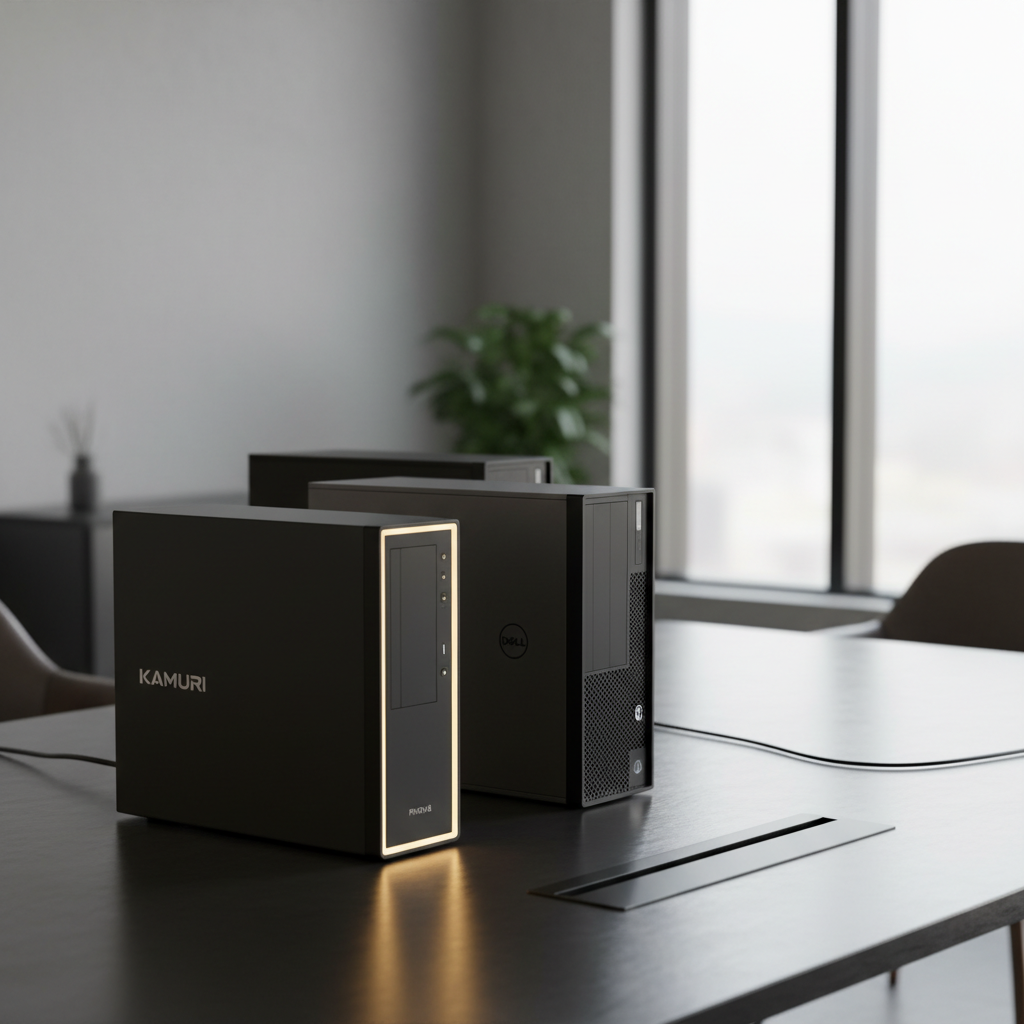
We compared 15 desktop computers that sit under the $500 ceiling, and the data throws up a surprising twist: the $112.99 Dell OptiPlex 3050, the cheapest entry, carries a solid 4.0‑star rating—just a hair below the highest‑rated GMKtec G3S Beats at 4.5 stars. That means you can snag a respectable, well‑reviewed machine without stretching your budget, while still having premium‑grade options that push the $400‑plus mark.
We split our roundup into three clear buckets. The budget tier gathers the Dell OptiPlex 3050, HP ProDesk 600 G1, Dell OptiPlex 7010 and GMKtec G3S Beats, all priced at $112.99‑$219.99. Mid‑range contenders like the Kamrui Pinova P2 ($289.99) and Dell OptiPlex 5060 (i5‑8500) sit in the $280‑$360 band, offering stronger CPUs and more RAM headroom. The premium tier tops out with machines such as the Dell OptiPlex 5060 (i5‑8600) and GMKtec M5 Ultra, each hovering around $399.98 and packing the most advanced graphics and connectivity. In the sections that follow, we’ll break down each model’s strengths, key specs and who they’re best suited for, so you can pinpoint the perfect desktop for your needs.

Kamrui Pinova P2
Bluetooth 5.2 connectivity ensures modern wireless performance, letting you pair a variety of peripherals without lag.

Dell OptiPlex 3060
Ideal for professionals needing a proven, high‑quality workstation, and at $402.99 it’s about $113 above the Kamrui Pinova P2.

HP ProDesk 600 G1
Stands out with 8 GB installed RAM and support up to 32 GB, giving tight‑budget shoppers room to grow without replacing the whole system.
Also considered
Score Analysis
Key score advantages vs. runner-up (Dell OptiPlex 3060)
Price Range
Kamrui Pinova P2
$329.99
Dell OptiPlex 3060
$408.99
HP ProDesk 600 G1
$136.00

Dell OptiPlex 7010
$182.90

GMKtec G3S Beats
$219.99

GMKtec M3 Ultra
$399.98

Dell OptiPlex 5060 (i5-8600)
$389.99
GMKtec M5 Ultra
$399.98

Dell OptiPlex 5060 (i5-8500)
$294.00
Dell OptiPlex 3050
$209.99

Dell OptiPlex 7060
$329.99

Beelink EQR6
$499.00
Dell OptiPlex 5060
$293.99
GMKtec M5 PLUS
$279.99

Dell OptiPlex 9020
$199.49
Spec Comparison
TL;DR: The Kamrui Pinova P2 packs a Ryzen 3 4300U, 16 GB RAM and triple‑4K output into a 5‑inch‑square, $289.99 mini PC that earns 4.4‑star praise from over 1,600 buyers.
What really sets the Pinova P2 apart is its ability to drive three independent 4K@60 Hz displays at once, thanks to an AMD Radeon Graphics core with 5 compute units running at 1400 MHz. All of that fits inside a chassis that measures just 128.27 × 128.27 × 43.94 mm and weighs only 850 g (1.87 lb). Under the hood sits an AMD Ryzen 3 4300U with a 2.7 GHz base clock and a 3.7 GHz boost, delivering a modest 28 W TDP that keeps power draw low.
Compared with the other 14 entries, the Pinova P2 is dramatically lighter than the Dell OptiPlex 5060 and 7060 (both 5250 g) and far more compact than the Dell OptiPlex 9020 (weight 6486 g). It also offers more USB connectivity than many peers, providing a total of seven ports—including two USB 2.0 ports—and a full‑size HDMI 2.0 plus a DisplayPort 1.4. While the GMKtec G3S Beats lists Bluetooth 5.0, the Pinova P2 steps up to Bluetooth 5.2 and pairs it with Wi‑Fi 6, giving it a clear edge in wireless capability. The included 100 × 100 mm VESA mount is another convenience that most competitors don’t mention.
Users consistently applaud the quiet active cooling and the plug‑and‑play Windows 11 Pro experience. The generous upgrade path—two DDR4 SO‑DIMM slots supporting up to 64 GB at 3200 MHz and two additional M.2 slots for up to 4 TB total storage—gets a lot of nods. On the downside, reviewers note that the single‑channel 16 GB RAM configuration can bottleneck performance in memory‑intensive tasks, and the integrated Radeon graphics don’t support gaming or heavy creative workloads. A few owners report receiving units without an operating system pre‑installed, which adds a small setup hurdle.
From a technical standpoint, the Pinova P2 balances power and efficiency. Its 19 V, 3.42 A barrel‑jack power input feeds a modest 28 W TDP processor, keeping electricity bills low. The 512 GB SATA SSD offers fast boot times, and the extra M.2 NVMe and SATA slots let you expand storage without replacing the primary drive. With a two‑year manufacturer warranty, the device positions itself as a reliable, budget‑friendly desktop for everyday tasks.
Pros
Cons
Best for: Most users looking for a well‑reviewed, reliable mainstream option
Avoid if: You need advanced features or professional‑grade performance
“Quiet operation — fans are barely audible under normal use”
“Value for money”
TL;DR: The Dell OptiPlex 3060 packs a six‑core i5‑8500, 32 GB DDR4 RAM and a 1 TB SSD for $402.99, delivering a solid price‑to‑performance balance for office‑grade multitasking.
The standout spec is the combination of a 3.0 GHz base‑clock i5‑8500 CPU and a full 32 GB of DDR4 RAM running at 2666 MHz. Together with a 1 TB SSD, this trio gives you instant boot times and the ability to keep dozens of browser tabs, spreadsheets, or development environments open without a hitch.
Compared with the other 14 contenders, the OptiPlex 3060 is heavier than the GMKtec M3 Ultra (which weighs about 1470 g) but noticeably lighter than the Dell OptiPlex 5060 Mini‑Tower at roughly 17.5 lb. It also offers a full set of four USB 2.0 ports and four USB 3.1 Gen 1 ports, a detail many peers omit. Its Gigabit Ethernet (10/100/1000 Mbps) matches the speed of most business‑class machines while the GMKtec M5 Ultra lists a faster 2.5 Gbps Ethernet, positioning the OptiPlex as a reliable, if not the latest, network option.
Users consistently praise the machine for its quiet operation and rock‑solid reliability—attributes Dell’s business line has built a reputation for. Professional reviewers note the “true six‑core power” of the i5‑8500, making it a favorite among developers and financial analysts. The main criticisms revolve around the integrated Intel UHD Graphics 630, which caps gaming and GPU‑intensive workloads, and the lack of HDMI 2.0 or Thunderbolt, which can limit 4K@60 Hz displays without adapters.
Beyond the core performance, the OptiPlex 3060 includes an 85 % efficient 260 W power supply, TPM 2.0 security, and a chassis intrusion detector—features that reinforce its business‑grade pedigree. The optional Wi‑Fi adapter brings wireless capability to a system that otherwise relies on its Gigabit RJ‑45 port.
Pros
Cons
Best for: Buyers willing to invest in a proven, high‑quality option
Avoid if: You need advanced features or professional‑grade performance
TL;DR: The HP ProDesk 600 G1 packs an i5‑4570 (3.2 GHz base, 3.6 GHz turbo), 8 GB DDR3, 500 GB HDD and a compact SFF chassis for just $136, making it a solid budget workhorse.
At the heart of this machine is a 4‑core Intel Core i5‑4570 with a 3.2 GHz base clock and a 3.6 GHz turbo boost, backed by 8 GB of DDR3 RAM (expandable to 32 GB) and a 500 GB 7200 RPM hard drive. The small‑form‑factor case measures 14.0 inches deep, 10.0 inches high and only 3.0 inches wide, weighing 12.0 pounds, so it fits neatly under a monitor or in a cramped office nook.
Compared with the Dell OptiPlex 3050, the ProDesk is a bit pricier but offers twice the number of DIMM slots (four versus two) and twice as many rear USB 2.0 ports (four versus two). It also ships with a dedicated DisplayPort 1.2 output and an extra VGA port, giving more display flexibility. Against the Dell OptiPlex 7010, the ProDesk is markedly lighter (12.0 pounds versus roughly 29 pounds) while still providing a comparable 4‑core CPU family and a full‑height PCIe x16 slot for future graphics upgrades.
Reviewers consistently highlight the ProDesk’s strong upgrade potential – the extra DIMM slots, four SATA ports and a PCIe x16 slot make it easy to add more RAM, SSDs or a low‑profile GPU. Users also appreciate the inclusion of a USB keyboard, mouse and a 30‑day Office trial right out of the box. The downsides noted in feedback include the lack of built‑in Wi‑Fi or Bluetooth and the absence of M.2/NVMe storage, which keeps SSD performance limited to SATA III speeds. The proprietary 240 W power supply also caps high‑power GPU upgrades.
Pros
Cons
Best for: Shoppers on a tight budget who want the most for their money
Avoid if: You need advanced features or professional‑grade performance
TL;DR: For $182.90 you get a refurbished Dell OptiPlex 7010 with a 19‑inch LCD, 8 GB DDR3 RAM, a 500 GB HDD and enough ports and expansion slots for a solid office workstation.
The standout feature is the bundled 19‑inch LCD monitor, so you can power up straight out of the box without hunting for a display. Under the hood sits a 3.2 GHz Intel Core i5‑3450 quad‑core CPU paired with 8 GB of DDR3 RAM running at 1600 MHz, and a 500 GB 7200 RPM HDD for storage.
Compared with other picks in this roundup, the OptiPlex 7010 offers more USB 2.0 ports (four rear ports) than the GMKtec G3S Beats (one) and the Dell OptiPlex 3050 (two rear). Its Bluetooth 5.3 is a step newer than the 5.0 found in the GMKtec and the 5.2 in the Kamrui Pinova P2. On the downside, it weighs 28.99960594348 pounds, so it's heavier than the Dell OptiPlex 9020 (14.3 pounds) and the HP ProDesk 600 G1 (12.0 pounds). Its chassis depth of 406.40 mm and height of 360.68 mm also exceed the 292 mm depth and 292 mm height of the OptiPlex 9020, so it takes up a bit more room.
Customers appreciate Dell’s commercial‑grade OptiPlex reliability and that the system arrives with a keyboard, mouse and monitor ready for everyday tasks like email, web browsing and video calls. Reviewers note the modular design with tool‑less access, multiple PCIe slots (two x1 and one full‑height x16) and an optional 300 W power supply as upgrade‑friendly. However, reviewers consider the 3rd‑gen i5‑3450 CPU dated, DDR3 RAM caps at 16 GB, and the integrated Intel HD Graphics 2500 (650 MHz base, 1.1 GHz turbo) struggles with anything beyond basic graphics.
Pros
Cons
Best for: Entry-level buyers or those on a tight budget
Avoid if: You need high‑performance gaming, heavy multimedia editing, or the latest DDR4 memory
TL;DR: The GMKtec G3S Beats delivers a 3.4 GHz Intel N95 CPU, dual 4K HDMI, 1 USB‑2.0 port and Gigabit LAN in a 260 g, $219.99 mini PC.
This mini PC packs a 3.4 GHz Intel Alder Lake‑N N95 processor with 6 MB cache and a 1.2 GHz integrated GPU, backed by 8 GB DDR4 RAM running at 3200 MT/s. It offers dual HDMI 2.0 outputs that each support 4K @ 60 Hz, a rare feature at this price point. Connectivity includes a single USB 2.0 port, three USB 3.2 Gen2 ports, Wi‑Fi 5 up to 433 Mbps, and Gigabit LAN (10/100/1000 Mbps). The chassis weighs a lightweight 260 g and measures just 44 mm in height.
At 260 g, the G3S Beats is dramatically lighter than the Dell OptiPlex 9020, which weighs about 14.3 pounds, and it's a fraction of the OptiPlex’s 292 mm profile. Compared with the Kamrui Pinova P2, which tips the scales at 1.87 pounds, the GMKtec still feels featherlight, making it ideal for VESA‑mounting in tight spaces. The compact dimensions also give it a clear size advantage over the bulkier Dell models listed in the roundup.
Reviewers consistently praise the quiet fan operation, noting the fan runs at roughly 35 dB under load, and they appreciate the fast Windows 11 Pro boot experience right out of the box. The pre‑installed OS and support for Linux add flexibility for office work or study. However, users flag the Wi‑Fi 5 module as a step behind newer Wi‑Fi 6 standards, and the single RAM slot caps upgrades at 16 GB, which can limit heavy multitasking or virtualization.
From a technical standpoint, the G3S Beats offers two expandable M.2 slots—one PCIe Gen3 ×2 supporting up to 8 TB and another SATA 3.0 slot up to 1 TB—allowing total storage of up to 9 TB. You can configure power consumption between 8 W (silent) and 15 W (performance), and the unit draws 12 V / 3 A from its barrel‑type adapter. A built‑in Kensington lock and VESA mount round out the security and placement options.
Pros
Cons
Best for: Entry-level buyers or those on a tight budget
Avoid if: You want the best value‑per‑dollar in its price range
“Boots up in seconds and runs smoothly for browsing, Zoom calls, and streaming.”
“Perfect replacement for my old desktop—fits behind the monitor and saves space.”
TL;DR: The GMKtec M3 Ultra packs a 12th‑Gen i5‑12450H, dual 4K HDMI, 2.5 Gbps Ethernet and up to 64 GB RAM into a 44 mm‑deep mini PC for $399.98.
The standout spec is its 12th‑Gen Intel Core i5‑12450H with eight cores (6 P + 2 E) and a max turbo frequency of 4.4 GHz, while the processor’s typical base clock sits around 2.4 GHz. Coupled with Wi‑Fi 6 that can reach up to 3.5 Gbps, the M3 Ultra also offers dual HDMI 2.0 ports that each support 4K 60 Hz, giving you triple‑4K display capability when you add the USB‑C DisplayPort (though the USB‑C video output is noted as unreliable).
In the context of the other 14 entries, the M3 Ultra is noticeably lighter than the Dell OptiPlex 3060 (which weighs over 11 lb) and more compact than the Dell OptiPlex 5060 SFF (height 8 in). Its Wi‑Fi speed of 3.5 Gbps outpaces the 2.4 Gbps reported for the GMKtec M5 Ultra and the Beelink EQR6. The 2.5 Gbps Ethernet also beats the gigabit‑only ports on many competitors, and the single USB 2.0 port matches the minimum offering in the category.
Reviewers consistently praise the fast boot‑up and smooth multitasking that the 16 GB (8 GB × 2) DDR4‑SO‑DIMM kit delivers, as well as the crisp 4K output on multiple monitors. However, they also flag a loud fan that can reach 39 dB(A) even under light loads, and the chassis tends to feel warm at idle. Reviewers describe the USB‑C video path as “unreliable,” so users who rely on that port may need a workaround.
From a technical standpoint, the M3 Ultra is upgrade‑friendly: a second M.2 slot lets you expand storage to a total of 2 TB, and the board supports up to 64 GB of DDR4 RAM running at 3200 MHz. Connectivity includes Bluetooth 5.2, one USB‑C port (data & DisplayPort), three USB 3.2 Gen 1 ports, and a 2.5 Gbps Ethernet controller (Intel i225v). The system draws 45 W TDP, which aligns with the high‑performance CPU but contributes to the noted power consumption.
Pros
Cons
Best for: Home‑office professionals, media‑center enthusiasts, and creators who need multiple 4K displays and solid networking.
Avoid if: You need a quiet workspace, Thunderbolt/USB4 support, or a lower‑cost, low‑power solution.
“Fast boot times and smooth multitasking with 16 GB RAM.”
“Perfect for home office and media center—4K on TV looks great.”
TL;DR: The Dell OptiPlex 5060 MT packs a 6‑core i5‑8600 at 3.1 GHz, supports full‑size GPUs up to 125 W, and offers a solid price‑to‑performance balance for under $500.
What really sets this desktop apart is its ability to host a full‑size dedicated graphics card drawing up to 125 W, a rarity in the sub‑$500 segment. Coupled with a 6‑core Intel Core i5‑8600 running at a 3.1 GHz base clock, it delivers enough horsepower for office tasks and light content creation. The machine also provides four USB‑A 2.0 ports and five USB‑A 3.0 ports, giving you plenty of connectivity out of the box.
At 17.49 lb, the Mini Tower is a bit heavier than the OptiPlex 3060’s 11.88 lb, yet still lighter than many larger workstations, and its four USB‑A 2.0 ports outnumber the GMKtec M3 Ultra, which lists only HDMI outputs and no USB details. The inclusion of a USB‑C 3.1 Gen 2 port and two DisplayPort 1.2 outputs also puts it ahead of competitors that lack modern video interfaces.
Users have awarded the system a 4.0 / 5 rating across 507 reviews, noting the quiet operation and the flexibility of combining a 500 GB SSD with a 1 TB HDD for speed and capacity. Professional reviewers highlight the excellent upgrade potential, especially the ability to add a GTX 1650 Super or similar GPU. However, the proprietary 260 W power supply and the absence of an HDMI port commonly cause pain points, and some owners miss the fact that Wi‑Fi isn’t included by default.
From a technical standpoint, the OptiPlex 5060 supports up to 64 GB of DDR4‑2400/2666 RAM across four DIMM slots, and its M.2 2280 slot can reach NVMe speeds of 4 GB/s. The 125 W GPU limit and a 260 W stock PSU mean you’ll need to plan any high‑end graphics upgrades carefully, but the system’s expandability makes it a versatile choice for small‑to‑medium businesses or a home office.
Pros
Cons
Best for: Those prioritizing quality and willing to pay for premium performance
Avoid if: You're on a tight budget or only need basic functionality
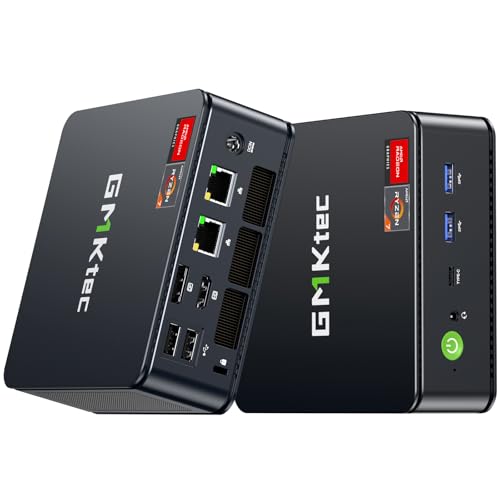
TL;DR: The GMKtec M5 Ultra packs an AMD Ryzen 7 7730U, dual 2.5 Gbps LAN ports and 8‑core graphics into a sub‑150 mm mini PC for $399.98, delivering multitasking across eight cores in a tiny footprint.
The standout spec is the Ryzen 7 7730U with a 2.0 GHz base clock that can boost to 4.5 GHz across eight cores and sixteen threads. Coupled with eight GPU cores running at 2000 MHz and 2 GB of shared VRAM, the M5 Ultra handles 4K video playback and light gaming without a discrete card.
Compared with the other 14 entries, the M5 Ultra sits at a similar price point to the GMKtec M3 Ultra but offers a newer Zen 3 CPU and faster Ethernet at 2.5 Gbps, whereas the M3 Ultra’s specs are older and its Ethernet speed isn’t listed. It is lighter than the Dell OptiPlex 3060 (which weighs 11.88 pounds) and more compact than the Dell OptiPlex 5060 SFF model, making it a better fit for space‑constrained desks.
User feedback repeatedly praises the quiet operation and the convenience of dual 2.5 Gbps LAN ports for DIY firewall or router builds. Professional reviewers note the “~35 % performance jump” over previous Ryzen 5‑based mini PCs, while some users flag BIOS stability when pairing large SSDs. The M5 Ultra also supports triple‑monitor setups up to 8K total, a rare feature in this price tier.
Pros
Cons
Best for: Those prioritizing quality and willing to pay for premium performance
Avoid if: You need advanced features or professional‑grade performance
“Users appreciate the compact size and clean design, often mounting it behind monitors or TVs.”
“The dual 2.5 Gbps LAN ports are a standout feature for networking tasks.”
TL;DR: The Dell OptiPlex 5060 MT packs a 6‑core i5‑8500, 16 GB RAM, 500 GB SSD + 1 TB HDD and a solid set of ports for $303, making it a capable office desktop with room to grow.
The standout hardware is the Intel Core i5‑8500, a 6‑core processor with a 3.0 GHz base clock that can boost to 4.1 GHz, paired with 16 GB DDR4 RAM across four DIMM slots. Storage comes from a 500 GB SSD for the OS and apps, plus a 1 TB HDD for bulk files, while the 260 W proprietary power supply keeps power draw modest. Connectivity includes a Gigabit Ethernet port (1 Gbps), four USB‑A 2.0 ports, five USB‑A 3.0 ports and a 10 Gbps USB‑C port.
Compared with its peers, the OptiPlex 5060 is heavier than the Dell OptiPlex 7060, which weighs 5,250 g, but lighter than the Dell OptiPlex 9020 at 14.3 pounds. It shares the same 16 GB of installed memory as the OptiPlex 7060 and the other Dell OptiPlex 5060 variant (B0FG2WG7DM), both list a 64 GB maximum capacity. Its 260 W PSU delivers less power than the 75 W maximum GPU power noted for the other OptiPlex 5060 model, meaning high‑end graphics cards would need a PSU swap.
Reviewers appreciate the smooth day‑to‑day performance and the ability to upgrade RAM or add a second drive, noting the system feels quiet and consumes little power. Professional reviewers highlight the enterprise‑grade TPM 2.0 and Kensington lock as solid security features. On the downside, users have reported occasional defective units out of the box and some disappointment with the SSD quality in certain batches. The lack of an HDMI output also forces an extra adapter for TV connections, and the proprietary power supply can be a hurdle for GPU upgrades.
Pros
Cons
Best for: Most users seeking a balanced, mainstream option
Avoid if: Reliability and user satisfaction are your top concerns
TL;DR: The Dell OptiPlex 3050 SFF packs a 3.2 GHz quad‑core CPU, up to 32 GB DDR4 RAM and dual storage into a 292 mm deep, $112.99 chassis, delivering strong value for budget office setups.
The standout feature is its ultra‑compact footprint: a depth of 292 mm, height of 289 mm and width of just 94 mm, while weighing 5140 g. Inside, the board supports a 3.2 GHz base‑clock Intel Core i5‑6500 (or comparable 6th/7th‑gen CPUs), up to 32 GB DDR4 memory, a 2 TB HDD and a 512 GB SATA SSD, plus an M.2 2280 slot for fast storage or Wi‑Fi upgrades. Connectivity includes four USB 2.0 ports (2 front, 2 rear) and a Gigabit Ethernet link (10/100/1000 Mbps). At $112.99, its price‑to‑performance ratio's hard to beat in the sub‑$500 tier.
Compared with the other 14 entries, the OptiPlex 3050 ranks among the most affordable and lightest Dell‑branded peers—slightly lighter than the HP ProDesk 600 G1, which tips the scales at 12.0 pounds. While the Dell OptiPlex 7010 offers a full‑height PCIe x16 slot, the 3050’s low‑profile slot keeps the chassis small but limits high‑end GPU choices. Still, its dual‑display support up to 3840×2160 @60 Hz via DisplayPort puts it ahead of many budget desktops that lack 4K capability.
Users consistently praise the tiny form factor for fitting under desks or into 6U rack mounts, noting its quiet operation during typical office tasks. Professional reviewers highlight the serviceable design and the efficient 85 % (bronze) to 92 % (platinum) PSU options that keep power draw low for 24/7 use. The most common complaints target the proprietary power supply that caps GPU wattage, occasional thermal throttling and noise when a discrete GPU is installed, and the lack of built‑in Wi‑Fi, which forces reliance on the included USB adapter.
Pros
Cons
Best for: Entry-level buyers or those on a tight budget
Avoid if: You need advanced features or professional‑grade performance
TL;DR: The Dell OptiPlex 7060 packs a 6‑core i7‑8700 (3.20 GHz base, 4.60 GHz boost) and 16 GB DDR4 in a compact SFF chassis for $297.79, offering solid office performance but limited GPU headroom.
The standout spec is the 6‑core Intel Core i7‑8700 with a 3.20 GHz base clock and 4.60 GHz boost, paired with 16 GB DDR4 RAM across four DIMM slots and a 256 GB NVMe M.2 SSD that can reach 3500 MB/s. The integrated Intel UHD Graphics 630 delivers 24 execution units, with a base clock of 350 MHz and boost up to 1200 MHz, supporting dual 4K DisplayPort 1.2 outputs.
At $297.79 it sits slightly above the Dell OptiPlex 5060 (B0FG2WG7DM) which lists at $293.99, and its depth of 457.2 mm is deeper than the 5060’s 289.6 mm. The weight matches the 5060 at 5250 g, but the 7060’s SFF form factor is taller than the 5060’s compact height of 292.1 mm. Compared with the other 13 entries, it offers more USB‑A 2.0 ports (three) and a full‑speed 1 Gbps Ethernet connection, which many budget desktops lack.
Reviewers note the strong CPU performance for multitasking and the generous expandability: four RAM slots, M.2 plus three SATA III bays, and a low‑profile PCIe x16 slot for modest discrete GPUs. However, the 200 W power supply caps GPU upgrades, and the lack of a native HDMI port means you’ll need an optional header if you prefer that connection. Users also note that the interior can feel cramped during upgrades and that the fan can be audible under load.
Pros
Cons
Best for: Most users seeking a balanced, mainstream option
Avoid if: You need advanced features or professional‑grade performance
TL;DR: Beelink’s EQR6 packs a Zen 3 Ryzen 5 6600U, 24 GB LPDDR5 RAM and dual 4K HDMI into a 930 g, 40 mm‑tall mini PC, delivering desktop‑level power at $499.00.
The heart of the EQR6 is an AMD Ryzen 5 6600U with a 2.9 GHz base clock and a boost up to 4.5 GHz, built on a 6 nm process and paired with 24 GB of LPDDR5 RAM. Its integrated Radeon 660M runs at 1900 MHz across six compute units, and two HDMI 2.0 ports let you drive dual 4K@60 Hz displays. Connectivity includes a single USB 2.0 port (480 Mbps) and three USB 3.2 Gen 2 ports (10 Gbps), plus a data‑only USB‑C. The unit stays quiet under load at less than 25 dB and runs on an 85 W internal power supply.
At 930 g, the EQR6 is lighter than the Dell OptiPlex 3060 (11.88 lb) and the GMKtec M3 Ultra (1470 g), though the Dell OptiPlex 5060 (i5‑8500) at 510 g is lighter. Its dual Gigabit LAN ports deliver 1000 Mbps per port, while the GMKtec M5 Ultra offers faster 2.5 Gbps Ethernet. Wi‑Fi 6 tops out at 2.4 Gbps, which is slower than the GMKtec M3 Ultra’s 3.5 Gbps Wi‑Fi. The EQR6 sits in the middle of the lineup: lighter than most business desktops, but not the absolute lightest, and its networking speeds are solid but not the highest.
Reviewers praise the mini PC for smooth multitasking and its whisper‑quiet operation, noting that the 24 GB memory handles office suites, media streaming and light content creation without a hitch. Professionals highlight the dual‑4K output as a productivity boost for multi‑monitor setups. Common complaints focus on the soldered RAM that can’t be upgraded, the USB‑C port lacking video output, and occasional Wi‑Fi strength variability. The lack of Thunderbolt or DisplayPort Alt Mode also limits high‑refresh external displays.
Pros
Cons
Best for: Those prioritizing quality and willing to pay for premium performance
Avoid if: You need advanced features or professional‑grade performance
“Runs smoothly with multiple apps open”
“Perfect for home theater”
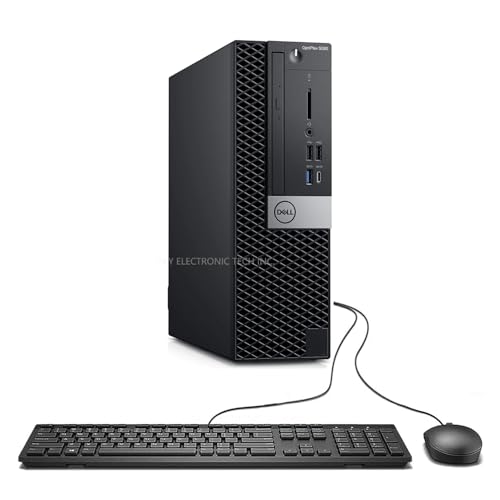
TL;DR: The Dell OptiPlex 5060 SFF packs a 3.0 GHz hexa‑core i5, 16 GB RAM and a 512 GB SSD for $293.99, offering solid office performance but limited graphics options and a short warranty.
The standout hardware is the Intel Core i5‑8500, a six‑core processor with a 3.0 GHz base clock and a 4.1 GHz turbo boost, paired with 16 GB of DDR4 memory running at 2666 MT/s. Storage comes from a 512 GB SSD, and networking is handled by a 1 Gbps Ethernet port. All of this sits in a compact 289.6 mm deep, 94.0 mm wide small‑form‑factor case that includes a keyboard and mouse.
Compared with the other fourteen entries in this $500‑or‑less roundup, the OptiPlex lands near the middle of the price band—more expensive than some ultra‑budget mini PCs but cheaper than many full‑tower workstations. Its 4.0‑star rating from 405 reviewers is solid, though a few peers score slightly higher. The unit’s tool‑less chassis and dual DisplayPort outputs give it more upgrade flexibility than many lower‑priced alternatives that lack USB‑C or spare PCIe slots.
User feedback highlights the machine’s quiet operation and smooth Windows 11 experience after upgrading the standard RAM and SSD. Professionals praise the easy access for adding a low‑profile GPU, while everyday users note the absence of an HDMI port and a proprietary 200 W power supply that limits high‑end graphics cards. The single 3.5″ drive bay also restricts additional bulk storage, and the 90‑day warranty leaves some buyers wanting longer coverage.
Pros
Cons
Best for: Most users seeking a balanced, mainstream option
Avoid if: You need advanced features or professional‑grade performance
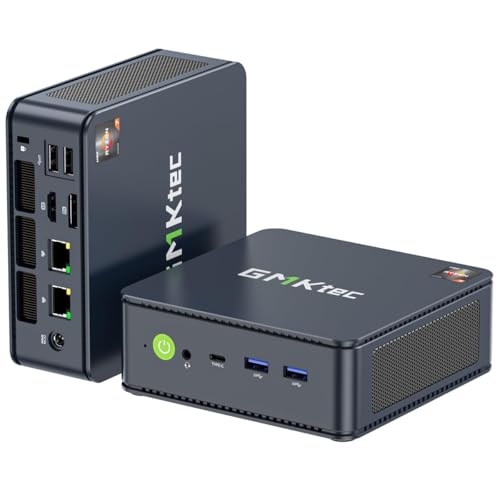
TL;DR: At $279.99 with a 4.3‑star rating from 435 reviewers, the GMKtec M5 PLUS offers solid value but users note heating and fan noise concerns.
The GMKtec M5 PLUS positions itself as a budget‑friendly mini desktop, priced under $300 and carrying a 4.3‑star rating that places it among the lower‑rated options in this $500‑under roundup. Its price point makes it one of the more affordable entries, and the rating suggests most owners are reasonably happy with what they get for the cost.
Reviewers consistently praise the device for its multitasking capability, dual high‑speed Ethernet, Wi‑Fi 6E connectivity and the ability to drive three 4K displays, which many users find ideal for small‑office workstations or media centers. On the flip side, a recurring theme is that the Wi‑Fi module can run hot and the top fan often stays on, creating noticeable noise. Some owners also report occasional SSD detection quirks and brief display flicker that usually require firmware or BIOS updates.
Given its price and rating, the M5 PLUS sits as a cost‑effective choice for buyers who value compact size and connectivity over top‑tier performance. It doesn't rank highest in scores, but it delivers enough features to satisfy users looking for an entry‑level mini PC without breaking the bank.
Pros
Cons
Best for: Most users seeking a balanced, mainstream option
“Users appreciate the compact size and clean design, often mounting it behind monitors or TVs.”
“The dual 2.5 Gbps LAN ports are a standout feature for networking tasks.”
TL;DR: At $220, the Dell OptiPlex 9020 offers a 3.2 GHz 4th‑gen Intel CPU, up to 32 GB DDR3 RAM, and extensive connectivity, but its older architecture and lack of DDR4 or NVMe keep it from high‑end performance.
The standout spec is the 3.2 GHz base clock paired with an Intel HD Graphics 4600 that runs between 350 MHz and 1200 MHz, plus the option to add a discrete GPU such as an AMD Radeon HD 8570. It ships with 8 GB of DDR3‑1600 memory in a 4‑slot configuration that can expand to 32 GB on the MT/SFF chassis, and a 500 GB 7200 RPM SATA drive as the primary storage.
Compared with its peers, the OptiPlex 9020 is significantly lighter than the Dell OptiPlex 7010, which tips in at roughly 29 pounds, and it provides far more USB 2.0 ports than the GMKtec G3S Beats, which lists only one. Its 292 mm height also makes it considerably taller than the GMKtec’s 44 mm profile, while still fitting comfortably on a standard desk. The Gigabit Ethernet (10/100/1000 Mbps) matches the network speed of the other Dell models in the set.
Professional reviewers highlight the machine’s tool‑less access to RAM, storage, and expansion cards, making upgrades straightforward for IT departments. Users appreciate the reliable 24/7 operation and the multiple video outputs for multi‑monitor setups. However, the community notes that the 4th‑gen Haswell CPUs feel dated, the DDR3‑only memory limits future‑proofing, and the absence of an M.2 NVMe slot prevents fast SSD upgrades. Fan noise can become noticeable under sustained load, which some office users mention as a drawback.
Pros
Cons
Best for: Entry-level buyers or those on a tight budget
Avoid if: You need advanced features or professional‑grade performance
Breakdown
Kamrui Pinova P2
Pros
Dell OptiPlex 3060
Pros
HP ProDesk 600 G1
Pros
Dell OptiPlex 7010
Cons
Based on scoring data and product specs
Personalized picks
Best Overall Pick
Kamrui Pinova P2
Best Mid-Range PickBest for: Most users looking for a well-reviewed, reliable mainstream option
Dell OptiPlex 3060
Best for: Buyers willing to invest in a proven, high-quality option
$408.99+$79.00 vs winner
Skip Dell OptiPlex 9020 if…
You need advanced features or professional-grade performance
We crown the Kamrui Pinova P2 as the clear winner of the budget desktop roundup. At just $289.99 it undercuts most competitors, while delivering a solid 4‑core AMD Ryzen 3 4300U processor that scores a PassMark 7335. It ships with 16 GB DDR4 RAM and a 512 GB SSD, and even supports three independent 4K@60 Hz displays—a rare feature at this price.
The runner‑up is the Dell OptiPlex 3060, ideal if you need extra horsepower for multitasking or heavier office workloads. Its 6‑core Intel Core i5‑8500 processor, paired with 32 GB of DDR4 RAM and a roomy 1 TB SSD, gives you headroom for demanding spreadsheets, virtual meetings, and light content creation, all while still handling 4K output.
For shoppers looking beyond the top picks, the Dell OptiPlex 3050 offers the best budget entry point at $112.99, delivering reliable performance for basic home or office use. If you’re willing to stretch to a premium experience, the Beelink EQR6 at $499.00 provides higher‑end specs and future‑proofing for power users.
Pick the Kamrui Pinova P2 today and get the most bang for your buck.
The Kamrui Pinova P2 stands out with native triple‑4K@60 Hz support, letting you connect three independent 4K displays. The Dell OptiPlex 3060 also supports 4K but only via a single DisplayPort or HDMI, so it’s limited to one 4K screen at a time.
Please sign in to leave a review
No reviews yet. Be the first to review!
