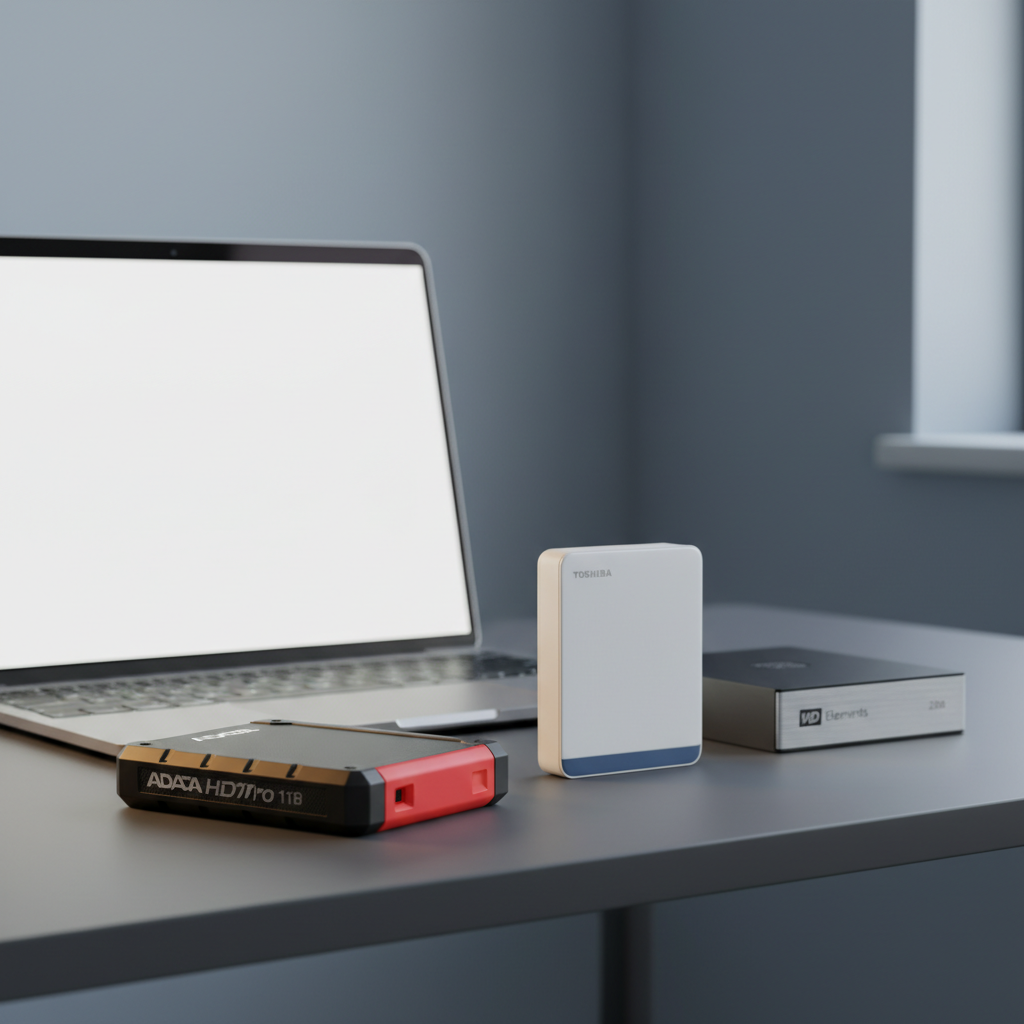
Finding an external hard drive that won’t break the bank yet still protects your files can feel like hunting for a needle in a haystack. Examining ten drives, all priced under $100, surfaces the most reliable choices. The lineup spans three price tiers – budget models, a couple of mid‑range options, and a handful of premium‑styled drives that still fit the sub‑$100 ceiling.
Among the premium picks, the ADATA HD710 Pro 1TB stands out with an IP68 waterproof rating, 1.5 m drop resistance, and a solid 4.6/5 rating from 29,265 reviewers, all for $89.11. The WD Elements 2TB delivers the highest user count – 312,561 reviews – and a 4.6/5 score at $89.99, giving you double the storage for a similar price. On the budget side, the Transcend StoreJet 25M3G 1TB leads at $64.98, while the Seagate One Touch 2TB and Toshiba Canvio Basics 1TB round out the low‑cost selections with prices of $69.99 and $74.98 respectively.
The following sections break down each drive’s strengths, capacity, and durability to help match the right model to your storage needs.
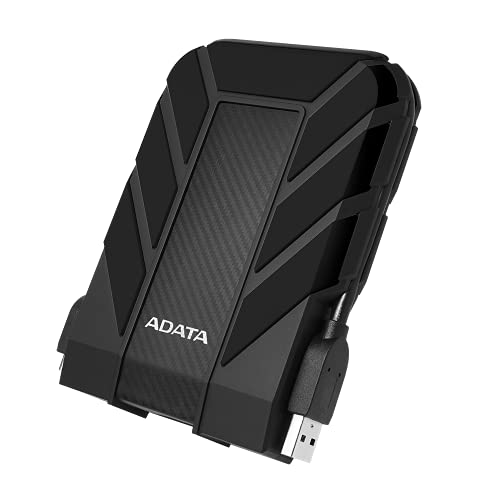
ADATA HD710 Pro 1TB AHD710P-1TU31-CBK
Provides 1 TB of storage for $89.11 and has a 4.6‑star rating.

Toshiba Canvio Basics 2TB HDTB520XK3AA
Ideal for audiophiles and enthusiasts who need 2 TB, it sits about $7 above the ADATA, offering extra capacity for high‑resolution audio collections.

WD Elements 2TB
Its 15 mm thin design differentiates it from the bulkier ADATA and Toshiba, offering the same 2 TB storage at $89.99.
Also considered
Score Analysis
Key score advantages vs. runner-up (Toshiba Canvio Basics)
Price Range
ADATA HD710 Pro 1TB AHD710P-1TU31-CBK
$121.40
Toshiba Canvio Basics 2TB HDTB520XK3AA
$95.99
WD Elements 2TB
$89.99

WD My Passport 2TB
$94.95
Transcend StoreJet 25M3G 1TB
$99.99
Toshiba Canvio Basics 1TB HDTB510XK3AA
$78.73

Transcend StoreJet M3 1TB
$66.98

WD My Passport 1TB Black
$84.99

Seagate One Touch 2TB
$69.99
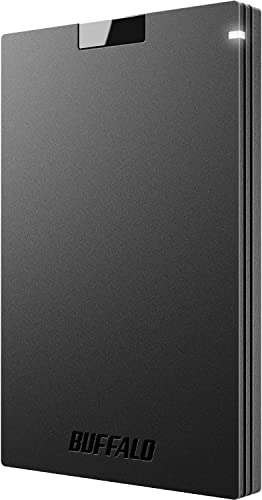
Buffalo External SSD USB-C 1TB
$104.99
Spec Comparison
TL;DR: The ADATA HD710 Pro 1TB offers rugged IP68 waterproof protection, 1.5 m drop resistance, and solid 4.6‑star ratings for just $89.11, making it a durable budget external drive.
This drive’s standout spec is its IP68 rating, which lets it survive a 2 m submersion for up to 60 minutes and a 1.5 m free‑fall without damage. The 133.3 mm × 98.5 mm × 21.5 mm chassis houses a 1 TB 2.5‑inch SATA HDD, and the unit weighs 0.6 pounds (272 g), giving it a solid, protective feel.
Compared with the other nine sub‑$100 drives, the HD710 Pro is heavier than the WD Elements 2TB (0.29 pounds) and the WD My Passport 1TB (0.26 pounds), but still under a pound, which is typical for rugged HDDs. It’s bulkier than the ultra‑light Buffalo External SSD (17 g) and the Transcend StoreJet M3 (185 g), yet its price and capacity sit comfortably alongside the 2 TB options that cost a similar amount.
Users consistently praise the drive’s durability; many note that it “survives drops and harsh conditions” and that the auto‑pause sensor reliably stops operation during impacts. Reviews note slower transfer speeds—around 100‑150 MB/s in practice—especially versus SSD competitors. macOS users also mention the need to reformat before first use, and a few have reported that the USB‑C port cover can feel stiff after long use.
On the technical side, the HD710 Pro connects via USB 3.2 Gen 1 with a maximum data rate of 5 Gbps and a theoretical transfer speed of 625 MB/s. Power comes from a 5 V 900 mA supply, and the drive includes a USB‑3.1 Gen 1 cable, a quick‑start guide, and thoughtful features like a cable‑management groove and a one‑touch port cover. ADATA backs the unit with a 3‑year limited warranty.
Pros
Cons
Best for: Buyers who need a rugged, waterproof external drive for outdoor adventures or field work and value durability over raw speed.
Avoid if: You need the fastest possible transfers, ultra‑light weight, or a plug‑and‑play solution for macOS without reformatting.
“Still working perfectly after being dropped multiple times.”
“Looks and feels very sturdy. Great for outdoor use.”
TL;DR: The Toshiba Canvio Basics 2TB offers 2 TB of storage, 117 MB/s sequential reads, and a lightweight 150 g matte‑black design for under $100, earning a 4.6‑star rating from over 18 k reviewers.
This drive packs a full 2 TB of space (2000 GB) into a compact 14 mm‑high, 79 mm‑wide chassis that weighs just 0.33125 pounds (150 g). It connects via USB 3.2 Gen 1 (USB 3.0) and can reach the theoretical 5.0 Gbit/s transfer ceiling, delivering up to 117 MB/s sequential reads and 114 MB/s sequential writes. Small‑file random writes sit around 5.73 MB/s, which is typical for a mechanical HDD of this class. The included 450 mm Micro‑USB cable makes it bus‑powered and ready to plug in straight out of the box.
Compared with the other nine drives in this under‑$100 roundup, the Canvio Basics is heavier than the WD Elements 2TB (0.29 lb) but lighter than the ADATA HD710 Pro (0.6 lb). Its 2 TB capacity matches the WD Elements and Seagate One Touch, giving it more space than the 1 TB Buffalo SSD, WD My Passport 1TB, and Transcend StoreJet M3. Sequential speeds of 117 MB/s are on par with the WD Elements’ “>100 MB/s” claim, yet far below the 600 MB/s read speed of the Buffalo SSD and the 625 MB/s theoretical rate of the ADATA drive. The one‑year limited warranty trails the two‑year coverage of the WD Elements and the three‑year warranties of the Buffalo SSD and WD My Passport series. Finally, its Micro‑USB connector is older than the USB‑C ports found on the Buffalo SSD and some newer competitors.
Users consistently award the drive 4.6 out of 5 stars, praising its reliability, straightforward plug‑and‑play operation, and the value of 2 TB at a sub‑$100 price point. Reviewers note the matte‑black plastic feels sturdy and the internal shock sensor adds a layer of protection for everyday moves. Common complaints mention the absence of a protective carry case and occasional recognition issues that often trace back to the cable or driver setup. Professional reviewers also flag the slower random‑write performance and the older Micro‑USB interface as trade‑offs for the low price.
Pros
Cons
Best for: Casual home users and gamers who need a simple, high‑capacity external drive for photos, videos, and console storage.
Avoid if: You require rugged, waterproof protection, high‑speed small‑file performance, or a USB‑C connection.
“Great for Xbox Series S”
“Works fine with DVR”
TL;DR: The WD Elements 2 TB portable drive packs 2 TB of storage into a 15 mm‑high, 0.29‑lb case, delivering >100 MB/s reads via USB 3.2 Gen 1 for $89.99.
At the heart of the Elements is its 2 TB capacity, packed into a compact 15 mm‑high, 110 mm‑long, 82 mm‑wide enclosure that weighs just 0.29 pounds (130 g). The drive uses a Micro‑USB 3.0 (USB 3.2 Gen 1) interface with a theoretical 5 Gbps transfer rate and sustained read speeds exceeding 100 MB/s, which is solid for a bus‑powered HDD.
Compared with the other nine contenders, the Elements sits in the middle of the size spectrum: it’s taller than the WD My Passport 1 TB (11.18 mm) but far shorter than the rugged ADATA HD710 Pro (133.3 mm). Its width of 82 mm is a bit wider than the WD My Passport (74.93 mm) and the Seagate One Touch (78 mm), yet narrower than the ADATA’s 98.5 mm. In weight, the Elements is lighter than the ADATA (0.6 lb) and the Transcend StoreJet M3 (185 g) but heavier than the ultra‑light Buffalo SSD (17 g). Capacity-wise, it matches the Toshiba Canvio Basics 2 TB and the Seagate One Touch 2 TB, beating all 1 TB models.
Everyday users praise the drive’s plug‑and‑play convenience and the “fast‑enough” read speeds for moving photos, videos, and game libraries. Professional reviewers note the good value and cross‑platform flexibility, while also pointing out the lack of any hardware encryption and a warranty that’s only two years—shorter than the three‑year coverage on some WD My Passport models.
Pros
Cons
Best for: Casual users who need a reliable, high‑capacity backup drive for documents, photos, videos, and games, especially on Windows PCs.
Avoid if: You require built‑in encryption, rugged durability, or a longer warranty for professional‑grade storage.
“Easy setup and immediate recognition on Windows”
“One user reported internal damage after air travel ("shifted inside")”
TL;DR: The WD My Passport 2TB offers 2 TB of portable storage, USB 3.2 Gen 1 speeds around 110 MB/s, 256‑bit AES encryption, and a 3‑year warranty for just $74.99.
The drive packs a full 2 TB of space into a 2.5‑inch chassis that measures 107.19 mm deep, 11.18 mm high and 74.93 mm wide, and it weighs only 0.264375 pounds (120 g). Its USB 3.2 Gen 1 (USB 3.0/3.1) interface and included Micro‑USB to USB‑A cable let you reach real‑world transfer speeds of about 109 MB/s read/write, while the theoretical ceiling sits at 5000 Mbps (625 MB/s). Built‑in 256‑bit AES hardware encryption and password protection give you a solid security layer.
At $74.99 the My Passport sits in the same price tier as the other nine contenders but is lighter than the Toshiba Canvio Basics (0.33125 lb) and the Seagate One Touch (0.32628414776 lb). Its 11.18 mm thickness is slimmer than the Transcend StoreJet M3’s 16.1 mm and far thinner than the ADATA HD710 Pro’s 21.5 mm. While the WD 1TB model shares the exact dimensions, the My Passport’s 2 TB capacity gives it a better value per terabyte.
Everyday users praise the drive’s reliability and ease of setup, especially for Windows backups. Reviewers note the read/write performance around 109 MB/s and the convenience of the bundled WD Backup and Security software, which even includes ransomware defense. The main criticisms focus on the plastic enclosure, which feels less durable than metal‑alloy alternatives, and the lack of native USB‑C or shock‑proof design. Professional reviewers also point out the audible spin‑up noise typical of 5400 RPM HDDs.
Pros
Cons
Best for: Most users looking for a well‑reviewed, reliable mainstream option
Avoid if: You need a rugged, shock‑resistant drive or native USB‑C connectivity
“I had to learn how to format via Disk Utility for use with MacBooks, but it works well now and does what it is supposed to do: sit there and blink.”
TL;DR: At $64.98, the Transcend StoreJet 25M3G offers 1 TB of rugged, water‑resistant storage with a one‑touch backup button, MIL‑STD‑810G shock protection, and USB 3.1 connectivity, making it a solid budget pick.
The standout feature is the dedicated one‑touch auto‑backup button, which lets you start a full backup with a single press. Coupled with a military‑grade three‑stage shock protection system (MIL‑STD‑810G) and a sealed, water‑resistant case, it’s designed for field use. It packs 1 TB of storage, spins at 5400 RPM, and weighs just 0.4 Pounds, fitting easily into a backpack.
Compared with the other nine drives in this roundup, the StoreJet sits near the lower end of the price spectrum while offering a full‑size 1 TB capacity. At 0.4 Pounds it is a touch heavier than the Seagate One Touch 2TB (≈0.326 Pounds) and the WD My Passport 2TB (≈0.264 Pounds), but noticeably lighter than the ADATA HD710 Pro (≈0.6 Pounds). Its 25.4 mm height makes it taller than the ultra‑slim Seagate (≈11.71 mm) and WD My Passport models (≈11.18 mm), yet it shares the same 129.5 mm length as the Transcend StoreJet M3, giving it a familiar footprint.
Users consistently praise the drive’s durability and the convenience of the backup button, especially professionals who need a drop‑proof solution on shoots. The same reviewers point out the legacy micro‑USB connector as a drawback in 2026, and note that the HDD’s transfer speeds lag behind SSD alternatives. Professional reviewers also highlight the strong 256‑bit AES encryption that Transcend Elite software provides, though they mention the lack of a hardware toggle.
On the technical side, the drive supports UASP over USB 3.1 Gen 1 (USB 3.0) with a theoretical maximum of 5 Gbps (625 MB/s) and includes an 8 MB cache. It runs bus‑powered at 5 V and operates comfortably between 5 °C and 55 °C. A three‑year limited warranty rounds out the offering, reinforcing Transcend’s confidence in the product’s longevity.
Pros
Cons
Best for: Field professionals such as photographers, videographers, and journalists who need durable, drop‑proof storage on a budget.
Avoid if: You prioritize the fastest possible transfer speeds or require a modern USB‑C connection.
“Survived multiple drops from desk height — still works perfectly.”
“Great for fieldwork — I use it for photo backups and it’s held up in rain and dust.”
TL;DR: The Toshiba Canvio Basics 1TB delivers 1 TB of portable USB‑3.0 storage in a compact 149 g, 14 mm‑deep case, backed by a 4.6‑star rating from nearly 19 k reviewers.
The drive’s standout spec is its 1 TB capacity paired with a USB 3.2 Gen 1 interface that tops out at 5.0 Gbit/s, while sustained read speeds reach 142 MB/s on the outer tracks. At just 0.33125 pounds (149 g) and measuring 109 mm × 78 mm × 14 mm, it slips easily into a laptop bag or backpack. An 8 MB cache and a 12 ms average seek time keep everyday file transfers smooth, and the matte, smudge‑resistant finish helps it stay looking clean.
Compared with the nine other budget drives in this roundup, the Canvio Basics is heavier than the WD My Passport 2 TB (0.264 lb) and the WD My Passport 1 TB (0.26 lb), but lighter than the Transcend StoreJet M3 (0.449 lb) and the ADATA HD710 Pro (0.6 lb). It also weighs more than the ultra‑light Buffalo SSD (17 g), though that SSD uses a different technology. In terms of transfer rates, its 5.0 Gbit/s ceiling matches the WD My Passport series, Seagate One Touch, and most other HDDs listed, but it lags behind the SSD’s 600 MB/s read speed. Some competitors offer three‑year coverage, making the drive’s 1‑year limited warranty shorter.
Professional reviewers note the drive’s plug‑and‑play simplicity and reliable performance, while everyday users praise its ease of use for backing up photos, videos, and console data. Common complaints focus on the lack of built‑in encryption or password protection and the need to reformat the drive for macOS, which erases existing data. As a mechanical 5,400 RPM HDD, it’s also less shock‑resistant than rugged SSD options, making it less suitable for rough travel.
Pros
Cons
Best for: Budget‑conscious buyers seeking a reliable entry‑level option
Avoid if: You want the best value‑per‑dollar in its price range
“Great for Xbox Series S”
“Works fine with DVR”
TL;DR: The Transcend StoreJet M3 1TB packs military‑grade shock protection, a 16.1 mm slim profile and 90 MB/s real‑world speeds for just under $67, making it a solid budget‑friendly portable drive.
The standout feature is its three‑stage, MIL‑STD‑810G shock‑resistance system, which a slip‑resistant rubber shell and internal suspension reinforce. At 16.1 mm thick, 129.5 mm long and 80.8 mm wide, it fits easily into a backpack, while the bus‑powered USB 3.1 Gen 1 (5 Gbps) interface delivers up to 90 MB/s real‑world transfer speed.
Compared with the nine other drives in this roundup, the StoreJet M3 is thicker than the Toshiba Canvio Basics (14 mm) and the Seagate One Touch (11.71 mm), but its 185 g (0.4497 lb) weight sits between the lighter WD My Passport 2TB (0.264 lb) and the heavier ADATA HD710 Pro (0.6 lb). It also carries a larger footprint than the ultra‑thin SSD from Buffalo (12.7 mm high), yet remains slimmer than the bulkier ADATA model (133.3 mm high). In terms of speed, its 90 MB/s ceiling trails the sustained >100 MB/s reads reported for the WD Elements 2TB, but it matches the typical 60–90 MB/s range expected from a USB 3.0 HDD.
Reviewers consistently praise the rugged design—one professional likened the casing to an OtterBox phone case—and the ease of one‑touch auto‑backup via Transcend Elite. Users love the rubberized grip and the built‑in 256‑bit AES encryption for added peace of mind. The most common complaints mention the drive warming up during long transfers, occasional enclosure circuitry failures after extended use, and the Y‑cable’s dual‑plug requirement confuses some first‑time owners.
Technical extras include 5 V DC bus power, backwards compatibility with USB 2.0, and a one‑year warranty. The drive ships with Transcend Elite software for backup, recovery and encryption, rounding out a feature set that feels generous for a sub‑$70 price point.
Pros
Cons
Best for: Budget-conscious buyers seeking a reliable entry-level option
Avoid if: You have limited desk space or need portability
“Survived multiple drops from desk height — still works perfectly.”
“Great for fieldwork — I use it for photo backups and it’s held up in rain and dust.”
TL;DR: The WD My Passport 1TB Black offers 1 TB of portable storage, 256‑bit AES hardware encryption, and 5 Gbps USB‑C‑to‑Micro‑B connectivity for $84.95, making it a solid, well‑reviewed choice for everyday backup needs.
This drive’s standout feature is its built‑in 256‑bit AES hardware encryption paired with password protection via WD Security software, delivering strong data security without extra peripherals. It also supports a theoretical 5 Gbps data transfer rate, with measured actual speeds of 80.04 MB/s on macOS and 72.55 MB/s on Windows, which is respectable for a 5400 RPM, 2.5‑inch HDD.
When you line it up against the nine other contenders, the My Passport weighs only 0.26 pounds, undercutting the ADATA HD710 Pro’s 0.6 pounds and edging out the WD Elements 2TB’s 0.29 pounds. Its dimensions—4.22 in × 2.95 in × 0.44 in—make it slimmer than the Seagate One Touch’s 11.71 mm height and more compact than the Transcend StoreJet M3’s 16.1 mm thickness. The three‑year limited warranty also outlasts the one‑year coverage on many of the Toshiba Canvio Basics models.
Users consistently praise the compact chassis and the “plug‑and‑play” setup, noting that the drive’s small footprint slips easily into a laptop bag or backpack. Professional reviewers highlight the encryption as a strong security bonus, while everyday buyers appreciate the reliable Windows experience. The most common gripe is the plastic housing, which can scratch and feels less premium than metal‑cased rivals; Mac users also mention the need to reformat or install an NTFS driver for full compatibility.
Technically, the drive draws power directly from the USB port, eliminating the need for an external power brick. Its 5400 RPM spindle and 2.5‑inch form factor keep power consumption low, and the included SuperSpeed USB‑A to Micro‑B cable (5 Gbps) plus USB‑A to USB‑C adapter ensure broad device compatibility, including Chromebook certification.
Pros
Cons
Best for: Most users looking for a well‑reviewed, reliable mainstream option
Avoid if: You're shopping on a tight budget — it's priced at $84.95
“I had to learn how to format via Disk Utility for use with MacBooks, but it works well now and does what it is supposed to do: sit there and blink.”
TL;DR: At $69.99, the Seagate One Touch delivers 2 TB of storage in a lightweight aluminum case, offers AES‑256 hardware encryption, and provides USB‑3.0 speeds up to 5 Gbps for secure, portable backup.
The One Touch packs a 2 TB capacity into a sleek brushed‑metal enclosure that weighs just 0.32628414776 pounds and measures 11.71 mm × 114.8 mm × 78.0 mm, making it easy to slip into a laptop bag. AES‑256 hardware encryption with password protection adds a layer of security that many budget drives lack, and the drive draws power from its 46 cm USB‑3.0 cable, so you'll never need an external power brick.
Compared with peers, the One Touch is lighter than the Transcend StoreJet M3 (0.44974301448 pounds) and only marginally lighter than the Toshiba Canvio Basics (0.33125 pounds). Its 114.8 mm length is shorter than Transcend’s 129.5 mm, and its 78.0 mm width is a touch narrower than the 80.8 mm width of the same model. While its two‑year warranty matches the basic offering of some competitors, it outlasts the one‑year warranty seen on the Toshiba unit.
Users consistently praise the drive’s plug‑and‑play setup and the peace of mind from built‑in encryption, with many noting the “fast setup” and “reliable” performance in everyday backups. Professional reviewers highlight that hardware encryption at this price point is rare in portable HDDs, and they commend the premium aluminum feel. Common complaints revolve around the bundled software trials—some find the Adobe and Mylio offers confusing—and the need to reformat for macOS Time Machine use. The lack of a native USB‑C connector also surfaces as a minor drawback for newer laptops.
Pros
Cons
Best for: Budget-conscious buyers seeking a reliable entry-level option
Avoid if: Reliability and user satisfaction are your top concerns
“Plugged it in, formatted exFAT in about 3‑seconds... and it just… worked. No muss, no fuss.”
“Outstanding choice for Mac users – security, speed, and compatibility all in one.”
TL;DR: The Buffalo External SSD USB‑C 1TB packs a 600 MB/s read speed into a 12.7 mm‑thin, 17 g case for $92.99, offering fast, portable storage that’s especially handy for console gamers.
What really stands out is the 600 MB/s maximum read speed, which Buffalo advertises for quick file transfers and game loading. The drive measures just 12.7 mm in height, 116.84 mm long and 76.2 mm wide, and it weighs a feather‑light 17 g—roughly the size of a credit card and easy to slip into a pocket or laptop bag.
Compared with the other nine picks, the Buffalo SSD sits at the higher end of the price band—costs $92.99 versus the $89.99 WD Elements 2TB and $89.11 ADATA HD710 Pro. It’s also dramatically lighter than the WD Elements (130 g) and the ADATA drive (0.6 lb), and its three‑year warranty outlasts the two‑year limited warranty on the WD Elements. While the HDDs in the list top out at read speeds just over 100 MB/s, Buffalo’s SSD delivers more than five times that, though it lacks the waterproof rating some rivals boast.
Users consistently praise the plug‑and‑play simplicity: the package includes a USB‑C cable and a USB‑C‑to‑USB‑A adapter, and it works straight out of the box with Windows, macOS, PS4 and PS5. Professional reviewers highlight the high compatibility with PlayStation consoles and the ease of setup. On the flip side, several owners note the plastic housing feels cheap and a few have experienced speed drops after extended use, which aligns with the “inconsistent performance” comment in aggregated feedback.
The drive runs over a USB 3.2 Gen 2 interface, offering the theoretical bandwidth needed to hit its advertised speeds. It’s also listed as military‑spec shock‑resistant, though it isn’t rated for water or dust protection.
Pros
Cons
Best for: PS4 and PS5 gamers, travelers, and anyone who needs fast, portable storage with solid compatibility.
Avoid if: You’re on a tight budget, need rugged waterproof protection, or require sustained high‑speed writes for professional video editing.
“Plugged it in and it worked immediately”
“Fast and reliable performance”
Breakdown
ADATA HD710 Pro 1TB AHD710P-1TU31-CBK
Pros
Toshiba Canvio Basics 2TB HDTB520XK3AA
Pros
WD Elements 2TB
Pros
WD My Passport 2TB
Pros
Based on scoring data and product specs
Personalized picks
Best Overall Pick
ADATA HD710 Pro 1TB AHD710P-1TU31-CBK
Best ValueBest for: Buyers willing to invest in a proven, high-quality option
Toshiba Canvio Basics 2TB HDTB520XK3AA
Best for: Audiophiles and enthusiasts seeking premium sound quality and advanced features
$95.99-$25.41 vs winner
Skip Buffalo External SSD USB-C 1TB if…
You're on a tight budget or only need basic functionality
We’re naming the ADATA HD710 Pro 1TB (AHD710P‑1TU31‑CBK) the clear winner. It has a solid 4.6‑star rating from 29,265 reviewers, ships with a rugged IP68 rating and can survive a 1.5 m drop, and the manufacturer backs it with a 3‑year warranty—all for $89.11.
The runner‑up is the Toshiba Canvio Basics 2TB (HDTB520XK3AA), ideal if you need extra storage for a growing media library while keeping a feather‑light profile. At just 0.33125 lb and a slim 14 mm thickness, it offers 2 TB capacity, sequential reads of 117 MB/s, and a price of $95.99.
For shoppers with different budgets, we also recommend: Transcend StoreJet 25M3G 1TB at $64.98 as the best budget pick, thanks to its low price point; WD My Passport 2TB at $74.99 as the strongest mid‑range option, offering reliable 2‑TB storage in a portable form; and the same Toshiba Canvio Basics 2TB as the premium alternative for those who want the highest capacity without breaking $100.
Pick the ADATA HD710 Pro today and get rugged, well‑reviewed storage without overspending.
The ADATA HD710 Pro 1TB, priced at $89.11, delivers a strong mix of durability, water‑resistance (IP68), and a solid 5 Gbps USB 3.2 Gen 1 interface, making it a standout value compared to other sub‑$100 options.
Please sign in to leave a review
No reviews yet. Be the first to review!
