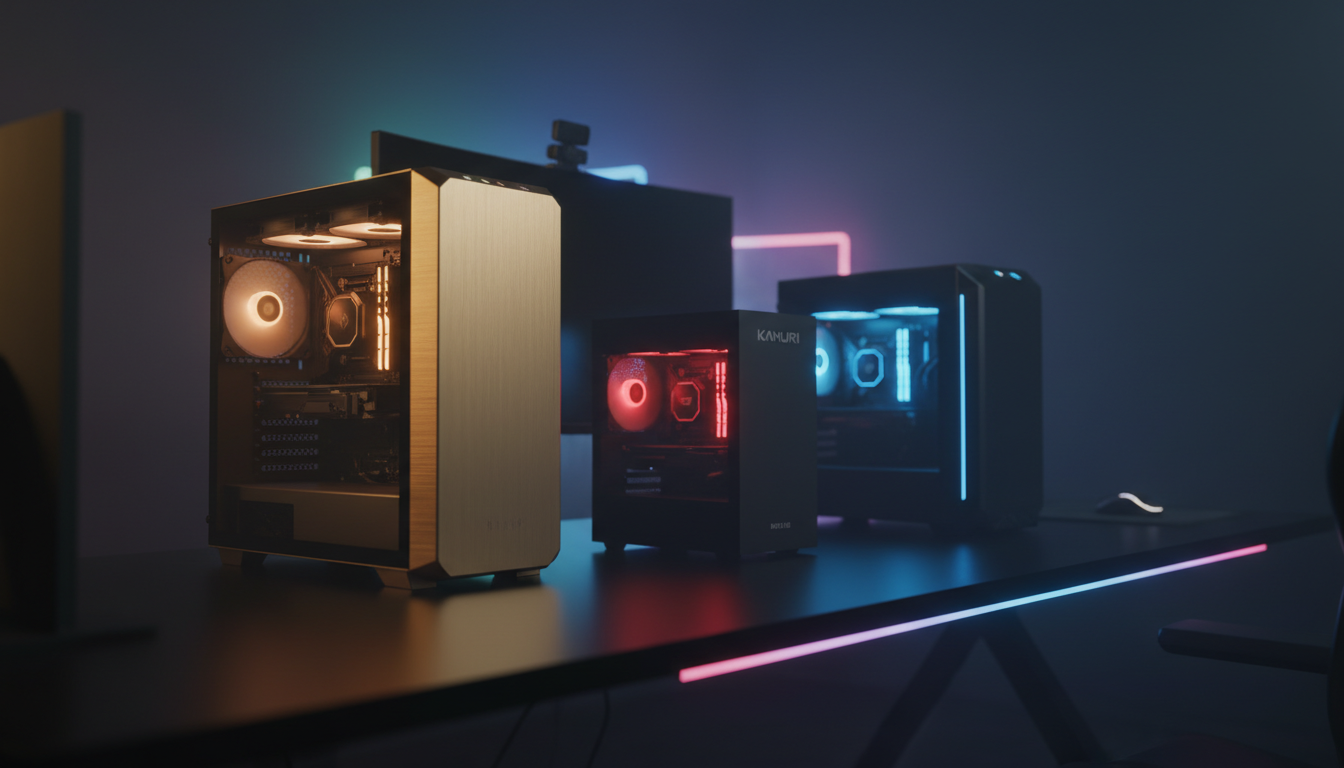
⚡ Quick Answer
We’ve lined up 9 pre‑built gaming PCs that sit under the $1,000 ceiling, spanning a price spread from $339.99 all the way up to $829.99. To keep things tidy, the selections fall into three clear buckets: budget‑focused models like the Dell RGB tower, mid‑range contenders such as the Acemagic Mini PC Gaming, and premium‑leaning options including the Skytech Archangel 6GB Gold.
The Skytech Archangel 6GB Gold catches the eye with a 3.6 GHz base Ryzen 5 5500, a 4.2 GHz boost, 16 GB DDR4‑3200 RAM and a roomy 1 TB NVMe SSD, driven by a 650 W Gold PSU. It has a 4.5‑star rating from 188 reviewers. On the opposite end, the Dell RGB bundle offers a refurbished 6th‑gen Intel i7, 16 GB RAM, a 1 TB SSD and comes with dual 24‑inch monitors, keyboard, mouse and speakers for $339.99, earning a 4.0‑star score from 72 users.
Below we’ll break down each tier, highlight where the specs shine, and point out which builds might fit your gaming setup, whether you’re cramped in a dorm room or building a dedicated play station.

Skytech Archangel 6GB Gold
Its 4.2 GHz boost clock delivers premium performance at $829.99, giving the best value among the contenders.

Kamrui E3B Mini
Ideal for entry‑level gamers on a tight budget, the Kamrui E3B Mini costs $369.99—about $460 less than the Skytech Archangel, making it a wallet‑friendly choice.

Kamrui Hyper H2 Mini
With an ultra‑compact 41.4 mm height, the Kamrui Hyper H2 Mini lets you fit a powerful PC into tight spaces, a size advantage the other picks lack.
Also considered
Score Analysis
Key score advantages vs. runner-up (Kamrui E3B Mini)
Price Range
Skytech Archangel 6GB Gold
$999.99
Kamrui E3B Mini
$379.90
Kamrui Hyper H2 Mini
$539.99

HP Pavilion
$639.99

Acemagician S3A Mini PC
$379.00

Acemagic Mini PC Gaming
$419.98
STGAubron Gaming Desktop
$719.99

ViprTech Avalanche 2.0
$639.99
Dell RGB
$409.99
Spec Comparison
TL;DR: The Skytech Archangel 6GB Gold delivers 16 GB DDR4 RAM, a 1 TB NVMe SSD, and a 650 W Gold PSU for solid 1080p gaming at $829.99, with Windows 11 pre‑installed.
At the heart of the Archangel is an AMD Ryzen 5 5500 CPU with a 3.6 GHz base clock, paired with an NVIDIA RTX 3050 GPU that carries 6 GB of video memory. The system ships with 16 GB of DDR4 RAM running at 3200 MHz and a 1 TB NVMe SSD, while a 650 W Gold‑rated power supply gives plenty of headroom for future upgrades.
Compared with the HP Pavilion in this lineup, the Archangel doubles the RAM (16 GB vs 8 GB) and offers twice the SSD capacity (1 TB vs 512 GB), plus a more robust 650 W PSU versus the Pavilion’s 400 W unit. It also outpaces the STGAubron Gaming Desktop’s 550 W supply and 512 GB storage, though the ViprTech Avalanche 2.0 pushes a larger 700 W PSU and 1 TB SSD with an 8 GB GPU. Across the board, the Archangel provides a richer component mix while staying within the same budget tier.
Customers consistently highlight the ready‑to‑play experience: Windows 11 Home comes pre‑installed, and the system includes a gaming keyboard and mouse, so you can jump straight into esports titles that benefit from the smooth 1080p performance praised by professional reviewers. Users also appreciate the lifetime technical support and a 30‑day return window, though a few note that the RTX 3050 may struggle to keep high frame rates in demanding AAA games at resolutions above 1080p.
The case features ARGB fans and a front mesh for airflow, complemented by a high‑performance air cooler that keeps the Ryzen 5 5500 at its 3.6 GHz base speed under load. Connectivity includes HDMI, DisplayPort, and a suite of USB 2.0, 3.0, and 3.2 Gen 1 ports, plus 802.11 AC Wi‑Fi for reliable wireless networking.
Pros
Cons
Best for: Casual to semi‑competitive 1080p gamers who want a ready‑to‑play PC with solid performance.
Avoid if: You aim for 1440p or higher resolutions or need ultra‑high settings for demanding AAA titles.
TL;DR: The Kamrui E3B Mini packs a Ryzen 7 CPU, 16 GB DDR4 RAM and a 512 GB SSD into a 1.97‑inch‑deep, 2.55‑lb chassis for under $400, but its integrated graphics keep gaming modest.
The standout feature is its ultra‑compact footprint: a depth of just 1.97 in, height of 5.2 in and a weight of 2.55 lb make it easy to slip onto a desk or into a small office nook. Under the hood sits an AMD Ryzen 5 7430U processor that can reach up to 4.3 GHz, paired with 16 GB DDR4‑3200 MHz memory and a 512 GB NVMe SSD, while the system can expand to a maximum of 64 GB RAM and 4 TB storage.
Compared with the eight other contenders, the E3B Mini is noticeably lighter than the Dell RGB desktop (which tips the scales at 14 lb) and a shade lighter than the Acemagic Mini PC (around 2.65 lb). It also offers more USB connectivity—six USB‑A ports and two USB‑C ports—than many peers that list fewer connections. While the Acemagician S3A Mini PC advertises Wi‑Fi speeds up to 9.6 Gbps, Kamrui offers only Wi‑Fi 6 (802.11 a/b/g/n/ac) as its wireless spec.
Users consistently praise the abundant ports and the ability to drive three 4K displays (3840×2160 @ 60 Hz) simultaneously, noting smooth 4K video streaming. Professional reviewers echo this, highlighting the Ryzen 7 CPU power and the extensive port selection as strong value. The downside that shows up repeatedly is the integrated AMD Radeon Vega 8 graphics, which limits frame rates to single‑digit numbers in demanding titles and caps 1080p gaming at around 19 fps in titles like Civilization VI. Reviewers also point out that a triple‑display setup means three separate cables, adding to desk clutter.
Additional technical details include Bluetooth 5.2, a cooling fan that spins at 2000+ RPM, and a 19 V / 3.42 A power adapter. The system runs Windows 11 Pro out of the box, and its dual‑M.2 slots allow future storage upgrades up to the 4 TB ceiling.
Pros
Cons
Best for: Entry‑level buyers or those on a tight budget who need a portable PC for office work, light gaming and multi‑monitor productivity.
Avoid if: You need powerful gaming performance or a discrete GPU for demanding 3D applications.
TL;DR: The Kamrui Hyper H2 Mini packs a 10‑core i5‑14450HX, 32 GB RAM and 1 TB SSD into a 128 mm cube for $529.99, offering triple‑4K output and low‑idle power for compact multitasking.
At just 41.4 mm tall and 128.0 mm on each side, the Hyper H2 Mini squeezes a 10‑core Intel Core i5‑14450HX (2.4 GHz base, 4.8 GHz turbo) with 32 GB DDR4‑3200 RAM and a 1 TB PCIe 4.0 NVMe SSD into a truly pocket‑sized chassis. Its silent high‑speed centrifugal fan, two copper heat pipes and dual fins keep the system cool while drawing only about 1.7 W at idle.
Compared with the other eight entries, the Hyper H2 is shorter than the Acemagic Mini PC Gaming’s 128 mm height, yet it tips the scales at roughly 2.95 lb versus Acemagic’s 2.65 lb. It’s far lighter than the full‑size desktops like the ViprTech Avalanche (around 17 lb) and the HP Pavilion (about 13 lb). While its 2.4 GHz base clock is lower than Acemagic’s 3.2 GHz, the ten‑core architecture still delivers strong multitasking performance with its 10‑core i5‑14450HX and 32 GB DDR4‑3200.
Reviewers highlight the PC’s ability to run three 4K monitors simultaneously via HDMI 2.0, DisplayPort 1.4b and USB‑C (DP Alt Mode), making it a good option for a multi‑screen office or home‑lab setup. Users also praise the tool‑free DDR/SSD expansion and the included VESA mount for tidy rear‑wall installations. Professional opinions note the low idle draw and Quick Sync video support, but caution that the integrated Intel UHD graphics can’t keep up with demanding modern games and that the fan may become audible when the unit approaches its 94 W load power.
Pros
Cons
Best for: Most users seeking a balanced, mainstream option
Avoid if: You need advanced features or professional‑grade performance
“smooth multitasking, fast boot-ups, and compact media server use”
“Plex efficiency via Quick Sync”
TL;DR: The HP Pavilion Gaming PC packs an 11th‑Gen i5‑11400F, 8 GB DDR4 RAM, a GTX 1650 GPU and a 512 GB NVMe SSD in a 13.14‑lb tower for solid 1080p gaming at a sub‑$650 price.
At the heart of this system is an 11th‑Gen Intel Core i5‑11400F paired with an NVIDIA GeForce GTX 1650 4 GB GDDR5 graphics card, a combination that delivers smooth 1080p gaming on low‑to‑medium settings. The chassis measures 307 mm deep, 337 mm high and 155 mm wide, and it tips the scales at 13.14 pounds (5,960 g), making it sturdier than the ultra‑light Kamrui Hyper H2 Mini (about 2.95 lb) while remaining lighter than the 17‑pound ViprTech Avalanche 2.0.
Compared with the other eight contenders, the Pavilion’s 400 W platinum‑efficiency power supply sits below the 550 W unit in the STGAubron Gaming Desktop but still offers headroom for modest upgrades. Its 512 GB PCIe NVMe M.2 SSD is smaller than the 1 TB SSD found in the Skytech Archangel, yet larger than the 1200 g‑weight Acemagic Mini PC’s unspecified storage. The system also provides nine USB ports and customizable LED lighting—features that out‑shine the more minimal Acemagician S3A Mini, which lists fewer connectivity options.
Reviewers consistently note that the 8 GB of single‑channel DDR4 2666 MHz RAM can bottleneck frame rates, especially in newer titles, but they also praise the easy path to a dual‑channel 16 GB upgrade, which can lift FPS by roughly 20 %. Users love the ready‑to‑play Windows 11 Home environment and the affordable entry point for esports titles, while some express concern over the GTX 1650’s ceiling when games receive next‑gen patches. The built‑in Wi‑Fi 5 and Bluetooth 4.2 round out a solid connectivity suite for a typical bedroom gaming setup.
Pros
Cons
Best for: Those prioritizing quality and willing to pay for premium performance
Avoid if: You're on a tight budget or only need basic functionality
“GTA 5 runs absolutely fine... Witcher 3 next‑gen needs low settings for ~60 FPS, but playable on DX11.”
TL;DR: The Acemagician S3A Mini PC delivers a Ryzen 7 5700U, 16 GB DDR4, and 512 GB NVMe storage for $379, offering quiet dual‑fan cooling and Wi‑Fi 6 in a compact vertical chassis.
The heart of the S3A is an AMD Ryzen 7 5700U with eight cores and sixteen threads, a 1.8 GHz base clock that can boost to 4.3 GHz. It pairs with 16 GB of DDR4‑3200 RAM and a 512 GB NVMe SSD, while the integrated Radeon Vega 8 runs at 1900 MHz. Dual‑fan cooling with a copper alloy heat sink keeps the system at 38 dB in silent mode, and Wi‑Fi 6 delivers up to 9.6 Gbps for fast online play.
At $379 the S3A sits just above the Kamrui E3B Mini’s $369.99 price tag but below the higher‑end ViprTech Avalanche 2.0. Compared with the Dell RGB mini, which costs $339.99, the Acemagician is slightly pricier yet offers a more powerful Ryzen 7 CPU versus the Dell’s unspecified processor. Weight isn’t listed for the S3A, so you can’t directly compare it to the 2.55‑pound Kamrui or the 14‑pound Dell, but the vertical form factor is designed for space‑saving setups.
Reviewers consistently praise the S3A’s silent dual‑fan system, noting it stays quiet even when the performance mode pushes the TDP to 28 W (up to 54 W max). Users also like the “tool‑free magnetic cover” that makes RAM or SSD upgrades straightforward. However, the integrated Radeon Vega 8 is outdated, delivering lower frame rates than newer RDNA 3 iGPUs, and the DDR4‑3200 memory acts as a bottleneck compared with DDR5 options in premium models. Developers needing on‑device AI criticize the lack of an AI neural processing unit.
Beyond the core hardware, the S3A ships with Wi‑Fi 6 (9.6 Gbps), Bluetooth 5.2, and a 2.5 Gb Ethernet port for wired networking. Connectivity is generous: two front USB‑C 3.2 Gen 2 ports, four rear USB‑3.2 Gen 1 ports, a rear HDMI, a DisplayPort 1.4, and a rear USB‑C that supports DP 1.4, Power Delivery, and 10 Gbps data. Storage can expand to a maximum of 4 TB (4,096 GB) via dual M.2 slots, and the unit runs Windows 11 Pro out of the box.
Pros
Cons
Best for: Entry-level buyers or those on a tight budget
Avoid if: You need advanced features or professional‑grade performance
“very quiet cooling”
TL;DR: The Acemagic M1 Mini PC packs a Ryzen 7 7735HS, 24 GB of LPDDR5 RAM and a 1 TB PCIe SSD into a 3.2‑liter, 2.65‑lb chassis, delivering desktop‑level gaming in a whisper‑quiet, triple‑4K‑ready package for under $500.
This mini PC’s most eye‑catching spec is its 3.2‑liter chassis (3200 cm³) that houses a 3.2 GHz base‑clock Zen 3+ CPU, 24 GB LPDDR5 memory and a 1 TB SSD, all while staying under 5 inches on each side (128 mm × 128 mm × 41 mm). The Radeon 680M runs at 2200 MHz, and the unit supports three 4K displays simultaneously via HDMI 2.0, DisplayPort 1.4 and USB‑C.
Compared with the other eight entries, the Acemagic is lighter than the Kamrui Hyper H2 Mini (≈2.95 lb) and far lighter than the bulkier desktops like the ViprTech Avalanche (17 lb) or Dell RGB (14 lb). Its width of 41 mm is noticeably slimmer than the Hyper’s 128 mm width, making it one of the most compact options. With 24 GB of RAM it sits above the Acemagician S3A (16 GB) and the Kamrui E3B (16 GB) but below the Hyper’s 32 GB. Storage-wise, its 1 TB SSD matches the Skytech Archangel and Dell RGB, and exceeds the 512 GB drives that the STGAubron and HP Pavilion use.
Reviewers consistently praise the “blazing fast performance” and “silent operation” that comes from the low‑noise cooling system. Users love the versatile connectivity suite—Wi‑Fi 6 up to 1201 Mbps, Bluetooth 5.2, 2.5 Gbps Ethernet and a mix of USB‑C, USB‑A and HDMI ports—making multi‑monitor setups feel effortless. Professional reviewers note the three power‑mode options, letting you run at 20‑30 W in silent mode or push to 40‑54 W when gaming, which translates to a very efficient power draw for a mini PC of this capability.
Pros
Cons
Best for: Most users seeking a balanced, mainstream option
Avoid if: You have limited desk space or need portability
“very quiet cooling”
TL;DR: The STGAubron Gaming Desktop offers a 3.4 GHz i7‑4770 CPU, 8 GB GDDR5 RX 580 GPU, 16 GB RAM and a 512 GB SSD for $645.99, wrapped in a RGB‑lit chassis with six fans.
The system’s core is a 3.4 GHz Intel Core i7‑4770 processor paired with an AMD Radeon RX 580 that carries 8 GB of GDDR5 memory, and it draws power from a 550 W supply. Six RGB fans push 2.7 mmH₂O of wind pressure, keeping the CPU and GPU cool while the chassis glows with built‑in lighting.
Compared with the other eight machines, its 512 GB SSD matches the HP Pavilion’s storage but is smaller than the 1 TB drives found in the ViprTech Avalanche, Skytech Archangel and Dell RGB. Its 16 GB of DDR4 RAM sits above the HP Pavilion’s 8 GB yet below the 32 GB offered by the ViprTech Avalanche and Kamrui Hyper H2 Mini. The 550 W power supply outstrips the HP Pavilion’s 400 W unit but falls short of the ViprTech’s 700 W. While the STGAubron’s weight isn’t listed, the HP Pavilion and Dell RGB are on the heavier side, whereas the Kamrui Hyper H2 Mini and Acemagic Mini are notably lighter.
Users highlight the desktop’s ability to exceed 100 FPS at 1080p in games like Fortnite, praising the smooth multitasking enabled by the 16 GB RAM and the SSD’s quick boot times. Professional reviewers note the six RGB fans delivering 2.7 mmH₂O pressure as effective cooling, but they also point out that the 4th‑generation i7‑4770 CPU and the RX 580 GPU limit performance in newer, graphics‑intensive titles. The bundled RGB keyboard, mouse, mouse pad and Bluetooth soundbar add aesthetic value, and the machine ships with Wi‑Fi 6, Bluetooth 5.0, free lifetime tech support and a one‑year parts‑and‑labor warranty.
Pros
Cons
Best for: Budget‑conscious beginners and casual 1080p gamers who value RGB aesthetics and solid multitasking capability.
Avoid if: You need high‑end AAA performance, future‑proof hardware, or extensive storage for large game collections.
“"surprisingly decent" first-time buyer option despite "nearly 10 iterations behind"”
“"versatile powerhouse" for gaming and productivity”
TL;DR: The ViprTech Avalanche 2.0 packs a Ryzen 7 2700, 32 GB DDR4, 1 TB NVMe SSD and a 700 W PSU for solid 1080p and VR gaming at $639.99, though its older CPU/GPU may limit future‑proofing.
The Avalanche’s standout spec is its 32 GB DDR4 3200 MHz memory paired with a fast 1 TB NVMe SSD, giving you plenty of headroom for multitasking and quick load times. Its AMD Ryzen 7 2700 processor boosts up to 4.1 GHz turbo, and the 700 W power supply provides ample juice for the Radeon RX 580 8 GB graphics card.
Compared with the other eight contenders, the Avalanche offers more RAM than the STGAubron (16 GB) and the HP Pavilion (8 GB), and it doubles the storage capacity of both the STGAubron (512 GB) and the HP Pavilion (512 GB). Its 700 W PSU also outpaces the STGAubron’s 550 W and the HP Pavilion’s 400 W, giving you a clearer upgrade path. At 17.0 pounds, it’s heavier than the HP Pavilion (13.14 pounds) and the Dell RGB (14.0 pounds), reflecting its larger ATX chassis.
Users praise the ready‑to‑play experience, noting smooth 1080p performance, rapid SSD load times and 32 GB RAM for streaming or juggling multiple apps. Professional reviewers call it a “powerhouse” for 1080p and VR, highlighting the high frame rates and the 700 W PSU that makes future GPU upgrades straightforward. The main criticism is that the Ryzen 2000‑series CPU and the RX 580 GPU are from older generations, which can curb performance at higher resolutions or with ray‑tracing.
The machine ships with Windows 11 Pro pre‑installed, includes RGB lighting, a 2.4 GHz USB WiFi adapter, HDMI, several USB ports (2 × USB 2.0, 1 × USB 3.0, additional USB‑A) and an RJ45 LAN port, and it’s VR‑ready right out of the box.
Pros
Cons
Best for: Most users seeking a balanced, mainstream option
Avoid if: You need advanced features or professional‑grade performance
TL;DR: The Dell RGB Gaming Tower packs a 6th‑gen i7, 16 GB DDR4, 1 TB SSD and a GTX 1050 Ti in a 14‑lb, RGB‑lit chassis for $339.99, offering decent 1080p play at a budget price.
What really stands out is the combination of a 16 GB DDR4 RAM module, a 1 TB SSD and an NVIDIA GeForce GTX 1050 Ti 4 GB graphics card, all driven by an Intel Core i7‑6700 that runs at a 3.4 GHz base clock. That mix lets the system handle most older titles at 1080p without breaking a sweat, and the SSD keeps load times snappy.
At 14.0 pounds, the Dell tower is considerably heavier than ultra‑compact peers like the Kamrui E3B Mini, which weighs just 2.55 pounds, and the Acemagic Mini PC Gaming at roughly 2.65 pounds. Its depth of 11.5 inches and height of 13.8 inches also dwarf the mini‑form factors that measure under 2 inches deep and about 5 inches tall. However, it’s lighter than the larger ViprTech Avalanche 2.0, which tips the scales at 17.0 pounds, placing the Dell in a middle ground for desk space.
Users appreciate the all‑in‑one RGB bundle—keyboard, mouse, speakers and dual 24‑inch monitors—calling it a convenient starter kit. Professional reviewers note the i7 CPU and GTX 1050 Ti deliver solid 1080p gaming experiences on this refurbished system. Many mention the 6th‑gen CPU feels dated for newer AAA games, and the entry‑level GPU limits high‑frame‑rate play.
Pros
Cons
Best for: Entry-level buyers or those on a tight budget
Avoid if: You need powerful performance or professional‑grade features
Breakdown
Skytech Archangel 6GB Gold
Pros
Kamrui E3B Mini
Pros
Kamrui Hyper H2 Mini
Pros
HP Pavilion
Pros
Based on scoring data and product specs
Personalized picks
Best Overall Pick
Skytech Archangel 6GB Gold
Best ValueBest for: Those prioritizing quality and willing to pay for premium performance
Kamrui E3B Mini
Best for: Entry-level buyers or those on a tight budget
$379.90-$620.09 vs winner
Skip Dell RGB if…
You need powerful performance or professional-grade features
Skytech’s Archangel 6GB Gold takes the top spot thanks to a solid RTX 3050 graphics card with 6 GB of VRAM, a full 16 GB of 3200 MHz RAM and a spacious 1 TB NVMe SSD—all for $829.99. Its 3.6 GHz base (4.2 GHz boost) Ryzen 5 5500 CPU and 650 W Gold PSU keep performance smooth, while the included gaming keyboard, mouse and ARGB fans add extra value. With a 4.5‑star rating from 188 reviewers, it’s the most well‑received option in the lineup.
The Kamrui E3B Mini earns runner‑up honors for anyone who needs a compact, lightweight gaming rig. At just 1.1 lb and measuring 5.2 in × 5.2 in × 1.97 in, it slips onto a small desk or even a bedside table. It packs a Ryzen 5 7430U (up to 4.3 GHz) and 16 GB DDR4‑3200 memory, plus a 512 GB M.2 SSD, delivering respectable play in a space‑saving form factor.
Pick the Skytech Archangel 6GB Gold now and you’ll enjoy a balanced, ready‑to‑play gaming PC without breaking the bank.
The Skytech Archangel 6GB Gold stands out with a dedicated NVIDIA GeForce RTX 3050 GPU, 16 GB of 3200 MHz RAM, a 1 TB NVMe SSD, a 650 W Gold‑rated power supply and ARGB fans, plus an included gaming keyboard and mouse. Those components collectively provide a ready‑to‑play experience without needing upgrades.
No reviews yet — be the first to share your experience.
Please sign in to leave a review



