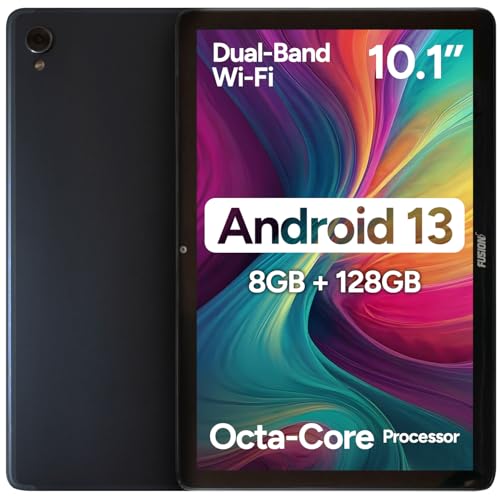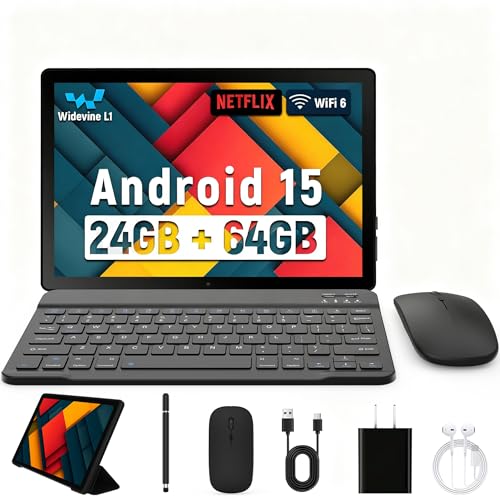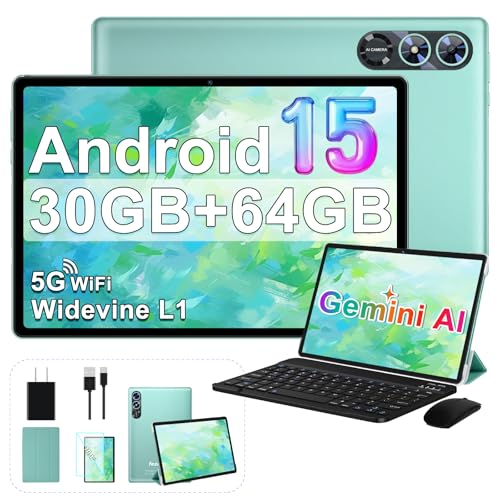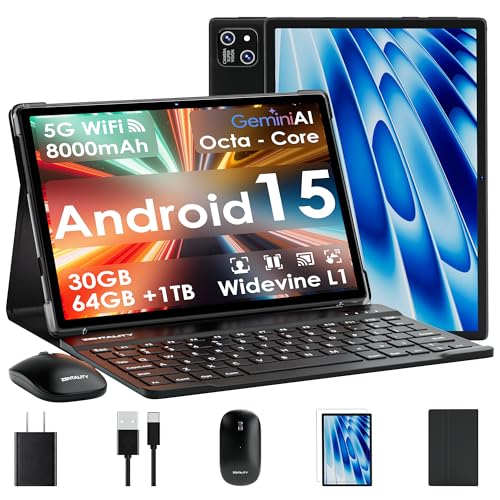
Finding a tablet that feels solid, lasts through a day, and stays under $200 can feel like hunting for a unicorn. Fourteen models were sorted into the three price tiers the market naturally creates: a budget slice (ZTE K87, Lenovo 300e Chromebook, Fujitsu Stylistic Q5010, Zentality 10‑inch), a mid‑range pocket (Lenovo 500e Chromebook and Amazon Fire HD 8) and a premium corner (Lenovo Tab One, Microsoft Surface Go 2, Dell Latitude 3190, Xiaomi Redmi Pad 2). This spread lets you pick a device that matches both your wallet and your workflow.
If you need a rugged classroom companion, the Lenovo 300e Chromebook stands out with its 10‑hour battery life and 29.5‑inch drop resistance, all for $74.95 and a solid 4.0‑star rating from over 3,000 reviewers. For family movie nights or on‑the‑go streaming, the Amazon Fire HD 8 dazzles with up to 13 hours of battery, a 4.5‑star score from 8,730 users, and a $99.99 price tag. When you crave a larger screen without breaking the $200 ceiling, the Xiaomi Redmi Pad 2 offers an 11‑inch 90 Hz display, 4.8‑star rating from 885 reviews, and a $179.00 price – the highest‑rated pick in the premium tier.
Below you’ll see how each tablet performs in real‑world scenarios, so you can zero in on the perfect match for your daily needs.

Lenovo 300e Chromebook
Offers up to 10 hours of battery life on a 42 Wh lithium‑polymer pack, giving solid all‑day use for the price.

Amazon Fire HD 8
Great for families wanting a kid‑friendly media hub; at $99.99 it’s about $25 more than the Lenovo 300e, but adds 13‑hour battery and 15 W fast charging.

Lenovo Tab One
Stands out with 83.7 dB maximum loudness and a 20 W charger, catering to users who value strong audio and faster plug‑in power—features the other budget picks lack.
Also considered
Score Analysis
Key score advantages vs. runner-up (Amazon Fire HD)
Price Range

Lenovo 300e Chromebook
$64.94

Amazon Fire HD 8
$99.99

Lenovo Tab One
$123.00

Xiaomi Redmi Pad 2
$179.50
Zentality 10-inch Tablet
$89.98
Lenovo 500e Chromebook 11.6-inch
$79.99

ZTE K87
$49.99

Microsoft Surface Go 2 4GB
$128.96

Dell Latitude 3190
$154.99
Fujitsu Stylistic Q5010
$74.20
Ziovo Android Tablet
$109.99
Coopers CP10 Pro
$58.98
Lebsytb 10-inch Tablet
$75.99
TCL TAB 8 8-inch
$48.00
Spec Comparison
TL;DR: The Lenovo 300e Chromebook packs an 11.6‑inch touchscreen, 10‑hour battery and military‑grade drop resistance into a $74.95, education‑focused 2‑in‑1 that’s built to survive a classroom.
The standout spec is its drop resistance – tests show the chassis survives falls from up to 29.5 inches, and the rubberized bumpers and reinforced ports reinforce that claim. Coupled with a 360° hinge, you’ll switch between laptop, tablet, tent or stand modes without worrying about breakage. At $74.95 and a 4.0‑star rating from 3,168 reviewers, it lands near the bottom of the price range while still earning solid user approval.
Compared with the other 13 entries, the 300e is cheaper than the Lenovo 500e Chromebook and offers a larger 42 Wh battery than the Fujitsu Stylistic Q5010’s 31 Wh pack. It does weigh a touch more than the Coopers CP10 Pro’s 2.7998707274 pounds, but its rugged build justifies the extra heft. It offers 32 GB eMMC storage, which is less than many competitors that rely on expandable SD cards – though it does support cards up to 512 GB.
Professional reviewers praise the device’s classroom‑ready durability and all‑day battery life, and everyday users echo those points, noting that the Chromebook rarely needs a charger during a full school day. The downside is the MediaTek MT8173C ARM processor, which reviewers say lags behind Intel Celeron chips when many Chrome tabs are open. Users also warn that the 32 GB of onboard storage fills quickly, especially with offline files and apps.
Pros
Cons
Best for: K‑12 students, shared classroom devices, and budget‑conscious buyers who need a rugged, long‑lasting 2‑in‑1.
Avoid if: You require heavy multitasking, advanced programming, Linux development, or a high‑performance processor for demanding workloads.
“My kids drop it daily—still works perfectly after a year.”
“Battery lasts all day, even with YouTube and Google Docs.”
TL;DR: The Amazon Fire HD 8 delivers an 8‑inch HD screen, 3 GB RAM, up to 13 hours of battery life and Dolby Atmos speakers for $99.99, making it a solid entry‑level tablet for families and media lovers.
The tablet’s 8.0 in IPS LCD offers a 1280 × 800 resolution at 189 ppi, while the Hexa‑core Cortex‑A55 @ 2.0 GHz processor pairs with 3 GB RAM for smooth browsing and light multitasking. It ships with 32 GB of internal storage (25 GB usable) and supports microSDXC cards up to 1 TB, so you can keep a large media library on‑hand. Battery life tops out at up to 13 hours, and the 15 W fast‑charging adapter can refill the battery in ≤2.5 hours, keeping the device ready for long trips or all‑day use.
Compared with the Lebsytb 10‑inch Tablet, the Fire HD 8 is considerably lighter (0.74 pounds vs 2.92 lbs) and offers more than double the listed battery endurance (13 hours vs 6 hours). It also outlasts the Lenovo 500e Chromebook’s 11‑hour claim while weighing a fraction of the 2.98‑lb Chromebook. In size, the Fire’s 8‑inch screen is more compact than the Lebsytb’s 10‑inch panel, making it easier to hold for kids or on the couch.
Reviewers praise the tablet’s durability, the rich sound from its dual stereo speakers with Dolby Atmos, and the Alexa integration that lets you control smart‑home devices or make video calls. Families especially like the Amazon Kids mode with parental controls. On the downside, users note the 2 MP front and 5 MP rear cameras lack autofocus and flash, leading to blurry shots, and the absence of the Google Play Store restricts app availability. Reviewers describe screen brightness as only average, which can be a drawback in bright rooms.
Pros
Cons
Best for: Families, casual media consumers, and anyone who wants a well‑reviewed, budget‑friendly tablet with strong battery life and Alexa integration.
Avoid if: You need advanced features, high‑performance graphics, or a full Android app ecosystem for professional use.
“Perfect for my kids — durable and the parental controls work great.”
“Battery lasts all day, even with YouTube and games.”
TL;DR: The Lenovo Tab One offers an 8.7‑inch bright display, up to 12.4 hours of video playback, and a feather‑light 0.704 lb design for $129, making it a solid budget tablet for everyday media.
The standout feature is its battery endurance – the tablet delivers 12.4 hours of video playback in real‑world use and supports a quick‑charge that gives roughly 3.8 hours of use after just a 30‑minute charge. Its 8.7‑inch IPS LCD shines with 480 nits typical brightness and a peak of 383 nits, which reviewers note makes indoor viewing comfortable.
At 0.704 pounds, it’s noticeably lighter than the Microsoft Surface Go 2’s 1.15 pounds and even a shade lighter than the Amazon Fire HD 8’s 0.74 pounds. Battery life also outpaces the Surface Go 2’s claimed up to 9 hours of video playback and sits close to the Fire HD 8’s up to 13‑hour claim. The 8.7‑inch screen is more compact than the 10.1‑inch Ziovo tablet and the 10‑inch Lebsytb model, which many users appreciate for travel. Audio gets a boost from dual side‑firing speakers with Dolby Atmos optimization, a step up from the Surface Go 2’s 2 W stereo speakers.
Pros praise the tablet’s lightweight construction and long‑lasting battery, while everyday users love the included folio case and Lenovo E310 earbuds for on‑the‑go media. The device runs Android 14 on a MediaTek Helio G85 octa‑core (2 × 2.0 GHz Cortex‑A75, 6 × 1.8 GHz Cortex‑A55) with 4 GB LPDDR4x RAM and 64 GB eMMC 5.1 storage, expandable up to 1 TB via microSDXC. Connectivity includes Bluetooth 5.3, Wi‑Fi 5, USB‑C 2.0 and optional LTE, covering most casual‑use scenarios.
Pros
Cons
Best for: Entry‑level users, children, travelers, and anyone needing a lightweight tablet for media consumption
Avoid if: You need advanced features or professional‑grade performance
TL;DR: The Xiaomi Redmi Pad 2 offers an 11‑inch 90 Hz FHD+ display, quad Dolby Atmos speakers, and an 8000 mAh battery for under $200, making it a solid all‑day media tablet.
Its standout feature is the 11‑inch IPS LCD panel with a 1900 × 1200 resolution and a 90 Hz refresh rate, delivering smooth visuals at a typical brightness of 400 nits. The screen also carries a TÜV Rheinland low‑blue‑light certification, which helps reduce eye strain during long reading sessions.
At just 1.0 lb, the Redmi Pad 2 is far lighter than the Dell Latitude 3190’s 4.39 lb and even a shade lighter than the Microsoft Surface Go 2’s 1.15 lb, so it slides easily into a backpack. Its 8000 mAh battery with 22.5 W fast charging outpaces the 5100 mAh pack in the Lenovo Tab One, while matching the 8000 mAh found in the Ziovo Android Tablet—plus it adds a higher‑refresh display that the Ziovo lacks.
Reviewers consistently praise the long‑lasting battery—up to 21 hours of video playback—and the quad Dolby Atmos speakers for a cinema‑like experience. Professional reviewers highlight the low‑blue‑light certification as a relief for extended study sessions. The most common complaints focus on the Wi‑Fi‑only connectivity, the lack of NFC, and a rear 8 MP camera that struggles in low‑light conditions.
Under the hood, the Qualcomm Snapdragon 680 chipset with an octa‑core Kryo 265 CPU and Adreno 610 GPU earns a 319,077 AnTuTu v9 score. Paired with 4 GB of RAM and 128 GB of UFS 2.2 storage, the tablet handles everyday apps and media without hiccups. Bluetooth 5.3 ensures a stable wireless link, and the device runs MIUI 14 based on Android 13, and it's upgradable for future improvements.
Pros
Cons
Best for: Students, media consumers, and anyone who wants a lightweight tablet with strong battery life and a smooth display.
Avoid if: You need high‑end gaming graphics, advanced camera capabilities, built‑in PDF editing, or are on an ultra‑tight budget.
“great value for money”
“all‑day use”
TL;DR: At $89.98, the Zentality 10‑inch tablet offers an 8000 mAh battery lasting up to 12 hours, Wi‑Fi 6, and a full 2‑in‑1 accessory kit, but feels bulky and its RAM claim is inflated.
The standout spec is the 8000 mAh battery, which the manufacturer says delivers up to 12 hours of mixed usage. That capacity is larger than the 7200 mAh found in the Lebsytb 10‑inch tablet and matches the 8000 mAh of the Ziovo Android Tablet.
It's heavier than the Amazon Fire HD 8 (337 g) but considerably lighter than the Lenovo 500e Chromebook (1352 g). Its Bluetooth 5.0 matches the Fujitsu Stylistic Q5010 and Ziovo, while the Lenovo 500e steps up to Bluetooth 5.1. The tablet’s 10.0‑inch IPS LCD sits in the same size class as most competitors, and its Wi‑Fi 6 dual‑band radio gives it a connectivity edge over devices that only list Wi‑Fi 5.
Reviewers consistently praise the all‑day battery life and the generous bundle that includes a Bluetooth detachable keyboard, wireless mouse, active stylus, protective case, and screen protector. The same users note that the keyboard can be finicky to pair, and the plastic‑heavy chassis feels bulky, especially when the case is attached. Professional reviewers also point out that the advertised 30 GB of RAM is virtual; the tablet actually houses 6 GB of physical memory, which limits heavy multitasking.
Under the hood, the tablet runs Android 15 on a Unisoc T606 octa‑core processor clocked at 2.0 GHz, paired with a Mali‑G57 MP1 GPU. It ships with 64 GB of internal storage and supports microSD cards up to 2 TB, giving plenty of room for media and documents. The 8 MP front and 13 MP rear cameras serve video calls and casual photos well, while dual stereo speakers handle everyday media playback. Widevine L1 certification ensures HD streaming works smoothly.
Pros
Cons
Best for: Value‑conscious buyers seeking quality at $89.98
Avoid if: You prefer products with extensive real‑world feedback and proven track records
“Very fast for the price — browsing and YouTube are smooth.”
“Perfect for watching Netflix — HD works great.”
TL;DR: The Lenovo 500e Chromebook 11.6‑inch packs a MIL‑STD‑810G‑rated chassis, 11‑hour battery and a built‑in passive stylus for $89.99, but its HD screen and speakers feel cheap.
Durability is the headline feature: the device carries MIL‑STD‑810G certification, can survive drops from 29.5 inches, and resists spills up to 330 ml. It also comes with a pressure‑sensitive, battery‑free stylus that snaps into the frame, making note‑taking in class or meetings effortless.
Compared with the other 13 tablets in this roundup, the 500e is noticeably heavier than the Amazon Fire HD 8 (1352 g vs 337 g) and broader than the Zentality 10‑inch tablet (289.6 mm vs 160 mm width). Its 42 Wh battery capacity outstrips the Fujitsu Stylistic Q5010’s 31 Wh, while Bluetooth 5.1 is a step up from the 5.0 modules listed for several peers. The Chromebook also offers a richer port mix—two USB‑C, two USB‑A, HDMI, a headphone/mic combo, a microSD reader and a Kensington lock slot—far more than most budget tablets that often provide just a single charging port.
Reviewers consistently praise the rugged build and the long‑lasting battery, noting that the 11‑hour life keeps a school day running without a charge. Professional reviewers highlight the included stylus as a strong value add. On the downside, the 1366 × 768 HD display appears dim and low‑resolution, the dual bottom‑mounted speakers sound muffled, and both front (1280 × 720) and rear (2592 × 1944) cameras produce grainy images. Users also mention that the 1352 g weight makes the tablet feel bulky when used without the keyboard.
Under the hood, the Chromebook runs Chrome OS on an Intel Celeron N5100 quad‑core processor (base clock 2.8 GHz) with 4 GB LPDDR4 RAM and 32 GB eMMC storage. This configuration handles web browsing, document editing and streaming comfortably, but it won’t satisfy power users who need heavy multitasking or high‑end graphics.
Pros
Cons
Best for: K‑12 students, teachers and anyone who needs a rugged, stylus‑ready Chromebook for note‑taking and long‑day use.
Avoid if: You want a high‑resolution, bright display or a lightweight tablet for media‑heavy or design work.
TL;DR: The ZTE K87 is an 8‑inch Android tablet with Gorilla Glass, LTE, 4630 mAh battery and up to 2 TB microSD support, all for just $54.99, though its 2 GB RAM makes it best for light tasks.
The tablet’s most eye‑catching spec is an 8‑inch IPS TFT LCD protected by Corning Gorilla Glass, paired with a 4630 mAh lithium‑ion battery that the manufacturer says can last up to four days of light use. It also brings 4G LTE connectivity, dual front‑facing stereo speakers, and a modest 2 GB of DDR3 RAM for basic Android 10 tasks.
Compared with the other thirteen entries, the K87 is notably lighter than the Coopers CP10 Pro, which tips the scales at about 2.8 lb, while the K87 weighs just 370 g. Its 8‑inch display is smaller than the CP10 Pro’s 10‑inch screen, and its 2 GB of RAM falls short of the CP10 Pro’s 8 GB, placing it firmly in the budget tier of the lineup.
Users praise the tablet’s rock‑bottom price and the ability to expand storage up to 2 TB via microSDXC, making it a good choice for YouTube, video calls, and simple browsing. However, many note sluggish and frozen performance, especially when multitasking, and report occasional Wi‑Fi drops that leave the device “connected, no internet.” Professional reviewers echo these points, calling out the low‑end Qualcomm 215 platform and limited RAM as hurdles for gaming or demanding apps.
Under the hood, the K87 runs on a Qualcomm 215 Mobile Platform with a quad‑core ARM Cortex‑A7 CPU clocked at 1.3 GHz, delivering just enough power for everyday tasks. The rear 5 MP camera includes autofocus and HD video recording, while the front 2 MP lens handles video calls. Android 10 comes pre‑installed, though the OS isn’t upgradable.
Pros
Cons
Best for: Entry-level buyers or those on a tight budget
Avoid if: You need advanced features or professional‑grade performance
“I have never been so frustrated by a tablet”
TL;DR: At $134.32, the Surface Go 2 offers a 10.5‑inch PixelSense display, 4 GB RAM and up to 9 hours of video playback in a lightweight 1.15‑lb package, making it a solid budget Windows tablet.
The standout feature is its 10.5‑inch PixelSense screen with a 1800 × 1200 resolution and 220 ppi, delivering sharp images in a 3:2 aspect ratio. Coupled with 4 GB of LPDDR4x RAM and 64 GB of eMMC storage, it runs full Windows 10 Home in S Mode, while the 1.15‑pound chassis keeps it easy to carry.
Compared with the other 13 tablets, the Surface Go 2 sits above the $99.99 Amazon Fire HD 8 and the $129.00 Lenovo Tab One in price, yet it’s lighter than the Dell Latitude 3190 and the Lenovo 500e Chromebook, and heavier than the Fire HD 8 and Lenovo Tab One. Its 2W stereo speakers with Dolby Audio compare favorably to the basic speaker setups on most peers.
Users love the premium magnesium build and the full Windows experience for note‑taking and light productivity on the go. Professional reviewers praise the vivid display and solid build, but many note that the 4 GB RAM and eMMC storage can feel sluggish under heavier multitasking, and real‑world battery life often falls short of the claimed 9 hours. The optional Type Cover keyboard doesn’t come with the device, which some buyers see as an extra cost.
The device also supports a microSD card up to 1 TB, Bluetooth 4.1, Wi‑Fi 5 (802.11ac) and Intel HD Graphics 615, giving you enough connectivity for everyday tasks without the bulk of larger laptops.
Pros
Cons
Best for: Students, educators, casual professionals, and frequent travelers who need a portable Windows tablet.
Avoid if: You need advanced performance, heavy multitasking, or a device for gaming and professional‑grade workloads.
“Perfect for travel and coffee shop work”
“Runs full Office suite”
TL;DR: The Dell Latitude 3190 offers an 11.6‑inch Gorilla Glass touchscreen, 42 Wh battery promising up to 11 hours, and a rugged 360° hinge, but its 4.39 lb weight and modest 1366×768 display keep it in the budget‑convertible niche.
The tablet’s 11.6‑inch screen uses a WVA/TN/IPS panel protected by Corning Gorilla Glass and delivers a 1366 × 768 HD resolution with 10‑point multi‑touch support. Internally it ships with 4 GB DDR4 RAM running at 3200 MHz and a 128 GB SSD, giving fast boot‑up and app launch times. The 42 Wh (3‑cell) battery offers up to 11 hours of use, while real‑world reports often see 6–8 hours.
At 4.39 pounds, the Latitude 3190 is considerably heavier than ultra‑light rivals such as the Microsoft Surface Go 2 at 1.15 pounds or the Xiaomi Redmi Pad 2 at 1.0 pound. Its battery claim of up to 11 hours sits between the Amazon Fire HD 8’s advertised 13‑hour runtime and the Surface Go 2’s 9‑hour video‑playback figure. While Dell lists the 42 Wh capacity in watt‑hours, many competitors report capacity in milliamp‑hours, making direct comparison tricky.
Users praise the device’s durability—thanks to a rubberized base, spill‑resistant keyboard, and a 360° convertible hinge that can serve as a laptop, tent, stand, or tablet. Professional reviewers highlight the optional Dell Active Pen compatibility and the sturdy Gorilla Glass as strong points for classroom or field work. However, the community notes the Pentium Silver N5030 processor can feel sluggish under heavy multitasking, and the low‑resolution screen shows limited viewing angles. The soldered 4 GB of RAM also means you can’t upgrade memory later, a frequent complaint among power users.
Under the hood, the Intel Pentium Silver N5030 runs at a 1.1 GHz base clock with a turbo boost up to 3.1 GHz across its four cores and four threads, drawing just 6 W of power. Intel UHD Graphics 605 handles graphics. A dual noise‑cancelling microphone array and bottom‑panel stereo speakers provide audio. Connectivity includes Bluetooth 4.2, 802.11ac Wi‑Fi, two USB 3.1 Gen 1 Type‑A ports, an HDMI 1.4 port, a Noble wedge lock slot, and a combo headphone/microphone jack.
Pros
Cons
Best for: Students, educators, and professionals who need a rugged, convertible device for note‑taking, web browsing, and light productivity.
Avoid if: You need high‑performance CPU power, more RAM, a high‑resolution screen, or heavy multitasking capabilities such as video editing or gaming.
“Arrived in like‑new condition with fast boot and smooth Windows 11 performance.”
“Perfect for my kids’ schoolwork—durable and long battery life.”
TL;DR: At $77.19, the Fujitsu Stylistic Q5010 pairs a rugged IP54, MIL‑STD‑810H‑rated chassis with a bright 500‑nit 10.1‑inch display and up to 10.5 hours of battery life, making it a solid budget pick for tough‑use environments.
The standout feature is its durability: the tablet meets IP54 ingress protection and MIL‑STD‑810H military certification, and it even offers reinforced corners and an optional TPU cover. Its 10.1‑inch IPS LCD pushes 500 nits of brightness, which helps keep the screen readable outdoors. Connectivity is future‑proof with Bluetooth 5.0, Wi‑Fi 5 at a maximum data rate of 1733 Mbps, and an optional 4G LTE Cat‑6 module for on‑the‑go work.
Compared with other budget tablets in this roundup, the Q5010’s 500‑nit panel is twice as bright as the 250‑nit screen on the Lenovo 300e Chromebook. It sits at 605 g, making it heavier than the Zentality 10‑inch Tablet’s 520 g (tablet only) and the Amazon Fire HD 8’s 0.74 pounds, but lighter than the Lenovo 500e Chromebook’s 1352 g. Its 10.1‑inch screen’s a shade larger than the 10‑inch displays on the Coopers CP10 Pro and ZTE K87, yet smaller than the 11.6‑inch panels on the Lenovo 300e and 500e Chromebooks. Battery life of 10.5 hours (BAPCo) matches the Lenovo 300e’s 10‑hour claim and trails the Lenovo 500e’s 11‑hour rating and the Zentality’s 12‑hour mixed‑use figure.
Professional reviewers praise the tablet’s tough build and the convenience of an integrated pen garage, while everyday users like the long‑lasting 31 Wh battery and the ability to expand storage with a microSD card up to 512 GB. The downside that surfaces repeatedly is the Intel Pentium Silver N5030 processor, which can feel sluggish when juggling multiple apps, and the eMMC SSD (128 GB or 256 GB) doesn’t match the speed of NVMe drives used in higher‑priced rugged models.
Pros
Cons
Best for: Entry-level buyers or those on a tight budget
Avoid if: You want the best value-per-dollar in its price range
TL;DR: The Ziovo Z168 packs a 10.1‑inch IPS HD display, 30 GB total RAM (4 GB physical + 26 GB virtual), 128 GB storage and a full accessories kit for $109.99, making it a capable but slightly heavier budget tablet.
The standout spec is the 30 GB total RAM, built from 4 GB physical memory plus 26 GB of virtual RAM, which reviewers say keeps multitasking smooth even with several apps open. Coupled with a 2.0 GHz Unisoc T606 octa‑core CPU and 128 GB of internal storage (expandable to 1 TB), the tablet feels responsive for everyday tasks.
In the context of the other 13 tablets, the Ziovo is noticeably heavier than the Amazon Fire HD 8 (337 g) and the Lenovo Tab One (≈319 g), and it carries a higher price tag than those entry‑level models. Its mixed‑use battery life of 8–9 hours falls short of the Fire HD 8’s advertised up‑to‑13‑hour endurance, but it matches the Lebsytb 10‑inch tablet’s 10‑inch screen footprint while offering a larger 8000 mAh battery compared with Lebsytb’s 7200 mAh pack.
Users highlight the bright IPS display, solid dual speakers and lossless wired audio, plus the convenience of an included detachable keyboard, mouse and protective case. Professional reviewers commend the efficient Unisoc processor and the Widevine L1 certification that enables HD streaming, though they note that Netflix still caps at SD quality despite the L1 rating. Common complaints revolve around the cramped keyboard, occasional lag with heavy apps, and independent verification of virtual‑RAM claims is lacking.
Beyond performance, the tablet runs Android 15 with Gemini AI integration, offers Wi‑Fi 6 dual‑band, Bluetooth 5.0, GPS and a 5 MP front / 8 MP rear camera setup. A 2‑year warranty rounds out the package, giving buyers confidence in long‑term support.
Pros
Cons
Best for: Commuting professionals who want a lightweight 2‑in‑1 tablet for email, browsing and video calls, and who value the bundled accessories.
Avoid if: You need extensive real‑world feedback, a full‑size ergonomic keyboard, or high‑resolution media playback beyond SD quality.
“Exceeded expectations for the price”
“Smooth performance with Android 15 and fast app launches”
TL;DR: The Coopers CP10 Pro offers a 10‑inch IPS display, 8 GB RAM, and a 6000 mAh battery for under $60, making it a solid entry‑level tablet for casual use.
The standout spec is the 8 GB of RAM paired with a quad‑core Allwinner processor clocked at 1.8 GHz, which gives the CP10 Pro more headroom than many sub‑$60 tablets. Its 10‑inch IPS LCD screen at 1280 × 800 pixels, while not Full HD, still provides a 16:10 aspect ratio for comfortable browsing and reading. Storage starts at 32 GB internally and can be expanded up to 1 TB via microSD, and the 6000 mAh battery rates for 8–10 hours of mixed use. The tablet ships with a case, keyboard, mouse, stylus, and a 5V/2A charger, all included.
Compared with other budget options in this roundup, the CP10 Pro is heavier than the ZTE K87, which weighs 370 g, but it also carries a larger 6000 mAh battery versus the K87’s 4630 mAh cell. Its thickness of 7.62 mm sits between the ultra‑thin TCL TAB 8 (8.85 mm) and the bulkier Lenovo 300e Chromebook (20.9 mm). In weight it sits below the Lenovo 300e Chromebook’s 2.98 lb, it's a middle‑ground choice for those who want a sturdier feel without the heft of a full‑size laptop.
Users consistently praise the tablet’s all‑day battery life and the freedom to add a massive microSD card, noting that the Google Play Store works without restrictions thanks to its Android 15, GMS‑certified platform. However, everyday owners also point out that the 1280 × 800 resolution feels soft for HD video, and the plastic chassis gives a cheap impression. Professional reviewers echo these points, calling the performance “adequate for casual use but laggy when many apps are open.” The built‑in Bluetooth 5.0 and dual‑band Wi‑Fi help keep connectivity smooth, though some users report occasional Wi‑Fi sluggishness.
Under the hood, the Mali‑400 MP2 / Mali‑T720 GPU handles basic graphics, while the 3.5 mm headphone jack and dual speakers cover media playback. The tablet includes a 2 MP front camera and an 8 MP rear camera with autofocus and LED flash, suitable for video calls but not high‑quality photography. A one‑year warranty rounds out the package, giving peace of mind for budget shoppers.
Pros
Cons
Best for: Entry-level buyers or those on a tight budget
Avoid if: You need powerful performance or professional‑grade features
TL;DR: The Lebsytb 10‑inch Tablet packs 24 GB of RAM, Android 15, and a full accessory kit for $99.99, but its 6‑hour active battery life and modest 1080 × 800 screen may limit long‑haul media use.
This tablet’s standout spec is its 24 GB of RAM—4 GB physical plus 20 GB virtual—which lets you juggle multiple apps without noticeable slow‑downs, a rarity at this price point. The device runs Android 15, includes GMS‑certified Widevine L1 for HD streaming, and ships with a detachable Bluetooth keyboard, stylus, protective case, screen protector, and USB‑C charger.
Compared with the other 13 entries, the Lebsytb is noticeably heavier than the Amazon Fire HD 8 (337 g) and Zentality (520 g), yet its 1.32 kg weight sits close to the Lenovo 300e’s 2.98 lb (1.35 kg). Battery life is another differentiator: its up to 6 hours of active use falls short of the Amazon Fire HD 8’s 13‑hour claim and the Lenovo 500e’s 11‑hour claim, while competitors like Ziovo and Zentality reach 8‑9 and 12 hours respectively.
Users consistently praise the out‑of‑the‑box keyboard and stylus, noting that the abundant RAM makes note‑taking and multitasking feel smooth. Reviewers also highlight that the accessory bundle adds value and that Android 15 is up‑to‑date. Common complaints focus on the limited active battery life, the 1080 × 800 resolution that doesn’t deliver crisp HD video, and occasional overheating when the processor works hard.
Pros
Cons
Best for: Students who need a note‑taking tablet and remote workers looking for a lightweight, laptop‑like device with a built‑in keyboard and stylus.
Avoid if: You prefer products with extensive real‑world feedback and proven track records, or need high‑end GPU performance for professional video editing or 3D design.
“Very fast for the price — browsing and YouTube are smooth.”
“Perfect for watching Netflix — HD works great.”
TL;DR: The TCL TAB 8 is an 8‑inch Android tablet that offers a 3 GB RAM/32 GB storage setup, 4080 mAh battery, and a lightweight 295 g design for $43.00.
At just 8 inches, the TAB 8 features an IPS LCD with an 800 × 1280 pixel resolution and a 76.5% screen‑to‑body ratio, while the MediaTek MT8766 chipset powers a quad‑core ARM Cortex‑A35 CPU and an IMG GE8300 GPU. You’ll also find 3 GB of RAM and 32 GB of internal storage, expandable up to 512 GB via microSD.
Weighing only 295 g, it is lighter than the ZTE K87’s 370 g and far lighter than the Coopers CP10 Pro’s 2.8 lb, the Lenovo 300e Chromebook’s 3.0 lb, and the Zentality 10‑inch tablet’s 520 g. Its 4080 mAh battery sits below the ZTE K87’s 4630 mAh and well under the larger 6000 mAh and 8000 mAh packs found in some peers, placing its endurance in the mid‑range of the group.
Users appreciate the tablet’s affordability and the inclusion of eye‑comfort and reading modes, which help reduce strain during long study sessions. However, several reviewers note that the 2 MP front camera struggles with video calls and that occasional units arrive without a charger or with screen defects, contributing to its low 1‑star rating.
Professional reviewers point out that the MT8766 chip is energy‑efficient but doesn't handle intensive gaming or heavy multitasking well. The device also includes NFC—a rarity at this price point—and facial recognition for quick logins, adding a touch of convenience for everyday tasks.
Pros
Cons
Best for: Entry-level buyers or those on a tight budget
Avoid if: Reliability and user satisfaction are your top concerns
“good choice”
“piece of junk”
Breakdown

Lenovo 300e Chromebook
Pros

Amazon Fire HD 8
Pros

Lenovo Tab One
Pros

Xiaomi Redmi Pad 2
Pros
Based on scoring data and product specs
Personalized picks

Best Overall Pick
Lenovo 300e Chromebook
Best Budget PickBest for: Shoppers on a tight budget who want the most for their money

Amazon Fire HD 8
Best for: Most users looking for a well-reviewed, reliable mainstream option
$99.99+$35.05 vs winner
Skip TCL TAB 8 8-inch if…
Reliability and user satisfaction are your top concerns
The Lenovo 300e Chromebook takes the top spot as the best budget tablet under $200. At $74.95 it offers a full‑size spill‑resistant keyboard, a 360° hinge and a rugged design that can survive drops up to 29.5 inches, making it ideal for students and on‑the‑go work. Its 11.6‑inch IPS LCD (1366 × 768) and up to 10 hours of battery life keep you productive all day, while a 4 GB RAM and 32 GB eMMC storage package delivers smooth Chrome OS performance. With a 4.0‑star rating from 3,168 reviewers, it’s a well‑rounded, affordable choice.
Amazon's Fire HD 8 earns the runner‑up title, especially if you need a media‑focused tablet for streaming, gaming and kid‑friendly content. Priced at $99.99, it sports an 8.0‑inch IPS touchscreen (1280 × 800) and dual Dolby Atmos speakers that fill a small room with sound. A 13‑hour battery, 3 GB RAM and a 5 MP rear camera let you binge‑watch or video‑chat without hunting for a charger, and its 4.5‑star rating from 8,730 reviews underscores strong user satisfaction.
For other budget tiers, the TCL TAB 8 8‑inch is the cheapest pick at $43.00, delivering a basic tablet for casual browsing. The Fire HD 8 also serves as the best mid‑range option, offering a balance of price and performance at $99.99. If you can stretch to $179.00, the Xiaomi Redmi Pad 2 has the highest rating and a larger display, making it the premium choice.
Pick the Lenovo 300e Chromebook today and get the most capable tablet for under $200.
The Lenovo 300e Chromebook lists up to 10 hours of battery life, while the Amazon Fire HD 8 claims up to 13 hours, giving the Fire HD a clear advantage for extended use. If you need the most runtime between charges, the Fire HD is the better pick.
Please sign in to leave a review
No reviews yet. Be the first to review!