If you need a monitor that reproduces colors faithfully for photo editing, video work, or design, you’ve come to the right place. Our review covered 11 professional‑grade LED displays, focusing on factory calibration, connectivity, ergonomics, and real user feedback. The list spans budget‑friendly models to premium workstations, so you can match a screen to your workflow without guessing.
On the budget side you’ll find the Dell P2417H at $219.00, the ASUS ProArt PA278CV at $279.00 (4.4/5 from 841 reviews), and the Dell UltraSharp U2414H for $348.00. Mid‑range options include the LG 27UK650‑W at $399.00 with a 4.5/5 rating, the ASUS ProArt PA329CV at $569.00, and the Dell UltraSharp U2415 at $585.00. Premium picks are the ASUS ProArt PA329CRV ($586.55), Dell UltraSharp U2719D ($697.90) and ASUS ProArt PA27JCV ($729.99).
The HP 24‑inch 100Hz monitor rounds out the list with a 4.6/5 rating from 95 reviews, but because a price isn’t listed, we focus on its 99% sRGB coverage and 100 Hz refresh. The following sections break down each tier, highlight on‑screen strengths, and note any trade‑offs so you can decide which display fits your creative or professional needs.

ASUS ProArt PA278CV
Includes 65 W USB‑C Power Delivery, letting you power a laptop directly from the monitor—great for a budget-friendly, clutter‑free setup.
LG 27UK650-W
Ideal for creators who need HDR via HDMI or DisplayPort, and at $399 it’s about $120 above the ASUS budget pick.
Dell UltraSharp U2415
Stands out with a 3.5 mm audio line‑out, letting you connect external speakers without sacrificing video ports—a solid choice for audio‑focused workstations.
Also considered
Score Analysis
Key score advantages vs. runner-up (LG 27UK650-W)
Price Range
ASUS ProArt PA278CV
$279.00
LG 27UK650-W
$548.98
Dell UltraSharp U2415
$585.00
Dell UltraSharp U2414H
$348.00

Asus ProArt PA329CV
$500.99
Dell P2417H
$189.00

Asus ProArt PA27JCV
$699.00
Dell UltraSharp U2719D
$379.00
HP 24-inch 100Hz Monitor
-$0.01

Asus ProArt PA329CRV
$599.00
Dell P2425H
$228.99
Spec Comparison
TL;DR: The ASUS ProArt PA278CV delivers factory‑calibrated < 2 ΔE color accuracy, 100 % sRGB coverage and 65 W USB‑C power delivery at a budget‑friendly $279, making it a solid choice for creators.
What really sets this monitor apart is its factory‑calibrated color accuracy of < 2 ΔE, backed by Calman verification, and full 100 % sRGB plus Rec.709 coverage in a 27‑inch IPS panel. The USB‑C port supplies up to 65 W Power Delivery, letting you power a laptop and send video, data and audio with a single cable.
At 350 cd/m² (350 nits) brightness, it outshines the 250 cd/m² of the Dell P2425H and Dell P2417H and also tops the 300‑nits rating of the HP 24‑inch model. Weighing 18.52 lb, it’s heavier than the Dell UltraSharp U2414H and the HP 24‑inch monitor, yet lighter than the larger Asus ProArt PA329CV, which tips the scales at over 27 lb.
Users praise the accurate colors straight out of the box, the convenience of USB‑C connectivity and the flexible stand that adjusts height 0–150 mm, pivots ±90°, swivels ±45° and tilts +35° to –5°. Common criticisms note the lack of a 4K panel, no HDR support and an 8‑bit color depth that can limit gradient smoothness for high‑end video work.
Technical details include a 0.233 mm pixel pitch, 109 PPI, a 2560 × 1440 (WQHD) resolution and a 75 Hz maximum refresh rate with Adaptive‑Sync ranging from 48–75 Hz. The panel offers a typical 1000:1 contrast ratio, a dynamic contrast of 100,000,000:1 and a 5 ms GTG response time, which suits creative tasks and casual use.
Pros
Cons
Best for: Budget-conscious buyers seeking a reliable entry-level option
Avoid if: You need advanced features or professional‑grade performance
TL;DR: The LG 27UK650‑W delivers 27‑inch 4K IPS color accuracy with factory calibration, HDR10 support and a fully adjustable stand for a solid $399 professional‑grade experience.
This monitor’s standout spec is its 27‑inch 3840 × 2160 IPS panel that’s factory‑calibrated to hit roughly 99% sRGB and about 80% Adobe RGB, with a 10‑bit color depth and a 0.1554 mm pixel pitch. HDR10 comes via DisplayHDR 400 certification, and the panel can peak at 450 cd/m², which is generous for its class.
Compared with the other ten contenders, the LG sits on the heavier side of the lineup—at 13.7 lb with the stand, it outweighs the Dell UltraSharp U2414H (7.95 lb) and the Dell P2417H (11.4 lb), yet it’s lighter than the ASUS ProArt PA278CV (18.52 lb) and far lighter than the Asus ProArt PA329CV (27.78 lb). It also offers fewer built‑in connectivity options; the LG has no USB ports or speakers, while several peers list USB hubs or even built‑in audio.
Reviewers consistently praise the out‑of‑the‑box color fidelity and the flexibility of the detachable stand, noting the height adjustment of up to 110 mm, swivel, tilt and 90° pivot as a big win for ergonomics. The same users point out that HDR impact feels modest because the 450 cd/m² peak brightness doesn’t deliver the punch of higher‑tier HDR displays, and the lack of built‑in speakers forces a separate audio solution.
For gamers, the monitor includes AMD FreeSync over a 40–60 Hz range, which helps smooth low‑frame‑rate titles, but the fixed 60 Hz refresh rate and 5 ms response time may feel limiting for competitive high‑refresh‑rate play.
Pros
Cons
Best for: Creative professionals and Mac users who need accurate colors and ergonomic flexibility without breaking the bank.
Avoid if: You require high‑refresh‑rate gaming performance, built‑in speakers or a USB hub, or you have very limited desk space.
“Movies look more vibrant even without true HDR.”
“I can tilt, pivot, and raise it perfectly for dual‑monitor setup.”
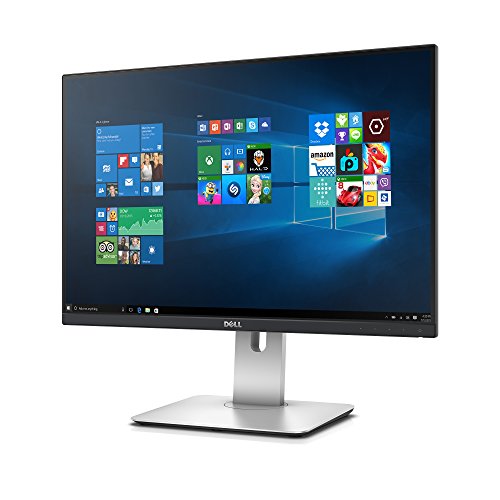
TL;DR: The Dell UltraSharp U2415 is a 24.1‑inch IPS monitor delivering 99 % sRGB coverage, factory calibration, and a fully adjustable stand, priced at $585 and backed by a 3‑year warranty.
This model’s standout spec is its factory‑calibrated AH‑IPS panel that reaches 99 % sRGB coverage and a pixel pitch of 0.27 mm, giving designers reliable color fidelity right out of the box. The screen resolves at 1920 × 1200 on a 16:10 aspect ratio, so you’ve got a little extra vertical space compared with typical 1080p panels.
Compared with the other ten contenders, the U2415 is markedly lighter than the Asus ProArt PA329CRV (21.83 lb) and the Asus ProArt PA329CV (27.78 lb). Its stand is deeper (205 mm) than the Dell UltraSharp U2719D’s 180 mm but shallower than the Asus PA329CRV’s 240 mm and the LG 27UK650‑W’s 9.1‑inch depth. It also offers more USB 3.0 downstream ports (5) than the Dell UltraSharp U2414H (4) and the Dell UltraSharp U2719D (4), while providing a broader swivel range (±45°) than the PA329CV’s ±30°.
Reviewers consistently praise the monitor’s 99 % sRGB color accuracy and the “very good” contrast ratio of 1011:1 after calibration. The matte anti‑glare coating and wide 178° viewing angles keep reflections low, which users appreciate in bright offices. On the downside, the lack of Picture‑in‑Picture, the fixed 16:10 aspect ratio, and a reported stiff swivel mechanism are common complaints. Professional reviewers also note a faint white glow at extreme angles on dark content.
Technically, the U2415 runs a 60 Hz native refresh rate with a maximum of 76 Hz and an input lag of 12 ms, making it adequate for general productivity but not a gaming powerhouse. Brightness peaks at 335 cd/m² and settles around 300 cd/m² in typical use, while the contrast ratio stays at 1011:1 calibrated. Power draw averages 23 W, with less than 0.5 W in standby.
Pros
Cons
Best for: Professionals who need accurate color reproduction and extensive ergonomics, such as graphic designers or photo editors.
Avoid if: You need built‑in speakers, high refresh rates for gaming, HDR support, or a 4K resolution.
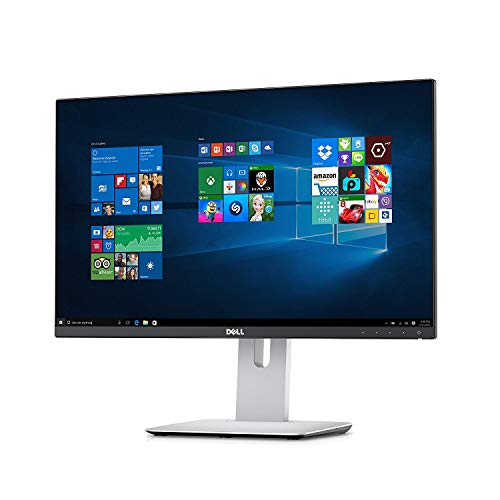
TL;DR: The Dell UltraSharp U2414H delivers a 23.8‑inch IPS panel with 96% sRGB coverage, factory calibration and a fully adjustable stand for under $350, making it a solid, color‑accurate choice for budget‑conscious creators.
This monitor’s standout spec is its 96% sRGB color gamut combined with a factory‑calibrated 24‑bit (8‑bit + FRC) panel, which gives you reliable color accuracy right out of the box. The 23.8‑inch screen (604.7 mm diagonal) runs at Full HD 1920 × 1080 resolution, while the typical brightness of 250 cd/m² and 4 ms input lag keep images crisp and responsive for everyday work.
Compared with the other ten contenders, the U2414H is lighter than the LG 27UK650‑W and more compact than the ASUS ProArt PA278CV, whose stand depth is listed as larger. It also offers a deeper adjustment travel than the Dell P2425H, giving you more flexibility when setting the perfect height. While it lacks the built‑in speakers found on some rivals, its built‑in USB 3.0 hub—four downstream ports (one with battery charging) and an upstream port—means you can keep peripherals tidy without reaching for the wall.
Reviewers consistently praise the monitor’s sharp image, anti‑glare matte coating and thin bezel, noting that the 178° horizontal and vertical viewing angles keep colors stable across the screen. Common complaints focus on the flimsy HDMI connectors, the absence of VGA/DVI inputs and the modest 250 cd/m² brightness, which can feel low in very bright rooms. Professional reviewers also highlight the sturdy ergonomic stand that swivels ±45°, tilts ‑5° to +21°, and pivots 90° into portrait mode, making it comfortable for long sessions.
Pros
Cons
Best for: Budget-conscious buyers seeking a reliable entry-level option
Avoid if: You need advanced features or professional‑grade performance
TL;DR: The ASUS ProArt PA329CV delivers factory‑calibrated 32‑inch 4K color accuracy with a 90 W USB‑C hub, but its modest 400 cd/m² HDR brightness and 60 Hz refresh keep it focused on design work rather than gaming.
The standout spec is the ΔE < 2 Calman‑verified color accuracy paired with a 10‑bit panel that covers 100% of both sRGB and Rec.709 gamuts. At 32 inches and a 3840 × 2160 resolution, the monitor offers a pixel density of 138 PPI and a pixel pitch of 0.1845 mm, making fine detail easy to see. A single USB‑C port supplies 90 W Power Delivery while also carrying DisplayPort Alt Mode, so a laptop can run and charge over one cable.
Compared with peers, the PA329CV is deeper than the Dell UltraSharp U2415’s 205 mm stand depth and offers a full USB‑C power‑delivery solution that the U2415 lacks entirely. The Asus ProArt PA329CRV, another ProArt model, is heavier at 21.83 pounds and provides 96 W USB‑C, but the PA329CV’s ergonomic stand—pivot +90°/‑90°, swivel +30°/‑30°, tilt +23°/‑5°, and 0–130 mm height adjustment—gives it more flexibility than the U2415’s fixed stand. Its connectivity suite (4 × USB‑A, 2 × HDMI 2.0, 1 × DP 1.2, 2 W speakers) is richer than many of the other midsize displays in this roundup.
User feedback repeatedly praises the out‑of‑the‑box color fidelity and the convenience of the 90 W USB‑C docking, noting a boost in productivity for photo‑editing and sRGB‑centric video work. Professional reviewers also highlight the clean cable‑management and the reliable factory calibration. The downsides that surface in reviews are the 400 cd/m² HDR peak brightness, which limits punchy HDR performance, and the 60 Hz refresh rate that falls short for fast‑motion gaming or high‑frame‑rate video editing. Additionally, the panel doesn't include Adobe RGB or a wide DCI‑P3 gamut, which some cinema‑oriented creators miss.
Beyond color, the PA329CV offers a typical brightness of 350 cd/m², a dynamic contrast ratio of 100,000,000:1, and AMD FreeSync adaptive sync. Power consumption stays modest at 32.29–36 W, dropping below 0.5 W in power‑saving mode, and the unit runs on 100–240 V AC. The stand’s dimensions (245 mm depth with stand, 601.5 mm height) keep the footprint manageable on a desk, while the overall weight of 27.78 pounds reflects its solid build.
Pros
Cons
Best for: Photographers, graphic designers, and video editors who need reliable sRGB/Rec.709 accuracy and a single‑cable workstation.
Avoid if: You need strong HDR performance, a high refresh rate for gaming, or a tighter budget—the price sits at $569.00.
TL;DR: The Dell P2417H delivers 99% sRGB color accuracy, a fully adjustable ergonomic stand and a solid USB‑3.0 hub at a $219 price point, making it a reliable office monitor.
The standout spec is its 99% sRGB coverage combined with a 0.275 mm pixel pitch on a 23.8‑inch IPS panel, which provides crisp, color‑accurate images for everyday work. Brightness sits at 250 cd/m² and the display offers a dynamic contrast ratio of 4,000,000:1, ensuring deep blacks in dim environments.
Compared with its peers, the P2417H’s depth with stand (180.1 mm) is a touch shallower than the Dell P2425H (181.9 mm) and Dell UltraSharp U2414H (185.0 mm). Its 130 mm height‑adjustment range outpaces the HP 24‑inch 100Hz Monitor’s 100 mm adjustment and matches the stand travel of the Asus ProArt PA329CV. Weighing 11.4 lb, it weighs more than the HP 24‑inch (7.61 lb) but considerably less than the Asus ProArt PA329CV (27.78 lb). The monitor includes four USB‑3.0 downstream ports, a richer hub than the ASUS ProArt PA278CV, which lists no USB hub, yet it lacks the USB‑C connectivity found on the ASUS and LG models.
User feedback repeatedly praises the monitor’s ergonomic flexibility—height, tilt, swivel and a 90° pivot get highlighted as “one of the most adjustable monitors in its class.” Reviewers also note the clear text and accurate colors, making it a favorite for dual‑monitor setups. The most common complaints focus on the absence of built‑in speakers, the 60 Hz refresh limit for gaming, and the lack of modern ports such as USB‑C or adaptive‑sync.
Pros
Cons
Best for: Office professionals, remote workers, and anyone needing a color‑accurate, highly adjustable monitor on a budget.
Avoid if: You need high‑refresh gaming performance, built‑in audio, or modern USB‑C connectivity.
“Perfect for dual-monitor setup—adjustable height and pivot are a game-changer.”
“Text is crisp, colors are accurate, and the screen doesn’t glare even in a bright office.”
TL;DR: The ASUS ProArt PA27JCV delivers a 27‑inch 5K panel with 218 PPI, factory‑calibrated ΔE < 2 color accuracy and 96 W USB‑C Power Delivery, but its 60 Hz refresh and limited HDR dimming keep it squarely in the professional‑creative niche.
The standout specification is the 5120 × 2880 (5K) resolution paired with a 218 PPI pixel density and a 0.116 mm pixel pitch, which yields ultra‑sharp image rendering for photo and video work. Factory calibration guarantees ΔE < 2 across 95% Adobe RGB, 99% DCI‑P3 and 100% sRGB gamuts, and the IPS Black panel offers 3000:1 maximum contrast with 500 cd/m² peak HDR brightness.
Compared with peers, the PA27JCV sits at a higher price tier than the Dell UltraSharp U2719D and carries fewer HDMI ports than the Asus ProArt PA329CRV, which also weighs more at 21.83 pounds. Its 96 W USB‑C Power Delivery and built‑in KVM switch give it more connectivity flexibility than the Dell U2415, while its anti‑glare surface matches the low‑reflection finishes of other professional displays.
User feedback praises the razor‑sharp detail and out‑of‑the‑box color accuracy, noting that designers can trust the factory calibration for critical work. However, several reviewers call out HDR luminance tracking errors and the 60 Hz refresh rate as it's a drawback for any gaming or high‑frame‑rate video tasks. The lack of full‑array local dimming also limits the impact of its VESA DisplayHDR 500 certification.
Pros
Cons
Best for: Photographers, video editors, and graphic designers who need precise color reproduction and ultra‑high resolution for detail‑critical work.
Avoid if: You prioritize high refresh rates for gaming, need robust HDR performance, or require Thunderbolt connectivity.
TL;DR: The Dell UltraSharp U2719D delivers factory‑calibrated 27‑inch QHD IPS color accuracy (Delta‑E < 2), 99 % sRGB coverage, and a fully adjustable stand, but its $697.90 price tags it as a premium choice.
This monitor’s standout feature is its color fidelity: Dell rates the panel at Delta‑E < 2 and covers 99 % of the sRGB gamut plus 85 % of DCI‑P3, all on a 27‑inch 2560 × 1440 IPS screen that shines at 350 cd/m². The pixel pitch of 0.233 mm helps keep the image crisp, while the 60 Hz refresh rate and 5 ms fast response keep motion smooth for everyday work.
Compared with the other ten contenders, the U2719D sits on the pricier side and is noticeably heavier than the Dell UltraSharp U2415, which is listed at 1.0 pound. It also lacks the USB‑C power‑delivery option that the Asus ProArt PA27JCV and PA329CRV provide, but it offers more ergonomic flexibility than the Dell UltraSharp U2414H, which limits stand adjustments.
Professional reviewers highlight the monitor’s factory calibration and the uniform brightness of its Samsung PLS panel, noting reduced eye strain thanks to TUV Rheinland’s Flicker‑free ComfortView technology. Users echo the praise for sharp QHD imagery and the comfortable stand, while some mention occasional backlight bleed, a matte finish that can look grainy under bright lights, and the absence of built‑in speakers.
Pros
Cons
Best for: Professionals who need precise color accuracy for design, photo or video work and value extensive ergonomic adjustments.
Avoid if: You're shopping on a tight budget — it's priced at $697.90.
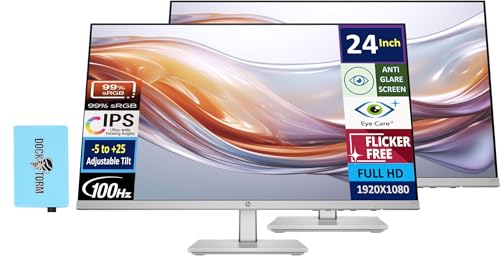
TL;DR: The HP 24‑inch 100 Hz IPS monitor blends a smooth 100 Hz refresh, 99% sRGB color coverage and a height‑adjustable stand into a lightweight package that feels right at home in a home office or a small‑space gaming setup.
What really stands out is the 100 Hz refresh rate paired with a 5 ms (GtG, with overdrive) response time, which makes cursor movement and light gaming feel fluid. The IPS panel delivers 99% sRGB coverage, 8‑bit color depth via dithering, and a 0.28 mm × 0.28 mm pixel pitch, giving you consistent, vivid colors across the 24‑inch (23.8‑inch viewable) screen. You also get a modest 300‑nit brightness and a 1500:1 static contrast ratio, while the anti‑glare, flicker‑free coating helps keep eyes comfortable during long sessions.
In a lineup that includes the Dell P2417H and ASUS ProArt PA278CV, the HP model weighs noticeably less at 7.61 pounds, compared with the Dell’s 11.4 pounds. However, it doesn't include VESA‑mount capability that the ASUS unit provides, and its connectivity offers fewer options—only HDMI 1.4 and VGA—while the Dell offers a DisplayPort input. Those trade‑offs make the HP a more portable, desk‑bound choice but less flexible for multi‑monitor rigs that rely on VESA mounting.
Reviewers consistently praise the monitor’s smooth 100 Hz performance and the HP Eye Ease low‑blue‑light filter, noting reduced eye strain without a noticeable color shift. Professional reviewers highlight the ergonomic stand’s 100 mm height adjustment as a premium touch at this tier. On the downside, users mention the dual 2 W back‑firing speakers feel underpowered for immersive media, and the absence of adaptive sync limits its appeal for competitive gaming.
Beyond the core specs, the monitor’s 178° horizontal and vertical viewing angles, IPS panel consistency, and ENERGY STAR certification round out a solid package for productivity and casual entertainment. The included Dockztorm USB hub (up to 5 Gbps) and document kit add convenient peripheral connectivity without clutter.
Pros
Cons
Best for: Remote workers, students, and light gamers who value a smooth refresh rate, accurate colors and an ergonomic stand in a compact, lightweight monitor.
Avoid if: You need advanced features such as VESA mounting, DisplayPort connectivity, adaptive sync, or professional‑grade audio performance.
“The screen is bright, colors pop, and the 100 Hz makes everything feel snappier.”
“Love the height adjustment — finally a monitor that fits my seated and standing positions.”
TL;DR: The ASUS ProArt PA329CRV delivers factory‑calibrated < 2 ΔE color accuracy, 98 % DCI‑P3 coverage and a 96 W USB‑C power‑delivery link on a 31.5‑inch 4K panel for $586.55.
This monitor’s standout spec is its color performance: a factory‑calibrated < 2 ΔE rating, 10‑bit (1.073 billion colors) depth and 98 % DCI‑P3 coverage, plus full 100 % sRGB and Rec.709 coverage. The 31.5‑inch IPS panel offers a 3840 × 2160 resolution and HDR10/VESA HDR 400 with a peak brightness of 400 cd/m², which is ample for most color‑critical work.
Compared with peers, the PA329CRV is heavier than the Dell UltraSharp U2415 (1.0 pound) but lighter than the Asus ProArt PA329CV (27.78 pounds). Its stand depth of 240 mm sits deeper than the U2415’s 205 mm yet shallower than the PA329CV’s 245 mm. USB connectivity is strong: four USB 3.2 Type‑A ports, a dual‑function USB‑C (DP Alt Mode, USB 3.2) and a separate upstream USB‑C, matching the port variety of the U2415 while offering higher power delivery (96 W vs. the U2415’s unspecified PD).
Users praise the out‑of‑the‑box color accuracy and the single‑cable laptop hookup via the 96 W USB‑C port, noting the monitor’s professional aesthetic and sturdy, height‑adjustable stand. Reviewers frequently mention the built‑in 2‑speaker array and PiP/PbP modes for multitasking. On the downside, reviewers point out the modest 400 nit HDR peak, which can feel underwhelming in bright rooms, and the 60 Hz refresh rate that isn’t ideal for fast‑action content or gaming. Professional reviewers also note the absence of a built‑in KVM switch, a feature some competing pro monitors include.
Beyond color, the PA329CRV includes eye‑care technologies (flicker‑free, low blue light, ComfortView), Adaptive‑Sync support, a 5 ms GTG response time, and a generous ergonomic range (±90° pivot, ±45° swivel, height adjustment). Power draw stays modest at 26.22 W average, with a 0.5 W sleep mode, and the unit carries a three‑year warranty.
Pros
Cons
Best for: Professionals who need precise color reproduction and a single‑cable workstation solution.
Avoid if: You're shopping on a tight budget — it's priced at $586.55.
TL;DR: The Dell P2425H delivers a 23.8‑in IPS panel with 100 Hz refresh, 99% sRGB coverage and extensive ergonomic tweaks, all for a budget‑friendly $219 price tag.
This 23.8‑in (604.7 mm) Full HD IPS monitor hits a bright 250 cd/m² and covers 99% of the sRGB gamut, making colors look vivid for office work and light creative tasks. Its 100 Hz maximum refresh rate and 7.3 ms input lag give noticeably smoother motion than the typical 60 Hz office display.
At roughly 14.9 lb with packaging, the P2425H is heavier than the Dell P2417H (11.4 lb) but shares the same 100 × 100 mm VESA pattern as the ASUS ProArt PA278CV. While many peers list only standard 60 Hz panels, the P2425H’s 100 Hz refresh stands out as a performance edge in this lineup.
Professional reviewers praise the monitor’s fast response and high contrast, and everyday users repeatedly note the smoother scrolling and comfortable ergonomics. The three‑sided ultrathin bezel, height lift of up to 150 mm, pivot from –90° to +90°, and swivel range of –45° to +45° earn consistent kudos. However, users flag the lack of built‑in speakers, the USB‑C port’s data‑only limitation, and the absence of HDR support as notable trade‑offs.
Pros
Cons
Best for: Business professionals, remote workers, and office users who need a highly adjustable, eye‑friendly monitor on a budget.
Avoid if: You need built‑in audio, HDR playback, or USB‑C video input for your workflow.
“right size, right price.”
“smooth 100 Hz experience”
Breakdown
ASUS ProArt PA278CV
Pros
LG 27UK650-W
Pros
Dell UltraSharp U2415
Pros
Dell UltraSharp U2414H
Pros
Cons
Based on scoring data and product specs
Personalized picks
Best Overall Pick
ASUS ProArt PA278CV
Best Budget PickBest for: Budget-conscious buyers seeking a reliable entry-level option
LG 27UK650-W
Best for: Most users looking for a well-reviewed, reliable mainstream option
$548.98+$269.98 vs winner
Skip Dell P2425H if…
You need advanced features or professional-grade performance
We’re naming the ASUS ProArt PA278CV the clear winner in the color‑accurate professional LED display roundup. Its factory‑calibrated panel hits a ΔE of < 2, guaranteeing spot‑on color fidelity, and it covers 100 % of the sRGB gamut. At $279.00 it also undercuts most competitors while still delivering a solid 4.4/5 rating from 841 reviewers.
The LG 27UK650‑W lands as the runner‑up, and it shines if you need 4K resolution with HDR support. Its 3840 × 2160 IPS panel offers HDR10 and DisplayHDR 400 certification, a peak brightness of 450 cd/m², and 10‑bit color depth that brings out richer detail for photo‑editing and media creation.
For other buying personas, consider these alternatives:
Pick the ASUS ProArt PA278CV today and get professional‑grade color accuracy without breaking the bank.
The ASUS ProArt PA278CV is Calman Verified with a factory‑reported ΔE of less than 2, which is a strong indicator of out‑of‑the‑box color accuracy. While the LG 27UK650‑W is also factory calibrated, the ProArt’s dedicated calibration certification gives it the edge for precise color work.
Please sign in to leave a review
No reviews yet. Be the first to review!
