We’ve compared 14 desktop displays that promise HDR support, and the AOC 27G4H emerges as the clear front‑runner. At $139.99 it carries a 4.6/5 rating from 9,018 reviewers, a 200 Hz refresh rate and HDR10 capability, giving competitive gamers and multimedia fans smooth motion and brighter highlights without breaking the bank.
The roundup spans three price tiers. The budget lane includes the AOC 27G4H, BenQ EX240N ($149.99), AOC 22B35HM23 and Sansui ES-22X3AH, all aim to provide smooth 1080p experiences. Mid‑range choices like the Gigabyte GS27FC at $159.99 and the LG 27U631A‑B at $166.99 add higher refresh rates or USB‑C docking. Premium picks – LG’s 34‑inch UltraWide at $329.99, the 32‑inch LG 32U631A‑B at $246.99, the 27‑inch 4K LG 27US500‑W and the professional‑grade Asus ProArt PA32QCV at $1,289.99 – deliver richer resolutions, stronger color gamuts and more connectivity. Keep reading for a deeper dive into each model’s strengths and the scenarios they shine in today.

AOC 27G4H
Offers a DisplayPort 1.4 connection, delivering smooth HDR performance for budget-conscious buyers.

BenQ EX240N
Ideal for most users wanting a well-reviewed mainstream monitor; at $149.99 it’s just $10 above the AOC, offering built‑in 2.5 W speakers for added convenience.

LG 34WR55QK-B
Stands out with dual HDMI 2.0 inputs alongside DisplayPort 1.4, letting you connect multiple HDR sources without swapping cables, ideal for premium setups willing to invest.
Also considered
Score Analysis
Key score advantages vs. runner-up (BenQ EX240N)
Price Range
AOC 27G4H
$139.99
BenQ EX240N
$149.99
LG 34WR55QK-B
$349.99

LG 32U631A-B
$246.99
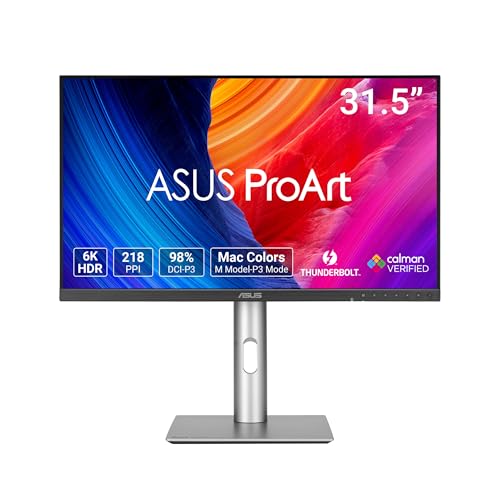
Asus ProArt PA32QCV
$1,289.99

AOC 22B35HM23
$64.99
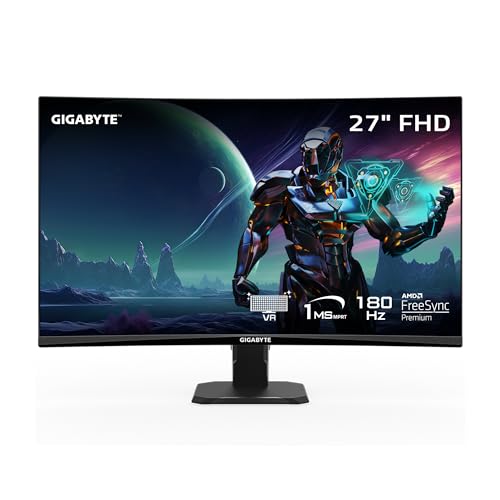
Gigabyte GS27FC
$159.99

LG 27U631A-B
$189.04

Sansui ES-22X3AH
$81.99

LG 27US500-W
$239.05

Samsung LS34C502GAN
$291.61

Asus VP327Q
$199.00

Ufyql 15.6-inch Portable Monitor
$47.48
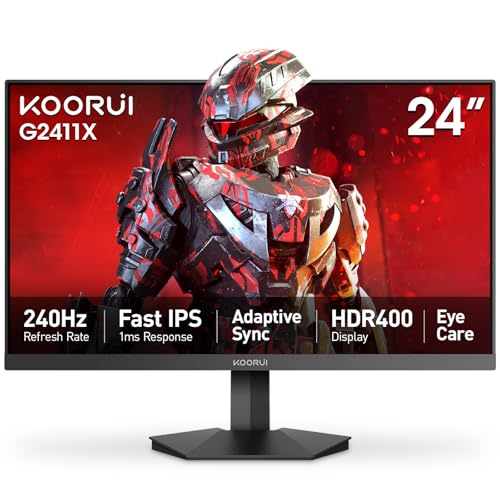
KOORUI MG24H3F
$119.99
Spec Comparison
TL;DR: The AOC 27G4H delivers a 200 Hz refresh rate, 0.3 ms motion blur reduction and HDR10 on a 27‑inch Full HD panel, wrapped in a highly adjustable stand and backed by a three‑year Zero‑Bright‑Dot warranty.
The standout spec is the 200 Hz native refresh rate paired with a 0.3 ms MPRT response time, which professional reviewers highlight as “ultra‑smooth” for competitive play. Coupled with a Fast IPS panel that boasts color accuracy of <2 ΔE and 120–121% sRGB coverage, the monitor offers vivid, consistent colors across its 27‑inch 1920 × 1080 screen.
Compared with peers in this roundup, the AOC 27G4H is heavier than the BenQ EX240N (which weighs about 12.2 lb) and the Gigabyte GS27FC (around 10 lb). Its depth of 227.6 mm also sits well below BenQ’s 540 mm, giving it a more compact footprint on a desk. While the price point sits in the mid‑range, the feature list is richer than several rivals that only offer 120 Hz panels.
Consumer sentiment repeatedly praises the monitor’s smooth gameplay and the ease of tweaking height, tilt, swivel and pivot—thanks to a 130 mm height adjustment range and a quick‑release stand. Users also appreciate the three‑year Zero‑Bright‑Dot warranty, which's uncommon at this price. On the flip side, the glossy finish can attract reflections in bright rooms, and the single HDMI 2.0 port limits multi‑device setups.
Beyond speed, the display puts out 300 cd/m² brightness and a static contrast ratio of 1000:1, while the dynamic contrast peaks at 80,000,000:1. HDR10 support adds a splash of punch, though the Full HD resolution means peak brightness is modest for HDR content. Connectivity includes a 3.5 mm audio jack, one DisplayPort 1.4 and one HDMI 2.0, and the unit draws just 23 W typical power.
Pros
Cons
Best for: Competitive gamers and budget‑conscious users who need high refresh rates and low motion blur.
Avoid if: You want the best value‑per‑dollar in its price range.
“perfect price and quality. can't beat this deal.”
TL;DR: The BenQ EX240N delivers a 165 Hz VA panel with HDR10 and built‑in speakers for $149.99, earning 4.7/5 stars from nearly 2,000 reviewers, making it a solid budget gaming monitor.
At the heart of the EX240N is a 23.8‑inch VA display that refreshes at 165 Hz and supports HDR10. The panel reaches a contrast ratio of 3000:1 and a brightness of 250 nits, giving deep blacks even in fast‑paced titles. With a 1920 × 1080 resolution and 93 PPI pixel density, the screen offers crisp images, while AMD FreeSync Premium helps keep motion tear‑free. Built‑in dual 2.5 W speakers add a modest audio solution without extra peripherals.
Compared with the other contenders in this roundup, the EX240N sits in the middle of the weight range: at 12.20038157908 pounds it’s lighter than the AOC 27G4H’s 18.0007436923 pounds but heavier than the Gigabyte GS27FC’s 9.98 pounds. Its depth of 540 mm is considerably deeper than the AOC 27G4H’s 227.6 mm, while the Sansui ES‑22X3AH measures just 210 mm deep, making the BenQ a bulkier desktop piece. The monitor also forgoes a USB hub, a feature that appears in some peers, keeping the connectivity list short with one DisplayPort 1.2, HDMI 2.0 and a 3.5 mm headphone jack.
Reviewers consistently praise the smooth 165 Hz gameplay and the 3000:1 contrast ratio, noting that the built‑in treVolo speakers are a pleasant surprise at this price point. However, the 250‑nit peak brightness limits HDR impact, and the VA panel’s 4 ms GTG response can make text appear slightly fuzzy in productivity apps. Reviewers describe the on‑screen display menu as a bit cluttered, and the lack of USB ports means you’ll need an external hub for peripherals.
Beyond gaming, the EX240N includes BenQ’s eye‑care suite: Brightness Intelligence Plus, Flicker‑free Technology, and TÜV‑certified Low Blue Light mode, helping reduce eye strain during long sessions. Power draw stays modest at a typical 20 W, with standby consumption dropping to 0.5 W, which is friendly for both the environment and your electricity bill.
Pros
Cons
Best for: Competitive gamers who want a high‑refresh, low‑input‑lag monitor without breaking the bank.
Avoid if: You need professional‑grade color accuracy, higher HDR brightness, or a richer set of connectivity ports.
“Perfect for CS2 and Valorant—super smooth at 165 Hz.”
“Love the deep blacks and contrast; great for night gaming.”
TL;DR: The LG 34WR55QK‑B delivers a crisp 3440×1440 UltraWide VA panel with HDR10, 300 cd/m² brightness, 3000:1 contrast and 65 W USB‑C power delivery, all housed in a 15.2‑lb curved design.
The monitor’s 3440×1440 resolution and 21:9 aspect ratio give you plenty of screen real estate for spreadsheets, code editors, and video timelines. Its VA panel reaches a typical brightness of 300 cd/m² and a typical contrast ratio of 3000:1, while the 1800R curvature helps keep the entire field of view comfortably in focus. HDR10 compatibility adds a touch of punch to compatible content without sacrificing the panel’s deep blacks.
At 15.2 pounds, the LG 34WR55QK‑B is heavier than the Samsung LS34C502GAN (about 10.8 pounds) but comparable to the Asus VP327Q, which tips the scales at roughly the same weight. Its typical brightness of 300 cd/m² outshines the LG 32U631A‑B and LG 27U631A‑B, both listed at 250 cd/m², giving it an edge for well‑lit workspaces. The single USB‑C port delivers up to 65 W of power delivery, a significant jump from the 15 W USB‑C offerings on those same LG models, so you can charge a laptop while you work.
Reviewers consistently praise the monitor’s multitasking capability and the eye‑comfort features like the 3‑side virtually borderless bezel and 1800R curve. Users also like the built‑in Black Stabilizer and Flicker Safe technology for longer sessions. On the downside, the VA panel’s inherent response characteristics can introduce motion blur during fast‑paced gaming, and the stand provides tilt from –5° to +20° but lacks swivel or pivot, limiting placement options. The HDR peak brightness of 300 cd/m² remains modest, so HDR highlights won’t dominate a dark room.
The connectivity suite includes one DisplayPort 1.4, two HDMI 2.0 ports, two USB‑A 3.0 downstream ports, and a 3.5 mm headphone jack. A VESA‑compatible 100 × 100 mm mounting pattern lets you mount the display on an arm or wall if you need more desk space. The monitor’s dimensions—810 mm wide, 569 mm high, and 259 mm deep—fit comfortably on a typical desk while the three‑side borderless design keeps the visual footprint sleek.
Pros
Cons
Best for: Professionals such as developers, designers, writers, and analysts who need a spacious, high‑resolution display with solid connectivity and eye‑comfort features.
Avoid if: You require high‑refresh, low‑latency performance for competitive gaming or a fully adjustable stand with swivel and pivot.
“Perfect for coding and video editing — I can have my IDE, browser, and terminal open side by side.”
“USB‑C charging my MacBook Pro while displaying full resolution is a game‑changer.”
TL;DR: The LG 32U631A‑B offers a 32‑inch QHD IPS panel with 100 Hz refresh, HDR10 and USB‑C power delivery, delivering sharp colors and convenient docking for productivity and casual gaming.
This monitor’s standout spec is its 32‑inch 2560 × 1440 pixel IPS screen, delivering a pixel density of 93 ppi and a 0.273 mm pixel pitch. It runs at a native 100 Hz refresh rate, supports HDR10 (software), and includes AMD FreeSync 48–100 Hz to smooth motion. The panel reaches 250 nits brightness, 99 % sRGB coverage, and a 1000:1 contrast ratio, while the USB‑C port supplies 15 W of power delivery for a single‑cable setup.
In the context of the other 13 monitors, the LG 32U631A‑B is heavier than the LG 27U631A‑B (14.33004703 pounds vs 9.7 pounds) and its 250 nits brightness sits below the typical 300 nits of the Samsung LS34C502GAN. It also lacks a DisplayPort input that the Asus VP327Q provides, which may limit compatibility with some graphics cards. However, its 100 Hz refresh and FreeSync support match the Samsung model’s 100 Hz rate, and its USB‑C docking is a convenience the LG 27U631A‑B also offers.
Reviewers consistently praise the monitor’s sharp QHD image and the ease of connecting a laptop via USB‑C, noting that the large screen is great for multitasking. Eye‑comfort features such as Flicker‑Safe, Reader Mode, and Black Stabilizer receive positive mentions. On the downside, users point out the tilt‑only stand, which offers only –5° to 20° tilt and no height or swivel adjustment, and some find the software‑based HDR10 underwhelming compared with higher‑end HDR implementations.
The technical package rounds out with a 178° viewing angle, anti‑glare 3H matte finish, and a VESA‑mount pattern of 100 × 100 mm for wall‑mounting flexibility. With a contrast ratio of 1000:1 and overdrive modes ranging from Off to Faster, the display balances everyday productivity needs with casual gaming performance, all within a modest footprint of 45.7 mm depth without the stand.
Pros
Cons
Best for: Buyers willing to invest in a proven, high-quality option
Avoid if: You need advanced features or professional‑grade performance
TL;DR: The Asus ProArt PA32QCV delivers a true 6K IPS panel with 600 cd/m² peak HDR brightness, factory‑calibrated color accuracy and extensive Thunderbolt 4 connectivity, but its 60 Hz refresh and $1,289 price keep it in the professional‑grade tier.
This monitor’s standout spec is its 6016×3384 (6K) resolution packed into a 31.5‑inch IPS panel, giving a pixel density of 218 PPI. Factory calibration guarantees ΔE < 2 and it covers 100% sRGB plus 98% DCI‑P3, while the VESA DisplayHDR 600 certification provides a peak brightness of 600 cd/m² and dynamic contrast up to ~10,000:1.
At 20.5 pounds, the PA32QCV weighs more than many of the other 13 displays in this roundup, such as the LG 34WR55QK‑B (15.2 pounds) and the Asus VP327Q (around 15 pounds). It also sits at the higher end of the price spectrum, making it pricier than budget‑oriented models while offering far more connectivity, including two Thunderbolt 4 ports with 96 W Power Delivery and a built‑in KVM switch.
Reviewers consistently praise the monitor’s razor‑sharp image and color fidelity, noting that the 600 cd/m² peak brightness and 3000:1 maximum contrast deliver smooth gradients for photo and video work. The same reviews point out the 60 Hz refresh rate as a limitation for fast‑action gaming or high‑frame‑rate video editing, and some users mention minor uniformity issues typical of edge‑lit backlights.
Beyond the display, the PA32QCV offers a full suite of ergonomics: 0–130 mm height adjustment, -90° to +90° pivot for portrait mode, and a 100 × 100 mm VESA mount. The built‑in ambient light sensor automatically adjusts brightness, and the ProArt software suite provides on‑screen calibration tools, multiple HDR modes, and a KVM switch for streamlined workflow.
Pros
Cons
Best for: Buyers willing to invest in a proven, high-quality option
Avoid if: You're shopping on a tight budget — it's priced at $1289.99
TL;DR: The AOC 22B35HM23 delivers a 22‑inch VA panel with 120 Hz refresh, FreeSync/G‑Sync compatibility and HDR Ready performance at an entry‑level price, though its stand is limited to tilt.
This monitor’s standout spec is the 120 Hz native refresh rate paired with a 4 ms response time, which keeps motion smooth for casual gaming and fast‑moving office work. The VA panel provides a 3000:1 contrast ratio, giving deep blacks that many budget‑tier displays lack. HDR Ready support adds a hint of extra punch to bright scenes, while the 100.1% sRGB color gamut covers the full standard color space.
Compared with the other 13 contenders, the AOC sits between the lighter Sansui ES‑22X3AH (about 6.65 lb) and the heavier KOORUI MG24H3F (9.38 lb). Its 120 Hz refresh matches the Sansui and outpaces the Ufyql portable monitor’s 60 Hz panel. Regarding dimensions, the AOC’s 218 mm depth and 493 mm width are marginally larger than the Sansui’s 210 mm depth and 492 mm width, but still more compact than the bulkier AOC 27G4H, which exceeds 227 mm in depth and 528 mm in height.
Users repeatedly praise the vivid image quality and the eye‑comfort suite—Flicker‑Free and Low Blue Light—especially given the modest price. Professional reviewers note the effective Adaptive Sync implementation, which reduces tearing without a pricey GPU. However, users commonly complain about the single HDMI 1.4 port and the stand’s lack of height or swivel adjustments, and the glossy finish can reflect ambient light in bright rooms.
Pros
Cons
Best for: Budget‑conscious buyers seeking a reliable entry‑level option
Avoid if: You need advanced features or professional‑grade performance
TL;DR: The Gigabyte GS27FC offers a 180 Hz VA panel with 4000:1 contrast, HDR10 support, and a 1500R curve at a modest $159.99, though its ergonomics are limited.
At the heart of the GS27FC is a 685.8 mm (27‑inch) VA display that runs at a native 180 Hz refresh rate and a 1 ms MPRT response time. The panel delivers 250 cd/m² brightness and a 4000:1 real‑world contrast ratio, while HDR10 certification promises brighter highlights in supported content. Its 1500R curvature and 108% sRGB color gamut aim to create an immersive, color‑accurate experience for fast‑paced games.
Compared with its peers, the GS27FC sits in the middle of the weight range at 9.98 pounds—lighter than the Asus VP327Q and AOC 27G4H, but a touch heavier than the LG 27U631A‑B and KOORUI MG24H3F. Unlike the AOC 27G4H, which lists a height‑adjustable stand, this Gigabyte model offers only tilt (‑5° to +20°) and no swivel or pivot, making it less flexible for ergonomic setups. Its 250 cd/m² brightness matches the typical output of the LG model, but exceeds the minimum brightness of the Samsung LS34C502GAN, which lists a 250 cd/m² minimum.
Reviewers consistently praise the monitor’s deep blacks and rapid response, with the manufacturer quoting an “excellent contrast ratio delivering deep blacks” and a “super quick 1 ms response and low input lag.” However, experts and everyday users flag the weak overdrive that can cause slight white trailing, and the Aim Stabilizer backlight strobe, which cuts brightness by about 20 % and can introduce phasing artifacts. The lack of height adjustment also appears in user comments about limited ergonomic comfort during long sessions.
Beyond gaming, the GS27FC packs two HDMI 2.0 ports, a DisplayPort 1.4, and a 3.5 mm audio jack, but no built‑in speakers. Power consumption stays modest at 18 W typical, dropping to 0.3 W in off mode. It's covered by a three‑year manufacturer warranty, adding confidence for budget‑focused buyers.
Pros
Cons
Best for: Budget‑focused gamers and competitive FPS players who need low input lag, high refresh rates, and an immersive curved display.
Avoid if: You need extensive ergonomic adjustments, bright‑room visibility, or a wide‑gamut color space for professional content creation.
“Plug and play”
“Great price for a person on a budget with great features”
TL;DR: The LG 27U631A-B is a 27‑inch QHD IPS monitor with HDR10, 99% sRGB coverage, 100 Hz refresh and USB‑C docking, offering vivid visuals and solid ergonomics for a mid‑range price.
The display packs a 2560 × 1440 resolution on a 27‑inch IPS panel, delivering 109 PPI and a typical brightness of 250 cd/m². HDR10 support and a typical contrast ratio of 1000:1 give decent punch for movies and games, while the sRGB gamut reaches 99% at its best.
At 9.7 Pounds, it’s a touch lighter than the Gigabyte GS27FC (9.98 pounds) but a bit heftier than the KOORUI MG24H3F (9.38 pounds). Its brightness matches the Gigabyte’s 250 cd/m² and the Samsung LS34C502GAN’s minimum, yet it falls short of the Asus VP327Q’s 350 nits. The monitor offers a single HDMI 1.4 port, while some peers list multiple HDMI or DisplayPort inputs, and it adds a USB‑C port with 15 W power delivery for single‑cable laptop docking.
Users repeatedly note the vivid, crisp picture and the reduced eye strain from features like Flicker Safe, Reader Mode and Black Stabilizer. Professional reviewers highlight the QHD IPS panel as a solid choice for content creation, and the 100 Hz refresh adds smoothness to casual gaming. However, users commonly complain about the tilt‑only stand (‑5° to +20°) and the lack of height, swivel or pivot adjustments, and the modest 15 W USB‑C power isn’t enough for power‑hungry laptops.
Pros
Cons
Best for: Office professionals needing ample screen real‑estate for multitasking, content creators who value color accuracy, and casual gamers who appreciate a smooth 100 Hz experience.
Avoid if: You require advanced ergonomics, adaptive‑sync for competitive gaming, or high‑wattage USB‑C charging.
“Crisp and vibrant display”
“USB‑C is a game‑changer”
TL;DR: The Sansui ES-22X3AH delivers a 22‑inch Full HD VA panel with 120 Hz refresh, 100 % sRGB coverage and Adaptive Sync for just $79.55, making smooth, colorful everyday use surprisingly affordable.
This monitor’s standout spec is its 120 Hz native refresh rate, which is rare in the sub‑24‑inch price tier and pairs with a 4000:1 contrast ratio for fluid motion and deeper blacks. The 22‑inch screen resolves 1920 × 1080 pixels and hits the full 100 % sRGB color gamut, so photos and office work look vibrant without oversaturation. Brightness sits at 250 cd/m², and it includes an HDR mode, though it isn’t HDR10‑certified.
Compared with the other 13 entries, the Sansui is lighter than the AOC 22B35HM23 and more portable than the larger, heavier KOORUI MG24H3F. It also offers Adaptive Sync, a feature many budget rivals lack, but it falls short on connectivity—only two HDMI 1.4 ports and no DisplayPort or USB hub, whereas some peers list additional inputs. The VESA‑mount size of 75 × 75 mm gives you flexibility that a few competitors miss.
Professional reviewers applaud the smooth 120 Hz experience and the accurate color rendering, noting that the monitor feels solid for its price. Everyday users echo this sentiment, praising the plug‑and‑play setup and the low‑blue‑light eye‑care mode. The most common complaints revolve around corner clouding in dark scenes, the absence of built‑in speakers, and the limited HDMI 1.4 bandwidth for future‑proofing. In practice, the matte anti‑glare surface and a tilt range of –5° to +22° help reduce glare on a desk.
Pros
Cons
Best for: Budget‑conscious buyers seeking a reliable entry‑level option
Avoid if: You need advanced features or professional‑grade performance
“Smooth visuals and sharp colors”
“Great value for the performance”
TL;DR: The LG 27US500-W offers a 27‑inch 4K IPS panel with 90% DCI‑P3 coverage, HDR10 support, and a sleek borderless design, but its 60 Hz refresh and limited ergonomics may deter gamers.
At the heart of the monitor lies a 27‑inch 3840×2160 IPS screen that delivers 163 ppi (64 ppcm) and a typical brightness of 300 cd/m². 90% DCI‑P3 coverage bolsters color accuracy, and HDR10 support adds depth, while the contrast ratio reaches a typical 1000:1. The panel sits behind an anti‑glare matte coating and includes LG’s Flicker Safe and Smart Energy Saving features, keeping eye strain low during long sessions. Weighing 12.13 pounds, the unit rests on a three‑side virtually borderless stand.
Compared with the other 13 displays in this roundup, the LG weighs more than the Samsung LS34C502GAN (about 10.8 pounds) but less than the Asus VP327Q (over 15 pounds). Its typical brightness of 300 cd/m² matches Samsung’s figure and exceeds the 250 cd/m² listed for the Gigabyte GS27FC and BenQ EX240N, yet it falls short of the Asus VP327Q’s 350 nits. The 60 Hz native refresh rate falls short of Samsung’s 100 Hz, and the 5 ms response time matches Samsung and Asus. LG’s 90% DCI‑P3 uses a different metric than the sRGB percentages shown for the LG 32U631A‑B and 27U631A‑B, and it’s notably higher than BenQ’s 72% NTSC coverage.
User feedback frequently praises the crisp 4K image and the vibrant, accurate colors that make multitasking and creative work enjoyable. Reviewers also note the convenience of the LG Switch app and the borderless look for multi‑monitor setups. Common complaints focus on the lack of height, swivel or pivot adjustments—only a –5° to +15° tilt is available—plus the external power brick that adds desk clutter. Users see HDR performance limited by the 300 cd/m² peak brightness and the lack of local dimming.
Beyond the panel, the monitor provides a DisplayPort 1.4, two HDMI 2.0 ports, and a 3.5 mm audio jack. It supports a 100 × 100 mm VESA mount for wall‑or desk‑mounting, and the on‑screen control software adds quick access to modes like Reader and Super Resolution+. The monitor draws less than 0.5 W in sleep mode and under 0.3 W when off.
Pros
Cons
Best for: Buyers willing to invest in a proven, high‑quality option
Avoid if: You need advanced features or professional‑grade performance
TL;DR: The Samsung LS34C502GAN offers a 34‑inch flat VA panel with 3440×1440 resolution, 100 Hz refresh and HDR10, delivering smooth multitasking at a modest price.
This monitor’s standout spec is its 34‑inch ultrawide screen (3440 × 1440) paired with a native 100 Hz refresh rate and AMD FreeSync, which together deliver noticeably smoother motion than the typical 60 Hz panels. It also supports HDR10, has a static contrast ratio of 3000:1, and reaches a typical brightness of 300 cd/m².
At 10.8 lb (4.9 kg) with the stand, the LS34C502GAN is lighter than the Asus VP327Q, which weighs about 15.2 lb, making it easier to reposition on a desk or mount via its 100 × 100 mm VESA pattern. However, its 300 cd/m² peak brightness is lower than Asus’s 350 nits, so HDR highlights won’t be as punchy. Unlike the BenQ EX240N, which includes 2.5 W stereo speakers, Samsung provides no built‑in audio or USB hub, so you’ll need external speakers or a headset.
Professional reviewers praise the monitor’s 5 ms (GtG) response and the eye‑care suite—flicker‑free backlight, Eye Saver mode, and an ambient‑light sensor that auto‑adjusts brightness—which reduces strain during long work sessions. Users consistently highlight the ultrawide 21:9 aspect ratio for side‑by‑side productivity, while noting some ghosting in dark scenes and modest HDR impact due to the 300 cd/m² ceiling.
Pros
Cons
Best for: Office professionals, multitaskers, and casual gamers who value screen space and smooth motion.
Avoid if: You need competitive‑grade response times, high‑peak HDR brightness, or built‑in audio solutions.
“I bought this monitor specifically because of its ability to display 2 different inputs side by side and it does that amazingly!”
“It has vivid color, nice sound system.”
TL;DR: The ASUS VP327Q delivers crisp 3840×2160 resolution, HDR10 and 99% sRGB coverage on a 31.5‑inch VA panel, but its 60 Hz refresh and limited ergonomics keep it in the mid‑range.
Its native 3840×2160 resolution paired with HDR10 support delivers ultra‑sharp images and a 3000:1 contrast ratio. At 350 nits brightness and a 0.182 mm pixel pitch, the screen reproduces detail and color accurately across its 31.5‑inch size, while TÜV‑Rheinland flicker‑free and low‑blue‑light certifications protect your eyes during long sessions.
Compared with the other 13 monitors in this roundup, the VP327Q is heavier than the Samsung LS34C502GAN (which weighs about 10.8 pounds) and sits near the top of the weight range. Its 60 Hz native refresh rate is lower than several peers that push 100 Hz or higher, meaning it won’t satisfy competitive gamers seeking ultra‑smooth motion. Because it lacks height, swivel or pivot adjustments, it falls behind models that offer full ergonomic kits.
Users consistently praise the monitor’s sharp 4K visuals and vibrant 99% sRGB color gamut, noting that dual HDMI ports make cable management easy. Professional reviewers highlight the eye‑care features and the VA panel’s wide 178° viewing angles for consistent color from any side of a desk. Common complaints focus on the absence of height adjustment, occasional input lag in fast‑paced games, and the modest 2 W per speaker built‑in audio that may feel weak for immersive media.
Pros
Cons
Best for: Most users looking for a well‑reviewed, reliable mainstream option
Avoid if: Reliability and user satisfaction are your top concerns
“Lack of height adjustment is the most frequent ergonomic complaint.”
TL;DR: The UFYQL 15.6‑inch portable monitor delivers Full HD IPS visuals with HDR in a feather‑light 1.41‑lb, 13.2‑mm‑thin package for just $49.99, though its 250‑300 nits brightness limits bright‑room use.
This monitor’s most eye‑catching spec is its ultra‑slim 13.2 mm thickness combined with a weight of only 1.41 pounds, making it genuinely travel‑ready. The IPS panel offers a 1920 × 1080 resolution, 178° viewing angles and HDR support, while the 60 Hz refresh rate and 5 ms response time keep motion smooth for casual gaming or video work.
Compared with the larger AOC 22B35HM23 and Sansui ES‑22X3AH, the UFYQL is considerably lighter—those models tip the scales at over 6 pounds each—and its 15.6‑inch screen is notably smaller than the 22‑inch units in the rest of the roundup. It also runs at a modest 60 Hz, whereas the peers list 120 Hz refresh rates, so it won’t match the high‑speed performance of the bigger displays.
Reviewers consistently praise the monitor’s portability and the sharp, colorful picture that HDR adds to everyday tasks. Professional reviewers note the plug‑and‑play USB‑C connection as a hassle‑free setup, while everyday users love the built‑in stereo speakers for casual media. The most common complaint is the limited 250‑300 nits brightness, which can feel dim under strong ambient light, and a few users report occasional USB‑C signal hiccups and a kickstand that feels less sturdy at extreme angles.
The device runs entirely off a host’s USB‑C power, so there’s no internal battery to worry about, and the dual USB‑C ports provide both power delivery and data. With a contrast ratio of 1200:1 and a full‑feature HDMI port, it can serve as a solid secondary screen for laptops, tablets, or consoles, especially when you need extra real‑estate on the go.
Pros
Cons
Best for: Remote workers, digital nomads, and frequent travelers who need an extra screen without adding bulk.
Avoid if: You require high brightness for brightly lit spaces, a built‑in battery, or a sturdier stand for intensive use.
TL;DR: The KOORUI MG24H3F costs $119.99, carries a 4.4‑star rating from nearly 10 k reviewers, and receives praise for smooth gameplay and vivid colors while noting limited ergonomics.
Koorui’s MG24H3F ranks near the bottom of our 14‑monitor HDR roundup, priced at $119.99 and earning a 4.4‑star average from 9,982 reviews. Its rating places it behind most competitors, making it one of the more affordable choices in the list.
Buyers repeatedly highlight the monitor’s buttery‑smooth motion and the lively color reproduction that makes games feel more immersive. Users also appreciate the built‑in crosshair overlay and the eye‑care features that reduce strain during long sessions. On the flip side, reviewers point out the absence of built‑in speakers, a lack of height or swivel adjustments, and an HDR experience that feels modest compared with higher‑priced models.
Given its price point and solid rating, the MG24H3F serves as a budget‑friendly entry in a segment dominated by pricier, higher‑rated options. It offers the core gaming experience without the premium features that drive up cost, positioning it as a reasonable compromise for those who prioritize cost over full‑spec performance.
Pros
Cons
Best for: Budget-conscious buyers seeking a reliable entry-level option
“Incredibly smooth gameplay—perfect for competitive gaming.”
“Backlight bleed in dark rooms, especially at the bottom edge.”
Breakdown
AOC 27G4H
Pros
Cons
BenQ EX240N
Pros
LG 34WR55QK-B
Pros
LG 32U631A-B
Pros
Based on scoring data and product specs
Personalized picks
Best Overall Pick
AOC 27G4H
Best OverallBest for: Budget-conscious buyers seeking a reliable entry-level option
BenQ EX240N
Best for: Most users looking for a well-reviewed, reliable mainstream option
$149.99+$10.00 vs winner
Skip KOORUI MG24H3F if…
You want the best value-per-dollar in its price range
The AOC 27G4H earns the top spot thanks to its strong reviewer score of 4.6 / 5 from 9,018 reviews, a blazing 200 Hz refresh rate paired with a 1 ms GtG response, and true HDR10 support that’s backed by 92 % DCI‑P3 and 100 % NTSC colour coverage. Its Fast IPS panel delivers 300 cd/m² brightness and a 1000:1 static contrast ratio, giving you vivid HDR highlights without breaking the bank at $139.99.
Runner‑up BenQ EX240N shines when you need a compact desk monitor with built‑in audio and deeper blacks for darker games or movies. The dual 2.5 W speakers let you skip separate speakers, while the VA panel offers a 3000:1 contrast ratio and 250 nits brightness. HDR10 and HDRi support, plus a 165 Hz refresh rate, make fast action look smooth, and its eye‑care suite (Flicker‑free, Low Blue Light, Brightness Intelligence Plus) keeps long sessions comfortable.
For tighter budgets, the Ufyql 15.6‑inch Portable Monitor at $49.99 delivers ultra‑lightweight portability for on‑the‑go productivity. In the mid‑range, the BenQ EX240N (already highlighted above) provides a balanced mix of performance and price at $149.99. If you crave professional‑grade colour fidelity, the Asus ProArt PA32QCV stands out as the premium pick at $1,289.99, offering factory‑calibrated accuracy for colour‑critical work.
Pick the AOC 27G4H for the best HDR desktop experience and enjoy sharper, smoother visuals today.
The AOC 27G4H supports HDR10, delivers 300 cd/m² brightness and a wide 92% DCI‑P3 (120% sRGB) color gamut, while the BenQ EX240N also offers HDR10 but only 250 nits brightness and 72% NTSC coverage. At $139.99, the AOC is $10 cheaper and provides stronger HDR performance for gaming.
Please sign in to leave a review
No reviews yet. Be the first to review!
