⚡ Quick Answer
Our strongest recommendation in this roundup is a 23.8‑inch IPS monitor that packs a 144 Hz refresh rate, 1 ms MPRT response time, and a 4.7‑star rating from over 3,000 reviewers, all for $198.84. That blend of smooth motion, responsive controls, and solid user approval makes it a compelling choice for anyone hunting a high‑refresh display without breaking the bank.
This guide compares 9 models that span three price tiers. On the budget end you’ll find the Sceptre E225W at $69.97, the MSI PRO MP243L E14 at $74.99, and the MSI MAG 245F X24 at $114.99. The mid‑range camp includes the Xiaomi G27i‑US ($149.99), Gigabyte GS27QA SA Black ($159.99), and the aforementioned AOC 24G2. Premium options round out the list with the Xiaomi Curved Gaming Monitor ($274.99), Alienware AW3425DWM ($299.99), and the top‑priced Alienware AW3425DW at $749.99. Across the set, refresh rates climb from 75 Hz up to 240 Hz, and ratings hover between 4.2 and 4.7 stars.
Next, the article breaks down each monitor’s strengths, ergonomics, and visual performance so you can match the right high‑refresh display to your gaming or productivity needs.
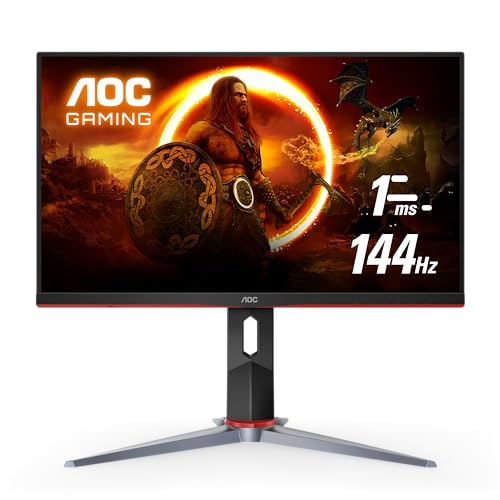
AOC 24G2
Its ultra‑slim 47.2 mm depth without the stand keeps your desk tidy while delivering strong value and a 4.7‑star rating.

Alienware AW3425DWM
Ideal for audiophiles and enthusiasts who crave premium sound, it sits about $101 higher than the AOC, reflecting its advanced features.

MSI PRO MP243L E14
Stands out with a compact 7.13‑inch depth, making it a space‑saving, budget‑friendly option for entry‑level buyers despite a lower price tag.
Also considered
Score Analysis
Key score advantages vs. runner-up (Alienware AW3425DWM)
Price Range
AOC 24G2
$198.84
Alienware AW3425DWM
$349.99
MSI PRO MP243L E14
$74.99

Alienware AW3425DW
$752.00

Sceptre E225W
$69.97
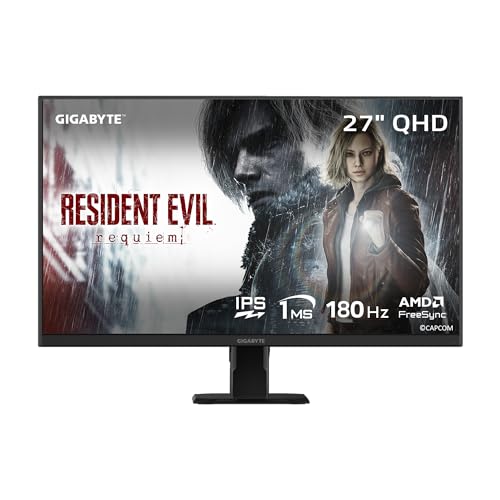
Gigabyte GS27QA SA Black
$159.99

Xiaomi G27i-US 27-inch
$149.99

MSI MAG 245F X24
$114.99

Xiaomi Curved Gaming Monitor
$274.99
Spec Comparison
TL;DR: The AOC 24G2 delivers a 23.8‑inch IPS panel with 144 Hz refresh, 1 ms MPRT response, and FreeSync Premium at a sub‑$200 price, making it a solid mid‑range gaming monitor.
At the heart of the 24G2 is a 23.8‑inch IPS screen that pushes 1920 × 1080 pixels at a buttery‑smooth 144 Hz and a 1 ms (MPRT) response time. The panel covers 123 % of the sRGB gamut and 98 % of DCI‑P3, while a contrast ratio of 1000:1 and a brightness of 250 cd/m² keep images bright enough for most indoor setups. Its FreeSync Premium and G‑Sync compatibility help eliminate tearing, and the Flicker‑Free and Low Blue Mode technologies reduce eye strain during long sessions.
Compared with the other eight monitors in this roundup, the 24G2 is notably lighter than the Gigabyte GS27QA (15.6 lb) and the MSI MAG 245F X24 (10.96 lb), yet a bit heavier than the Sceptre E225W (7.0 lb) and the Xiaomi G27i‑US (7.94 lb). Its 250 cd/m² brightness trails the Gigabyte’s 300 nits and the Xiaomi Curved’s 350 nits, but matches the Sceptre’s 250 cd/m². While its 144 Hz refresh sits between the 180 Hz of the Alienware AW3425DWM and the 240 Hz of the MSI MAG 245F X24, it still outpaces the 75 Hz of the Sceptre and the 48‑180 Hz range of the Gigabyte.
Reviewers consistently praise the monitor’s ultra‑smooth gameplay and vibrant IPS colors, noting that the adjustable stand—130 mm of height travel, 30° swivel and 23° tilt—fits comfortably on cramped desks. Professional testers highlight the low input lag and accurate color reproduction, while everyday users love the sturdy stand. Common criticisms focus on the modest 250 cd/m² brightness and 1000:1 contrast, which lead to weaker black levels in dark rooms, and the absence of built‑in speakers, which some competitors offer.
Pros
Cons
Best for: Budget‑conscious gamers who need a responsive 1080p 144 Hz display for competitive esports titles.
Avoid if: You need high contrast, HDR, bright‑room performance, or a portable monitor for limited desk space.
“Smooth gaming (144 Hz + FreeSync reduces tearing)”
“Sturdy adjustable stand”
TL;DR: The Alienware AW3425DWM delivers a 34‑inch 1500R curved ultrawide VA panel with 180 Hz refresh and 1 ms GTG response, offering smooth gaming at a premium price and features a solid ergonomic stand.
This monitor’s headline spec is a 180 Hz refresh rate paired with a 1 ms GTG (Extreme) response time, which keeps fast‑paced titles looking fluid on its 34‑inch 3440×1440 WQHD screen. The 1500R curvature and VA panel provide deep immersion while the DCI‑P3 95% color gamut and VESA DisplayHDR 400 add decent color range and HDR capability.
Compared with the other eight monitors in the roundup, the AW3425DWM matches the top refresh‑rate numbers of the Xiaomi Curved Gaming Monitor and the Gigabyte GS27QA, while outpacing the AOC 24G2, MSI PRO MP243L and the Sceptre E225W. At 20.97 pounds it weighs more than all the listed peers, with only the larger Alienware AW3425DW coming close in mass. Its 34‑inch size also puts it in the same class as the Xiaomi Curved, whereas the remaining models sit at 27 inches or smaller.
Reviewers consistently praise the ultra‑smooth motion from the 180 Hz panel and the immersive feel of the 1500R curve. The ergonomic stand—offering 0–110 mm height travel, –5° to +21° tilt and ±5° pivot—receives a nod for comfort during long sessions. On the downside, users note the lack of built‑in speakers or a headphone jack, meaning you’ll need external audio gear, and the VA panel’s absence of local dimming can hurt contrast in dark scenes.
Power draw peaks at 85 W, with a typical on‑state consumption of 32 W and an energy‑class rating of G. Connectivity includes one DisplayPort 1.4, two HDMI 2.1 ports, and a handful of USB‑A and USB‑B connections, plus a joystick control and security lock slot for added convenience.
Pros
Cons
Best for: Enthusiast gamers seeking an immersive ultrawide experience with high frame‑rate titles.
Avoid if: You need precise color accuracy for professional work, require built‑in audio, or have a tight budget.
TL;DR: The MSI PRO MP243L E14 delivers a 23.8‑inch IPS panel at 144 Hz with 1 ms MPRT response, offering smooth visuals and eye‑care features at a budget‑friendly $74.99 price.
The monitor’s standout spec is its 144 Hz refresh rate paired with a 1 ms MPRT response time, which together promise fluid motion for both work and casual gaming. Its 23.8‑inch IPS panel shows 250 cd/m² brightness, a 0.2745 mm pixel pitch and 102 % sRGB coverage, while AMD FreeSync helps keep frame tearing at bay.
Compared with the other eight entries, the MP243L outpaces the Sceptre E225W’s 75 Hz panel but sits below the MSI MAG 245F X24’s 240 Hz and the Xiaomi G27i‑US’s 165 Hz refresh rates. It’s lighter than the MSI MAG (9.5 lb vs 10.96 lb) and considerably lighter than the Alienware 34‑inch models that weigh around 20 lb, yet heavier than the Sceptre’s 7.0 lb chassis. In terms of brightness, it matches the Sceptre’s 250 cd/m² but falls short of the MSI MAG’s 300 cd/m² and the Gigabyte GS27QA’s 300 nits. The AOC 24G2 shares the same 144 Hz refresh and pixel pitch, making the MSI a direct competitor in that space.
Reviewers repeatedly praise the smooth motion from the high refresh and quick response, noting it feels snappy for spreadsheet scrolling and light gaming. However, users flag the limited connectivity – a single HDMI 2.0b port plus VGA – and the lack of height or swivel adjustments on the stand. Professional editors note the anti‑flicker, TÜV‑certified eye‑care suite and the 92 % screen‑to‑body frameless design, which makes it ideal for long‑hour desk work.
Pros
Cons
Best for: Entry-level buyers or those on a tight budget
Avoid if: You need powerful performance or professional‑grade features
TL;DR: The Alienware AW3425DW is a 34.2‑inch curved QD‑OLED monitor with a 240 Hz refresh, 0.03 ms response, HDR 1000 cd/m² brightness, and premium build at $749.99.
The standout spec is the 240 Hz variable refresh rate paired with an industry‑leading 0.03 ms response time, backed by a QD‑OLED Gen 2 panel that delivers a 1,500,000:1 contrast ratio and 1000 cd/m² HDR peak brightness. Color coverage hits 99.3 % of DCI‑P3 and 100 % of sRGB, so games and media look vivid and accurate on the 34.2‑inch, 1800R curved screen.
At 20.04 pounds, the AW3425DW weighs less than the Alienware AW3425DWM (20.97 pounds) but considerably more than the AOC 24G2, MSI PRO MP243L, and Sceptre E225W, all of which weigh under 10 pounds. Its 240 Hz ceiling matches the MSI MAG 245F and surpasses the 180 Hz limit of the Alienware AW3425DWM and Xiaomi Curved Gaming Monitor, giving it a clear edge for fast‑paced competitive play.
Reviewers consistently praise the ultra‑smooth gameplay enabled by the rapid refresh and near‑instant response, as well as the deep blacks and color fidelity that OLED provides. Professional opinions note the lack of built‑in speakers and the Class F energy rating as downsides, while the monitor’s 20 pound mass can make desk mounting a bit of a chore.
Pros
Cons
Best for: Competitive PC gamers and esports enthusiasts who demand ultra‑fast refresh rates, ultra‑low latency, and premium picture quality.
Avoid if: You're shopping on a tight budget — it's priced at $749.99.
TL;DR: For $69.97, the 22‑inch Sceptre E225W delivers a 75 Hz refresh rate, 5 ms response time and Adaptive Sync, offering solid value for casual gaming and everyday work.
Its 75 Hz refresh combined with Adaptive Sync helps keep 1080p gameplay smooth without tearing. A 5 ms response time and 250 cd/m² brightness round out the core display performance, while the panel covers 108.7% of the sRGB color space.
Compared with the other eight monitors, the E225W is the lightest at 7.0 lbs, out‑weighing the MSI PRO MP243L (9.5 lbs), the MSI MAG 245F X24 (10.96 lbs) and the others that range from about 7.94 lbs to over 20 lbs. Its 75 Hz panel is modest next to the 144 Hz+ rates of the MSI PRO, AOC 24G2, Xiaomi G27i and the high‑refresh Alienware models, making it a good fit for users who don’t need ultra‑high frame rates.
Reviewers consistently praise the ultra‑slim, frameless look, the dual HDMI inputs and the built‑in office‑level speakers for everyday use. Users also like the VESA‑mountable design for a cleaner desk. Common complaints focus on the 1080p resolution showing pixelation on a 22‑inch screen, the modest 250 cd/m² brightness in bright rooms, and the lack of height or swivel adjustments.
Technical notes: Adaptive Sync reduces screen tearing, Blue Light Shift eases eye strain during long sessions, and the Flicker‑Free panel eliminates PWM flicker. The monitor also includes FPS/RTS gaming modes and a tiltable stand for basic angle tweaks.
Pros
Cons
Best for: Budget gamers, students and office workers who need a compact 22‑inch display without breaking the bank.
Avoid if: You are a professional graphic designer, a high‑refresh esports gamer, or need high brightness for bright environments.
TL;DR: The Gigabyte GS27QA SA delivers a 27‑inch QHD IPS panel with up to 180 Hz refresh, 1 ms MPRT response, and full sRGB color, all for $159.99, though its stand only tilts.
The standout spec is the variable 48‑180 Hz refresh rate paired with a 1 ms MPRT response time, which lets competitive gamers push frame rates well beyond the typical 144 Hz ceiling while keeping motion blur to a minimum. Coupled with a 27‑inch 2560×1440 IPS panel, the monitor also hits 300 cd/m² brightness and a 1000:1 static contrast ratio, delivering crisp, bright images across the full 100 % sRGB gamut.
At 15.6 lb, the GS27QA is heavier than the Xiaomi G27i‑US (≈7.94 lb) but noticeably lighter than the Alienware AW3425DWM (≈20.97 lb). Its 180 Hz top refresh outpaces the Xiaomi’s 165 Hz and the AOC 24G2’s 144 Hz, yet sits below the MSI MAG 245F X24’s 240 Hz. The monitor also includes a DisplayPort 1.4 and two HDMI 2.0 inputs, matching the connectivity spread of most peers while keeping the cable count modest.
Users consistently praise the fluid gameplay and vivid colors, noting that the 100 % sRGB coverage makes games look lively without extra calibration. Professional reviewers highlight the 1 ms response and FreeSync Premium as strong points for fast‑paced shooters. On the downside, the tilt‑only stand limits ergonomic flexibility, and the 300 cd/m² peak brightness caps true HDR performance despite HDR10 support. Eye‑care features like Flicker‑Free and TÜV‑certified Low Blue Light help reduce fatigue during marathon sessions.
Beyond the core display, the GS27QA offers Adaptive Sync, Aim Stabilizer, Black Equalizer, and picture‑in‑picture modes for multitasking. Power draw stays reasonable at 32 W in normal mode and drops to 0.5 W in power‑saving mode, which aligns with typical midsize gaming monitors.
Pros
Cons
Best for: Most users seeking a balanced, mainstream option
Avoid if: You're shopping on a tight budget — it's priced at $159.99
TL;DR: The Xiaomi G27i‑US offers a 27‑inch Fast IPS panel with 165 Hz refresh, 1 ms GTG response and HDR10 at a budget‑friendly price, though its 1080p resolution can feel soft on a large screen.
What really stands out is the 165 Hz refresh rate paired with a 1 ms GTG response time, delivering ultra‑smooth motion for fast‑paced games. The panel covers 99% of sRGB and 95% of DCI‑P3, while HDR10 support reaches 400 nits, giving brighter highlights than many entry‑level monitors.
Compared with the other eight monitors in this roundup, the G27i‑US is lighter than the Gigabyte GS27QA (15.6 lb) and the MSI MAG 245F (10.96 lb), but a touch heavier than the Sceptre E225W (7.0 lb). Its 165 Hz refresh sits below the MSI MAG 245F’s 240 Hz and the 180 Hz of the Xiaomi Curved Gaming Monitor and Alienware models, yet it outpaces the 144 Hz of the AOC 24G2 and MSI PRO MP243L. Brightness at 250 cd/m² is modest against the 300 cd/m² of the Gigabyte and MSI MAG, and lower than the 350 nits of the Xiaomi Curved unit.
Users consistently praise the monitor’s fluid gameplay and accurate colors, noting that the low‑blue‑light TÜV‑certified eye‑care features make long sessions comfortable. However, many point out that the Full HD 1920 × 1080 resolution on a 27‑inch screen can appear less sharp than higher‑resolution rivals, and the tilt range of –5° to +15° limits ergonomic adjustment.
Technical details reinforce its value: the Fast IPS LCD delivers a 1000:1 contrast ratio and <2 ΔE color accuracy, while the built‑in joystick control and FreeSync Premium help keep frames tear‑free. Power consumption's modest at 36 W (12 V ⎓ 3.0 A), and the monitor fits standard VESA mounts (75 × 75 mm).
Pros
Cons
Best for: Most users seeking a balanced, mainstream option
Avoid if: You have limited desk space or need portability
“silky-smooth 165 Hz gameplay”
“high refresh rate of 165Hz and rapid 1ms response”
TL;DR: The MSI MAG 245F X24 packs a 240 Hz refresh rate, 0.5 ms response time and HDR‑Ready Rapid IPS panel into a 23.8‑inch monitor for under $115, making it a solid budget choice for fast‑paced gaming.
What really stands out is the 240 Hz refresh rate paired with a 0.5 ms gray‑to‑gray response time. On a 23.8‑inch Full HD screen, this combo delivers ultra‑smooth motion and minimal blur, which competitive players love. The Rapid IPS panel also offers 87% DCI‑P3, 85% Adobe RGB and 112% sRGB coverage, plus a bright 300 cd/m² panel and 178° viewing angles.
Against the eight other monitors in this roundup, the MAG 245F X24 runs noticeably faster. It tops the 75 Hz Sceptre E225W, the 144 Hz MSI PRO MP243L and the 165 Hz Xiaomi G27i‑US, and even outpaces the 180 Hz Xiaomi Curved and Alienware 34‑inch models for raw refresh speed. Its 0.5 ms response time beats the 1 ms response of the Xiaomi G27i‑US and the 1 ms MPRT of the Gigabyte GS27QA, while the Sceptre’s 5 ms lag falls far behind. Brightness measures 300 cd/m², matching the Gigabyte GS27QA but edging out the 250 cd/m² of the Sceptre, Xiaomi G27i‑US and AOC 24G2. Weighing 10.96 lbs, it is heavier than the 7.94‑lb Xiaomi G27i‑US and the 7.0‑lb Sceptre, yet still lighter than the 15.6‑lb Gigabyte and the 20‑plus‑lb Alienware units.
User feedback repeatedly praises the buttery‑smooth motion and the low input lag, noting that the 240 Hz panel makes fast shooters feel more responsive. Reviewers also highlight MSI’s AI Vision feature, which automatically tweaks brightness, dark detail and color saturation, and the built‑in Blue Light Reduction mode that eases eye strain during long sessions. The monitor is HDR Ready and supports AMD FreeSync, further smoothing out frame‑rate variations.
Pros
Cons
Best for: Competitive FPS, esports, and racing simulation gamers who need a high refresh rate and low response time on a budget.
Avoid if: You need a higher‑resolution (QHD/4K) panel, ultra‑high refresh rates above 300 Hz, or a monitor with extensive connectivity options.
TL;DR: The Xiaomi 34‑inch Curved Gaming Monitor packs a 180 Hz VA panel, 1 ms response, and factory‑calibrated 95% DCI‑P3 color in a sleek ultrawide design for $274.99.
What really stands out is the 180 Hz refresh rate paired with a 1 ms MPRT response, delivering ultra‑smooth motion on a 34‑inch VA panel. The screen curves at a 1500 mm radius, while the 4000:1 contrast ratio and 350 cd/m² brightness give deep blacks and bright highlights. HDR 400 support and a color gamut of 95% DCI‑P3 plus 100% sRGB, with a factory‑calibrated ΔE < 2, make the picture vivid and accurate.
In the roundup, the monitor’s depth of 8.27 inches measures shallower than the Alienware AW3425DWM’s 232.00 mm and the AOC 24G2’s 227.36 mm depth, yet its 31.94‑inch width rivals the Alienware’s 805.45 mm width. Compared with the Gigabyte GS27QA’s 172 mm depth, Xiaomi’s chassis feels more compact, while still offering a larger ultrawide footprint than the MSI MAG 245F X24’s 8.6 inches depth with stand. The panel thickness of 112 mm matches the Alienware AW3425DW’s 111.23 mm, placing it solidly among premium‑tier designs.
Reviewers consistently praise the monitor for buttery‑smooth 180 Hz gameplay and the vivid, factory‑calibrated colors, noting that competitive gamers appreciate the FreeSync Premium range of 48–180 Hz and G‑Sync compatibility. A common complaint notes that the full 180 Hz refresh only reaches its maximum via DisplayPort, leaving HDMI 2.0 unable to hit the spec. Users also miss built‑in USB‑3.0 ports and speakers, which limits peripheral convenience.
Beyond the headline specs, the unit includes RGB ambient lighting for a customizable e‑sports vibe and carries a TÜV Rheinland low‑blue‑light certification for eye comfort during long sessions. Power draw stays modest at 36 W, and the adjustable stand lets you fine‑tune height and angle to suit your desk setup.
Pros
Cons
Best for: Those prioritizing quality and willing to pay for premium performance
Avoid if: Reliability and user satisfaction are your top concerns
Breakdown
AOC 24G2
Pros
Alienware AW3425DWM
Pros
MSI PRO MP243L E14
Pros
Alienware AW3425DW
Pros
Cons
Based on scoring data and product specs
Personalized picks
Best Overall Pick
AOC 24G2
Best Mid-Range PickBest for: Most users looking for a well-reviewed, reliable mainstream option
Alienware AW3425DWM
Best for: Audiophiles and enthusiasts seeking premium sound quality and advanced features
$349.99+$151.15 vs winner
Skip Xiaomi Curved Gaming Monitor if…
Reliability and user satisfaction are your top concerns
The AOC 24G2 takes the top spot thanks to its 144 Hz refresh rate paired with a 1 ms (MPRT) response time, delivering buttery‑smooth motion for fast‑paced games. Its IPS panel covers 123 % of the sRGB color gamut, so colors look vivid without sacrificing viewing angles. Add a solid 4.7‑star rating from over 3,000 reviewers and a three‑year Zero Dead Pixel Guarantee, and you’ve got a well‑rounded mid‑range monitor that consistently earns praise.
The Alienware AW3425DWM lands as the runner‑up, ideal if you crave an immersive ultrawide experience for simulation or RPG titles. Its 34‑inch 3440 × 1440 VA panel runs at 180 Hz and supports VESA DisplayHDR 400, giving you a wider field of view and brighter highlights than most standard 144 Hz screens. At $299.99 it also adds USB ports and a joystick control for console gaming.
For those on tighter budgets, the Sceptre E225W offers a no‑frills 1080p display at just $69.97, making it a sensible starter monitor. If premium performance is your priority, the Alienware AW3425DW provides top‑tier specs and build quality at $749.99, catering to enthusiasts who want the best visual fidelity.
Pick the AOC 24G2 for a reliable, high‑refresh gaming monitor that balances performance and price.
The AOC 24G2 is compact, measuring 539 mm wide and 227 mm deep with a stand, and it weighs only 4.25 kg, making it easy to fit on small desks. The MSI PRO MP243L E14 is also space‑saving at 21.34 in width and 9.5 lb, but its larger footprint and heavier stand may be less ideal for tight spots.
No reviews yet — be the first to share your experience.
Please sign in to leave a review



