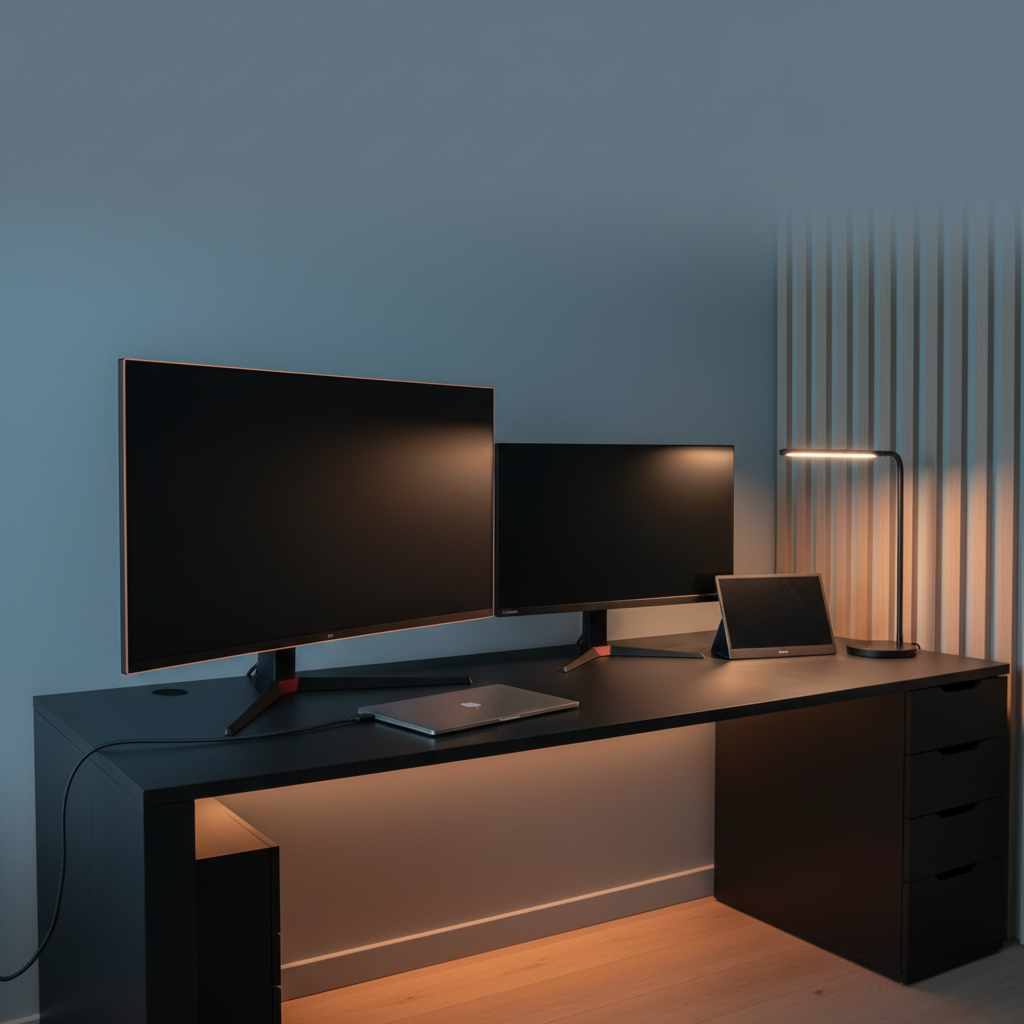
When we sifted through 15 desktop displays that offer USB‑C power delivery, the most eye‑catching fact was that the $39.99 WGK W156F1 still manages a solid 4.4‑star rating. That’s only a hair below the premium LG 34WR55QK‑B’s 4.6‑star score, proving you don’t need to break the bank for a respectable user experience. The lineup spans three clear price tiers: four budget picks (WGK, KYY K3, LG 27U631A‑B, Asus ZenScreen MB16ACV), two mid‑range models (Lenovo L27m‑30 and LG 32U631A‑B), and a handful of premium options that include the LG 34WR55QK‑B with a 65 W USB‑C PD port, Asus ProArt PA329CV and BenQ MA320U each delivering 90 W PD.
Budget monitors keep the footprint light and the price low, while still offering USB‑C connectivity for single‑cable docking. Mid‑range choices give you a larger screen real‑estate and modest power delivery, and the premium tier adds higher resolutions, faster refresh rates, and stronger PD capabilities for demanding workflows. If you’re setting up a compact home office or a full‑blown creative workstation, this range lets you match the right power, performance, and price.
Below is a breakdown of each model’s strengths, quirks, and ideal use cases so you can pinpoint the display that fits your setup.

LG 34WR55QK-B
Offers a DP 1.4 port and two HDMI 2.0 ports, delivering versatile connectivity for multiple devices.

Lenovo L27m-30
Great for users who want a compact USB‑C monitor, and it comes at roughly $150 less than the LG model.

KYY K3
Stands out with built‑in 2 × 1 W stereo speakers and a 3.5 mm audio jack, perfect for budget setups without external sound.
Also considered
Score Analysis
Key score advantages vs. runner-up (Lenovo L27m-30)
Price Range
LG 34WR55QK-B
$349.99
Lenovo L27m-30
$224.99
KYY K3
$69.99

LG 32U631A-B
$246.99

WGK W156F1
$39.99

Asus ProArt PA329CV
$500.99

BenQ MA320U
$649.99

LG 27U631A-B
$189.04

Asus ZenScreen MB16ACV
$168.00

BenQ MA270U
$499.99

BenQ RD280U 28-inch
$569.99

BenQ PD2706QN
$279.99

ViewSonic VA1655 15.6-inch Portable
$99.99

Dell S2722DC
$279.99

Ufyql 15.6-inch Portable Monitor
$47.48
Spec Comparison
TL;DR: The LG 34WR55QK-B delivers a 34‑inch 3440 × 1440 UltraWide VA panel at 100 Hz with 65 W USB‑C power, offering strong productivity value despite modest HDR brightness.
This monitor’s standout spec is its 34‑inch 21:9 curved VA screen, delivering a 3440 × 1440 resolution, 100 Hz refresh rate and HDR10 support, while drawing only 0.5 W in off or sleep mode. The panel reaches a typical brightness of 300 cd/m², a typical contrast ratio of 3000:1, and covers 99% of the sRGB color gamut.
At 15.2 pounds, the LG sits heavier than the BenQ PD2706QN (9.1 pounds) but lighter than the Lenovo L27m-30 (17.24 pounds). Its single 65 W USB‑C Power Delivery matches the Dell S2722DC, yet LG adds a DisplayPort 1.4 and two HDMI 2.0 inputs, giving it more connectivity flexibility. The stand lifts up to 110 mm but provides no swivel or pivot, a trade‑off compared with models that offer full articulation.
Reviewers repeatedly highlight the monitor’s multitasking efficiency and the convenience of USB‑C charging, while eye‑comfort tools such as Flicker Safe and Reader Mode earn praise. Professional reviewers note the balanced 100 Hz refresh and USB‑C power as workflow enhancers, but they also point out that the 5 ms VA response can introduce motion blur in fast‑paced games, and the 300 cd/m² HDR peak feels modest.
Pros
Cons
Best for: Professionals and creators who need a spacious, high‑resolution workspace with USB‑C charging.
Avoid if: You prioritize high‑speed competitive gaming or need a fully articulating stand.
“Perfect for coding and video editing — I can have my IDE, browser, and terminal open side by side.”
“USB‑C charging my MacBook Pro while displaying full resolution is a game‑changer.”
TL;DR: The Lenovo L27m-30 delivers a 27‑inch IPS panel with 75 W USB‑C power delivery, a fully adjustable stand, and solid user ratings, making it a work‑focused desktop display.
What really sets this monitor apart is its 75 W USB‑C Power Delivery combined with a built‑in USB‑C hub, letting you power a laptop and connect peripherals with a single 1.8 m cable. The stand offers ±90° pivot, ±180° swivel, +22° tilt, –5° tilt, and a 150 mm height adjustment, so you can dial in a comfortable viewing angle without extra accessories.
Compared with the other 14 entries, the L27m-30 is noticeably heavier than the ultra‑portable Asus ZenScreen MB16ACV and the lightweight LG 27U631A‑B, yet it provides more connectivity than many rivals—four USB downstream ports, a VGA port, and a full‑size HDMI 1.4 alongside the USB‑C PD, which outpaces the 65 W offered by the Dell S2722DC. Its bezel dimensions (22.35 mm bottom, 2.5 mm sides) also feel slimmer than the thicker frames on several competitors.
Reviewers consistently praise the ergonomic stand and the convenience of single‑cable docking, noting the built‑in 2 × 3 W speakers and TÜV Rheinland Eye Comfort certification keep eyes relaxed during long sessions. Professionals highlight the AMD FreeSync support and 75 Hz refresh rate as a welcome bump over basic 60 Hz panels, though some users flag occasional USB‑C power delivery hiccups and the older HDMI 1.4 input as limiting for newer GPUs.
Technical specs round out the package: a 27‑inch IPS panel with 1920 × 1080 resolution, 82 ppi pixel density, 250 cd/m² typical brightness, 1000:1 contrast ratio, 72% NTSC color gamut, and a fast 4 ms response in Fast Mode. The monitor weighs 17.24 pounds and ships with both a 1.8 m power cable and a matching USB‑C to USB‑C cable.
Pros
Cons
Best for: Remote workers, hybrid professionals, students and home learners who need an ergonomic, USB‑C‑enabled desktop display.
Avoid if: You require portability, have limited desk space, or need HDMI 2.0/DisplayPort for high‑bandwidth gaming.
“The built-in speakers are surprisingly good”
TL;DR: At $66.46, the KYY K3 delivers a 15.6‑inch Full HD IPS screen with 300 cd/m² brightness, HDR support and dual USB‑C power‑delivery, earning 4.5‑star praise from nearly 5 k reviewers.
The monitor’s standout spec is its 300 cd/m² brightness combined with HDR support, giving a contrast ratio of 1000:1 and an 85 % NTSC color gamut on a 15.6‑inch (1920 × 1080) IPS panel.
Weighing 4.14 lbs, the KYY K3 is heavier than the ultra‑light Ufyql (1.41 lb) and the WGK W156F1 (approximately 2.38 lb), yet it stays well below the weight of a typical 27‑inch desktop. Its two full‑featured USB‑C ports and a mini‑HDMI port mirror the connectivity of the Ufyql, while the WGK also offers dual USB‑C and a mini‑HDMI. All three share a 60 Hz refresh rate, matching the K3’s panel.
Users appreciate the plug‑and‑play setup—no drivers required—and the included smart cover that doubles as a stand. Professional reviewers note the solid IPS image quality and the convenience of a single USB‑C cable delivering video, audio and power. Recurrent complaints focus on an occasionally unresponsive menu control wheel and a magnetic smart cover that can detach during travel.
Additional technical details include a 178° viewing angle, 2 × 1 W built‑in stereo speakers, a 3.5 mm audio jack, and a power requirement of 5 V / 2.4 A. The package comes with two USB‑C cables, a mini‑HDMI to HDMI cable and a screen‑protector film, and the monitor comes with a 12‑month warranty.
Pros
Cons
Best for: Remote workers, digital nomads and students who need a portable second screen for multitasking while traveling.
Avoid if: You require high‑refresh‑rate gaming performance or a standalone monitor with an integrated battery.
“handy to have when traveling”
“great second screen”
TL;DR: The LG 32U631A-B delivers a crisp 32‑inch QHD IPS panel with 100 Hz refresh and 15 W USB‑C power, but its tilt‑only stand and modest PD may limit power‑hungry laptops.
At 32 inches and a native 2560 × 1440 resolution, the monitor offers 93 ppi pixel density and an IPS panel that covers 99 % of the sRGB gamut. The 100 Hz refresh rate paired with AMD FreeSync and an input lag of roughly 9 ms gives a fluid feel for everyday tasks and light gaming. A 5 ms response time and 1000:1 contrast ratio round out the visual performance, while the anti‑glare matte surface helps keep reflections at bay.
Compared with peers, the LG is heavier than the Dell S2722DC (14.33 lb vs 11.91 lb) and lacks the 65 W USB‑C power delivery the Dell provides. BenQ’s PD2706QN supplies 90 W over USB‑C, far exceeding LG’s 15 W, and the Lenovo L27m‑30 includes four downstream USB ports that LG does not list. Even the smaller LG 27U631A‑B weighs less (9.7 lb) and matches the same 15 W PD, highlighting the size‑related weight increase of the 32‑inch model.
Users consistently award the screen a 4.5‑star rating across 3,008 reviews, praising the sharp QHD image, accurate colors, and the convenience of a single USB‑C cable for video and power. Professional reviewers note the solid color reproduction and the rarity of FreeSync at this price point. However, the same feedback flags the tilt‑only stand as a limitation for users who need height or swivel adjustments, and the modest 15 W PD can’t fully charge larger laptops. LG implements HDR10 in software, and some owners mention occasional IPS glow and backlight bleed.
Pros
Cons
Best for: Productivity‑focused users, office workers, students, and casual gamers who want a large, sharp QHD screen with simple USB‑C docking.
Avoid if: You need high‑refresh (>144 Hz) gaming performance, extensive ergonomic adjustments, or higher USB‑C power delivery for larger laptops.
TL;DR: The WGK W156F1 offers a 15.6‑inch Full HD IPS display with HDR and dual USB‑C ports for just $39.99, delivering solid image quality and plug‑and‑play convenience in a compact, lightweight package.
This monitor packs a 15.6‑inch 1920 × 1080 pixel IPS panel with low‑blue‑light technology, HDR support and 178° viewing angles, all behind a matte anti‑glare finish. It runs on 5 V / 2 A power and includes two built‑in stereo speakers.
At $39.99, it undercuts the Ufyql’s $49.99 price tag and weighs less than the KYY K3, which tips about 4.14028128036 pounds, but its 1079.6 g chassis weighs more than the 640 g Ufyql and the 700 g ViewSonic monitors.
Reviewers love the plug‑and‑play experience—just connect a USB‑C cable and you’re ready to go. Users repeatedly praise the clear 1080p image and the lightweight feel for travel, while professional reviewers highlight the dual USB‑C ports as a standout convenience. Common complaints mention occasional dead pixels, weak speaker output, a kickstand that feels a bit fragile, and the monitor shutting off if the host device’s battery is low.
Pros
Cons
Best for: Budget‑conscious buyers seeking a reliable entry‑level option
Avoid if: You need color‑critical accuracy, 24/7 reliability, or a sturdier stand for intensive use
“plug in and it works”
“steal for around $50”
TL;DR: The Asus ProArt PA329CV is a 32‑inch 4K IPS monitor with factory‑calibrated < 2 ΔE color accuracy, a 90 W USB‑C port for single‑cable docking, and a fully adjustable stand, but its HDR peak is only 400 cd/m² and it runs at 60 Hz.
What really sets this display apart is the combination of a 32‑inch 3840 × 2160 IPS panel and factory‑calibrated color accuracy of < 2 ΔE, which Calman verifies. It also packs a 90 W USB‑C port that carries DisplayPort Alt Mode, letting you power a laptop and drive 4K video over one cable. The stand offers a pivot range of +90° to -90°, swivel of +30° to -30°, tilt of +23° to -5°, and height adjustment from 0 mm to 130 mm, all on a 27.1 mm‑wide base.
At 27.78 pounds, the ProArt is considerably heavier than the BenQ RD280U (16.8 lb) and the LG 34WR55QK‑B (15.2 lb), though its weight's in line with other premium 4K panels. Its 90 W USB‑C power delivery matches the top‑tier BenQ RD280U, MA270U, MA320U and PD2706QN, and exceeds the 65 W found on the LG and Dell models. The typical contrast ratio of 1000:1 sits just below the 1200:1 contrast of the BenQ RD280U and MA270U, while the pixel density of 138 PPI lands between the 164 PPI of the BenQ RD280U and the 108.79 PPI of the BenQ PD2706QN. The 60 Hz refresh rate aligns with most peers but is slower than the 100 Hz panel of the BenQ PD2706QN.
Professional reviewers praise the monitor’s out‑of‑the‑box color fidelity and the convenience of a single‑cable workstation, noting that photographers and video editors appreciate the consistent 100% sRGB and Rec.709 coverage. Everyday users echo the sentiment, highlighting the accurate colors and ergonomic stand as productivity boosters. The main criticisms focus on the modest HDR peak brightness of 400 cd/m², which can feel dim for HDR content, and the 60 Hz refresh rate that isn’t ideal for fast‑motion gaming or high‑frame‑rate video work. Additionally, the lack of Adobe RGB or wider DCI‑P3 coverage makes it less suited for cinema‑grade color grading.
Pros
Cons
Best for: Buyers willing to invest in a proven, high-quality option
Avoid if: You're shopping on a tight budget — it's priced at $569.00
TL;DR: The BenQ MA320U delivers a 31.5‑inch 4K IPS panel with 97% DCI‑P3 coverage, 90 W USB‑C Power Delivery and a highly adjustable stand, but it comes at a premium $649.99 price.
The standout feature is its 90 W USB‑C Power Delivery, letting you power a MacBook while delivering 4K UHD (3840 × 2160) video over a single cable. The 31.5‑inch IPS panel covers 97 % of the DCI‑P3 gamut and 99 % of sRGB, and its typical brightness of 550 cd/m² (600 cd/m² peak in HDR) ensures vivid detail.
At 20.1 lb with the stand, the MA320U is heavier than the BenQ RD280U (16.8 lb) but lighter than the Asus ProArt PA329CV (27.78 lb). Its depth of 220.2 mm is shallower than the RD280U’s 9.63 in and the Asus’s 245 mm, making it a bit more compact on a desk. Like the RD280U, Asus, and BenQ MA270U, it supplies 90 W USB‑C PD, outpacing the LG 34WR55QK‑B and Dell S2722DC, which top out at 65 W. The monitor offers a 1300:1 contrast ratio, exceeding the 1200:1 of the RD280U and the 1000:1 of the BenQ PD2706QN, while its 140 PPI density sits between the RD280U’s 164 PPI and the PD2706QN’s 108.79 PPI.
Reviewers consistently praise the smooth Mac integration—thanks to the 90 W PD and Display Pilot 2’s brightness/volume sync—along with the accurate colors that make photo and video work feel native. However, many note that the power delivery cuts out when the monitor sleeps, forcing a manual wake‑up, and the lack of variable refresh rate makes the panel unsuitable for fast‑paced gaming.
The MA320U supports HDR10 and VESA DisplayHDR 600, delivering up to 600 cd/m² in HDR mode, and its Nano Matte coating reduces glare for bright rooms. Ergonomically, the stand offers a 115 mm height adjustment, 90° portrait pivot, ±15° swivel and -5° to +20° tilt, while the built‑in 2 × 3 W speakers provide basic audio without extra peripherals.
Pros
Cons
Best for: Those prioritizing quality and willing to pay for premium performance
Avoid if: You're shopping on a tight budget — it's priced at $649.99
“Perfect for Mac users”
“HDR mode is good for 2 stops, which is a good match to the MacBook monitors,”
TL;DR: The LG 27U631A-B delivers a sharp 27‑inch QHD IPS panel with 99% sRGB coverage, 100 Hz refresh and 15 W USB‑C power delivery, making it a solid, budget‑friendly desktop monitor despite limited ergonomics.
The monitor sports a 27 in screen with a 2560 x 1440 resolution and an IPS panel that reaches 99% sRGB (Typical) and 250 cd/m² brightness (Typical). A 100 Hz refresh rate and 5 ms (GtG) response time keep motion smooth, while the 109 PPI pixel density (0.2331 mm pixel pitch) yields crisp detail for content creation and casual gaming. The single USB‑C port supplies 15 W of power, allowing a single‑cable connection for compatible laptops.
At 9.7Pounds, the LG sits between the ultra‑light Asus ZenScreen MB16ACV (1.83pounds) and the heavier Lenovo L27m-30 (17.24pounds). It's 15 W USB‑C power delivery is modest compared with the Dell S2722DC’s 65 W PD, but matches the level of power typically found on budget monitors. Brightness matches the Asus and ViewSonic VA1655’s 250 cd/m², and its 1000:1 typical contrast ratio lines up with the KYY K3’s 1000:1 contrast, outpacing the Asus’s 800:1. Unlike the Dell, which offers height adjustment, the LG provides tilt only, and it doesn't have built‑in speakers, a trade‑off also found in the Asus and Lenovo models.
Reviewers praise the vivid, crisp visuals and the convenience of docking a laptop via USB‑C, noting reduced eye strain thanks to Flicker Safe and Reader Mode. Common complaints focus on the limited ergonomics—no height, swivel, or pivot—and the 15 W PD cannot fully charge power‑hungry notebooks. HDR10 support and the LG Switch app’s screen‑splitting add extra flexibility for multitasking.
Pros
Cons
Best for: Budget-conscious buyers seeking a reliable entry-level option
Avoid if: You need advanced features or professional‑grade performance
“Crisp and vibrant display”
“USB‑C is a game‑changer”
TL;DR: The Asus ZenScreen MB16ACV is a 15.6‑inch Full HD IPS monitor that packs a bright 250 cd/m² anti‑glare panel into a 1.83‑lb, 10 mm‑thin frame with single‑cable USB‑C power delivery.
At 15.6 inches and a resolution of 1920 × 1080, the ZenScreen delivers crisp visuals on an IPS panel with 178° viewing angles. The typical brightness of 250 cd/m² and a contrast ratio of 800:1 pair with TÜV‑certified Flicker‑Free and Low Blue Light technology, making long work sessions easier on the eyes.
Weighing just 1.83 pounds, it’s dramatically lighter than the 17.24‑pound Lenovo L27m‑30 and the 9.7‑pound LG 27U631A‑B, yet only a shade heavier than the 1.5‑pound ViewSonic VA1655. Its 10 mm thickness and 225 mm depth keep it slim enough to slip into a backpack, while the single USB‑C port (3 A at 5 V) handles video, data, and power with one cable—something many larger desktop peers lack.
Reviewers consistently praise the monitor’s 1920 × 1080 IPS display and the convenience of the USB‑C connection, noting the anti‑glare surface and antibacterial ionic‑silver coating as practical touches for travel. Most users note the downside: no built‑in speakers and no internal battery, meaning you’ll need an external power source and separate audio. The tilt range of +15° to +35° and lack of height adjustment also limit ergonomic flexibility.
Beyond the screen, the ZenScreen draws only 6.64 W in operation and drops below 0.5 W in power‑saving mode, which helps preserve laptop battery life when used on the go. A 3‑year warranty and the inclusion of a 1/4″ tripod socket round out a package aimed at mobile professionals who value portability and eye‑care.
Pros
Cons
Best for: Mobile professionals, remote workers, and students who need a well‑reviewed, reliable mainstream option with USB‑C power delivery.
Avoid if: You need built‑in audio, a brighter display for bright environments, or extensive ergonomic adjustments.
TL;DR: The BenQ MA270U delivers a 27‑inch 4K IPS panel with 90 W USB‑C power delivery, 99 % sRGB coverage and a fully adjustable stand, but its plastic chassis and $499.99 price keep it in the premium tier.
What really makes the MA270U stand out is the 90 W USB‑C Power Delivery, allowing you to charge a laptop while driving a 27‑inch 3840 × 2160 IPS screen. The panel shines at 400 nits and a 1200:1 contrast ratio, and it supports HDR10 plus VESA DisplayHDR 400 for richer highlights.
Compared with many of the other 14 contenders, the MA270U costs more and weighs a bit more than the Dell S2722DC, which weighs 11.91 pounds. Its depth with stand measures 220.2 mm, slimmer than the Asus ProArt PA329CV’s 245 mm depth, yet its stand offers a generous 115 mm of height travel.
Users repeatedly praise the single‑cable macOS experience—plug in the USB‑C, and you get video, power and peripheral charging in one go. Reviewers also note the color accuracy that matches MacBook displays, while the ergonomic stand’s tilt, swivel and full‑portrait pivot earn high marks. On the flip side, several owners mention the plastic chassis feels less premium than metal alternatives and that the 6 W built‑in speakers only suit casual listening.
Additional technical touches include ENERGY STAR, TÜV Eye Comfort and TÜV Reflection Free certifications, a 100 × 100 mm VESA mount pattern, and a 5 ms response time that keeps motion blur low at the native 60 Hz refresh rate.
Pros
Cons
Best for: MacBook Pro and Air users who need color‑accurate 4K performance and a highly adjustable stand.
Avoid if: You're shopping on a tight budget — it's priced at $499.99.
“Effortless setup… I only need two wires now — one to the wall and one to my MacBook. The display looks identical to my M4 MacBook Air.”
“Colors are clear & accurate. A software download enables Mac keyboard to control brightness.”
TL;DR: The BenQ RD280U delivers a 28.2‑inch 4K+ IPS panel with a 3:2 aspect ratio and 90 W USB‑C power delivery, but its 60 Hz refresh and premium price may limit casual gamers.
The RD280U’s standout feature is its 3:2 aspect ratio combined with a 3840 × 2560 resolution on a 28.2‑inch IPS screen, giving a pixel density of 164 PPI and covering 95% of the DCI‑P3 color gamut. The Nano Matte coating keeps glare down, while the built‑in dual speakers add basic audio without extra peripherals.
At 16.8 lb, the monitor weighs more than the LG 34WR55QK‑B (15.2 lb) but considerably less than the Asus ProArt PA329CV (27.78 lb). Its 90 W USB‑C Power Delivery matches the Asus and BenQ MA270U models, meaning you'll power a laptop and drive video over a single cable just like several peers in this roundup.
Reviewers consistently praise the extra vertical space for coding and data work, noting that the Brightness Intelligence Gen2 and Flicker‑Free panel make long sessions comfortable. Some users mention the matte surface can make fine text feel slightly soft, and the 60 Hz refresh rate isn’t ideal for fast‑motion gaming. Some users also report firmware quirks with the built‑in KVM switch and auto‑dimming.
Pros
Cons
Best for: Those prioritizing quality and willing to pay for premium performance
Avoid if: You're shopping on a tight budget — it's priced at $569.99
TL;DR: The BenQ PD2706QN is a 27‑inch QHD IPS monitor with factory‑calibrated ΔE ≤ 2 color, 90 W USB‑C power delivery and a 100 Hz refresh rate, ideal for Mac‑centric creative work but it's priced at $279.99.
This model’s standout feature is its 90 W USB‑C Power Delivery, letting you charge a laptop and drive a 27‑inch QHD display over a single cable. The panel delivers a peak brightness of 400 cd/m², a typical 300 cd/m², and a contrast ratio of 1000:1, while the factory‑calibrated ΔE ≤ 2 ensures color accuracy right out of the box.
Compared with other contenders, the BenQ is pricier than the Dell S2722DC but lighter at 9.1 pounds versus Dell’s 11.91 pounds. Its USB‑C PD outpaces the Dell’s 65 W and the LG 32U631A‑B’s 15 W, giving it a clear advantage for Mac users who've got robust charging needs while they work.
Reviewers consistently praise the monitor’s color fidelity, the Nano Matte anti‑glare coating, and the ergonomic stand with 115 mm of height adjustment. Professional reviewers highlight Pantone and Calman validation, as well as Mac‑focused software like ICCsync and M‑Book Mode. Some users note occasional wake‑up hiccups from sleep and that DisplayPort MST daisy‑chaining can be finicky with Thunderbolt 3 devices.
Technical extras include a built‑in KVM switch, 100 Hz refresh for smoother cursor movement, and 100% sRGB and Rec.709 coverage, making the screen versatile for both design and video work.
Pros
Cons
Best for: Graphic designers, photo editors, and other color‑critical creatives, especially those using Mac devices.
Avoid if: You need adaptive‑sync, picture‑in‑picture features, or a lower‑cost solution for non‑color‑critical tasks.
“4.9/5 from 32 reviews on Bitkart”
“Pantone certification was a key decision factor for design work.”
TL;DR: The ViewSonic VA1655 is a 15.6‑inch Full HD IPS portable monitor that packs a 75 Hz refresh rate and up to 60 W USB‑C power delivery into an ultra‑slim, 1.5‑lb design.
What really sets the VA1655 apart is its 75 Hz refresh rate, a step up from the 60 Hz most competing portable screens offer. Coupled with a Full HD 1920 × 1080 IPS panel, 8‑bit color depth, and an anti‑glare coating, it delivers smoother motion and decent color coverage (45 % NTSC, 64 % sRGB) while it's keeping power draw modest at 7.0 W typical.
In the roundup, the VA1655's weight is lighter than the KYY K3, which tips the scales at over 4 pounds, but it's a bit heavier than the Ufyql’s 1.41‑pound unit. Its 18 mm thickness is slimmer than many rivals, though the Ufyql manages a thinner 13.2 mm profile. The monitor’s 250 cd/m² brightness falls short of the KYY K3’s 300 cd/m², yet matches the typical brightness of the LG 27U631A‑B. The dual USB‑C ports with up to 60 W power delivery give it true two‑way charging flexibility that the Asus ZenScreen’s single USB‑C port lacks.
Users consistently praise the VA1655 for being “perfect for small desks” and “great for travel,” highlighting the included protective sleeve and plug‑and‑play setup. Professional reviewers note the anti‑glare IPS panel reduces reflections in bright environments, while the 170° viewing angles keep the image usable from side seats. The most common complaints revolve around a flimsy kickstand that can wobble on uneven surfaces and occasional loose USB‑C or HDMI connections.
Pros
Cons
Best for: Remote workers, digital nomads, students, and anyone with limited desk space who needs a portable Full HD display.
Avoid if: You require a high‑brightness, premium‑build monitor with a robust stand or powerful built‑in speakers.
“Perfect for small desks”
“Light as a tablet”
TL;DR: The Dell S2722DC offers a 27‑inch 1440p IPS panel with 65 W USB‑C power delivery, solid ergonomics and decent color, making it a strong choice for remote work despite modest gaming refresh and basic speakers.
The standout feature is the 65 W USB‑C port that handles video, audio, data and laptop charging over a single cable, cutting desk clutter. The 27‑inch IPS screen delivers a 2560 × 1440 resolution, 350 cd/m² brightness and 99% sRGB coverage, while the 75 Hz refresh rate and 4 ms response time keep motion smooth for everyday tasks.
At 11.91 pounds, the S2722DC is lighter than the LG 32U631A‑B (≈14.33 lb) and the Lenovo L27m‑30 (≈17.24 lb), but a bit heavier than the BenQ PD2706QN (≈9.1 lb) and the LG 27U631A‑B (≈9.7 lb). Its USB‑C power delivery outpaces the LG 32U631A‑B’s 15 W but sits below the BenQ’s 90 W. With two HDMI 1.4 ports, it offers more HDMI connections than the LG 32U631A‑B, which lists only one HDMI 2.0 port.
Reviewers consistently praise the clean design and the convenience of the single‑cable setup, calling it ideal for remote‑work desks. Professional reviewers also highlight the fully adjustable stand—height, tilt, swivel and pivot—as a strong ergonomic win. Common complaints focus on the modest 2 × 3 W built‑in speakers, the older HDMI 1.4 standard limiting console bandwidth, and the 75 Hz panel suits competitive gaming less well.
Under the hood, the monitor uses a white‑LED edge‑lit backlight, an 8‑bit panel, and AMD FreeSync to reduce tearing. The 178° viewing angles and 1000:1 contrast ratio help maintain consistent image quality across the screen, while the anti‑glare matte finish eases eye strain during long sessions.
Pros
Cons
Best for: Remote and hybrid workers who want a single‑cable docking monitor with solid ergonomics and accurate colors.
Avoid if: You need a high‑refresh‑rate gaming display, HDR support, or a lightweight portable screen.
“Great monitor. Big screen, small footprint, nice adjustments, clean layout, charges my Mac well.”
TL;DR: The UFYQL 15.6‑inch portable monitor packs a Full HD IPS panel, HDR support and dual USB‑C power‑delivery ports into a feather‑light 1.41‑lb, 13.2 mm thin chassis for under $50.
This monitor’s most eye‑catching spec is its ultra‑slim 13.2 mm thickness combined with a weight of just 1.41 pounds, making it easy to slip into a laptop bag. The 15.6‑inch IPS screen delivers 1920 × 1080 resolution, a 1200:1 contrast ratio and HDR support, while a 178° viewing angle keeps colors consistent from side‑to‑side.
Compared with the other 14 entries, the UFYQL is lighter than the KYY K3 (over 4 pounds) and slimmer than the WGK W156F1’s 429.3 mm depth. It matches the ViewSonic VA1655’s 358 mm width but it's thinner than ViewSonic’s 18 mm depth and offers a lower 60 Hz refresh rate versus ViewSonic’s 75 Hz. It also undercuts the Asus ZenScreen MB16ACV’s 1.83‑pound weight while providing the same dual USB‑C ports and a Mini‑HDMI input.
Professional reviewers praise the monitor’s plug‑and‑play simplicity and sharp IPS image quality, noting that the HDR mode adds noticeable depth. Everyday users love the lightweight design and the convenience of built‑in stereo speakers, though many mention that the 250–300 nits brightness feels dim in bright rooms and that the speakers can sound tinny. A few reports flag occasional USB‑C signal drops and a kickstand that feels less sturdy at its extreme 90° angle.
Pros
Cons
Best for: Remote workers, digital nomads and frequent travelers who need an extra screen without adding bulk.
Avoid if: You require high brightness for bright settings, a built‑in battery, or a sturdier stand for intensive use.
“Perfect for small desks”
“Light as a tablet”
Breakdown
LG 34WR55QK-B
Pros
Lenovo L27m-30
Pros
KYY K3
Pros
LG 32U631A-B
Pros
Based on scoring data and product specs
Personalized picks
Best Overall Pick
LG 34WR55QK-B
Best ValueBest for: Buyers willing to invest in a proven, high-quality option
Lenovo L27m-30
Best for: Most users seeking a balanced, mainstream option
$224.99-$125.00 vs winner
Skip Ufyql 15.6-inch Portable Monitor if…
You have limited desk space or need portability
LG 34WR55QK‑B takes the top spot as the best desktop display with USB‑C Power Delivery. Its 34‑inch 3440 × 1440 VA panel delivers a crisp 100 Hz refresh rate and a typical brightness of 300 cd/m², while covering 99 % of the sRGB color gamut. The single USB‑C port supplies up to 65 W of power, letting you power a laptop with a single cable, and the monitor earned a 4.6‑star rating from 1,150 reviewers at a list price of $329.99.
The runner‑up, Lenovo L27m‑30, is ideal if you need a compact 27‑inch IPS screen for a tighter desk setup. It offers a 75 Hz refresh rate, 75 W USB‑C Power Delivery, and built‑in 2 × 3 W speakers, and a 4.6‑star rating from 255 reviews backs it. Its swivel‑and‑pivot ergonomics make it a solid choice for multi‑angle work or casual gaming.
For tighter budgets, the WGK W156F1 stands out as the cheapest portable option at $39.99, providing a basic USB‑C‑connected display for on‑the‑go use. The Lenovo L27m‑30 also serves as the best mid‑range pick, balancing price and features nicely. If you crave top‑tier performance, the BenQ MA320U offers premium specs at $649.99, making it the go‑to high‑end alternative.
Pick the LG 34WR55QK‑B today and you’ll enjoy a widescreen experience with full‑power USB‑C charging in one sleek package.
The Lenovo L27m-30 lists a 75 W USB‑C Power Delivery, which is higher than the 65 W offered by the LG 34WR55QK‑B and the 15 W found on the LG 27U631A‑B. If you need the most charging headroom from a single USB‑C connection, the Lenovo model is the clear leader.
Please sign in to leave a review
No reviews yet. Be the first to review!
