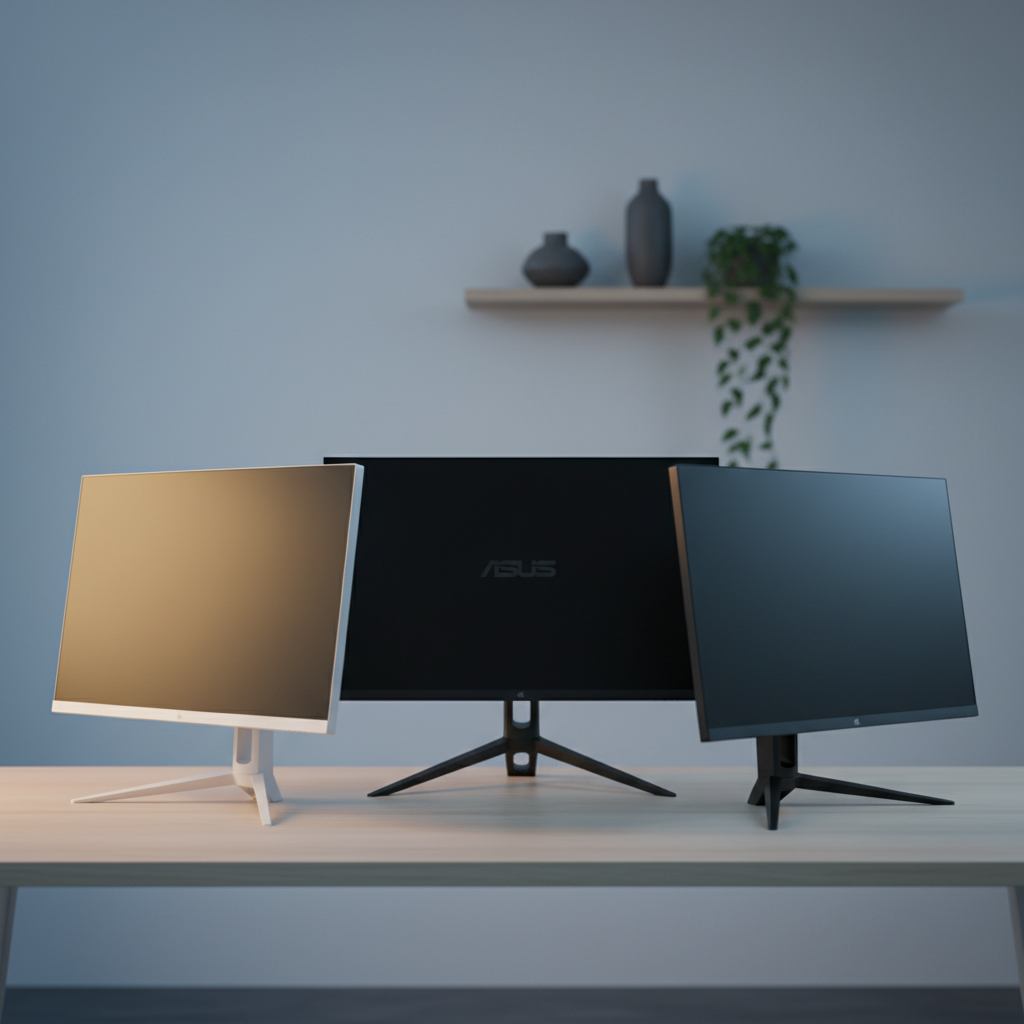
Our review covered 15 monitors to identify the most ergonomic options for every setup, from tight‑desk apartments to spacious home offices. The selections span the three price tiers the market offers: budget choices like the AOC 22B35HM23 ($73.79) and BenQ GW2283, mid‑range models such as the Asus VG249QL3A and Asus VA24EHF, and premium performers including the BenQ GW2490T, AOC 27G4H and LG 32GS60QC‑B. All of them score at least a 4.4/5 rating, with the BenQ GW2490T pulling a 4.6/5 from 19,832 reviewers.
For a full‑range ergonomic stand—height, tilt, swivel and pivot—the BenQ GW2490T wins the premium slot at $139.99, delivering a 23.8‑inch IPS panel, 100 Hz refresh and TÜV‑certified eye‑care. If you need a wallet‑friendly workhorse, the BenQ GW2283 (budget) offers height and tilt adjustments plus a 4.6/5 rating from 20,068 users. Gamers who want both motion smoothness and decent adjustability will gravitate toward the mid‑range Asus VG249QL3A, which features a 180 Hz panel and a 4.5/5 rating. See how each winner fits specific use cases and why its ergonomic features matter for comfort and productivity.

BenQ GW2490T
Its 21.0‑inch depth provides a sturdy, low‑profile base that supports full height, tilt, swivel and pivot adjustments, delivering strong value at $139.99.

AOC 27G4H
Ideal for gamers needing a 27‑inch screen with DisplayPort 1.4 and headphone jack, it matches the $139.99 price of the Best Value pick.

Asus VG249QL3A
Offers dual HDMI 2.0 inputs, letting you connect two consoles or PCs simultaneously, while its $119.00 price undercuts the others.
Also considered
Score Analysis
Key score advantages vs. runner-up (AOC 27G4H)
Price Range
BenQ GW2490T
$129.99
AOC 27G4H
$139.99
Asus VG249QL3A
$157.99

BenQ GW2283
$94.99

Acer KB272 27-inch
$99.99

HP 24mh
$184.99

LG 32GS60QC-B
$248.31

AOC 22B35HM23
$64.99

Sansui ES-24F2
$79.99

Asus VA24EHF
$92.95

LG 34G600A-B
$387.09

AOC 27B35H3
$99.99

ASUS ProArt PA278QV
$189.00

AOC 24B35H3
$79.99

Sansui ES-24X5AL
$79.99
Spec Comparison
TL;DR: The BenQ GW2490T delivers a smooth 100 Hz IPS experience with a fully adjustable stand, eye‑care tech and solid 4.6‑star rating, all for $139.99.
This 23.8‑inch monitor stands out with a 100 Hz refresh rate and a rapid 5 ms response time, making motion look fluid for everyday work and light gaming. Its ergonomic stand offers 110 mm of height adjustment, a 90° pivot, ±20° swivel and –5° to +20° tilt, so you’ll dial in the perfect viewing angle without strain.
Compared with the other 14 entries, the GW2490T is lighter than the AOC 27G4H, which tips the scales at about 18.0 pounds, yet it carries more weight than the Asus VG249QL3A at roughly 11.9 pounds. It also provides two HDMI 1.4 ports and a single DisplayPort 1.2, whereas some rivals list only one HDMI or a newer HDMI 2.0 version. The built‑in 2 W × 2 speakers are modest, but the monitor’s 250 cd/m² brightness and 99% sRGB coverage give a clear, color‑accurate picture.
Reviewers consistently praise the smooth 100 Hz performance and the TÜV‑certified eye‑care suite—including Brightness Intelligence Gen2, Flicker‑Free and Low Blue Light technologies—that reduces eye fatigue during long sessions. The fully adjustable stand earns high marks for comfort, though a few users note a wobble if you don’t tighten the base properly. The modest speaker output and HDMI 1.4 limitation for full‑bandwidth 100 Hz are the most common complaints.
Pros
Cons
Best for: Office professionals, remote workers, students, developers, writers, and casual gamers who prioritize ergonomics and eye comfort.
Avoid if: You need HDR, higher refresh rates, extensive connectivity like USB hubs, or high‑output audio.
“Base may wobble if not tightened properly”
TL;DR: The AOC 27G4H delivers a 200 Hz refresh rate, 1 ms GTG response and extensive ergonomic adjustments on a 27‑inch Fast IPS panel for under $140.
This monitor’s standout spec is its 200 Hz refresh rate paired with a 1 ms GTG response time, which reviewers say makes fast‑paced games feel buttery smooth. The Fast IPS panel also offers a color accuracy of <2 ΔE and 120–121% sRGB coverage, so colors stay vivid even during long sessions.
At 18.0007436923 pounds, it's heavier than the BenQ GW2490T (14.109584768 pounds) but lighter than the AOC 27B35H3 (19.84160358 pounds). It offers a single HDMI 2.0 port, fewer than the two HDMI ports on the Asus VG249QL3A, and it lacks the built‑in speakers found on the HP 24mh.
User feedback praises the monitor’s height adjustment of 130 mm, pivot range of –90° to +90°, swivel of –30° to +30°, and tilt of –5° to +23°, describing the stand as “quick‑release” and very flexible. Professional reviewers also highlight the 300 cd/m² brightness and HDR10 support, though they note the Full HD resolution limits HDR impact.
Pros
Cons
Best for: Competitive gamers and power users who want high refresh rates, fast response and flexible ergonomics without breaking the bank.
Avoid if: You need built‑in speakers, a higher‑resolution (1440p) panel, or a matte display for very bright environments.
“perfect price and quality. can't beat this deal.”
TL;DR: At $119.00, the 24.0‑inch ASUS VG249QL3A delivers a 180 Hz IPS panel, 1 ms response and full ergonomic adjustments, making smooth gaming and comfortable setups affordable.
The monitor’s standout spec is its 180 Hz refresh rate paired with a 1 ms GTG response time, which reviewers say makes fast‑paced titles feel buttery‑smooth. ASUS adds Extreme Low Motion Blur (ELMB) and supports both FreeSync Premium and NVIDIA G‑Sync Compatible, so tear‑free gameplay is standard. Brightness sits at 350 cd/m² and the panel covers 99% sRGB, giving vivid colors on the 24.0‑inch Fast IPS screen.
Ergonomically, the VG249QL3A offers a height range of 0–120 mm, tilt from +23° to -5°, swivel ±15°, and pivot from +90° to -90°, plus a 100 × 100 mm VESA mount. This adjustability surpasses the Asus VA24EHF, which only lists tilt up to +23° and down to -5° and doesn't list swivel or pivot. Compared with the Acer KB272, the ASUS model adds swivel and pivot that the Acer doesn't provide. At 11.904962148 pounds it is heavier than the VA24EHF (6.26 pounds) but lighter than the AOC 27G4H (18.0007436923 pounds), placing it solidly in the mid‑weight range.
Users consistently praise the monitor’s “buttery‑smooth” gameplay and the flexibility of the stand, noting that the anti‑glare IPS panel reduces eye strain thanks to TÜV‑certified flicker‑free and low‑blue‑light tech. The built‑in 2 W × 2 speakers sound tinny, and the lack of a USB‑C port frequently draws complaints, especially from those who want a single‑cable solution. Professional reviewers also point out the absence of true HDR support, which limits high‑dynamic‑range content.
The VG249QL3A runs on 18 W typical power and drops below 0.5 W in power‑saving mode, making it energy‑efficient for a gaming monitor. Its Fast IPS panel delivers a 1000:1 contrast ratio and an anti‑glare surface, while adaptive‑sync features like Variable Overdrive and Shadow Boost add extra visual polish without extra cost.
Pros
Cons
Best for: Competitive gamers and esports enthusiasts who prioritize ultra‑high refresh rates and ergonomic flexibility.
Avoid if: You have limited desk space, need portability, or require higher‑resolution, HDR or USB‑C connectivity.
“Incredibly smooth and responsive — perfect for FPS games.”
“The height and pivot adjustments are a game-changer for my dual-monitor setup.”
TL;DR: The BenQ GW2283 delivers a 21.5‑inch Full HD IPS display with eye‑care features, dual HDMI, and a modest tilt, but lacks height adjustment and has low‑power speakers, making it ideal for budget office use.
At 21.5 inches (546.1 mm) and 250 cd/m² brightness, the GW2283 uses an IPS panel that offers 178° viewing angles and a 72% NTSC (~99% sRGB) color gamut. The monitor weighs 8.157103694 pounds with its stand and provides a tilt range of –5° to +20°, plus dual 1.5 W stereo speakers and two HDMI 1.4 inputs.
Compared with the Asus VA24EHF, which tips up to +23° and weighs 6.26 pounds, the BenQ is a bit heavier and offers a slightly narrower tilt range. It's considerably lighter than the AOC 27B35H3 at roughly 19.84 pounds, placing it in the middle of the pack for desk‑friendly mass.
Reviewers consistently praise the Flicker‑Free and Low Blue Light eye‑care suite, noting TÜV Rheinland certification helps reduce fatigue during long work sessions. Users also like the slim bezel and easy cable management, but many point out the built‑in speakers are quiet and the lack of height, swivel, or pivot limits ergonomic flexibility. Professional reviewers note the solid out‑of‑the‑box calibration and the monitor’s modest power draw—22 W on, 16 W in energy‑saving mode, and under 0.5 W standby.
Pros
Cons
Best for: Budget‑conscious buyers seeking a reliable entry‑level option
Avoid if: You need advanced features or professional‑grade performance
“Perfect for office use”
“Love the thin bezel”
TL;DR: The Acer KB272 delivers a 27‑inch IPS panel with 99% sRGB coverage, 1 ms VRB response, and a 120 Hz ceiling, but its lack of height, swivel and pivot limits ergonomic flexibility.
This monitor’s standout spec is the 27 in IPS display that reaches 250 cd/m² brightness and covers 99% of the sRGB color space, giving you vivid colors for work and casual gaming. The panel also offers a rapid 1 ms VRB response time and an “up to 120 Hz” refresh rate, which professional reviewers note makes motion look smooth.
At 11.0010668738 pounds, the KB272 sits between the lighter BenQ GW2283 (around 8 lb) and the heftier AOC 27B35H3 (over 19 lb), making it reasonably portable for a 27‑inch screen. Its tilt range of –5° to +25° gives some angle adjustment, yet it lacks height, swivel or pivot mechanisms that many competitors provide, so you’ll need a separate arm if you want full ergonomic freedom.
Customers frequently praise the clear 1080p image and the VisionCare eye‑comfort suite, which includes a flicker‑less backlight and low‑blue‑light mode. Common complaints focus on a loose‑feeling HDMI 1.4 connector, a stand that can wobble on uneven desks, and the need for manual color calibration to reach peak accuracy. Professional reviewers also highlight the built‑in 2 W × 2 speakers and the anti‑glare coating as handy extras for everyday use.
Additional technical context includes a 100 × 100 mm VESA‑mount pattern, dual built‑in speakers, a VGA port for legacy connections, and 178° horizontal and vertical viewing angles that keep colors consistent across the screen. The monitor ships with an HDMI cable and a US‑standard power cord, so you’re ready to plug in right away.
Pros
Cons
Best for: Home and office users seeking a balance of features and value
Avoid if: You want the best value‑per‑dollar in its price range
TL;DR: The HP 24mh is a 23.8‑inch IPS monitor with 99.5% sRGB coverage, height‑adjustable stand (up to 100 mm), and a solid 75 Hz refresh rate, priced at $177.97.
The standout ergonomic feature is the stand’s height adjustment of up to 100 mm, combined with a pivot hinge and a tilt range of –5° to +23°. This flexibility lets you dial in a comfortable viewing angle for long work sessions, and the 99.5% sRGB coverage delivers vivid colors straight out of the box.
Compared with other models in the roundup, the HP 24mh is lighter than the BenQ GW2490T (which weighs about 14.1 lb) but heavier than the Asus VA24EHF at 6.26 lb. It also offers a DisplayPort input like the AOC 27G4H and Asus VG249QL3A, while some competitors such as the Acer KB272 rely only on HDMI and VGA. In terms of size, its 23.8‑inch panel sits between the smaller 24‑inch Asus VA24EHF and the larger 27‑inch AOC, giving a balanced footprint for most desks.
Professional reviewers highlight the monitor’s measured contrast ratio of 1,446:1 and its 99.5% sRGB coverage as strong points for color‑critical work. Users echo this praise, noting the thin micro‑edge bezel and sharp Full HD (1920 × 1080) image. The most common complaints revolve around the measured brightness of 221 cd/m², which falls short of the 250 cd/m² rating, making the screen feel dim in bright rooms. Many describe the built‑in 2 W speakers as tinny, and a few owners report a wobble when the stand is raised to its maximum height.
Under the hood, the HP 24mh uses an IPS panel with a 75 Hz refresh rate and a 5 ms response time, suitable for everyday productivity and casual media consumption. The monitor’s anti‑glare surface helps reduce reflections, and the dynamic contrast ratio of 10,000,000:1 aims to boost perceived depth in dark scenes. Power consumption stays modest at a typical 22 W, with a standby draw of just 0.5 W.
Pros
Cons
Best for: Buyers willing to invest in a proven, high-quality option
Avoid if: You need advanced features or professional‑grade performance
“The built-in speakers are tinny and weak.”
“The adjustable stand is a major plus for comfort.”
TL;DR: The LG 32GS60QC‑B delivers a 31.5‑inch 1000R curved VA panel with 180 Hz refresh, 1 ms response and deep 3000:1 contrast, but its tilt‑only stand and premium price may limit its ergonomic appeal.
LG’s standout spec is the 31.5‑inch screen that wraps around a 1000R curvature, paired with a 180 Hz maximum refresh rate and a 1 ms (GtG) response time. The VA panel offers 99% sRGB coverage and a static contrast ratio of 3000:1, which creates deep blacks and vibrant colors that many gamers find immersive.
Compared with the other 14 monitors in this roundup, the LG sits at 13.0 pounds—heavier than the HP 24mh’s 9.94 pounds but lighter than the ASUS ProArt PA278QV’s 17.0 pounds. Its stand only tilts from –5° to +15° and lacks height adjustment, whereas the ASUS model provides a 0–150 mm height range. This makes the LG less flexible for users who need precise ergonomic positioning.
Consumer feedback praises the monitor’s immersive curve and strong contrast, noting that the deep blacks enhance single‑player RPGs and story‑driven titles. Professional reviewers highlight the 3000:1 contrast as a clear advantage over many IPS rivals and commend the 180 Hz FreeSync‑Premium support for smooth gameplay up to 180 FPS. However, users repeatedly mention ghosting and overshoot in the “Faster” overdrive mode, as well as flickering when VRR is active—common quirks of VA panels. Users also frequently complain about the lack of height adjustment.
Beyond the core display, the LG 32GS60QC‑B includes HDR10 support, AMD FreeSync Premium across a 48–180 Hz adaptive‑sync range, and a suite of gaming‑focused features such as Black Stabilizer, Crosshair Overlay, Dynamic Action Sync, and a built‑in FPS Counter. With a typical brightness of 300 cd/m² and a minimum of 250 cd/m², it offers adequate luminance for most indoor setups.
Pros
Cons
Best for: Casual and mid‑core gamers who value immersion, deep contrast, and a high refresh rate in single‑monitor setups.
Avoid if: Competitive esports players needing pixel‑perfect motion clarity, or anyone on a tight budget or requiring extensive ergonomic adjustments.
TL;DR: The AOC 22B35HM23 delivers a smooth 120 Hz VA panel with FreeSync/G‑Sync at a budget‑friendly $73.79, but its stand offers only tilt and it lacks built‑in speakers.
This 22‑inch (21.5‑inch viewable) monitor packs a 120 Hz refresh rate and a 4 ms response time, powered by a VA panel that hits 100.1% sRGB and 81% NTSC color gamuts. HDR Ready support and a 3000:1 contrast ratio give deep blacks, while Eco‑friendly Design, Flicker‑Free and Low Blue Light certifications keep eye strain low during long sessions.
Compared with the other 14 entries, the AOC sits in the middle of the weight range—lighter than the AOC 27B35H3’s 19.84 lb but a touch heavier than the Sansui ES‑24F2’s 7.70 lb. Its 218 mm depth measures considerably shallower than the Sansui’s 538 mm, and its 368 mm height measures shorter than the Sansui’s 414 mm, making it a compact choice for tighter desks. However, the stand only tilts from –5° to 20°; it offers no height, swivel or pivot adjustments that some peers provide.
Users praise the vivid image and the eye‑comfort features, noting that the 120 Hz refresh and Adaptive Sync (FreeSync & G‑Sync compatible) make casual gaming feel smoother without breaking the bank. Common complaints focus on the single HDMI 1.4 port, the additional VGA port, and the glossy screen that can reflect ambient light. Professional reviewers also point out the lack of built‑in speakers, meaning you’ll need external audio for media consumption.
Pros
Cons
Best for: Budget‑conscious buyers seeking a reliable entry‑level option
Avoid if: You need extensive ergonomic adjustments, built‑in speakers, or color‑critical performance for professional creative work
TL;DR: The Sansui ES‑24F2 delivers a 24‑inch Full HD panel at 100 Hz with AMD FreeSync and basic eye‑care features for $79.99, but its ergonomics stop at a modest tilt range.
The standout spec is the 100 Hz refresh rate paired with AMD FreeSync, which promises smoother motion than the typical 60 Hz office display. The panel comes in IPS or VA, offering up to sRGB 110% color coverage on IPS models and a contrast ratio of 3000:1 on VA variants. Response times sit between ≈4–8 ms, enough for casual gaming and everyday scrolling.
At $79.99 the ES‑24F2 sits near the bottom of the price spectrum in this 15‑product roundup, making it one of the most affordable options. It also weighs 7.70 lb, which is lighter than the AOC 24B35H3 (9.72018113158 lb) and the BenQ GW2283 (8.157103694 lb). However, its 100 Hz panel is slower than the 120 Hz displays found in the AOC 24B35H3 and AOC 22B35HM23, and its 250‑nit brightness is lower than the 300 cd/m² brightness of the AOC 24B35H3.
Users consistently praise the smooth motion and the vibrant colors of the IPS version, noting the plug‑and‑play setup works straight out of the box. The common complaints focus on the lack of built‑in speakers, the tilt‑only stand (‑5° to +22°) with no height or swivel adjustments, and a USB‑C port that provides only 15 W of power. Some reviewers also mention occasional backlight bleed on VA panels, which aligns with the mixed panel‑type offering.
Beyond the refresh rate, the monitor includes eye‑care features such as Low Blue Light, Anti‑Flicker, and an anti‑glare coating. Connectivity covers a single HDMI 1.4 port, a VGA port, and an optional USB‑C port with 15 W Power Delivery, while HDR10 support appears on select models. The VESA‑compatible 75 mm × 75 mm mount and a depth of 21.18 in make it a decent fit for compact desks.
Pros
Cons
Best for: Casual gamers and home‑office users who want smooth 100 Hz motion and basic eye‑care features without breaking the bank.
Avoid if: You need professional‑grade color accuracy, advanced ergonomics like height or swivel adjustments, or robust built‑in audio.
TL;DR: The Asus VA24EHF offers a 23.8‑inch IPS panel with 100 Hz refresh, 1 ms response, and TÜV‑certified eye‑care at a budget‑friendly $109, though its stand only tilts.
This monitor’s standout spec is its 100 Hz maximum refresh rate paired with a 1 ms (MPRT) response time, delivering smoother motion for casual gaming and scrolling. The 23.8‑inch Full HD IPS screen provides 250 cd/m² brightness and a 1300:1 contrast ratio, while the anti‑glare coating helps reduce reflections in typical office lighting.
At 6.26 pounds, the VA24EHF is lighter than the Acer KB272 (≈11 lb) and the Asus VG249QL3A (≈12 lb), making it easy to reposition on a desk. Its depth with stand measures 203.9 mm, which is shallower than the Acer’s 233.93 mm footprint and comparable to the Asus VG’s 208 mm, so it fits tighter workspaces. However, the stand only tilts – ‑5° down to +23° up – while many rivals list height, swivel or pivot adjustments, so ergonomics stay limited.
Reviewers consistently praise the monitor’s color accuracy and the TÜV‑certified Flicker‑Free and Low Blue Light technologies, noting that long work sessions feel easier on the eyes. Many complain about the lack of built‑in speakers, and the 250 cd/m² brightness can feel dim in sun‑lit rooms. Professional reviewers highlight the 100 Hz refresh and 1 ms response as strong points for entry‑level gaming, while office users appreciate the frameless design for multi‑monitor setups.
Pros
Cons
Best for: Most users looking for a well‑reviewed, reliable mainstream option
Avoid if: You need advanced features or professional‑grade performance
“Perfect for office work—colors are vibrant and text is sharp.”
“Love the thin bezels—looks great with two monitors side by side.”
TL;DR: The LG 34G600A-B delivers a 34‑inch 160 Hz ultrawide VA panel with HDR10, deep 4000:1 contrast and full ergonomic adjustments, but its $386.90 price and modest speakers may deter budget‑focused buyers.
At the heart of this monitor is a 34‑inch 21:9 curved VA LCD that refreshes at 160 Hz and supports HDR10, giving you buttery‑smooth motion and brighter highlights. The panel reaches a typical brightness of 300 cd/m², a typical contrast ratio of 4000:1, and covers 99% of the sRGB gamut, which makes games and movies feel immersive without sacrificing overall clarity.
Compared with the other 14 contenders, the LG 34G600A‑B is noticeably heavier at 22.0 pounds, out‑weighing the ASUS ProArt (17.0 pounds), the LG 32GS60QC (13.0 pounds), the HP 24mh (9.94 pounds), the BenQ GW2490T (≈14.1 pounds), the AOC 27G4H (≈18.0 pounds) and the Asus VG249QL3A (≈11.9 pounds). Its depth with the stand (249.1 mm) is shallower than the ASUS ProArt’s 381.0 mm but deeper than the Asus VG249QL3A’s 208 mm, striking a middle ground for desk space. The stand offers height, tilt and swivel adjustments, whereas several peers only provide tilt or limited height range. It also ships with two HDMI ports versus the single HDMI many rivals include, though it lacks any USB hub.
Reviewers consistently praise the monitor’s immersive ultrawide field and the fluid 160 Hz experience, noting that the VA panel’s deep blacks and 4000:1 contrast deliver a satisfying gaming feel. Professional reviewers highlight the adaptive‑sync suite (FreeSync Premium and G‑SYNC compatibility) as a strong point for competitive play. On the downside, users mention that the built‑in 2 × 5 W MaxxAudio speakers sound thin and lack volume, and the default color calibration can appear warm—issues that matter to color‑critical professionals. The monitor’s weight and price also surface as trade‑offs for those with tighter budgets or limited desk space.
Pros
Cons
Best for: Buyers willing to invest in a proven, high‑quality option
Avoid if: You're shopping on a tight budget — it's priced at $386.90
“Best Ultra Wide Curved Monitor”
TL;DR: The AOC 27B35H3 delivers a 27‑inch IPS panel with 120 Hz refresh, 4 ms GTG response and solid color coverage, but its lack of height adjustment and limited ports keep it firmly in the budget‑friendly camp.
The standout spec is the 120 Hz refresh rate paired with a 4 ms GTG response time, which professional reviewers praise for smoother motion in casual gaming. Combined with a 1 ms MPRT figure, the monitor reduces motion blur, and AMD FreeSync helps keep tearing at bay. Its IPS panel offers 100.1 % sRGB coverage and a brightness of 300 cd/m², giving fairly vivid colors for everyday use.
Compared with the other 14 monitors in this ergonomic roundup, the AOC weighs 19.84160358 pounds, out‑weighing the BenQ GW2283 (8.157103694 pounds), the Acer KB272 (11.0010668738 pounds), the Asus VA24EHF (6.26 pounds) and the Sansui ES‑24F2 (7.70074681166 pounds). It also carries a larger 27‑inch screen than the 24‑inch AOC 24B35H3 and the 23.8‑inch Sansui ES‑24X5AL, but it shares the same 4 ms response time as the AOC 24B35H3.
Consumer sentiment highlights the smooth 120 Hz experience and eye‑comfort features like flicker‑free backlighting and low‑blue‑light mode as big wins for long study sessions or casual play. The most common complaints focus on the limited connectivity—only one HDMI 1.4 port and a VGA port—and the absence of height, swivel or pivot adjustments, which makes ergonomic fine‑tuning difficult. Professional reviewers also note that the “HDR Ready” label falls short of true HDR10 performance because the 300 cd/m² brightness and 1500:1 contrast ratio don’t deliver a full HDR experience.
Pros
Cons
Best for: Budget‑conscious buyers seeking a reliable entry‑level option
Avoid if: You need advanced features or professional‑grade performance
“The screen surface is glossy, leading to reflections in bright rooms.”
“Crisp, fluid visual experience with vibrant colors.”
TL;DR: The ASUS ProArt PA278QV is a 27‑inch IPS monitor with factory‑calibrated <2 ΔE color accuracy, full‑motion ergonomics and a rich port selection, but its $269.00 price and modest 350 cd/m² brightness may limit budget‑focused buyers.
The PA278QV delivers a factory‑calibrated IPS panel that hits <2 ΔE color accuracy and 100 % sRGB plus Rec.709 coverage on a 27‑inch 2560×1440 screen, while its typical brightness measures 350 cd/m².
Its stand provides 0–150 mm of height adjustment together with tilt (+35° to –5°), swivel (+90° to –90°) and pivot (+90° to –90°), a range that eclipses the tilt‑only design of the LG 32GS60QC‑B and the limited tilt of the HP 24mh. At 17.0 pounds it is heavier than the LG 32GS60QC‑B (13.0 pounds) and HP 24mh (9.94 pounds) but lighter than the LG 34G600A‑B (22.0 pounds).
Users repeatedly praise the out‑of‑the‑box color fidelity and the eye‑care certifications (TÜV Rheinland Flicker‑Free and Low Blue Light). Professional reviewers note the ergonomic stand as ideal for portrait‑mode editing, while the most common complaints focus on the modest 350 cd/m² brightness for HDR and the lack of a 4K panel.
Technically, the IPS panel offers 178° viewing angles, a 75 Hz refresh rate and a 5 ms GTG response time, and delivers smooth cursor movement. With a pixel density of 109 PPI and a 0.233 mm pitch, text and images appear crisp at the native resolution.
Pros
Cons
Best for: Buyers willing to invest in a proven, high-quality option
Avoid if: You're shopping on a tight budget — it's priced at $269.00
TL;DR: The AOC 24B35H3 delivers a 24.0‑inch IPS panel with a 120 Hz refresh rate, 4 ms response, full sRGB coverage and tilt adjustment at a budget‑friendly price.
The standout spec is its 120 Hz refresh rate paired with a 4 ms response time, which together give smoother motion than many entry‑level monitors. Its IPS panel reaches 100 % sRGB coverage and a typical brightness of 300 cd/m², ensuring vivid colors and consistent brightness across the 178° viewing angles. The unit weighs 9.72018113158 pounds and includes tilt adjustment plus a 100 × 100 mm VESA mount.
Compared with peers, the AOC is heavier than the Sansui ES‑24F2 (7.70074681166 pounds) and the AOC 22B35HM23 (8.34890586194 pounds) but lighter than the larger AOC 27B35H3 (19.84160358 pounds). Its 120 Hz panel outpaces the Sansui’s 100 Hz ceiling, while its 300 cd/m² brightness tops the Sansui’s 250‑nit rating. The 100 × 100 mm VESA pattern exceeds the Sansui’s 75 × 75 mm, offering more mounting flexibility.
User feedback repeatedly praises the smooth 120 Hz gameplay and the accurate colors from the full sRGB panel. Professional reviewers highlight the IPS clarity combined with the high refresh rate and commend the Flicker‑Free and Low Blue Light eye‑care features for long work sessions. The main criticisms focus on the absence of a DisplayPort input, the glossy screen that can reflect bright lights, and the limited ergonomic options beyond tilt.
Pros
Cons
Best for: Budget-conscious buyers seeking a reliable entry-level option
Avoid if: You have limited desk space or need portability
TL;DR: The Sansui ES-24X5AL delivers a 23.8‑inch IPS panel with 100 Hz refresh, FreeSync and eye‑care features for $79.99, but offers only tilt adjustment and no built‑in speakers.
This monitor’s headline spec is its up‑to‑100 Hz refresh rate paired with a 5 ms (GTG) response time, which keeps motion fluid for casual gaming and video work. The 23.8‑inch IPS screen covers 99.99% of the sRGB color gamut and provides 178° horizontal and vertical viewing angles, while the 250‑nit brightness and 1000:1 contrast ratio give a clear, well‑balanced picture.
Compared with the other 14 entries, the ES‑24X5AL is notably lighter than the AOC 24B35H3 (about 9.7 lb) and roughly on par with the smaller AOC 22B35HM23, yet it packs a larger 23.8‑inch panel. Its overall depth of 6.7 in is slimmer than the AOC 27B35H3’s 7.2 in depth, making it a compact choice for tight desks. The VESA‑mount size of 75 × 75 mm matches the Sansui ES‑24F2, but the ES‑24X5AL’s tool‑free two‑step stand offers a more streamlined design.
Reviewers consistently praise the monitor’s sharp Full HD image, the vivid IPS colors and the smoothness that the 100 Hz panel delivers. Professional reviewers single out the FreeSync support as a standout value in this price class, and users appreciate the low‑blue‑light and anti‑flicker eye‑care features. The most common complaints revolve around the lack of built‑in speakers, the presence of an older VGA port and the fact that the stand only tilts (‑5° to +22°) without height, swivel or pivot adjustments.
Pros
Cons
Best for: Budget-conscious buyers seeking a reliable entry-level option
Avoid if: You need height adjustment, swivel or pivot, or high‑end gaming performance above 100 Hz.
“This 1080p monitor displays vivid images at a 75Hz refresh rate, and with adaptive Free Sync technology minimize screen tearing...”
Breakdown
BenQ GW2490T
Pros
AOC 27G4H
Pros
Asus VG249QL3A
Pros
BenQ GW2283
Pros
Based on scoring data and product specs
Personalized picks
Best Overall Pick
BenQ GW2490T
Best ValueBest for: Buyers willing to invest in a proven, high-quality option
AOC 27G4H
Best for: Buyers willing to invest in a proven, high-quality option
$139.99+$10.00 vs winner
Skip Sansui ES-24X5AL if…
Reliability and user satisfaction are your top concerns
BenQ’s GW2490T takes the top spot as the best ergonomic monitor, offering a solid mix of price and adjustability. At $139.99 it matches the runner‑up’s cost while delivering a 23.8‑inch IPS panel with 100 Hz refresh, 250 cd/m² brightness and a 1300:1 contrast ratio. Its ergonomic suite includes a full 90° pivot, ±20° swivel and –5° to +20° tilt, plus a 110 mm height‑adjust range, letting you dial in the perfect viewing angle. The monitor also carries TÜV Rheinland‑certified Flicker‑Free and Low Blue Light tech, which helps reduce eye strain during long sessions.
The AOC 27G4H lands as the runner‑up and shines for gamers who crave speed and immersion. Its 27‑inch Fast IPS panel runs at a blistering 200 Hz refresh and 1 ms response, while HDR10 and a 92% DCI‑P3 gamut boost visual fidelity. Ergonomically, it offers a 130 mm height lift, full‑range –90° to +90° pivot and a wide –30° to +30° swivel, so you can fine‑tune the screen for competitive play or collaborative work.
For tighter budgets, the AOC 22B35HM23 at $73.79 provides the most affordable entry point without sacrificing basic ergonomics. If you’re willing to stretch, the LG 34G600A‑B at $386.90 delivers an ultra‑wide format and premium features for a high‑end workstation or immersive media setup.
Pick the BenQ GW2490T now to get the best value and ergonomic flexibility for any desktop.
The AOC 27G4H offers the most extensive adjustments: a 130 mm height lift, tilt from –5° to +23°, swivel of ±30°, and a full ±90° pivot. By comparison, the BenQ GW2490T provides a 110 mm height range, tilt –5° to +20°, swivel ±20°, and a 90° pivot. If you need the greatest flexibility for portrait or landscape work, the AOC leads.
Please sign in to leave a review
No reviews yet. Be the first to review!
