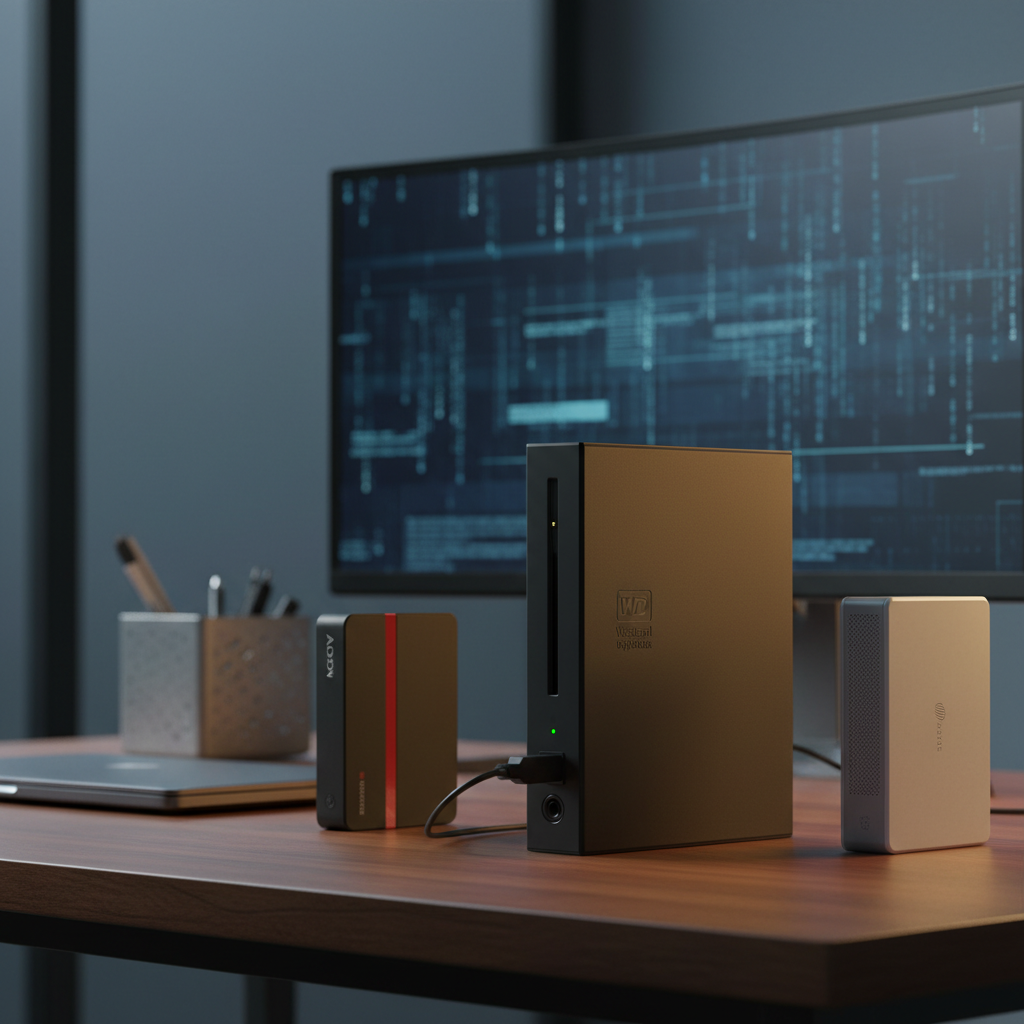
Our top pick for hardware‑encrypted external storage is the Western Digital My Book 6TB. At $169.99 it offers a massive 6 TB of capacity, a solid 4.4‑star rating from 13,350 reviewers, and sequential read speeds around ~200 MB/s. The drive also includes built‑in 256‑bit AES hardware encryption, making it a reliable desktop solution for anyone who needs a large, secure backup without juggling multiple devices.
Ten models span three price tiers. On the budget side you’ll find the Seagate One Touch 2TB at $69.99 (4.4‑star rating) and the WD My Passport 2TB for $74.99, both lightweight and easy to carry. Mid‑range options include the ADATA AHV300 1TB at $110.89 with a 4.8‑star rating and the LaCie Rugged Secure 2TB at $137.85. The premium tier delivers high‑end security and speed with the Samsung T7 Touch 2TB at $355.00 (4.6‑star rating) and Kingston’s IronKey Vault Privacy series, which start at $378.99.
Below you’ll see how each drive stacks up on capacity, performance, encryption, and total value, so you can pick the right fit for your security needs.

Western Digital My Book 6TB
A 1220 mm cable lets you position the 6 TB drive far from your computer, adding flexibility for desktop setups.

ADATA AHV300 1TB
Ideal for users needing a compact 2.5‑inch drive, the ADATA AHV300 costs $110.89—about $59 cheaper than the WD My Book, providing good value for a portable setup.

Seagate One Touch 2TB
Stands out with a tiny 146 mm height and 37.5 mm length, making the Seagate One Touch 2TB easy to slip into tight spaces where larger drives won’t fit.
Also considered
Score Analysis
Key score advantages vs. runner-up (ADATA AHV300 1TB)
Price Range
Western Digital My Book 6TB
$169.99
ADATA AHV300 1TB
$110.84
Seagate One Touch 2TB
$69.99

WD My Passport 1TB Black
$84.99

WD My Passport 2TB
$94.95

Samsung T7 Touch Portable SSD 2TB
$399.99

Transcend StoreJet 1TB USB 3.1
$99.99
LaCie Rugged Secure 2TB
$129.99

Kingston IronKey Vault Privacy 80 960GB
$378.99
Kingston IronKey Vault Privacy 80 1.92TB
$544.88
Spec Comparison
TL;DR: The WD My Book 6TB delivers 6 TB of desktop‑grade storage with 256‑bit AES hardware encryption, ~200 MB/s sequential reads and a solid 2.3‑lb build for stationary backup needs.
This drive’s standout spec is its 6 TB nominal capacity paired with a 256‑bit AES hardware encryption engine, so it's a single‑unit solution for massive media libraries while keeping data locked down. WD lists sequential read speeds at ~200 MB/s, and real‑world macOS transfers reach 132.4 MB/s, noticeably quicker than the 120 MB/s typical of many portable drives in this set.
Compared with the other nine contenders, the My Book is heavier than the LaCie Rugged Secure (0.74 lb) and the ADATA AHV300 (0.308 lb), reflecting its 3.5‑inch desktop form factor. It also dwarfs the 2 TB capacity of the LaCie and the 1 TB of the WD My Passport models, offering more than double the storage of those portable options. While the Transcend StoreJet and Samsung T7 Touch are lighter and more portable, the My Book’s built‑in Kensington lock slot adds a layer of physical security that the lighter peers lack.
Users consistently praise the quiet operation, fast transfers, and the ease of setting up the pre‑installed WD Backup and WD Security software. Professional reviewers note the drive leads among desktop HDDs for sequential performance and appreciates its seamless cross‑platform support, including Time Machine compatibility. The main complaints revolve around the absence of a power button or activity LED, the bulky external AC adapter that can block outlets, and the relatively short 1220 mm (4‑ft) USB cable, which sometimes needs an extension.
Technically, the My Book connects via USB 3.2 Gen 1 (USB 3.0) with a theoretical bandwidth of 5 Gbps (625 MB/s). It spins at 5400 RPM, uses a 64 MB cache, and draws 1.5 A at 12 V from its external power brick. The drive operates in humidity from 20 % to 80 % non‑condensing and stores data in a 4K native sector format, which may require reformatting for certain internal‑use scenarios.
Pros
Cons
Best for: Home users with large photo, video, or music libraries and creative professionals needing a reliable, offline archive.
Avoid if: You travel frequently, need rugged or on‑the‑go storage, or prefer a lightweight, portable drive.
“Massive storage”
TL;DR: The ADATA AHV300 1TB packs 256‑bit AES hardware encryption, military‑grade 1.5 m drop resistance, and a feather‑light 0.308206242276pounds, ultra‑slim design for secure, portable storage.
The drive’s standout features include 256‑bit AES hardware encryption and a drop‑resistance rating of up to 1.5 meters (MIL‑STD‑810G). At just 0.308206242276pounds (189.8 g) and with a thickness of 16.2 mm, it slides easily into a laptop bag. Its 2.5‑inch form factor measures 10.3 mm × 80.5 mm × 125.7 mm, and it delivers 120–140 MB/s transfer speeds over a USB 3.1 Gen 1 (5 Gbps) interface.
Compared with the other nine drives in this roundup, the AHV300 is lighter than the Transcend StoreJet (0.5 pounds) and the LaCie Rugged Secure (0.74 pounds), but a touch heavier than the ultra‑light Samsung T7 Touch (0.125 pounds). It’s also slightly heavier than the WD My Passport 1TB Black (0.26 pounds) while remaining far lighter than the Western Digital My Book 6TB (2.314853751 pounds). Its 1.5 m drop rating exceeds the LaCie’s 1.2 m rating, and its 120–140 MB/s speed tops the WD My Passport 1TB’s measured 80.04 MB/s and matches the LaCie’s up‑to‑130 MB/s, staying on par with Seagate’s typical 120 MB/s.
Reviewers consistently praise the ultra‑slim 16.2 mm profile and the built‑in shock sensor that flashes red on impact, noting the drive feels solid despite its plastic shell. Professional reviewers highlight the elegant brushed‑white finish and the convenience of hardware encryption. The most common complaint centers on the HDDtoGO software, which some users find dated, and the lack of a native USB‑C connector.
A USB‑A cable (USB 3.1 Gen 1, 5 Gbps) handles connectivity and works with Windows, macOS, Linux, PlayStation, Xbox, desktops and laptops. The package includes the USB cable and HDDtoGO software for managing encryption. A three‑year limited warranty rounds out the offering.
Pros
Cons
Best for: Most users seeking a balanced, mainstream option
Avoid if: You need native USB‑C or Thunderbolt, prefer an all‑metal chassis, or require a more modern encryption management interface
“Very slim and stylish—fits perfectly in my laptop bag.”
“Love the encryption feature—great for storing sensitive work files.”
TL;DR: Seagate One Touch 2TB offers AES‑256 hardware encryption, a sleek aluminum case, and 120 MB/s typical transfer speed for just $69.99, making it a solid, budget‑friendly portable backup solution.
The drive’s standout feature is its built‑in AES‑256 hardware encryption with password protection, a rarity at its $69.99 price point. It packs 2 TB of storage in a 0.32628414776‑pound, 11.71 mm‑thin aluminum shell, and delivers up to 5 Gbps (about 120 MB/s typical) over its 46 cm USB‑3.0 cable.
Compared with peers, the One Touch is a bit heavier than the WD My Passport 2TB (0.264375 lb) but lighter than the LaCie Rugged Secure 2TB (0.74 lb) and the Samsung T7 Touch SSD (0.125 lb). Its encryption matches the 256‑bit AES hardware protection that the WD My Passport and ADATA AHV300 use, while its maximum 5 Gbps link sits below the theoretical 5000 Mbps rate the WD My Passport advertises.
Reviewers consistently praise the aluminum finish for feeling premium and the plug‑and‑play setup for Windows, macOS and Chromebook. Professional reviewers note the lack of a native USB‑C port as a minor drawback for a 2026 device, and users flag the mechanical HDD’s susceptibility to shock if dropped. The drive ships bus‑powered, uses exFAT out of the box, and includes the Seagate Toolkit plus a four‑month Adobe Creative Cloud Photography trial and a one‑year Mylio Create subscription.
Pros
Cons
Best for: Budget-conscious buyers seeking a reliable entry-level option
Avoid if: You have limited desk space or need portability
“Plugged it in, formatted exFAT in about 3‑seconds... and it just… worked. No muss, no fuss.”
“Outstanding choice for Mac users – security, speed, and compatibility all in one.”
TL;DR: The WD My Passport 1TB Black packs a 1 TB HDD, 256‑bit AES hardware encryption and a 0.26‑pound, 4.22 × 2.95 × 0.44‑in chassis for budget‑friendly, portable backup.
This drive’s standout feature is its 256‑bit AES hardware encryption paired with a 5 Gbps (USB 3.2 Gen 1) interface, delivering measured transfer speeds of 80.04 MB/s on macOS and 72.55 MB/s on Windows. At just 0.26 pounds and measuring 4.22 in × 2.95 in × 0.44 in, it’s one of the lightest and most compact HDD options in the lineup.
Compared with the other nine contenders, the My Passport is lighter than the 2TB WD sibling (0.264 lb) and noticeably lighter than the Seagate One Touch (≈0.326 lb), Transcend StoreJet (0.5 lb), ADATA AHV300 (≈0.308 lb) and the LaCie Rugged Secure (0.74 lb). Only the Samsung T7 Touch SSD beats it on weight, but that model’s a different technology tier. Encryption‑wise, it matches the 2TB WD My Passport and the Transcend and ADATA drives, all offering 256‑bit AES. In raw speed, its 80 MB/s macOS transfer rate sits below the Seagate One Touch’s typical 120 MB/s and the ADATA’s 120‑140 MB/s, reflecting its HDD nature.
Everyday users praise the drive’s compact size, plug‑and‑play simplicity and the peace of mind from hardware encryption. Reviewers note that the plastic shell scratches easily and that the Micro‑B USB connector feels less robust than newer USB‑C options. macOS users also mention the need to reformat or install an NTFS driver for full compatibility. Professional reviewers highlight the strong security features and the “best bang for the buck” value, while noting the lack of ruggedization.
Pros
Cons
Best for: Budget‑conscious buyers seeking a reliable entry‑level option
Avoid if: You need advanced features or professional‑grade performance
“Small size, big storage!”
“Works great with Windows 11”
TL;DR: The WD My Passport 2TB delivers 2 TB of portable storage, 256‑bit AES hardware encryption, and USB 3.2 Gen 1 speeds in a slim, bus‑powered design for under $75.
This drive’s standout spec is its 2 TB capacity packed into a 2.5‑inch form factor that measures just 107.19 mm deep, 11.18 mm high and 74.93 mm wide, while weighing only 0.264375 pounds. The built‑in 256‑bit AES hardware encryption and password protection let you secure sensitive files without extra software.
Compared with the other nine finalists, the My Passport is lighter than the Seagate One Touch 2TB (0.32628414776 pounds) and the ADATA AHV300 1TB (0.308206242276 pounds), yet a bit heavier than the Samsung T7 Touch SSD (0.125 pounds). Its height of 11.18 mm is marginally lower than Seagate’s 11.71 mm, and its width of 74.93 mm is narrower than Seagate’s 78.0 mm, making it one of the most pocket‑friendly HDDs in the list. While the LaCie Rugged Secure adds drop resistance, the My Passport’s plastic enclosure is lighter and slimmer, though it lacks the rugged metal shell of the LaCie.
Users consistently praise the drive’s reliability and straightforward setup on Windows, noting the real‑world transfer speed of about 109–110 MB/s. Professional reviewers highlight the “near‑perfect solution for travelers needing portable high‑capacity storage” but also point out the audible spinning noise and the need to reformat for macOS. The bus‑powered design eliminates the need for an external brick, and the included Micro‑USB to USB‑A cable lets you plug straight into most laptops.
Pros
Cons
Best for: Budget‑conscious buyers seeking a reliable entry‑level option
Avoid if: You need advanced features or professional‑grade performance
“Small size, big storage!”
“Works great with Windows 11”
TL;DR: The Samsung T7 Touch Portable SSD packs 2 TB of storage, up to 1,050 MB/s read speeds, AES‑256 encryption and a built‑in fingerprint sensor into a 0.125‑lb aluminum case.
The standout feature is the built‑in fingerprint sensor paired with 256‑bit AES hardware encryption, letting you unlock the drive with a touch while keeping 2 TB of data protected. Samsung rates the chassis to survive drops from up to 2 meters and the drive runs cooler than 45 °C under sustained use. Sequential read performance reaches up to 1,050 MB/s and writes up to 1,000 MB/s, with CrystalDiskMark results of 952 MB/s read and 960 MB/s write.
Compared with the other nine contenders, the T7 Touch is dramatically faster – its 1,050 MB/s read speed dwarfs the 250 MB/s sequential read of the Kingston IronKey Vault Privacy 80 and the 130 MB/s of the LaCie Rugged Secure. At 0.125 pounds it is also lighter than the 0.74‑pound LaCie, the 0.628‑pound Kingston, and the 2.31‑pound Western Digital My Book, making it one of the most portable options in the list.
Reviewers consistently praise the “blazing” transfer speeds and the convenience of fingerprint unlock, especially for creative pros moving large media files. Some users note the sensor can be finicky when wet or cold, and the feature requires Samsung’s desktop software to work. Professional reviewers highlight the solid aluminum build, the phase‑change thermal layer, and the inclusion of both USB‑C‑to‑C and USB‑C‑to‑A cables.
Pros
Cons
Best for: Buyers willing to invest in a proven, high-quality option
Avoid if: You're shopping on a tight budget — it's priced at $355.00
“Fast transfers—moved 100GB of video in under 2 minutes”
“Love the fingerprint unlock on my Samsung TV”
TL;DR: The Transcend StoreJet 1TB offers 256‑bit AES hardware encryption, MIL‑STD‑810G drop protection up to 1.52 m (5 ft), and a one‑touch backup button in a compact 0.5 lb package.
The standout feature is its built‑in 256‑bit AES hardware encryption, which protects your data without needing third‑party software. Coupled with a MIL‑STD‑810G certified drop resistance of 1.52 meters (5 ft) and a three‑stage shock‑absorption system, the drive serves field work where bumps are inevitable. The one‑touch auto‑backup button lets you start a full backup with a single press, a convenience highlighted by professional reviewers.
In this roundup, the StoreJet weighs more than the ADATA AHV300 (≈0.31 lb) and WD My Passport (≈0.26 lb) but less than the LaCie Rugged Secure (≈0.74 lb) and the large WD My Book (≈2.31 lb). Its drop resistance of 1.52 m exceeds ADATA’s 1.5 m rating and matches the rugged class of the LaCie, while it offers the same 256‑bit AES encryption as both ADATA and WD My Passport.
User sentiment repeatedly praises the drive’s toughness—many owners report surviving drops from several feet without data loss. Users frequently mention the single‑button backup and included Transcend Elite suite as helpful, though some note the software can feel clunky.
The drive’s 5400 RPM spindle delivers sequential reads of about 113 MB/s and writes of 114 MB/s, which aligns with expectations for a mechanical HDD but falls short of the USB 3.1 Gen 1 theoretical 5.0 Gbps ceiling.
Pros
Cons
Best for: Budget-conscious buyers seeking a reliable entry-level option
Avoid if: You need advanced features or professional‑grade performance
“Survived multiple drops”
“The software is clunky and sometimes shows Chinese error messages”
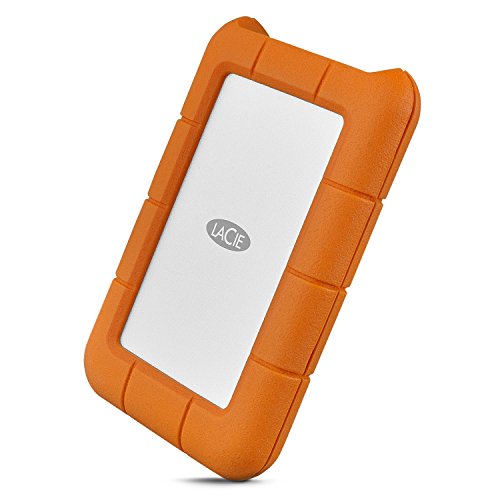
TL;DR: The LaCie Rugged Secure 2TB delivers 2 TB of storage in a drop‑tested, crush‑resistant 0.74‑lb case, with optional 256‑bit AES encryption and up to 130 MB/s USB‑C transfer speeds.
The standout feature is its durability: LaCie rates the drive for 1‑ton crush resistance and it can survive drops from 4 ft (1.2 m). It packs 2 TB of capacity in a 2.5‑inch, 5400 RPM HDD and offers optional 256‑bit AES hardware encryption for added security. Data moves at up to 130 MB/s over a USB‑C (USB 3.1 Gen 1) interface, and the unit runs bus‑powered, so no external brick is needed.
At 0.74 lb, the Rugged Secure is heavier than the ultra‑light WD My Passport 1TB Black (0.26 lb) and the WD My Passport 2TB (0.264 lb), but lighter than the massive Western Digital My Book 6TB, which weighs over 2 lb. Its optional encryption contrasts with the built‑in 256‑bit AES encryption that ADATA AHV300, Transcend StoreJet, and Kingston IronKey provide, so you must enable it manually. Transfer speeds sit alongside the ADATA AHV300’s 120–140 MB/s range and are faster than the Seagate One Touch’s typical 120 MB/s, yet they fall short of the SSD‑level performance of the Samsung T7 Touch.
Reviewers consistently praise the drive’s ruggedness, noting that it survives field work and travel without a hiccup. Professionals highlight the aluminum‑rubber shell as a “balance of durability and capacity unmatched in its class,” and the included two‑month Adobe Creative Cloud trial adds tangible value for creators. Users do flag the HDD’s slower performance compared with SSDs and mention that the drive draws more power when plugged into a dock, which can be a nuisance on the go.
Pros
Cons
Best for: Photographers, videographers, students, travelers, and field researchers who need a rugged, portable drive with solid capacity and optional encryption.
Avoid if: You need SSD‑level speeds, built‑in hardware encryption, or Thunderbolt connectivity for professional‑grade performance.
“Extremely durable”
“Fast and reliable”
TL;DR: Kingston’s IronKey Vault Privacy 80 offers 960 GB of hardware‑encrypted storage, a built‑in touchscreen PIN entry, and FIPS‑certified XTS‑AES 256‑bit protection, but its 250 MB/s speed and $378.99 price place it in the premium niche.
The IronKey Vault Privacy 80 packs a 960 GB portable SSD behind a rugged black shell that measures 18.5 mm in height, 122.5 mm in length and 84.2 mm in width, weighing 0.6283174467 pounds. Its standout security suite includes hardware‑based XTS‑AES 256‑bit encryption (FIPS 197 certified), an on‑device touchscreen for PIN or passphrase entry, admin/user password profiles, and crypto‑erase after 15 failed brute‑force attempts.
Compared with the other nine drives in this roundup, the IronKey is pricier than most consumer‑grade options and heavier than the ultra‑light Samsung T7 Touch (0.125 pounds) or the ADATA AHV300 (0.308 pounds). Its sequential read and write speed of 250 MB/s trails the Samsung T7 Touch’s up to 1,050 MB/s and sits above the ADATA’s 120–140 MB/s range, but it still feels slow for users accustomed to modern SSD performance. The Samsung also lists a drop‑resistance rating of up to 2 meters, a spec the IronKey does not provide.
Professional reviewers applaud the drive’s “top‑tier military‑grade encryption” and the convenience of the touchscreen that works independent of any operating system. Everyday users echo the praise for easy setup and cross‑platform reliability on Windows, macOS, Linux, ChromeOS and Android. The most common complaints focus on the modest 250 MB/s throughput, the premium $378.99 price tag, and the bulkier form factor that can be harder to slip into a thin laptop bag. Some note that the touchscreen can be difficult to read in bright light.
Under the hood, the drive uses a Micron QLC NAND controller (SM2259XT) with no DRAM cache, which explains the lower sustained speeds and limited endurance data. Security‑focused features such as BadUSB‑protected digitally signed firmware, configurable auto‑lock timeout, and a randomized keypad layout further harden the device for sensitive environments like government, legal or healthcare settings.
Pros
Cons
Best for: Professionals who need FIPS‑compliant, hardware‑encrypted storage and are willing to invest in premium security.
Avoid if: You're shopping on a tight budget or need high‑speed transfers; it's priced at $378.99.
“Very secure and easy to set up.”
“Much slower than my Samsung T7.”
TL;DR: The Kingston IronKey Vault Privacy 80 1.92TB packs FIPS‑certified XTS‑AES 256‑bit hardware encryption, a touchscreen PIN entry, and 1920 GB of storage, but its 250 MB/s USB 3.2 Gen 1 speed and plastic chassis keep it in a premium‑security niche.
This drive’s headline feature is its gold‑standard security stack: hardware‑based XTS‑AES 256‑bit encryption that is FIPS 197‑compliant and runs on a Common Criteria EAL5+ certified processor. A built‑in touchscreen controls access, accepting a 6‑to‑64‑character PIN or passphrase, and it supports separate admin and user profiles. Internally it houses a 1920 GB user‑accessible capacity (2048 GB raw) on Micron QLC NAND, with a maximum sequential read and write speed of 250 MB/s over a USB‑C 3.2 Gen 1 interface.
Compared with the other nine entries in this roundup, the IronKey is noticeably heavier than the ultra‑light Samsung T7 Touch (0.125 lb) and slower than that drive’s advertised up‑to‑1,050 MB/s read rate. It also lacks the drop‑resistance of the LaCie Rugged Secure, which rates for 4 ft (1.2 m) impacts, and it doesn’t offer the rugged metal shell many field‑ready models use. The 18.5 mm height, 84.2 mm width and 122.5 mm length place it in the same size class as the 960 GB IronKey variant, but its price tier exceeds that sibling. While the ADATA AHV300 lists transfer speeds of 120–140 MB/s, the IronKey’s 250 MB/s is faster yet still far below the Samsung’s performance.
Users consistently praise the drive’s “peace of mind” from the hardware encryption and the convenience of a touchscreen that eliminates any need for host‑side software. Professional reviewers echo this, calling the encryption “gold‑standard” and noting the plug‑and‑play experience. The most common complaints revolve around the modest 250 MB/s throughput, occasional touchscreen sensitivity issues, and the plastic‑and‑zinc housing that feels less rugged than competitors. The absence of a DRAM cache also caps random I/O performance.
The IronKey connects via both USB‑C‑to‑C and USB‑C‑to‑A cables, draws power directly from the host, and ships with a neoprene travel case. Its operating temperature range of 0 °C to 60 °C and storage range of –20 °C to 60 °C suit typical office environments. At 0.6382399994012848 pounds (289.5 g), it remains portable enough for a laptop bag while still offering a substantial 1920 GB of encrypted storage.
Pros
Cons
Best for: Professionals in government, legal, healthcare, or journalism who need FIPS‑certified, tamper‑resistant storage and are willing to pay a premium for security.
Avoid if: You prioritize high‑speed transfers, rugged field‑ready durability, or lower‑cost storage solutions.
“Very secure and easy to set up.”
“Much slower than my Samsung T7.”
Breakdown
Western Digital My Book 6TB
Pros
ADATA AHV300 1TB
Pros
Seagate One Touch 2TB
Pros
Based on scoring data and product specs
Personalized picks
Best Overall Pick
Western Digital My Book 6TB
Best ValueBest for: Buyers willing to invest in a proven, high-quality option
ADATA AHV300 1TB
Best for: Most users seeking a balanced, mainstream option
$110.84-$59.15 vs winner
Skip Kingston IronKey Vault Privacy 80 1.92TB if…
Reliability and user satisfaction are your top concerns
Western Digital’s My Book 6 TB takes the top spot thanks to its massive 6 TB (5.45 TB usable) capacity, 256‑bit AES hardware encryption and a 4.4‑star rating from 13,350 reviewers—all for a list price of $169.99 and comes with a 2‑year limited warranty.
The ADATA AHV300 1 TB lands as the runner‑up, and it’s perfect if you need a lightweight, travel‑ready drive that can survive a tumble. It weighs just 0.308 lb, offers 256‑bit AES encryption, and survives drops up to 1.5 m while delivering 120–140 MB/s transfer speeds, all covered by a 3‑year warranty.
For tighter budgets, the Seagate One Touch 2 TB is the most affordable option at $69.99, delivering reliable backup for occasional home use. If you want a mid‑range balance of portability and durability, the ADATA AHV300 1 TB (the runner‑up) provides shock‑resistance and solid performance for $110.89. For those who demand enterprise‑grade security, the Kingston IronKey Vault Privacy 80 1.92 TB commands a premium $475.99 price tag and offers top‑tier hardware encryption for sensitive data.
Pick the Western Digital My Book 6 TB today and secure your files with confidence.
The LaCie Rugged Secure 2TB is built for harsh environments, offering a drop resistance of 4 ft (≈1.2 m) and crush resistance of 1 ton, plus rain‑resistant housing. It also provides optional 256‑bit AES hardware encryption, making it a durable, secure choice for outdoor shoots.
Please sign in to leave a review
No reviews yet. Be the first to review!
