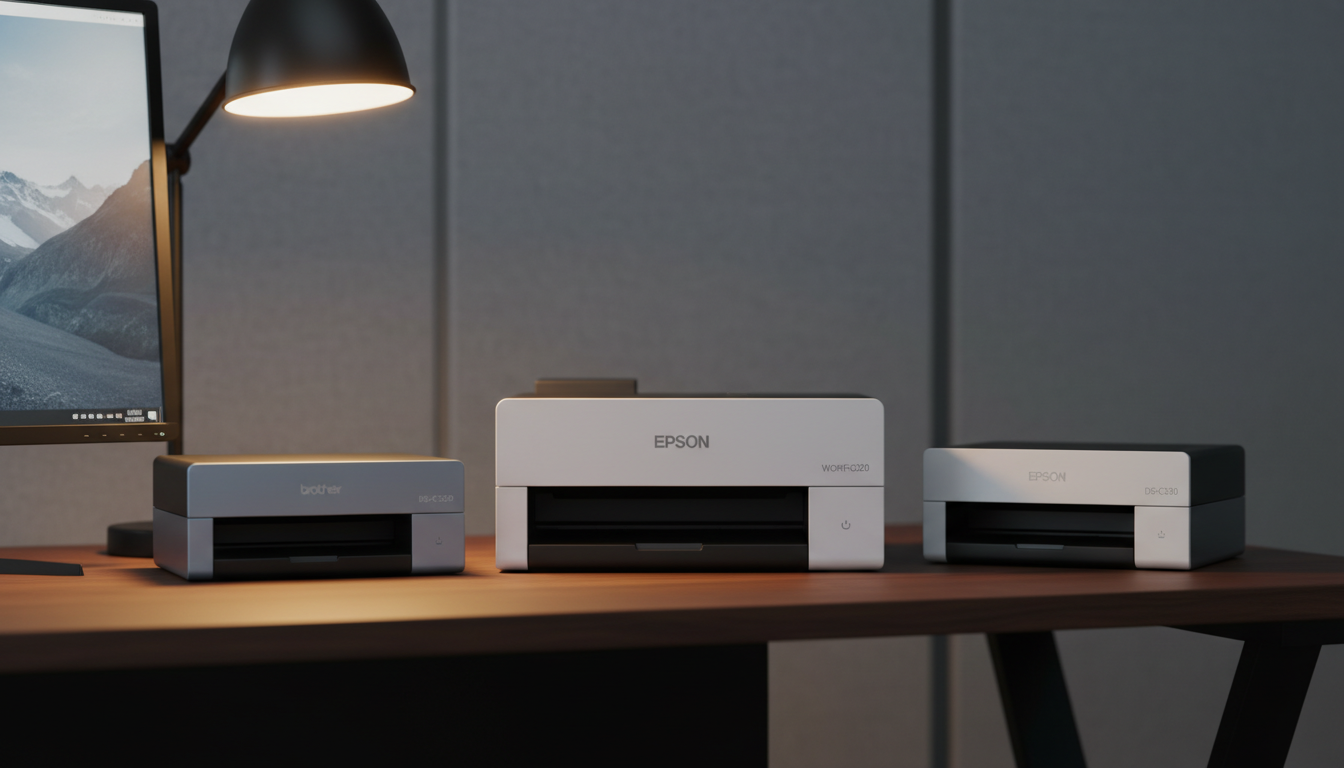
⚡ Quick Answer
When you need a scanner that can gulp through stacks at 30 ppm or faster, the numbers matter. In this roundup we examined 11 desktop models, with prices spanning from $279.00 for the Epson DS‑C330 up to $704.00 for the Kodak Alaris S2070. The Fujitsu FI‑7160 tops the speed chart with a duplex rate of 120 ipm, while the Brother ADS‑3350W offers a solid 40 ppm duplex capability and earned a perfect 5.0‑star rating from two reviewers.
Our selection covers three clear price tiers. The budget group – Epson DS‑C330, Epson Workforce ES‑C220, Brother ADS‑1350W and Xerox D35 – delivers 30 ppm (or 60 ipm in color) and stays under $310. Mid‑range options, the Brother ADS‑3350W and HP ScanJet Pro 2000 s2, push performance to 40 ppm and sit between $424 and $429. Premium picks – Xerox D35wn, Fujitsu FI‑7160, HP ScanJet Pro N4000 and Kodak S2070 – command higher price points but bring speeds up to 120 ipm and feature large ADF capacities.
Below you’ll find a closer look at each model’s strengths, so you can match the right speed, capacity and price to your workflow.

Brother ADS-3350W
Its 24.81 in extended length lets you scan larger documents without manual feeding, delivering the balanced performance that earned it the top spot.

Epson Workforce ES-C220
Ideal for budget‑conscious offices, the ES‑C220 delivers solid performance at $279.99, about $144 cheaper than the Brother, making it a strong value choice.

Epson DS-C330
Thanks to its compact 104 mm depth and 125 mm height, you can fit the DS‑C330 on tight desks, offering a space‑saving entry point that the larger models lack.
Also considered
Score Analysis
Key score advantages vs. runner-up (Epson Workforce ES-C220)
Price Range
Brother ADS-3350W
$429.99
Epson Workforce ES-C220
$229.99
Epson DS-C330
$279.00
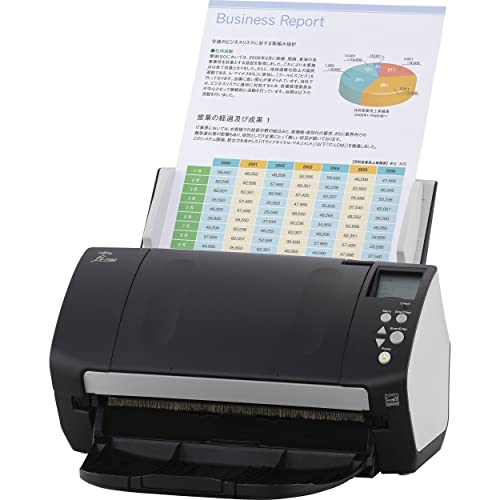
Fujitsu FI-7160
$448.00

Xerox D35
$299.00

Xerox D35wn
$458.94

HP ScanJet Pro 2000 s2
Out of Stock

HP ScanJet Pro N4000
Out of Stock

Brother ADS-1350W
$289.99

Kodak Alaris S2070
$704.00

Plustek PS188
Out of Stock
Spec Comparison
TL;DR: The Brother ADS‑3350W delivers 40 ppm duplex scanning, a 60‑page ADF and robust security in a compact, ENERGY STAR‑rated design, though its legal‑size limit and $424.50 price may deter budget‑focused buyers.
The standout spec is its 40 ppm duplex scanning speed paired with a 60‑page automatic document feeder, letting you push a stack of receipts or contracts through in under a minute. Its daily duty cycle of 6,000 scans shows the unit handles steady mid‑volume use, while the 2.8‑inch touchscreen makes scan‑to‑cloud or email setups a tap away.
Compared with the other ten scanners in this roundup, the ADS‑3350W sits between the HP ScanJet Pro 2000 s2’s 35 ppm and Xerox D35’s 45 ppm, delivering speed that balances performance and reliability. At roughly 6.3 lb, it is slightly heavier than the HP model (6.0 lb) but lighter than the Xerox D35 (7.4 lb), making it a good fit for a small office desk. Its 60‑page ADF also outpaces the Epson ES‑C220’s 20‑sheet feeder and matches the larger capacity of the Brother ADS‑1350W.
Professional reviewers note the scanner feels “efficient for small workspaces” and praise its “high‑functionality compact design.” Users echo this sentiment, highlighting the quick duplex passes and the ease of setting up cloud destinations from the touchscreen. A common complaint is the maximum document size of 8.5 × 14 in, which can be restrictive for larger legal or tabloid pages. Additionally, the scanning power draw peaks at about 25 W, a bit higher than some peers, which some users flag as a consideration for energy‑conscious environments.
Under the hood, the ADS‑3350W uses a dual CIS sensor and supports 48‑bit input color depth with 24‑bit output, delivering crisp 600 × 600 dpi optical resolution (up to 1,200 × 1,200 dpi interpolated). Triple‑layer security—featuring SMTP‑AUTH, SSL/TLS and advanced access controls—helps protect sensitive documents, and the unit carries both EPEAT Silver and ENERGY STAR certifications for greener operation.
Pros
Cons
Best for: Home offices, small businesses, and mid‑volume users who need fast duplex scanning with strong security in a compact package.
Avoid if: You're shopping on a tight budget — it's priced at $424.50.
TL;DR: The Epson WorkForce ES‑C220 delivers 30 ppm single‑pass scanning, a 20‑sheet ADF, and 600 dpi hardware resolution in a compact 3.85‑lb body that fits easily on a small desk.
The standout spec is its 20‑sheet automatic document feeder paired with a hardware optical resolution of 600 dpi (up to 1200 dpi interpolated). At just 3.85 lb, it’s lighter than the Epson DS‑C330 (4.0 lb) and far lighter than the Xerox D35 (5.1 lb) or Brother ADS‑3350W (6.3 lb), making it one of the most portable options in the lineup.
In speed terms, the ES‑C220 matches the Epson DS‑C330’s 30 ppm black‑and‑white rate and the Brother ADS‑1350W’s 30 ppm simplex speed, but it trails the Xerox D35’s 45 ppm and HP ScanJet Pro 2000 s2’s 35 ppm. Its 20‑sheet ADF is smaller than the 50‑sheet feeders found in the Xerox D35 and Plustek PS188, so it handles fewer large batches without manual reloading.
Professional reviewers note the scanner’s space‑saving design, reducing desk footprint by roughly 60 % compared with traditional sheet‑fed units. Users also appreciate the built‑in intelligent image adjustments—automatic cropping, blank‑page deletion, and dirt detection—that cut post‑scan cleanup. Power consumption stays low at 0.1 W when off and 3.3 W in ready mode, matching the DS‑C330’s efficiency.
Pros
Cons
Best for: Shoppers on a tight budget who want the most for their money
Avoid if: You need advanced features or professional‑grade performance
TL;DR: The Epson DS‑C330 packs a 20‑sheet ADF, 30 ppm black‑white speed and 600 dpi optical resolution into a 4‑pound, ultra‑compact design, ideal for cramped workspaces.
The DS‑C330 measures just 104 mm deep, 125 mm high and 296 mm wide, and tips the scales at 4.0 pounds. Despite its tiny footprint, it delivers 30 ppm scanning in black‑white and 60 ipm in color at 300 dpi, thanks to a sheet‑fed CIS engine and one‑pass duplex capability.
Compared with the other scanners in this roundup, the DS‑C330 is lighter than the Xerox D35 (5.1 pounds) but heavier than the Brother ADS‑1350W (3.0 pounds) and Epson Workforce ES‑C220 (3.85 pounds). Its 20‑sheet ADF matches the ES‑C220 but falls short of the 50‑sheet capacities found in the Xerox D35 and Plustek PS188. Speed‑wise, the Brother ADS‑1350W reaches up to 60 ipm duplex and the Xerox D35 hits 45 ppm, both edging out the DS‑C330’s 30 ppm black‑white rate.
Reviewers consistently praise the scanner’s space‑saving profile, noting the vertical feed saves up to 60 % of desk space. Users also like the fast one‑pass duplex scan, which handles mixed‑size documents without manual flipping. Feedback highlights the modest 20‑sheet ADF as a downside—it can interrupt larger jobs—and points out the lack of any wireless option; only a Hi‑Speed USB 2.0 Type‑C port is offered. Power draw stays modest, using just 0.1 W when off and 3.3 W in ready mode.
Technical details reinforce its office‑ready credentials: a daily duty cycle of 5,000 pages and reliability up to 3,500 scans per day suit moderate workloads. The scanner handles paper weights from 40 g/m² to 413 g/m² and supports formats from business cards to A4. Epson includes Scan 2, Document Capture Pro and Device Admin software, and drivers for Windows, macOS and Linux, covering most common workflows.
Pros
Cons
Best for: Entry-level buyers or those on a tight budget
Avoid if: You want the best value‑per‑dollar in its price range
TL;DR: The Fujitsu FI‑7160 delivers ultra‑fast 120 ipm duplex scanning, an 80‑sheet ADF and 600 dpi optical quality in a surprisingly lightweight package for high‑volume office work.
The standout spec is its 120 ipm duplex scan speed, which lets you digitise double‑sided documents at a rate that rivals dedicated production scanners. Coupled with an 80‑sheet automatic document feeder and 600 dpi optical resolution, the FI‑7160 can handle large batches without sacrificing detail.
When you line it up against the other ten contenders, the Fujitsu is dramatically lighter at roughly 0.56 pounds, versus the 7.4‑pound Xerox D35wn and the 6‑pound HP ScanJet Pro 2000 s2. Its 80‑sheet feeder also outstrips the 50‑sheet capacities listed for both the Xerox D35wn and the HP ScanJet Pro 2000 s2, and it scans faster than the Xerox D35’s 90 ipm and the HP model’s 70 ipm duplex rates.
Reviewers consistently praise the rapid duplex throughput and the generous feeder, noting that it cuts down on reload interruptions during big projects. The same users flag the lack of native macOS or Linux drivers, which confines the scanner to Windows environments, and they note the roughly 12‑inch tall footprint as a consideration for cramped desks. Power‑savvy buyers’ll appreciate its ENERGY STAR and RoHS certifications, a standby draw of just 0.35 W and a sleep consumption of 1.8 W, while the 4,000‑page daily duty cycle signals durability for busy offices.
Pros
Cons
Best for: Small‑to‑medium offices, legal or accounting firms, and archival projects that need to scan large volumes quickly.
Avoid if: You require macOS or Linux compatibility, need a compact desktop footprint, or rely on network/Wi‑Fi connectivity.
TL;DR: The Xerox D35 delivers 45 ppm duplex speed, a 50‑sheet ADF and an 8,000‑page daily duty cycle in a compact 5.1‑lb package for $306.99.
The standout spec is its 45 ppm (45 pages per minute) duplex scanning rate, which translates to 90 ipm (images per minute) when both sides are captured. It also offers a 50‑page automatic document feeder and a manufacturer‑listed duty cycle of 8,000 pages per day, so it handles continuous office use.
At 5.1 pounds, the D35 is heavier than the Brother ADS‑1350W (3.0 lb) and Epson ES‑C220 (3.85 lb) but lighter than the Brother ADS‑3350W (6.3 lb) and HP ScanJet Pro 2000 s2 (6.0 lb). Its 45 ppm speed outpaces the Epson ES‑C220’s 30 ppm and matches the Epson DS‑C330’s 30 ppm black‑and‑white rate, while the Brother ADS‑1350W tops out at 60 images per minute in duplex mode.
Reviewers consistently praise the scanner’s speed and compact footprint, noting that the bundled Visioneer OneTouch, Capture SE, Organizer AI and ABBYY FineReader make PDF creation and OCR straightforward. Professional reviewers highlight the ultrasonic double‑feed detection and straight paper path as reliable for mixed media. The main complaints focus on the lack of Wi‑Fi or USB 3.0 connectivity and occasional difficulty merging multiple pages into a single PDF.
Pros
Cons
Best for: Value-conscious buyers seeking quality at $306.99
Avoid if: You have limited desk space or need portability
“Works like a charm... daily for invoices”
“Scan to good speed, document quality good.”
TL;DR: The Visioneer XD35WN‑U scans at 45 ppm with a 50‑sheet ADF, 600 × 600 dpi optical resolution, and network‑ready connectivity, making it a solid choice for busy office environments despite its premium price.
The standout spec is the 45 ppm scanning speed, which translates to 90 images per minute in duplex mode, paired with a 50‑page automatic document feeder and 600 × 600 dpi optical resolution. Those numbers give the D35wn the ability to handle two‑sided stacks quickly while preserving detail.
Compared with the other ten scanners, the D35wn runs faster than the HP ScanJet Pro 2000 s2 (35 ppm) and the Brother ADS‑3350W (40 ppm), though it is slower than the Fujitsu FI‑7160’s 60 ppm simplex speed. At 7.4 lb, it is heavier than most peers—including the HP 2000 s2 (6.0 lb) and Brother ADS‑3350W (6.3 lb)—but comparable to the HP N4000 (6.2 lb). Its depth of 18.5 in is deeper than the Brother ADS‑3350W’s 8.5 in, while its width of 11.2 in sits close to the typical footprint of the lineup.
Professional reviewers praise the class‑leading speed and reliable automatic duplexing, noting that the scanner’s dual CIS sensor and LED illumination deliver even lighting. The unit ships with Visioneer OneTouch, ABBYY FineReader PDF, and TWAIN Direct, and it offers Ethernet, Wi‑Fi, and USB connections, which experts say support flexible deployment in shared workgroups. The single five‑star review reflects strong sentiment, though the limited review count means broader user feedback is sparse.
Pros
Cons
Best for: Busy offices, shared workgroups, and public‑sector departments that need fast, reliable duplex scanning with network connectivity.
Avoid if: You run a high‑volume scanning center requiring larger ADF capacity, need advanced image‑processing tools, or are shopping on a tight budget — it’s priced at $449.93.
“Works like a charm... daily for invoices”
“Scan to good speed, document quality good.”
TL;DR: The HP ScanJet Pro 2000 s2 scans duplex at 35 ppm (70 ipm), holds a 50‑sheet ADF, and packs ENERGY STAR 3.0 efficiency into a compact 6 lb desktop unit.
The standout spec is its 35 ppm duplex speed, delivering up to 70 images per minute while maintaining 600 dpi optical resolution (interpolated to 1200 dpi). Coupled with a 50‑sheet automatic document feeder, the scanner can handle medium‑sized batches without constant reloading.
Compared with the other ten contenders, the HP sits in the mid‑weight range at 6.0 lb—lighter than the 7.4 lb Xerox D35wn but heavier than the ultra‑light Fujitsu FI‑7160 at 0.56 lb and the Brother ADS‑1350W at 3.0 lb. Its 35 ppm rate trails the Brother ADS‑3350W’s 40 ppm and the Fujitsu’s 60 ppm simplex speed, yet it outpaces the Epson ES‑C220’s 30 ppm and matches the Xerox D35’s 45 ppm. The 50‑sheet ADF matches the Xerox D35wn and exceeds the Epson’s 20‑sheet feeder, giving it a solid middle ground in capacity.
Users appreciate the fast duplex throughput and the built‑in OCR that creates searchable PDFs straight from the device. Reviewers repeatedly note the compact footprint—its light grey chassis fits comfortably on a small office desk. However, the single USB 3.0 connection draws criticism; several users would prefer wireless or network options for more flexible placement. The 3.9‑star rating from 268 reviewers hints at mixed satisfaction, often tied to the lack of wireless connectivity and occasional software quirks.
Additional technical context shows HP certifies the scanner as ENERGY STAR 3.0 and gives it an EPEAT Silver rating, underscoring its environmental credentials. A daily duty cycle of 3,500 pages positions it for regular office use without overtaxing the hardware, while the 300 mm width keeps the unit narrow enough for tight workspaces.
Pros
Cons
Best for: Small offices, legal or accounting teams, and anyone needing fast, reliable duplex scanning without a network connection.
Avoid if: You require wireless/network scanning, a larger ADF capacity, or the lightest possible desktop footprint.
TL;DR: The HP ScanJet Pro N4000 delivers 40 ppm duplex speed with a 50‑sheet ADF in a compact 6.2‑lb chassis, ideal for small‑office high‑volume scanning.
This model’s headline spec is its 40 pages‑per‑minute duplex rate (80 images per minute) paired with a 50‑sheet automatic document feeder, letting you push a stack of paperwork through without stopping. The scanner also offers a 512 MB memory buffer and a 666 MHz processor, which together support the advertised speed and enable features like auto‑feed, multi‑feed detection, and zonal OCR.
Compared with the other ten contenders, the N4000 sits in the middle of the weight range—lighter than the Kodak Alaris S2070 and Xerox D35wn, but noticeably heavier than the ultra‑light Fujitsu FI‑7160. Its 40 ppm speed outpaces the HP ScanJet Pro 2000 s2’s 35 ppm and matches the Brother ADS‑3350W, yet it trails the Kodak and Fujitsu models that claim 70 ppm and 60 ppm respectively. In terms of connectivity, it provides Ethernet, USB 3.0, Wi‑Fi and Wi‑Fi Direct, a broader mix than the Xerox D35’s basic USB‑only setup.
Professional reviewers highlight the scanner’s reliable duplex performance and the convenience of its built‑in 50‑sheet feeder, noting that small offices benefit from the ability to scan stacks quickly. Users also appreciate the ENERGY STAR® 3.0 certification and the inclusion of HP’s Scan and I.R.I.S. software suite, which supports PDF, searchable PDF, Word and more. The downside noted in feedback is the 4.0‑star rating, which sits below many peers, and the recommended daily duty cycle of 4,000 pages—a figure that may limit larger enterprises.
Pros
Cons
Best for: Small offices or professionals who need fast duplex scanning and a solid set of connectivity options without sacrificing desk space.
Avoid if: You run a large enterprise with daily scan volumes above 4,000 pages or require a larger feeder capacity.
TL;DR: The Brother ADS-1350W scans up to 30 ppm simplex or 60 ipm duplex, handles sheets up to 197 inches long, and weighs just 3.0 lb, making it a fast, portable option for home offices.
What really stands out is the duplex speed: the unit can capture 60 images per minute in a single pass, while still delivering 30 pages per minute in simplex mode. Its optical resolution of 600 × 600 dpi (up to 1200 × 1200 dpi interpolated) ensures clear text and photos, and the maximum single‑sheet length of 197 inches lets you feed long documents without trimming.
Compared with the other ten scanners, the ADS‑1350W is noticeably lighter at 3.0 lb, while the Epson DS‑C330 and Epson Workforce ES‑C220 sit around 4.0 lb and 3.85 lb respectively, and the Xerox D35, Brother ADS‑3350W, and HP ScanJet Pro 2000 s2 all exceed 5 lb. Its 30 ppm simplex speed matches the Epson Workforce ES‑C220 and Epson DS‑C330, but its 60 ipm duplex outpaces those models that only list 30 ppm. The 20‑page ADF is on par with the Epson Workforce ES‑C220 but smaller than the Xerox D35’s 50‑page feeder, so batch‑scanning larger jobs will require more frequent reloads.
Users consistently praise the quick scanning pace and the convenience of wireless Wi‑Fi plus USB‑flash‑drive support. Professional reviewers also note the bundled six‑application suite for creating searchable PDFs. However, many mention that Wi‑Fi setup can be frustrating, with occasional connection drops, and a few report document‑alignment hiccups that affect output quality. The scanner’s compact footprint (4.0 in depth, 3.3 in height, 11.3 in width) and external‑battery compatibility make it easy to move between desks or take on the road.
Pros
Cons
Best for: Home office users, small workgroups, and mobile professionals who need fast, wireless digitization without a heavy footprint.
Avoid if: You require rock‑solid Wi‑Fi reliability or a larger feeder for high‑volume office scanning.
“Best portable scanner ever—easy, fast, super efficient”
“quick wireless scanning, convenient for home office”
TL;DR: The Kodak Alaris S2070 scans at up to 70 ppm with 600 dpi optical resolution, offering 30‑bit colour depth in a solid 7.3‑lb sheet‑fed design, but its premium price and modest 3.7‑star rating may give pause.
The standout spec is its 70 ppm scan speed for both colour and monochrome, paired with a 600 dpi optical resolution and 30‑bit colour depth. Those numbers put it in the fast‑scanner tier while still delivering detailed image quality.
At 7.3 lb, the S2070 is heavier than the Fujitsu FI‑7160 (0.5625 lb) and the HP ScanJet Pro N4000 (6.2 lb), yet comparable to the Xerox D35wn (7.4 lb). Its 70 ppm speed outpaces the HP ScanJet Pro 2000 s2’s 35 ppm and the Brother ADS‑3350W’s 40 ppm, giving it a clear performance edge over many peers.
User feedback notes the rapid throughput as a major plus, but the 3.7‑star rating from seven reviews suggests mixed satisfaction. Professional reviewers highlight the Active Feed and SurePath paper path for fewer jams, while editors praise one‑touch job profiles that streamline office workflows.
Additional technical context includes a sheet‑fed design that handles colour scanning without large‑format capabilities, and embedded processing that lets the scanner operate without a high‑end PC. The manufacturer doesn’t list the exact ADF capacity, but reviewers mention a sizable feeder suitable for medium‑volume tasks.
Pros
Cons
Best for: Those prioritizing quality and willing to pay for premium performance
Avoid if: Reliability and user satisfaction are your top concerns
TL;DR: The Plustek PS188 scans at 30 ppm, handles up to 200 inches of paper, and feeds 50 sheets at once, making it a fast, budget‑friendly choice for small‑to‑medium offices.
The standout spec is its ability to scan documents up to 200 inches long while maintaining a steady 30 pages‑per‑minute speed in duplex mode, which translates to 60 images per minute. Its 50‑sheet automatic document feeder (ADF) lets you load a sizable stack and walk away, a capacity that outstrips the 20‑sheet ADF of the Epson Workforce ES‑C220 and matches the 50‑page feeder of the Xerox D35.
Compared with the other ten scanners in this roundup, the PS188 is generally cheaper than the Epson DS‑C330 and the Brother ADS‑1350W, yet it offers a longer maximum document length than the Brother’s 197‑inch limit. While the Brother ADS‑1350W is slimmer at 4.0 inches deep, the PS188’s 5.0‑inch depth still fits comfortably on a typical desk. Its duplex scanning speed rivals the Brother ADS‑1350W’s 60 images‑per‑minute claim, and its ADF capacity ties with the Xerox D35, giving it a competitive position among mid‑range options.
User feedback repeatedly highlights the scanner’s brisk duplex performance and the convenience of feeding long reports or invoices without manual re‑feeding. Reviewers also note that the USB 2.0 connection feels slower than the USB 3.0 or Wi‑Fi options found on some rivals, and the lack of macOS drivers surfaces as a common complaint. Professional reviewers point out the solid barcode‑filename support and the ability to store up to 255 custom scan profiles, which can streamline repetitive office workflows.
Additional technical details include full‑text search capability built into the software suite and native support for Windows 7 through Windows 11. The unit ships with a one‑year limited warranty, giving peace of mind for budget‑conscious buyers who need reliable daily scanning without a hefty support contract.
Pros
Cons
Best for: Entry‑level buyers or those on a tight budget
Avoid if: Reliability and user satisfaction are your top concerns
Breakdown
Brother ADS-3350W
Pros
Cons
Epson Workforce ES-C220
Pros
Epson DS-C330
Pros
Cons
Fujitsu FI-7160
Pros
Cons
Based on scoring data and product specs
Personalized picks
Best Overall Pick
Brother ADS-3350W
Best OverallBest for: Most users seeking a balanced, mainstream option
Epson Workforce ES-C220
Best for: Shoppers on a tight budget who want the most for their money
$229.99-$200.00 vs winner
Skip Plustek PS188 if…
Reliability and user satisfaction are your top concerns
The Brother ADS‑3350W takes the top spot thanks to its fast 40 ppm scanning speed, a hefty 60‑page ADF and a daily duty cycle of 6 000 scans. Its 2.8‑inch touchscreen makes one‑touch control intuitive, while triple‑layer security keeps your documents safe. At 6.3 lb it’s sturdy enough for busy workspaces without being overly heavy.
The Epson Workforce ES‑C220 lands as the runner‑up, ideal if you need a compact scanner for a small office or home desk that still offers smart image cleanup. It scans at 30 ppm, handles up to 20 sheets in the ADF, and includes built‑in OCR and automatic cropping, so you can turn paper into searchable PDFs with a single click.
For tighter budgets, the Plustek PS188 delivers solid performance at the lowest price point, making it a sensible entry‑level choice. If you’re willing to invest in premium features, the Kodak Alaris S2070 offers top‑tier speed and durability for demanding environments.
Pick the Brother ADS‑3350W for the fastest, most secure scanning experience today.
The Fujitsu FI-7160 lists a duplex scan speed of 120 images per minute, which outpaces the Brother ADS-3350W’s 40 pages per minute and the Epson Workforce ES‑C220’s 30 pages per minute. Its high‑speed duplex engine makes it the quickest option for bulk two‑sided scanning.
No reviews yet — be the first to share your experience.
Please sign in to leave a review



