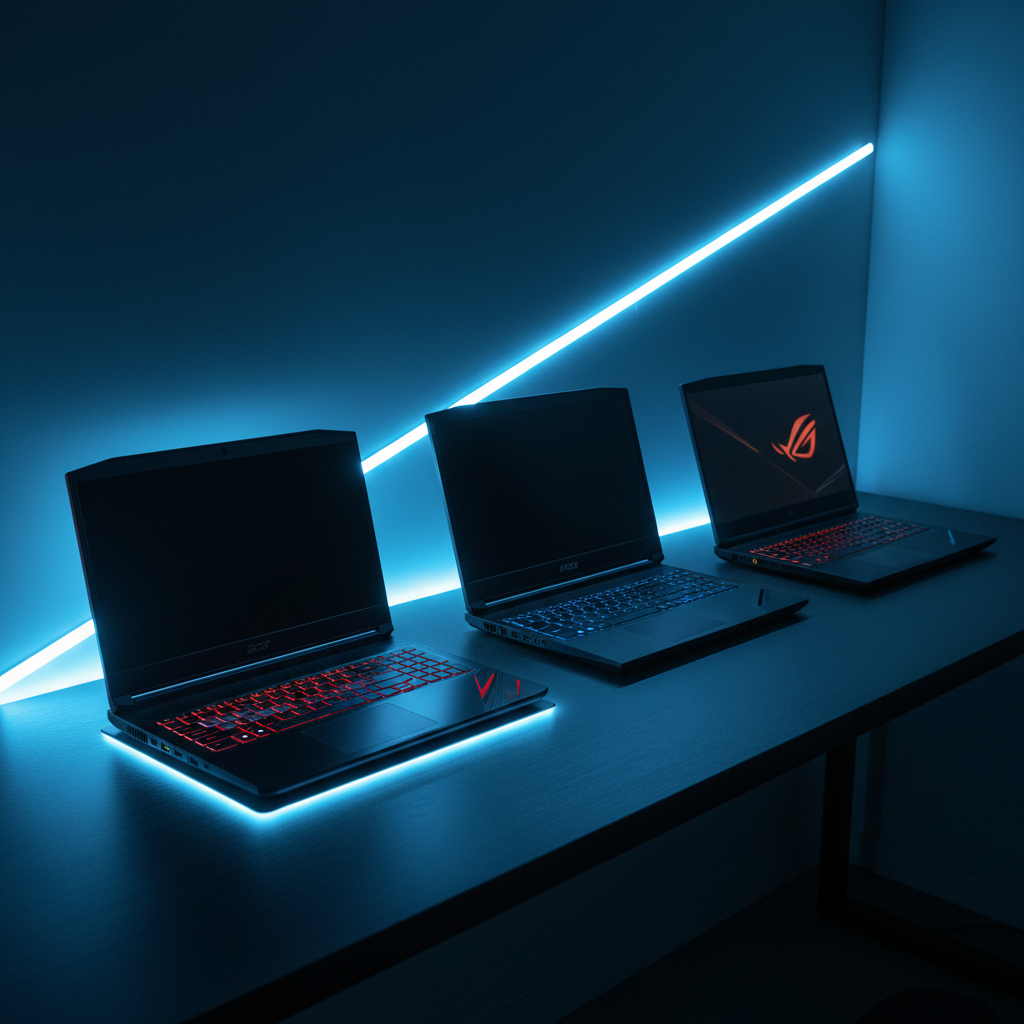
If you’re hunting for the best bang for your buck, the Acer Nitro V i7 leads the pack. At $899.99 it undercuts most rivals, yet it carries a 4.6/5 rating from 200 reviewers and a crisp 144 Hz display that keeps motion smooth. Weighing just 4.66 pounds, it feels light enough for a backpack without sacrificing the 13th‑Gen i7‑13620H CPU and RTX 4050 graphics that handle 1080p titles with ease.
The roundup spans 11 machines across three price tiers. In the budget lane you also have the MSI Thin 15 for $859.00 and the Gigabyte A16 at $1149.99, both sporting 144 Hz panels and solid review scores. Mid‑range options include the ASUS ROG Strix G16 ($1399.99, 240 Hz) and IST Aurora 16 ($1449.99, 120 Hz) that blend higher refresh rates with richer displays. For those ready to splurge, the MSI Katana 15 ($1599.00, 165 Hz), Alienware M18 ($2272.29) and the premium Razer Blade 14 ($2299.99) deliver premium build quality, higher‑end GPUs and, in the Blade’s case, an 11.5‑hour battery life.
Below we break down each model’s strengths, drawbacks and ideal use‑cases so you can match a laptop to your gaming style.

Acer Nitro V i7
Its 57 Wh battery delivers about 6 hours of typical use, keeping you in the game without frequent plugs.

MSI Katana 15 RTX 5070
Ideal for mainstream gamers seeking balance, and costs roughly $699 more than the Acer Nitro V i7.

ASUS ROG Strix G16 i7
Stands out with a 90 Wh battery and 0–50 % fast‑charge in 30 minutes, giving longer playtime and quick top‑ups the other two lack.
Also considered
Score Analysis
Key score advantages vs. runner-up (MSI Katana 15)
Price Range
Acer Nitro V i7
$949.99
MSI Katana 15 RTX 5070
$1,599.00
ASUS ROG Strix G16 i7
$1,259.99

Razer Blade 14 2025
$2,299.99

IST Computers Aurora 16 White
$1,449.99

MSI Thin 15 i7-13620H
$884.99

Alienware Area-51 18
$3,642.44

Gigabyte Gaming A16 RTX 5060
$1,399.99

Alienware M18
$2,199.97

Alienware Aurora 16 RTX 5050
$1,164.88

MSI Crosshair 18 HX AI
$1,684.98
Spec Comparison
TL;DR: The Acer Nitro V i7 packs a 10‑core 13th‑Gen i7, RTX 4050 GPU and 144 Hz IPS panel into a 4.66‑lb chassis for solid 1080p gaming at a budget‑friendly price.
At the heart of the Nitro V sits an Intel Core i7‑13620H with a 2.4 GHz base and a 4.9 GHz max turbo boost, backed by 16 GB DDR5 RAM that can be upgraded to 32 GB at up to 5200 MT/s. Pair that with an NVIDIA GeForce RTX 4050 (6 GB GDDR6, 75 W max power) and you get DLSS 3‑enabled 1080p gameplay that reviewers rate as smooth even in demanding titles.
Compared with the other ten laptops in this roundup, the Nitro V weighs noticeably less at 4.66 pounds versus the MSI Thin’s 7.43 pounds, the Alienware Aurora’s 5.49 pounds, and the ASUS ROG Strix’s roughly 5.84 pounds. Its 57 Wh battery falls between the MSI Thin’s 52 Wh and the higher‑capacity 96 Wh packs found in the Alienware and IST models, giving a typical 6‑hour runtime. The 250‑nit IPS display offers lower brightness than the 300‑nit panels on the Gigabyte, ASUS and IST machines, and its 144 Hz refresh matches the MSI Thin but falls short of the 165 Hz and 240 Hz options on the Katana and ROG Strix respectively.
Professional reviewers highlight the laptop’s strong CPU multitasking capability and the RTX 4050’s ray‑tracing plus DLSS 3 support as major wins. Everyday users echo this, praising the fast PCIe Gen4 1 TB SSD and the lightweight chassis for both gaming sessions and study marathons. The most common complaints focus on the dim, washed‑out screen, audible fan noise under load, and the lack of Thunderbolt on the USB‑C port along with Wi‑Fi 6 (not 6E) connectivity hiccups.
Pros
Cons
Best for: Budget‑conscious gamers, students and engineers who need solid 1080p performance, a lightweight build and upgradable RAM without breaking the bank.
Avoid if: You require a color‑accurate, high‑brightness display for photo/video work, long‑lasting battery life for all‑day unplugged use, or professional‑grade ports such as Thunderbolt.
“looks dull even at full brightness”
TL;DR: The MSI Katana 15 RTX 5070 delivers desktop‑class i9‑14900HX and RTX 5070 performance in a 15.6‑inch QHD+ laptop with a 165 Hz panel, while staying under 5 lb, but its modest 75 Wh battery and dim screen limit long‑haul gaming.
At the heart of the Katana sits an Intel Core i9‑14900HX with 24 total cores (8 performance + 16 efficiency) and a 5.8 GHz turbo boost, paired with an NVIDIA GeForce RTX 5070 that offers 8 GB GDDR7 VRAM, a 2347 MHz boost clock, and 115 W TGP. The combination translates to strong frame rates at QHD and solid multitasking power for content creation.
Weighing just 4.96 lb, the Katana is lighter than the MSI Crosshair 18 HX AI, the IST Aurora 16, and the ASUS ROG Strix G16 i7, and only a shade heavier than the Gigabyte Gaming A16 RTX 5060. Its 75 Wh battery is a bit smaller than the 90‑96 Wh packs used by most peers, which means shorter gaming sessions. On the display side, the 15.6‑inch IPS panel runs at 165 Hz—higher than the 120 Hz of most rivals and only behind the ASUS’s 240 Hz option—while covering 100% of the DCI‑P3 color gamut.
Reviewers consistently praise the raw performance, solid keyboard feel, and generous port selection, noting the inclusion of HDMI 2.1, three USB‑A 3.2 Gen 2 ports, a USB‑C 3.2 Gen 2 with Power Delivery, and gigabit Ethernet. However, users also point out that the screen’s brightness is low, requiring maximum backlight for comfortable use, and that the fans can become noisy under load. Professional reviewers highlight the strong performance‑to‑price ratio and the vibrant QHD+ visuals.
Pros
Cons
Best for: Gamers and creators who want high‑frame‑rate QHD gaming and strong multitasking power without a bulky chassis.
Avoid if: You need long battery life, a bright display for well‑lit rooms, or ultra‑quiet operation.
“one of the best RTX 5070 gaming laptops under $2,000 in 2026”
“surprisingly effective budget gamer”
TL;DR: The ASUS ROG Strix G16 i7 costs $1399.99, weighs 5.84 lb, and earns a 4.4‑star rating from 535 reviewers, offering a 16‑inch 240 Hz display and fast‑charging 90 Wh battery.
What really stands out is the 240 Hz maximum refresh rate on a 16‑inch IPS‑level panel, paired with a 12 GB GDDR7 RTX 5070 Ti GPU and an Intel Core i7‑14650HX with 16 cores. The laptop also packs a 90 Wh battery that can charge from 0 % to 50 % in just 30 minutes, and its RAM runs at 5600 MHz.
At 5.84 lb, the Strix G16 is heavier than the MSI Katana 15 RTX 5070 (4.96 lb) but lighter than the MSI Crosshair 18 HX AI (6.83 lb). Its 90 Wh battery matches the Crosshair’s capacity, exceeds the 75‑Wh of the MSI Katana and the 76 Wh of the Gigabyte A16, yet falls short of the 96 Wh that the IST Aurora 16 and the Alienware Aurora 16 provide. The 165 Hz native refresh rate matches the MSI Katana and beats the IST Aurora’s 120 Hz panel, while the HDMI 2.1 FRL port and 2.5 Gbps Ethernet give it a solid connectivity edge.
Users praise the laptop’s strong 1080p‑1440p performance and the ROG Intelligent Cooling system that keeps temperatures low, but they also note that the fans can become loud when the GPU is pushed. The base FHD+ (1920 × 1200) resolution appears as a step down from QHD+ screens on some rivals, and its bulk makes it less ideal for ultra‑portable setups. Professional reviewers highlight the fast‑charging capability, Wi‑Fi 7 and Thunderbolt 5 support, and the upgrade‑friendly dual M.2 slots.
Pros
Cons
Best for: Enthusiast gamers and content creators who need high frame‑rate performance at 1080p‑1440p, value‑for‑money, and robust connectivity.
Avoid if: You need ultra‑light portability, a premium all‑metal chassis, or a native QHD+ display for maximum visual fidelity.
TL;DR: The Razer Blade 14 2025 packs a 14‑inch 2880 × 1800 OLED screen, AMD Ryzen AI 9 CPU and RTX 5060 GPU into a thin 15.7 mm chassis, delivering premium performance with long battery life at a premium price.
What really sets this laptop apart is its 14‑inch OLED panel delivering 2880 × 1800 pixels, a 120 Hz refresh rate, 100 % DCI‑P3 color gamut and HDR10 support, all within an 81.6 % screen‑to‑body ratio and a chassis only 15.7 mm thick. The display’s 0.2–1 ms response time and matte coating make fast‑paced games look crisp without glare.
Compared with the other ten models, the Blade 14 is heavier than the ultra‑light MSI Katana 15 (4.96 pounds) and Gigabyte A16 (4.85017 pounds) but still fits comfortably in a 14‑inch form factor. Its 72 Wh battery gives a typical 11.5‑hour runtime, outlasting the MSI Crosshair 18’s ~6‑hour claim and the Gigabyte A16’s up‑to‑10‑hour light‑use figure. Noise stays under 54.6 dB, quieter than Alienware M18’s 56.7 dB and MSI Crosshair’s 58.6 dB. Bluetooth 5.4's a step ahead of Alienware’s 5.3 and the Katana’s 5.3, while the 120 Hz screen refresh is modest against the Katana’s 165 Hz panel.
Professional reviewers praise the solid aluminum unibody, the vivid OLED screen and the desktop‑class performance from the Ryzen AI 9 365 (10 cores, 5.0 GHz boost) paired with the RTX 5060’s 8 GB GDDR7 VRAM and 18.4 TFLOPS FP32 output. Users love the full‑size per‑key RGB backlit keyboard and the six‑speaker THX Spatial Audio setup, but they note the soldered‑in RAM (no upgrades) and occasional fan noise spikes under sustained heavy loads. Many comments note the lack of Thunderbolt connectivity.
Pros
Cons
Best for: Those prioritizing quality and willing to pay for premium performance
Avoid if: Reliability and user satisfaction are your top concerns
“The OLED screen is breathtaking—perfect for gaming and movies”
“Surprisingly quiet fans even during intense gaming”
TL;DR: The IST Computers Aurora 16 White packs a 16‑inch 120 Hz QHD+ IPS screen, 32 GB DDR5 RAM, and an RTX 5060 GPU in a 5.49‑lb chassis for $1449.99, offering solid mid‑range performance but runs hot.
The standout feature, a 16.0‑inch QHD+ IPS panel with a 2560 × 1600 resolution, 120 Hz refresh rate, 300 nits brightness and 100 % sRGB coverage, delivers crisp colors for both gaming and creative work. Coupled with a 96 Wh lithium‑polymer battery, the laptop can outlast many rivals on a single charge.
At 5.49 lb, the Aurora is heavier than the MSI Katana 15 (4.96 lb) but lighter than the MSI Crosshair 18 (6.83 lb) and comparable to the Alienware Aurora 16 (5.49 lb). Its 96 Wh battery matches the Alienware Aurora and exceeds the ASUS ROG Strix G16’s 90 Wh and the MSI Katana’s 75 Wh. The 120 Hz panel sits below the ASUS’s 240 Hz peak but tops the Gigabyte Gaming A16’s 120 Hz and Acer Nitro V’s 144 Hz, placing it solidly in the mid‑range refresh category.
Reviewers praise the smooth 1080p‑to‑QHD gaming experience and the upgradeable 32 GB DDR5 memory running at 5600 MT/s, while also noting the laptop’s full‑size keyboard with a white backlight. However, users frequently mention that the panel’s response time leads to ghosting in fast titles, and the CPU can run hot, triggering occasional throttling and noticeable fan noise. Professional reviewers also point out the absence of Thunderbolt 4 and G‑Sync support, which limits connectivity for high‑end peripherals.
Intel powers the Aurora with a Core i7‑240H (10 cores, 6 performance + 4 efficient) that boosts up to 5.20 GHz, and NVIDIA supplies an RTX 5060 GPU clocked at 1470 MHz with 8 GB GDDR7 VRAM. A 280 W charger restores the 96 Wh battery quickly, and the Cryo‑Chamber dual‑fan cooling system manages heat during short bursts, though sustained loads still push temperatures high.
Pros
Cons
Best for: Most users seeking a balanced, mainstream option
Avoid if: You're shopping on a tight budget — it's priced at $1449.99
TL;DR: The MSI Thin 15 packs a 15.6‑inch 144 Hz display, i7‑13620H CPU and RTX 4050 GPU into a 7.43‑lb chassis for $859, delivering solid 1080p gaming with upgrade‑friendly storage.
The laptop’s standout spec is its 15.6‑inch IPS panel running at 144 Hz, paired with an Intel Core i7‑13620H (8 cores, 2.4 GHz base, 4.9 GHz boost) and an NVIDIA GeForce RTX 4050 with 6 GB GDDR6 VRAM and a 45 W TGP. It ships with 16 GB DDR4 RAM clocked at 3200 MHz and a 512 GB NVMe PCIe SSD, while still offering a second M.2 slot and a 2.5‑inch SATA bay for future upgrades. At 7.43 pounds and a depth of 359 mm, it balances portability with a full‑size keyboard that features a blue backlight.
Compared with other contenders, the MSI Thin 15 is heavier than the Acer Nitro V (4.66 lb) and the Alienware Aurora 16 (5.49 lb), but its chassis is dramatically slimmer at just 2 mm wide versus Acer’s 23.6 mm and the Aurora’s 357.1 mm. Its 52 Wh battery trails the Acer’s 57 Wh and the Gigabyte Gaming A16’s 76 Wh, which helps explain the modest 1.5‑hour gaming runtime and 2.5‑hour light‑use claim. The refresh rate matches Acer’s 144 Hz but exceeds the Aurora’s 120 Hz, and the MSI includes a full HDMI 2.1 port and a dedicated RJ45 Ethernet jack that some peers lack.
Reviewers consistently praise the laptop’s price‑to‑performance ratio, noting that the 1080p experience feels smooth on the 144 Hz screen and that the dual‑bay storage layout makes future upgrades painless. Professionals also commend the quiet cooling system for a device this thin. On the flip side, users flag the very short battery life and a plastic hinge that can wobble under stress. The 45 W GPU TGP means the RTX 4050 won’t reach its desktop‑class peak, which aligns with expert comments about limited raw power. Experts describe the display’s color accuracy as washed‑out, a drawback for creators who need precise hues.
Pros
Cons
Best for: Casual to mid‑tier gamers who want a portable 1080p machine with upgrade potential.
Avoid if: You need professional‑grade color accuracy, long battery life, or a more robust hinge for heavy daily transport.
“Battery life described as “poopoo” – lasting only 2–2.5 hours during basic tasks.”
TL;DR: The Alienware Area‑51 18 delivers desktop‑class RTX 5080 graphics, a 18‑inch 300 Hz WQXGA panel and 32 GB DDR5 RAM, but its 9.56 lb chassis, 145‑minute battery life and $3615.30 price keep it firmly in the premium niche.
What really sets this machine apart is the combination of an 18.0‑inch IPS display with a 300 Hz refresh rate, 500 nits brightness and 100 % DCI‑P3 color gamut, paired with an RTX 5080 GPU that carries 24 GB GDDR7 VRAM and a 175 W TGP. Under the hood sits an Intel Core Ultra 9 275HX processor (2.7 GHz base, up to 5.4 GHz boost) and 32 GB DDR5 RAM running at 6400 MHz, all on a 2 TB PCIe Gen5 NVMe SSD that can be expanded to a massive 12 TB RAID‑0 array.
Compared with the other ten laptops in this roundup, the Area‑51 18 is noticeably heavier—at 9.56 lb it tops the weight chart, while many rivals sit under 6 lb. Its $3615.30 list price also sits above the $2,300‑range where most competitors land. On the connectivity side, it outmatches many peers with two Thunderbolt 5 ports (40 Gbps each), HDMI 2.1, a 5 GbE Ethernet port and Wi‑Fi 7, whereas some rivals only offer older USB‑C or slower Ethernet options. Battery life, however, is a clear trade‑off: the 96 Wh pack delivers just 145 minutes under a heavy load, far shorter than the 11.5‑hour typical runtime reported for the Razer Blade 14.
Professional reviewers praise the laptop’s “desktop‑level performance” and the CherryMX ultra‑low‑profile mechanical keyboard with per‑key RGB lighting. Early owners echo the power but warn that the Cryo‑Chamber cooling system can get noisy under load, and the chassis feels “bulky” for anything beyond a desk‑bound setup. The display, while bright and color‑accurate, lacks the deep blacks of OLED panels, which some users note when comparing it to higher‑contrast alternatives.
Pros
Cons
Best for: Those prioritizing quality and willing to pay for premium performance
Avoid if: You're shopping on a tight budget — it's priced at $3615.30
TL;DR: The Gigabyte Gaming A16 RTX 5060 packs a 16‑inch 165 Hz IPS panel, 32 GB DDR5 memory and WINDFORCE Infinity cooling into a 4.85‑pound chassis for $1,149.99.
The laptop’s standout spec is its WINDFORCE Infinity cooling system, which keeps the Intel Core i7‑13620H CPU and RTX 5060 GPU at ≤ 70 °C under typical load. Combined with a 76 Wh battery that can charge to 50 % in 30 minutes, it promises decent session length—up to 10 hours for light use and about 8 hours for productivity tasks.
At 4.85017 pounds, the A16's lighter than most of its rivals; only the Acer Nitro V i7 (4.66 pounds) and MSI Katana 15 (4.96 pounds) tip the scales similarly. Its 76 Wh battery sits in the middle of the pack—larger than the Acer’s 57 Wh but smaller than the Alienware Aurora 16’s 96 Wh. The 165 Hz refresh rate outpaces the Alienware and IST Aurora models (both 120 Hz) and matches the MSI Katana, while the ASUS ROG Strix G16 pushes a faster 240 Hz panel.
Professional reviewers highlight the thermal efficiency, noting the laptop stays cool and delivers solid 1080p performance from the RTX 5060 with 8 GB GDDR7 VRAM. Everyday users praise the tactile 1.7 mm key travel and the ease of upgrading the two SO‑DIMM slots to a maximum of 64 GB, but they also point out the washed‑out colors from the ~66 % sRGB gamut and the modest dual 2 W speakers.
Pros
Cons
Best for: Entry-level buyers or those on a tight budget
Avoid if: Reliability and user satisfaction are your top concerns
“Keyboard feels great—tactile and responsive.”
“Fans are whisper-quiet even during intense games.”
TL;DR: The Alienware M18 packs an 18‑inch QHD+ 165 Hz display, RTX 4070 graphics and a 24‑core i7 CPU into a 4.23 kg chassis, delivering desktop‑level power at the cost of bulk and modest battery life.
The standout feature is the 18‑inch IPS LCD that runs at 2560 × 1600 resolution, 165 Hz refresh and 100% DCI‑P3 colour gamut, all synced with NVIDIA G‑Sync. Paired with an RTX 4070 GPU rated at 12.1 TFLOPS FP32 and a 24‑core i7‑14700HX (2.6 GHz base, 5.6 GHz turbo), the laptop can handle the most demanding titles at high settings.
Compared with the other ten entries, the M18 is the heaviest at 4.23 kg, out‑weighing the Razer Blade 14, MSI Crosshair 18, MSI Katana 15, IST Aurora 16, ASUS ROG Strix G16 and Gigabyte A16. Its 97 Wh battery is larger than most peers, though reviewers still note under‑3‑hour endurance under load. The 300 W AC adapter (optional 330 W) supplies more power than the 200 W charger on the Razer Blade 14 and the 240 W adapter on the MSI Crosshair 18, while the maximum noise of 56.7 dB sits between the quieter Razer Blade 14 (54.6 dB) and the louder MSI Crosshair 18 (58.6 dB).
User feedback repeatedly praises the razor‑sharp display and the optional Cherry MX low‑profile mechanical keyboard, with professional reviewers highlighting the “excellent display with G‑Sync and 100% DCI‑P3 coverage.” At the same time, owners complain about the laptop’s bulk, the short battery life despite the 97 Wh pack, and the fan noise that can become noticeable during intensive sessions. Users also describe rear‑facing ports as hard to reach, and security‑focused users note the lack of a fingerprint sensor.
The M18’s cooling system uses four fans, a vapor‑chamber and liquid‑metal thermal compound, keeping the CPU’s 175 W TGP in check but contributing to the 56.7 dB noise ceiling. Connectivity includes HDMI 2.1, RJ45 2.5 Gbps Ethernet, two Thunderbolt 4 ports, three USB‑A 3.2 Gen 1 ports (one with PowerShare) and a USB‑C 3.2 Gen 1. It ships with 16 GB DDR5 RAM at 4800 MHz (upgradable to 64 GB) and a 1 TB NVMe PCIe 4.0 SSD, with room for up to 9 TB of storage.
Pros
Cons
Best for: Those prioritizing quality and willing to pay for premium performance
Avoid if: Reliability and user satisfaction are your top concerns
TL;DR: The Alienware Aurora 16 packs a 16‑inch WQXGA 120 Hz IPS screen, 96 Wh battery and upgradeable 16 GB DDR5‑5600 RAM for $1,099, delivering solid mid‑range gaming in a sleek, well‑cooled chassis.
The standout feature is the 16 in WQXGA (2560 × 1600) IPS display that runs at 120 Hz and 300 nits brightness, offering a crisp 16:10 workspace for games and media. The panel’s 30 ms response time pairs with NVIDIA G‑SYNC compatibility, and the laptop ships with 16 GB DDR5‑5600 RAM and a 1 TB PCIe Gen4 NVMe SSD that you can expand to 4 TB.
At 5.49 pounds, the Aurora is heavier than the Gigabyte Gaming A16 RTX 5060 (≈4.85 pounds) and the Acer Nitro V (≈4.66 pounds) but lighter than the MSI Thin 15 (≈7.43 pounds) and the ASUS ROG Strix G16 (≈5.84 pounds). Its 96 Wh battery outpaces the Gigabyte’s 76 Wh, Acer’s 57 Wh and MSI’s 52 Wh, matching the IST Aurora’s 96 Wh and exceeding the ASUS 90 Wh. Brightness ties with the ASUS 300 nits and beats the Acer 250 nits, while the 120 Hz refresh sits below the Acer and MSI’s 144 Hz panels and far under the ASUS 240 Hz maximum.
Reviewers praise the sharp WQXGA screen and the user‑accessible upgrade path for RAM and storage. Professional outlets note the dual‑fan vapor‑chamber cooling keeps the GPU below 70 °C, but they also call out the 30 ms response time for ghosting in fast shooters and the 80 W TDP limit of the RTX 5060 GPU as a performance bottleneck. Recurring complaints include the lack of a Thunderbolt port and a plasticky bottom chassis, and some users mention audible fan noise under heavy load.
Under the hood sits an Intel Core 7 240H (10‑core, up to 5.2 GHz) paired with an NVIDIA GeForce RTX 5060 Laptop GPU (8 GB GDDR7, 1,455 MHz boost, 80 W TDP). Connectivity includes HDMI 2.1, two USB‑C ports with DisplayPort 1.4, two USB‑A 10 Gbps ports, Wi‑Fi 7, Bluetooth 5.3 and Gigabit Ethernet, covering most gamers’ needs without a Thunderbolt option.
Pros
Cons
Best for: Mid‑range gamers and power users who want a high‑resolution screen, solid upgrade options and strong cooling without breaking the bank.
Avoid if: You need ultra‑low latency, a high‑power GPU for demanding titles, Thunderbolt connectivity, or a completely silent chassis for competitive esports.
TL;DR: The MSI Crosshair 18 HX AI packs an 18‑inch 240 Hz QHD+ IPS screen, Core Ultra 9 275HX CPU and RTX 5070 GPU, delivering premium gaming power in a hefty, 6.83‑lb chassis.
The standout feature is its 18.0‑inch IPS panel with a 240 Hz refresh rate, 500 nits peak brightness and full 100% sRGB coverage plus 98% DCI‑P3 and 86.1% Adobe RGB. Coupled with up to 798 AI TOPS, the display offers smooth, color‑accurate visuals for both fast‑paced games and creative work.
At 6.83 pounds (3100 g), the Crosshair is heavier than the MSI Katana 15 RTX 5070 at 4.96 pounds and the ASUS ROG Strix G16 i7 at about 5.84 pounds, positioning it as a desktop‑replacement rather than a travel laptop. Its 90 Wh battery matches the ASUS model but falls short of the IST Computers Aurora 16’s 96 Wh and the Alienware Aurora 16’s 96 Wh, which explains the quoted ≈6‑hour light‑use runtime. The 500‑nit panel also outshines the typical 300‑nit displays used by many peers.
Reviewers consistently praise the RTX 5070 GPU and the 2.7 GHz base (5.4 GHz turbo) Core Ultra 9 processor for delivering “excellent frame rates” in demanding titles. They also note the large screen and high refresh rate as a visual plus. On the downside, users mention that the laptop’s noise can climb to 58.6 dB under full load and that the lack of HDR and adaptive‑sync leaves some visual features wanting. Professional reviewers highlight the up‑gradable DDR5 memory (up to 96 GB at 6400 MHz) and dual‑slot NVMe storage as future‑proof touches.
Pros
Cons
Best for: Enthusiast gamers and content creators who need a large 18‑inch high‑refresh display and AI acceleration.
Avoid if: You need long battery life, ultra‑light weight for travel, HDR or adaptive‑sync display features, or a more portable machine.
Breakdown
Acer Nitro V i7
Pros
MSI Katana 15 RTX 5070
Pros
ASUS ROG Strix G16 i7
Pros
Razer Blade 14 2025
Cons
Based on scoring data and product specs
Personalized picks
Best Overall Pick
Acer Nitro V i7
Best Budget PickBest for: Users with specific technical requirements or compatibility needs
MSI Katana 15 RTX 5070
Best for: Most users seeking a balanced, mainstream option
$1,599.00+$649.01 vs winner
Skip MSI Crosshair 18 HX AI if…
You need advanced features or professional-grade performance
We’re naming the Acer Nitro V i7 the outright winner of our gaming‑laptop roundup. At $899.99 it undercuts most rivals while still packing a 15.6‑inch IPS panel with a 144 Hz refresh, a 6 GB GDDR6 RTX 4050 GPU and 16 GB DDR5 RAM. Its 1 TB PCIe Gen4 SSD provides fast storage, and a 57 Wh battery delivers about six hours of playtime. A 4.6‑star rating from 200 reviewers and a light 4.66‑pound chassis round out the value proposition.
The MSI Katana 15 RTX 5070 earns the runner‑up slot, ideal if you need extra horsepower for 1440p AAA titles. It sports a 15.6‑inch IPS screen at 165 Hz and a 2560 × 1440 resolution, it uses an 8 GB GDDR7 RTX 5070 GPU and a 32 GB DDR5 kit. With an Intel Core i9‑14900HX and a 75 Wh battery, the machine stays responsive under heavy loads, though it sits a bit heavier at 4.96 pounds.
Looking beyond the top two, the MSI Thin 15 i7‑13620H remains the best ultra‑budget option for casual gamers, while the MSI Katana 15 continues to serve as a solid mid‑range choice for those who want 1440p performance without breaking the bank. For a premium experience, the Alienware Area‑51 18 delivers top‑tier specs and a high‑end build for enthusiasts willing to invest up to $3615.30.
Pick the Acer Nitro V i7 today and start gaming without compromise.
The Acer Nitro V i7 weighs about 2.1 kg and has a 57 Wh battery that the manufacturer lists for roughly six hours of use, making it the lightest and most travel‑friendly in the lineup. While the Razer Blade 14 offers a longer 11.5‑hour battery life, it weighs 3.5 kg, which can be a drawback for frequent commuters.
Please sign in to leave a review
No reviews yet. Be the first to review!
