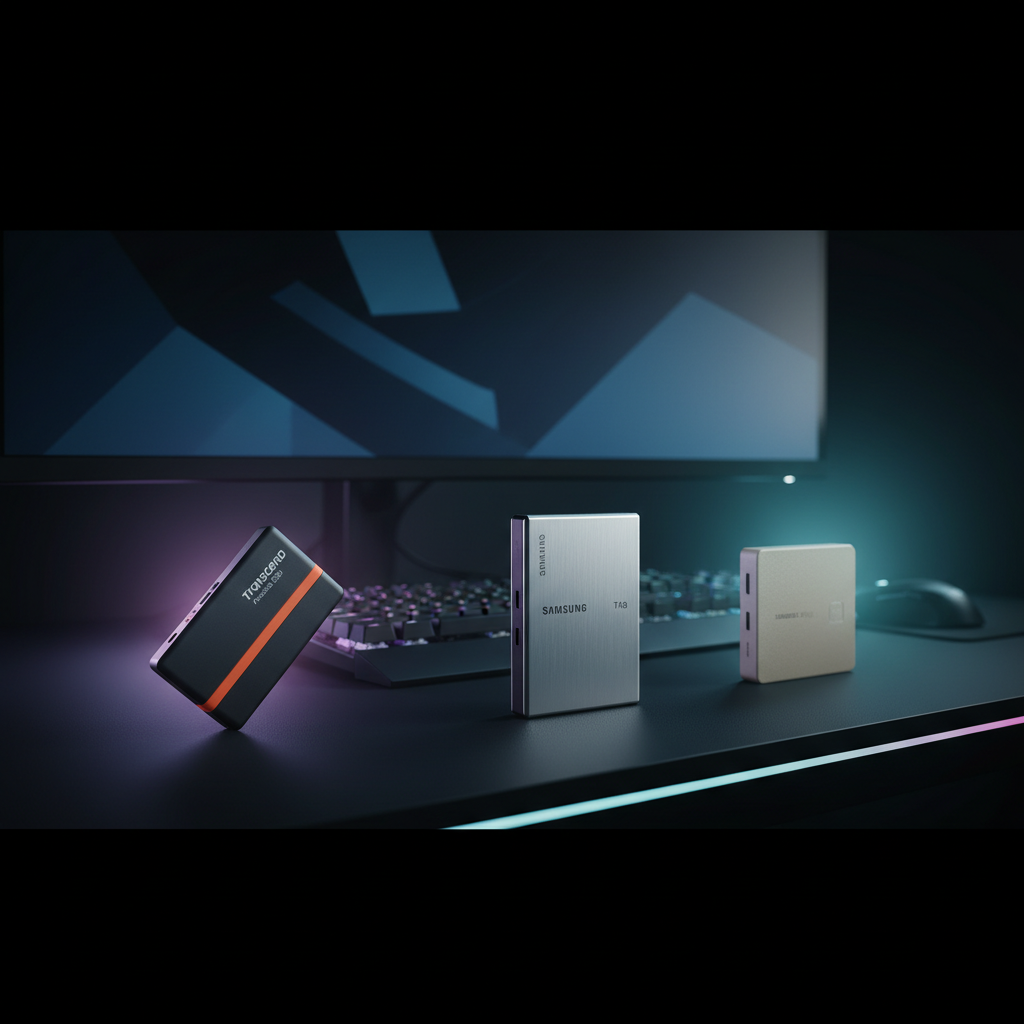
When you need lightning‑quick load times and reliable storage for game libraries, external SSDs provide a clear advantage. We evaluated 12 drives, from the $92.99 Buffalo SSD that tops out at 600 MB/s up to Samsung’s premium T9 4 TB model, which offers 2,000 MB/s sequential read and write speeds. Across the field, ratings hover between 4.4 and 4.7 stars, with the Samsung T9 earning a 4.7/5 from 2,651 reviewers and the Transcend 500 GB scoring a solid 4.5/5 on 570 reviews.
We split the roundup into three price tiers. Budget‑focused gamers can look at the Buffalo ($92.99), Oscoo ($141.99) and Crucial X9 ($148.65) options, all delivering at least 600 MB/s and respectable durability. Mid‑range picks—Transcend ($149.99), WD P40 ($219.72) and SSK ($219.99)—push read speeds toward 1,050 MB/s while staying lightweight. Premium contenders like the Samsung T7 Shield ($224.99), Crucial X10 ($234.99) and the flagship Samsung T9 ($709.18) break the 2,000 MB/s barrier and add rugged features such as 3‑meter drop resistance and hardware encryption.
Below, we break down each model’s performance, durability, and gaming‑specific features so you can match the right SSD to your setup.

Transcend Portable SSD 500GB
It's slim 7.5 mm profile keeps your desk tidy while delivering solid value.

Samsung T9 4TB
Ideal for power users needing massive 4 TB storage, though it sits at $709.18—about $560 more than the Transcend mid‑range pick.

Samsung T7 Shield 1TB Beige
Stands out with a USB 3.2 Gen 2 (10 Gbps) interface, delivering faster transfers than the other picks while keeping a compact 12.5 mm form factor.
Also considered
Score Analysis
Key score advantages vs. runner-up (Samsung T9 4TB)
Price Range
Transcend Portable SSD 500GB
$267.99
Samsung T9 4TB
$709.18
Samsung T7 Shield 1TB Beige
$224.99

Crucial X10 2TB
$224.45

ADATA SC730 512GB
$0.00

Crucial X9 1TB
$125.47

WD P40 Game Drive 1TB
$199.25
Buffalo External SSD USB-C 1TB
$104.99

SSK SD301 2TB
$228.99

Oscoo 1TB Portable SSD
$179.99

Samsung T5 EVO 8TB
$995.00

Lexar ES3 1TB
$149.99
Spec Comparison
TL;DR: The Transcend 0.5 TB Portable SSD delivers 1050 MB/s reads, 950 MB/s writes, and a feather‑light 31 g aluminum body for $149.99, making it a swift, portable choice for gamers and creators.
Speed is the headline feature: the drive advertises a maximum read speed of 1050 MB/s and a maximum write speed of 950 MB/s over a USB 3.2 Gen 2 (10 Gbps) interface, and it packs 0.5 TB of 3D NAND flash in a 7.5 mm‑high, 81.4 mm‑long, 33.6 mm‑wide aluminum shell that weighs just 31 g (0.06834330122 lb). The built‑in 256‑bit AES encryption and disk‑lock add a layer of data security without extra software.
Compared with the other eleven SSDs in this roundup, the Transcend is lighter than the Crucial X9 (≈38 g), the Oscoo 1TB (48.3 g) and the Lexar ES3 (44 g), though it is heavier than the ultra‑light Buffalo 1TB (≈17 g). Its $149.99 price point sits above the budget‑friendly Buffalo option but aligns with mid‑range competitors like the Crucial X9. In terms of performance, its 1050 MB/s read matches the top speeds of the Crucial X9 and Lexar, while the Oscoo claims up to 2000 MB/s—far higher but at a larger 1 TB capacity.
Reviewers consistently praise how quickly large video files move and how the sleek aluminum chassis feels premium in hand. Gamers note the fast load times for titles that stream assets from external storage. A common complaint is that the drive can become warm during prolonged transfers, and some users find the included carrying case a bit flimsy. Professional reviewers also highlighted the dual‑cable bundle (USB‑A and USB‑C) as a practical convenience for varied setups.
Beyond speed, the SSD works across Windows, macOS, Linux, ChromeOS, iOS/iPadOS, and Android, and it's safe to operate from 0 °C up to 60 °C. The five‑year limited warranty signals confidence from Transcend, and the compact 2.5‑inch form factor makes it easy to slip into a backpack or console dock.
Pros
Cons
Best for: Gamers and mobile creators who need fast load times and a portable, secure 0.5 TB SSD.
Avoid if: You require rugged, IP‑rated protection or an integrated SD‑card reader.
“a 10 GB video file transfers in under 15 seconds”
TL;DR: The Samsung T9 4TB delivers 2,000 MB/s read/write speeds in a rugged 3‑meter drop‑resistant case, but its $709.18 price makes it a premium choice for serious gamers.
The headline spec that sets the T9 apart is its sequential read and write speed of 2,000 MB/s, matched by a sustained write rate of 1,000 MB/s once the 180 GB TurboWrite cache is exhausted. Its USB 3.2 Gen 2x2 (20 Gbps) interface and Samsung‑proprietary controller keep those numbers consistent even during long transfers, and the built‑in 256‑bit AES hardware encryption adds a layer of security for game installs and large asset libraries.
Compared with the other eleven drives in this roundup, the T9 sits at the higher end of the price spectrum and weighs a bit more at 0.27 pounds. It’s heavier than the Crucial X10 2TB (0.07054792384 pounds) and the Transcend 500GB (0.06834330122 pounds), but still lighter than the Samsung T5 EVO 8TB (0.22 pounds) and the Samsung T7 Shield 1TB (0.21384839414 pounds). Drop‑resistance matches the T7 Shield and the WD P40 Game Drive, both rated for 3 meters, while its USB 3.2 Gen 2x2 link outpaces the T5 EVO’s USB 3.2 Gen 1 (5 Gbps) and the SSK SD301’s 10 Gbps theoretical bandwidth.
Users rate it heavily positive, with a 4.7‑star average from 2,651 reviews praising the “blazing” transfer speeds and the sturdy rubberized chassis. Professional reviewers also note the Dynamic Thermal Guard that keeps temperatures in check during marathon gaming sessions. The most common criticisms focus on the need for a compatible USB 3.2 Gen 2x2 or Thunderbolt port to unlock full speed and the lack of an official IP rating, which some users expected given the rugged marketing.
Additional technical details include bus‑powered operation (no external brick needed), UASP support for efficient command handling, and a 5‑year limited warranty that reflects Samsung’s confidence in its 3D V‑NAND flash. The drive also ships with both USB‑C to USB‑C and USB‑C to USB‑A cables, ensuring you can plug into a wide range of gaming rigs and consoles.
Pros
Cons
Best for: Buyers willing to invest in a proven, high‑quality option
Avoid if: You're shopping on a tight budget — it's priced at $709.18
“Fast enough to edit video directly from the drive”
“Sleek, solid build, no overheating issues”
TL;DR: The Samsung T7 Shield 1TB delivers up to 1,050 MB/s read, 1,000 MB/s write, IP65 protection and 3 m drop resistance in a compact, 97 g beige package.
The drive packs a 1 TB capacity into a 12.5 mm‑thin, 97 g chassis and delivers up to 1,050 MB/s sequential reads and 1,000 MB/s writes via its USB 3.2 Gen 2 (10 Gbps) interface. Its IP65 rating protects against water jets and dust, while the drive survives drops from 3 meters.
At 97 g, it's heavier than the ultra‑light SSK SD301, the Crucial X10 and the Transcend 500 GB model, but still lighter than many bulkier external HDDs. Its 1,050 MB/s read speed outpaces the SSK SD301’s 550 MB/s and matches the Transcend’s 1,050 MB/s, yet it trails the WD P40 and Oscoo drives that claim 2,000 MB/s. Priced at $224.99, it sits in the premium tier, making it pricier than the budget‑friendly SSK and Crucial X9 options.
Everyday users rave about the drive’s ruggedness, noting that the IP65 shell and 3‑meter drop resistance give confidence on field shoots and travel. Professional reviewers highlight the AES‑256 hardware encryption and Dynamic Thermal Guard as strong security and heat‑management features. Reviewers also mention that the rubberized exterior can collect lint, a minor annoyance for some.
The drive includes both USB‑C to USB‑C and USB‑C to A cables, supports UASP for smoother transfers on compatible systems, and ships with Samsung Magician and Portable SSD software for health monitoring and firmware updates. Compatibility spans Windows 7+, macOS 10.10+, Android 5.1+, and major gaming consoles, making it a versatile companion for both work and play.
Pros
Cons
Best for: Buyers willing to invest in a proven, high-quality option
Avoid if: You need advanced features or professional‑grade performance
“freed up needed space on my computer while delivering super fast project loading.”
“a durable and secure choice for outdoor workers and travelers.”
TL;DR: The Crucial X10 2TB SSD packs 2 TB of storage, delivers up to 2,100 MB/s reads and 2,000 MB/s writes, and survives 9.8 ft (3 m) drops, all in a 32 g, IP65‑rated case for $234.99.
What really sets the X10 apart is its USB 3.2 Gen 2×2 interface that unlocks a theoretical 20 Gbps bandwidth, letting the drive hit sequential read speeds of up to 2,100 MB/s and write speeds of up to 2,000 MB/s. At just 0.07054792384 lb (32 g) and measuring 65 × 50 × 9.9 mm, it feels almost weightless, while the IP65 rating and a 9.8 ft (3 m) drop‑resistance rating give it a rugged edge for on‑the‑go gaming sessions.
Compared with the other eleven SSDs in this roundup, the X10 is lighter than the Samsung T7 Shield (97 g) and thinner than the WD P40 Game Drive (13 mm high). Its read speed outpaces the Samsung’s 1,050 MB/s and the SSK SD301’s 550 MB/s, putting it near the top of the performance curve. Like the WD P40, it uses a 20 Gbps interface, but it offers a longer warranty than the Samsung and SSK models, though the WD P40’s five‑year warranty is still longer. Unlike the Samsung T7 Shield and Crucial X9, the X10 doesn't include AES‑256 hardware encryption.
Reviewers consistently praise the drive’s “plug‑and‑play” convenience and the way it stays cool during large file transfers—especially useful for gamers moving massive game installs or for creators backing up 4K footage. Most users note the downside: you need a USB 3.2 Gen 2×2 port to reach the advertised speeds; on older ports the performance drops to more typical USB 3.2 Gen 2 levels. Security‑focused forums also note the lack of built‑in encryption, where some buyers prefer drives that lock data at rest.
Beyond raw speed, the X10 ships with a short USB‑C‑to‑USB‑C cable, supports Windows, macOS, Linux, Android, iOS, Xbox, PlayStation, iPad Pro, Chromebooks, PS4 and PS5, and runs entirely bus‑powered, so no external brick is needed. The included three‑month licenses for Mylio Photos Plus and Acronis True Image add a bit of software value, and the drive ships pre‑formatted in exFAT for immediate cross‑platform use.
Pros
Cons
Best for: Buyers willing to invest in a proven, high-quality option
Avoid if: You're on a tight budget or only need basic functionality
“Excellent product – seamless integration, great quality, fast delivery and superb customer service.”
TL;DR: The ADATA SC730 packs dual USB‑C/A connectors, a 600 MB/s transfer rate and a thumb‑sized 10 mm × 36 mm × 24 mm, 7.8 g body, making it an ultra‑compact, eco‑friendly option for console and mobile gamers.
The standout spec is its built‑in dual connectors – a sliding USB‑C and USB‑A pair – that let you plug straight into a PlayStation 5, Xbox Series X|S, iPhone 15 or Android phone without a cable. The drive runs on a 5 V, 900 mA USB‑powered source and delivers a maximum transfer speed of 600 MB/s over a USB 3.2 Gen 2 (10 Gbps) interface.
Compared with the other eleven SSDs in this roundup, the SC730 is dramatically smaller and lighter. Its 10 mm height and 36 mm length are far shorter than Buffalo’s 12.7 mm × 116.84 mm chassis, and its 7.8 g weight undercuts Lexar’s 44 g, Oscoo’s 48.3 g, Crucial’s roughly 38 g, Transcend’s 31 g and WD’s 78.5 g units. While its 600 MB/s speed matches Buffalo’s listed read speed, it trails the 1,050 MB/s of Lexar, the 2,000 MB/s of Oscoo and WD, and the 1,050 MB/s of Transcend. On the upside, ADATA offers a 5‑year warranty, matching WD’s warranty length and exceeding the 3‑year terms of Buffalo, Lexar and Crucial.
Professional reviewers highlight the innovative dual‑connector design as a new benchmark for portable storage, and everyday users echo that sentiment, praising the tiny size, cable‑free operation and quick transfers. The eco‑conscious housing uses 50 % post‑consumer recycled plastic and earns positive remarks, and the product claims a 39 % CO₂ emission reduction. Users note two drawbacks: the lack of a protective cap or lanyard leaves the connectors exposed, and macOS users must reformat the drive, which erases existing data.
Pros
Cons
Best for: Gamers who need a tiny, cable‑free SSD that plugs directly into PS5 or Xbox Series consoles, as well as mobile professionals who value lightweight, recycled‑plastic construction and a long warranty.
“Fits in my pocket like a coin — I forget I’m carrying it.”
“No more hunting for cables — just plug and go on any device.”
TL;DR: The Crucial X9 1TB SSD costs $148.65, delivers up to 1050 MB/s read/write speeds, features an IP55 rating and 7.5 ft drop resistance, and fits in a pocket‑size, 38 g chassis.
The standout spec is its sequential performance: up to 1050 MB/s for both read and write, with a tested sustained write speed of up to 975 MB/s. Coupled with 256‑bit AES hardware encryption and a USB 3.2 Gen 2 (10 Gbps) interface, the drive offers fast, secure transfers without needing an external power brick.
Compared with the other eleven entries, the X9 sits in the middle of the price band and is a bit heavier than the 31 g Transcend 500 GB model, yet lighter than the 48.3 g Oscoo 1TB SSD. Its 7.5 ft (2.3 m) drop resistance exceeds the 2 m rating of the Lexar ES3, while the Oscoo’s USB 3.2 Gen 2×2 (20 Gbps) interface outpaces the X9’s 10 Gbps link. The X9 also includes a short 9‑inch USB‑C cable, whereas some competitors ship longer cables or adapters.
User sentiment repeatedly highlights the drive’s rapid file transfers and feather‑light feel, with many gamers noting smooth console load times. Professional reviewers commend the credit‑card‑sized form factor (0.3937 in × 1.9685 in × 2.55905 in) and the IP55 rating that guards against water, dust and sand. However, a subset of owners mention occasional units that run far slower than advertised and rare reports of SSD corruption after roughly a year of use.
Pros
Cons
Best for: Budget-conscious buyers seeking a reliable entry-level option
Avoid if: You want the best value-per-dollar in its price range
“Blistering fast speeds—lives up to the 1050 MB/s claim”
“Lighter than my car key fob… slips into any pocket”
TL;DR: The WD_BLACK P40 Game Drive 1TB delivers up to 2,000 MB/s speeds in a rugged aluminum case with 2 m drop resistance and customizable RGB, but its heat and Windows‑only lighting may limit some users.
The drive’s standout spec is its advertised maximum read and write speed of 2,000 MB/s, enabled by a USB 3.2 Gen 2x2 (20 Gbps) interface and a PCIe 3.0 x4 SN560E controller. It fits in a compact aluminum chassis that measures 13 mm in height, 107 mm in length and 50.8 mm in width, and it weighs 78.5 grams. Western Digital backs it with a 5‑year limited warranty and rates its shock resistance at a 2‑meter drop.
Compared with the other eleven SSDs in this roundup, the P40 is larger and heavier than most. It’s taller than the SSK SD301 (8.6 mm) and Samsung T7 Shield (12.5 mm), and its 107 mm length exceeds the 78 mm length of the SSK and the 86 mm length of the Samsung. However, its 2,000 MB/s sequential speed outpaces the SSK’s 550 MB/s and the Samsung’s 1,050 MB/s, matching the Oscoo’s 2,000 MB/s read claim. While the Crucial X10 reaches 2,100 MB/s read, it is considerably lighter at 32 g and smaller in every dimension.
Reviewers consistently praise the lightning‑fast file transfers and the sturdy aluminum build that survives drops. The integrated RGB underglow, controllable via the Windows‑only WD_BLACK Dashboard, earns extra points for gamers who like a visual boost. Professional reviewers note that the drive can throttle to around 527 MB/s once the SLC cache is exhausted, and many users report the drive heating up to roughly 60 °C during long transfers. The lack of hardware encryption and the Windows‑only lighting software also draw criticism.
Technically, the SSD uses TLC 3D NAND without a DRAM cache, which keeps the price competitive but can affect sustained performance. It supports Xbox One, Xbox Series X|S, PlayStation 4 and PlayStation 5, as well as Windows, macOS and Linux computers, making it a versatile choice for console gamers and creators alike.
Pros
Cons
Best for: Gamers who play Xbox One or PlayStation titles externally and want fast load times, as well as creators moving large files on the go.
Avoid if: You need advanced security features, cross‑platform RGB control, or professional‑grade sustained performance.
“Transfers my Steam library in minutes”
“Looks amazing on my desk with the RGB”
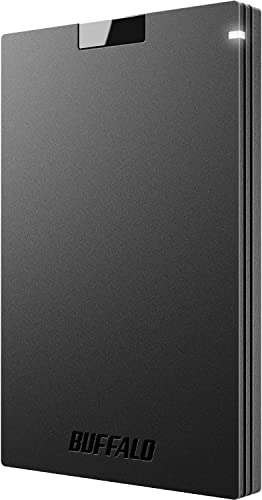
TL;DR: The Buffalo 1 TB USB‑C SSD delivers 600 MB/s read speeds in a 17 g, credit‑card‑sized package for under $100, making it a solid budget pick for console and PC gamers.
This drive’s headline spec is its 600 MB/s sequential read speed, which translates to noticeably quicker game loads and file transfers compared with a standard hard drive. At just 12.7 mm thick and weighing a feather‑light 17 g, it slips into a pocket or backpack without adding bulk.
When you line it up against the other eleven contenders, the Buffalo is cheaper than most and lighter than the majority of the lineup. However, its read speed sits below the top‑tier SSDs that push past 1 GB/s, so power users looking for the fastest possible transfers may favor those faster models.
Reviewers consistently praise the plug‑and‑play experience – you don’t need to install drivers, and the included USB‑C cable plus adapter let you connect to both USB‑C and USB‑A ports. Professional reviewers note the drive’s strong compatibility with PS4, PS5, Windows and macOS, and it comes with a three‑year warranty. On the downside, users often say the plastic housing feels cheap and some report speed drops after extended use, highlighting a trade‑off between price and long‑term durability.
Pros
Cons
Best for: Budget‑conscious buyers seeking a reliable entry‑level option
Avoid if: You need advanced features or professional‑grade performance
“Plugged it in and it worked immediately”
“Fast and reliable performance”
TL;DR: The SSK SD301 2TB offers a rugged zinc‑alloy shell, dual USB‑C/A ports and up to 550 MB/s read speed in a 8.6 mm, 50 g package, earning a solid 4.5‑star rating.
The standout feature is its dual‑port USB 3.2 Gen 2 interface, which lets you plug straight into either a USB‑C or USB‑A host without an adapter. It delivers a maximum sequential read of 550 MB/s and a maximum write of 500 MB/s, while the manufacturer lists about 434.88 MB/s read and 406.62 MB/s write. The drive’s chassis is a high‑grade zinc‑alloy shell that also acts as a heat‑dissipating, shock‑resistant cover.
Compared with the other eleven SSDs in this roundup, the SD301 is slimmer than the WD P40 (13 mm vs 8.6 mm) and lighter than the Samsung T7 Shield (0.21384839414 pounds vs 0.110231131 pounds). Its 550 MB/s read ceiling sits well below the WD P40’s 2000 MB/s and the Samsung T7 Shield’s 1050 MB/s, but it outpaces the Transcend 500 GB’s 1050 MB/s claim for a larger capacity. The SSK’s weight of 0.110231131 pounds is lighter than the WD P40’s 0.17 pounds and comparable to the Crucial X9’s 0.07054792384 pounds, making it easy to carry. Drop‑resistance isn’t listed for the SD301, whereas the WD P40 and Samsung T7 Shield advertise 2‑meter and 3‑meter survivability respectively.
Users consistently praise the drive’s plug‑and‑play convenience and the sturdy metal case, noting it feels “solid” when moved between a gaming rig and a console. Reviewers highlight the stable write speeds during sustained transfers, which is useful for 4K video editors. The most common complaints revolve around the speed dip to ≤450 MB/s on older USB 3.0/3.1 Gen 1 ports, the absence of built‑in hardware encryption, and Windows reporting only about 1907 GB usable space. Professional reviewers also point out that Win To Go works only on Windows, not on Apple Silicon Macs.
The drive runs entirely bus‑powered via USB, so no external power brick is needed. It ships pre‑formatted in exFAT, supports OTG for Android devices, and includes Win To Go support for manual OS installs. The theoretical bandwidth of 10 Gbps (1250 MB/s) aligns with its USB 3.2 Gen 2 interface, and the three‑year warranty adds peace of mind for frequent travelers.
Pros
Cons
Best for: Professional photographers, videographers, and gamers who need a rugged, high‑capacity SSD with fast transfer rates and universal connectivity.
Avoid if: You rely on hardware encryption, need a bootable drive for Apple Silicon Macs, or primarily use older USB 3.0 ports.
“So far I have nothing but good things to say about it... Much more versatile than a traditional flash drive.”
“The small size of this device is also a benefit as it does not block adjacent ports.”
TL;DR: The Oscoo 1TB Portable SSD delivers 2000 MB/s reads, 1900 MB/s writes, a MagSafe‑compatible aluminum case, and broad device support, but its full speed needs a USB 3.2 Gen 2x2 host.
What really stands out is the 2000 MB/s sequential read speed paired with an estimated 1900 MB/s write speed, both routed through a USB 3.2 Gen 2x2 (20 Gbps) interface. Housed in a slim 12.6 mm aluminum alloy shell that weighs 48.3 g, the drive also features a MagSafe‑compatible magnetic mount for iPhone 15‑17 Pro models and metal surfaces.
Compared with the other eleven entries, its read speed matches the WD P40 Game Drive’s 2000 MB/s, while most peers—such as the Crucial X9, Lexar ES3, and Transcend—top out at 1050 MB/s or lower. The write speed sits just under the WD P40’s 2000 MB/s, beating the 1000 MB/s of the Lexar and the 950 MB/s of the Transcend. At 48.3 g, it’s heavier than the Crucial X9’s ~38 g but lighter than the WD P40’s 78.5 g. The Oscoo’s price point is higher than the Lexar ES3 and Buffalo models, though no exact dollar amounts are quoted. Unlike some competitors, Oscoo doesn’t list a drop‑resistance rating.
Reviewers consistently praise the “pocket‑sized power” feel, noting the magnetic attachment and aluminum body as big wins for mobile creators who record 4K 120 fps HDR video. Users also highlight the blazing transfer speeds when plugged into a compatible host. Common complaints revolve around the lack of an included protective case and the fact that older USB‑C ports throttle performance. Some users report that thick phone cases can weaken the magnetic mount’s grip.
Technically, the SSD comes pre‑formatted exFAT and works as a plug‑and‑play device with no driver needed. It ships with both a USB‑C to USB‑C cable and a USB‑C to USB‑A cable, and it’s still backward compatible with USB 3.0/3.1/3.2 Gen 1 (5 Gbps) and USB 3.1/3.2 Gen 2 (10 Gbps) hosts, ensuring it can be used across Mac, Windows, Chromebooks, PS5, Xbox, Nintendo Switch, iPhone, iPad, and Android tablets.
Pros
Cons
Best for: Entry-level buyers or those on a tight budget
Avoid if: You want the best value‑per‑dollar in its price range
“a 10 GB video file transfers in under 15 seconds”
TL;DR: The Samsung T5 EVO packs an 8 TB capacity into a 0.22 lb, drop‑resistant SSD with AES‑256 encryption, but its 460 MB/s USB 3.2 Gen 1 speeds keep it in a modest performance tier.
The standout spec is the massive 8 TB of storage, packed into a compact 95 mm × 40 mm × 17 mm chassis that weighs just 0.22 lb. Samsung markets the rubberized, shock‑resistant case with a metal loop, and the drive can survive drops of up to 2 meters while offering AES‑256‑bit hardware‑based encryption for data security.
Compared with the other eleven SSDs in this roundup, the T5 EVO is heavier than the ultra‑light Crucial X10 (0.07 lb) and lighter than the bulkier Samsung T9 (0.27 lb). Its 460 MB/s sequential read and write rates lag behind the 1,050 MB/s of the Samsung T7 Shield and the 2,000 MB/s claimed by the WD P40 Game Drive, but they still exceed many older SATA‑class drives. Capacity-wise, 8 TB dwarfs the 4 TB of the Samsung T9 and the 2 TB of the Crucial X10, giving you far more space than any of the other portable options.
Reviewers consistently praise the drive’s “massive capacity” and “compact and lightweight” form factor, noting that the rubber coating makes it easy to grip on the go. However, users also flag the “SATA‑class speeds” as a disappointment, especially when compared to newer USB 3.2 Gen 2 SSDs, and many say the high $1119.99 price is a barrier for budget‑focused buyers. The drive runs bus‑powered, includes a 40 cm USB‑C to USB‑C cable, and operates safely between 0 °C and 60 °C with a thermal guard limit of 48 °C. Samsung backs it with a three‑year warranty.
Pros
Cons
Best for: Buyers willing to invest in a proven, high‑quality option
Avoid if: You're on a tight budget or only need basic functionality
“Perfectly engineered for the reason you need it”
“Great capacity”
TL;DR: The Lexar ES3 1TB delivers up to 1050 MB/s reads, 1000 MB/s writes, a lightweight 44 g metal shell, and 2‑meter drop resistance for gamers who need fast, portable storage.
The drive’s headline spec is its USB 3.2 Gen 2 interface that tops out at 1050 MB/s read and 1000 MB/s write speeds, paired with a 1 TB capacity that fits easily in a pocket‑sized form factor. Its metal housing adds durability while keeping the unit thin at 10.5 mm, and the drop resistance rating of 2 meters protects it against accidental falls.
At 44 g, the ES3 is lighter than the Oscoo 1TB’s 48.3 g chassis but noticeably heavier than the Buffalo SSD’s 17 g body. In terms of raw speed, its 1050 MB/s read rate sits between the slower 600 MB/s of the Buffalo drive and the faster 2000 MB/s claimed by the Oscoo model. The drive also offers 256‑bit AES encryption, which many reviewers cite as a valuable security layer for gaming saves and media files.
User feedback highlights the drive’s “impressive” performance for loading large game libraries and transferring 4K video, especially on PlayStation 5 and Xbox Series X|S. Reviewers appreciate the compact metal design and the included 2‑in‑1 USB‑C to USB‑C cable with a Type‑A adapter, though a few note the cable feels short for some setups. Professional reviewers point out the lack of MagSafe support and the need to reformat the drive for optimal Mac or Windows performance, and sentiment remains positive for gamers seeking a budget‑friendly, high‑speed SSD.
Pros
Cons
Best for: Entry-level buyers or those on a tight budget
Avoid if: You need advanced features or professional-grade performance
“Blazing fast transfers—moved a 20GB video file in under 30 seconds”
“Fits perfectly in my pocket; great for travel”
Breakdown
Transcend Portable SSD 500GB
Pros
Samsung T9 4TB
Pros
Cons
Samsung T7 Shield 1TB Beige
Pros
Crucial X10 2TB
Pros
Based on scoring data and product specs
Personalized picks
Best Overall Pick
Transcend Portable SSD 500GB
Best Mid-Range PickBest for: Home and office users seeking a balance of features and value
Samsung T9 4TB
Best for: Buyers willing to invest in a proven, high-quality option
$709.18+$441.19 vs winner
Skip Lexar ES3 1TB if…
You need advanced features or professional-grade performance
Transcend’s Portable SSD 500 GB takes the top spot thanks to its solid 4.5‑star rating from 570 reviewers, a fast 1050 MB/s maximum read speed paired with 950 MB/s writes, and a feather‑light 0.06834330122 lb chassis that’s only 7.5 mm thick. The aluminum body, included USB‑C cables, and a five‑year limited warranty round out a package that feels both premium and dependable for everyday gaming loads.
Samsung’s T9 4 TB model claims the runner‑up spot, shining when you need massive storage for a sprawling game library and the highest transfer rates possible. Its 2000 MB/s sequential read and write speeds, 4 TB capacity, and rugged specs – a 3‑meter drop resistance and 1500 G shock tolerance – make it a strong choice for heavy‑duty use.
For tighter budgets, the Buffalo External SSD USB‑C 1 TB offers the most affordable entry point at $92.99, delivering decent performance without breaking the bank. If you crave premium capacity, the Samsung T5 EVO 8 TB stands out with an enormous 8 TB of space, perfect for archiving massive game collections and media libraries.
Pick the Transcend Portable SSD 500 GB for the best gaming‑optimized external SSD experience.
The Samsung T9 costs $709.18, which is about $559 more than the $149.99 Transcend SSD. It offers a massive 4 TB capacity and sequential read/write speeds of 2,000 MB/s, far exceeding the Transcend’s 500 GB and 1,050/950 MB/s speeds, so the higher price is justified if you need large storage and top‑tier performance.
Please sign in to leave a review
No reviews yet. Be the first to review!
