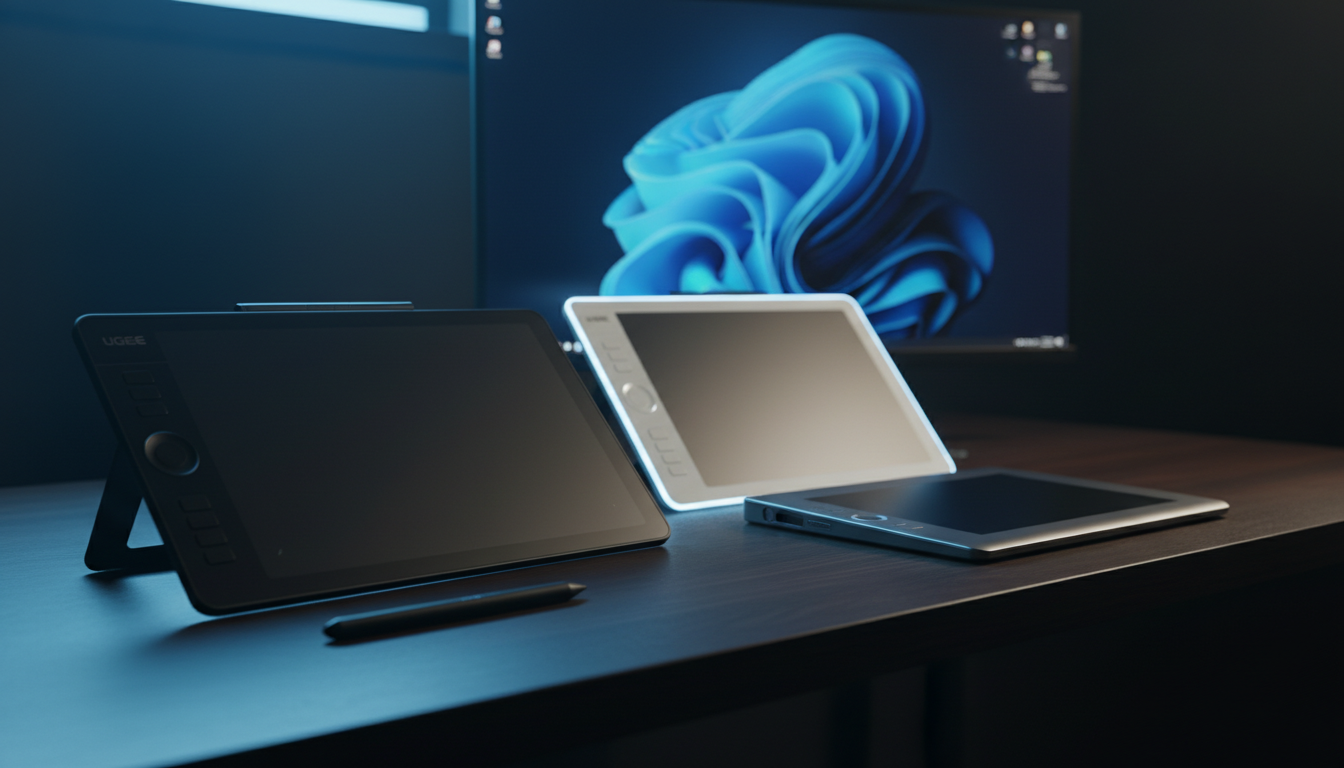
⚡ Quick Answer
Looking for a graphics tablet that gives you the full 16,384‑level pressure feel without breaking the bank? We’ve lined up 11 options that all hit that sweet spot, spanning a price spread from $28.99 for the ultra‑lean XP‑Pen IT640 up to $429.99 for the feature‑rich XP‑Pen Magic Drawing Pad. Every model in the mix supports the same high‑resolution pressure curve, so you can focus on the size, screen type and extra goodies that matter to your workflow.
Our selection covers three clear tiers. On the budget side you’ll find the UGEE Upgrade M908 at $37.99 with a 4.5‑star rating from 1,866 reviewers, and the XP‑Pen IT640 at $28.99, both offering battery‑free pens and a generous active area. Mid‑range contenders like the GAOMON WH851 ($52.99, 4.4 stars) and the 15.4‑inch Ugee UE16 ($189.99) add wireless freedom or a larger display without jumping into premium pricing. The premium tier brings screens that double as standalone tablets, such as the 12.2‑inch XP‑Pen Magic Drawing Pad ($429.99) and Huion Kamvas 13 ($229.00), each pack bright displays and full‑laminated panels.
Below we break down how each tablet performs on key specs, ergonomics and value, so you can pinpoint the perfect match for your creative setup.

UGEE Upgrade M908
Its ultra‑thin 2.54 mm profile keeps your workspace sleek, contributing to its strong brand confidence and popularity.

GAOMON WH851
Ideal for creators who want a well‑reviewed tablet with auto shut‑down, it’s about $15 above the UGEE Upgrade M908, balancing features and value.

XP-Pen Deco 01 V3
Stands out with an 8 mm thickness, offering a sturdier feel that some artists prefer over the slimmer UGEE and GAOMON models.
Also considered
Score Analysis
Key score advantages vs. runner-up (GAOMON WH851)
Price Range
UGEE Upgrade M908
$47.49
GAOMON WH851
$56.99
XP-Pen Deco 01 V3
$41.99

XP-Pen Magic Drawing Pad
$449.99

Huion Kamvas 13
$229.00

Ugee UE16
$182.99

XP-Pen 10.95
$299.99

XP-Pen IT640
$29.99

IenRon Drawing Tablet
$37.98

XP-Pen Artist13.3 Pro V2
$229.00
VEIKK Studio 16
$229.99
Spec Comparison
TL;DR: The UGEE Upgrade M908 offers a 10 × 6.25 in active area, 16,384 pressure levels and a battery‑free stylus for $37.99, making it a solid entry‑level tablet for beginners.
The standout spec is the 254 × 158.75 mm (10 × 6.25 in) active drawing surface paired with 16,384 pressure‑sensitivity levels and 60° of tilt support, all powered by a PH23 battery‑free stylus that weighs just 12 g. Its 5080 LPI resolution and <0.1 mm nib swing aperture give a responsive feel, while the papery surface texture mimics traditional paper.
Compared with its peers, the M908 shares the same 10 × 6.25 in active area as the IenRon Drawing Tablet, but it weighs more than the IenRon’s 1.1 lb frame and less than the XP‑Pen Deco 01 V3, which tips the scales at over 2 lb. It also matches the 5080 LPI resolution found in the IenRon and XP‑Pen Deco 01 V3, and its 60° tilt angle mirrors the tilt support of those models. In contrast, the XP‑Pen IT640 and GAOMON WH851 are considerably lighter, while the Ugee UE16 and VEIKK Studio 16 are substantially heavier.
User feedback highlights the generous drawing area as a major plus for hobbyists and students, and reviewers praise the smooth ink flow and lack of lag from the battery‑free stylus. However, several users note that the thin pen grip can cause hand fatigue during long sessions, and the construction feels less sturdy than pricier tablets. The tablet’s compact volume of 644.99 cm³ and 1.6 lb weight make it easy to carry to class or a coffee shop.
Pros
Cons
Best for: Beginners, hobbyists, students, and casual digital artists who need a spacious drawing surface without breaking the bank.
Avoid if: You require premium pen ergonomics, a built‑in display, or a tablet built for heavy‑duty professional use.
“designer's affordable dream come true”
“definitely very good for beginners”
TL;DR: The GAOMON WH851 offers a wireless 8 × 5 in active area, 16,384‑level pressure pen and up to 18 hours of battery life, making it a solid, affordable choice for portable sketching.
What really stands out is the 16,384 pressure‑sensitivity levels combined with a battery‑free EMR pen, so you'll never have to worry about charging the stylus. The tablet also supports ±60° tilt and delivers a pen resolution of 5,080 LPI, giving fine line control for detailed work.
At 0.88 lb (397 g), the WH851 is lighter than most midsize tablets such as the XP‑Pen Deco 01 V3 at about 2.2 lb and the UGEE Upgrade M908 at 1.6 lb, though the ultra‑light XP‑Pen IT640 (170 g) is noticeably lighter. Its 8 × 5 in active drawing area is also smaller than the 10 × 6.25 in area found on the Deco 01 V3 and IenRon models, so space‑constrained artists will appreciate the portability while larger‑scale creators may feel restricted.
Reviewers consistently praise the tablet’s smooth pressure response and the matte textured surface that feels comfortable during long sessions. The 18‑hour battery life and automatic shut‑down after 15 minutes of inactivity highlight strong points for on‑the‑go use. A few users note occasional Bluetooth latency at the edge of its 5‑10 m range and the limited active area for big illustrations.
The tablet’s accuracy of ±0.3 mm, a report rate of ≥300 PPS and a 10 mm sensing height further reinforce its reliability for precise line work, while the built‑in mechanical dial and eight customizable hotkeys add workflow shortcuts that professionals have called “productivity‑enhancing.”
Pros
Cons
Best for: Beginners, hobbyists, and mobile artists who need an affordable, wireless tablet with strong pressure sensitivity.
Avoid if: You require a large active drawing surface or need the lightest possible tablet for travel.
TL;DR: The XP‑Pen Deco 01 V3 offers a 10 × 6.25‑inch active area, 16,384‑level pressure sensitivity and a battery‑free stylus for $43.99, making it a solid entry‑level tablet for beginners.
The Deco 01 V3 sports a 10 × 6.25 in active area (254 × 159 mm) and a passive EMR stylus that delivers 16,384 pressure levels plus ±60° tilt. Eight round shortcut keys sit on a slim 8 mm‑thick frame, and the tablet weighs about 2.20 pounds (1000 g), giving it a stable feel on the desk.
Among the ten tablets in this roundup, the Deco 01 V3 weighs more than the UGEE Upgrade M908 (1.6 pounds) and the IenRon Drawing Tablet (1.1 pounds), and its 8 mm thickness exceeds the XP‑Pen IT640’s 7.7 mm profile. It’s also slightly shorter than the UGEE’s 355.6 mm length, but its width of 217 mm sits between the IT640’s 149.96 mm and the VEIKK Studio 16’s 243.84 mm.
Reviewers consistently praise the battery‑free stylus for “unlimited drawing time” and note that beginners appreciate the straightforward USB‑C connection and the eight customizable keys. The tablet’s accuracy of ±0.01 inch and a resolution of 5080 LPI give fine line work, while the 200 pps report rate trails the GAOMON WH851’s ≥300 pps and the IenRon’s 266 pps, which may matter for fast‑stroke artists.
Pros
Cons
Best for: Budget‑conscious buyers seeking a reliable entry‑level option
Avoid if: You have limited desk space or need portability
TL;DR: The XP‑Pen Magic Drawing Pad offers a 12.2‑inch 2160 × 1440 IPS screen, 16,384‑level battery‑free stylus and 13‑hour battery life in a feather‑light 6.9 mm, 599 g package for $429.99.
This tablet packs a 12.2‑inch TFT‑LCD IPS display with a 2160 × 1440 resolution, 360 nits brightness and a 60 Hz refresh rate. The EMR stylus delivers 16,384 pressure levels, 60° of tilt, and a feather‑light 10 g tip, while the tablet itself weighs just 599 g and measures a slim 6.9 mm thick.
Compared with its peers, the Magic Pad is heavier than the GAOMON WH851’s 397 g body but lighter than the VEIKK Studio 16’s 1,995 g chassis. Its brightness of 360 nits falls between the 400‑nit peak of the XP‑Pen 10.95 and the 220‑nit output of the Huion Kamvas 13, and its 60 Hz refresh matches most rivals except the XP‑Pen 10.95’s faster 90 Hz panel. The 12.2‑inch screen is larger than the 10.95‑inch display on the XP‑Pen 10.95 yet slimmer than the 13.3‑inch panels on the Huion and XP‑Pen Artist models, thanks to a 6.9 mm profile versus the Artist’s 12.9 mm depth.
Everyday users praise the tablet’s portability and the convenience of a battery‑free stylus, noting how the anti‑glare, paper‑like surface feels natural for sketching on the go. Professional reviewers commend the premium build quality and the pen‑to‑paper feel, while also pointing out that the tilt recognition can be inconsistent and the ±0.5 mm center / ±1.5 mm edge accuracy sometimes feels loose. The mid‑range MT8771 octa‑core processor, paired with 8 GB RAM and 256 GB internal storage (expandable to 1 TB via microSD), provides solid performance for most creative apps, though power users may notice limits in more demanding workflows.
Pros
Cons
Best for: Buyers willing to invest in a proven, high-quality option
Avoid if: You're shopping on a tight budget — it's priced at $429.99
TL;DR: The Huion Kamvas 13 offers a 13.3‑inch full‑laminated IPS display, battery‑free PenTech 4.0 stylus with 16,384 pressure levels and ±60° tilt, all for $229, making it a portable, beginner‑friendly drawing tablet.
The standout feature is the PenTech 4.0 PW600L stylus, which delivers 16,384 pressure levels and ±60° tilt while remaining battery‑free. Coupled with a 13.3‑inch IPS panel that provides 220 nit brightness, 166 ppi pixel density, and full lamination, the tablet offers low‑parallax drawing on an anti‑glare etched glass surface.
At 1.96 lb, the Kamvas 13 is lighter than the XP‑Pen Artist13.3 Pro V2 (2.5 lb) and the VEIKK Studio 16 (4.4 lb), though a bit heavier than the GAOMON WH851 (0.88 lb). Its 220 nit brightness is slightly lower than the XP‑Pen Artist13.3 Pro V2’s 250 cd/m², and the screen size matches the Artist’s 13.3‑inch panel while offering the same 16,384‑level pressure sensitivity.
Users consistently praise the pen’s responsiveness and the tablet’s compact build, noting that the built‑in five express keys, two dials, and two function‑switch buttons streamline workflow. Professional reviewers echo this sentiment, calling the pen performance “on par with pro tablets.” However, several reviewers point out that the 1920 × 1080 FHD resolution feels basic for detailed artwork, and the 220 nit brightness can struggle in well‑lit rooms. The lack of an integrated stand also means you’ll need an extra purchase for a stable setup.
Pros
Cons
Best for: Beginners, students and mobile artists who need an affordable, lightweight screen tablet with professional‑grade pen performance.
Avoid if: You require a high‑resolution (QHD+) display, higher brightness for bright settings, or an all‑in‑one stand‑less solution.
TL;DR: The UGEE UE16 delivers a 15.4‑inch full‑laminated display with 143% sRGB coverage and a battery‑free stylus offering 16,384 pressure levels, all in a lightweight 1.28 kg package for under $190.
The UE16’s standout spec is its 16,384‑level pressure‑sensitive, battery‑free stylus paired with a 15.4‑inch full‑laminated anti‑glare screen that covers 143% of the sRGB color gamut. The panel runs at a 60 Hz refresh rate and offers a reading height of 10 mm, giving you a comfortable distance between pen tip and glass.
At 1.28 kg, the UE16 is lighter than the VEIKK Studio 16 and the XP‑Pen Artist13.3 Pro V2, yet heavier than the Huion Kamvas 13 and GAOMON WH851. Its 13 mm profile makes it thinner than the XP‑Pen Deco 01 V3, and the tablet provides eight physical shortcut keys plus ten virtual keys—more than the Deco’s eight physical keys alone. USB‑C connectivity and support for Windows 7+, macOS 10.10+, Chrome OS 88+, Android 9.0+, Linux and HarmonyOS round out a versatile feature set.
Professional reviewers praised the consistent pressure and tilt response, noting the stylus feels reliable across applications. They also highlighted the ultra‑light build, which makes the UE16 easy to carry to class or a coffee shop. However, the matte screen tends to collect fingerprints, requiring frequent cleaning, and many consider the 1920 × 1080 resolution entry‑level for detailed work. Some users found the stylus’s plasticky feel less premium than higher‑priced rivals.
Pros
Cons
Best for: Budget‑conscious beginners, hobbyist digital artists, and students who need a portable 15.4‑inch pen display.
Avoid if: You're a professional artist requiring 4K resolution, higher refresh rates, or a premium‑feel stylus; also priced at $189.99.
TL;DR: The XP‑Pen 10.95 is a 10.95‑inch Android tablet with a 90 Hz matte‑glass display, 16,384‑level pressure pen and 400 nits brightness, but its $299.99 price puts it at the premium end of the portable tablet market.
The standout spec, a 90 Hz refresh rate paired with a full‑lamination matte glass panel, delivers a paper‑like feel that professional reviewers say makes scrolling and drawing smooth.
The XP‑Pen 10.95 weighs less than the Huion Kamvas 13 (889 g) and the VEIKK Studio 16 (1995.2 g), but a touch more than the GAOMON WH851 (397 g). Its brightness of 400 nits also exceeds the Huion’s 220 nit panel and the VEIKK’s 208 nit display, while the 90 Hz refresh outpaces the 60 Hz panels found on those models. On the price side, it sits above the budget‑friendly options, making it pricier than the Huion Kamvas 13.
User sentiment highlights the tablet’s lightweight design and battery‑free stylus as major wins for note‑taking and casual sketching. Reviewers praise the matte glass surface and high refresh rate for a comfortable drawing experience, but several users note that the 95 % sRGB gamut can feel muted for color‑intensive artwork, and the 128 GB of internal storage may fill quickly without a microSD slot. The device runs Android 14 on a Helio G99 8‑core CPU with 6 GB RAM, providing smooth performance for everyday apps.
Pros
Cons
Best for: Students, professionals, and casual creators who prioritize portable note‑taking, PDF markup and light sketching on a high‑refresh display.
Avoid if: You're shopping on a tight budget — it costs $299.99, and the muted color gamut may not suit artists needing high color fidelity.
TL;DR: The XP‑Pen IT640 packs 16,384 pressure levels, a 5080 LPI resolution and an ultra‑slim 7.7 mm profile into a feather‑light 170 g tablet for under $30.
The standout spec is the 16,384 pressure‑sensitive levels paired with a 5080 LPI resolution, giving you fine‑grained control on a 16 × 9 cm (6.3 × 3.5 in) active area. The tablet measures just 7.7 mm thick and weighs 170 g, making it one of the most portable options in the lineup. Eight soft keys sit just above the surface, and the battery‑free P01 stylus comes with ten spare nibs.
Compared with its peers, the IT640 is noticeably lighter than the IenRon (1.1 lb) and slimmer than the XP‑Pen Deco 01 V3 (8 mm thick). Its active area is smaller than the IenRon and Deco 01 V3, which both offer roughly 10‑inch‑wide drawing spaces, so you’ll have less room to work than on those models. Nevertheless, the price point makes it cheaper than most of the other eleven tablets, and its 4.3/5 rating shows solid approval despite being a shade below the highest‑rated competitors.
Users frequently praise the lag‑free experience thanks to the ≥220 RPS report rate and the 60° tilt support, which many beginners and OSU! gamers find useful. Reviewers also highlight the tablet’s portability—its thin profile and light weight slip easily into a backpack. The main criticisms focus on the compact active area, which can feel cramped for detailed illustrations, and the need for a constant USB‑C connection because the tablet lacks wireless or built‑in power options.
Pros
Cons
Best for: Budget‑conscious buyers seeking a reliable entry‑level option
Avoid if: You need a large drawing surface or wireless connectivity for your workflow
TL;DR: The IenRon IES1060 offers a 10 × 6.25‑inch active area, 8192 pressure levels and 12 programmable keys for $35.99, making it a solid budget choice for beginners who don’t need a built‑in screen.
The tablet’s standout spec is its 8192 pressure‑sensitivity levels, letting you control line weight and shading with fine granularity. Its active drawing surface measures 10 inches wide by 6.25 inches high, matching the size of many competing non‑display tablets.
Compared with the other ten entries, IenRon provides more shortcut keys—12 custom keys plus 10 multimedia shortcuts—while the XP‑Pen IT640 and Deco 01 V3 list only eight soft keys each. At 1.1 pounds, it is lighter than the UGEE Upgrade M908 (1.6 pounds) and the XP‑Pen Deco 01 V3 (2.20 pounds), but a bit heavier than the GAOMON WH851 (0.88 pounds). Its report rate of 266 PPS is below the GAOMON WH851’s ≥300 PPS, though the resolution of 5080 LPI matches that of the GAOMON model.
Reviewers consistently praise the battery‑free stylus and its 30 replacement nibs, so you won’t need to charge or buy extras right away. The 60° tilt support also helps create more natural brush strokes. The main complaint is the non‑display nature of the tablet, which can cause hand‑eye coordination challenges when you have to glance between the tablet and a separate monitor.
Additional technical notes: the tablet weighs 1.1 pounds, stands only 0.1 inches tall, and measures 13.99 × 9.39 inches overall. It connects via USB‑C or Micro‑USB, and the included stand and protective bag help keep your workspace tidy.
Pros
Cons
Best for: Entry‑level buyers or those on a tight budget
Avoid if: Reliability and user satisfaction are your top concerns
TL;DR: The XP‑Pen Artist 13.3 Pro V2 packs a 13.3‑inch IPS display, 16,384‑level battery‑free stylus and eight shortcut keys into a 2.5‑pound, portable tablet, making it a solid choice for beginners and on‑the‑go creators.
The standout spec is the X3 Pro stylus, which offers 16,384 pressure levels and a 60° tilt range, delivering paper‑like precision that reviewers repeatedly praise. Its anti‑glare, full‑laminated glass surface pairs with a 250 cd/m² brightness panel and 99% sRGB coverage, giving vivid colors without eye strain.
At 2.5 pounds, the Artist 13.3 Pro V2 is lighter than the VEIKK Studio 16 (4.4 pounds) and the Ugee UE16 (about 6 pounds), but a bit heavier than the Huion Kamvas 13 (1.96 pounds) and GAOMON WH851 (under 1 pound). Its 13.3‑inch screen matches the Huion Kamvas 13 but is smaller than the VEIKK’s 15.6‑inch and Ugee’s 15.4‑inch panels. Brightness at 250 cd/m² sits above the VEIKK’s 208 nits and Huion’s 220 nits, though it’s lower than the XP‑Pen 10.95’s 400‑nit display.
Users highlight the smooth, jitter‑free feel of the battery‑free stylus and the accurate colors of the IPS panel. The 4.3‑star rating from 708 reviews signals solid satisfaction, though some users note the 13.3‑inch workspace feels cramped for detailed work and the requirement for both HDMI and USB‑C (or DP) connections can be inconvenient.
Technical details round out the package: accuracy of ±0.4 mm at the center and ±0.8 mm at the edges, a report rate of ≥200 RPS, and a resolution of 5080 lines per inch. The pen retracts after just 0.6 mm, and the tablet’s read height is 10 mm, matching many competitors. Eight programmable express keys plus a red dial put workflow shortcuts within easy reach.
Pros
Cons
Best for: Beginners, hobbyists, and traveling artists who need a portable, affordable pen display under 1.2 kg.
Avoid if: You require a large work area or prefer a single‑cable, high‑brightness setup for professional‑level projects.
“"accurate, delicate, and smooth" 16K pressure/60° tilt performance, likening it to "drawing on real paper," with no jitter and fast response”
“"exceptional stylus responsiveness with no jitter, smooth diagonal lines, and snappy 6 mm retraction for natural drawing"”
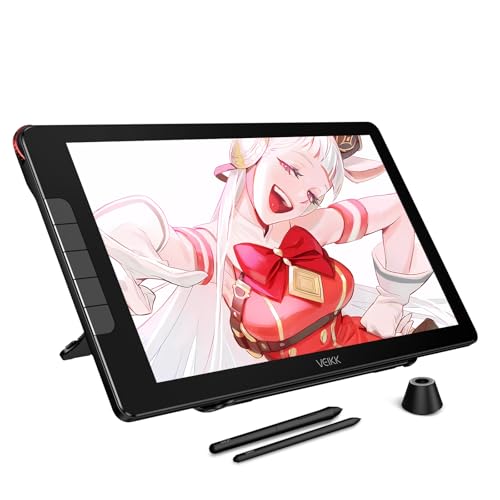
TL;DR: The VEIKK Studio 16 offers a 15.6‑inch full‑laminated IPS screen with 16384 pressure levels, a thin 2.54 mm profile and a solid 4.4‑pound build, but its 208‑nit brightness and driver setup may feel limiting for pros.
The standout spec is the 15.6‑inch IPS display paired with full lamination and a resolution of 1920 × 1080. At just 2.54 mm thick, the tablet feels unusually slim for its size, and the 4.4‑pound (1995.2 g) chassis stays portable enough for a bedroom or small studio. Pen performance uses 16384 pressure levels, a 60° tilt range and a 290 PPS report rate, giving you fine‑grained control for sketching and illustration.
Compared with the other ten tablets in this roundup, the Studio 16 sits in the middle of the weight spectrum: it’s heavier than the XP‑Pen Artist13.3 Pro V2 (2.5 lb) and the Huion Kamvas 13 (1.96 lb), but lighter than the Ugee UE16 (about 6 lb). Its 15.6‑inch screen is larger than the 13.3‑inch panels on both the XP‑Pen Artist13.3 and the Huion Kamvas, and noticeably bigger than the 10.95‑inch XP‑Pen 10.95. Brightness at 208 nits trails the 250‑cd/m² of the XP‑Pen Artist13.3 and the 220‑nit panel of the Huion Kamvas, while the XP‑Pen 10.95 tops out at 400 nits, so the Studio 16 may feel dimmer in bright rooms.
Reviewers consistently praise the tablet’s sleek build and the comfortable adjustable stand. Professional writers note the matte glass surface and the smooth tapering lines once you tune the driver’s pressure curve. Everyday users love the lightweight feel and the dial plus five hotkeys for quick shortcuts, but many flag the need to disable Windows Ink and tweak settings on each boot, describing it as a “setup hassle.” A few also mention the supplied glove being a bit slippery during long sessions.
Pros
Cons
Best for: Most users looking for a well‑reviewed, reliable mainstream option
Avoid if: You need advanced features or professional‑grade performance
“smooth tapering lines after adjustments, and no diagonal wobble”
Breakdown
UGEE Upgrade M908
Pros
GAOMON WH851
Pros
Cons
XP-Pen Deco 01 V3
Pros
XP-Pen Magic Drawing Pad
Pros
Cons
Based on scoring data and product specs
Personalized picks
Best Overall Pick
UGEE Upgrade M908
Best Budget PickBest for: Budget-conscious buyers seeking a reliable entry-level option
GAOMON WH851
Best for: Most users looking for a well-reviewed, reliable mainstream option
$56.99+$9.50 vs winner
Skip VEIKK Studio 16 if…
You need advanced features or professional-grade performance
The UGEE Upgrade M908 takes the top spot thanks to its solid mix of price and performance. At $37.99 it undercuts most competitors while still delivering 16 384 pressure levels and a crisp 5 080 LPI resolution. Its active area measures 254 × 158.75 mm, giving you plenty of space for detailed work, and the tablet adds a scroll wheel plus eight customizable shortcut keys for faster workflow. With a 4.5‑star rating from 1,866 reviewers, users consistently praise its reliability.
The GAOMON WH851 lands as the runner‑up, especially if you value wireless flexibility. Its Bluetooth 5.0 connection reaches 5–10 m, letting you draw from a comfortable distance, and the 203.2 × 127 mm active drawing area is a solid size for medium‑scale projects. Like the UGEE, it offers 16 384 pressure levels, eight hotkeys, and tilt support up to ±60°, all for $52.99.
Pick the UGEE Upgrade M908 today for the best value and performance in a 16 384‑level graphics tablet.
The UGEE Upgrade M908 gives a generous 254 × 158.75 mm active area, 8 customizable shortcut keys, a scroll wheel, and 16384 pressure levels for just $37.99, making it a budget‑friendly choice for newcomers. Its lightweight 726 g design and battery‑free stylus keep the setup simple and affordable.
No reviews yet — be the first to share your experience.
Please sign in to leave a review



