⚡ Quick Answer
Finding a reliable inkjet printer can feel like navigating a maze of specs and price tags. Among six contenders, the most affordable option – the Canon PIXMA TS3720 at $54.99 – posts a 4.1‑star rating, edging out several mid‑range and premium models that sit at 4.0 or lower. The TS3720 also gathered 2,651 reviews, showing solid user confidence.
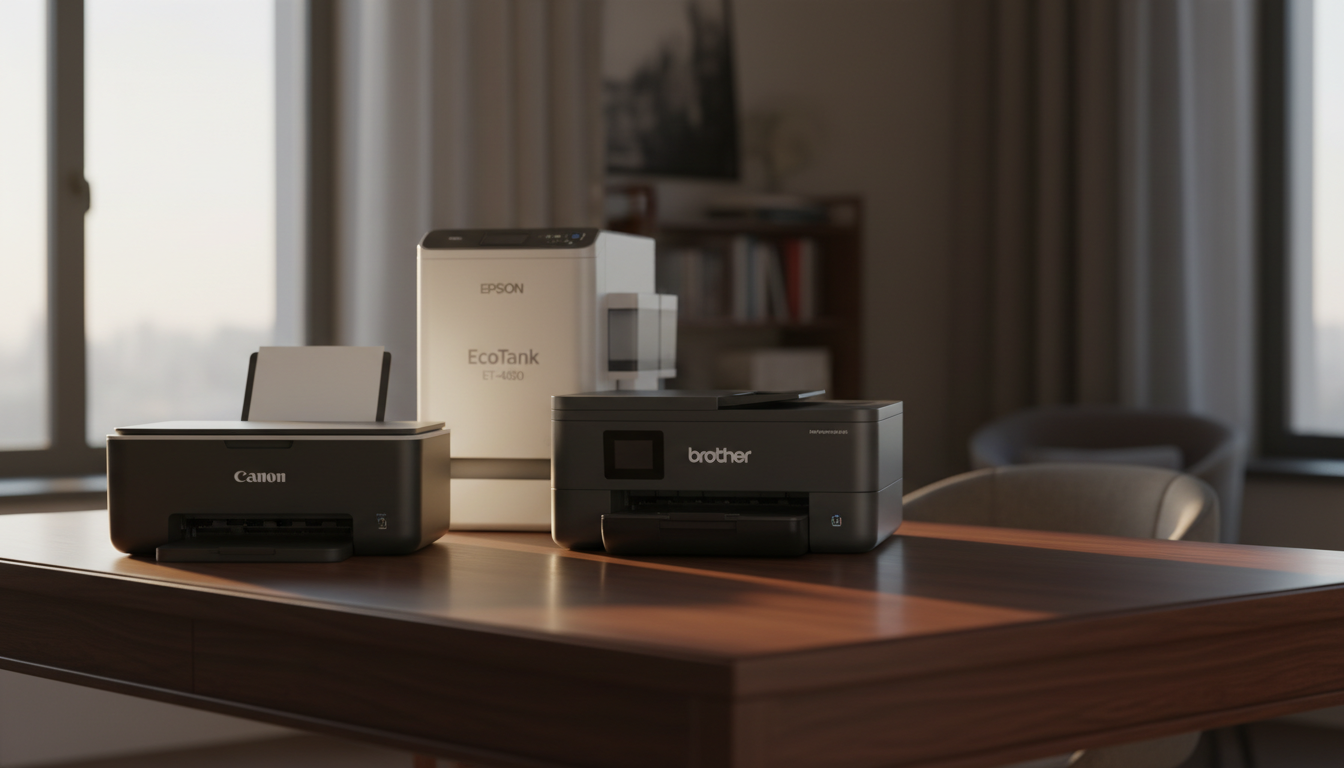
We cover three price tiers. The budget lane includes the Canon TS3720 and the HP DeskJet 4255e, both under $80 and designed for tight spaces; the DeskJet 4255e, priced at $69.89, holds a 3.9‑star rating from 6,126 reviewers, making it the most talked‑about budget model. The mid‑range bracket features the HP ENVY 6155e and Brother INKvestment 4355, offering faster print speeds and automatic duplex scanning. At the top, the Epson EcoTank ET‑4800 and Canon PIXMA PRO‑200S bring larger ink tanks, higher‑resolution photo output, and network connectivity, with price tags up to $549.00.
Below, the guide breaks down each model’s strengths, weaknesses, and ideal use cases so you'll match a printer to your home office, photo hobby, or student life.

Canon PIXMA TS3720
Its shallow 17.2‑in depth keeps it easy to fit on a desk, delivering strong value in a compact footprint.

Brother INKvestment 4355
Ideal for families printing lots of documents, the Brother INKvestment 4355 offers a balanced feature set at $179.98—about $125 more than the Canon but with higher capacity.

Epson EcoTank ET-4800 White
Stands out with a 1.44‑in color LCD screen, letting you preview prints directly, a premium touch the Canon and Brother lack, justifying its $219.99 price.
Also considered
Score Analysis
Key score advantages vs. runner-up (Brother INKvestment 4355)
Price Range
Canon PIXMA TS3720
$63.27
Brother INKvestment 4355
$189.98
Epson EcoTank ET-4800 White
$299.99

HP ENVY 6155e
$119.89

Canon PIXMA PRO-200S
$549.00

HP DeskJet 4255e
$59.89
Spec Comparison
TL;DR: The Canon PIXMA TS3720 delivers 4800 × 1200 dpi prints from a compact 17.2″ × 12.9″ × 5.8″ chassis at a budget‑friendly $54.99, though its slow color speed and lack of duplex may limit heavy use.
The standout spec is its 4800 × 1200 dpi print resolution, which produces sharp text and vivid photos, and it can print borderless up to 5″ × 7″ without extra trimming. The 1.5‑in screen provides basic status feedback while the Canon FINE hybrid ink system uses pigment black for crisp text and dye‑based colors for photo richness.
Weighing 8.7 lbs, the TS3720 beats the HP DeskJet 4255e (10.6 lbs) and the HP ENVY 6155e (11.28 lbs) in weight, but its 17.2‑in depth makes it deeper than the DeskJet’s 13.07 in and deeper than the ENVY, which lists depth in millimeters. Its 1.5‑in display is smaller than the HP ENVY’s 2.4‑in screen and the Brother INKvestment’s 1.8‑in panel. It prints black text at 7.7 ipm, a touch slower than the DeskJet’s 8.5 ppm and far slower than the Brother’s 20 ppm black speed. On the upside, the TS3720 weighs considerably less than the Brother (19.6 lbs), the Epson EcoTank (11.0 lbs) and the Canon PRO‑200S (32.0 lbs), making it easier to move around a small apartment or dorm room.
Professional reviewers praise the compact footprint—17.2″ × 12.9″ × 5.8″—and the reliable dual‑band Wi‑Fi (2.4/5 GHz) plus Wi‑Fi Direct, which keep mobile printing stable. Everyday users echo the easy setup and appreciate the included starter ink and photo paper samples, but they frequently note the slow 4.0 ipm color speed and the need to manually flip paper because the unit lacks automatic duplexing and an automatic document feeder. The scanner offers 600 × 1200 dpi optical resolution and 16‑bit internal RGB depth, useful for occasional photo digitizing.
Pros
Cons
Best for: Students, small households, and casual users who need a space‑saving printer for occasional documents and photos on a tight budget.
Avoid if: You need high‑volume output, automatic duplexing, or an automatic document feeder for busy office work.
TL;DR: The Brother INKvestment 4355 packs automatic duplex printing, a 20‑sheet ADF and 20 ppm black speed into a 19.6‑lb all‑in‑one, but its price and weight may deter budget‑focused buyers.
This model’s standout feature is its automatic duplex printing paired with a 20‑sheet automatic document feeder, letting you produce double‑sided documents without manual flips.
At 19.6 pounds, the Brother is heavier than the Epson EcoTank ET‑4800 (11.0 lb) and the HP ENVY 6155e (11.28 lb), yet lighter than the Canon PIXMA PRO‑200S (32.0 lb). Its 13.5‑inch depth aligns closely with Epson’s 345 mm depth, while its 1.8‑inch display is smaller than HP ENVY’s 2.4‑inch screen. The 576 MHz processor trails the HP DeskJet 4255e’s 1.0 GHz CPU, indicating a modest processing budget compared with that competitor.
Reviewers consistently praise the convenience of duplex printing and the 20‑sheet ADF for small‑office batch jobs, noting that the 30,000‑page monthly duty cycle and ENERGY STAR certification keep operating costs low. On the flip side, users point out the single‑sided ADF limitation and the $179.98 price tag as drawbacks, which reflects its 4.0‑star rating from 4,145 reviews.
Technical highlights include 1200 × 4800 dpi print resolution, 256 MB of memory, and a 30,000‑page maximum monthly duty cycle—comfortably above the recommended 200–2,000 pages for home or small‑office use. Power draw stays modest at 21.0 W while copying and 3.0 W on standby, supporting its ENERGY STAR status.
Pros
Cons
Best for: Small offices (1‑5 users) and home‑office setups that need reliable duplex printing and a modest duty cycle.
Avoid if: You're shopping on a tight budget — it's priced at $179.98.
TL;DR: The Epson EcoTank ET-4800 delivers cartridge‑free, high‑resolution color printing with a 65 ml per‑color ink tank, but its manual duplex and premium price may limit appeal for tight‑budget users.
The standout feature is the cartridge‑free EcoTank system that holds 65 ml of dye ink per color, which manufacturers claim can slash ink costs by up to 95 %. Combined with a print resolution of 5,760 × 1,440 dpi, the ET‑4800 produces sharp text and detailed images, and its 30‑sheet automatic document feeder (ADF) makes multi‑page scanning and copying straightforward.
At 11.0 pounds, the ET‑4800's lighter than Brother’s INKvestment 4355 (19.6 pounds) and Canon’s PRO‑200S (32.0 pounds) but a bit heavier than HP’s DeskJet 4255e (10.6 pounds) and Canon’s PIXMA TS3720 (8.7 pounds). Its 1.44‑inch color LCD's smaller than the 1.8‑inch display on the Brother, the 2.4‑inch screen on the HP ENVY 6155e, and the 3.0‑inch panel on the Canon PRO‑200S, though comparable to the 1.5‑inch display on the PIXMA TS3720. Copy speed sits at 7.7 ppm black, which trails Brother’s 13 ppm but is close to HP DeskJet’s 8.5 ppm.
User sentiment frequently praises the low‑cost ink model and the inclusion of Ethernet alongside Wi‑Fi for office networking. Professional reviewers highlight the high print resolution and the 3,000‑page maximum duty cycle as strong points for small‑business workloads. The main criticisms revolve around the manual duplex process—users must flip pages themselves—and the dye‑based inks, which some note are less archival than pigment alternatives.
Pros
Cons
Best for: Home offices and small businesses that need high‑quality, high‑volume color printing with low ink costs.
Avoid if: You need automatic duplex printing, professional‑grade photo durability, or are working with a very tight budget.
TL;DR: The HP ENVY 6155e prints borderless 8.5 × 12 in photos, offers automatic duplex, a 2.4″ touchscreen and AI‑enabled printing for $79.89, but its 1 000‑page duty cycle limits heavy use.
What really stands out is the combination of automatic two‑sided printing and borderless photo capability up to 8.5 × 12 in, all driven by an 800 MHz processor. The 2.4‑inch color touchscreen makes setup and mobile printing via the HP Smart app feel straightforward, and the printer delivers 10 ppm black and 7 ppm color speeds on standard paper.
Compared with the HP DeskJet 4255e, the ENVY 6155e is a bit heavier at 11.28 lb versus 10.6 lb and sits slightly deeper (361 mm vs. 13.07 in). It prints faster in black (10 ppm vs. 8.5 ppm) but its processor runs at 800 MHz, slower than the DeskJet’s 1.0 GHz. Against the Canon PIXMA TS3720, the ENVY’s 2.4‑inch screen is larger than the TS3720’s 1.5‑inch display, and it weighs more than the TS3720’s 8.7 lb. The Brother INKvestment 4355 is considerably heavier at 19.6 lb, while the Epson EcoTank ET‑4800 matches the ENVY’s weight closely at 11.0 lb but offers a different screen size (1.44 in). The high‑end Canon PRO‑200S dwarfs the ENVY at 32.0 lb and a 3.0‑inch screen, underscoring the ENVY’s position as a mid‑range home model.
User feedback repeatedly praises the “easy setup” and “high‑quality borderless photo output,” with professional reviewers noting the true‑to‑screen photo quality and AI‑enabled features. However, owners also mention that the printer only accepts HP 68 cartridges, which can raise ink costs, and that the specs don’t list an automatic document feeder, limiting batch scanning or copying.
2,247 reviewers rate the ENVY 6155e 4.0 / 5 stars, indicating solid satisfaction. Its duty cycle tops out at 1 000 pages per month, and HP recommends a typical volume of 100‑400 pages, making it a good fit for occasional home printing and photo projects. Energy‑saving credentials include ENERGY STAR certification and EPEAT registration, and self‑healing dual‑band Wi‑Fi (802.11a/b/g/n/ac) bolsters connectivity, plus Instant Ink eligibility.
Pros
Cons
Best for: Value‑conscious buyers seeking quality at $79.89
Avoid if: You need advanced features or professional‑grade performance
TL;DR: The Canon PIXMA PRO-200S prints A3+ borderless photos at 4800 × 2400 dpi, reaches 8 × 10 in prints in 53 seconds, but its 32 lb weight and large footprint make it a studio‑focused investment.
Its standout spec is a 4800 × 2400 dpi resolution paired with a 4 picoliter minimum droplet size, which professional reviewers say yields vibrant, detailed prints. A 3.0‑inch color LCD lets you preview jobs, and the printer can feed media up to 990.6 mm long, accommodating a wide range of photo formats including 1‑disc printable media.
At 32.0 pounds, the PRO‑200S is heavier than the Epson EcoTank (11.0 lb), Brother INKvestment (19.6 lb), HP ENVY (11.28 lb), HP DeskJet (10.6 lb) and Canon TS3720 (8.7 lb). Its 3.0‑inch screen also outpaces the Epson’s 1.44‑inch, Brother’s 1.8‑inch, HP ENVY’s 2.4‑inch and Canon TS3720’s 1.5‑inch displays, giving it a more comfortable on‑device interface. Dimensionally, the printer’s depth of 729.0 mm and height of 356.6 mm exceed the shallower footprints of the Epson (depth 345 mm, height 236 mm) and HP ENVY (depth 361 mm, height 136 mm), so it demands a dedicated workspace.
User feedback praises the fast 53‑second 8 × 10 in print speed and the flexibility of handling photo paper, fine‑art media and a single 120 × 120 mm disc. Reviewers also flag the lack of duplex printing and the premium $549.00 price tag as concerns. Connectivity includes USB 2.0, Ethernet, Wi‑Fi 802.11n and AirPrint, making mobile printing straightforward.
Pros
Cons
Best for: Buyers willing to invest in a proven, high‑quality option
Avoid if: You're shopping on a tight budget — it's priced at $549.00
TL;DR: The HP DeskJet 4255e is a compact all‑in‑one inkjet that prints up to 4800 × 1200 dpi, offers wireless printing via HP Smart, and sits at a budget‑friendly $69.89 price point.
The standout spec is its print resolution of 4800 × 1200 dpi, which lets you produce sharp text and vivid photos on supported media. Combined with a 1.0 GHz processor (1000 MHz) the printer handles everyday jobs without noticeable lag.
At 10.6 lb, the DeskJet 4255e is lighter than the Brother INKvestment 4355 (19.6 lb) and the Canon PIXMA PRO‑200S (32.0 lb), while it’s a bit heavier than the Canon PIXMA TS3720 (8.7 lb). Its width of 16.85 in and depth of 13.07 in place it between the HP ENVY 6155e’s depth of 361 mm and the Epson EcoTank ET‑4800’s depth of 345 mm, making it a good fit for modest desk spaces.
User feedback highlights the convenience of the 60‑sheet input tray and the 35‑sheet automatic document feeder, which many reviewers say streamline home office tasks. The HP Smart app integration earns praise for easy mobile printing, but several users note the lack of borderless printing and the need to manually flip pages for duplex jobs, which can be a hassle for occasional photo projects.
Technical details round out the picture: black‑and‑white print speed reaches 8.5 ppm, color prints at 5.5 ppm, and the monthly duty cycle tops out at 1,000 pages—well within the recommended 100‑300 page range for light households. The scanner offers 1200 × 1200 dpi optical resolution, and the copier matches that with 300 × 300 dpi output.
Pros
Cons
Best for: Entry-level buyers or those on a tight budget
Avoid if: Reliability and user satisfaction are your top concerns
Breakdown
Canon PIXMA TS3720
Pros
Brother INKvestment 4355
Pros
Cons
Epson EcoTank ET-4800 White
Pros
Cons
HP ENVY 6155e
Pros
Cons
Based on scoring data and product specs
Personalized picks
Best Overall Pick
Canon PIXMA TS3720
Best OverallBest for: Shoppers on a tight budget who want the most for their money
Brother INKvestment 4355
Best for: Most users seeking a balanced, mainstream option
$189.98+$126.71 vs winner
Skip HP DeskJet 4255e if…
Reliability and user satisfaction are your top concerns
The Canon PIXMA TS3720 earns the top spot thanks to its low $54.99 price, a solid 4.1‑star rating from 2,651 reviewers, and fast black‑ink printing at 7.7 ipm. Its 4800 × 1200 dpi resolution and borderless 5″ × 7″ photo capability make it a strong all‑rounder for home use, while dual‑band Wi‑Fi and a 1.5‑inch screen keep it easy to set up.
The Brother INKvestment 4355 lands as runner‑up, especially if you need high‑volume home‑office output. It handles up to 30,000 pages per month, prints black documents at 20 ppm, and offers automatic duplex printing. A 150‑sheet tray and 256 MB of memory keep large jobs moving without frequent reloading.
For tighter budgets, the TS3720 already delivers the best value. The mid‑range pick is the Brother INKvestment 4355, which balances speed, capacity, and a $179.98 price tag. If premium photo quality's your goal, the Canon PIXMA PRO‑200S rounds out the lineup as the high‑end option.
Choose the Canon PIXMA TS3720 today and start printing with confidence.
The Brother model costs about $179.98, roughly $125 more than the $54.99 Canon. It compensates with faster print speeds (20 ppm black, 19 ppm color), a 30,000‑page monthly duty cycle, a 150‑sheet tray and automatic duplex, which can be valuable for higher‑volume households or small offices.
No reviews yet — be the first to share your experience.
Please sign in to leave a review



