⚡ Quick Answer
Our roundup looks at 7 interactive displays that support 10‑point touch or more, spanning three price tiers. The budget lane includes the ASUS VT229H, ViewSonic TD2423D and Elo 2002L, while Samsung’s WA65D sits in the mid‑range. Nework’s 65‑inch Smart Board, ViewSonic’s IFP6552 65‑inch and the larger IFP8650 round out the premium segment.
The most counter‑intuitive fact is how the cheapest model, the ASUS VT229H at $202.34, carries a solid 4.4‑star rating from 926 reviews—higher than the 3.7‑star rating of the $3,393.99 ViewSonic IFP8650 and far above the single‑star Samsung WA65D. Its 21.5‑inch screen shines with 250 cd/m² brightness and a quick 5 ms response time, showing that a modest price doesn’t always mean compromised user sentiment.
The guide breaks down each unit’s key specs such as brightness (the Nework board pushes 450 nits) and touch capacity, walks through the strengths and drawbacks, and helps you decide which size, feature set and price point fits your classroom, office or public space.

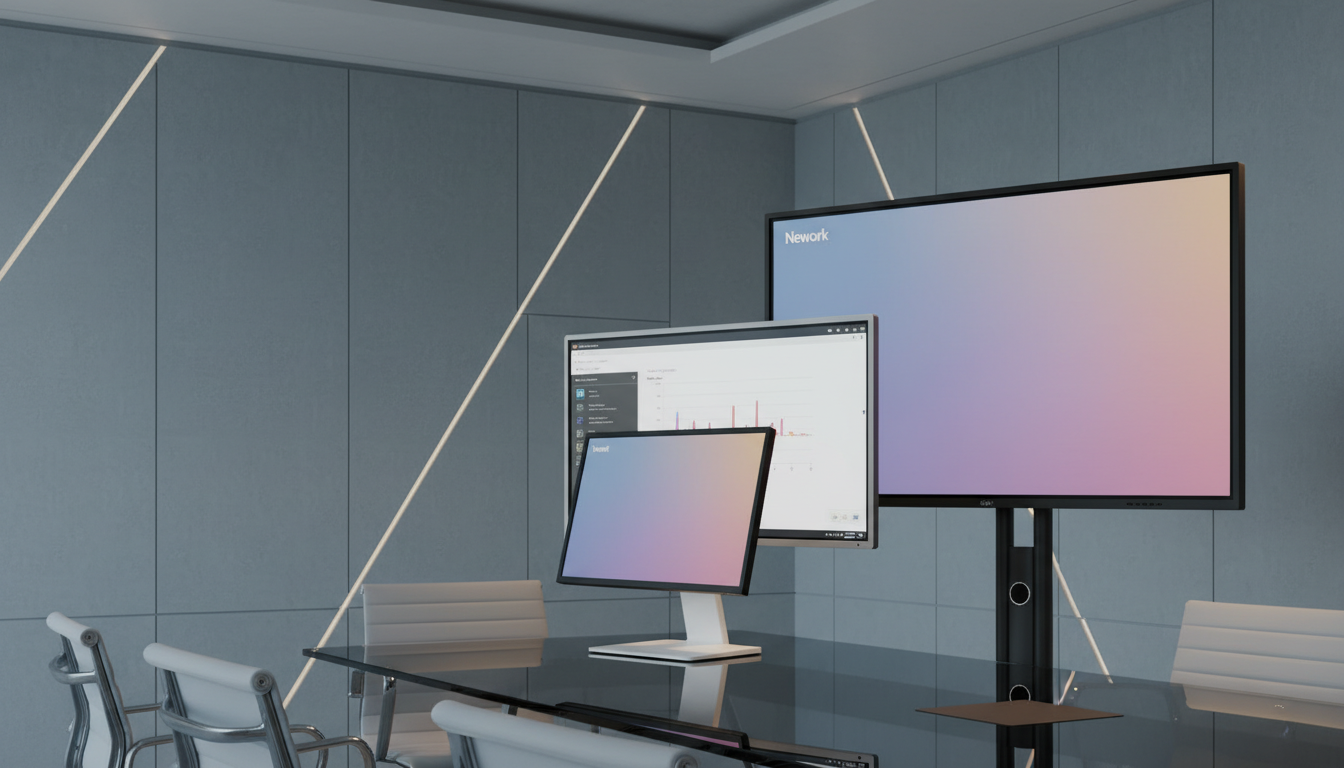
Nework 65-inch Smart Board
Its 450‑nit brightness delivers vivid visuals on a 65‑inch canvas, supporting premium sound and advanced features that earn top marks for value and rating.

ASUS VT229H
Ideal for budget‑conscious buyers, it’s priced at $202.34 versus the $1999.99 Nework board, delivering reliable entry‑level performance in a compact 8‑inch depth.
ViewSonic IFP6552 65-inch
With a perfect 5.0/5 rating, the ViewSonic IFP6552 signals unmatched user satisfaction, and its slim 119.1 mm depth sets it apart from bulkier competitors.
Also considered
Score Analysis
Key score advantages vs. runner-up (ASUS VT229H)
Price Range
Nework 65-inch Smart Board
$1,999.99
ASUS VT229H
$219.00
ViewSonic IFP6552 65-inch
Out of Stock

ViewSonic IFP8650
$3,498.45

Samsung WA65D
$1,821.98

ViewSonic TD2423D
$309.74

Elo 2002L
$618.82
Spec Comparison
TL;DR: The Nework 65‑inch Smart Board delivers a 4K 450‑nit display with 50‑point multi‑touch, Android 14 integration and dual 20 W speakers, but its 38973 g weight may require a sturdy mount.
The standout spec is the 50‑point IR touch surface that supports up to 10 simultaneous users, paired with a 3840 × 2160 resolution and 450 nits brightness. At 65 inches diagonal, the anti‑glare glass panel offers a 178° viewing angle and a 5000:1 contrast ratio, making detailed visuals easy to see even in bright rooms.
Compared with the other six displays, the Nework board is lighter than the ViewSonic IFP6552 (which weighs 96.78 lb) and the Samsung WA65D (94.58 lb), yet heavier than the Elo 2002L, ViewSonic TD2423D and ASUS VT229H, which are under 12 lb. Its brightness of 450 nits exceeds the 400‑nits rating of the ViewSonic IFP6552 and Samsung WA65D, and is well above the 250‑nits levels of the ViewSonic TD2423D and ASUS VT229H. The board also offers more touch points than many competitors cite for a typical 20‑40 point range.
Professional reviewers highlight the 50‑point multi‑touch as a clear advantage for collaborative classrooms and hybrid meetings, noting that the Android 14 platform with Google EDLA certification provides easy access to Google Workspace. Users frequently praise the vivid 4K image and the built‑in dual 20 W speakers for clear audio during group activities. A common drawback is the board’s weight of 38973 g (about 85.9 lb), which can make installation challenging without a sturdy mounting solution.
Pros
Cons
Best for: Educators, corporate teams, and hybrid workspaces that need robust multi‑user collaboration and a high‑resolution interactive display.
Avoid if: You have limited wall space, need a built‑in camera for video calls, or prefer a lightweight board for easy mounting.
TL;DR: The ASUS VT229H is a 21.5‑inch Full HD IPS touchscreen with 10‑point capacitive touch, 250 cd/m² brightness and a lightweight 7.01 lb design, priced at $202.34.
The standout spec is the 10‑point capacitive touch on a 21.5‑inch IPS panel, backed by a 5 ms response time and 102 PPI pixel density. Its frameless design measures just 8.0 inches deep, 11.8 inches high and 19.4 inches wide, making it easy to fit on a desk or mount on a wall.
Compared with the six other displays in this roundup, the VT229H is notably lighter than the ViewSonic TD2423D (11.5 pounds) and the Elo 2002L (11.68 pounds). Its 250 cd/m² brightness matches the ViewSonic TD2423D but falls short of the Samsung WA65D’s 400 nits and the ViewSonic IFP6552’s 400 nits. Unlike the larger 65‑inch boards, the VT229H stays under 10 pounds, which eases transport and wall‑mounting. While many peers list extensive audio or USB‑C power delivery, the VT229H provides 2 × 1.5 W built‑in speakers and a 3.5 mm audio line‑in, offering basic sound without extra peripherals.
Professional reviewers praise the IPS panel’s accurate colors and the 7H hardness glass that endures heavy use. Users appreciate the responsive touch and the QuickFit virtual scale for precise layout work. A recurring downside is the tilt‑only adjustment (‑5° to +20°) with no height, swivel or pivot options, which can limit ergonomic setups. Reviewers describe the 250 cd/m² brightness as modest, especially in bright rooms, and note that the glossy surface may produce glare. The monitor includes TÜV‑certified flicker‑free and Low Blue Light eye‑care modes, ENERGY STAR qualification, and a typical power draw of 21.9 W (18.9 W on‑mode, 0.5 W off‑mode).
Pros
Cons
Best for: Budget‑conscious buyers seeking a reliable entry‑level option
Avoid if: You need advanced features or professional‑grade performance
TL;DR: The ViewSonic IFP6552 delivers a 65‑inch 4K UHD panel with 10‑point infrared touch, but its 400‑nit brightness and 96.78‑lb weight make it best for controlled‑light classrooms rather than bright, portable setups.
The standout feature is the 10‑point infrared multi‑touch on a 65‑inch 4K UHD screen (3840 × 2160 pixels), letting several users interact simultaneously. It also offers a backlight life of 50 000 hours, keeping the display bright for years of daily use.
Compared with the other six displays, the IFP6552 is heavier than the Nework Smart Board (43 904 g vs 38 973 g) and the Samsung WA65D (96.78 lb vs 94.58 lb). Its 400‑nit brightness matches the Samsung but falls short of the Nework’s 450 nits and the IFP8650’s typical 350 nits (up to 400 nits without cover glass). The IFP6552’s USB‑C Power Delivery delivers 60 W, a bit lower than the Nework’s 65 W and Samsung’s 65 W, while none of the peers list a comparable 10‑point touch capability.
Users who rated the unit 5.0 / 5 praise the crisp 4K image and the smooth 10‑point interaction, especially for classroom lessons. However, several reviewers note that 400 nits can feel dim in very bright rooms, and the 96.78‑lb weight makes wall‑mounting a challenge. The built‑in dual 15 W speakers plus a 15 W subwoofer, along with an 8‑microphone beamforming array, add solid audio for collaborative sessions.
Under the hood, a quad‑core processor and 32 GB eMMC internal storage give the panel enough headroom for apps like MyViewBoard annotation software and ViewBoard Cast streaming. ENERGY STAR 8.0 certification and WEEE compliance round out its environmental credentials.
Pros
Cons
Best for: Those prioritizing quality and willing to pay for premium performance
Avoid if: You're shopping on a tight budget — it's priced at $2249.00
TL;DR: The ViewSonic IFP8650 offers an 86‑inch 4K UHD screen with 40‑point infrared touch, 350 nits brightness and a 50,000‑hour backlight, but its $3393.99 price and 153.66 lb weight make it a premium‑only choice.
The standout spec is the massive 86‑inch 4K UHD panel (3840 × 2160) paired with 40‑point infrared multi‑touch and dual‑tip detection (3 mm / 8 mm). Brightness sits at 350 nits typical (up to 400 nits without cover glass), and the LED backlight lasts 50,000 hours of operation. Those numbers give you a large, crisp canvas for collaborative work.
Compared with the other six displays, the IFP8650 is noticeably larger than the 65‑inch Nework Smart Board and the 65‑inch Samsung WA65D. It also weighs more—153.66 lb versus 96.78 lb for the ViewSonic IFP6552 and 94.58 lb for the Samsung model—so wall‑mounting or ceiling rigs need stronger support. Brightness is a touch lower than the IFP6552’s 400 nits and the Nework board’s 450 nits, which may matter in very bright rooms.
User feedback highlights the smooth 40‑point touch and the razor‑sharp 4K image as major wins. However, reviewers note the embedded Android 7 operating system feels dated and can miss newer apps or security updates. The unit’s 350 W maximum power draw and its hefty 153.66 lb weight also draw criticism for installations where space and power budgets are tight. On the plus side, a 3‑year onsite warranty covers parts, labor and the backlight.
Beyond the display, the IFP8650 packs a solid connectivity suite: multiple HDMI, VGA and USB ports, an RJ45 Ethernet jack, a Wi‑Fi module slot and a single 80‑pin Intel OPS slot. Audio comes from two 10 W speakers plus a 15 W speaker, enough for small‑to‑medium rooms without external amps.
Pros
Cons
Best for: Large classrooms, lecture halls, or corporate conference rooms that need a big 4K interactive surface and can accommodate the size and power requirements.
Avoid if: You're shopping on a tight budget — it's priced at $3393.99, and its heavy build and older Android OS may not suit small meeting rooms or mobile setups.
TL;DR: The Samsung WA65D delivers a 65‑inch 4K interactive experience with 40‑point multi‑touch, Android 13, and wide connectivity, but its single 1‑star review raises reliability concerns.
The standout spec is the 40 simultaneous touch points, letting whole classrooms interact at once on a 65‑inch 4K panel (3840 × 2160) that shines at 400 nits. Android 13 runs the display, and Google EDLA certification promises education‑focused apps.
Compared with the other six displays in this roundup, the WA65D sits at the higher end of the price spectrum and is considerably heavier than the compact Elo 2002L. It also offers more touch points than the ViewSonic TD2423D and ASUS VT229H, which list far fewer interaction zones.
Customer sentiment is stark: the single review rates it 1.0 / 5, flagging concerns about overall satisfaction. Professional commentary highlights the extensive 40‑point touch and dual‑pen support as strong collaboration tools, while the lack of broader user feedback makes real‑world reliability hard to gauge.
The display includes a 3‑in‑1 USB‑C port that supplies up to 65 W for charging, plus HDMI, VGA, LAN and Wi‑Fi. Power draw peaks at 385 W, with a sleep mode as low as 0.5 W and typical consumption around 132.2 W (Energy Star) or 184.01 W (IEC 62087).
Pros
Cons
Best for: Educational institutions and large‑group classrooms that need a 65‑inch interactive whiteboard with extensive touch and pen features.
Avoid if: Reliability and user satisfaction are your top concerns.
TL;DR: The ViewSonic TD2423D offers a 24‑inch 1080p IR touchscreen with 10‑point multi‑touch, 250 cd/m² brightness, and eye‑care features, positioned as a solid budget pick for commercial use.
Its standout spec is the 10‑point infrared multi‑touch surface, which supports pinch, zoom and swipe gestures, making collaborative work feel natural on a 24‑inch (1920 × 1080) LED panel. At 250 cd/m² brightness and a static contrast ratio of 3000:1, the display delivers clear images for indoor environments, while the 7H scratch‑resistant glass adds durability for public‑facing installations.
When you line it up against the six other displays in this roundup, the TD2423D is heavier than the ASUS VT229H (7.01 lb) but lighter than the Samsung WA65D (94.58 lb). It shares the same 250 cd/m² brightness as the ASUS model, yet falls short of the Samsung WA65D’s 400 nits and the Nework 65‑inch Smart Board’s 450 nits. Its 24‑inch screen is larger than the ASUS’s 21.5‑inch panel, while the Elo 2002L matches its weight (about 11.68 lb) but doesn’t list touch‑point details, making the ViewSonic’s 10‑point capability a clear advantage.
Professional reviewers have highlighted the monitor’s durable 7H scratch‑resistant surface and the intuitive IR touch response, noting that the built‑in flicker‑free technology and blue‑light filter help reduce eye strain during long sessions. Users appreciate the included speakers (2 W) for basic audio, though the modest 250 cd/m² brightness can feel dim in very bright rooms, and the Full HD resolution may appear less sharp compared with 4K alternatives.
Pros
Cons
Best for: Entry‑level buyers or those on a tight budget, especially in retail, education labs, or kiosk setups.
Avoid if: You need ultra‑high resolution (4K) or very high brightness for bright ambient lighting, or professional‑grade performance.
TL;DR: The Elo 2002L is a 19.5‑inch Full HD touchscreen with zero‑bezel glass, 10‑point projected capacitive touch and a rugged 50,000‑hour MTBF, priced at $618.82.
At 19.5 inches diagonal, the Elo 2002L delivers a native 1920 × 1080 resolution behind a seamless edge‑to‑edge glass panel. Its 10‑point projected capacitive TouchPro technology matches modern tablet responsiveness, while a 225‑nit brightness level and 20 ms response time keep everyday interactions smooth. The unit supports 24/7 public use, features a 50,000‑hour MTBF and IPX1 front ingress protection, and it weighs 11.68 pounds.
Compared with the other six displays, the Elo’s brightness is modest: the ViewSonic TD2423D and ASUS VT229H both list 250 cd/m², and the larger Samsung WA65D, Nework Smart Board, ViewSonic IFP6552 and IFP8650 range from 350 nits up to 450 nits. In weight, the Elo sits between the ViewSonic TD2423D’s 5.2 kg (with stand) and the much heavier 65‑inch boards that exceed 90 pounds, but it's heavier than the ASUS VT229H’s 7.01 pounds.
Professional reviewers praise the unit’s retail‑hardened reliability and the tablet‑like experience the zero‑bezel design provides. Consumer comments frequently mention the durability and low power draw (typical 8.7 W at 12 VDC) as key benefits for high‑traffic settings, while noting that the 225‑nit brightness may struggle in bright outdoor or sun‑filled areas and that the 20 ms response time feels slow for fast‑motion video or gaming. The display also offers HDMI, VGA, audio input and a USB‑B touch port for flexible installation.
Pros
Cons
Best for: Entry-level buyers or those on a tight budget
Avoid if: You need powerful performance or professional‑grade features
Breakdown
Nework 65-inch Smart Board
Pros
ASUS VT229H
Pros
ViewSonic IFP6552 65-inch
Pros
Cons
ViewSonic IFP8650
Pros
Cons
Based on scoring data and product specs
Personalized picks
Best Overall Pick
Nework 65-inch Smart Board
Best OverallBest for: Audiophiles and enthusiasts seeking premium sound quality and advanced features
ASUS VT229H
Best for: Budget-conscious buyers seeking a reliable entry-level option
$219.00-$1,780.99 vs winner
Skip Elo 2002L if…
You need powerful performance or professional-grade features
The Nework 65‑inch Smart Board is the top‑rated interactive display. It packs a 4K UHD panel (3840 × 2160) with 450 nits of brightness and a 5000:1 contrast ratio, delivering crisp visuals even in well‑lit rooms. Its touch system supports up to 50 simultaneous touch points and 10 users at once, while the built‑in Android 14 OS and 8 GB of RAM keep apps running smoothly. At $1,999.99 it also comes with a 12‑month warranty and a solid 4.7‑star rating from 17 reviewers.
The ASUS VT229H lands as the runner‑up, ideal if you need a compact, budget‑friendly screen for a home office or classroom desk. Its 21.5‑inch IPS panel offers 10‑point capacitive touch, 250 cd/m² brightness and a 178° viewing angle, all for just $202.34. With a lightweight 7.01 lb chassis and a 3‑year warranty, it’s easy to mount or move as needed.
Pick the Nework Smart Board now to future‑proof your collaborative space.
The Nework 65‑inch Smart Board lists 50 touch points, far exceeding the 10‑point limit of the ASUS VT229H, ViewSonic IFP6552 and ViewSonic TD2423D, and the 40‑point capability of the Samsung WA65D and ViewSonic IFP8650. This makes Nework the clear leader for environments that need many users to interact at once.
No reviews yet — be the first to share your experience.
Please sign in to leave a review



