⚡ Quick Answer
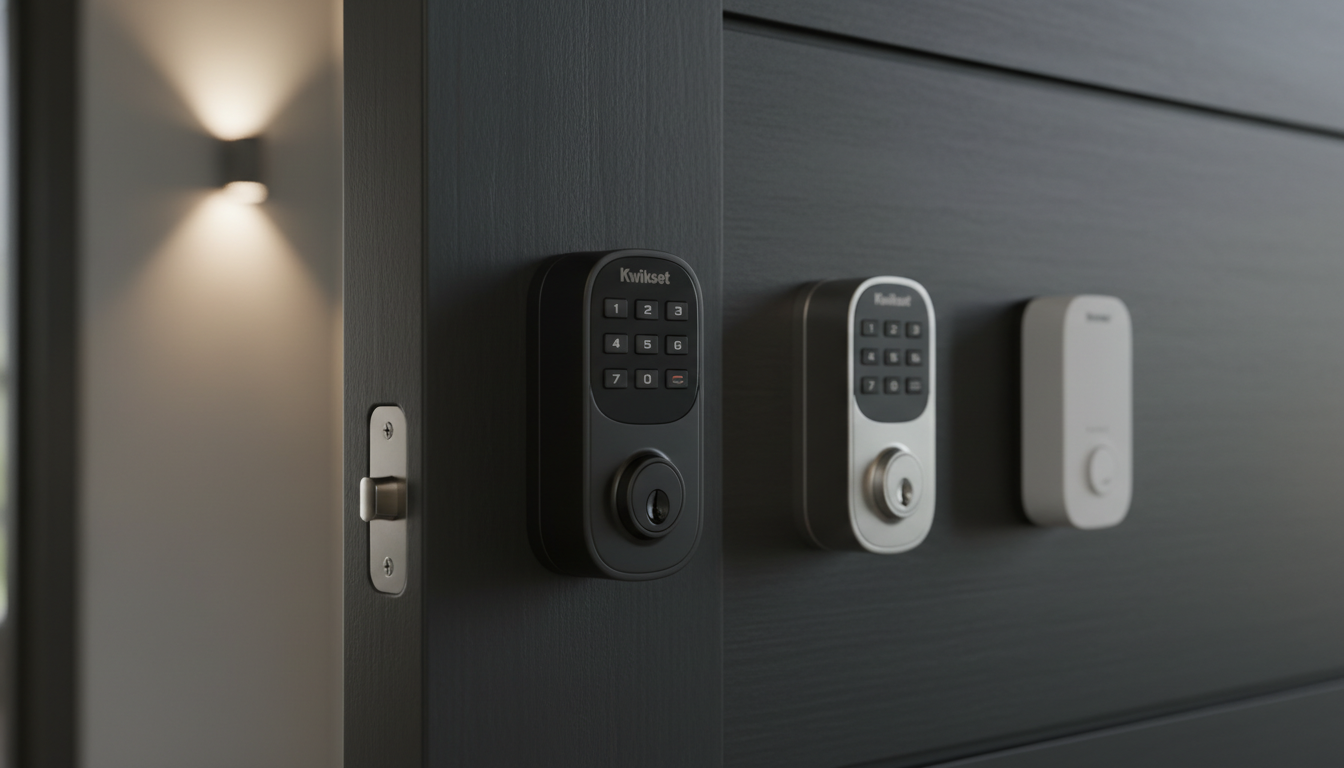
We compared six Kwikset keyless deadbolts, spanning a price range from $40.42 for the budget‑friendly Powerbolt 240 up to $159.00 for the premium Halo Touch. The lineup splits cleanly into three tiers: the Powerbolt 240 and Powerbolt 250 sit in the budget segment, the SmartCode 260 and Aura fill the mid‑range, and the Home Connect 620 and Halo Touch round out the premium options. Ratings hover between 4.0 and 4.4 stars, so performance expectations are solid across the board.
The Home Connect 620 packs a hefty 250‑code capacity and Z‑Wave 700 Long‑Range connectivity that can reach up to a mile line‑of‑sight, making it a strong fit for homes already using Ring, SmartThings or Hubitat. Meanwhile, the Halo Touch brings biometric convenience with 100 fingerprint slots and built‑in Wi‑Fi, while the Aura relies on Bluetooth and also supports 250 user codes. On the budget side, the Powerbolt 240 offers 12 permanent codes and the Powerbolt 250 raises that to 25, both with auto‑lock and DIY installation.
Next we break down how each model performs on security, convenience, and smart‑home integration.

Kwikset Home Connect 620
Its 250‑user code capacity lets you manage many family members and guests, delivering the flexibility that earned it top overall status.

Kwikset SmartCode 260
Ideal for budget‑conscious homeowners who still want a reliable lock, the SmartCode 260 comes in at $67.89—about $81 less than the Home Connect 620.

Kwikset Powerbolt 240
The Powerbolt 240 stands out with permanent 12‑user code slots, a compact 26.2 mm depth and low $40.42 price, making it the go‑to choice for tight‑budget apartments.
Also considered
TL;DR: At $112.79 the Kwikset Aura earns a solid 4.3‑star rating from nearly 4 000 reviewers, praised for its flexible entry options and strong security while noting Bluetooth‑only limits.
The Kwikset Aura is Kwikset’s Bluetooth‑enabled electronic deadbolt positioned in the mid‑price range of this six‑model roundup. It holds a 4.3‑out‑of‑5 rating based on 3,845 reviews, placing it among the higher‑rated choices.
Reviewers consistently highlight three independent access methods—smartphone app, backlit keypad and a traditional key—as a major convenience, especially for families and short‑term guests. The lock’s SmartKey Security technology and its tapered design receive praise for resisting picking, bumping and accommodating doors that aren’t perfectly aligned. Users also appreciate the ability to set custom schedules for individual codes and the simple screwdriver‑only installation.
Critics point out that the Aura relies solely on Bluetooth, so remote control is limited to the lock’s immediate vicinity. The lock runs on four AA batteries with no hard‑wired backup, and it lacks native integration with major voice assistants or a hub for out‑of‑range access. The audible alarm that triggers after several incorrect entries can also be a nuisance.
Pros
Cons
Best for: Most users looking for a well‑reviewed, reliable mainstream option — the Kwikset Aura is available at $112.79
TL;DR: The Kwikset Home Connect 620 packs a 250‑code capacity, Z‑Wave 700 Long‑Range (up to 1 mile line‑of‑sight) connectivity, and SmartKey re‑keying into a 3.4 lb, UL‑rated deadbolt for $149.05.
What sets the Home Connect 620 apart is its long‑range Z‑Wave 700 mesh, which advertises up to 1 mile (1.6 km) line‑of‑sight coverage and S2 128‑bit AES encryption. The lock also supports 250 user codes, a 10‑digit illuminated keypad, and motorized one‑touch locking—all powered by four AA batteries with “Excellent” battery efficiency. At 3.4 lb, it carries a solid feel while meeting ANSI/BHMA Grade 2 standards and a UL 20‑minute fire rating.
Compared with the other five Kwikset deadbolts in this roundup, the Home Connect 620 is noticeably heavier than the Halo Touch (1.0 lb) and the SmartCode 260 (1.0 lb), yet only a shade heavier than the Aura (3.1 lb). Its 250‑code capacity dwarfs the Halo Touch’s 50‑user limit, the Powerbolt 250’s 25 codes, and the Powerbolt 240’s 12 permanent codes. While the Powerbolt 240 weighs 1.825 lb, the Home Connect 620 still offers far more flexibility for larger households or shared‑access scenarios.
Reviewers consistently praise the reliable keypad and the convenience of SmartKey re‑keying, noting that the lock’s battery life feels “excellent” even with frequent Z‑Wave traffic. Professional reviewers highlight the 1‑inch deadbolt throw and the SmartStart setup that streamlines installation. The most common complaints involve the need for a Z‑Wave hub to unlock remote features, occasional bolt jamming on shallow strike plates, and the lack of ADA compliance.
Pros
Cons
Best for: Buyers willing to invest in a proven, high‑quality option — the Kwikset Home Connect 620 offers User Code Capacity: 250
Avoid if: You need advanced features or professional‑grade performance
TL;DR: The Kwikset SmartCode 260 offers a solid Grade 2 deadbolt with 50 user codes, SmartKey re‑keying and a long 10,080‑cycle battery life, all for $67.89.
The standout spec is the capacity for 50 permanent user codes plus 10 one‑time codes, letting you hand out temporary access without re‑programming the whole lock. SmartKey re‑key technology lets you change the lock to any KW1 key without tools, and the BHMA Grade 2 certification backs up the security claim. At 1.0 pound, the lock is lightweight for a deadbolt, and the battery life is listed as 10,080 cycles on four AA alkaline cells.
Compared with the other five deadbolts in this roundup, the SmartCode 260 packs more code capacity than the Powerbolt 250 (25 codes) and Powerbolt 240 (12 codes). It also weighs less than the Powerbolt 240’s 1.825 pounds and far lighter than the Aura (3.1 pounds) and Home Connect 620 (over 3 pounds). While the Halo Touch shares the same 1.0 pound weight, it adds fingerprint scanning—a feature the SmartCode 260 doesn’t have. In contrast, the Home Connect 620 offers a much larger user‑code pool (250) and Z‑Wave connectivity, which the SmartCode 260 lacks.
Users consistently praise the convenience of keyless entry and the reliability of the auto‑lock timers (30 seconds to 10 minutes). Professional reviewers note the UL‑rated 20‑minute lock‑down time and the built‑in intrusion alert that sounds after three wrong codes. Common complaints revolve around occasional programming hiccups, keypad unresponsiveness, and latch jamming when doors aren’t perfectly aligned.
Additional technical touches include a backlit LED indicator (green, amber, red), a 10‑second keypad illumination window, and Microban protection on the keypad surface. The lock supports a deadbolt throw of 25 mm and fits doors with thickness between 35 mm and 44 mm, covering most standard residential doors.
Pros
Cons
Best for: Most users looking for a well‑reviewed, reliable mainstream option — the Kwikset SmartCode 260 offers Deadbolt Throw: 25
Avoid if: you need Wi‑Fi/Bluetooth remote access or have unusually thick, non‑standard doors
TL;DR: For $54.56, the Kwikset Powerbolt 250 delivers a motorized deadbolt with a 10‑button backlit keypad, 25 permanent user codes, auto‑lock timers and Grade 3 steel security, but it lacks any smart‑home connectivity.
The standout spec is its code capacity: you can store up to 25 unique user codes plus 5 one‑time codes, all entered on a 10‑button backlit keypad that lights for 1 second after inactivity. The lock also auto‑locks on a timer selectable from 30 seconds up to 10 minutes, and it features an IP54 rating for dust and splash resistance. Its steel body measures 4.59375 inches tall, 2.6875 inches wide and 0.96875 inches deep, with a 1‑inch deadbolt throw that meets BHMA/ANSI Grade 3 standards.
At $54.56, the Powerbolt 250 sits between the $40.42 Powerbolt 240 and the $67.89 SmartCode 260 in price, while offering a far larger user‑code pool than the Powerbolt 240’s 12 codes. It still trails the Home Connect 620, which holds 250 codes and commands a premium price, and the Halo Touch, which supports 50 users and fingerprint entry. Compared with its peers, the Powerbolt 250 provides fewer high‑end features—no Wi‑Fi, Bluetooth or app control—yet it remains lighter on the spec sheet than the Home Connect 620’s extensive connectivity list.
Customers repeatedly note the lock’s straightforward DIY installation and the convenience of managing multiple codes without a smartphone. Reviewers appreciate the intrusion alert that triggers after three wrong entries and the audible low‑battery warning of 10 beeps plus red flashes. The most common complaints revolve around occasional setup hiccups that require a factory reset and the lack of remote access, which some users expected from a “smart” deadbolt.
Technical details reinforce its value: a 12‑month AA battery life, SmartKey rekeying capability, and a one‑touch lock button add to everyday reliability. The lock’s backlight, anti‑tamper intrusion alert, and vacation mode round out a feature set that feels solid for entry‑level security without the complexity of full home automation.
Pros
Cons
Best for: Entry‑level buyers or those on a tight budget — the Kwikset Powerbolt 250 offers User Code Capacity: 25.
Avoid if: You need advanced smart‑home features, higher security grades, or professional‑grade performance.
TL;DR: The Kwikset Halo Touch costs $159.00, offers built‑in Wi‑Fi, fingerprint entry for up to 100 users, auto‑lock and Grade AAA security, but its premium price and lack of a door sensor may deter budget‑focused buyers.
The standout feature is its hub‑free Wi‑Fi connectivity paired with a 100‑fingerprint capacity, letting you unlock the door by touch, key or app without extra hardware. It also includes auto‑lock, a 1‑inch bolt throw and a backset range of 2‑3/8 to 2‑3/4 inches, all wrapped in a 1.0‑pound metal body.
Compared with the other five deadbolts in this roundup, the Halo Touch is pricier than every alternative. It is lighter than the Kwikset Home Connect 620 (weighs 3.3951188348 pounds) and the Kwikset Aura (3.1 pounds), matches the weight of the SmartCode 260 (1.0 pounds), and is lighter than the Powerbolt 240 (1.825 pounds). Unlike the Home Connect 620, which requires a hub and uses Z‑Wave, the Halo Touch runs on built‑in Wi‑Fi, making installation simpler. None of the peers list a fingerprint sensor, so Halo Touch offers a biometric option they lack.
Professional reviewers praise the hassle‑free Wi‑Fi setup and the convenience of biometric entry, noting that the SmartKey technology and ANSI/BHMA Grade AAA rating provide strong resistance to torque attacks. Users frequently compliment the antimicrobial‑treated fingerprint sensor and the ability to manage up to 50 users via the app. A common complaint is the absence of a built‑in door sensor, which some say can make the auto‑lock feature feel less reliable. The lock also does not support Apple HomeKit or Siri, limiting integration for iOS‑centric smart homes.
Pros
Cons
Best for: Those prioritizing quality and willing to pay for premium performance — the Kwikset Halo Touch offers Backset: 2‑3/8 to 2‑3/4 inches
TL;DR: The Kwikset Powerbolt 240 delivers keyless entry with a 5‑button keypad, 12 months of battery life and a lightweight 1.83 lb design for under‑$50, making it a solid budget pick for standard residential doors.
The standout spec is its compact depth of 26.2 mm combined with a modest weight of 1.83 lb, which keeps the lock unobtrusive on most entryways. A 5‑button keypad drives a BHMA Grade 3 deadbolt, and the built‑in auto‑lock can be set from 30 seconds up to 10 minutes. Power comes from four AA alkaline cells that the manufacturer says last about 12 months, with a low‑battery alert that flashes red ten times and beeps.
Compared with the other five contenders, the Powerbolt 240 is the most affordable option and lighter than the Home Connect 620 and Halo Touch models, which weigh well over 3 lb each. It also lacks the smart‑home radios and larger user‑code capacity found in those premium locks, so it sits squarely in the basic‑feature camp while still offering more code slots than the entry‑level Powerbolt 250.
Professional reviewers praise the lock’s DIY‑friendly screwdriver‑only installation and the ability to program up to 12 permanent user codes plus 2 one‑time codes for guests. Users also appreciate the customizable audible alerts and the intrusion‑alert threshold that disables the keypad after three consecutive wrong entries. The main criticisms echo the expert cons: the Grade 3 rating isn’t suited for commercial security, batteries must be bought separately, and there’s no Bluetooth, Wi‑Fi or hub integration for a connected home.
Pros
Cons
Best for: Entry‑level buyers or those on a tight budget — the Kwikset Powerbolt 240 offers User Code Capacity: 12 permanent
Avoid if: You need high‑security commercial‑grade protection or integrated smart‑home features
Breakdown
Kwikset Home Connect 620
Pros
Kwikset SmartCode 260
Pros
Kwikset Powerbolt 240
Pros
Cons

Kwikset Powerbolt 250
Pros
Cons
Based on scoring data and product specs
Personalized picks
Best Overall Pick
Kwikset Home Connect 620
Best OverallBest for: Buyers willing to invest in a proven, high-quality option — the Kwikset Home Connect 620 offers User Code Capacity: 250
Kwikset SmartCode 260
Best for: Most users looking for a well-reviewed, reliable mainstream option — the Kwikset SmartCode 260 offers Deadbolt Throw: 25
$106.00-$12.61 vs winner
Skip Kwikset Aura if…
You have limited desk space or need portability
Kwikset Home Connect 620 takes the top spot with a solid 4.3‑star rating from 1,249 reviewers and a hefty 250‑code capacity, so you can grant access to family, guests, and service people without juggling keys. Its Z‑Wave 700 Series Long‑Range mesh reaches up to 320 ft and even a 1‑mile low‑power mode, delivering reliable connectivity across larger homes. The lock also supports SmartKey re‑keying, Alexa and Google Assistant voice control, and an ANSI/BHMA Grade 2 security rating, making it a well‑rounded, future‑proof choice.
The runner‑up, Kwikset SmartCode 260, shines if you need an affordable smart deadbolt with built‑in auto‑lock timers (30 sec to 10 min) and Microban antimicrobial protection. Priced at $67.89 and backed by a 4.4‑star rating from 1,129 reviews, it stores 50 user codes and offers SmartKey re‑keying, giving you solid security without the premium price tag.
For tighter budgets, the Powerbolt 240 at $40.42 delivers basic smart‑lock functionality at the lowest entry point. If you sit in the mid‑range market, the SmartCode 260 remains a strong option with its auto‑lock features and antimicrobial coating. For those willing to splurge, the Halo Touch at $159.00 provides the most premium experience among the alternatives.
Choose the Kwikset Home Connect 620 for the most integrated, secure smart deadbolt you can install today.
At $149.05 it costs more than the SmartCode 260 ($67.89) and the Powerbolt 250 ($54.56), but it adds Z‑Wave 700 Series Long‑Range support, up to 250 user codes, a 10‑digit illuminated keypad, and integration with platforms like Ring Alarm, SmartThings and Alexa/Google Assistant. It also offers features such as audit‑trail logging, auto‑relock and a 1‑mile (1.6 km) long‑range mesh capability, which the other models don’t list.
No reviews yet — be the first to share your experience.
Please sign in to leave a review