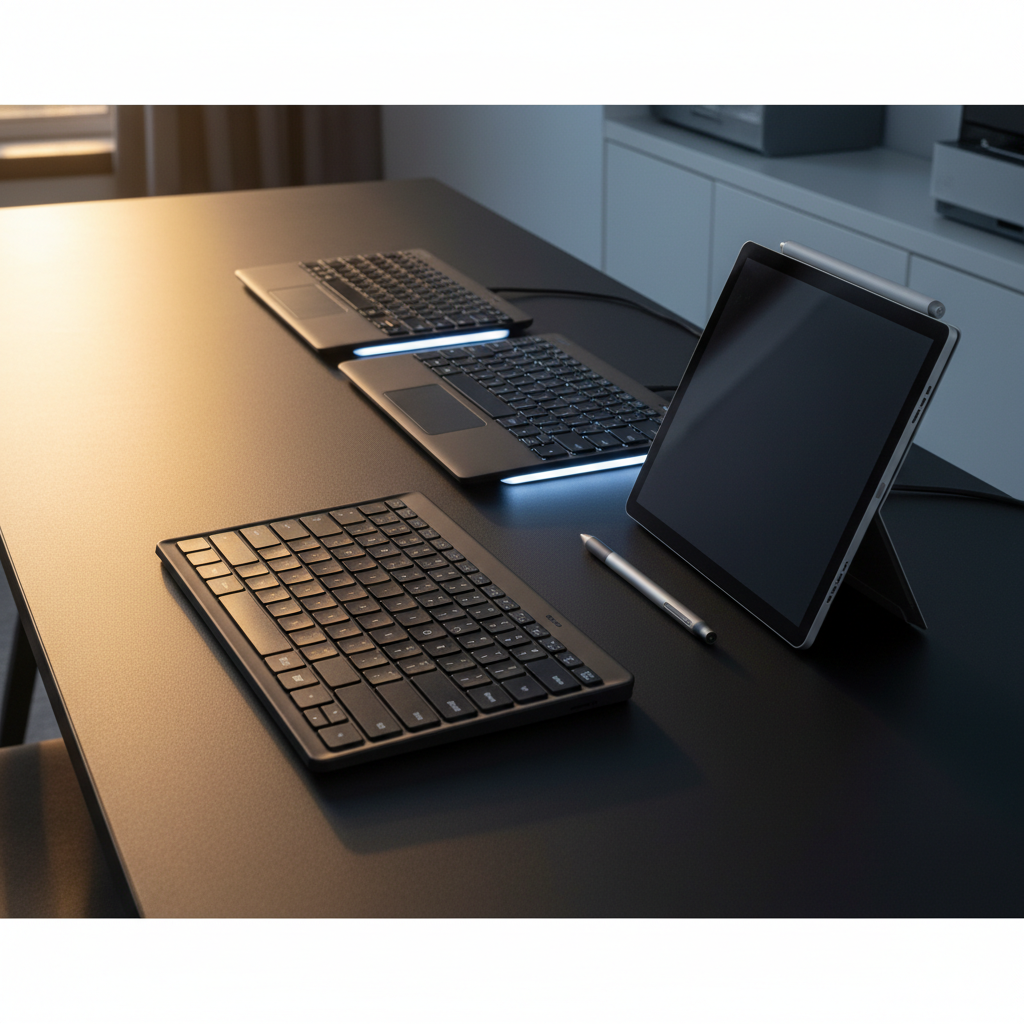
Choosing the right Microsoft keyboard can feel overwhelming, especially when you’re looking at a lineup of 14 models that span budget, mid‑range, and premium tiers. The budget corner starts at $29.99 with the Designer Compact, while premium options top out at $209.95 for the Surface Ergonomic Keyboard. Mid‑range picks like the Surface Pro Keyboard ($104.99) and the Bluetooth Keyboard ($79.99) provide solid feature sets while staying affordable.
If reviews matter, the Surface Pro Keyboard Copilot+ leads with a 4.5/5 rating from 341 reviewers, and the Designer Compact isn’t far behind at 4.3/5 with 865 reviews. Battery life varies: the Flex‑variant of the Surface Pro Keyboard boasts 2,460 minutes of wireless use, while the Bluetooth Keyboard promises up to two years on a single set of AAA cells. For those who need a full‑size ergonomic layout, the Surface Ergonomic Keyboard offers a 12‑month battery span and a 15‑meter open‑air range.
Below we break down each model’s strengths, key specifications, and ideal use‑cases so you can match the perfect Microsoft keyboard to your workflow.

Microsoft Surface Pro Keyboard
Its 2,460‑minute wireless battery life keeps you typing for weeks without recharging.

Microsoft Surface Pro Keyboard Copilot+
Power users who need a premium typing experience pay $39 more than the Best Overall model.

Microsoft Designer Compact
Offers up to 36‑month battery life on four cells, a longevity the other keyboards can’t match, making it ideal for long‑term, low‑maintenance use.
Also considered
Score Analysis
Key score advantages vs. runner-up (Microsoft Surface Pro)
Price Range
Microsoft Surface Pro Keyboard
$128.99
Microsoft Surface Pro Keyboard Copilot+
$143.99
Microsoft Designer Compact
$29.95

Microsoft Surface Ergonomic Keyboard
$209.95

Microsoft Bluetooth Keyboard
$79.99
Microsoft Surface Keyboard
$124.99
Microsoft Ergonomic Keyboard
$199.99

Microsoft N9Z-00002
$59.99
Microsoft Wired Keyboard 500
$45.99

Microsoft B2M-00012
-$0.01

Microsoft Wired Keyboard 600
$65.99
Microsoft Natural Ergonomic Keyboard 4000
$485.00
Microsoft Wired Keyboard 200
$89.99

Microsoft Surface Pro Keyboard Alcantara
$129.99
Spec Comparison
TL;DR: The Microsoft Surface Pro Keyboard offers a premium Alcantara finish, mechanical keys, 2,460‑minute battery life and a dedicated Copilot key, but its fabric can stain easily and it sits at a higher price tier.
This keyboard’s standout spec is its integrated rechargeable battery that delivers 2,460 minutes of wireless use, paired with a 10‑meter Bluetooth Low Energy range. At just 0.6 pounds (272 g) and a slim 4.8 mm thickness, it adds minimal bulk to the Surface Pro while still providing a full row of F‑keys, media controls and a precision touchpad with haptic feedback.
Compared with the other 13 keyboards in our roundup, the Surface Pro Keyboard is lighter than the Alcantara‑covered Surface Pro Keyboard Alcantara (500 g) and the wired Microsoft Wired Keyboard 200 (571.5 g). It also offers more integrated features than the basic Microsoft Wired Keyboard 200, which relies on a 6‑ft cable and lacks any backlighting or touchpad. While the Microsoft Bluetooth Keyboard lists a longer open‑space range of up to 10 m, both devices share a similar 10 m range in practice, but the Surface Pro version adds the magnetic Surface Connect attachment for seamless power and data transfer.
Professional reviewers praise the tactile mechanical keys and the single‑color white backlight that can be dimmed to suit any environment. Users repeatedly highlight the convenience of the dedicated Copilot key for quick AI assistance, calling it a genuine productivity boost. The same reviewers note that the Alcantara fabric feels luxurious but attracts stains, and some owners have struggled with the optional pen‑charging slot when alignment isn’t perfect. These real‑world insights line up with the consumer sentiment that values comfort and build quality while flagging the fabric’s maintenance challenges.
Pros
Cons
Best for: Professionals who use a Surface Pro as their primary device and want a premium, feature‑rich typing experience.
Avoid if: You need a stain‑resistant surface, fully backlit function keys, or the lowest‑cost keyboard option.
TL;DR: The Surface Pro Keyboard Copilot+ adds a tactile mechanical typing experience, an Alcantara palm‑rest and a dedicated AI shortcut to your Surface Pro for $143.99, weighing just 9.6 oz.
What really stands out is the full‑size mechanical key set with tactile feedback, paired with a soft Alcantara® fabric cover that feels both luxurious and durable. The keyboard measures 12.5 in long, 10.0 in wide and only 0.5 in thick, and it tips the scales at 9.6 oz, making it a feather‑light addition to a portable Surface Pro.
Compared with the other 13 keyboards in this roundup, the Copilot+ is lighter than the Surface Keyboard (about 0.92 lb) and the Surface Pro Keyboard Alcantara (≈1.10 lb), while matching the weight of the standard Surface Pro Keyboard at roughly the same 9.6 oz. It also undercuts the heft of the Wired Keyboard 200 (≈1.26 lb) and the Ergonomic Keyboard (≈1720 g), giving you a slimmer profile without sacrificing build quality.
Reviewers love the tactile mechanical keys and the instant‑access Copilot key that launches AI features with a single press. Professional testers note the large precision touchpad as “best‑in‑class” for a detachable cover, and the adjustable white backlight adds usable illumination. Common complaints focus on the Alcantara material staining over time, the lack of built‑in pen charging, and the single‑color backlight being less customizable than some competitors.
Beyond the keys, the keyboard attaches magnetically via Surface Connect, draws power directly from the attached device (so there’s no separate battery), and includes dedicated media, mute, lock and snipping shortcuts. The optional bold keyset offers larger fonts and a brighter backlight for accessibility‑focused users.
Pros
Cons
Best for: Professionals, remote workers, students and accessibility‑focused users who value premium build quality and AI shortcuts.
Avoid if: You need a built‑in numeric keypad, integrated pen charging, or are looking for a lower‑cost, basic keyboard solution.
TL;DR: The Microsoft Designer Compact delivers an ultra‑thin 9.05 mm profile, 36‑month battery life and three‑device Bluetooth switching for just $29.99, making it a sleek, budget‑friendly choice for minimal‑space workspaces.
The standout spec is its 9.05 mm thickness combined with a scissor‑switch key travel of only 1.35 mm, giving the keyboard a laptop‑like feel while staying portable at 0.95 pounds. It runs on four DL2032 coin cells that the manufacturer claims can last up to 36 months, and Bluetooth 5.0 (LE) lets you toggle between up to three paired devices with the F1‑F3 keys.
Compared with the other keyboards in this roundup, the Designer Compact is lighter than the Microsoft Wired Keyboard 500 (2.2 pounds) and far lighter than the split‑key B2M‑00012 (3.9 pounds). Its price point of $29.99 sits below most of the peers, and its 36‑month battery claim outlasts the up‑to‑2‑year battery life listed for the Microsoft Bluetooth Keyboard. While full‑size models like the Wired Keyboard 500 offer 105 keys, the Designer Compact provides a streamlined 78‑key layout, which many users appreciate for desk‑space savings.
User feedback repeatedly praises the minimalist matte‑black design, the convenience of the dedicated emoji and screen‑snipping keys, and the reliable Bluetooth connection within a 10‑meter open‑area range. Professional reviewers note the “36‑month battery life” and “fun and practical emoji key,” but they also point out the lack of backlighting and the shallow 1.35 mm travel that can lead to finger fatigue during long typing sessions. The keyboard’s low‑profile plastic build has no palm rest or passthrough ports, keeping the footprint tiny.
Pros
Cons
Best for: Minimalist office setups, remote or hybrid workers who need to flip between a laptop, desktop and tablet without clutter.
Avoid if: You need deep key travel, backlit keys, or a rechargeable power source; gamers and heavy typists may find the shallow travel limiting.
“well worth the funds”
“the best”
TL;DR: The Microsoft Surface Ergonomic Keyboard costs $209.95, offers a full‑size 104‑key layout, 12‑month battery life on two AAA cells, and an Alcantara palm rest designed to ease wrist strain.
This keyboard’s standout feature is its ergonomic arch and split space bar, paired with a two‑tone Alcantara palm rest that reviewers say feels soft yet durable. It runs on Bluetooth 4.0/4.1 and promises up to 15 meters (50 ft) range in open air, with practical office coverage of 7 meters (23 ft). The keyboard houses 104 keys, each rated for 10,000,000 actuations, and a rated typing speed of 200 characters per minute.
Compared with its peers, the Surface Ergonomic Keyboard weighs more than the ultra‑light Surface Pro Keyboard Copilot+ (272 g) but weighs less than the full‑size Microsoft Ergonomic Keyboard (1720 g). Weighing 2.23 pounds (1,012 g) puts it in the mid‑range of the lineup, offering a sturdier feel without the bulk of the larger ergonomic model.
User sentiment highlights the comfort of the Alcantara rest and the quiet, stable key feel, while noting the lack of backlighting and the inability to pair with multiple devices at once. Professional reviewers also praised the natural arc that encourages better posture, but they called out the single‑device limitation as a trade‑off for the premium material.
Pros
Cons
Best for: Office professionals who type for long periods, remote or hybrid workers needing cross‑platform support, and anyone who values a premium palm‑rest material.
Avoid if: You need backlit keys, multi‑device pairing, or a lightweight keyboard for frequent travel; gamers and low‑budget shoppers may find it too pricey and bulky.
TL;DR: The Microsoft Bluetooth Keyboard costs $79.99, weighs just 1.44 oz, offers up to 33 ft wireless range, and delivers a quiet, Windows‑centric typing experience with solid battery life.
What really stands out is the wireless reach: in an open‑space layout the keyboard maintains a connection out to 33 ft (10 m), while the manufacturer lists the office range at 16 ft (4.9 m). Coupled with a feather‑light 1.44 oz (41 g) chassis, it’s easy to move the keyboard between a home desk and a coffee‑shop table without missing a beat.
At $79.99 it sits a notch above the Microsoft Wired Keyboard 200, priced at $89.99, yet it’s considerably lighter than that model’s 1.26 lb weight. Compared with the heavier Wired Keyboard 600 (about 1.54 lb), the Bluetooth version feels almost weightless, making it a strong contender for anyone who values portability without sacrificing a full‑size layout.
Users consistently praise the hassle‑free Bluetooth 5.0 pairing and the quiet, low‑profile keys that feel comfortable for long typing sessions. Professional reviewers highlight the tight integration with Windows 10/11 and the suite of shortcut keys for Office 365, Search, Emoji, and media control. On the flip side, several reviewers note the lack of a caps‑lock LED and the absence of backlighting, which can be a drawback in dim environments. The flat design also means there’s no tilt adjustment or wrist rest, and the need to press the Fn key for standard F1‑F12 functions can frustrate power users and developers.
Beyond the basics, the keyboard runs on two AAA batteries (included) that the manufacturer lists as lasting up to two years, and it supports both Bluetooth 5.0 and older 4.x devices. Special keys for Office 365, Search, Emoji, Calculator, Screen Snipping, and media controls add a productivity boost without cluttering the layout.
Pros
Cons
Best for: Remote workers, home‑office users, and Microsoft 365 subscribers who need a lightweight, quiet, and Windows‑optimized keyboard.
Avoid if: You rely on backlit keys, need a built‑in wrist rest, or require dedicated function keys without the Fn shortcut.
“It’s like a cat—always sleeping,”
TL;DR: The Microsoft Surface Keyboard offers a premium low‑profile feel, a dedicated Copilot key and a year‑long battery life for $129.99, but it lacks backlighting and a wrist rest.
The standout feature is the built‑in Copilot key, a first‑generation AI shortcut that sits alongside 110 full‑size keys, including a numeric keypad. Its optical linear switches are rated for 5,000,000 alphanumeric actuations and 500,000 multimedia actuations, promising a quiet, durable typing experience. Power comes from two AAA alkaline cells that the manufacturer says will last 12 months, and the keyboard weighs just 0.924398264566 pounds (419.30 g with batteries).
Compared with the other 13 keyboards in this roundup, the Surface Keyboard is lighter than the wired Microsoft Wired Keyboard 200 (1.26 pounds) but heavier than the Surface Pro Keyboard Copilot+ (9.6 oz). Its office wireless range of 5 m matches the Bluetooth Keyboard’s listed 4.9 m, and the 10 m open‑air range aligns with that same competitor. While it carries a premium price tag, it sits above many of the budget‑oriented options such as the Bluetooth Keyboard and Wired Keyboard 600, which are priced lower in the lineup.
Professional reviewers praise the keyboard’s seamless integration with Surface devices and the quiet feel of its optical switches. Everyday users echo the sentiment, noting the solid construction and quick pairing across Windows, macOS, iOS and Android. Most common complaints focus on the lack of backlighting in dim environments and the need to replace AAA batteries rather than recharge them. Some owners also mention fingerprint smudges on the gray finish, which can be a minor annoyance on a premium surface.
Pros
Cons
Best for: Those prioritizing quality and willing to pay for premium performance
Avoid if: You have limited desk space or need portability
TL;DR: The Microsoft Ergonomic Keyboard offers a split‑key layout, 14° tilt, and a fabric palm rest for office comfort, but its $199.99 price and learning curve may deter budget‑focused users.
This keyboard’s standout spec is the removable front tilt leg that provides a 14° angle, letting you raise the typing surface without extra accessories. At 1720 g it feels solid, and the full‑size layout includes a numeric keypad plus 15+ dedicated Office 365, emoji, media, search, and screenshot shortcuts.
Compared with the other 13 keyboards in the roundup, it’s heavier than the Surface Pro Keyboard Copilot+ (272 g) and the Surface Pro Keyboard (272 g), but lighter than the Surface Ergonomic Keyboard’s 2.23 pounds. Its 508 mm length exceeds the Surface Ergonomic Keyboard’s 460.14 mm and the Surface Keyboard’s 420.90 mm, giving you more key real‑estate than many wireless rivals. It also out‑sizes the Surface Pro Keyboard Alcantara (281.94 mm) and the Surface Pro Keyboard (289.1 mm) while remaining slimmer than the wired Microsoft Wired Keyboard 200, which measures 492.8 mm in depth.
Reviewers consistently praise the ergonomic split layout for reducing wrist strain and the fabric‑covered palm rest for added comfort during long typing sessions. Professional reviewers note the “excellent typing feel” and “classy professional design,” yet they also warn of a steep learning curve and occasional inconsistency in key actuation, especially on the bottom row. Users love the Office 365 shortcut cluster, but many note that dust collects on the fabric rest, which is hard to clean. The lack of backlighting makes it less suitable for dim environments, and gamers will find the membrane switches and no RGB lighting limiting.
Technically, the keyboard connects via a USB‑A wired cable compatible with USB 2.0, ensuring plug‑and‑play reliability on Windows 10 (full functionality) and limited features on older Windows versions. The low‑travel, domed, island‑style keys deliver a quiet typing experience, and the split gull‑wing layout encourages a more natural hand posture.
Pros
Cons
Best for: Office professionals who rely heavily on Microsoft 365 shortcuts, data‑entry clerks, and anyone seeking a wired ergonomic solution.
Avoid if: You're shopping on a tight budget — it's priced at $199.99 and may be overkill for casual use.
“Keyboard is great, all it is missing is the capability to connect to multiple devices.”
TL;DR: The Microsoft N9Z-00002 All‑in‑One Media Keyboard packs a full‑size layout, integrated multi‑touch trackpad and 9‑month battery life into a lightweight 0.45‑lb wireless package for $59.99.
This keyboard’s standout feature is the built‑in multi‑touch trackpad, measuring 3.2 in high by 3.0 in wide and supporting gestures like scroll, zoom, swipe and flick. The trackpad clicks register after a firm press, and the manufacturer rates them for 1,000,000 actuations, giving it a long‑lasting feel for living‑room PCs.
At 0.45 lb, it’s noticeably lighter than the Microsoft Wired Keyboard 600 (about 1.54 lb) and the Wired Keyboard 500 (around 2.2 lb). Its 33 ft (10 m) wireless range matches the Microsoft Bluetooth Keyboard’s open‑space range, so you won’t lose connectivity even when the receiver sits across the couch.
Users love the convenience of a single device that handles typing, media control and cursor movement. Six dedicated media hotkeys (three programmable) and a spill‑resistant design with drainage channels receive frequent praise. Professional reviewers note the smooth typing experience, while common complaints focus on the lack of backlighting and occasional trackpad unresponsiveness after prolonged use.
Technical highlights include 500,000 key actuations per key, a 200‑character‑per‑minute typing speed rating, side‑mounted on/off switch, built‑in receiver storage, and 128‑bit AES encryption for secure wireless communication. Powered by two AAA alkaline batteries, the keyboard promises roughly 9 months of use before replacement.
Pros
Cons
Best for: Buyers in the budget price range seeking the best quality at that price point
Avoid if: Reliability and user satisfaction are your top concerns
“Users appreciate the convenience of the built‑in touchpad”
TL;DR: The Microsoft Wired Keyboard 500 offers a spill‑resistant, full‑size layout with 105 keys and ten multimedia shortcuts for $45.99, but its PS/2‑only connection and short cable may limit use on newer PCs.
At the heart of the Keyboard 500 is a rubber‑dome switch array that delivers quiet, tactile feedback across its 105 keys, and ten dedicated multimedia hotkeys for email, volume, and media control. The unit weighs 2.2 Pounds (998 grams) and sports a 1524 mm cable, while the spill‑resistant chassis includes drainage channels that help protect against accidental liquids.
Compared with other keyboards in this roundup, the Keyboard 500 is heavier than the Designer Compact’s 0.95 Pounds but lighter than the Wired Keyboard 600’s 1.543 Pounds. Its cable is shorter than the 2‑meter lead on the Wired Keyboard 600 and the 1830 mm cable on the Wired Keyboard 200, which can constrain desk placement. The 105‑key layout gives you more keys than the Designer Compact’s 78‑key count, though it falls short of the N9Z‑00002’s 109 keys. Unlike the Bluetooth and other wireless options, the Keyboard 500 connects via a PS/2 (6‑pin mini‑DIN) port, limiting compatibility with modern laptops that lack this legacy interface.
User feedback highlights the quiet keystrokes and reliable spill‑resistance as strong points, with many noting that the multimedia shortcuts streamline everyday tasks. However, reviewers also point out the non‑standard navigation key placement (Home, End, Delete, Page Up/Down) and occasional legend wear on frequently used keys. Professional reviewers praise the durable construction but flag the outdated PS/2 connector and limited IntelliType software support on newer Windows versions.
Technical specs show the keyboard operates in environments ranging from 0 °C to 40 °C and 30 % to 80 % humidity, and it meets minimal system requirements of a Pentium 133 MHz processor, 64 MB RAM, and 35 MB storage. The included IntelliType legacy software provides basic configuration, though it doesn't recognize the PS/2 version on Windows 7 64‑bit.
Pros
Cons
Best for: Entry‑level buyers or those on a tight budget
Avoid if: You need modern connectivity, extensive customization, or a keyboard optimized for gaming
“Keys feel great — quiet and responsive”
“Love the volume controls right on the keyboard”
TL;DR: The Microsoft Natural Ergonomic Keyboard 4000 is a 3.9‑pound, split‑key USB keyboard with a 14° gable angle, integrated palm rest and multimedia shortcuts, designed for comfort during long typing sessions.
This model’s standout feature is its ergonomic layout: a split‑key design featuring a 14° gable angle, a curved keybed, and a detachable cushioned palm rest that slopes 7° upward. The keyboard also adds a center‑mounted zoom slider and five programmable “My Favorites” keys, all while weighing 3.9 pounds.
Compared with the other 13 keyboards in this roundup, the Natural Ergonomic Keyboard 4000 is the heaviest and one of the longest. At 3.9 pounds it outweighs the Designer Compact (0.95 lb) and the Wireless N9Z‑00002 (0.45 lb), and it is heavier than the Wired Keyboard 500 (2.2 lb) and the Bluetooth Keyboard (≈1.02 lb). Its 538 mm length also exceeds the Designer Compact’s 284 mm length and the Wired Keyboard 500’s 454 mm depth, giving it a noticeably larger desk footprint.
Users consistently praise the split layout for reducing wrist strain and note that professional reviewers highlight its 14° angle as helping to limit ulnar deviation and shoulder tension. Reviewers frequently mention the integrated palm rest as a comfort boost during eight‑hour workdays. Common complaints focus on the lack of backlighting, a stiff spacebar that requires extra force, and key legends that tend to fade over time—issues that can matter in low‑light environments or for users who value a sleek aesthetic.
Technically, the keyboard connects via a USB 2.0 plug‑and‑play cable, requiring no batteries and drawing power directly from the host. It supports Windows 2000‑10 and limited macOS 10.2‑10.4 compatibility, and the IntelliType Pro software lets you customize the five programmable keys and F‑Lock function.
Pros
Cons
Best for: Office workers, programmers, or anyone who types six or more hours daily and needs ergonomic support to alleviate wrist or forearm strain.
Avoid if: You have limited desk space or need a portable, lightweight keyboard.
“After 10 minutes on a standard keyboard, my neck locks up — this one lets me type for hours.”
“Letters rubbed off within 6 months”
TL;DR: The Microsoft Wired Keyboard 600 offers a full‑size 109‑key layout, 20 million‑stroke durability and a 2‑meter USB cable at a modest $66 price, but it lacks ergonomic extras.
At the heart of the Keyboard 600 is a full‑size ANSI/ISO layout with 109 keys and a rubber‑dome membrane rated for 20 million actuations per key. The quiet‑touch keys keep office noise down, while the spill‑resistant design protects against accidental drinks. A 2‑meter USB‑A cable gives you plenty of reach, and the unit weighs 1.543235834 pounds, making it sturdy enough for desk use without feeling overly heavy.
Compared with the other keyboards in this roundup, the 600 sits in the middle of the weight spectrum—lighter than the Microsoft Wired Keyboard 500’s 2.2 pounds but heavier than the ultra‑light N9Z‑00002 at 0.45 pounds. Its 2‑meter cable outstretches the 1.524 meter cable on the Wired Keyboard 500 and the 1.83 meter cable on the Wired Keyboard 200, giving you more flexibility in cramped setups. However, it provides only five multimedia hotkeys, whereas the Wired Keyboard 500 packs ten, so you've fewer dedicated shortcuts.
Professional reviewers note the durable construction and the reliable plug‑and‑play USB connection as strong points. Everyday users echo this, praising the quiet operation and the peace of mind from the spill‑resistant keys. The trade‑offs show up in the lack of a wrist rest, a flat membrane feel that some find “mushy,” and a 2‑key rollover that limits fast gaming or heavy multitasking. Small F‑keys also draw occasional complaints for being hard to hit.
Pros
Cons
Best for: Entry-level buyers or those on a tight budget
Avoid if: You want the best value‑per‑dollar in its price range or need a keyboard for gaming or heavy multitasking
“Keys feel great — quiet and responsive”
“Love the volume controls right on the keyboard”
TL;DR: The Microsoft Natural Ergonomic Keyboard 4000 offers a full‑size split design with a plush palm rest, wired USB connection, and a $12400.00 price tag for a premium office experience.
This keyboard features a full‑size 104‑key layout, a dedicated Zoom slider and media keys, and a reinforced 1.53 m USB cable. It weighs 3.0 pounds and its keys are rated for 1,000,000 characters per key with a 60 g operating force, giving a solid, durable feel for long typing sessions.
Compared with other Microsoft keyboards in this roundup, it weighs more than the Surface Ergonomic Keyboard (2.23 pounds) and the Microsoft Ergonomic Keyboard (1,720 g). While many peers rely on wireless connections, this model stays wired, which some users value for consistent latency and no battery concerns.
Professional reviewers note the fixed split angle and lack of tenting as a trade‑off, and everyday users praise the integrated plush palm rest for continuous wrist support. However, reviewers describe the 60 g key press as stiff, and the spacebar’s central‑press requirement can feel finicky. The keyboard is compatible with Windows XP through Windows 10 and macOS 10.2‑10.6, and it ships with a three‑year limited warranty.
Pros
Cons
Best for: Those prioritizing quality and willing to pay for premium performance
Avoid if: You're shopping on a tight budget — it's priced at $12400.00
“Keyboard is great, all it is missing is the capability to connect to multiple devices.”
TL;DR: The Microsoft Wired Keyboard 200 offers a flat low‑profile layout, a full 10‑key numeric pad and a 6‑foot USB cable for $89.99, but its Windows sleep‑mode quirk and fading key legends can be frustrating.
This keyboard’s most eye‑catching spec is the 1830 mm (6 ft) wired USB cable, giving you plenty of reach from a desktop PC to a distant desk or work‑station. The flat low‑profile design keeps the overall height to just 43.2 mm, and the quiet keypress sound makes typing less noisy. A full‑size numeric keypad rounds out the layout, and the plug‑and‑play USB Type‑A connection means you won’t need any drivers.
Compared with other Microsoft keyboards in the roundup, the Wired Keyboard 200 sits in the middle of the weight range: at 1.26 pounds it’s heavier than the Bluetooth Keyboard (≈1.02 pounds) but lighter than the Wired Keyboard 600 (≈1.54 pounds). Its 6‑foot cable is slightly shorter than the 2‑meter cable on the Wired Keyboard 600, yet still longer than many compact models. Unlike the Bluetooth and Surface‑series keyboards, this model offers no multimedia keys or backlighting, positioning it as a no‑frills, office‑focused option.
Users consistently praise the immediate usability: the keyboard works straight out of the box and the quiet keys feel solid for everyday typing. Professional reviewers note the reliable USB connection and the budget‑friendly $89.99 price point. However, several complaints surface around a Windows 8.1/10/11 power‑saving feature that puts the keyboard into sleep mode after just a few seconds of inactivity. Others mention that the printed key legends tend to fade with heavy use, and the ergonomics feel dated compared with newer Microsoft models that include spill resistance or more advanced key mechanisms.
Pros
Cons
Best for: Value‑conscious buyers seeking quality at $89.99
Avoid if: You have limited desk space, need portability, or require gaming‑grade durability and multimedia controls
“Keys feel great — quiet and responsive”
“Love the volume controls right on the keyboard”
TL;DR: The Microsoft Surface Pro Keyboard Alcantara adds a full‑size backlit mechanical keyboard, a 360° hinge and premium Alcantara finish to a 12‑inch Surface Pro for $119.99.
This keyboard’s standout feature is its dynamic 360° hinge that lets you rotate the keyboard fully around the tablet, turning it into a laptop, tablet or studio mode in an instant. It attaches magnetically via the Surface Connect port, and the whole unit weighs 1.10231131 pounds, with a slim 25.4 mm height and a length of 281.94 mm, giving it a solid yet portable feel.
Compared with the other 13 keyboards in our roundup, the Alcantara model is heavier than the Surface Keyboard (0.924398264566 pounds) and the Surface Pro Keyboard (0.6 pounds), but lighter than the Wired Keyboard 600 (1.543235834 pounds). It also outweighs the Bluetooth Keyboard (1.017653801392 pounds). Its 25.4 mm height exceeds the Surface Keyboard’s 19.30 mm profile, placing it toward the bulkier end of the range. Its price point of $119.99 is higher than many of the budget‑focused options, reflecting its premium materials and integrated features.
User sentiment repeatedly praises the tactile mechanical keys, the bright backlighting and the luxurious Alcantara® fabric that feels premium to the touch. Professional reviewers highlight the tight integration with Surface devices, the haptic‑enhanced glass touchpad and the dedicated Copilot shortcut key. At the same time, several users note that the compact layout can cause hand fatigue during long typing sessions, and the lack of USB ports limits expandability.
Beyond the hinge, the keyboard offers a full‑size mechanical key set with backlighting, an optional bold keyset for higher contrast, and a precision glass touchpad that supports adaptive touch mode for users with different accessibility needs. The magnetic connection powers the keyboard—there’s no separate battery to charge. An onboard accelerometer adds another layer of device awareness, and the packaging uses 70% recycled wood‑based fiber and 100% virgin paper from responsibly managed forests.
Pros
Cons
Best for: Most users seeking a balanced, mainstream option
Avoid if: You're shopping on a tight budget — it's priced at $119.99
Breakdown
Microsoft Surface Pro Keyboard
Pros
Microsoft Surface Pro Keyboard Copilot+
Pros
Microsoft Designer Compact
Pros
Microsoft Surface Ergonomic Keyboard
Pros
Based on scoring data and product specs
Personalized picks
Best Overall Pick
Microsoft Surface Pro Keyboard
Best OverallBest for: Most users seeking a balanced, mainstream option
Microsoft Surface Pro Keyboard Copilot+
Best for: Those prioritizing quality and willing to pay for premium performance
$143.99+$15.00 vs winner
Skip Microsoft Surface Pro Keyboard Alcantara if…
You're shopping on a tight budget — it's priced at $119.99
Microsoft’s Surface Pro Keyboard takes the top spot with a solid 4.5 / 5 rating from 110 reviews, a feather‑light 0.6 pounds (272 g) build, and a 2,460‑minute battery life on the Flex variant. Its magnetic Surface Connect attachment means you can snap it onto compatible Surface Pro devices instantly, while the single‑color white backlight lets you fully adjust it for low‑light typing.
The runner‑up, the Surface Pro Keyboard Copilot+, shines when you want a keyboard that never needs its own charge. It draws power directly from the attached Surface, features a dedicated Copilot key for instant AI assistance, and sports a durable Alcantara® fabric finish. At 9.6 oz (272 g) and a slim 0.5 in (12.7 mm) profile, it’s perfect for users who prioritize a seamless, always‑ready setup over a separate battery.
For tighter budgets, the Microsoft Designer Compact at $29.99 offers a compact form factor at an unbeatable price. If you’re looking to splurge on top‑tier ergonomics, the Microsoft Natural Ergonomic Keyboard 4000 commands attention at $12 400.00, delivering premium comfort and advanced features for a high‑end workstation.
Choose the Surface Pro Keyboard for the best experience and enjoy a reliable, feature‑rich typing companion today.
The Microsoft Surface Pro Keyboard includes a large precision touchpad, a magnetic attachment, and a thin 4.8 mm profile, making it the most convenient option for mobile Surface Pro owners who want integrated cursor control.
Please sign in to leave a review
No reviews yet. Be the first to review!
