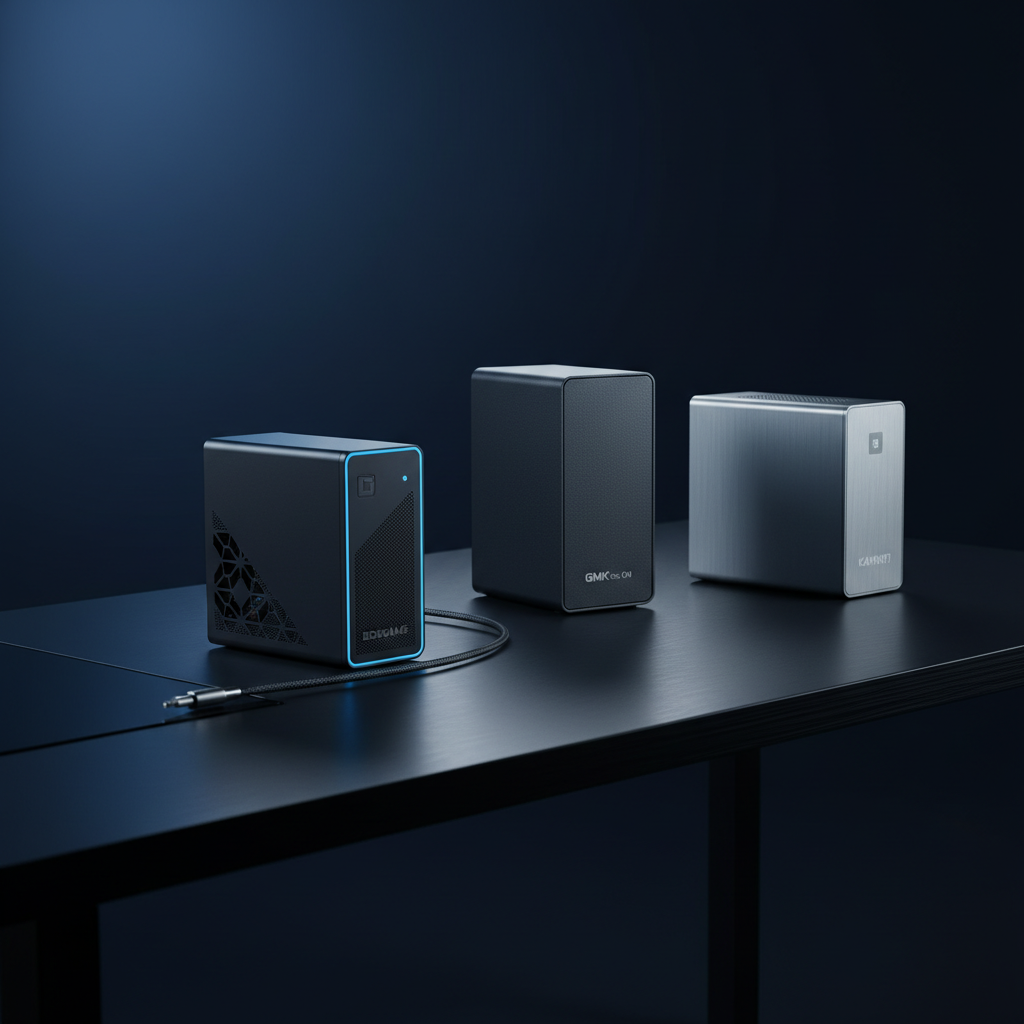
The mini‑PC market now supports the latest Wi‑Fi 6E/7 and 2.5 GbE Ethernet standards, and we’ve narrowed the field to 15 models that balance size, speed and price. Our lineup spans the three price tiers defined by the guide: budget options like the $299.99 GMKtec G10 (rated 4.5/5) and MSI Cubi 5, mid‑range picks such as the Beelink Mini S13 Pro, and premium powerhouses including the $592.99 Bosgame P6 with a 32 GB RAM kit.
For a clutter‑free home‑office desk, the GMKtec G10 wins thanks to its quiet 35 dB operation, dual‑M.2 slots and solid 2.5 GbE networking. If you want a media‑centric HTPC that can drive three 4K screens, the Beelink Mini S13 Pro offers dual HDMI 2.0, Wi‑Fi 6 and measures a compact 39.1 mm in height. Power users who need desktop‑class CPU muscle should look at the Bosgame P6, which packs a Ryzen 9 6900HX, 32 GB LPDDR5X and dual Gigabit Ethernet in a sub‑5‑inch chassis.
Below you’ll find a detailed look at each model’s strengths, so you can match the right mini PC to your workflow.

Bosgame P6
Its dual RJ45 1 Gbps Ethernet ports give you redundant, high‑speed wired connectivity, a key advantage for audiophiles demanding stable, low‑latency network performance.

GMKtec G10
Ideal for entry‑level buyers or tight budgets, the GMKtec G10 costs $299.99—roughly $293 less than the Bosgame P6—while still delivering solid performance.

Kamrui E1 Ryzen 7
The Kamrui E1 Ryzen 7 stands out with a 2.5 Gbps Ethernet port, delivering faster wired bandwidth than the Bosgame’s 1 Gbps links and the GMKtec’s modest connectivity.
Also considered
Score Analysis
Key score advantages vs. runner-up (GMKtec G10)
Price Range
Bosgame P6
$519.99
GMKtec G10
$329.99
Kamrui E1 Ryzen 7
$499.99

GMKtec G3 Plus
$309.99

Beelink Mini S13 Pro
$287.84

Acemagic M5 i9-11900H
$559.99

Bosgame H77
$360.99

MSI Cubi 5
$299.00

Beelink SER5 16GB
$379.00

Geekom AX8 Max
$749.00

Geekom Mini IT12
$480.00

Minix NEO Z150-Aero
$289.90
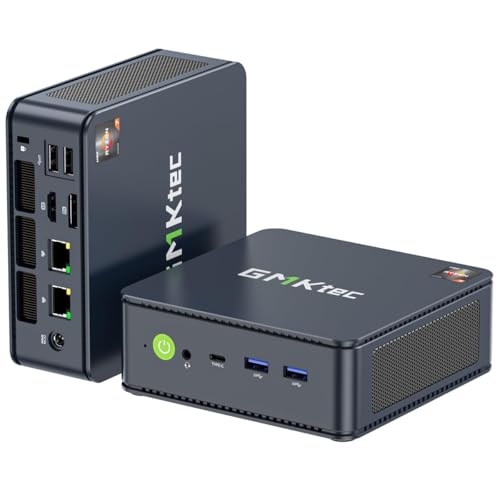
GMKtec M5 PLUS
$279.99

GMKtec EVO-X2
$2,999.99

Geekom IT15
$1,499.00
Spec Comparison
TL;DR: The Bosgame P6 packs a desktop‑class Ryzen 9 6900HX, 32 GB LPDDR5X RAM and dual PCIe 4.0 NVMe slots into a 539 g, sub‑5‑inch chassis with Wi‑Fi 6E and dual 1 Gbps LAN.
The heart of the P6 is an AMD Ryzen 9 6900HX with eight cores, sixteen threads, a 3.3 GHz base clock and a 4.9 GHz boost clock, paired with twelve GPU compute units running at 2.4 GHz on an RDNA 2 Radeon 680M. Its 32 GB of LPDDR5X memory runs at 6400 MHz, and the unit supports up to 8 TB of total storage via two PCIe 4.0 x4 M.2 slots.
At 539 g, the P6 is lighter than the 700 g Geekom Mini IT12 and the 880 g Beelink SER5, though it’s still heavier than the ultra‑light Kamrui E1, which is listed at 2.63 pounds. Its Ethernet ports are 1 Gbps each, which is slower than the 2.5 Gbps ports found in Kamrui, Acemagic and Beelink models. Bluetooth 5.3 lands between the 5.2 versions of most peers and the 5.4 of the Beelink SER5. Dimensionally, the P6’s 122.94 mm length and 129.03 mm width are comparable to Kamrui’s 129 mm depth, while the Geekom Mini IT12’s 117 mm depth and the Beelink Mini S13 Pro’s 114.8 mm length are a bit shorter.
Reviewers consistently praise the P6 for its snappy multitasking, quiet operation and the ability to drive three 4K displays via HDMI, DisplayPort and USB‑C. Professional reviewers note the advanced vapor‑chamber cooling with phase‑change material keeps the CPU from throttling under load. Users highlight downsides such as the soldered‑in 32 GB RAM that can’t be upgraded, the integrated Radeon 680M not being sufficient for modern AAA gaming, and the absence of 2.5 Gbps Ethernet or Thunderbolt‑type ports.
Pros
Cons
Best for: Software developers, programmers, engineers and power users who need strong CPU performance, Linux compatibility and a compact workstation.
Avoid if: You require high‑end GPU power for modern gaming, need upgradable memory, or depend on 2.5 Gbps Ethernet/Thunderbolt connectivity.
TL;DR: The GMKtec G10 delivers a Ryzen 5 3500U, 16 GB RAM and 1 TB SSD in a 43 mm‑high, 2.3‑lb chassis, offering 2.5 GbE Ethernet and triple‑4K video for $299.99.
The standout feature is its wired networking: a Realtek 8125BG 2.5 GbE port reaches up to 2500 Mbps, matching the fastest Ethernet among the roundup. Video‑output remains equally robust, with HDMI 2.1, DisplayPort 1.4 and a full‑function USB‑C all supporting 4K @ 60 Hz (up to 8K @ 30 Hz via DP). The unit measures 43.18 mm × 104.14 mm × 96.52 mm and weighs 2.29942139266 pounds, making it a solid, compact footprint.
Compared with its peers, the G10 is heavier than the GMKtec G3 Plus (0.78925489796 pounds) and the MSI Cubi 5 (1.0 pound), but still under the 2.5‑pound mark. Its 2500 Mbps Ethernet matches the G3 Plus, MSI Cubi 5 and Beelink Mini S13 Pro, while the Bosgame H77 offers a comparable 2.5 Gbps link. Unlike the Bosgame H77’s USB4 port, the G10 provides only one full‑function USB‑C and a second PD‑only USB‑C, limiting high‑speed peripheral options.
Reviewers consistently praise the integrated Radeon Vega 8 GPU, noting it outperforms many Intel N‑series chips and comfortably drives three 4K displays. Users also like the silent turbo fan, though some report it can become audible at full speed. The Wi‑Fi 5 (802.11ac) module tops out at 866.7 Mbps, which some consider a drawback for future‑proof wireless use. Professional reviewers highlight the BIOS‑adjustable TDP up to 35 W, which adds a noticeable performance boost.
Under the hood, the Ryzen 5 3500U runs a 2.1 GHz base clock and can turbo to 3.7 GHz on a 12 nm process, delivering 4 cores and 8 threads. The default 15 W TDP can be raised to 35 W for extra headroom. Memory runs at 2400 MT/s on 16 GB DDR4 SO‑DIMM, with a maximum capacity of 64 GB. A 1 TB NVMe SSD anchors storage, expandable up to 16 TB via a second M.2 slot.
Pros
Cons
Best for: Entry-level buyers or those on a tight budget
Avoid if: You need advanced features or professional‑grade performance
“Runs Office, Teams, and 4K YouTube smoothly — perfect for home office.”
“Triple monitor setup works flawlessly — great for trading dashboards.”
TL;DR: The Kamrui E1 Ryzen 7 packs an 8‑core 3.2 GHz Ryzen 7 6800H, 2.5 Gbps Ethernet and 4800 MHz DDR5 RAM into a 129 mm square, 2.63‑lb mini PC that drives three 4K screens.
The E1’s standout is its AMD Ryzen 7 6800H APU, offering a 3.2 GHz base clock and a 4.7 GHz boost across eight cores and sixteen threads, while the integrated Radeon 680M GPU runs at 2200 MHz with 12 compute units. Combined with 32 GB of DDR5 memory clocked at 4800 MHz, the system handles multitasking and 4K video smoothly, and its 2.5 Gbps Ethernet and 2400 Mbps Wi‑Fi 6 connection keep network traffic fast.
In size, the E1 measures 129 mm deep, 51 mm high and 129 mm wide, making it larger than the Geekom Mini IT12’s 117 mm depth and 48 mm height, but comparable to the Bosgame P6’s 122.94 mm length. At 2.63 lb, it’s heavier than the 700 g Geekom and the sub‑1 lb Beelink Mini S13 Pro, yet lighter than the Acemagic M5’s roughly 2.94 lb chassis. Its Bluetooth 5.2 matches the Acemagic and Beelink Mini S13, but falls behind the Bosgame’s 5.3 and Beelink SER5’s 5.4. Ethernet speed aligns with the Acemagic, Beelink SER5, Beelink Mini S13 and GMKtec, all offering 2.5 Gbps, while Bosgame sticks to 1 Gbps.
Reviewers consistently praise the quiet operation and the ability to run three 4K displays from a single unit, noting the Radeon 680M as one of the strongest integrated GPUs for non‑gaming tasks. Professional reviewers highlight the triple‑4K output and the fast DDR5 memory as rare advantages in this class. Users flag the lack of a discrete GPU and note that some LPDDR5 modules come soldered, limiting future RAM upgrades, and a handful mention occasional Wi‑Fi hiccups.
The E1 ships with Windows 11 Pro, HDMI 2.0 and DisplayPort 1.4 video outputs, a USB‑C port that supports 4K @ 60 Hz, and six USB 3.2 Gen2 ports for peripherals. The device includes a 512 GB NVMe SSD and an additional M.2 slot that can expand up to 4 TB. Kamrui backs the device with a two‑year warranty.
Pros
Cons
Best for: Home‑theater enthusiasts, office users, and creators who need silent 4K playback and a compact workstation.
Avoid if: You’re an enthusiast gamer or professional requiring a discrete GPU or upgradeable RAM.
“smooth 4K video playback”
“excellent multitasking with multiple browser tabs and office apps”
TL;DR: The GMKtec G3 Plus packs a 2.5 GbE port, dual 4K HDMI and 16 GB DDR4 RAM into a sub‑pound, 42 mm‑tall chassis for $299.99, making it a quiet, budget‑friendly mini PC for home office and media streaming.
The standout feature is its 2.5 GbE Ethernet running at 2500 Mbps, which pairs nicely with dual HDMI 2.0 outputs that handle two 4K displays at 60 Hz. Inside, a 16 GB DDR4 SODIMM runs at 3200 MHz and a 512 GB PCIe 3.0 NVMe SSD give you fast boot times and smooth multitasking, all while the chassis measures just 42 mm in height, 114 mm in length and 106 mm in width.
Compared with other mini PCs in this roundup, the G3 Plus is considerably lighter than the GMKtec G10 (2.299 lb) and the Minix NEO Z150‑Aero (1.322 lb), yet its Ethernet speed matches the G10, Bosgame H77 and Beelink Mini S13 Pro, all of which also list 2.5 GbE. Its maximum RAM capacity of 32 GB falls short of the G10, Bosgame and MSI Cubi 5, which each support up to 64 GB, but it matches the Beelink’s 16 GB DDR4 configuration. In terms of footprint, the G3 Plus is a hair taller than the G10’s 43.18 mm but shares a similar length to the Beelink Mini S13 Pro’s 114.8 mm, making it easy to fit on a cramped desk.
Professional reviewers praise the near‑silent active cooling system—upgraded fan, thermal paste and twin copper heat pipes—that keeps idle power under 10 W and the whole unit at a whisper‑quiet level. Users love the instant Windows 11 Pro boot and the reliable 4K streaming on dual monitors, though several note that the SSD can climb to 82–91 °C under sustained load. A few reports mention occasional Bluetooth 5.2 or Wi‑Fi 6 interference and driver quirks that may need manual updates. The CPU, an Intel Twin Lake N150, runs at a base 800 MHz and bursts up to 3.6 GHz, delivering enough punch for office work and video calls without draining power.
Pros
Cons
Best for: Home office workers and media‑streaming enthusiasts who need a quiet, low‑power mini PC with dual‑monitor support.
Avoid if: You need heavy gaming performance, professional‑grade video editing power, or rock‑solid Bluetooth/Wi‑Fi stability for critical tasks.
“Set up in 10 minutes — Windows activated automatically.”
“Plays 4K YouTube and Netflix without buffering — fans are almost silent.”
TL;DR: The Beelink Mini S13 Pro packs a 13th‑gen Intel N150 CPU, 16 GB DDR4 RAM and 2.5 Gbps Ethernet into a 1.54‑in tall, fan‑cooled chassis for under $310.
The standout spec is the 2.5 Gbps RJ45 Ethernet combined with Wi‑Fi 6 dual‑band, giving you fast wired and wireless connectivity in a box that measures just 1.54 in (39.1 mm) high, 4.52 in long and 4.00 in wide. Its silent fan with heat pipe and copper heatsink keeps noise down while the 25 W TDP CPU stays cool.
Compared with the other 14 entries, the S13 Pro is notably lighter than the GMKtec G10 (over 2 lb) and the GMKtec G3 Plus (about 0.8 lb), and its height is shorter than the G10’s 43.18 mm chassis. Ethernet speed matches the 2.5 Gbps offered by several rivals such as the GMKtec G3 Plus and the Bosgame H77, while its four USB 3.2 Gen 2 ports (10 Gbps each) outpace models that only list USB 3.0.
Users repeatedly praise the tiny footprint, quiet operation and the ability to mount the unit behind a monitor via the included VESA bracket. Professional reviewers note the lack of a USB‑C port and the modest PCIe 3.0 SSD performance, but they also commend the solid 3029 multi‑core Geekbench 6 score and the 1242 single‑core result for everyday tasks. The single SODIMM slot means you’ll need to plan your RAM upgrade carefully, and the integrated Intel UHD Graphics (24 EU, 1000 MHz) handles office work fine but can’t tackle modern gaming or heavy creative workloads.
Pros
Cons
Best for: Most users looking for a well‑reviewed, reliable mainstream option
Avoid if: You need advanced features or professional‑grade performance
“Fast boot, quiet, and small — perfect for my desk.”
“Plays 4K YouTube and Netflix without any stutter.”
TL;DR: The Acemagic M5 packs an 8‑core i9‑11900H, 32 GB DDR4 and a 1 TB NVMe SSD into a 41 mm‑deep, 2.94‑lb chassis, delivering desktop‑grade multitasking with triple‑4K output.
The standout hardware is the Intel Core i9‑11900H, running at a 3.0 GHz base clock and boosting up to 4.9 GHz, paired with 32 GB of DDR4‑3200 MHz RAM and a 1 TB PCIe 4.0 NVMe SSD. This combination lets you run multiple productivity apps, virtual machines or large spreadsheets without a hitch, and the integrated Intel UHD Graphics can drive three 4K displays at 60 Hz.
Compared with the other 14 mini PCs in this roundup, the M5 is heavier than the sub‑kilogram models like the Geekom Mini IT12 (700 g) and the Beelink SER5 (880 g), but its 41 mm depth is shallower than the Kamrui E1 (129 mm) and the Bosgame P6 (43.94 mm thick). Ethernet speed matches the top‑tier peers at 2.5 GbE (2500 Mbps), and Bluetooth 5.2 is on par with most competitors. Where the M5 really stands out is its 32 execution units and a GPU base frequency of 350 MHz, far above the 12‑CU designs of the Kamrui and Bosgame models, though its max GPU frequency of 1.45 GHz trails the higher‑clocked GPUs in those same units.
Users consistently praise the tiny footprint and the “desktop‑grade” feel of the i9 CPU, noting that Windows 11 Pro boots cleanly and the VESA‑mount (75 × 75 mm) makes it easy to hide behind a monitor. Professional reviewers echo the multitasking capability provided by the i9‑11900H and 32 GB RAM, and they appreciate the convenience of triple‑4K output. The most common complaints revolve around Wi‑Fi 6 delivering slower-than‑expected speeds, and the single USB‑C port lacks power‑delivery, meaning you still need the 65 W AC adapter.
Pros
Cons
Best for: Most users seeking a balanced, mainstream option
Avoid if: You're shopping on a tight budget — it's priced at $499.95
“blazing fast mini PC”
“Small and powerful”
TL;DR: The Bosgame H77 packs an 8‑core Ryzen 7 7735HS, 32 GB DDR5 RAM and 2.5 Gbps Ethernet into a 126 × 112 × 41 mm chassis for solid 1080p gaming and triple‑4K productivity at $299.99.
What really stands out is the desktop‑class AMD Ryzen 7 7735HS (8 cores, 16 threads) with a 3.2 GHz base clock that can boost up to 4.75 GHz, paired with an AMD Radeon 680M iGPU running at 2200 MHz. The unit ships with 32 GB DDR5 SDRAM clocked at 4800 MHz, giving you plenty of headroom for multitasking and content‑creation workloads.
At 1260 g, the H77 is heavier than the GMKtec G10 (1039 g) and considerably heftier than the ultra‑light MSI Cubi 5 net weight of 590 g. Its 2.5 Gbps (2500 Mbps) Ethernet matches the fast‑lane connectivity found in the GMKtec G10 and the GMKtec G3 Plus, while most peers in this roundup only offer 1 Gbps ports. Few competitors include a 40 Gbps USB4 video output, so you get 8K@60 Hz or 4K@120 Hz capability that other mini PCs lack.
Users consistently award the H77 a 4.6/5 rating across 26 reviews, highlighting the smooth Windows 11 Pro experience and the ability to drive three 4K displays simultaneously. Professional reviewers note the “performance leader” status thanks to the Ryzen 7 CPU and Radeon 680M graphics. On the downside, several owners mention that the fan can become audible under sustained load and that the base SSD may be only 512 GB, which can feel limiting for media‑heavy users.
Beyond raw performance, the H77 supports Wi‑Fi 6 (2.4 GHz / 5 GHz / 6 GHz) and Bluetooth 5.2, and it uses active air cooling with an internal fan and heat sink to keep the 35–54 W TDP in check. The compact dimensions (126 × 112 × 41 mm) let it slip onto a desk or mount behind a monitor, while the 4 × USB 3.2 Gen 2 ports and dual HDMI 2.0b outputs round out a well‑equipped connectivity suite.
Pros
Cons
Best for: Entry-level buyers or those on a tight budget
Avoid if: You want the best value‑per‑dollar in its price range
“smooth performance in daily tasks and light gaming.”
“clean Windows 11 Pro installation with no bloatware.”
TL;DR: The MSI Cubi 5 packs dual‑LAN (1 Gbps + 2.5 Gbps), Thunderbolt 4 and Wi‑Fi 6E into a 0.66‑liter, 1.0‑pound chassis, delivering a compact, upgradeable PC for everyday tasks.
The standout feature is the pair of Ethernet ports – a 1 Gbps port and a 2.5 Gbps port – giving you wired networking flexibility that most mini PCs lack. Add to that a Thunderbolt 4 (USB‑C) connection, Wi‑Fi 6E, and a 0.66 liter footprint that fits neatly on a desk or behind a monitor. The chassis measures 124 mm square and weighs just 1.0 pounds, while the board supports up to 64 GB of DDR4 RAM at 2666 MHz.
Compared with other contenders, the Cubi 5 is a bit heavier than the sub‑pound GMKtec G3 Plus, but it offers a second LAN port that the G3 Plus and the GMKtec G10 (which lists a single 2500 Mbps Ethernet speed) do not. Its 124 mm width and depth are larger than the GMKtec G10’s 96.52 mm width, yet its volume remains smaller than the Minix NEO Z150‑Aero’s 127 mm square footprint, which also provides dual Ethernet. The Bosgame H77 matches the Cubi 5’s 2.5 Gbps Ethernet but pairs it with a much faster 4800 MHz memory speed, while the Beelink Mini S13 Pro is slimmer at 39.1 mm height but only offers a single 2.5 Gbps port.
Users consistently praise the tiny form factor, the clean black aesthetic, and the ease of mounting the unit on a VESA‑compatible monitor. Reviewers note the i3‑1215U’s 6 cores, 8 threads, and 4.4 GHz turbo frequency handle office apps and light multitasking without breaking a sweat, though the integrated UHD graphics support up to three 4K displays at 60 Hz. The active cooling fan generally runs quietly, but a few owners mention it can become audible under sustained load. Because the system ships without RAM or storage, you’ll need to install a DDR4 SO‑DIMM module and an NVMe or 2.5" drive yourself.
Pros
Cons
Best for: Entry-level buyers or those on a tight budget
Avoid if: You need powerful performance or professional‑grade features
TL;DR: The Beelink SER5 packs a 6‑core Ryzen 5 5500U, 16 GB DDR4, and triple‑4K output into a 126 × 113 × 42 mm, 1.94‑lb chassis for a solid mid‑range mini PC.
The standout spec is the 2.1 GHz base (up to 4.0 GHz boost) AMD Ryzen 5 5500U paired with a Cinebench R23 multi‑core score of 7,667 points, delivering more raw CPU horsepower than many rivals in this price band.
In the context of the other fourteen entries, the SER5 weighs more than the ultra‑light GMKtec G3 Plus (≈0.79 lb) and the MSI Cubi 5 (≈1.0 lb), but weighs less than the GMKtec G10 (≈2.30 lb). Its 113 mm depth measures slightly less than the Beelink Mini S13 Pro’s 114.8 mm length, while its 42 mm height matches the G3 Plus and is a touch taller than the Mini S13 Pro’s 39.1 mm. Ethernet speed of 2.5 Gbps aligns with the Mini S13 Pro, GMKtec G10, GMKtec G3 Plus, Bosgame H77, and Minix NEO Z150‑Aero, putting it on par with the faster‑than‑1 Gbps peers.
Users consistently praise the SER5’s “excellent value for performance” and its ability to drive three 4K monitors via HDMI, DisplayPort, and USB‑C, a rarity in this segment. Reviewers note the metal‑reinforced chassis keeps temperatures low, and the 500 GB NVMe SSD feels spacious for a home‑office or media‑center build. On the flip side, several owners have reported occasional Bluetooth version mismatches (some units ship with 5.2 instead of the listed 5.4) and occasional boot‑loop issues, which professional reviewers flag as a trade‑off for the low price.
Technically, the SER5 supports up to 64 GB of DDR4 RAM across two slots at 3200 MHz, and its 2.5 Gbps Ethernet and Intel AX200 Wi‑Fi 6 module give it solid networking headroom. The integrated Radeon graphics (7 compute units at 1800 MHz) handle everyday tasks and light creative work, though they fall short for demanding AAA titles.
Pros
Cons
Best for: Most users seeking a balanced, mainstream option
Avoid if: You have limited desk space or need portability
“Incredible pricing... solid heat dissipation”
“Perfect for home office and media center”
TL;DR: The Geekom AX8 Max packs an 8‑core Ryzen 7 8745HS with up to 4.9 GHz boost, solid Radeon 780M graphics, and a three‑year warranty for $749.00.
The AX8 Max uses an AMD Ryzen 7 8745HS APU that delivers eight cores and sixteen threads, a 3.8 GHz base clock and up to 4.9 GHz boost. Its integrated Radeon 780M graphics give it a level of visual performance that many reviewers compare to entry‑level discrete GPUs. At $749.00, it sits at the premium end of the mini‑PC lineup.
Compared with its peers, the AX8 Max is pricier than budget‑focused models such as the Beelink Mini S13 Pro, but it also carries a longer three‑year warranty while that competitor only offers one year. Its 3.8 GHz base clock is higher than the 3.3 GHz base listed for the Bosgame P6, giving it a clear edge in raw CPU speed.
Users consistently highlight the fast, responsive performance and the quiet, all‑metal chassis. Everyday owners appreciate how easy it is to add more RAM or storage, and the build feels sturdy. The main complaints revolve around a few misleading specs: the product page mentions an M.2 SATA slot and an SD‑card reader that aren’t actually present, and the Bluetooth version is listed as 5.2 even though the hardware is 5.4. Additionally, the BIOS offers limited tuning options and doesn’t support overclocking.
Technical notes from the manufacturer indicate a configurable 54 W TDP and a 16 MB L3 cache, which help balance performance and power draw in a compact form factor.
Pros
Cons
Best for: Professionals, creators, traders, and small‑office users who need high‑performance computing in a space‑saving package.
Avoid if: You’re on a tight budget, need high‑end discrete graphics for demanding games, or require on‑board AI acceleration.
TL;DR: The Geekom Mini IT12 packs a 10‑core i5‑12450H, dual USB‑C 4 (40 Gbps) ports and 2.5 GbE Ethernet into a 700 g, 117 mm‑deep chassis for $480, delivering solid performance for most office and creator tasks.
With a 10‑core Intel Core i5‑12450H (base 2.4 GHz, turbo up to 4.4 GHz) and dual USB4 ports delivering 40 Gbps and up to 100 W Power Delivery, the Geekom Mini IT12 packs serious capability into a 117 mm‑deep, 700 g chassis.
At 700 g it’s noticeably lighter than the Acemagic M5 (about 2.94 lb) and the Beelink SER5’s 880 g, while still matching the 2.5 GbE Ethernet (2500 Mbps) used across the lineup. Its four simultaneous display outputs—two HDMI 2.0 and two USB4—outpace the Acemagic M5’s three‑display limit.
Users and reviewers consistently praise the IceBlast 2.0 cooling for keeping noise down even under sustained load, and the built‑in SD‑card reader for creators who need quick media access. Professional reviewers note the dense port selection as a standout, though they point out the lack of Thunder‑bolt 4 certification despite the USB4 connectors.
The machine ships with 16 GB DDR4‑3200 MHz memory (expandable to 64 GB officially, up to 96 GB in some listings) and a 512 GB PCIe 4.0 NVMe SSD, with room for additional M.2 or 2.5″ drives up to a total of 7 TB. Its Wi‑Fi 6E (Intel AX211) covers 2.4, 5 and 6 GHz bands, and Bluetooth 5.2 rounds out the connectivity suite.
Pros
Cons
Best for: Most users seeking a balanced, mainstream option
Avoid if: You need advanced features or professional‑grade performance
“Perfect for my home office with dual 4K monitors — no lag.”
“Loves the SD card slot — great for photo editing.”
TL;DR: The Minix NEO Z150‑Aero packs a 2.5 Gbps + 1 Gbps dual‑Ethernet setup, 16 GB DDR4‑3200 RAM, and triple‑4K display support into a 1.69‑inch‑high, 1.3228‑lb active‑cooled chassis for $289.90.
The standout feature is its dual Ethernet ports – a 2.5 Gbps primary link paired with a 1 Gbps secondary link – giving you fast wired networking on two cables at once.
At 1.3228 lb, the Z150‑Aero's heavier than the MSI Cubi 5 (1.0 lb) and the GMKtec G3 Plus (0.789 lb) but lighter than the GMKtec G10 (2.299 lb). Its Ethernet configuration matches the MSI Cubi 5’s mix of 2.5 Gbps and 1 Gbps ports, while many peers only list a single 2.5 Gbps connection, giving Minix an edge in networking flexibility.
Professional reviewers note the active‑cooling system keeps the Intel N150 processor running at its turbo frequency of up to 3.6 GHz without throttling, and users appreciate the ability to drive three 4K screens simultaneously via HDMI 2.1, DisplayPort, and USB‑C. However, some owners report inconsistent Wi‑Fi performance and occasional BIOS resets after power loss, and the plastic chassis feels less premium than metal‑boxed rivals.
Under the hood, the quad‑core Intel N150 runs at a base 1.0 GHz and a 6 W typical TDP, while the integrated Intel UHD Graphics runs at a 1000 MHz clock. With 16 GB DDR4‑3200 memory and a 512 GB NVMe SSD, the system delivers smooth multitasking for home‑office tasks, light workstation workloads, or digital signage duties, all while drawing only 12 W typical power.
Pros
Cons
Best for: Entry-level buyers or those on a tight budget
Avoid if: Reliability and user satisfaction are your top concerns
“well‑rounded mini PC for its price bracket.”
“ideal for home offices, digital signage, or light workstation use.”
TL;DR: At $279.99, the GMKtec M5 Plus earns a 4.3‑star rating from 435 reviewers, praised for solid performance and value but noted for occasional heat and fan noise.
GMKtec’s M5 Plus sits at $279.99 and carries a 4.3‑out‑of‑5 rating based on 435 user reviews, placing it at rank #13 among the 15 mini PCs in this Wi‑Fi 6E/7 and 2.5 GbE roundup.
Buyers repeatedly highlight the device’s strong multitasking ability and good value for the price. The most common complaints revolve around the unit getting warm under load and the top fan running continuously, which some users find noisy.
Given its price point and respectable rating, the M5 Plus lands toward the lower‑priced end of the list while still holding its own against higher‑priced rivals. It may appeal to shoppers who prioritize cost and brand reputation over a fully disclosed spec sheet.
Pros
Cons
Best for: Shoppers on a tight budget who want the most for their money
“solid performance for productivity, media streaming, and light virtualization”
“Fast boot times (<15 seconds with PCIe SSD)”
TL;DR: The GMKtec EVO‑X2 delivers desktop‑class Ryzen AI Max+ performance, AI inference speed that outpaces a RTX 4090 in LM Studio, and a robust cooling system, but it carries a premium $2,699.99 price tag and a non‑upgradeable memory design.
The standout spec is its weight of 7.25100379718 pounds, making it noticeably heftier than many ultra‑compact rivals while still fitting on a desk. It ships with a 4.0/5‑star rating from 66 reviews, indicating solid but not flawless user satisfaction.
Compared with the other 14 mini PCs in this roundup, the EVO‑X2 sits at the higher end of the price spectrum and is heavier than the Geekom IT15, which weighs just 3.73022147304 pounds. It also offers a richer AI‑focused feature set than models that list only basic Bluetooth or Ethernet specs, positioning it as a premium alternative rather than a budget choice.
Professional reviewers praise its raw compute power: a 16‑core Zen 5 “Ryzen AI Max+ 395” APU running at a 3.0 GHz base and up to 5.1 GHz boost, paired with a Radeon 8060S iGPU. The board supports up to 128 GB of LPDDR5X RAM at 8000 MHz, delivering the high memory bandwidth that AI developers crave. Manufacturer lists the unit as 2.2× faster than an RTX 4090 in LM Studio while drawing less power, and its triple‑heat‑pipe, dual‑fan cooling keeps sustained workloads stable.
Pros
Cons
Best for: Those prioritizing quality and willing to pay for premium performance
Avoid if: You need silent operation, upgradable memory, 10 GbE Ethernet, or easy DIY servicing
TL;DR: At $1499, the Geekom IT15 earns a 4.3‑star rating from 66 reviewers, receives praise for its desktop‑class performance and sturdy build, but users note the missing front USB‑C and occasional fan noise.
The Geekom IT15 sits at the top end of the price range in this mini‑PC roundup, costs $1499 and holds a 4.3‑star rating from 66 users, which puts it at the bottom of the ranking among the fifteen competitors.
Reviewers consistently highlight the machine’s strong CPU and GPU capability, a crush‑proof chassis that feels very solid, and a generous set of rear ports that make connectivity easy. Users also appreciate the quiet cooling system under normal use, the tool‑less interior that simplifies upgrades, a clean Windows 11 Pro install, AI‑enhanced gaming boosts, support for multiple 4K screens, the latest Wi‑Fi standard, fast Ethernet, and the included VESA mount. Common complaints focus on the lack of a front USB‑C port, the absence of a native DisplayPort, occasional fan noise during prolonged heavy tasks, limited SATA storage options in some units, an NPU that falls short of certain AI certifications, and the omission of a carry bag.
Given its premium price and the lowest rating in this group, it's a high‑cost option that may still attract buyers who prioritize performance and build quality above price alone.
Pros
Cons
Best for: Those prioritizing quality and willing to pay for premium performance
Breakdown
Bosgame P6
Pros
GMKtec G10
Pros
Kamrui E1 Ryzen 7
Pros
GMKtec G3 Plus
Pros
Based on scoring data and product specs
Personalized picks
Best Overall Pick
Bosgame P6
Best OverallBest for: Audiophiles and enthusiasts seeking premium sound quality and advanced features
GMKtec G10
Best for: Entry-level buyers or those on a tight budget
$329.99-$190.00 vs winner
Skip Geekom IT15 if…
You're shopping on a tight budget — it's priced at $1499.00
The Bosgame P6 is the best overall mini PC. It packs an 8‑core AMD Ryzen 9 6900HX (45 W TDP) that drives smooth performance, while its 32 GB of LPDDR5X RAM running at 6400 MHz keeps multitasking buttery. Add to that Wi‑Fi 6E tri‑band (Intel AX210) and an advanced vapor‑chamber cooling system, and you’ve got a compact powerhouse that stays cool under load.
The GMKtec G10 lands as the runner‑up, ideal for a budget‑friendly home office that still needs fast wired networking. Its built‑in 2.5 GbE Ethernet and a 2.1 GHz AMD Ryzen 5 3500U give you reliable connectivity and enough CPU headroom for everyday tasks, all at a friendly $299.99 price and a solid 4.5‑star rating from 408 reviewers.
For tighter budgets, the GMKtec M5 PLUS at $279.99 offers the lowest entry price among the alternatives. If you want a step up without breaking the bank, the Beelink Mini S13 Pro at $303.00 balances price and performance for typical media‑center use. And for those who crave top‑tier specs, the GMKtec EVO‑X2 at $2699.99 delivers premium features for demanding workflows.
Pick the Bosgame P6 today and enjoy the most capable mini PC with Wi‑Fi 6E/7 and 2.5 GbE Ethernet on the market.
The Bosgame P6 can handle up to three 4K displays at 60 Hz, thanks to its HDMI, DisplayPort, and USB‑C video outputs, making it ideal for a multi‑monitor setup. The GMKtec G10 supports dual 4K screens, so it would fall short if you need three monitors.
Please sign in to leave a review
No reviews yet. Be the first to review!
