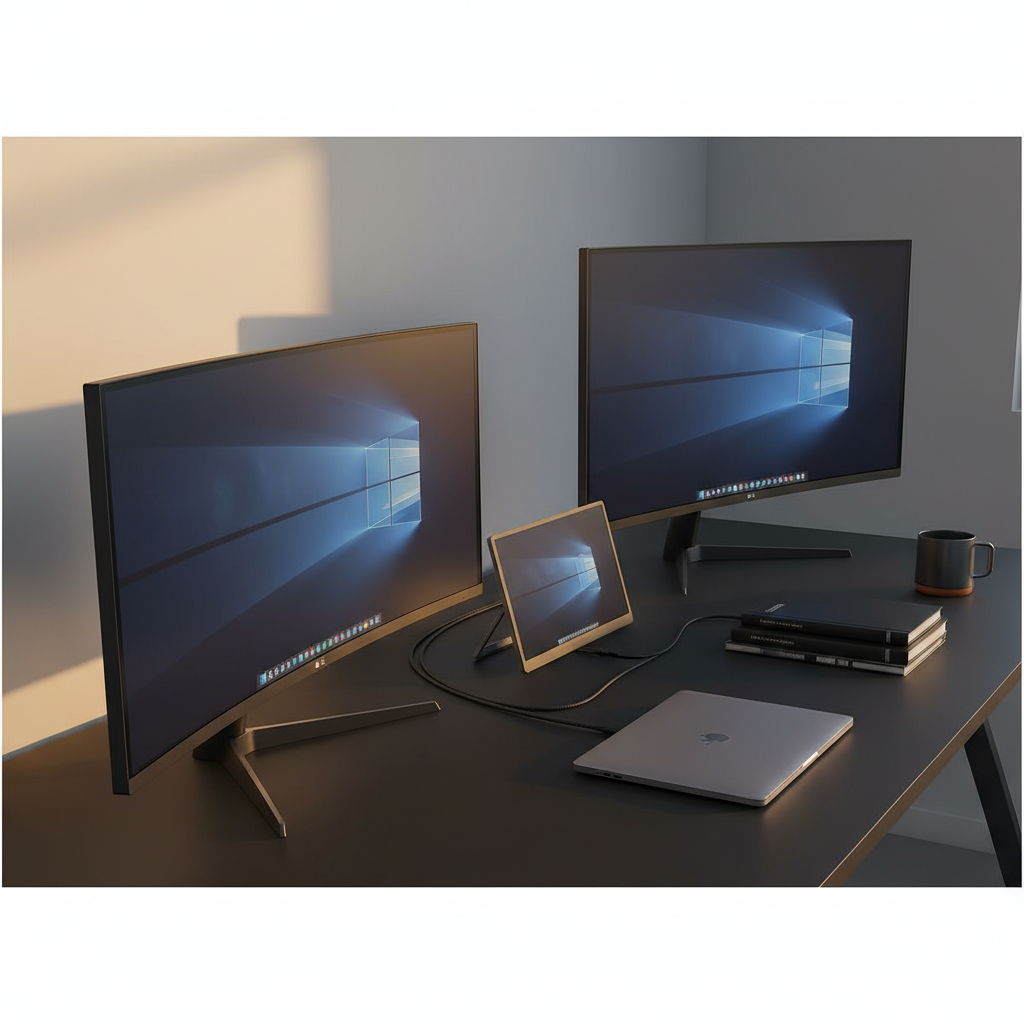
A review of 15 USB‑C‑enabled monitors uncovered a counter‑intuitive winner: the budget‑priced Sansui ES‑24C1 at $89.99 carries a solid 4.5/5 rating from 232 reviewers, matching the scores of several higher‑priced contenders. Even with a modest 15 W power‑delivery spec, it proves that a low entry price doesn’t automatically mean a compromise on user satisfaction.
The roundup spans three clear price tiers. Budget options include the Sansui ES‑24C1, the Sansui Curved 27‑inch and LG’s 27U631A‑B, all delivering USB‑C charging under 20 W. Mid‑range picks such as the Uperfect 16006DD 16‑inch and LG 32U631A‑B step up with brighter panels and higher resolutions. Premium models like LG’s 34WR55QK‑B (priced at $329.99, 65 W PD, 4.6/5 from 1,150 reviews) or the Philips 346E2CUAE bring 65 W delivery, ultrawide formats and richer color gamuts for power users.
Below we break down each category, spotlighting the standout specs, ergonomic features and real‑world use cases so you can pinpoint the monitor that fits your workflow and desk space.

LG 34WR55QK-B
Offers a DP 1.4 port plus two HDMI 2.0 inputs, giving flexible connectivity for a range of devices.

Uperfect 16006DD 16-inch
Ideal for home or office users wanting a compact screen, and at $233.98 it's about $96 cheaper than the LG 34WR55QK-B.

LG 32U631A-B
Stands out with a USB‑C DP Alt Mode port, letting you connect laptops directly while the others lack native USB‑C video.
Also considered
Score Analysis
Key score advantages vs. runner-up (Uperfect 16006DD 16-inch)
Price Range
LG 34WR55QK-B
$349.99
Uperfect 16006DD 16-inch
$255.99
LG 32U631A-B
$246.99

Philips 346E2CUAE
$279.99

Sansui Curved 27-inch
$119.99

Asus ZenScreen MB16ACV
$168.00

LG 27U631A-B
$189.04

BenQ MA270U
$499.99

LG 27UP850K-W
$334.00
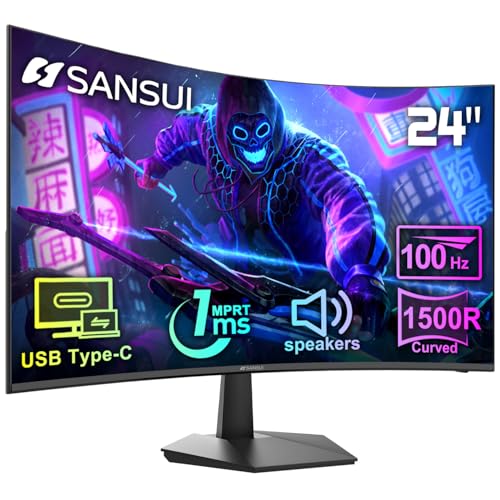
Sansui ES-24C1
$89.99

Dell S2722DC
$279.99

Acer PM161Q 15.6-inch
$99.99

InnoView 18.5-inch 4K Portable Monitor
$239.99

Uperfect M180K01 18-inch
$249.99

Ufyql 15.6-inch Portable Monitor
$47.48
Spec Comparison
TL;DR: The LG 34WR55QK-B offers a 34‑inch 21:9 curved VA panel with 3440×1440 resolution, 100 Hz refresh, HDR10 and 65 W USB‑C PD, delivering solid productivity at $329.99.
This monitor’s standout feature is its ultra‑wide 34‑inch screen paired with a 100 Hz refresh rate and HDR10 support, while a VA panel provides 300 cd/m² typical brightness. The single USB‑C port can deliver up to 65 W of power, letting you run a laptop and display with one cable.
Compared with the other 14 entries, the LG 34WR55QK-B is heavier than most – it tips the scales at 15.2 pounds, versus the Dell S2722DC at 11.91 pounds and the Philips 346E2CUAE at just 0.000625 pounds. Its stand lifts up to 110 mm, matching the Dell’s adjustment range and exceeding the Philips depth‑with‑stand of 110 mm. USB‑C power delivery of 65 W lines up with both Philips and Dell, but the LG adds a much larger 34‑inch workspace.
Reviewers consistently praise the monitor for multitasking efficiency and the convenience of the 65 W USB‑C link, noting that the LG Switch app’s screen‑zoning and hotkey mapping streamline workflow. Eye‑comfort features such as Flicker Safe and Reader Mode highlight their usefulness for long sessions. On the downside, the 5 ms VA response time can introduce motion blur in fast‑paced games, and the lack of swivel or pivot limits positioning flexibility. HDR performance offers modest brightness, with a peak typical of 300 cd/m².
Technically, the panel delivers a contrast ratio of 1500:1 minimum and 3000:1 typical, while covering 90 % of the sRGB gamut at minimum and 99 % typical. The 1800R curvature and 178° viewing angles help create an immersive experience without color shift. Connectivity includes one DP 1.4 port, two HDMI 2.0 inputs, two USB‑A 3.0 downstream ports, and the 3.5 mm headphone jack.
Pros
Cons
Best for: Professionals who need a spacious, high‑resolution display and USB‑C convenience for multitasking.
Avoid if: You require competitive‑gaming performance or a fully adjustable stand with swivel and pivot.
“Perfect for coding and video editing — I can have my IDE, browser, and terminal open side by side.”
“USB‑C charging my MacBook Pro while displaying full resolution is a game‑changer.”
TL;DR: The Uperfect 16‑inch 4K portable monitor packs a 3840×2400 matte IPS panel with 1200 cd/m² brightness and USB‑C power delivery, offering vivid color at a modest $233.98 price point.
What really stands out is the panel’s 1200 cd/m² peak brightness, which dwarfs typical portable displays and makes outdoor use feasible. The 16‑inch matte IPS screen resolves 3840 × 2400 pixels, delivering crisp 4K detail in a 16:10 aspect ratio. With a 1 ms gray‑to‑gray response and a 2000:1 contrast ratio, fast motion looks clean and the image stays punchy.
At 4.4 lb, the monitor is heavier than ultra‑light options like the Asus ZenScreen MB16ACV (1.83 lb) and the Uperfect M180K01 (2.425084882 pounds), but it’s still lighter than the InnoView 18.5‑inch (5.46 lb) and far lighter than the Dell S2722DC (11.91 lb). Its 1200 cd/m² brightness also outshines peers such as the InnoView (300 nits), the LG 32U631A‑B (250 nits) and the LG 27UP850K‑W (400 cd/m²), while matching the 100% sRGB coverage of those models.
Users repeatedly praise the vivid 4K image and the ability to work outdoors, noting that the high brightness and accurate colors feel “professional‑grade.” Reviewers also flag the 4.4 lb weight as a portability drawback, and several mention that the smart‑cover stand feels flimsy and the USB‑C port can be finicky, especially with Nintendo Switch connections.
Beyond the display, the monitor includes a single HDMI 4K@60 Hz input and a USB‑C port that carries video and power, so you can run it from a laptop or a modest power brick. The recyclable aluminum alloy chassis adds durability, and VESA‑mount compatibility (75 × 75 mm) lets you attach it to a monitor arm or wall bracket when you’re stationary.
Pros
Cons
Best for: Creative professionals who need a bright, color‑accurate 4K screen and gamers who want FreeSync support on the go.
Avoid if: You prioritize ultra‑light weight, need reliable Nintendo Switch compatibility, or require a higher refresh‑rate display.
“4K image is stunning—perfect for editing and gaming.”
“Bright enough to use outside—game-changer for remote work.”
TL;DR: The LG 32U631A-B delivers a 32‑inch QHD IPS panel at 100 Hz with 15 W USB‑C power delivery, offering sharp visuals and a single‑cable setup for productivity‑focused users.
The monitor’s standout spec is its 32‑inch 2560 × 1440 IPS screen, delivering 93 ppi and a 100 Hz refresh rate while supporting AMD FreeSync from 48 Hz to 100 Hz. It also includes a USB‑C port that supplies up to 15 W of power, letting you connect and charge a laptop with a single cable.
Compared with the other 14 entries, the LG is heavier than the Dell S2722DC (11.91 lb vs 14.33 lb) and offers less USB‑C power than Dell’s 65 W and the Uperfect M180K01’s 30 W. Its 250 cd/m² brightness also trails the Uperfect’s 400 nits, making it a more modestly bright option in the lineup.
Users gave the unit a 4.5‑star average from 3,008 reviews, praising the crisp QHD image, wide 99 % sRGB color coverage, and the convenience of USB‑C docking. Professional reviewers note the consistent color accuracy and the rarity of FreeSync on a 100 Hz HDMI‑only panel at this price point, while the most common criticisms focus on the tilt‑only stand, occasional IPS glow, and the limited 15 W PD for charging larger laptops.
Pros
Cons
Best for: Most users looking for a well‑reviewed, reliable mainstream option
Avoid if: You need advanced features or professional‑grade performance
TL;DR: The Philips 346E2CUAE is a 34‑inch curved VA ultrawide monitor with 65 W USB‑C power delivery, vivid 121.3% sRGB color, and solid ergonomics, though its 4 ms response can blur fast action.
At the heart of this monitor is a 34‑inch, 1500R curved VA panel delivering a 3440 × 1440 resolution. It reaches 300 cd/m² brightness and a static contrast ratio of 3000:1, while the advertised 4 ms gray‑to‑gray response time helps keep motion reasonably clear for everyday use.
Compared with other picks in the roundup, the Philips is lighter than the LG 34WR55QK‑B, which tips the scales at 15.2 pounds, yet it still carries a substantial 9.25 kg with its stand. Its USB‑C port supplies up to 65 W of power—on par with the LG 34WR55QK‑B and Dell S2722DC, and far above the LG 32U631A‑B’s 15 W. Plus, it offers four downstream USB‑C hub ports, outpacing most rivals that only provide a single USB‑C connection.
Everyday owners rave about the expansive screen real‑estate and the wide‑gamut coverage—99.5% NTSC and 121.3% sRGB—making photo and video work feel natural. Professional reviewers highlight the accurate colors and the convenience of a single USB‑C cable handling video, data, and power. The most common gripe is the 4 ms response, which can introduce motion blur in fast‑paced games, and the DisplayHDR 400 implementation is modest for true HDR content.
Additional perks include AMD FreeSync Premium adaptive sync, MultiView picture‑in‑picture, KVM switching, low‑blue mode, flicker‑free backlight, 100 mm of height adjustment, –5° to +20° tilt, and VESA‑mount compatibility. Power draw averages 42 W, dropping to 0.5 W on standby.
Pros
Cons
Best for: Professionals and multitaskers who need accurate colors, generous screen space, and USB‑C convenience.
Avoid if: You’re a competitive gamer needing ultra‑fast response or you require a built‑in webcam/microphone for video calls.
“Perfect for coding and multitasking – I run four IDEs side by side.”
“Colors are stunning – great for photo editing and streaming.”
TL;DR: The Sansui 27‑inch curved VA monitor delivers a 120 Hz refresh rate, 1 ms response, USB‑C video‑plus‑PD and built‑in speakers for just $112.99, making it a solid budget pick for everyday use.
This model’s standout spec is the 120 Hz refresh rate paired with a 1 ms MPRT response time, which promises smooth motion for casual gaming and video playback. The 27‑inch 1500R curvature and 110% sRGB color gamut aim to create an immersive feel without breaking the bank.
Weighing roughly 10.00 pounds, the Sansui outweighs the ultra‑light Acer PM161Q (2.4 pounds) and is only a shade heavier than the LG 27U631A‑B (9.7 pounds). Its single USB‑C port delivers both video and power, putting it on par with the Acer and LG models that also offer USB‑C PD, while the Ufyql provides two full‑featured USB‑C ports. Unlike many budget screens, it includes 2 × 2 W built‑in speakers, a feature rarely seen in this price segment.
User feedback highlights the monitor’s sleek ultra‑thin bezel and the ease of connecting a laptop via USB‑C, especially for MacBook and ultrabook owners. Reviewers praise the smooth 120 Hz motion and the immersive curve, but note the HDMI 1.4 input can limit the ability to run 120 Hz at full 1080p resolution. The tilt‑only stand (‑5° to +15°) is sufficient for basic ergonomics, though the lack of height adjustment's a common complaint.
Pros
Cons
Best for: Budget‑conscious buyers seeking a reliable entry‑level option
Avoid if: You have limited desk space or need portability
TL;DR: The Asus ZenScreen MB16ACV is a 15.6‑inch Full HD IPS portable monitor that weighs just 1.83 lb, offers USB‑C Power Delivery and eye‑care features, but lacks a built‑in battery or speakers.
At the heart of the ZenScreen is a 15.6‑inch IPS panel with a 1920 × 1080 resolution, 250 cd/m² typical brightness and an 800:1 contrast ratio. The anti‑glare surface, TÜV‑certified flicker‑free and Low Blue Light technologies, and a tight 0.179 mm pixel pitch combine for clear, comfortable viewing at 178° horizontal and vertical angles. Weighing just 1.83 pounds (830 g) and 10 mm thick, its size makes it extremely portable in this lineup.
Compared with the other 14 monitors, the ZenScreen is dramatically lighter than the LG 27U631A‑B (9.7 pounds) and the Sansui Curved 27‑inch (about 10 pounds), and also lighter than the Uperfect 16006DD (4.4 pounds). While the LG model adds an HDMI port and a 15 W USB‑C Power Delivery, the ZenScreen relies on a single USB‑C port that supports DisplayPort Alt Mode, USB 3.2 and Power Delivery, keeping the cable count low but offering fewer connectivity options. Its brightness of 250 cd/m² sits below the 1200‑nit peak of the Uperfect 16006DD but matches the LG’s 250 cd/m² typical output.
User feedback repeatedly praises the monitor’s feather‑light form factor and the convenience of a single‑cable setup. Reviewers also note the solid build, anti‑glare coating and the antibacterial ionic‑silver treatment as practical perks for frequent travelers. The most common complaints revolve around the absence of an internal battery and built‑in speakers, meaning you must stay plugged in and provide external audio. The adjustable kickstand only tilts between +15° and +35° and offers no height adjustment, which some users find limiting for ergonomic setups.
Beyond the display, the ZenScreen draws 6.64 W in operation and drops below 0.3 W in power‑off mode, helping conserve laptop battery life. It ships with a quick‑start guide, USB‑C to USB‑A cable, a protective sleeve and the DisplayWidget software for on‑screen controls. The 1/4″ tripod socket and the portrait‑landscape kickstand add flexibility for presentations or creative work on the go.
Pros
Cons
Best for: Most users looking for a well‑reviewed, reliable mainstream option
Avoid if: You need advanced features or professional‑grade performance
TL;DR: The LG 27U631A-B delivers a 27‑inch QHD IPS display with 99% sRGB coverage, 100 Hz refresh and 15 W USB‑C power delivery, all for $166.99, making it a solid budget‑friendly choice.
This monitor’s standout spec is its 27 in QHD panel (2560 × 1440) that packs 109 PPI pixel density and a 5 ms gray‑to‑gray response. Combined with a 100 Hz refresh rate, the screen feels smooth for casual gaming and fast‑moving video. The IPS technology offers 178° horizontal and vertical viewing angles, while HDR10 support adds extra contrast to compatible content.
At 9.7 pounds, the LG is noticeably heavier than the 1.83‑pound Asus ZenScreen MB16ACV and the 2.4‑pound Acer PM161Q, yet lighter than the 10‑pound Sansui Curved 27‑inch model. Its typical brightness of 250 cd/m² matches the Asus’s 250 cd/m² but is lower than the Sansui Curved’s 300 cd/m². The single HDMI 1.4 port and one USB‑C port (15 W PD) give a clean setup, though they offer fewer connections than the Acer’s two USB‑C ports.
Reviewers appreciate the monitor’s vivid colors—reviewers praise its 99% sRGB coverage for content‑creation work—and the convenience of a single‑cable USB‑C dock that supplies both video and 15 W power. Eye‑care features like Flicker Safe and Reader Mode reduce strain during long sessions. On the downside, users frequently mention the lack of height adjustment (tilt‑only range –5° to +20°) and the modest 15 W USB‑C power, which can’t fully charge power‑hungry laptops. The absence of built‑in speakers also means you’ll need external audio.
Pros
Cons
Best for: Office professionals and content creators who want a spacious, color‑accurate screen with simple USB‑C docking at a budget price.
Avoid if: You need extensive ergonomic adjustments, high‑power USB‑C charging, built‑in audio, or adaptive‑sync features for competitive gaming.
“Crisp and vibrant display”
“USB‑C is a game‑changer”
TL;DR: The BenQ MA270U delivers a 27‑inch 4K IPS panel with 99% sRGB coverage and 90W USB‑C power, but its plastic chassis and premium price make it a specialist’s choice.
What really sets this monitor apart is the 90W USB‑C Power Delivery port, letting you charge a MacBook Pro while driving 4K video over a single cable. The 27‑inch IPS panel shines at 400 nits brightness, offers a 1200:1 contrast ratio, and covers 95% of DCI‑P3 and 99% of sRGB, which Creative Bloq praised for matching MacBook color output.
In the context of the 15‑product roundup, the MA270U costs more than the LG 34WR55QK‑B and Dell S2722DC, and it weighs about 8.20 kg with the stand—it's heavier than the LG’s 15.2 lb frame. Its 90W USB‑C PD outpaces the 65W that both the LG 34WR55QK‑B and Dell S2722DC provide, giving it a clear edge for laptop charging. Speaker power sits at 6 W total, matching Dell’s built‑in speakers but below the LG 27UP850K‑W’s 10 W.
User sentiment highlights the plug‑and‑play simplicity of the USB‑C connection and the stand’s height adjustment of 115 mm (4.5 in), which reviewers call “highly adjustable.” Professional reviewers also note the seamless macOS integration via Display Pilot software. On the downside, several owners mention the plastic construction feels less premium than metal alternatives, and the lack of picture‑in‑picture or a KVM switch limits multitasking.
Pros
Cons
Best for: MacBook Pro and Air users seeking a color‑accurate 4K display with robust USB‑C charging and ergonomic adjustments.
Avoid if: You need advanced multitasking features, a metal build, or high‑refresh‑rate gaming performance.
“Effortless setup… I only need two wires now — one to the wall and one to my MacBook. The display looks identical to my M4 MacBook Air.”
“Colors are clear & accurate. A software download enables Mac keyboard to control brightness.”
TL;DR: The LG 27UP850K-W delivers a 27‑inch 4K IPS panel with 95% DCI‑P3 coverage, 90 W USB‑C power delivery and a fully adjustable stand for $259.99, ideal for color‑critical work.
What really sets this monitor apart is its USB‑C hub that supplies up to 90 W of power while handling 4K video at 60 Hz, letting you power a laptop with a single cable. LG factory‑calibrates the panel to hit 95% of the DCI‑P3 color space and offers a typical brightness of 400 cd/m² with a 1200:1 contrast ratio, which reviewers praise for accurate colour and reduced eye strain.
Compared with peers, the LG is heavier than the Dell S2722DC (11.91 lb) but lighter than the LG 32U631A‑B (14.33 lb). It also carries more power‑delivery capability than the Dell’s 65 W and far exceeds the Uperfect M180K01’s 30 W PD, making it a stronger docking option. In terms of size, it’s larger than the 18‑inch Uperfect and InnoView models, and its 27‑inch screen provides a more spacious workspace than those compact alternatives.
User sentiment highlights the monitor’s colour accuracy and ergonomic stand as major wins, while the 60 Hz refresh rate and 5 W stereo speakers get repeatedly mentioned as trade‑offs for creative professionals who don’t need high‑speed gaming performance. Professional reviewers echo this, noting the matte coating and extensive tilt, height and pivot adjustments improve comfort during long editing sessions.
Pros
Cons
Best for: Graphic designers, photographers, video editors and office professionals who prioritize colour accuracy and USB‑C convenience.
Avoid if: You need high refresh rates for competitive gaming or premium HDR performance.
“Perfect for photo editing—colors are vibrant and accurate.”
“USB-C changed my workflow—laptop charges, connects, and displays 4K all in one cable.”
TL;DR: The Sansui ES-24C1 offers a 24‑inch curved VA panel with 100 Hz refresh, 1 ms MPRT response and USB‑C video plus 15 W power, making it a solid budget pick for everyday use.
The standout feature is its 24‑inch VA screen wrapped in a 1500R curve, delivering a smooth 100 Hz refresh rate and an advertised 1 ms MPRT response time. Combined with HDR10 support, 250 nits brightness and a 3000:1 contrast ratio, the monitor provides deep blacks and decent HDR punch for a price‑focused model.
Compared with peers, the ES‑24C1 is heavier than the Acer PM161Q, which weighs about 2.4 pounds, yet noticeably lighter than the larger Sansui Curved 27‑inch that tips the scales at roughly 10 pounds. In terms of connectivity, it offers a single HDMI 1.4 port and one USB‑C port, whereas the Acer model supplies two USB‑C ports with the same 15 W power delivery. This results in fewer cable options, but the single‑cable USB‑C link still handles video, data and modest charging.
Reviewers consistently praise the monitor’s fluid 100 Hz performance and the convenience of the USB‑C connection, especially for laptops that only need occasional power. The built‑in 2 × 2W speakers and eye‑care suite—flicker‑free and low blue‑light coating—also highlight positives for long work sessions. On the downside, users note that the 15 W USB‑C power isn’t enough to fully charge most laptops, and the stand can wobble, limiting ergonomic adjustments.
Pros
Cons
Best for: Entry-level buyers or those on a tight budget
Avoid if: You need advanced features or professional‑grade performance
““surprisingly decent””
TL;DR: The Dell S2722DC delivers a 27‑inch IPS panel with 65 W USB‑C power delivery, strong color accuracy and a fully adjustable stand, making it a solid choice for productivity‑focused setups.
The standout feature is the USB‑C port that supplies up to 65 W of power while handling video, audio and data over a single cable. This eliminates clutter and lets you charge most laptops directly from the monitor. The screen measures 27 in and offers 99% sRGB coverage, a brightness of 350 cd/m² and a contrast ratio of 1000:1, which together provide clear, vivid visuals for office work and light entertainment.
In the context of the roundup, the Dell is heavier than the ultra‑compact Uperfect M180K01 (about 2.4 lb) and the portable InnoView monitor (5.46 lb), but its weight of 11.91 lb is typical for a 27‑inch desktop panel. Its 65 W USB‑C delivery outpaces the LG 32U631A‑B’s 15 W but falls short of the LG 27UP850K‑W’s 90 W, placing it in the middle of the pack for power‑delivery capability. HDMI connectivity offers only two HDMI 1.4 ports, fewer than the USB‑C‑only options that can handle higher bandwidth on some peers.
Reviewers consistently praise the hassle‑free single‑cable setup and the ergonomic stand that offers height, tilt, swivel and pivot adjustments. Professional reviewers also note the accurate 99% sRGB color reproduction and the smooth experience delivered by AMD FreeSync at 75 Hz. On the downside, users find the built‑in 2 × 3 W speakers underwhelming, and the 75 Hz refresh rate appears modest for serious competitive gaming. The HDMI 1.4 ports also limit bandwidth for newer consoles that prefer HDMI 2.0 or higher.
Pros
Cons
Best for: Remote and hybrid workers who need a single‑cable docking solution and value ergonomic flexibility.
Avoid if: You require high‑refresh gaming, HDR support, or more powerful laptop charging than 65 W.
“Great monitor. Big screen, small footprint, nice adjustments, clean layout, charges my Mac well.”
TL;DR: The Acer PM161Q offers a 15.6″ Full HD IPS panel, dual USB‑C DP Alt Mode ports with 15 W Power Delivery, and a magnetic cover‑stand, all for $99.99.
The standout feature is the pair of USB‑C ports that support DisplayPort Alt Mode, 5 Gbps data speed, and 15 W Power Delivery, letting you run video, data and power over a single cable while a Mini HDMI port provides a fallback option.
At 2.45 lb, the monitor is lighter than the Sansui ES‑24C1 and the LG 27U631A‑B, yet a bit heavier than the Ufyql 15.6‑inch Portable Monitor and the Asus ZenScreen MB16ACV, which sit under 2 lb. Its advertised 250 nits brightness matches the Sansui ES‑24C1 and Asus ZenScreen, but real‑world measurements of 170–220 nits are lower than those figures suggest.
Reviewers appreciate the plug‑and‑play simplicity and the magnetic cover that doubles as a stand, calling it convenient for remote work and study. However, users note the lower‑than‑advertised brightness and the ~65 % sRGB color gamut, which makes the panel unsuitable for bright rooms or color‑critical tasks. Professional reviewers highlight the crisp 1080p IPS image and wide 178° viewing angles, while pointing out that HDR10 tone‑maps to SDR and FreeSync runs only at 60 Hz, which isn’t ideal for fast‑paced competitive gaming.
Pros
Cons
Best for: Remote workers, students, and budget‑conscious buyers who need a portable second screen for documents, video calls, and casual media.
Avoid if: You need high brightness, wide color gamut, or professional‑grade HDR for graphic design, photography, or bright‑room use.
TL;DR: The InnoView 18.5‑inch 4K Portable Monitor delivers crisp 3840 × 2160 IPS visuals with 10‑bit color and HDR10, but its 5.46 lb weight and need for an external power brick keep it from being the lightest on the market.
What really sets this monitor apart is its 18.5‑inch 4K UHD panel (3840 × 2160) paired with a 10‑bit color depth and 100% sRGB coverage, plus HDR10 support. At 300 cd/m² brightness and a 1000:1 contrast ratio, the screen offers a solid, matte‑finish viewing experience, while the 5 ms response time keeps motion reasonably smooth for everyday tasks.
Compared with the other 14 contenders, the InnoView is larger than the 16‑inch Uperfect 16006DD and the 15.6‑inch Asus ZenScreen, yet it weighs more than both (5.46 lb versus 4.4 lb for the Uperfect and 1.83 lb for the ZenScreen). Its brightness of 300 cd/m² trails the 1200 cd/m² of the Uperfect 16006DD and the 320–400 cd/m² range of the LG 27UP850K, placing it in the mid‑range for luminance. All models share a 60 Hz refresh rate, but the InnoView’s dual full‑featured USB‑C ports give it more connectivity flexibility than the single‑port LG 32U631A‑B or the USB‑C‑only Dell S2722DC.
User feedback highlights the razor‑sharp 4K image and accurate color reproduction as major wins for photo editors and video creators. Reviewers also note the sturdy stand with 0‑180° tilt and built‑in speakers as convenient for on‑the‑go work. On the downside, owners frequently mention the monitor’s 5.46 lb chassis as a hurdle for frequent travelers, and the requirement for an external power adapter—USB‑C PD alone often isn’t enough—has drawn criticism for limiting true plug‑and‑play portability. A few users have reported occasional flickering when relying solely on USB‑C power, and users often complain about the lack of a touchscreen or an included HDMI cable.
Technically, the unit draws 30 watts and runs on an external adapter, aligning with its 18‑month warranty. The IPS panel’s 178° viewing angles and DC dimming with low‑blue‑light mode help reduce eye strain during long sessions, a point repeatedly praised by professional reviewers.
Pros
Cons
Best for: Creative professionals and remote workers who prioritize color accuracy and a larger 4K workspace over ultra‑light portability.
Avoid if: You need an ultralight screen for frequent travel or rely solely on USB‑C power without an external adapter.
“Incredible clarity—perfect for editing 4K video.”
“Heavier than expected—feels more like a desktop monitor.”
TL;DR: The Uperfect M180K01 packs a 18‑inch 2K IPS panel, 144 Hz USB‑C refresh, 100% DCI‑P3 color and a 30 W Power Delivery charger into a lightweight, ultra‑thin chassis for portable gaming and creator work.
The monitor’s standout spec is its 2560 × 1600 pixel IPS display with a 100 % DCI‑P3 color gamut and a peak brightness of 400 cd/m² (up to 500 cd/m² observed). Coupled with a 3 ms gray‑to‑gray response time, the screen delivers crisp, fluid visuals, and ultra‑thin 5 mm (0.15") bezels achieve a 92 % screen‑to‑body ratio.
Compared with the other 14 contenders, the M180K01 weighs significantly less than the Dell S2722DC’s 11.91 pounds and stays lighter than many larger panels. Its 400 nits brightness outshines the LG 32U631A‑B’s listed 250 nits, while matching the typical 400 cd/m² of the LG 27UP850K‑W. Where most peers sit at 60 Hz (LG 27UP850K‑W, InnoView 18.5‑inch), the Uperfect offers a 144 Hz USB‑C mode and 120 Hz via Mini HDMI, giving it a clear edge for fast‑paced gaming. The included 30 W PD charger provides single‑cable power, a middle ground between the Dell’s 65 W and the LG 32U631A‑B’s 15 W USB‑C delivery.
User sentiment praises the monitor’s razor‑sharp 2K image and smooth 144 Hz gameplay, especially when paired with handheld consoles or MacBooks. Professional reviewers highlight the accurate colors and strong FreeSync performance. Common complaints focus on the brightness dropping to minimum after the monitor sleeps or is unplugged, a fiddly side‑dial OSD that feels like a small pulley, and dual built‑in speakers that lack punch. The unit weighs a modest 2.425084882 pounds for an 18‑inch panel, though a few users note it feels heavier than the thinnest ultra‑portable alternatives.
Pros
Cons
Best for: Gamers on the go (handheld consoles, ROG Ally, Steam Deck) and MacBook Pro users who need a native 16:10 2K display with USB‑C power.
Avoid if: You prioritize ultra‑lightweight portability, need strong built‑in audio, or require a touchscreen.
“Perfect second screen for my MacBook Pro – matches the aspect ratio exactly.”
“Gaming on my ROG Ally is so much better with this 144 Hz screen.”
TL;DR: For $49.99 the Ufyql 15.6‑inch portable monitor offers a feather‑light 1.41 lb, ultra‑slim 13.2 mm design with Full HD IPS, HDR support and dual USB‑C power‑delivery ports.
The standout spec is its size‑to‑weight ratio: a 15.6‑inch Full HD IPS panel sits in a chassis only 13.2 mm thick and weighs 1.41 lb (640 g), making it easy to slip into a backpack. The display delivers 1920 × 1080 resolution, HDR support, 250–300 cd/m² brightness, a 1200:1 contrast ratio and a rapid 5 ms response time at 60 Hz, all backed by a wide 178° viewing angle.
Compared with peers, the Ufyql is dramatically lighter than the Sansui ES‑24C1, which tips the scales at about 7.8 lb, and also lighter than Acer’s PM161Q at 2.4 lb. It’s only a touch heavier than the Asus ZenScreen’s 1.83 lb, yet still under the 2‑lb threshold many travelers look for. While its 13.2 mm thickness is a bit more than Acer’s 0.4‑in panel, it remains well under an inch and feels slimmer than most budget‑friendly options. HDR support and a full‑featured pair of USB‑C ports (power delivery and data) give it an edge over models that only offer a single USB‑C or lack HDR entirely.
Reviewers consistently praise the monitor’s portability and plug‑and‑play simplicity, noting the sharp IPS colors and the convenience of built‑in stereo speakers. However, the limited 250–300 cd/m² brightness draws criticism for indoor use in brightly lit rooms, and a few users mention occasional USB‑C signal hiccups and a kickstand that feels less sturdy at steep angles. Because it lacks an internal battery, it must stay connected to a powered host, which aligns with most budget portable displays.
Pros
Cons
Best for: Budget-conscious buyers seeking a reliable entry-level option
Avoid if: You need advanced features or professional‑grade performance
“Incredible clarity—perfect for editing 4K video.”
“Heavier than expected—feels more like a desktop monitor.”
Breakdown
LG 34WR55QK-B
Pros
Uperfect 16006DD 16-inch
Pros
LG 32U631A-B
Pros
Philips 346E2CUAE
Pros
Cons
Based on scoring data and product specs
Personalized picks
Best Overall Pick
LG 34WR55QK-B
Best ValueBest for: Buyers willing to invest in a proven, high-quality option
Uperfect 16006DD 16-inch
Best for: Home and office users seeking a balance of features and value
$255.99-$94.00 vs winner
Skip Ufyql 15.6-inch Portable Monitor if…
You need advanced features or professional-grade performance
LG 34WR55QK-B takes the top spot thanks to its 34‑inch 21:9 VA panel, a smooth 100 Hz refresh rate and a solid 65 W USB‑C Power Delivery that lets you power a laptop while you work. At $329.99 it undercuts many larger ultrawide rivals, and a 4.6‑star rating from 1,150 reviews shows owners are happy with the mix of screen real‑estate and feature set.
The runner‑up, Uperfect 16006DD 16‑inch, shines when you need a truly portable monitor that stays bright in any lighting. Its 1200‑nit brightness and 100 % sRGB coverage make it ideal for on‑the‑go photo or video editing, while the 1 ms response time keeps motion crisp. Priced at $233.98 and backed by a 4.4‑star rating from 5,083 reviewers, it delivers high‑end visual quality in a 4.4‑lb, 0.4‑inch‑thin package.
For tighter budgets, the Ufyql 15.6‑inch Portable Monitor at $49.99 offers a basic USB‑C‑connected screen for occasional use. If you want a mid‑range balance of portability and performance, the Uperfect 16006DD (already highlighted above) remains the go‑to choice. And for those who crave premium specs, the BenQ MA270U at $499.99 provides a larger 27‑inch 4K panel with advanced color accuracy.
Pick the LG 34WR55QK‑B for the best value and start enjoying a spacious, USB‑C‑powered workspace today.
Both the BenQ MA270U and the LG 27UP850K‑W list up to 90 W USB‑C Power Delivery, which is higher than the 65 W offered by the LG 34WR55QK‑B and Philips 346E2CUAE. If you need the most charging power, those two models are the clear leaders.
Please sign in to leave a review
No reviews yet. Be the first to review!
