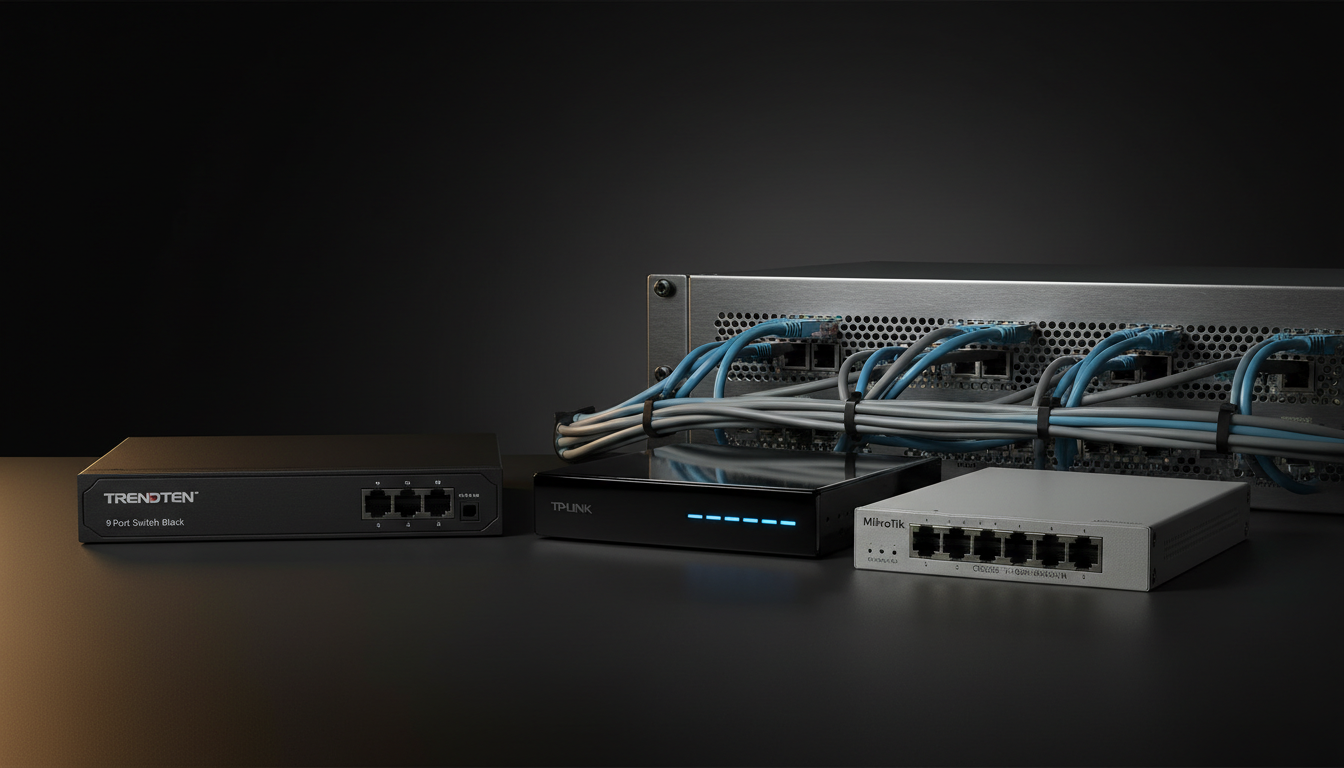
The guide examines 11 switches that promise multi‑gigabit speeds, spanning three price tiers to help you find a fit for any budget. The lineup stretches from the $49.98 TP‑Link TL‑SG105S‑M2, the most affordable option, up to the $150.54 MikroTik CRS305‑1G‑4S+in at the premium end, with mid‑range models like the $97.99 TRENDnet 9‑Port Switch sitting comfortably in the middle.
All of the units are unmanaged and fanless, delivering silent operation for noise‑sensitive spaces. The TRENDnet stands out with a 20 Gbps full‑duplex 10 G Ethernet rate, a 44.64 Mpps forwarding rate and a 1 MB RAM buffer, while the TP‑Link offers a 25 Gbps switching capacity and 18.6 Mpps forwarding. At the high‑end, the MikroTik pushes 82 Gbps switching capacity and 61 Mpps forwarding, backed by 512 MB RAM. Ratings show solid performance across the board, with the TP‑Link leading at 4.7/5 from 176,230 reviews and the others hovering around 4.6/5.
Below we’ll walk through each tier, highlighting the strengths and quirks you’ll want to weigh before picking the right multi‑gigabit switch for your setup.

TRENDnet 9-Port Switch Black
Its 240.0 mm depth provides ample space for cable routing, keeping connections tidy in typical desktop setups.

TP-Link TL-SG105S-M2
Ideal for budget‑conscious home users, it costs $49.98—about $48 cheaper than the mid‑range pick—while still delivering solid performance.

MikroTik CRS305-1G-4S+in
With a compact 115 mm depth, it fits cramped networking racks and offers a premium build that the larger mid‑range and runner‑up units lack.
Also considered
Score Analysis
Key score advantages vs. runner-up (TP-Link TL-SG105S-M2)
Price Range
TRENDnet 9-Port Switch Black
$97.99
TP-Link TL-SG105S-M2
$49.98
MikroTik CRS305-1G-4S+in
$150.54

D-Link DMS-108 Black
$103.57

Netgear MS305
$69.99

Nicgiga 10Gb Ethernet Switch
$79.99

BrosTrend 8-Port Switch
$51.29

QNAP QSW-2104-2S-A
$100.00

Netgear MS308 5gb
$127.23

Zyxel XMG-108
$89.99

Sodola 8-Port 5gb Managed Switch
$85.99
Spec Comparison
TL;DR: The TRENDnet TEG‑S591 delivers nine ports of multi‑gigabit Ethernet—including eight 2.5 Gbps and one 10 Gbps port—inside a fanless metal case, with a 60 Gbps switching capacity and a lifetime warranty.
What really stands out is the port mix: eight 2.5 Gbps RJ‑45 ports plus a single 10 Gbps RJ‑45 port give you a true multi‑gigabit upgrade path without needing new cabling. The switch packs a 60 Gbps switching capacity, a 44.64 Mpps forwarding rate, and supports 12 KB jumbo frames, all while staying fanless and metal‑cased for silent, durable operation. Its compact chassis measures 240.0 mm deep, 25.4 mm high and 104.1 mm wide, and weighs 1.6 pounds.
Compared with the other ten contenders, the TEG‑S591 is heavier than the D‑Link DMS‑108 (0.77 pounds) but lighter than the Zyxel XMG‑108 (about 1.46 pounds) and the Netgear MS305 (1.75 pounds). Its 60 Gbps switching capacity matches the QNAP QSW‑2104‑2S‑A and the Nicgiga 10Gb switch, and it exceeds the D‑Link’s 40 Gbps capacity while sitting just below Zyxel’s 66 Gbps figure. The depth of 240.0 mm also makes it deeper than the D‑Link’s 145 mm chassis, giving it a more substantial presence on a wall‑mount or desk.
Users consistently praise the silent, fanless design and the ease of upgrading existing Cat5e runs to multi‑gigabit speeds. The lifetime warranty adds a confidence boost, and the metal enclosure feels sturdy for a home‑office or small‑business environment. Professional reviewers note the high 60 Gbps fabric as ample for simultaneous heavy bandwidth, while everyday owners mention the low 11.9 W power draw as a nice efficiency perk. The flip side is that the unit's unmanaged—no VLANs, QoS or remote monitoring—so power users looking for granular control may feel limited.
From a reliability standpoint, the switch lists an MTBF of 518,151 hours, indicating a long operational life. Power input accepts 90–264 V AC at 47/63 Hz, delivering 12 V at 1.5 A, and the maximum consumption stays under 12 W. The fanless, metal housing and wall‑mountable design make it a tidy fit for cramped setups, and the LED indicators give quick visual status without adding noise.
Pros
Cons
Best for: Most users looking for a well‑reviewed, reliable mainstream option
Avoid if: You need advanced features or professional‑grade performance
TL;DR: The TP‑Link TL‑SG105S‑M2 is a compact 5‑port unmanaged 2.5 GbE switch with a 25 Gbps switching capacity, silent fanless metal case, and a modest price point.
The standout spec is its 25 Gbps switching capacity paired with a 2.5 Gbps per‑port speed, delivering true multi‑gigabit performance across five RJ45 ports. Its metal chassis measures 138 mm deep, 101 mm high, and 126 mm wide, and weighs 1.04 pounds, giving it a solid feel without taking up much desk space. It also supports 12 KB jumbo frames, an 18.6 Mpps forwarding rate, and a modest 5.81 W power draw.
Compared with the other ten switches in this roundup, the TL‑SG105S‑M2 is heavier than the BrosTrend 8‑Port Switch (which weighs about 0.44 pounds) but lighter than the Netgear MS305 (around 1.75 pounds). Its 25 Gbps capacity sits below the 40 Gbps offered by the BrosTrend and far under the 60 Gbps of the Nicgiga 10Gb switch, yet it matches the 25 Gbps bandwidth of the Netgear model while offering a smaller footprint and fewer ports.
Professional reviewers note the solid metal case as a premium upgrade over plastic rivals and praise the silent, fanless operation for quiet home or gaming setups. Users like the plug‑and‑play nature, but the unmanaged design means no VLANs, link aggregation, or PoE—features that power users often look for. The external 9 V DC adapter limits placement flexibility, making it a trade‑off.
Pros
Cons
Best for: Home users, gamers, and small‑office setups that need a silent, plug‑and‑play 2.5 GbE switch on a budget.
Avoid if: You require advanced managed features, PoE, or higher port counts for enterprise‑level networking.
TL;DR: The MikroTik CRS305‑1G‑4S+IN packs four 10 Gbps SFP+ ports, a 41 Gbps non‑blocking throughput and fanless design into a 141 × 115 × 28 mm chassis for silent, high‑speed fiber aggregation.
This unit’s standout spec is its 41 Gbps non‑blocking switching throughput, backed by an 82 Gbps switching capacity and a 61 Mpps forwarding rate, all driven by an 800 MHz ARM CPU and 512 MB of RAM. The compact 141 × 115 × 28 mm form factor and 1.0‑pound weight make it easy to mount in tight racks or on a desktop.
Compared with other switches in the roundup, the CRS305’s 41 Gbps throughput exceeds the 40 Gbps switching capacity of the Netgear MS308 and D‑Link DMS‑108, while staying below the 60 Gbps capacity of the QNAP QSW‑2104‑2S‑A and the 66 Gbps of the Zyxel XMG‑108. Its depth of 115 mm is deeper than the 27 mm depth of the Netgear MS308 but shallower than the 240 mm depth of the TRENDnet 9‑Port Switch. Power draw at 12‑18 W is higher than the 8.1 W of the Netgear and 8.586 W of the D‑Link, yet still modest for a four‑port 10 Gbps device.
Users consistently praise the silent, fanless operation and the tiny footprint; they note that passive cooling eliminates noise in office or studio settings. Professional reviewers highlight the high 41 Gbps non‑blocking switching as ideal for layer‑2 fiber aggregation, and they note that the 800 MHz CPU limits routing throughput to well under a gigabit, making heavy routing tasks sluggish. The device only accepts SFP+ fiber modules, so copper 10 GbE connections aren’t supported, which some buyers find restrictive.
Additional technical notes include a 200,000‑hour MTBF, dual‑boot capability with RouterOS or SwitchOS, and PoE‑IN support (IEEE 802.3af/at, 12‑57 V passive) for flexible power options. The 12‑18 W power envelope, combined with the 1.0‑pound weight, keeps energy costs low while fitting comfortably on a crowded shelf.
Pros
Cons
Best for: Buyers willing to invest in a proven, high‑quality option
Avoid if: You're shopping on a tight budget — it's priced at $150.54
TL;DR: The D-Link DMS-108 delivers eight 2.5 Gbps ports in a silent, fan‑less metal case, weighing just 0.77 lb, but it lacks PoE and management features.
Its eight 10/100 Mbps / 1 Gbps / 2.5 Gbps ports, backed by a 40 Gbps switching capacity and a maximum forwarding rate of 29.76 Mpps, stand out. A metal, fan‑less enclosure keeps noise to zero while IEEE 802.3az Energy‑Efficient Ethernet trims power draw to 8.586 W.
Weighing 0.77 lb (349 g), the DMS‑108 beats the QNAP QSW‑2104‑2S‑A, TRENDnet 9‑Port Switch, Zyxel XMG‑108, Nicgiga 10Gb Switch and Netgear MS305 in weight, making it easy to fit on a desk or shelf. Its 40 Gbps switching capacity falls below the 60 Gbps of the QNAP and Nicgiga models and under the 66 Gbps of the Zyxel, but it tops the Netgear’s 25 Gbps. Likewise, its 29.76 Mpps forwarding rate falls short of the 44.64 Mpps reported for the TRENDnet switch and the 49 Mpps of the Zyxel, though it remains adequate for most home‑office traffic.
Reviewers praise the DMS‑108 for delivering full‑speed 2.5 Gbps on every port, which pairs nicely with Wi‑Fi 6 routers and multi‑gigabit NAS drives. The fanless metal housing earns consistent mentions for silent operation, and IEEE 802.3az support highlights a power‑saving win. On the downside, users note the lack of Power over Ethernet and the unmanaged design, which means you can’t tweak VLANs or QoS beyond the eight preset levels.
Pros
Cons
Best for: Gamers, home‑office users, and small‑business setups that need simple, high‑speed 2.5 Gbps connectivity.
Avoid if: You’re on a tight budget, need PoE, or require managed networking features.
TL;DR: The Netgear MS305 is a compact 5‑port 2.5 GbE unmanaged switch with a fanless metal case, 25 Gbps non‑blocking fabric and silent operation, priced at $69.99.
Its standout spec is the five auto‑negotiating 2.5 GbE ports, backed by a 25 Gbps non‑blocking switching fabric and a jumbo‑frame capacity of 9,720 bytes. The metal enclosure runs fanless, delivering 0 dBA noise at 25 °C, and the switch supports IEEE 802.3az Energy Efficient Ethernet for lower power draw (9.24 W max, 4.60 W standby).
At $69.99 and weighing 1.75 lb, the MS305 sits in the mid‑range of this roundup. It’s heavier than the BrosTrend 8‑Port Switch (0.44 lb) and the Sodola 8‑Port 5 Gb model (0.88 lb), but lighter than the Nicgiga 10 Gb Ethernet Switch (≈1.28 lb) and the Zyxel XMG‑108 (≈1.46 lb). With only five ports, it offers fewer connections than the 8‑port peers, but its dedicated 2.5 GbE speed outpaces many 1 GbE‑only alternatives.
Professional reviewers note the plug‑and‑play simplicity and the silent operation as major strengths, while also pointing out the lack of management features such as VLANs. Consumer sentiment echoes the ease‑of‑setup praise, but users looking for more ports or managed capabilities find the design limiting. The device’s MTBF of 1,401,743 hours and a forwarding rate of 3,720,000 pps underline its reliability for small‑office or home‑office environments.
Pros
Cons
Best for: Small businesses, home offices, or noise‑sensitive spaces that need a simple, silent upgrade to 2.5 GbE without the complexity of managed switches.
Avoid if: You need advanced management features, more than five high‑speed ports, or the absolute best value‑per‑dollar in this segment.
TL;DR: The Nicgiga 6‑port 10Gb Ethernet Switch offers two 10 Gb and four 2.5 Gb ports, 60 Gbps switching capacity, fanless metal case, and plug‑and‑play simplicity for under $79.99.
The standout spec is its 60 Gbps non‑blocking switching capacity, paired with two 10 Gb RJ45 ports and four 2.5 Gb ports that auto‑negotiate down to 100 Mbps. A durable metal enclosure, double‑sided cooling holes and a fanless design keep it silent, while LED indicators and plug‑and‑play operation let you connect devices and start transferring data immediately.
At 1.28 pounds (580 g) the switch sits heavier than the D‑Link model at 0.77 pounds but lighter than Netgear’s 1.75‑pound unit, placing it in the mid‑range of the budget tier. Its 60 Gbps capacity matches the QNAP QSW‑2104‑2S‑A and far exceeds Netgear’s 25 Gbps, though Zyxel’s XMG‑108 pushes a slightly higher 66 Gbps. Price‑wise it competes with the Sodola 8‑port offering, keeping it attractive for cost‑conscious buyers.
Professional reviewers note the low price and say the device suits NAS setups and home labs, praising the silent, fanless operation that fits well in noise‑sensitive workspaces. Consumers echo this sentiment, highlighting the ease of plug‑and‑play deployment and the solid metal build. The main criticism centers on the limited two 10 Gb ports and the absence of detailed power‑draw specifications.
Additional technical details include 6 kV surge protection for lightning safety, an operating temperature range from –10 °C to 50 °C, and flexible mounting options—desktop or wall‑mount. The switch also supports non‑blocking data forwarding, ensuring smooth traffic flow across all ports.
Pros
Cons
Best for: Entry-level buyers or those on a tight budget
Avoid if: You need powerful performance or professional‑grade features
“great for NAS setups, homelabs”
“the cheap unmanaged 8-port 10Gbase-T switch”
TL;DR: The BrosTrend 8‑Port Switch delivers 2.5 Gbps per port and a 40 Gbps switching capacity in a lightweight, fanless white chassis that’s ready to plug in and go.
This unmanaged switch packs eight RJ45 ports that each auto‑negotiate up to 2.5 Gbps, giving you a total switching capacity of 40 Gbps. Static link aggregation lets you bond two ports for extra NAS throughput, and the device’s truly plug‑and‑play – no software or configuration needed. At just 200 g (0.44 lb) and with a compact footprint of 22.86 mm × 142.24 mm × 88.9 mm, it fits neatly on a desk or behind a wall mount.
Compared with the other ten switches in this roundup, the BrosTrend is the lightest – the next lightest peer weighs 400 g – and its height of 22.86 mm is shorter than the 101 mm of the TP‑Link model and the 228.6 mm of the Netgear unit. Its 40 Gbps switching capacity tops the 25 Gbps that both TP‑Link and Netgear offer, though it sits below the 60 Gbps of the Nicgiga and the 66 Gbps of the Zyxel. Port‑speed‑wise it matches TP‑Link’s 2.5 Gbps speed while outpacing many basic gigabit switches that lack multi‑gigabit support.
Users consistently praise the switch for delivering the advertised 2.5 Gbps speeds and for its “buffer‑free” streaming experience when gaming or watching 4K video. Reviewers also note the static link aggregation as a noticeable boost for home‑lab NAS setups. The fanless design keeps temperatures low during sustained transfers, and the white finish blends well with modern home office décor. On the downside, the front‑facing port layout can lead to accidental unplugging, and power users miss dynamic LACP or advanced QoS controls that are common in managed switches.
Pros
Cons
Best for: Home enthusiasts, gamers and small‑office users who want a reliable multi‑gigabit upgrade without dealing with complex configuration.
Avoid if: You need enterprise‑grade managed features, rear‑panel ports, or a lower‑cost basic gigabit solution.
“Hits full 2.5G bandwidth”
“Works fine after half a year”
TL;DR: The QNAP QSW-2104-2S-A packs a 60 Gbps switching capacity and a hybrid mix of 2 × 10 GbE SFP+ and 4 × 2.5 GbE ports into a silent, fan‑less desktop form factor for home or small‑office high‑speed networking.
The standout spec is its 60 Gbps switching capacity paired with a maximum jumbo frame size of 9K bytes. With two 10 GbE SFP+ ports that are backward compatible down to 100 Mbps and four 2.5 GbE RJ45 ports, the switch can handle fast NAS‑to‑workstation links without a separate uplink device. Its compact desktop dimensions (76 mm depth, 203 mm height, 330 mm width) and a weight of 713 g keep it easy to place on a desk or shelf.
Compared with the other ten switches in this roundup, the QNAP sits in the premium tier. It is heavier than the D‑Link DMS‑108 (349 g) but lighter than the Netgear MS305 (794 g). Its 60 Gbps switching capacity matches the Nicgiga 10 Gb switch and exceeds the D‑Link’s 40 Gbps and the Netgear’s 25 Gbps, though it falls short of Zyxel’s 66 Gbps. Port‑wise, it offers fewer total connections than the 8‑port Sodola or the 9‑port Trendnet, which may matter if you need many devices on a single switch.
Users appreciate the fan‑less, ventilated design for silent operation, and reviewers note the plug‑and‑play experience with auto‑negotiation and loop detection. Reviewers praise the hybrid SFP+ and 2.5 GbE mix for upgrading home or remote‑office networks without buying a separate uplink module. On the downside, the six‑port layout limits expansion, and the unit requires an external 12 V / 1 A DC power adapter, adding a small cable to manage.
Pros
Cons
Best for: Home users, small offices, or remote workers who need a silent, high‑speed switch with hybrid 10 GbE and 2.5 GbE ports.
Avoid if: You're on a tight budget, need more than six ports, or require PoE and advanced VLAN/QoS controls.
TL;DR: The Netgear MS308 5gb delivers silent, plug‑and‑play 2.5 Gbps networking with a 40 Gbps non‑blocking fabric, but its premium $130.49 price and unmanaged design may limit enterprise use.
The standout spec is its 40 Gbps switching capacity, which ensures each of the eight auto‑negotiating 2.5 Gbps ports can operate without bottlenecks. The switch comes in a durable metal case and is fanless, weighing 430 g, making it a quiet addition to any desk or wall‑mount setup. Its compact depth of 27 mm and width of 158 mm keep the footprint modest while still offering a full 8‑port layout.
Compared with the other ten switches in this roundup, the MS308 is lighter than the Zyxel XMG‑108 (661 g) but heavier than the D‑Link DMS‑108 (349 g). Its 27 mm depth is shallower than the MikroTik CRS305‑1G‑4S+in (115 mm) and the TRENDnet 9‑Port Switch (240 mm), though it stands taller than the MikroTik’s 28 mm profile. In terms of price, it sits above the QNAP QSW‑2104‑2S‑A yet below the MikroTik unit, positioning it in the mid‑premium tier of the list.
Professional reviewers note the silent operation and effortless plug‑and‑play deployment as major strengths, echoing user comments that praise the lack of fan noise in home labs and small offices. However, the unmanaged nature means you won’t find VLANs, QoS controls, or PoE—features some competitors provide. The 2.5 Gbps port ceiling also draws criticism from users who need faster 5 Gbps or 10 Gbps links. On the technical side, the switch supports jumbo frames up to 12,288 bytes, offers 1 MB of packet buffer memory, and has an MTBF of 3,309,911 hours, indicating long‑term reliability. Energy Efficient Ethernet keeps power draw to a modest 8.1 W.
Pros
Cons
Best for: Small offices, home labs, or noise‑sensitive environments that need straightforward 2.5 Gbps upgrades.
Avoid if: You require advanced networking features, PoE, or higher‑speed 5 Gbps/10 Gbps ports, or you’re on a tight budget.
TL;DR: The Zyxel XMG-108 delivers 66 Gbps switching capacity, silent fanless operation, and 2.5 G/10 G uplinks in a compact 12‑port unmanaged design for small‑office and prosumer networks.
The standout spec is its 66 Gbps switching capacity paired with a 49 Mpps forwarding rate, giving the XMG-108 ample headroom for multi‑gigabit traffic. It also supports full 2.5 G Ethernet on two RJ‑45 ports and adds two 10 G SFP+ uplinks, so you can boost a NAS or backbone without rewiring.
Compared with the other ten switches in this roundup, the XMG‑108 sits in the middle of the size and weight spectrum: at roughly 1.46 lb (661 g) it’s heavier than the D‑Link DMS‑108’s 0.77 lb but lighter than the Netgear MS305’s 1.75 lb. With twelve total ports it out‑numbers the nine‑port Trendnet and eight‑port Sodola models, giving you more connectivity without expanding your rack.
Users consistently praise the plug‑and‑play setup, silent fanless design, and low power draw (maximum 11.53 W, idle 3.95 W). Professional reviewers note the “high‑port density and strong performance in access switching,” especially for Wi‑Fi 6/6E upgrades that can run over existing Cat5e/Cat6 cabling thanks to IEEE 802.3bz support. The only downside is the lack of management features, which keeps the switch simple but limits advanced configuration.
Pros
Cons
Best for: Small offices, home labs, and prosumer setups that need simple, high‑speed connectivity without the complexity of managed switches.
Avoid if: You require advanced management features, PoE power delivery, or enterprise‑grade reliability guarantees.
TL;DR: The Sodola 8‑Port 5Gb Managed Switch offers eight 2.5 GbE RJ45 ports, a single 10 GbE SFP+ uplink, fanless aluminum construction and web‑based management for $80.99, making it a quiet, compact choice for homelabs and small offices.
The standout spec is the eight 2.5 GbE RJ45 ports paired with a 10 GbE SFP+ slot, all housed in a 24.9 mm‑tall, 160 mm‑long, 90.9 mm‑wide aluminum alloy case that weighs just 0.88 lb (400 g). A fanless design and a claim of 40 % better heat reduction than steel keep the unit silent and cool, while four magnetic mounting pads and rubber feet give flexible installation options.
Compared with the other ten switches in this roundup, the Sodola is lighter than most—Nicgiga, Zyxel, Netgear, TRENDnet and QNAP all tip the scales above 1 lb—though D‑Link’s model’s a shade lighter. Its fanless aluminum chassis matches Netgear’s silent design, but the Sodola’s price sits in the mid‑tier range, offering less value‑per‑dollar than some lower‑priced peers. Port‑wise, it provides more 2.5 GbE RJ45 connections than the single‑port or mixed‑speed offerings from competitors, yet it supplies only one SFP+ uplink where others may offer two.
User feedback repeatedly highlights the silent operation and the “low packet loss at full speeds” as major pluses. Reviewers also appreciate the auto‑negotiation of 100/1000/2500 Mbps and the web‑based interface that bundles LACP, QoS, VLAN and IGMP snooping. On the downside, the single SFP+ port and a 4.3‑star rating (354 reviews) suggest the switch doesn’t meet the higher‑rated alternatives in this group.
Pros
Cons
Best for: Homelab enthusiasts, prosumers and small offices that need affordable 2.5 GbE and a single 10 GbE uplink.
Avoid if: You require many SFP+ ports, enterprise‑grade features, or a higher‑rated, budget‑focused switch.
Breakdown
TRENDnet 9-Port Switch Black
Pros
TP-Link TL-SG105S-M2
Pros
MikroTik CRS305-1G-4S+in
Pros
Cons
D-Link DMS-108 Black
Pros
Based on scoring data and product specs
Personalized picks
Best Overall Pick
TRENDnet 9-Port Switch Black
Best Mid-Range PickBest for: Most users looking for a well-reviewed, reliable mainstream option
TP-Link TL-SG105S-M2
Best for: Budget-conscious buyers seeking a reliable entry-level option
$49.98-$48.01 vs winner
Skip Sodola 8-Port 5gb Managed Switch if…
You have limited desk space or need portability
The TRENDnet 9‑Port Switch Black takes the top spot thanks to its solid 4.6‑star rating from 2,872 reviewers, a lifetime warranty, and a 60 Gbps switching capacity that backs eight 2.5 Gbps ports plus a 10 Gbps uplink capable of 20 Gbps full‑duplex throughput. Its metal, fanless design stays cool at a modest 11.9 W power draw, making it a reliable mid‑range workhorse.
The runner‑up, TP‑Link TL‑SG105S‑M2, shines when you need a compact, budget‑friendly solution for a small office or home‑lab. It offers five RJ45 ports that auto‑negotiate up to 2.5 Gbps, a 25 Gbps switching capacity, and a 3‑year warranty—all for just $49.98, which is ideal for tight desk spaces or wall‑mount setups.
For shoppers looking beyond the top two, the best budget alternative remains the TP‑Link TL‑SG105S‑M2 for its low price and solid performance. The MikroTik CRS305‑1G‑4S+in covers the premium tier, commands a higher price of $150.54, and targets users who need advanced routing features and higher‑speed SFP+ connectivity.
Pick the TRENDnet 9‑Port Switch Black now and get the most capable mid‑range network switch for your setup.
The TRENDnet 9‑Port Switch Black offers one 10 Gb Ethernet port plus eight 2.5 Gb ports, giving enough high‑speed connections for a 10 Gb uplink and several workstations. Its 60 Gbps switching capacity and lifetime warranty make it a solid all‑in‑one choice for that scenario.
No reviews yet — be the first to share your experience.
Please sign in to leave a review
