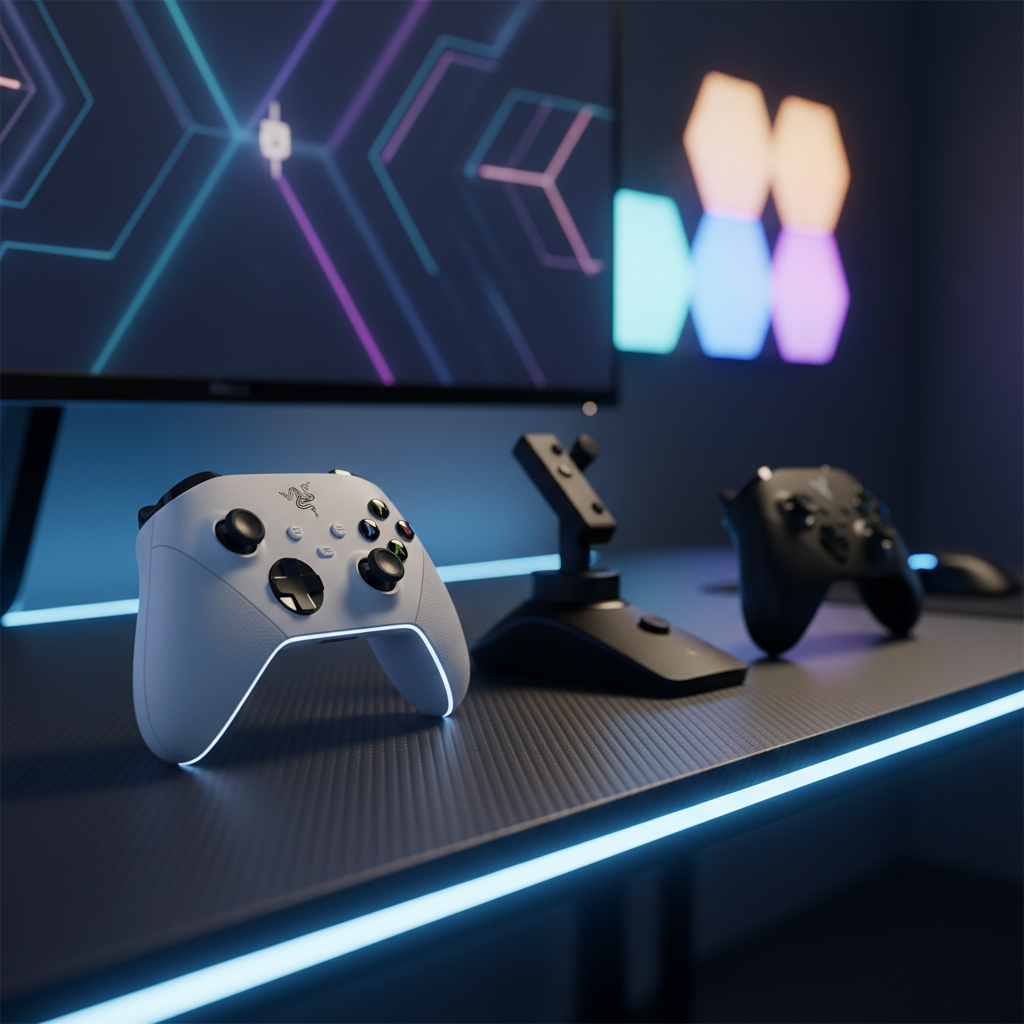
If you’re chasing that split‑second edge in shooters, racers or flight sims, a controller with a fast‑acting trigger can make the difference between a win and a miss. We’ve sifted through 6 multi‑platform controllers that promise quick trigger stops and low‑latency input, grouping them into budget, mid‑range and premium buckets so you can spot the right fit for your wallet and play style.
At the top end, the Razer Wolverine V2 Chroma White leads the pack with a $149.99 price tag, a 4.2/5 rating and 0.65 mm Mecha‑Tactile actuation, providing rapid response and six remappable buttons. In the mid tier, the Turtle Beach VelocityOne Flightstick stands out at $139.99, offering 27 programmable buttons and 16‑bit HallEffect axes for precise flight control. The budget champion is the Razer Wolverine V2, priced at $59.95, rated 4.2/5 and weighing just 0.6 pounds, delivering Mecha‑Tactile switches and hair‑trigger sliders without breaking the bank.
Next we’ll break down each controller’s trigger feel, button layout and cross‑platform quirks so you can match the perfect fast‑trigger device to your setup.

Razer Wolverine V2 Chroma White
Its 0.65 mm button actuation distance delivers ultra‑fast response, giving premium performance for serious gamers willing to invest.

Turtle Beach VelocityOne Flightstick
Ideal for mid‑range buyers who want a flight‑stick with 27 programmable buttons, and it’s $10 cheaper than the Best Overall.

Razer Wolverine V2
Stands out with its compact 106 mm × 65 mm size, offering a portable, budget‑friendly controller that still carries the Razer brand name.
Also considered
Score Analysis
Key score advantages vs. runner-up (Turtle Beach VelocityOne)
Price Range
Razer Wolverine V2 Chroma White
$149.99
Turtle Beach VelocityOne Flightstick
$139.99
Razer Wolverine V2
$59.95

Nacon Revolution 5 Pro Triple Black
$140.98

SCUF Envision Pro V1
$99.99
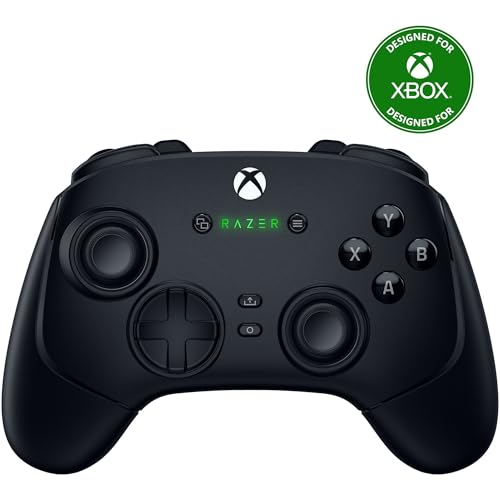
Razer Wolverine V3 Pro
$129.99
Spec Comparison
TL;DR: The Razer Wolverine V2 Chroma White delivers ultra‑fast 0.65 mm Mecha‑Tactile buttons, six remappable controls and vibrant RGB lighting, but its plastic build and circular D‑pad may disappoint precision‑focused gamers.
What sets this controller apart is its 0.65 mm button actuation distance, a figure that translates to almost instantaneous response for competitive play, and a button lifespan rated at 3 million taps. Those numbers sit at the high end of wired Xbox/PC controllers, giving you a tactile edge without sacrificing durability.
At roughly 1.33 pounds, the Wolverine V2 Chroma is heavier than the Nacon Revolution 5 Pro (about 0.66 pounds) and the Razer Wolverine V3 Pro (0.92 pounds), yet lighter than the Turtle Beach VelocityOne Flightstick (1.81 pounds). It also outweighs the SCUF Envision Pro V1 (0.63 pounds) and the original Razer Wolverine V2 (0.6 pounds). While the price sits in the premium tier, the feature set—six remappable buttons, four rear trigger paddles and interchangeable thumb‑stick caps—places it ahead of many rivals that list fewer customization options.
Reviewers consistently praise the controller’s crisp Mecha‑Tactile feedback and the hair‑trigger slide‑locks that shave travel distance for rapid firing. Users love the on‑board audio balance knob and the 16.8 million‑color RGB lighting that syncs with Razer’s software. However, reviewers frequently call out the circular D‑pad for feeling like an analog stick in 8‑way games, and critics say the all‑plastic chassis lacks the premium feel of metal‑framed rivals. IGN also notes the absence of a carrying case, and Windows Central mentions that the RGB lighting inflates the price without adding gameplay value.
Technically, the Wolverine V2 Chroma offers a wired‑only design with a 3 m detachable USB‑C to USB‑A cable and a built‑in 3.5 mm headset jack for chat. Battery life isn’t a factor because it draws power directly from the console or PC. It also offers four rear trigger buttons (M3–M6) and two front bumpers (M1, M2) that can be remapped via Razer’s Controller Setup app, giving you deep customization without the need for wireless latency.
Pros
Cons
Best for: Competitive Xbox and PC gamers who need wired low‑latency performance, fast actuation and deep button customization.
Avoid if: You prefer a wireless setup, need a metal‑finished controller, or want a simple D‑pad for classic 8‑way games.
“amazing”
“way better than the elite controller”
TL;DR: The Turtle Beach VelocityOne Flightstick packs an OLED display, 8 high‑precision HallEffect axes and 27 programmable buttons into a 1.81‑pound unit, offering deep customization for PC and Xbox flight sims at a mid‑range price.
What really sets this stick apart is the integrated OLED flight‑management display paired with 16‑bit HallEffect sensors that deliver ±32,767 counts per revolution on each axis. With eight axes, a rapid‑fire trigger, a rotary flight‑configuration wheel and a small index‑finger touchpad, the controller gives you granular control without needing external hardware. The unit also sports 27 programmable buttons, giving you plenty of room to map complex cockpit functions.
Weighing 1.81 pounds, the VelocityOne tips the scales above the Nacon Revolution 5 Pro (around 0.66 lb) and the SCUF Envision Pro (about 0.63 lb), yet remains lighter than the Razer Wolverine V2 Chroma (roughly 1.33 lb). Its 3‑meter braided USB‑C to USB‑A cable matches the standard length found on the Razer Wolverine V3 Pro and the Razer Wolverine V2, so you won’t be short‑changed on reach compared with the other five controllers.
Reviewers consistently praise the stick’s solid build quality and the realistic feel of the throttle and flap levers. Professional reviewers note the “Pro‑Aim” mode that reduces sensitivity for precision maneuvers, and users love the adjustable RGB lighting and on‑board configuration dial. The most common complaints revolve around the lightweight base lifting under aggressive inputs, a few mushy‑feeling buttons, and a touchpad that many find too small for precise cursor work.
The companion app lets you fine‑tune dead zones, response curves and lighting, while Bluetooth 5.0 powers the app connection. Two auxiliary USB‑C ports give you room for the optional VelocityOne rudder pedals, and the 823‑gram weight (1.81 lb) provides a stable platform without the heft of a full HOTAS setup.
Pros
Cons
Best for: Buyers in the mid price range seeking the best quality at that price point
Avoid if: You have limited desk space or need portability
“feeling like a real aircraft controller”
TL;DR: The Razer Wolverine V2 delivers Mecha‑Tactile buttons, adjustable hair‑trigger sliders and a lightweight wired build for $59.95, making it a solid budget pick for competitive Xbox and PC gamers.
What really sets the Wolverine V2 apart is its Mecha‑Tactile button system paired with a hair‑trigger mode that lets you slide‑lock the triggers for faster actuation. At a list price of $59.95 and a weight of just 0.6 Pounds (272.16 g), the controller feels both responsive and easy to handle for long sessions.
Compared with the other controllers in this roundup, the Wolverine V2 ranks among the lightest – it’s lighter than the SCUF Envision Pro V1 (around 0.63 lb) and noticeably lighter than the Razer Wolverine V3 Pro (about 0.92 lb). It also carries a far lower price tag than the premium Wolverine V2 Chroma, the V3 Pro, and the Turtle Beach VelocityOne Flightstick, which sit in higher‑price tiers.
Reviewers consistently praise the crisp, clicky feel of the Mecha‑Tactile switches and the ergonomic shape that stays comfortable even after marathon play. Professional reviewers note that the hair‑trigger sliders give a competitive edge in shooters, while everyday users love the reliability of a wired USB‑A connection and the 3.5 mm audio jack for headset use. The main criticisms focus on the lack of wireless capability, the absence of rear paddles that higher‑end models offer, and occasional hiccups with the Razer Controller Setup software on PC.
The controller connects via a bus‑powered USB‑A cable, eliminating any need for internal batteries. It includes two front‑facing remappable buttons (M1, M2) and supports Xbox Series X|S, Xbox One and Windows PC. Razer backs the device with a 2‑year manufacturer warranty, adding confidence for budget‑conscious buyers.
Pros
Cons
Best for: Competitive Xbox and PC gamers who want tactile buttons, fast trigger response and a wired, budget‑friendly controller.
Avoid if: You need wireless freedom, rear paddles for advanced mapping, or a completely hassle‑free software setup.
“amazing”
“way better than the elite controller”
TL;DR: The Nacon Revolution 5 Pro Triple Black blends magnetic Hall‑effect sticks, four Omron rear paddles and Bluetooth 5.2 audio into a 10‑plus‑hour wireless controller that feels premium but carries a $140.98 price tag.
What really sets this controller apart is its magnetic Hall‑effect thumbstick and trigger technology, which the manufacturer says eliminates stick drift. Under each trigger you’ll find a physical stop toggle, and four Omron micro‑switch paddles sit where your fingers naturally rest, giving you instant fire‑button access. The unit also ships with a 300 cm (3 m) detachable USB‑C to USB‑A cable and a 1300–1500 mAh lithium‑ion battery that the maker rates for 10+ hours of play.
Compared with the five other controllers in this roundup, the Revolution 5 Pro is lighter than the Turtle Beach VelocityOne Flightstick, the Razer Wolverine V2 Chroma, and the Razer Wolverine V3 Pro, but a touch heavier than the SCUF Envision Pro V1 and the Razer Wolverine V2. Its four rear paddles match the SCUF’s paddle count and exceed the paddle‑free designs of the other rivals. Battery life sits comfortably at 10+ hours—shorter than the SCUF’s 19‑hour claim and the V3 Pro’s 12–13 hour range, yet longer than many controllers that don’t list a figure. Cable length mirrors the 3 m leads found on the Turtle Beach and Razer models, so you won’t lose out on reach.
Reviewers consistently praise the controller’s trigger stops and the ability to pair Bluetooth headphones directly, calling the audio passthrough a “standout” feature. Users also note the drift‑free feel of the Hall‑effect sticks. On the downside, the lack of haptic feedback and adaptive trigger resistance—features present in Sony’s DualSense Edge—draws criticism, as does vibration that only works on PS4 and PC titles. A few owners mention the taller thumbstick caps sometimes detach during intense sessions.
Pros
Cons
Best for: Competitive FPS and shooter players who need rapid trigger response, as well as fighting‑game fans who value a swappable 360° D‑pad.
Avoid if: You’re looking for full PS5 haptic immersion or need a budget‑friendly option—the $140.98 price and missing adaptive triggers make it less ideal for casual play.
TL;DR: The SCUF Envision Pro V1 packs 11 remappable inputs, 19‑hour battery life, and Corsair’s ultra‑low‑latency SlipStream wireless into a 0.6283174467‑pound, ergonomically‑designed PC‑only controller.
What really sets this controller apart is the sheer amount of customisation it offers: five G‑Keys, four rear‑mounted paddles and two side‑mounted SAX buttons give you a total of 11 remappable inputs, all programmable through Corsair iCUE. The built‑in rechargeable lithium‑ion battery lasts 19 hours of continuous play, and the proprietary SlipStream 2.4 GHz wireless offers ultra‑fast response compared with typical Bluetooth links.
Compared with the five other controllers in this roundup, the Envision Pro V1 weighs less than the Razer Wolverine V3 Pro at 0.92 pounds and lighter than the Turtle Beach VelocityOne Flightstick at 1.81 pounds, but it’s a touch heavier than the Razer Wolverine V2 at 0.6 pounds and the Nacon Revolution 5 Pro at 0.661386786 pounds. Its 19‑hour battery life also outlasts the Wolverine V3 Pro’s 12–13 hours and the Nacon’s 10+ hours. While the Wolverine V2 lists no rear paddles, the Envision Pro provides four, giving it a clear advantage for players who rely on extra inputs. The only platform listed is Windows 10 and later, whereas competitors such as the Wolverine V2 and Nacon include console support.
Users consistently praise the controller’s ergonomic shape and the “instant triggers” that feel like a mouse click, noting that the OMRON mechanical switches give a crisp feel. Professional reviewers highlight the SlipStream wireless and deep iCUE integration as performance‑focused upgrades. On the flip side, many everyday users mention that the controller won’t work without the iCUE software running and that the Windows‑only restriction rules out macOS, Linux, and console play.
Additional technical touches include an integrated RGB light strip, thumbstick compatibility with Scuf’s Tactic, Catalyst and Pulse grips, and adjustable instant triggers that can be set for mouse‑click actuation or a full analog range. The controller connects via USB‑C for both charging and wired play, and the dimensions are 6.50 in (165 mm) length, 4.23 in (107.5 mm) width and 2.5 in (63.5 mm) height.
Pros
Cons
Best for: Competitive PC gamers who want extensive button remapping, ultra‑low latency wireless, and a highly ergonomic feel.
Avoid if: You need macOS, Linux, or console support, or prefer a simple plug‑and‑play controller without mandatory software.
“Really good controller… the triggers are quick, the face buttons are clicky, thumbsticks haven’t drifted… but you never know.”
TL;DR: The Razer Wolverine V3 Pro packs Hall‑Effect sticks, 1000 Hz wired polling and six remappable rear inputs into a 0.92‑lb controller that runs about 12–13 hours on a single charge.
What really sets the V3 Pro apart is its Pro HyperTriggers and Hall‑Effect analog sticks, which Razer says eliminate drift entirely. The controller also supports a 1000 Hz wired polling rate in PC Tournament Mode, the fastest you’ll find in a consumer Xbox controller, and it ships with a 10 ft (3 m) USB‑C to USB‑A braided cable for low‑latency wired play.
At 0.92 lb, the V3 Pro is heavier than the Razer Wolverine V2 (0.6 lb) but considerably lighter than the Turtle Beach VelocityOne Flightstick (1.81 lb). It also outweighs the Nacon Revolution 5 Pro (0.66 lb) and the SCUF Envision Pro V1 (0.63 lb). Battery life runs at 12–13 hours, which outlasts the Nacon’s 10+ hour claim but falls short of the SCUF’s 19‑hour runtime. In terms of remappable inputs, the V3 Pro offers six (four rear paddles plus two claw‑grip bumpers), more than the Wolverine V2’s two front‑facing buttons and on par with the SCUF’s four rear paddles, giving competitive gamers plenty of customization without extra accessories.
Professional reviewers praise the controller’s drift‑free Hall‑Effect components and the ultra‑fast 1000 Hz polling as “tournament‑level” advantages. Everyday users echo this sentiment, noting the premium feel, durability and the usefulness of the hard‑shell carrying case. The main complaints target the 12–13 hour battery window and the lack of native Bluetooth, which limits phone or tablet use.
Pros
Cons
Best for: Competitive Xbox and PC gamers who want fast triggers, drift‑free sticks and extensive rear‑button customization.
Avoid if: You need long battery endurance, Bluetooth connectivity, or a budget‑friendly entry‑level controller.
“amazing”
“way better than the elite controller”
Breakdown
Razer Wolverine V2 Chroma White
Pros
Turtle Beach VelocityOne Flightstick
Pros
Razer Wolverine V2
Pros
Nacon Revolution 5 Pro Triple Black
Pros
Cons
Based on scoring data and product specs
Personalized picks
Best Overall Pick
Razer Wolverine V2 Chroma White
Best OverallBest for: Those prioritizing quality and willing to pay for premium performance
Turtle Beach VelocityOne Flightstick
Best for: Buyers in the mid price range seeking the best quality at that price point
$139.99-$10.00 vs winner
Skip Razer Wolverine V3 Pro if…
You have limited desk space or need portability
The Razer Wolverine V2 Chroma White takes the top spot for its ultra‑short 0.65 mm actuation distance, a 3 million‑tap button lifespan, and hair‑trigger stop‑switches that slash travel. With six remappable buttons, 16.8 million RGB colors and a 2‑year warranty, it delivers fast response and lasting durability for Xbox and PC gamers. It weighs just 1.33 pounds, plugs in via a 3 m USB‑C cable, and it’s got a 4.2/5 rating from 3,322 reviews.
The Turtle Beach VelocityOne Flightstick lands as runner‑up, ideal for flight‑sim enthusiasts who need a dedicated cockpit controller. It offers 27 programmable buttons, an integrated OLED display, and eight axes in an 823‑gram unit, plus a 3 m cable for wired reliability. Scoring 4.0/5 from 2,194 reviewers and weighing 1.81 pounds, it combines robust build quality with the flexibility of 27 assignable controls.
For a tighter budget, the Razer Wolverine V2 at $59.95 gives solid Razer build quality and remappable buttons at a fraction of the cost. In the mid‑range slot, the VelocityOne Flightstick shines with its flight‑sim features and premium feel, making it a versatile choice beyond just gaming. Premium seekers can look to the Nacon Revolution 5 Pro Triple Black at $140.98 for high‑end ergonomics and advanced customization options.
Pick the Wolverine V2 Chroma White now and get the most responsive multi‑platform controller on the market.
The Razer Wolverine V2 Chroma White’s hair‑trigger slide‑locks give the shortest pull distance, and its 0.65 mm button actuation distance is the quickest listed. Because it’s wired, it also avoids any wireless latency, making it the top choice for fast‑trigger shooters on Xbox.
Please sign in to leave a review
No reviews yet. Be the first to review!
