The review covered 14 handheld scanners that promise on‑the‑go digitizing. The lineup spans three price tiers – budget choices like the Visioneer RoadWarrior 3 and Xerox XTS‑D (the latter listed at $119.99), mid‑range options such as the Epson Workforce ES‑60W, and premium models including the Epson RapidReceipt RR‑70W, Doxie DX240 and Canon P‑215II. Ratings range from 3.8/5 to a top‑scoring 4.5/5, giving you plenty of data‑driven angles to consider.
If feather‑light travel is your priority, the Epson RapidReceipt RR‑70W wins with a listed weight of just 0.66 lb, making it the lightest scanner in the review. For anyone who regularly needs duplex scanning, the Brother DS‑740D stands out; it offers true single‑pass duplex at 16 ppm and carries a solid 4.3/5 rating from over 2,300 reviewers. Finally, for high‑volume receipt capture the Epson RapidReceipt RR‑60 is the go‑to, delivering 10 ppm speed, 600 dpi resolution and a 4.2/5 rating, all while staying in the premium tier.
The following sections break down each category, walk through the specs that matter most, and show how the winners stack up against the rest of the field.

Brother DS-640
It's ultra‑slim 38 mm height makes it easy to slip into a pocket, delivering reliable scanning at a budget‑friendly price.

Brother DS-740D
Ideal for home and office users who need a bit more flexibility, and it's about $10 above the budget pick.

Epson RapidReceipt RR-60
Offers a compact 33 mm height and premium features aimed at audiophiles and enthusiasts, setting it apart from the slimmer, budget‑focused models.
Also considered
Score Analysis
Key score advantages vs. runner-up (Brother DS-740D)
Price Range
Brother DS-640
$109.99
Brother DS-740D
$169.00
Epson RapidReceipt RR-60
$179.99

Epson RapidReceipt RR-70W
$219.99

Epson Workforce ES-60W
$199.95

Canon P-215II
$224.00

Doxie DX240
$189.00

Canon imageFORMULA P-208II
$159.99
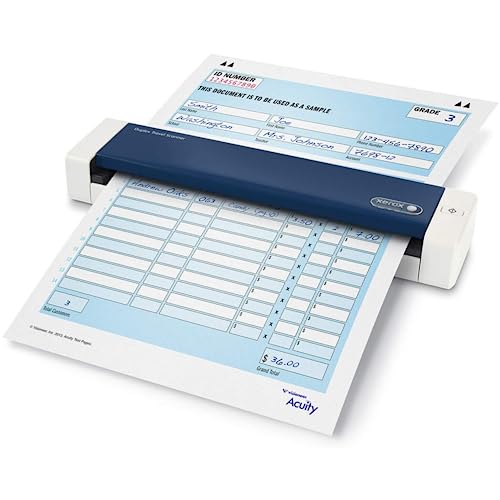
Xerox XTS-D
$119.99
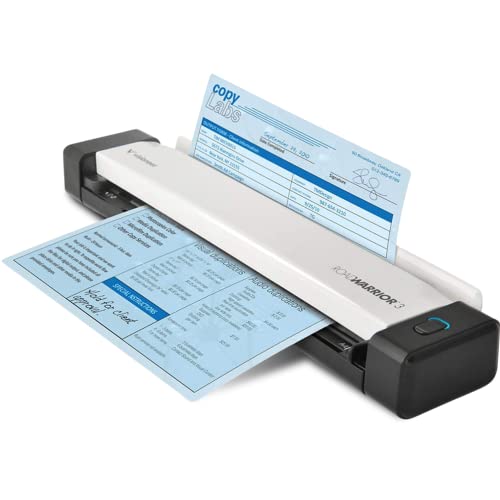
Visioneer RoadWarrior 3
$109.99

Crossery ES-50
$119.00
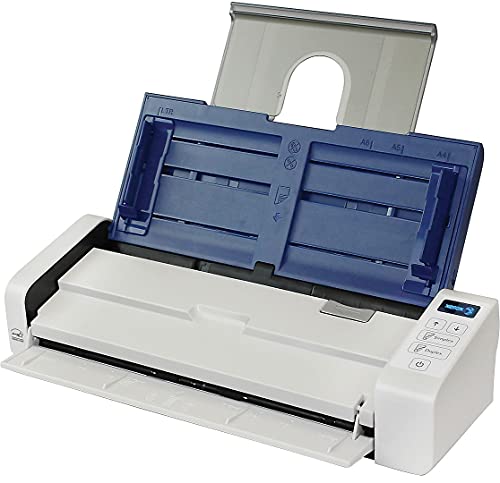
Xerox Duplex Portable
$229.99

Mustek 1200UB
$100.58
IRIScan Anywhere v6Pro
-$0.01
Spec Comparison
TL;DR: The Brother DS‑640 is a lightweight (1.029 lb) USB‑powered sheet‑fed scanner that delivers 600 × 600 dpi quality, handles receipts to ID cards, and fits easily into a laptop bag for on‑the‑go use.
Weighing just 1.029 pounds, the DS‑640 is one of the most portable scanners in its class. Its 600 × 600 dpi optical resolution captures clear text and images, while a maximum document length of 1829 mm lets you scan long receipts or invoices without cutting them up.
Compared with its peers, the DS‑640 is lighter than the Brother DS‑740D (2.24 lb) and Xerox XTS‑D (2.25 lb), though a bit heftier than the Epson Workforce ES‑60W (0.66 lb) and Crossery ES‑50 (0.59 lb). Its depth of 302 mm matches the DS‑740D but exceeds the compact depth of the Epson model (45.72 mm), making it a solid middle ground between ultra‑slim and more robust designs.
Users consistently praise its ease of use and the quality of scanned receipts, business cards, and plastic IDs. Professional reviewers note the ultra‑compact footprint and the bundled OCR software as strong value adds. The main trade‑offs are the lack of automatic duplex scanning and the need to stay plugged into a USB port, which some users find limiting for high‑volume or truly mobile scenarios.
Pros
Cons
Best for: Mobile professionals who need a reliable, lightweight scanner for occasional document capture.
Avoid if: You need high‑volume duplex scanning or a standalone, battery‑powered device.
“The OCR functionality is frequently praised for accurately converting scanned documents into editable text.”
TL;DR: The Brother DS‑740D offers true duplex scanning at 600 × 600 dpi, handles up to 72 in documents, and runs off USB power, all in a 2.24‑lb portable package.
The scanner’s standout feature is its dual‑CIS sheet‑fed design that delivers true single‑pass duplex scanning with an optical resolution of 600 × 600 dpi. It can accommodate documents as long as 72 in (1828.8 mm) and plastic cards up to 3.4 in, while staying lightweight at 2.24 lb and drawing only 1.4 W in ready mode.
Compared with the other 13 models in this roundup, the DS‑740D is heavier than the ultra‑light Epson Workforce ES‑60W (0.66 lb) and the Brother DS‑640 (1.029 lb), but its weight is essentially on par with the Xerox XTS‑D (2.25 lb). Its 600 dpi optical resolution matches the Xerox XTS‑D and the Crossery ES‑50, and it surpasses any model that does not list a dpi figure. The 72 in maximum document length ties with the Crossery ES‑50 and the Brother DS‑640, while it exceeds the Xerox XTS‑D’s 32 in limit.
User feedback consistently praises the fast duplex throughput and the compact “Desk Saving Design” that reduces workspace by up to 11 inches. Professional reviewers highlight the 48‑bit internal color depth and the reliable OCR accuracy across Windows, macOS, and Linux. The most common complaints revolve around paper jams with thicker or misaligned sheets, the single‑sheet ADF, and the lack of multi‑feed detection, which can be a drawback for high‑volume tasks.
Technically, the DS‑740D supports 48‑bit internal/24‑bit external color, 8‑bit grayscale, and 1‑bit monochrome scanning, with a daily duty cycle of up to 100 scans. The device accepts media thickness between 1.0 mm and 1.24 mm, and it includes a suite of cross‑platform software—Brother iPrint & Scan, BR‑Receipts, Presto! PageManager, and several Kofax tools—plus cloud integration with Google Drive, Dropbox, and OneDrive.
Pros
Cons
Best for: Mobile professionals and small‑office users who need reliable duplex scanning in a compact, USB‑powered form factor.
Avoid if: You require high‑volume batch scanning, multi‑sheet ADF capability, or a device that tolerates very thick media.
TL;DR: At $179.99, the Epson RapidReceipt RR‑60 earns 4.2/5 from 1,309 reviewers and delivers 600 dpi optical scans in just 5.5 seconds per page, all in a 33 mm‑thin, 1.19‑lb package.
The standout spec is its ultra‑compact chassis – only 33 mm tall and weighing 1.19 pounds (540 g). That size lets you tuck the scanner into a laptop bag or briefcase without adding bulk. It also scans a single receipt in 5.5 seconds at 300 dpi, and its 600 dpi optical resolution ensures crisp text and graphics. With a daily duty cycle of up to 300 sheets, the RR‑60 can handle a modest workload without overheating.
Compared with other handheld options, the RR‑60 shares the same 540 g weight as the Doxie DX240, but its height of 33 mm is slimmer than Doxie’s 44 mm, giving it a lower profile. The Epson Workforce ES‑60W is lighter at about 0.66 pounds, yet the RR‑60 offers a larger scanning area (up to 8.5 × 72 in) that the ES‑60W doesn’t list. On the heavier side, the Brother DS‑640 tips the scales at 2.24 pounds, making the RR‑60 a more travel‑friendly choice while still matching the Doxie’s 600 dpi optical resolution.
Users consistently praise the RR‑60’s ease of use and the bundled Epson ScanSmart Accounting Edition, which automatically extracts vendor name, date, amount and category before exporting to QuickBooks or TurboTax. Reviewers also note the fast 5.5‑second scan time and the clear 600 dpi output. On the downside, the scanner lacks duplex capability, offers only USB‑bus power (5 V DC), and cannot scan directly to a USB drive or smartphone. Some owners report occasional jams with thick or folded receipts and occasional macOS compatibility hiccups.
Technical context: The device runs on a USB 2.0 connection, drawing just 0.1 W when off and 2.1 W during operation. It supports 16‑bit internal color depth and 8‑bit grayscale output, with a 3‑color RGB LED light source and a color CIS sensor. Included software spans Epson Scan 2, ScanSmart Accounting Edition, Kofax Power PDF for Windows, and a PDF Converter for Mac.
Pros
Cons
Best for: Small business owners, freelancers, accountants and field workers who need a portable scanner to digitize receipts, invoices and other short documents quickly.
Avoid if: You require high‑volume duplex scanning, wireless or mobile‑direct scanning, or you run the latest macOS versions that may encounter compatibility problems.
“Users consistently rate the scanner 4.7/5 across platforms, citing ease of use, compact size, and excellent scan quality”
TL;DR: The Epson RapidReceipt RR-70W is a ultra‑light, battery‑powered scanner that handles receipts up to 72 inches, delivers 600 dpi optical quality, and scans a page in about four seconds.
This scanner tips the scales at just 0.66 pounds, making it easy to slip into a laptop bag or pocket. It can accommodate documents as long as 1828.8 mm (roughly 72 inches) and still capture fine detail with a 600 dpi optical resolution. Epson advertises a single‑page scan time of 4 seconds at 300 dpi, which translates to a brisk workflow when you’re on the move.
Compared with the other 13 models in the roundup, the RR‑70W is lighter than the Xerox Duplex Portable and the Canon P‑215II, and it matches the featherweight feel of the Epson Workforce ES‑60W. It costs more than the Xerox and Canon options, placing it at the premium end of the price spectrum. Unlike the Xerox unit, which offers a 20‑sheet automatic feeder, the RR‑70W relies on manual single‑sheet feeding, so it’s less suited for batch jobs.
Users consistently praise the scanner’s pocket‑size convenience and the speed of its four‑second scans. Professional reviewers highlight the ScanSmart AI software that automatically extracts receipt data and pushes it to the cloud, cutting down manual entry. A common complaint is occasional instability on 2.4 GHz Wi‑Fi networks, and reviewers note the lack of an automatic feeder as a limitation for heavier office use.
Technically, the RR‑70W is a mobile, sheet‑fed, simplex color scanner with a 16‑bit input and 8‑bit output color depth. It connects via USB 2.0 or 802.11 b/g/n Wi‑Fi, and its built‑in rechargeable battery lets you scan without a wall outlet. Epson includes ScanSmart Accounting Edition, Kofax Power PDF for Windows, and a Mac PDF Converter, covering both Windows 10/8/7 and macOS 10.11–10.15.
Pros
Cons
Best for: Solo professionals, freelancers, accountants, and small‑business owners who need fast, on‑the‑go receipt and document scanning.
Avoid if: You run a high‑volume office that requires batch or duplex scanning, or if you’re shopping on a tight budget — it’s priced at $279.99.
“Users consistently rate the scanner 4.7/5 across platforms, citing ease of use, compact size, and excellent scan quality”
TL;DR: The Epson WorkForce ES-60W scans a single page in about 4 seconds at 600 dpi, weighs just 0.66 lb, and adds Wi‑Fi for true on‑the‑go flexibility.
The standout spec is its ultra‑light 0.66 lb chassis combined with a 4‑second single‑page scan time (300 dpi) and 600 dpi optical resolution, giving crisp captures without a bulky power brick. A built‑in rechargeable lithium‑ion battery recharges in roughly 3.5 hours, and the device offers 802.11n Wi‑Fi plus a high‑speed USB 2.0 micro‑B port, so you’ll scan from a laptop or directly to the cloud.
Compared with the other 13 scanners, the ES‑60W is lighter than the Canon imageFORMULA P‑208II (≈1.30 lb) and all Brother models, which tip the scales at 1.02 lb or more. Only the Crossery ES‑50 nudges below at 0.59 lb, but it lacks Wi‑Fi and caps color depth at 16‑bit, whereas Epson delivers a full 48‑bit color capture. Its depth of 45.72 mm is slimmer than Canon’s 55.9 mm and far shallower than Brother’s 302.3 mm, making it one of the most pocket‑friendly options.
Users consistently praise the “plug‑and‑play” feel, noting that the small LCD instantly shows Wi‑Fi status and battery level. Professional reviewers highlight the fast 4‑second scan and the high‑detail 48‑bit color as ideal for business cards and receipts. Common complaints focus on the sealed battery that can lose capacity over time, occasional Wi‑Fi hiccups in corporate networks, and the absence of duplex scanning or an automatic feeder, which limits high‑volume use.
Pros
Cons
Best for: Mobile professionals such as sales reps, real‑estate agents, and field consultants who need quick, high‑quality single‑page scans away from the desk.
Avoid if: You require duplex scanning, high‑volume office throughput, or a scanner that works with Chrome OS.
“"plug and play" setup”
“scans in seconds”
TL;DR: The Canon imageFORMULA P‑215II is a USB‑powered, 2.2 lb portable scanner with 30 ipm duplex speed, 600 dpi optics, and a 20‑sheet ADF, ideal for mobile professionals despite a premium price.
This scanner packs a 30 ipm duplex scan speed for black‑and‑white pages and 20 ipm for color, letting you digitize both sides of a document in one pass. Its 600 dpi optical resolution delivers crisp images, and the built‑in 20‑sheet ADF handles a small batch without manual feeding. Weighing just 2.2 lb (1000 g) and measuring 3.7 in × 1.6 in × 11.0 in, it fits comfortably in a briefcase or backpack.
Compared with other handheld scanners in this roundup, the P‑215II is lighter than the Xerox Duplex Portable (which tips the scales at over 3 lb) but heavier than the Doxie DX240 at 1.18 lb. Its ADF capacity matches the Xerox model’s 20‑sheet feeder, while the Epson RapidReceipt RR‑60 and RR‑70W use a single‑sheet feed. The Canon’s USB‑2.0/3.0 interface puts it on par with the Epson Workforce ES‑60W’s USB connectivity, yet it requires an optional wireless adapter for Wi‑Fi, unlike some peers that ship with built‑in wireless.
Reviewers consistently praise the plug‑and‑play experience: the scanner powers directly from a USB port, so you don't need an external adapter, and Canon’s CaptureOnTouch Lite provides driver‑free operation. Users also like the 24‑bit color depth and automatic image correction. However, several customers report paper‑feed hiccups—double‑feeding or missed sheets—especially with longer receipts, and the optional wireless adapter adds an extra cost. Professional reviewers note the high duplex speed for its size, while also mentioning that heavy‑duty use can strain the ADF mechanism.
On the power side, the device draws a maximum of 7 W and a minimum of 2.5 W, staying ENERGY STAR certified. It supports USB‑powered operation and optional iOS/Android scanning via the WU10 adapter. Canon backs the scanner with a one‑year advanced exchange warranty, giving you a quick replacement if a defect arises.
Pros
Cons
Best for: Mobile professionals such as lawyers, consultants, or real‑estate agents who need to scan contracts, IDs, and receipts while traveling.
Avoid if: You require heavy‑duty, high‑volume scanning or built‑in wireless without purchasing extra accessories.
“Plug-and-play simplicity — many report being able to start scanning immediately without installing drivers.”
“The scanner often stops mid-scan or reports a jam when processing long thermal receipts.”
TL;DR: The Doxie DX240 scans at 600 dpi, stores up to 4,000 images on an included 8 GB SD card, and runs for about 400 scans on a single charge for $189.
The standout spec is its 600 dpi optical resolution paired with a CCD sensor, which reviewers say produces “sharp 4 MB JPGs.” You get up to 400 scans per charge thanks to the rechargeable lithium‑ion battery, and the device can handle documents up to 762 mm long and 0.68 mm thick. Scanning speed runs roughly 7.5 pages per minute, about eight seconds per page at 300 dpi.
At 1.18 pounds, the DX240 is a touch lighter than the Epson RapidReceipt RR‑60 (1.19 lb) and noticeably lighter than the Xerox Duplex Portable (over 3 lb) and Brother DS‑740D (2.24 lb). It's heavier than the ultra‑light Epson Workforce ES‑60 (0.66 lb) and the Canon P‑215II (about 1.0 lb), placing it in the middle of the weight range for portable scanners in this roundup.
Professional reviewers praise the intuitive button‑based resolution switching and the fast eight‑second per page pace. Users love the ability to scan receipts, photos, and contracts without a laptop, citing the built‑in 8 GB SD card (estimated 4,000 scans) and ABBYY FineReader OCR that creates searchable PDFs. The main complaints include the lack of duplex scanning, the single‑sheet manual feed, and the base model’s missing Wi‑Fi, which some users need for instant cloud uploads.
Pros
Cons
Best for: Remote workers, freelancers, and consultants who need high‑quality, on‑the‑go scanning of receipts, contracts, or photos.
Avoid if: You need high‑volume duplex scanning, an automatic feeder, or a lower‑cost basic scanner.
“Perfect for travel and fieldwork”
“So simple to use”
TL;DR: The Canon imageFORMULA P-208II packs a 10‑sheet ADF, 16 ipm duplex speed and 600 dpi optical resolution into a 1.3‑lb USB‑powered unit that’s ideal for mobile professionals who need quick, cloud‑ready scans.
The scanner’s most eye‑catching spec is its duplex speed of 16 ipm combined with a 600 dpi CMOS contact image sensor, letting you digitize two‑sided pages in seconds. It also offers a 10‑sheet automatic document feeder, a closed depth of 55.9 mm and a weight of 1.3007273458 pounds, making it compact enough to slip into a laptop bag.
Compared with the Epson Workforce ES‑60W, the P‑208II is heavier (1.3 lb vs 0.66 lb) and a bit deeper (55.9 mm vs 45.72 mm), yet it still feels portable. It undercuts the Brother DS‑740D’s 2.24 lb chassis, so it’s lighter than that bulkier model, but it does weigh more than the Brother DS‑640’s 1.029 lb frame. Against the Xerox XTS‑D’s 2.25 lb build, the Canon is noticeably lighter, while it sits above the Crossery ES‑50’s 0.59 lb weight. Even the Epson RapidReceipt RR‑60, at 1.19 lb, is lighter, so the P‑208II lands in the mid‑range of heft among its peers.
Users consistently praise the scanner’s plug‑and‑play USB power – you don’t need an external adapter – and the smooth cloud uploads via CaptureOnTouch and built‑in integrations with Google Drive, Dropbox, and OneDrive. However, reviewers note that the bundled software lacks OCR, making text search less convenient, and the 10‑sheet ADF can feel limiting for larger batches. You must buy the optional wireless adapter separately, and a few users report occasional jams with thicker cards.
Beyond speed and resolution, the P‑208II supports selectable output resolutions from 150 to 600 dpi, color depth up to 24‑bit, and power consumption of just 2.5 W while scanning. It handles documents from 70 mm up to 356 mm in length and 50.8 mm to 216 mm in width, covering everything from business cards to legal‑size pages. Canon rates the device for 50–250 scans per day, fitting the workflow of frequent travelers and home offices alike.
Pros
Cons
Best for: Most users seeking a balanced, mainstream option
Avoid if: You're shopping on a tight budget — it's priced at $149.00
“Perfect for scanning receipts and contracts while traveling.”
“Fits in my laptop bag — I use it on flights.”
TL;DR: The Xerox XTS‑D is a USB‑powered handheld scanner that delivers 600 dpi duplex scans, fits in a bag at 2.25 lb, but scans each page in about eight seconds.
The standout feature is its automatic duplex scanning while staying portable; the device handles two‑sided documents in a single pass and offers a full‑color optical resolution of 600 dpi. It draws just 2.5 watts from a USB connection, so you never need an external power brick, and it can scan pages up to 32 in long at a speed of 8 seconds per page (300 dpi).
Compared with the other handhelds in this roundup, the XTS‑D is heavier than the Crossery ES‑50 (0.59 lb) and the Visioneer RoadWarrior 3 (1.7 lb), but its weight is almost identical to the Brother DS‑740D (2.24 lb). Its maximum document length of 32 in is shorter than the 72 in capability of both the Crossery ES‑50 and the Brother DS‑740D, while its 600 dpi optical resolution matches the RoadWarrior 3, Brother DS‑640, and the Crossery ES‑50. Some peers, like the Brother DS‑640, list a faster scan rate of 16 ppm, indicating the XTS‑D’s eight‑second per page pace is on the slower side.
User feedback highlights how easy the scanner is to carry and set up, and many praise the sharpness of the scans and the reliability of the bundled ABBYY FineReader OCR. Professional reviewers also note the convenience of automatic duplex scanning in such a compact form. On the downside, customers frequently mention the need to feed each sheet manually, occasional driver hiccups on newer macOS versions, and the perception that the software bundle feels a bit heavy.
The XTS‑D ships with a USB 2.0 cable, a carrying bag, a clear carrier sheet, calibration tools, and a suite of software—including Visioneer OneTouch, ABBYY FineReader OCR, Nuance PaperPort and OmniPage—compatible with Windows XP through 11 and macOS 10.6 through Ventura. Because it runs solely off USB power, you won’t need a wall adapter, which keeps the travel kit light.
Pros
Cons
Best for: Mobile professionals who need on‑the‑go duplex scanning and powerful OCR software without a bulky power brick.
Avoid if: You want the best value‑per‑dollar in its price range or need high‑volume, automatic‑feed scanning.
“Never got it going”
TL;DR: The Visioneer RoadWarrior 3 is a USB‑powered handheld scanner that delivers 600 dpi scans of up to 32‑inch documents in about 10 seconds per page, but it only scans one side at a time.
The standout spec is its 600 dpi optical resolution paired with a 9–11 second scan time per page at 300 dpi, which lets you capture clear, readable images of receipts, contracts, or field notes without an external power brick. Its maximum document length of 813 mm (32 inches) means you can handle standard letter‑size sheets and longer receipts in a single pass.
Compared with the other 13 scanners in this roundup, the RoadWarrior 3 sits in the middle of the weight range: it weighs 1.7 pounds (381 g), making it heavier than the 0.59‑pound Crossery ES‑50 but lighter than the Xerox XTS‑D at 2.25 pounds. Its length of 289.6 mm exceeds the Mustek 1200UB’s 414 mm depth, giving it a longer scanning window, while its height of 38.1 mm matches the Brother DS‑640’s 38 mm profile. Optical resolution matches the 600 dpi of both the Crossery ES‑50 and Xerox XTS‑D, but its 9–11 second per‑page speed is slower than the Brother DS‑640’s advertised 16 ppm, indicating a trade‑off between portability and throughput.
Professional reviewers praise the RoadWarrior 3 for its “high portability” and the one‑touch workflow that streams scans directly to a laptop, thanks to its USB‑powered design (5 V, 0.5 A, 2.5 W max). Everyday users love the lightweight feel and the Visioneer Acuity software that cleans up crumpled receipts. The most common complaints focus on the lack of duplex scanning – you must flip each sheet manually – and occasional hiccups when installing the drivers on newer operating systems.
Pros
Cons
Best for: Entry-level buyers or those on a tight budget
Avoid if: You want the best value‑per‑dollar in its price range
“Perfect for scanning receipts during business trips.”
“Fits in my laptop sleeve—so convenient.”
TL;DR: The Crossery ES-50 scans at 10 pages per minute, fits in your pocket at 0.59 lb, and handles documents up to 72 in, making it a solid on‑the‑go scanner for light tasks.
The standout spec is its speed: a single page finishes in 5.5 seconds at 300 dpi, which translates to 10 pages per minute. It also offers 600 dpi optical resolution and a maximum document length of 72 in (1829 mm), so you can feed long receipts or legal‑size pages without hassle.
Compared with the other 13 scanners in this roundup, the ES‑50 is dramatically lighter than the Xerox XTS‑D (2.25 lb) and Visioneer RoadWarrior 3 (1.7 lb), and even lighter than the Brother DS‑640 (1.029 lb). Its maximum power draw of 2.1 W is lower than Xerox’s 2.5 W and Visioneer’s 2.5 W, which helps preserve laptop battery life when plugged in. In terms of document length, it outpaces the Xerox XTS‑D’s 32 in limit and matches the longer‑document capability of the Brother DS‑640 and DS‑740D (both 72 in).
Professional reviewers praise the fast 10 ppm rate and the crisp 600 dpi output, noting the built‑in 16‑bit color input and 8‑bit grayscale output deliver clean scans. Everyday users love the pocket‑size 0.59 lb chassis and that it runs straight from a USB port—no external brick needed. However, the lack of an internal battery means you’ve got to stay tethered to a computer, and the USB‑only interface limits use with tablets or phones. Users also report occasional driver quirks on newer Windows 11 or macOS 11+ systems, which aligns with the “limited OS support” comment in the review intel.
The scanner uses a 3‑color RGB LED light source and a color Contact Image Sensor (CIS) for reliable color capture. It ships with a 6 ft mini‑USB cable, a microfiber cleaning cloth, and software bundle including Epson ScanSmart, Epson Scan 2, Nuance OCR, and a TWAIN driver. ENERGY STAR and RoHS certify the unit, and it’s covered by a 30‑day warranty.
Pros
Cons
Best for: Entry-level buyers or those on a tight budget
Avoid if: You need powerful performance or professional‑grade features
“Very compact and easy to set up in tight spaces.”
“I recently bought an HP desktop with Windows 11 and the Epson scanner doesn’t work. The light comes on but that’s it.”
TL;DR: The Xerox Duplex Portable scans up to 118 inches long at 600 dpi with true single‑pass duplex, but its 3.3‑lb weight and lack of a battery make it a bulkier, plug‑in solution.
The standout feature is its single‑pass duplex capability, delivering 40 ipm while feeding both sides of a sheet in one go. It also includes a 20‑sheet ADF and can handle documents up to 2997 mm long, which is far beyond the 762 mm limit of the Doxie DX240 and the 1828.8 mm ceiling of the Epson RR‑70W.
At 3.30693393 pounds, the Xerox scanner is heavier than the Canon P‑215II, Doxie DX240, Epson RapidReceipt models and the Canon imageFORMULA P‑208II, all of which sit under 2 lb. It also sits at a higher price point than most of the other 13 options, positioning it as a premium‑tier choice rather than a budget handheld.
Reviewers praise the clean, OCR‑accurate scans and the ability to digitize very long contracts, but many note paper‑feed misfeeds and a software interface that beginners can find hard to locate. Professional reviewers highlight the solid build quality and the fast LED instant‑on light source, while users repeatedly mention the absence of a built‑in rechargeable battery as a limitation for true mobility.
The scanner uses a Contact Image Sensor (CIS) with a 600 dpi optical resolution, 24‑bit external color depth (48‑bit internal) and supports PDF, JPEG, TIFF and BMP output. Its software suite includes Visioneer OneTouch, ABBYY FineReader Sprint and other tools, offering an OCR and document‑management experience.
Pros
Cons
Best for: Legal professionals and accountants who need to scan long, multi‑page contracts or receipts with reliable duplex performance.
Avoid if: You require an ultra‑lightweight, battery‑powered scanner for true on‑the‑go use.
“The paper feeder roller does not pull the paper consistently straight through… can fold or tear the original”
TL;DR: The Mustek 1200UB plugs into USB for power, scans up to 600 × 1,200 dpi with 48‑bit color depth, and includes OCR software, all for $100.58, but it’s bulkier and older‑OS limited.
The standout feature is its USB‑bus power – the scanner runs on 5 V from a USB 1.0/1.1 port, so you never need a wall adapter. It delivers an optical resolution of 600 × 1,200 dpi and can be software‑enhanced to 19,200 × 19,200 dpi, while offering 255 adjustable steps for both brightness and contrast. The bundled ScanSoft TextBridge OCR and Ulead Photo Express SE give you immediate document‑to‑text conversion without extra purchases.
Compared with the other 13 handheld contenders, the Mustek stands out as noticeably larger and heavier. At 2,310 grams it outweighs the Visioneer RoadWarrior 3 (381 g), Crossery ES‑50 (268 g), Brother DS‑640 (467 g), Brother DS‑740D (1,016 g) and Canon imageFORMULA P‑208II (approximately 590 g). Its height of 53 mm and length of 414 mm also exceed the compact dimensions of those rivals. Optically, it matches the 600 dpi baseline common to most peers while adding a higher vertical resolution of 1,200 dpi, which can matter for text‑heavy pages.
Users appreciate the plug‑and‑play convenience and the value of the included OCR suite. Professional reviewers note the durable construction and the high‑color‑depth BDIT technology that yields richer images. However, many owners report sluggish scanning on legacy Windows or macOS systems and occasional software crashes. The driver set stops at Windows 7 and older Macintosh OS versions, so modern laptops may require workarounds.
The scanner is a flatbed with a CIS (Contact Image Sensor) and a single‑pass scanning method, covering a maximum area of 8.5 × 11.7 in (Legal/A4). It ships with a one‑year parts‑and‑labor warranty, reinforcing confidence for budget‑conscious buyers.
Pros
Cons
Best for: Users on a tight budget who need a USB‑powered flatbed with OCR capabilities and don’t require ultra‑lightweight portability.
Avoid if: You rely on the latest Windows or macOS versions, need a truly handheld form factor, or require high‑resolution slide/negative scanning.
“Most bang for the buck I've received from any computer gadget.”
“One of the best scanners you can buy”
TL;DR: The IRIScan Anywhere v6Pro delivers true handheld portability with up to 260 scans per charge, 15 PPM duplex speed, Wi‑Fi and USB‑C, plus a lifetime OCR license.
This scanner’s standout spec is its battery endurance: a single charge yields 260 scans in maximum mode and still manages 180 scans (360 images) with Wi‑Fi enabled, while a full charge takes 4.5 hours. The scanner lists a 4‑second page time, giving you 15 pages per minute in simplex mode and 30 images per minute in duplex. The device itself weighs 630 g and fits into a pocket‑sized box (355 × 166 × 68 mm).
Compared with the other 13 handhelds in this roundup, the IRIScan sits in the middle of the weight range—lighter than the Mustek 1200UB (2,310 g) and Xerox XTS‑D (1,021 g), but heavier than the Visioneer RoadWarrior 3 (381 g), Crossery ES‑50 (268 g), and Brother DS‑640 (467 g). Its 15 PPM speed is on par with the Brother DS‑640’s 16 PPM claim, and its optical resolution of 300–600 dpi matches the 600 dpi optical specs of Visioneer, Crossery, and Xerox models. Unlike many peers, the IRIScan offers both USB‑C and 802.11 a/b/g/n/ac Wi‑Fi, giving you true cordless operation.
Reviewers consistently praise the scanner’s true mobility and the lifetime Readiris OCR software, noting high accuracy when converting to Word, Excel, or searchable PDFs. They highlight the fast duplex mode as a time‑saver for field work. However, users also report that Wi‑Fi pairing can be finicky and that the scan count drops noticeably when Wi‑Fi is active, aligning with the documented 180‑scan Wi‑Fi limit. The built‑in RGB LED light source and 24‑bit color depth help capture clear color documents, and cloud integration with Google Drive and Dropbox streamlines file handling on the go.
Pros
Cons
Best for: Mobile professionals who need fast duplex scanning, on‑device OCR, and cloud sync while working away from a power source.
“Perfect for business travel”
“OCR accuracy is excellent”
Breakdown
Brother DS-640
Pros
Brother DS-740D
Pros
Epson RapidReceipt RR-60
Pros
Epson RapidReceipt RR-70W
Pros
Cons
Based on scoring data and product specs
Personalized picks
Best Overall Pick
Brother DS-640
Best Budget PickBest for: Budget-conscious buyers seeking a reliable entry-level option
Brother DS-740D
Best for: Home and office users seeking a balance of features and value
$169.00+$59.01 vs winner
Skip Mustek 1200UB if…
You have limited desk space or need portability
Brother DS‑640 takes the top spot as the best portable handheld scanner. At $134.99 it’s priced lower than most competitors, yet it still delivers a solid 4.3‑star rating from 6,386 reviewers. Its 600 × 600 dpi optical resolution and 16 ppm scan speed give crisp results, and the unit runs entirely off a single Micro USB 3.0 cable, so you never need a wall adapter.
The runner‑up is the Brother DS‑740D, which shines when you need duplex capability. It can handle up to 16 ipm double‑sided scans and offers a richer 48‑bit internal color depth, making it ideal for scanning color‑rich receipts or business cards on the go. At $144.99 it remains USB‑bus‑powered, so you stay untethered while gaining that extra flexibility.
For shoppers focused on price tiers, the Mustek 1200UB is the best budget pick at $100.58, giving you a functional scanner for the lowest cost. The Brother DS‑740D serves as a solid mid‑range choice, balancing price with duplex and higher‑color depth features. If you’re willing to invest more, the Epson RapidReceipt RR‑70W stands out as the premium option at $279.99, offering performance for demanding users.
Pick the Brother DS‑640 now and enjoy reliable, on‑the‑go scanning without breaking the bank.
The Epson RapidReceipt RR‑70W runs entirely on its built‑in rechargeable battery, so you can scan anywhere without a wall socket. It weighs just 299 g and still delivers 15 ppm at 300 dpi, making it a lightweight, truly portable option for receipt capture.
Please sign in to leave a review
No reviews yet. Be the first to review!
