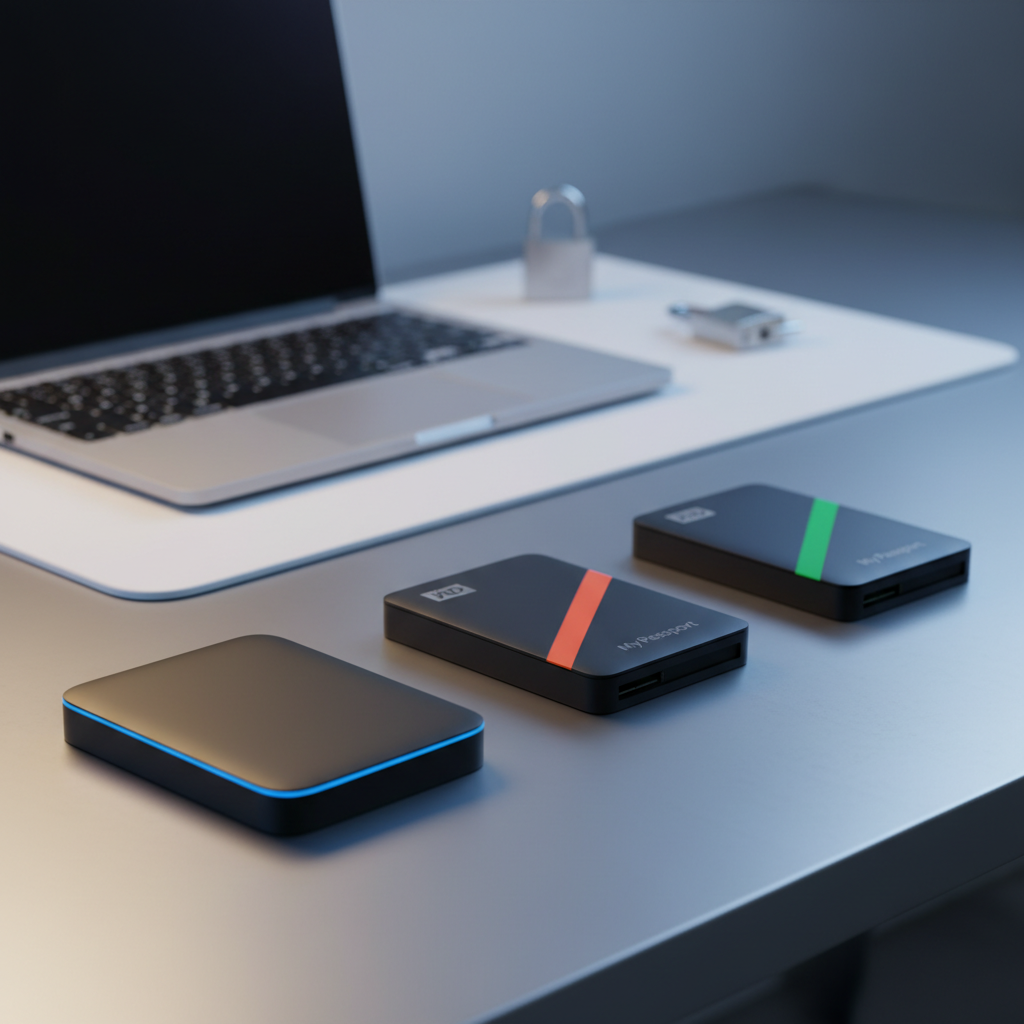
It might catch you off guard that the highest user rating—4.8 / 5 from 411 reviews—belongs to the ADATA AHV300 1TB, which sits at $110.89 rather than at the top of the price ladder. In this roundup we compare 7 portable hard drives that all ship with 256‑bit AES hardware encryption, ranging from the $52.50 Seagate One Touch 1TB up to the $185.13 WD My Passport Ultra 5TB Silver. The selections span three price tiers: budget (Seagate One Touch 1TB, Seagate One Touch 2TB at $69.99, and WD My Passport 2TB at $89.99), mid‑range (Transcend StoreJet 1TB at $104.18), and premium (ADATA AHV300, WD My Passport 4TB at $129.99, and WD My Passport Ultra 5TB).
Across these tiers you’ll find a mix of capacities—from 1 TB to 5 TB—and consistent 5 Gbps USB‑3.0/3.1 connectivity, with most models weighing under half a pound. Whether you need a lightweight travel companion, a rugged field drive, or a high‑capacity backup for a desktop workstation, the following sections break down which option aligns best with your security and storage needs.

Seagate One Touch 2TB
Its compact 146 mm height and 37.5 mm length make it one of the most portable 2 TB drives, highlighting its value and features.

WD My Passport 4TB
Ideal for users needing extra storage, the 4 TB My Passport serves power users, though it costs about $60 more than the $69.99 Seagate One Touch.

WD My Passport 2TB
Features a 3‑year limited warranty, which offers longer peace of mind than the other two while keeping the familiar 2 TB capacity.
Also considered
Score Analysis
Key score advantages vs. runner-up (WD My Passport)
Price Range
Seagate One Touch 2TB
$69.99
WD My Passport 4TB
$144.99
WD My Passport 2TB
$99.99

Transcend StoreJet 1TB USB 3.1
$99.99

WD My Passport Ultra 5TB Silver
$169.99

ADATA AHV300 1TB
$110.84
Seagate One Touch 1TB
$69.50
Spec Comparison
TL;DR: The Seagate One Touch 2TB offers 2 TB of portable storage, AES‑256 hardware encryption and 120 MB/s typical transfer speed for $69.99, making it a secure, budget‑friendly choice.
The standout feature is its built‑in AES‑256 hardware encryption with password protection, a rarity at the $69.99 price point. With a 2 TB 2.5" HDD and a typical transfer speed of 120 MB/s, it delivers reliable backup performance while staying bus‑powered via its 46 cm USB‑3.0 Micro‑B to USB‑A cable.
Compared with the other six drives in this roundup, the One Touch sits comfortably in the middle of the price spectrum—more expensive than the $52.50 Seagate One Touch 1TB but cheaper than the $89.99 WD My Passport 2TB. At 0.32628414776 pounds (148 g), it's slightly heavier than the 0.31‑pound WD My Passport 2TB yet lighter than the 0.5‑pound Transcend StoreJet 1TB. Its 11.71 mm height and 78.0 mm width are similar to the Seagate One Touch 1TB, but the drive's a bit thicker than the 10.3 mm ADATA AHV300. All seven models share a USB‑3.0 interface, but only the Seagate One Touch and ADATA AHV300 list 256‑bit AES hardware encryption; the others either lack encryption or list it without specifying the bit strength.
Users consistently praise the plug‑and‑play setup and the peace of mind from the encryption, noting that the drive works straight out of the box on Windows and macOS thanks to its exFAT format. Professional reviewers highlight the brushed‑metal aluminum enclosure as giving a premium feel uncommon in this price tier. However, several reviewers mention the need to purchase a separate adapter for USB‑C laptops and the occasional confusion around bundled software trials.
Pros
Cons
Best for: Budget‑conscious buyers seeking a reliable entry‑level option
Avoid if: You need advanced features or professional‑grade performance
“Plugged it in, formatted exFAT in about 3‑seconds... and it just… worked. No muss, no fuss.”
“Outstanding choice for Mac users – security, speed, and compatibility all in one.”
TL;DR: The WD My Passport 4TB packs 4 TB of storage, 256‑bit AES hardware encryption and USB‑C connectivity into a lightweight 0.46‑lb drive for secure, portable backup.
WD Security software manages the built‑in 256‑bit AES hardware encryption, keeping your files safe without extra steps. The drive also offers a generous 4 TB of capacity while staying under a pound at 0.4629707502 lb, and its dimensions of 0.75 in × 2.95 in × 4.22 in make it easy to slip into a laptop bag.
Compared with the six other drives in this roundup, the My Passport weighs more than the ultra‑slim ADATA AHV300 and the 2 TB WD My Passport model, yet it’s lighter than the Transcend StoreJet and the 5 TB WD My Passport Ultra. Its USB‑C connector gives it a more future‑proof edge over the Seagate One Touch units that rely on older USB‑A ports, while still including a USB‑A adapter for broad compatibility.
Users consistently praise the plug‑and‑play simplicity and the peace of mind that comes from the built‑in encryption. Reviewers note that the drive’s 64 MB cache and sustained transfer speed of 110–120 MB/s feel solid for everyday backups, though a few mention that prolonged large transfers can cause the plastic housing to heat up, sometimes triggering a thermal shutdown. Feedback also mentions the short USB‑C cable length and the need to reformat for macOS, but most owners find the trade‑off acceptable for the price and capacity.
Professional reviewers highlight the strong value proposition: high capacity at $129.99, 3‑year warranty and hardware‑level security that’s rare in consumer HDDs. The drive’s theoretical 5 Gbps USB 3.0 interface aligns with its advertised speeds, making it a reliable choice for photographers and content creators who need to move large libraries quickly.
Pros
Cons
Best for: Home users, photographers and content creators who need secure, high‑capacity portable storage.
Avoid if: You need a rugged, drop‑proof drive or SSD‑level performance for intensive video editing.
“Works perfectly out of the box with Windows.”
“Love the encryption — feels secure storing sensitive files.”
TL;DR: The WD My Passport 2TB offers 2 TB of storage, 256‑bit AES hardware encryption, and USB 3.2 Gen 1 speeds in a 0.31‑pound, bus‑powered package, making it a solid, budget‑friendly portable drive.
This drive’s standout spec is its 2 TB capacity paired with 256‑bit AES hardware encryption and a 5400 RPM spindle. In real‑world use it delivers about 109–110 MB/s transfer speeds, which matches the advertised USB 3.2 Gen 1 (5 Gbps) interface.
At 0.31 pounds (140 g) the My Passport is lighter than the Transcend StoreJet 1TB, which weighs 0.5 pounds, and roughly comparable to the Seagate One Touch 2TB at 0.326 pounds. Unlike some rivals that ship with native USB‑C connectors, this model uses a Micro‑USB 3.0 port, so you’ll need an adapter for USB‑C‑only devices.
Users consistently praise the drive’s reliability, price‑per‑terabyte value, and the peace of mind that comes from built‑in password protection. Professional reviewers also highlight the 256‑bit AES engine provides strong security. Common complaints focus on the Micro‑USB connector, the need to reformat for macOS, and a plastic enclosure that feels less premium than metal‑cased competitors.
Pros
Cons
Best for: Budget‑conscious buyers seeking a reliable entry‑level option
Avoid if: You need advanced features or professional‑grade performance
“Works perfectly out of the box with Windows.”
“Love the encryption — feels secure storing sensitive files.”
TL;DR: The Transcend StoreJet 1TB offers 256‑bit AES hardware encryption, MIL‑STD‑810G drop protection up to 5 ft and a one‑touch backup button, all in a compact 0.5 lb, 5.10‑in‑deep package.
The standout feature is its military‑grade durability: Transcend certifies the three‑stage shock‑absorption system and 1.52 m (5 ft) drop resistance on concrete to MIL‑STD‑810G. Combined with built‑in 256‑bit AES hardware encryption and a dedicated one‑touch auto‑backup button, the drive targets users who need data safety on the go.
Compared with the six other drives in this roundup, the StoreJet is heavier than the ADATA AHV300 (≈0.31 lb) and the Seagate One Touch models (≈0.33 lb), but it's the only one that explicitly lists MIL‑STD‑810G certification. The ADATA does share 256‑bit AES hardware encryption, yet it's slimmer at 10.3 mm height versus the StoreJet’s 0.74 in (≈18.8 mm). The WD My Passport 2TB also spins at 5400 RPM and offers a similar 5 Gbps USB 3.1 Gen 1 interface, but it lacks any drop‑resistance claim. In short, the StoreJet trades a bit of extra weight for ruggedness that most peers don’t provide.
User sentiment repeatedly praises the drive’s toughness—many owners report it surviving drops from several feet without data loss. Field professionals highlight the single backup button as a time‑saver. On the downside, reviewers note the 5400 RPM spindle caps sequential read at 113 MB/s and write at 114 MB/s, which falls short of the USB 3.0 theoretical 5 Gbps ceiling. The included Micro‑USB 3.0‑to‑USB‑A cable also feels dated for newer USB‑C‑only laptops, and reviewers describe the Transcend Elite software as clunky with occasional Chinese‑language error dialogs.
Technically, the drive packs a 1 TB 2.5‑inch HDD, measures 5.10 in depth, 0.74 in height and 3.24 in width, and draws 5 V from the bus, so no external power is needed. UASP support helps squeeze a bit more efficiency from the mechanical drive, but the RPM limitation remains the bottleneck for large file transfers.
Pros
Cons
Best for: Most users looking for a well-reviewed, reliable mainstream option
Avoid if: You have limited desk space or need portability
“Survived multiple drops”
“The software is clunky and sometimes shows Chinese error messages”
TL;DR: The WD My Passport Ultra 5 TB offers a sleek metal case, 5 TB of HDD storage, USB‑C 5 Gbps connectivity and 256‑bit AES encryption, but its $185 price and modest 70–110 MB/s transfer rate keep it in the premium‑price tier.
The massive 5 TB capacity resides in a 2.5‑inch HDD that spins at 5,400 RPM. At 21.1 mm tall, 110.0 mm long and 81.5 mm wide, it fits comfortably in a laptop bag while weighing 0.50625 pounds (229.6 g). The drive ships with a USB‑C to USB‑A adapter and a SuperSpeed USB‑C to USB‑C cable, delivering a 5 Gbps interface that translates to advertised transfer speeds of 70–110 MB/s.
Compared with the six other drives in this roundup, the My Passport Ultra is the only one that tops 4 TB, making it the highest‑capacity option. It’s a bit heavier than the WD My Passport 4 TB (0.46297 lb) and the Seagate One Touch models (≈0.326 lb), yet it’s marginally lighter than the Transcend StoreJet 1 TB (0.5 lb). Encryption-wise, it matches the ADATA AHV300 and Transcend StoreJet, all offering 256‑bit AES hardware protection, but it stands out with its refined metal cover and Mac‑ready HFS+ formatting.
User sentiment highlights the drive’s plug‑and‑play simplicity and its seamless Time Machine integration for macOS users. Reviewers appreciate the password‑protected 256‑bit AES encryption for business or personal data safety. However, several owners note that transfer speeds dip toward the lower end of the 70–110 MB/s range when the drive fills up, and a minority report early drive failures that trigger warranty claims. Professional reviewers praise the solid build and the convenience of a pre‑formatted Mac file system, while also pointing out that the HDD’s speed can’t keep up with SSD‑level workflows.
Additional technical context: the drive draws power from the bus, so no external brick is needed, and it operates comfortably between 41–95 °F (5–35 °C). The 3‑year limited warranty offers peace of mind for the premium price point. Its metal chassis not only looks premium but also adds a touch of durability over typical plastic‑cased portable drives.
Pros
Cons
Best for: Buyers willing to invest in a proven, high‑quality option
Avoid if: You need SSD‑level speed or the absolute highest reliability for critical workloads
“Works perfectly out of the box with Windows.”
“Love the encryption — feels secure storing sensitive files.”
TL;DR: The ADATA AHV300 1TB packs 256‑bit AES hardware encryption into a 10.3 mm‑thin, 0.308206242276‑lb drive that delivers 120–140 MB/s speeds and survives drops from 1.5 m.
What really stands out is the built‑in 256‑bit AES hardware encryption, a feature that many portable drives in this segment lack. The drive measures just 10.3 mm in height and 16.2 mm in thickness, and at 0.308206242276 pounds it's feather‑light in the hand, making it easy to slip into a laptop bag.
Compared with the Transcend StoreJet (0.5 lb) and Seagate One Touch models (0.32628414776 lb), the AHV300 is noticeably lighter. It’s also slimmer than the Transcend’s 0.74 in (18.8 mm) height and the WD My Passport 2TB’s 13.46 mm profile. Transfer speeds of 120–140 MB/s sit alongside Seagate’s typical 120 MB/s and beat the WD 2TB’s 109–110 MB/s, while the drop‑resistance rating of up to 1.5 m gives it a durability edge that the other six listings don’t specify.
Users consistently praise the sleek white design and the peace of mind that the encryption provides, especially for travel or field work. The main gripe is the HDDtoGO software, which reviewers call dated and note that password recovery can be tricky. The USB‑A‑only connector also shows up in complaints from folks who prefer native USB‑C.
Under the hood, the AHV300 uses a USB 3.1 Gen 1 (5 Gbps) interface, works with Windows, macOS, Linux, PlayStation, Xbox, desktops and laptops, and ships with a USB‑3.1 cable and the HDDtoGO utility. A three‑year limited warranty rounds out the package.
Pros
Cons
Best for: Those prioritizing quality and willing to pay for premium performance
Avoid if: You need advanced features or professional‑grade performance
“Very slim and stylish—fits perfectly in my laptop bag.”
“Love the encryption feature—great for storing sensitive work files.”
TL;DR: At $52.50, the Seagate One Touch 1TB packs 1 TB of AES‑256 hardware‑encrypted storage in a sleek aluminum case, delivering up to 5 Gbps (≈120 MB/s) via a Micro‑USB 3.0 cable.
The drive’s standout feature is its built‑in 256‑bit AES hardware encryption with password protection, letting you secure a full terabyte of data without extra software. It’s powered directly from the USB port, so you won’t need a brick, and the listed typical transfer speed is 120 MB/s with a theoretical max of 5 Gbps. At 11.7 mm thick, 114.8 mm long and 78 mm wide, the unit weighs 0.32628414776pounds (148 g), making it easy to slip into a backpack.
Compared with the other six drives in this roundup, the One Touch prices lower than most and shares the same compact dimensions as the Seagate One Touch 2TB, while being a touch heavier than the WD My Passport 2TB (0.31 pounds). It lacks a USB‑C cable, which the WD My Passport Ultra 5TB includes, so you’ll need an adapter for newer laptops. Its 90‑day limited warranty offers less coverage than the three‑year plans from several competitors.
Reviewers consistently praise the aluminum enclosure for feeling premium and the plug‑and‑play setup for being hassle‑free. Professional reviewers highlight the “security‑first design” and the bundled Seagate Toolkit, a year of Mylio Create, four months of Adobe Creative Cloud Photography, and a year of Rescue Data Recovery Services as added value. The main criticisms focus on the reliance on Micro‑USB (no USB‑C cable out of the box) and the fact that, as a mechanical HDD, its 120 MB/s ceiling is slower than SSD‑class alternatives, which matters for heavy 4K/8K video work.
Pros
Cons
Best for: Students, photographers, and travelers who need secure, portable storage on a tight budget.
Avoid if: You require ultra‑fast SSD‑class speeds or native USB‑C connectivity for modern laptops.
“Plugged it in, formatted exFAT in about 3‑seconds... and it just… worked. No muss, no fuss.”
“Outstanding choice for Mac users – security, speed, and compatibility all in one.”
Breakdown
Seagate One Touch 2TB
Pros
Cons
WD My Passport 4TB
Pros
Cons
WD My Passport 2TB
Pros
Cons
Based on scoring data and product specs
Personalized picks
Best Overall Pick
Seagate One Touch 2TB
Best OverallBest for: Budget-conscious buyers seeking a reliable entry-level option
WD My Passport 4TB
Best for: Buyers willing to invest in a proven, high-quality option
$144.99+$75.00 vs winner
Skip Seagate One Touch 1TB if…
You have limited desk space or need portability
Seagate’s One Touch 2 TB takes the top spot thanks to its solid 4.4‑star rating from over 10,000 reviewers, a budget‑friendly $69.99 price tag, and AES‑256 hardware encryption built right in. It also delivers up to 5 Gbps (typical 120 MB/s) transfer speeds while staying lightweight at just 0.326 lb, making it a reliable, portable backup companion.
The runner‑up, WD’s My Passport 4 TB, shines when you need massive storage for a media library or extensive photo archive. It offers 4 TB of space, 256‑bit AES encryption, and a 3‑year limited warranty, all for $129.99, with sustained speeds of 110‑120 MB/s via its USB‑C connection.
For tighter budgets, the Seagate One Touch 1 TB at $52.50 delivers essential encryption and portability at the lowest cost. The Transcend StoreJet 1 TB USB 3.1, priced at $104.18, provides a sturdy mid‑range option with reliable USB 3.1 performance. If you crave top‑tier capacity, the WD My Passport Ultra 5 TB Silver at $185.13 offers premium storage and advanced security features.
Pick the Seagate One Touch 2 TB now and secure your data with confidence.
The Seagate One Touch 2TB is priced at $69.99 and provides AES‑256 hardware encryption, while the WD My Passport 2TB costs $89.99 and also offers 256‑bit AES encryption. At roughly $20 less, the Seagate model gives a better price‑to‑capacity ratio, though the WD drive is a bit lighter at 140 g versus 148 g.
Please sign in to leave a review
No reviews yet. Be the first to review!
