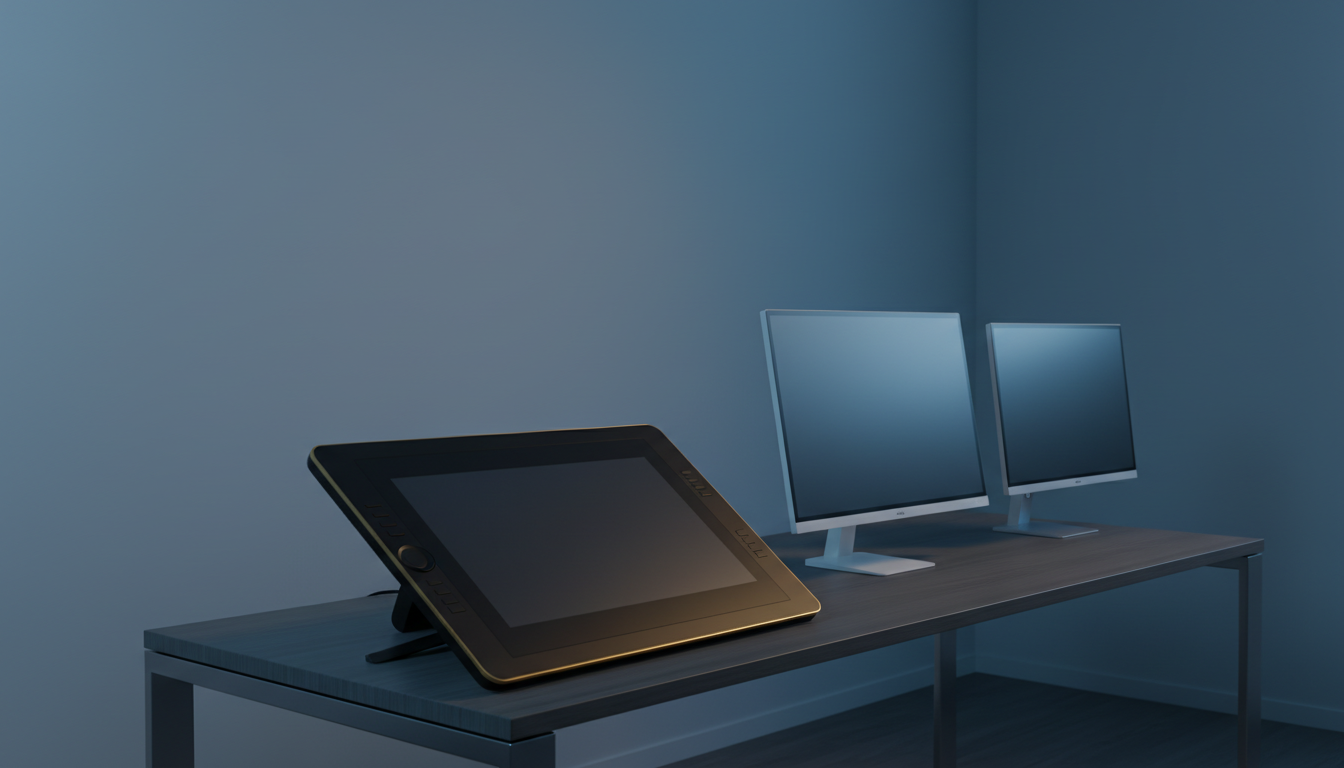
⚡ Quick Answer
Choosing a portable interactive display means balancing screen size, touch responsiveness, pen feel, and price. In this roundup we compared 10 options that fit in a 24‑inch envelope, from ultra‑light 10‑inch tablets to full‑size 24‑inch panels. Prices span from the $69.99 Hosyond 10.1‑inch monitor up to the $1,499.95 Wacom Cintiq 24, so you’ll see choices across budget, mid‑range and premium tiers.
The budget bucket includes the Hosyond 10.1‑inch ($69.99, 4.4‑star rating), ASUS VT229H at $202.34 with a 4.4‑star rating, ViewSonic TD2423D and Wacom One HD, each offering sub‑25‑inch screens and lightweight builds. Mid‑range contenders—Planar Helium and Elo E326738—add integrated speakers and higher brightness while staying under $500. Premium picks such as the Elo 2002L, Elo E328700, Wacom DTU‑1141B and the high‑end Wacom Cintiq 24 bring larger panels, professional‑grade pens and sturdy construction, and earn ratings that climb to 4.6 stars.
We’ll break down each model’s key specs, user feedback and ideal use‑cases so you can match a display to your workflow, whether you’re sketching on the go, setting up a collaborative kiosk, or outfitting a studio. Keep reading to see how the numbers stack up.
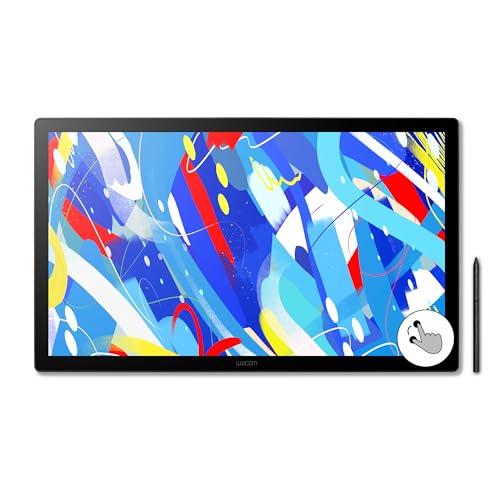
Wacom Cintiq 24
Its ultra‑thin 1 mm height gives a sleek, premium look that sets it apart from bulkier alternatives.

ASUS VT229H
Ideal for budget‑conscious buyers, it offers solid entry‑level performance at $202.34—roughly $1,300 less than the top‑choice model.

Planar Helium 24-inch
Stands out with built‑in 2 W per‑channel speakers, delivering decent audio without extra gear—a perk the other picks don’t list.
Also considered
Score Analysis
Key score advantages vs. runner-up (ASUS VT229H)
Price Range
Wacom Cintiq 24
$1,499.95
ASUS VT229H
$219.00
Planar Helium 24-inch
$469.00

Wacom One HD
Out of Stock

ViewSonic TD2423D
$309.61

Hosyond 10.1-inch Portable Monitor
$69.99

Elo 2002L
$618.82

Elo E326738
$529.82

Elo E328700
$658.98

Wacom DTU-1141B
$349.00
Spec Comparison
TL;DR: The Wacom Cintiq 24 delivers a 23.8‑inch 2.5K IPS display with 350 nits brightness, 5080 lpi pen resolution and 10‑point touch, but its 13.01‑lb weight makes it a studio‑bound solution.
The standout spec is the 23.8‑inch WQHD IPS panel (2560 × 1440) that reaches 350 nits and covers 100 % of the sRGB gamut, paired with an anti‑glare etched glass surface that offers near‑zero parallax. The Pro Pen 3 reads 5080 lpi, delivers 8192 pressure levels and ±60° tilt, while the display supports 10‑point multi‑touch gestures.
Compared with the nine other displays in this roundup, the Cintiq 24 is larger than the 10.1‑inch DTU‑1141B and the 19‑inch Elo E328700, and only the Planar Helium 24‑inch matches its size. At 13.01 lb (5.9 kg with stand), it's heavier than the DTU‑1141B, Elo E326738, Wacom One HD, ViewSonic TD2423D and ASUS VT229H, but it's lighter than the Planar Helium. Its 350‑nit brightness outshines the 200‑cd/m² (≈200 nits) of the DTU‑1141B and the 225‑nit Elo E328700, and also exceeds the 250‑nit levels of most competitors.
Professional reviewers praise the low‑parallax glass for a natural paper‑like feel and note the fluid pen response from the high pressure sensitivity. Users appreciate the intuitive touch gestures, yet the same reviews flag the 4.8 kg (≈11 lb) weight without the stand as a portability drawback, and the large 340 × 568 × 21 mm footprint can crowd a smaller desk. The panel offers only 8‑bit color depth and lacks HDR support, which some creators see as a trade‑off for its premium price.
Pros
Cons
Best for: Professional artists, illustrators, animators and game developers who need a large, color‑accurate pen display with high pressure sensitivity.
Avoid if: You need a lightweight, highly portable solution, have limited desk space, or require HDR and higher‑bit color depth.
“delivers a natural pen on paper feel”
TL;DR: The ASUS VT229H offers a 21.5‑inch Full HD IPS touchscreen with 10‑point capacitive touch, TÜV‑certified eye‑care and modest brightness, all for about $202, making it a solid entry‑level interactive display.
The VT229H’s 21.5‑inch IPS panel delivers a 1920 × 1080 resolution at 102 PPI, with a 5 ms response time and 250 cd/m² brightness. 7H hardness glass protects its 10‑point capacitive touch, and the frameless design keeps the bezel to a minimum. Energy‑Star certification means it draws just 0.5 W in off‑mode and 18.9 W when active, with a typical consumption of 21.9 W.
At 7.01 pounds, the VT229H sits lighter than the ViewSonic TD2423D (11.5 pounds) but heavier than the Hosyond 10.1‑inch Portable Monitor (1.875 pounds) and the Wacom DTU‑1141B (2.9 pounds). Its 8.0‑inch depth exceeds the ViewSonic’s 101 mm depth with the stand, while its 19.4‑inch width and 11.8‑inch height give it a larger footprint than most sub‑12‑inch portable options. Brightness matches the 250 cd/m² level of several peers, though it remains modest for very bright environments.
Professional reviewers note the IPS panel’s accurate colors and the 178° × 178° viewing angles, which help keep images consistent across a room. Users appreciate the responsive 10‑point touch and the built‑in dual 1.5 W speakers for casual presentations, but they often mention the tilt‑only adjustment (‑5° to +20°) as a limitation when a higher or swivel position is needed. The TÜV‑certified flicker‑free and low‑blue‑light modes receive repeated praise for reducing eye fatigue during long sessions.
Pros
Cons
Best for: Budget-conscious buyers seeking a reliable entry-level option
Avoid if: You want the best value-per-dollar in its price range
TL;DR: The Planar Helium 24‑inch offers a 23.6‑in edge‑to‑edge glass touchscreen with 10‑point capacitive input, built‑in 720p webcam, and a sturdy 13.7 lb chassis for collaborative work at $469.
The Helium’s standout feature is its seamless glass front that spans the full 23.6‑in display, delivering a 1920 × 1080 resolution and 250 nits typical brightness. It supports up to 10 simultaneous touch points via projected‑capacitive technology, and the integrated 720p webcam and built‑in microphone let you join video calls without extra gear.
Weighing 13.7 lb, it’s considerably heavier than the Wacom One HD (4.5 lb) and the Elo E326738 (6.39 lb), yet its 1.8‑in depth makes it far slimmer than the Elo E326738’s 16.0‑in depth. The 22.5‑in width also exceeds the Wacom One HD’s 10.2‑in width, giving you more real‑estate on the desk while staying thinner than many rivals.
Reviewers love the uninterrupted glass surface and the convenience of the built‑in webcam, noting that the 10‑point touch feels smooth for design work. However, the manufacturer discontinued the model, which can make replacements harder to find, and its 250 nits peak (dropping to 212 nits when touch is active) may feel dim in bright‑room settings. The 35 W power draw and <1 W standby consumption keep energy use modest, and the stand tilts from +15° to +70° for ergonomic comfort.
Pros
Cons
Best for: Value-conscious buyers seeking quality at $469.00
Avoid if: You have limited desk space or need portability
TL;DR: The Wacom One HD offers a 13.3‑inch 1080p pen display with 4,096 pressure levels, 285‑nit brightness, and a lightweight 4.5‑lb design, making it a solid entry‑level option for portable creativity.
Its 13.3‑inch IPS panel delivers a full HD resolution of 1920 × 1080 pixels and a brightness of 285 nits. The battery‑free pen provides 4,096 pressure levels, 2,540 lpi resolution and ±0.5 mm accuracy, while the anti‑glare, paper‑like surface reduces parallax for a natural drawing feel.
At 4.5 pounds, the One HD is considerably lighter than the ViewSonic TD2423D (11.5 lb) and the Planar Helium 24‑inch (13.7 lb), and even lighter than the ASUS VT229H (7.01 lb). Its 285‑nit panel also outshines the 250‑nit brightness listed for those same rivals, though it's smaller than the 21.5‑inch ASUS and the 24‑inch Planar models.
Users consistently praise the tablet’s paper‑like surface and low lag, noting that the lightweight build makes it easy to carry to classrooms or coffee shops. Professional reviewers point out the clear 99 % sRGB coverage and Android compatibility as strong points for educators and hobbyists. Common complaints focus on the modest brightness in bright rooms, the limited 4,096 pressure levels compared with higher‑end tablets, and the absence of a built‑in stand, which requires an optional accessory.
Pros
Cons
Best for: Budget‑conscious buyers seeking a reliable entry‑level option
Avoid if: You want the best value‑per‑dollar in its price range
“Natural pen-to-paper feel, low lag, lightweight design (750 g), and easy setup.”
TL;DR: The ViewSonic TD2423D delivers a 24‑inch 1080p touchscreen with 10‑point IR touch, 250 nits brightness, and a durable 7H surface, all for $309.99, making it a solid budget‑friendly interactive display.
The standout spec is its 10‑point infrared (IR) multi‑touch panel, which supports pinch, zoom and swipe gestures across the full 24‑inch (1920 × 1080) display. With a 3000:1 static contrast ratio, 75 Hz refresh rate and 250 nits brightness, the screen stays clear for most indoor lighting. A 7H scratch‑resistant coating protects the panel, and the unit includes eye‑care features such as flicker‑free technology and a blue‑light filter.
At 11.5 pounds, the TD2423D is heavier than the Wacom One HD (4.5 pounds) and the ASUS VT229H (7.01 pounds), yet lighter than the Planar Helium 24‑inch model (13.7 pounds). Its 2 W built‑in speakers match the Planar Helium’s 2 W per‑channel output, and its 250 nits brightness aligns with the ASUS VT229H and Elo E326738. The VESA‑compatible 100 × 100 mm mount and 22° forward/38° back tilt give flexible placement options despite the higher weight.
Professional reviewers praise the monitor’s robust 7H scratch‑resistant surface for reliable public use, and they note the intuitive 10‑point IR response as ideal for multi‑user kiosk scenarios. User sentiment frequently mentions the comfortable viewing experience thanks to the flicker‑free panel and blue‑light filter, though some note that the Full HD resolution can feel less sharp when detailed graphics are required. Power consumption stays modest at a typical 18 W, with eco‑conserve and eco‑optimized modes drawing 14 W and 16 W respectively.
Pros
Cons
Best for: Entry-level buyers or those on a tight budget
Avoid if: You want the best value‑per‑dollar in its price range
TL;DR: The Hosyond 10.1‑inch portable monitor offers a lightweight IPS touchscreen with 1280×800 resolution, dual speakers, and full HDMI support for under $70, making it a budget‑friendly option for hobbyists and on‑the‑go use.
At just 1.875 pounds (850.5 g) and measuring 239.4 × 157.4 × 12.3 mm, the Hosyond packs a 10.1‑inch IPS LCD that delivers 1280×800 pixels and a 1000:1 contrast ratio. Its 5‑point capacitive touch panel sits behind 6H tempered glass, and the built‑in stereo speakers (8 Ω 2 W × 2) provide basic audio without extra gear. Power draw stays low at 5.29 W for the display alone, climbing to 9 W when you max brightness and volume.
Compared with the other nine entries, this model is markedly smaller than the 21.5‑inch ASUS VT229H and far lighter than the 7.01‑pound ASUS, the 11.5‑pound ViewSonic, and the 4.5‑pound Wacom One HD. While many peers list similar brightness levels, Hosyond’s compact footprint and sub‑2‑pound weight give it a clear portability edge, especially for users who need a screen that fits in a backpack.
Reviewers consistently praise the IPS panel’s color accuracy and the smoothness of the capacitive touch, noting that the included HDMI cable, USB power cable, Raspberry Pi adapter, and stand make setup almost plug‑and‑play. The downside most users mention is the 1280×800 native resolution, which falls short of Full HD and can look pixelated when watching high‑resolution video or editing detailed graphics.
Pros
Cons
Best for: Embedded‑system developers, Raspberry Pi hobbyists, and retro‑gaming enthusiasts who need an affordable, portable touchscreen.
Avoid if: You need Full HD 1920×1080 resolution or higher for media consumption, professional graphic design, or color‑critical work.
TL;DR: The Elo 2002L offers a rugged, zero‑bezel touchscreen with solid connectivity and a three‑year warranty, but its weight and modest brightness make it less ideal for on‑the‑go or bright‑room use.
The standout spec for the Elo 2002L is its price of $618.82 paired with a weight of 11.68 pounds, positioning it in the premium tier of portable interactive displays. It ships with HDMI and VGA video inputs, an audio input, and a USB‑B touch port, giving you the flexibility to hook up a wide range of devices without needing adapters.
Compared with the nine other displays in this roundup, the 2002L is heavier than the Elo E326738, the Wacom One HD, the Wacom DTU‑1141B, the ASUS VT229H and the Hosyond mini monitor, while it is lighter than the Planar Helium and roughly on par with the ViewSonic TD2423D. Its price sits above the budget‑focused options but below the highest‑priced peer, reflecting its premium positioning.
Professional reviewers praise the unit’s 24/7 commercial‑grade construction, noting that the zero‑bezel glass gives a tablet‑like feel that suits high‑traffic retail or hospitality settings. Users also highlight the reliable multi‑touch response and the convenience of the multiple input ports. However, several comments point out that the screen’s brightness can feel muted in brightly lit spaces, and the 11.68‑pound chassis makes it less convenient for frequent relocation.
Pros
Cons
Best for: Retail and hospitality professionals needing a rugged, interactive display that can handle constant use.
Avoid if: You need a lightweight, bright screen for outdoor or highly mobile scenarios, or you rely on built‑in audio.
TL;DR: The Elo E326738 delivers a rugged 15‑inch 1024×768 touchscreen with IP65 sealing, 10‑point PCAP touch and glove support, but its modest resolution, brightness and $529.82 price place it above many portable alternatives.
This model’s standout feature is its industrial‑grade protection: an IP65‑rated front panel keeps dust and liquids out, while the IK‑07 impact rating and UL‑60950 certification add safety for demanding environments. The touch layer supports up to 10 simultaneous points and works with latex or cloth gloves, makes it suitable for kiosks or self‑service stations. Physically, it measures 16.0 inches deep, 14.0 inches high and 6.0 inches wide, and weighs 6.39 lb, giving it a solid yet manageable footprint.
At 6.39 lb, the Elo is lighter than the Planar Helium’s 13.7 lb frame and the ViewSonic TD2423D’s roughly 11.5 lb build, yet heavier than the ultra‑light Wacom One HD at 4.5 lb and the tiny Hosyond 10.1‑inch unit at 1.9 lb. Its 16.0‑inch depth is considerably bulkier than the Planar Helium’s 1.8 in depth and the ViewSonic’s 101 mm depth, so it won’t slip into the slimmest portable setups. Brightness sits at 250 nits, matching the ViewSonic’s rating but falling short of the Wacom One HD’s 285 cd/m², which may matter in bright rooms.
Reviewers consistently praise the dust‑ and liquid‑resistant front and the drift‑free touch response, noting the panel holds up well in high‑traffic kiosk deployments. Professional reviewers highlight the clear image quality and reliable touch accuracy over long periods. On the downside, users mention the 1024 × 768 resolution and 250 nits brightness feel dated for media‑rich tasks, and the $529.82 price tag is steeper than many consumer‑focused portable monitors.
Technical details round out the picture: a 700:1 contrast ratio and 16 ms response time pair with a 75 Hz refresh rate for smooth interaction. Power draw is modest at 12 W when on, dropping to 1.5 W in sleep mode and 0.5 W when off, which helps keep operating costs low.
Pros
Cons
Best for: OEMs, system integrators, and businesses deploying kiosks, self‑service terminals, or any setting that needs dust‑ and liquid‑resistant touch panels.
Avoid if: You need a high‑definition widescreen display for media consumption, a ultra‑thin lightweight monitor for personal portability, or a lower‑priced consumer option.
TL;DR: The Elo E328700 is a 19‑inch open‑frame touchscreen with 225 nits brightness, sealed anti‑glare surface and low 12 W power draw, but its $658.98 price and 10 lb weight keep it in the premium niche.
The standout feature is its IntelliTouch SAW single‑touch technology combined with a sealed, anti‑glare surface that meets IK‑07 impact testing. At 19 in screen size, 225 nits brightness and a 1000:1 contrast ratio, it delivers clear visuals for industrial use, while a 14 ms response time keeps interactions snappy.
Weighing 10.14 lb, the Elo is lighter than the Planar Helium’s 13.7 lb frame but noticeably heavier than the Wacom One HD’s 4.5 lb and the Wacom DTU‑1141B’s 2.9 lb units. Its 19‑inch panel sits between the larger 21.5‑inch ASUS VT229H and the compact 10.1‑inch Wacom One HD. Brightness at 225 nits is numerically higher than the 200 cd/m² listed for the Wacom DTU‑1141B, yet a bit lower than the 250 cd/m² typical of the Planar Helium and ASUS VT229H. The 14 ms response matches the Planar Helium and beats the 16 ms response time of the Elo E326738, giving it an edge in latency.
Professional reviewers note the unit’s low power consumption—12.12 W typical at 100 % brightness—and its sealed design that protects against dust, liquids and everyday wear. Users appreciate the reliable single‑touch input for OEM and system‑integrator projects, though the limited pool of two reviews means fewer real‑world anecdotes are available.
Pros
Cons
Best for: Those prioritizing quality and willing to pay for premium performance
Avoid if: You're shopping on a tight budget — it's priced at $658.98
TL;DR: The Wacom DTU-1141B delivers a 10.1‑inch Full HD anti‑glare display with a battery‑free pen and built‑in encryption, but its small canvas and $840 price make it a niche choice for secure business signing.
At the heart of the DTU‑1141B is a 10.1‑inch Full HD (1920 × 1080) AHVA/IPS LCD with a 1000:1 contrast ratio and an anti‑glare tempered glass surface. The display lists a brightness of 200 cd/m², and the panel offers 170°/170° viewing angles, which professional reviewers note as ideal for clear document readability. Pen input is handled by a battery‑free EMR stylus that provides 1024 pressure‑sensitivity levels, and four programmable ExpressKeys sit on the frame for quick shortcuts.
When you line it up against the other nine contenders, the DTU‑1141B is noticeably lighter than the Elo E328700 (10.14 lb) and the Planar Helium (13.7 lb), yet heavier than the Wacom One HD (4.5 lb). Its $840 price tag sits above the budget‑friendly options in the set, so it's a premium‑tier purchase. A single USB cable limits connectivity, carrying video, power and data, which provides fewer ports than the multi‑input solutions the Elo and ASUS models offer.
User feedback points to a vivid, anti‑glare screen and the convenience of a cordless pen as major positives, while the 10.1‑inch active area draws criticism for being too small for detailed drawing or extensive document review. The low 3.1‑star rating from seven reviewers suggests mixed satisfaction, and the limited review count reinforces the need for careful consideration before buying.
Beyond the basics, the DTU‑1141B includes hardware‑level UID encryption and a dedicated security slot; experts highlight these features as strong safeguards for enterprise e‑signing. The device also supports a 75 mm VESA mount and a modest 11 mm thickness, allowing it to blend into tight workspaces or be mounted behind a monitor.
Pros
Cons
Best for: Business professionals who need a secure, portable signing station and value a crisp, anti‑glare display.
Avoid if: You prioritize a larger drawing surface, lower cost, or higher user satisfaction ratings.
Breakdown
Wacom Cintiq 24
Pros
ASUS VT229H
Pros
Cons
Planar Helium 24-inch
Pros
Wacom One HD
Pros
Cons
Based on scoring data and product specs
Personalized picks
Best Overall Pick
Wacom Cintiq 24
Best OverallBest for: Audiophiles and enthusiasts seeking premium sound quality and advanced features
ASUS VT229H
Best for: Budget-conscious buyers seeking a reliable entry-level option
$219.00-$1,280.95 vs winner
Skip Wacom DTU-1141B if…
Reliability and user satisfaction are your top concerns
The Wacom Cintiq 24 earns the top spot with a 4.6‑star rating from 3,736 reviewers, a razor‑sharp 5080 lpi pen resolution paired with 8192 pressure levels, and it's a bright 350 cd/m² IPS panel that fills a 23.8‑inch screen. It also supports 10‑point multi‑touch, offers a flexible stand that tilts from 16° to 69°, and includes a 75 × 75 mm VESA‑mount pattern, while the whole unit with stand weighs 5.9 kg, giving you a sturdy yet portable creative surface.
The ASUS VT229H comes in second as the ideal runner‑up if you need an affordable, portable display with built‑in audio for casual sketching, video calls, or light gaming. It delivers 10‑point capacitive touch, HDMI 1.4 and VGA inputs, 2 × 1.5 W speakers, and a 250 cd/m² IPS panel that stays vivid at a 5 ms response time; its 178° horizontal and vertical viewing angles keep the picture clear from any side, all for $202.34 and a manageable 7.01 lb weight.
Choose the Wacom Cintiq 24 for the most capable portable interactive display you can buy today.
The Cintiq 24 adds a 24‑inch 2560 × 1440 IPS panel, 8192‑level pen pressure and near‑zero parallax, which are geared toward professional illustration. Those premium features come at $1499.95 versus $202.34 for the VT229H, so the higher price is justified only if you need the advanced pen performance and larger, higher‑resolution screen.
No reviews yet — be the first to share your experience.
Please sign in to leave a review



