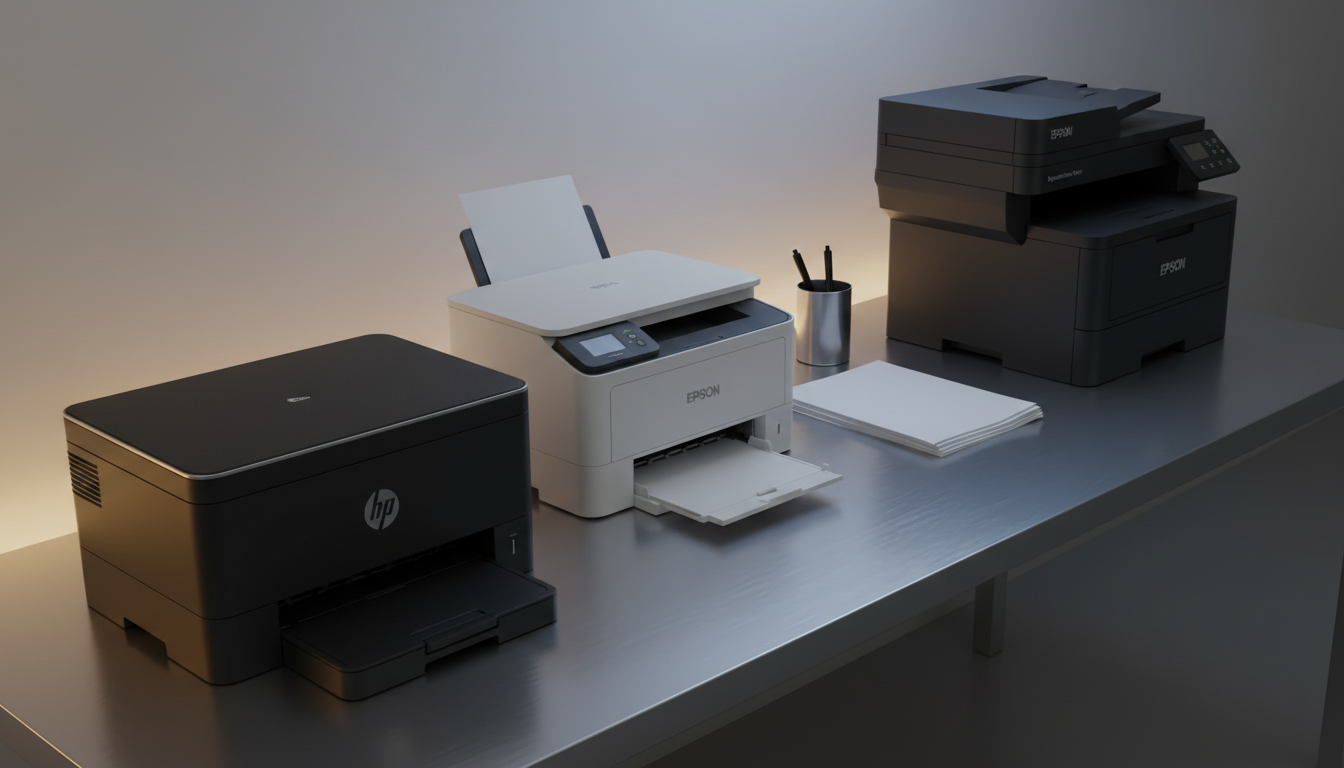
The quickest first‑page out we recorded is 6.9 seconds on the HP LaserJet M209d, a compact monochrome laser that also handles automatic duplex. In this roundup we compared 8 printers that all print double‑sided without manual flipping, spanning a price range from $59.00 for the Canon PIXMA TS4320 up to $324.00 for the Canon imageCLASS MF465dw II.
Our selection breaks into three price tiers. On the budget side you’ll find the Canon PIXMA TS4320 at $59.00 (4.2/5), the Epson Expression Home XP‑4200 at $59.99 (3.8/5) and the Epson Workforce Pro WF‑3823 Black at $79.99 (4.0/5). Mid‑range options include the Epson Workforce Pro WF‑4820 Black for $99.99 (3.8/5) and the Brother Work Smart 1360 at $109.98 (3.9/5). The premium segment features the HP LaserJet M209d at $159.00 (4.3/5), the Epson EcoTank ET‑2980 Black at $269.99 (4.1/5) and the Canon imageCLASS MF465dw II at $324.00 (4.3/5), each offering stronger performance or larger capacities.
Below we explore each model’s strengths, weaknesses, and ideal use cases, helping you match the right duplex printer to your workspace.

HP LaserJet M209d
Its compact depth of 355.0 mm keeps it easy to fit on a small desk.

Epson Workforce Pro WF-4820 Black
Ideal for home office users needing a larger print area, and at $99.99 it’s about $59 cheaper than the HP LaserJet M209d.

Epson Expression Home XP-4200
Stands out with a shallow 11.8‑inch depth, making it the most space‑saving option for tight budgets.
Also considered
Score Analysis
Key score advantages vs. runner-up (Epson Workforce Pro)
Price Range
HP LaserJet M209d
$159.00
Epson Workforce Pro WF-4820 Black
$99.99
Epson Expression Home XP-4200
$59.99
Epson Workforce Pro WF-3823 Black
$79.99

Canon imageCLASS MF465dw II
$324.00

Canon PIXMA TS4320
$59.00

Brother Work Smart 1360
$109.98

Epson EcoTank ET-2980 Black
$269.99
Spec Comparison
TL;DR: The HP LaserJet M209d prints single‑sided pages at up to 30 ppm, duplexes automatically at 19 ppm, and delivers the first page in 6.9 seconds, all for $159.00 in a compact white chassis.
What really stands out is the built‑in automatic duplex unit, which lets you print two‑sided documents at 19 pages per minute while the first page appears in just 6.9 seconds. With a 150‑sheet input tray and a 100‑sheet output tray, the M209d handles a full day’s workload without constant reloading, and its 64 MB of memory keeps text‑heavy jobs moving smoothly.
Compared with the other seven printers in this roundup, the M209d weighs less than the Epson Workforce Pro WF‑3823 (19.4 lb) and the Canon imageCLASS MF465dw II (34.4 lb), but a bit more than the Epson EcoTank ET‑2980 (11.5 lb). Its depth of 355 mm exceeds the Brother WorkSmart 1360’s 342.9 mm yet remains far shallower than the Epson Workforce Pro WF‑4820’s 503 mm depth. Speed‑wise, the M209d’s 30 ppm single‑sided rate outpaces the Brother’s 16 ppm monochrome speed and the Epson WF‑4820’s 14 ppm black‑only speed, while its duplex speed of 19 ppm is notably quicker than the typical two‑sided rates of its peers.
User feedback repeatedly praises the printer’s rapid first‑page out time and the convenience of automatic duplexing, noting up to a 50 % reduction in paper use. Reviewers also highlight the sharp, consistent text quality that makes the M209d a solid choice for contracts, reports, and other text‑heavy documents. Professional reviewers call it the fastest two‑sided printer in its class, and the 20,000‑page monthly duty cycle reassures small‑office managers that the unit can handle occasional spikes in demand.
Technically, the M209d prints at 600 × 600 dpi, runs on a 500 MHz processor, and consumes 420 watts while printing. In idle mode it drops to 0.5 watts, helping keep energy costs low. The recommended monthly volume of 200 to 2,000 pages aligns well with its 20,000‑page duty cycle, making it a reliable workhorse for modest print volumes.
Pros
Cons
Best for: Small businesses, home offices, and anyone with limited desk space who needs fast, reliable monochrome printing and automatic duplex.
Avoid if: You require color printing, need extensive wireless networking, or are working with a very tight budget.
“prints fast at up to 30 pages per minute so it is faster than we need”
“prints on both sides without flipping the paper, it does it by itself so it saves not only time it saves paper too”
TL;DR: The Epson Workforce Pro WF-4820 Black prints at 14 ppm black with automatic duplex, a 2.4‑inch touchscreen, and ENERGY STAR efficiency for $99.99, though its 3.8‑star rating hints at mixed user experiences.
Its built‑in automatic 2‑sided printing and Epson’s PrecisionCore heat‑free printhead deliver 14 ppm black and 7.5 ppm color speeds. The 2.4‑inch color touchscreen makes navigation painless, while the 30‑sheet ADF and 150‑sheet input tray keep multi‑page jobs moving without constant reloading.
Compared with the other seven printers in the roundup, the WF‑4820 sits in the middle of the pack on size and speed. It’s lighter than the Epson Workforce Pro WF‑3823 (19.4 pounds) but heavier than the HP LaserJet M209d, and its 2.4‑inch screen is larger than the Brother WorkSmart 1360’s 1.8‑inch display and the EcoTank’s 1.44‑inch panel, yet smaller than the Canon imageCLASS MF465dw II’s 5‑inch screen. Its black‑print speed beats the Epson Expression Home XP‑4200’s 10 ppm but trails the Brother’s 16 ppm, and the color speed outpaces the Expression Home’s 5 ppm while falling short of Brother’s 9 ppm.
Reviewers note the fast black‑print rate and low‑maintenance PrecisionCore head, saying it handles everyday office documents with crisp text and vibrant color. However, the 3.8‑star average from 2,678 reviews suggests some users have run into reliability hiccups or wish for a larger paper capacity. The single 150‑sheet tray can feel limiting during heavier print runs.
Regarding efficiency, the printer draws just 12 W when active and drops to 1 W in sleep mode, meeting ENERGY STAR standards and keeping power bills modest. Epson backs the unit with a 1‑year limited warranty, and the device supports Windows 2003 SP2+, macOS 10.9‑12.x, and Chrome OS 89+.
Pros
Cons
Best for: Value-conscious buyers seeking quality at $99.99
Avoid if: Reliability and user satisfaction are your top concerns
TL;DR: The Epson Expression Home XP-4200 delivers high‑resolution home printing with automatic duplex, compact dimensions and wireless convenience for under $60.
The standout feature is its 5760 × 1440 dpi print resolution, which professional reviewers praise for delivering sharp photos and documents. Coupled with a 2.4‑inch color LCD, you can preview jobs directly on the printer. Its automatic duplex printing lets you double‑side print without manual flipping, cutting paper use in half.
At 9.5 pounds, the XP‑4200 is lighter than the Canon PIXMA TS4320 (about 15.2 pounds) and far lighter than the Canon imageCLASS MF465dw II (34.4 pounds). Its footprint—14.8 × 11.8 × 6.7 inches—fits comfortably on a dorm desk, whereas many office‑oriented models in this roundup are bulkier. While several larger printers lack automatic duplex, the XP‑4200 includes it as a standard feature.
Customers repeatedly praise the easy Wi‑Fi setup and voice‑assistant integration via Alexa, Siri or Google Assistant. The ability to print borderless photos up to 8.5 × 47.2 inches also earns frequent mentions. On the downside, the flatbed scanner runs at only 1 ppm, and users note the absence of an automatic document feeder for multi‑page scans. The 30‑sheet output tray can feel restrictive during longer print jobs, and the scanner’s speed is described as “slow” in several reviews.
Technical details show it’s home‑friendly: power draw is modest at 4.8 W in ready mode, dropping to 0.2 W when off and 0.7 W in sleep. Noise stays low during regular printing at 5.1 B(A), though photo mode reaches 38 dB(A). ENERGY STAR certification and a 297 g/m² maximum paper weight support versatile media handling without excessive energy use.
Pros
Cons
Best for: Shoppers on a tight budget who want the most for their money
Avoid if: Reliability and user satisfaction are your top concerns
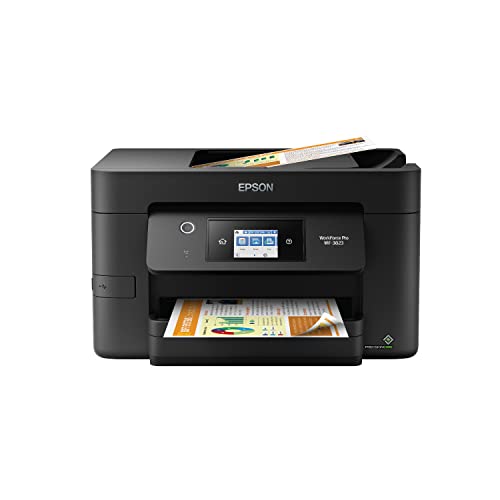
TL;DR: The Epson WorkForce Pro WF‑3823 delivers fast 21 ppm black printing, auto‑duplex output and a 2.7‑inch touchscreen for $79.99, but its 19.4‑lb bulk makes it better suited to a dedicated office space.
What really stands out is the combination of auto‑duplex printing and a 21 ISO ppm black print speed, backed by a 4800 × 2400 dpi resolution and a 2.7‑inch LCD touch panel. The printer also supports a 35‑page single‑sided ADF and a 250‑sheet plain‑paper tray, while drawing only 17 W during operation. Those specs aim squarely at small workgroups that need reliable, high‑volume output without a separate scanner.
Compared with the other seven printers in this roundup, the WF‑3823 is heavier at 19.4 lb than the Epson Expression Home XP‑4200 (9.5 lb), the Epson WF‑4820 (14.1 lb), the Canon PIXMA TS4320 (≈15.25 lb), the Brother Work Smart 1360 (16.8 lb), the HP LaserJet M209d (5600 g), and the Epson EcoTank ET‑2980 (11.5 lb). Only the Canon imageCLASS MF465dw II (34.4 lb) outweighs it. In speed, it outpaces the XP‑4200’s 10 ppm black and the WF‑4820’s 14 ppm black, and it also beats the Brother’s 16 ppm monochrome rate, making it one of the faster options despite its larger footprint.
Critics point to the lack of duplex scanning, a noticeable 49 dB noise level, and the printer’s bulk, which challenges cramped home offices. Professional reviewers highlight the heat‑free PrecisionCore technology for consistent quality and low downtime, while users appreciate the quick wireless setup and sturdy build.
Technical details reinforce its office‑ready positioning: a monthly duty cycle of 26,000 pages, a recommended monthly volume of 1,300 pages, and high‑capacity ink cartridges yielding up to 1,100 pages per color. The printer also offers low‑energy use and secure wireless connectivity, rounding out a feature set that aligns with small‑team demands.
Pros
Cons
Best for: Small workgroups or home offices that need high‑volume, fast, auto‑duplex printing with reliable ink‑jet quality.
Avoid if: You need duplex scanning, ultra‑quiet operation, or a compact printer for a very tight workspace.
TL;DR: The Canon imageCLASS MF465dw II delivers fast 42 ppm monochrome output, a 5‑inch touchscreen and a 50‑sheet one‑pass duplex feeder, but its $324 price and heavy 34.4 lb chassis suit small‑office budgets.
The standout spec is the 42 ppm black‑and‑white print speed paired with a first‑page out time of just 4.9 seconds, which keeps documents moving in a busy home‑office or hybrid work setting. A 5‑inch colour touchscreen makes navigation intuitive, and the 50‑sheet duplex automatic document feeder handles double‑sided jobs in a single pass.
Compared with the seven peers in this roundup, the MF465dw II is heavier than the Epson EcoTank ET‑2980 (11.5 lb) and the HP LaserJet M209d (about 12.3 lb when converted), but lighter than the Epson Workforce Pro WF‑3823 (19.4 lb). Its 5‑inch display also outsizes the 1.44‑inch screen on the EcoTank and the 1.8‑inch panel on the Brother Work Smart 1360, while still being smaller than the 2.4‑inch screens on the Epson Workforce Pro WF‑4820 and WF‑3823. Paper capacity tops out at 900 sheets expandable, far beyond the 150‑sheet tray of the HP LaserJet and the 250‑sheet capacity of the Epson Expression Home XP‑4200.
Professional reviewers praise the responsive touchscreen and the one‑pass duplex feeder for shaving minutes off bulk scanning tasks. Users note the monochrome‑only output limits the printer to text‑heavy documents, and a few reports mention occasional print‑speed dips to around 37 ppm. The machine’s maximum monthly duty cycle of 4,000 pages is solid for small teams but may feel low for larger enterprises. Power consumption peaks at 1250 W, yet standby and sleep draw just 0.9 W and 0.1 W respectively, helping keep running costs modest.
Pros
Cons
Best for: Small offices, home offices, or hybrid workspaces that need fast, reliable monochrome printing and duplex scanning.
Avoid if: You're on a tight budget, require color printing, or need a higher monthly duty cycle for heavy‑volume environments.
TL;DR: At $59, the Canon PIXMA TS4320 delivers wireless color printing with automatic duplex, borderless photo output, and a compact design, making it a solid budget choice for home and small office use.
The standout feature of the TS4320 is its automatic two‑sided printing, which lets you save paper without manual intervention. It also supports borderless photo printing and Alexa voice commands, and it can fire up a black‑and‑white page in just 7.5 seconds (9.5 seconds for color) thanks to its fast first‑page out times.
Compared with the other seven printers in this roundup, the TS4320 sits in the middle of the weight range at about 15.25 lb—heavier than the Epson Expression Home XP‑4200 (9.5 lb) but lighter than the Epson Workforce Pro WF‑3823 (19.4 lb) and the Canon imageCLASS MF465dw II (34.4 lb). Its 100‑sheet paper tray is modest; the Epson Workforce Pro WF‑3823, for example, holds 250 sheets, so you’ll need to refill more often if you print in bursts. Notably, Canon lists automatic duplex printing for the TS4320, while peer specs omit this capability for the other models.
User feedback highlights the convenience of wireless printing via 802.11b/g/n/a and the quality of borderless photos, but reviewers also note the lack of an automatic document feeder and the absence of duplex scanning, meaning multi‑page copies require manual paper flips. The printer’s 1200 dpi resolution, 3,136‑nozzle print head, and 500‑page monthly duty cycle provide sufficient performance for occasional color jobs without overwhelming a small office.
Pros
Cons
Best for: Entry‑level buyers or those on a tight budget
Avoid if: You need advanced features or professional‑grade performance
TL;DR: The Brother Work Smart 1360 delivers compact all‑in‑one functionality with automatic duplex printing, a 20‑sheet ADF and Wi‑Fi for $109.98, though its 1.8‑inch display and 9 ppm color speed feel modest.
The most distinctive feature is its automatic duplex printing that handles two‑sided jobs for up to Letter size, paired with a 20‑sheet automatic document feeder. A 1.8‑inch non‑touch color display lets you navigate settings, while 256 MB of memory and a 576 MHz processor keep print and scan jobs moving at a steady 9 ppm for color and 16 ppm for monochrome. The machine also supports a monthly duty cycle of 2000 pages, making it suitable for light‑to‑moderate office use.
Compared with other printers in this roundup, the Work Smart 1360 is heavier than the Epson Expression Home XP‑4200 (9.5 lb) but considerably lighter than the Canon imageCLASS MF465dw II (34.4 lb). Its 1.8‑inch screen is smaller than the 2.4‑inch display found on the Epson Workforce Pro WF‑4820, and its color speed of 9 ppm trails the WF‑4820’s 14 ppm black‑and‑white rate. Nonetheless, it offers wireless Wi‑Fi like the Epson WF‑3823 and HP LaserJet M209d, while some peers such as the Epson EcoTank ET‑2980 carry a larger footprint.
User sentiment highlights the printer’s space‑saving footprint—its compact dimensions (342.9 mm depth, 182.9 mm height, 391.2 mm width) and moderate 16.8 lb weight fit easily on a small desk. Reviewers appreciate the reliable wireless setup and the ability to handle a wide range of media, from plain paper to glossy photo stock. Professional reviewers note the ENERGY STAR certification and the 1200 × 2400 dpi scanning resolution, but they also point out the lack of a touch‑screen interface and that duplex works for printing only, which can slow down double‑sided copying tasks.
Pros
Cons
Best for: Most users seeking a balanced, mainstream option
Avoid if: You're shopping on a tight budget — it's priced at $109.98
TL;DR: The Epson EcoTank ET-2980 delivers automatic duplex printing, refillable EcoFit tanks that can yield up to 6,600 black pages, and a compact 13.7‑inch footprint, but its tiny 1.44″ LCD and lack of an ADF keep it in the home‑office niche.
What really sets the ET-2980 apart is its EcoTank system: Epson includes a single ink bottle, and the keyed EcoFit tanks are rated for up to 6,600 black and 5,500 color pages, which manufacturers estimate can last about three years at 125 pages per month. Add automatic two‑sided printing and a print resolution of up to 4800 dpi, and you’ve got a machine that handles everyday documents and photo‑quality prints without frequent cartridge swaps.
In the context of this eight‑product roundup, the ET-2980 is noticeably more compact than the Canon imageCLASS MF465dw II, which measures 18.1 inches deep and 14.8 inches high. Its 1.44‑inch non‑touch LCD is also smaller than the Brother Work Smart 1360’s 1.8‑inch screen and the Epson Workforce Pro WF‑4820’s 2.4‑inch panel. On the durability side, Epson’s monthly duty cycle of up to 5,000 pages exceeds the 2,000‑page cycle of the Brother model and tops the 4,000‑page cycle listed for the Canon unit, positioning it well for a busy home office.
Home users consistently praise the low running cost and the speed boost from Epson’s PrecisionCore Heat‑Free printhead, noting reliable 15 ppm mono and 8 ppm colour speeds. However, reviewers flag the tiny LCD as a navigation hassle and lament the absence of an automatic document feeder, which means multi‑page scanning and copying require manual feeding. The machine’s ENERGY STAR certification also reassures eco‑conscious buyers about power consumption.
Pros
Cons
Best for: Home offices or families (1‑5 users) that value high‑quality colour prints, automatic duplex, and low ink costs.
Avoid if: You're shopping on a tight budget — it's priced at $269.99.
“Low running costs at 2.7 cents per color page for graphics; very good color graphics and photo quality on glossy paper.”
Breakdown
HP LaserJet M209d
Pros
Epson Workforce Pro WF-4820 Black
Pros
Cons
Epson Expression Home XP-4200
Pros
Cons
Epson Workforce Pro WF-3823 Black
Pros
Cons
Based on scoring data and product specs
Personalized picks
Best Overall Pick
HP LaserJet M209d
Best ValueBest for: Buyers willing to invest in a proven, high-quality option
Epson Workforce Pro WF-4820 Black
Best for: Value-conscious buyers seeking quality at $99.99
$99.99-$59.01 vs winner
Skip Epson EcoTank ET-2980 Black if…
You're shopping on a tight budget — it's priced at $269.99
The HP LaserJet M209d takes the top spot thanks to its solid 4.3‑star rating from over 2,000 reviewers, a fast 6.9‑second first‑page out time, and true automatic duplex printing at 19 ppm. Its 150‑sheet input tray and 100‑sheet output tray keep you printing without constant reloading, while the $159.00 list price delivers strong value for a monochrome laser.
The Epson Workforce Pro WF‑4820 Black lands as the runner‑up, especially if you need color output and larger media handling. It prints two‑sided automatically, supports a 30‑sheet ADF, and handles media up to 8.5 × 47.2 in. At $99.99 it offers a 4800 × 1200‑dpi resolution and a respectable 14 ppm black speed, making it a solid choice for a small office or home‑based design work.
For shoppers on a tighter budget, the Canon PIXMA TS4320 shines at $59.00, offering basic duplex capability at an entry‑level price. If you prefer a mid‑range workhorse, the same Epson WF‑4820 you just saw balances cost and features nicely. For premium needs, the Canon imageCLASS MF465dw II stands out at $324.00 with advanced enterprise features and the highest rating in the group.
Pick the HP LaserJet M209d today and enjoy reliable duplex printing without breaking the bank.
The HP LaserJet M209d prints duplex pages at about 19 ppm, while the Epson Workforce Pro WF‑4820 tops out at 14 ppm for black‑and‑white duplex. HP also delivers the first page in roughly 6.9 seconds, making it the quicker choice for high‑volume document work.
No reviews yet — be the first to share your experience.
Please sign in to leave a review
