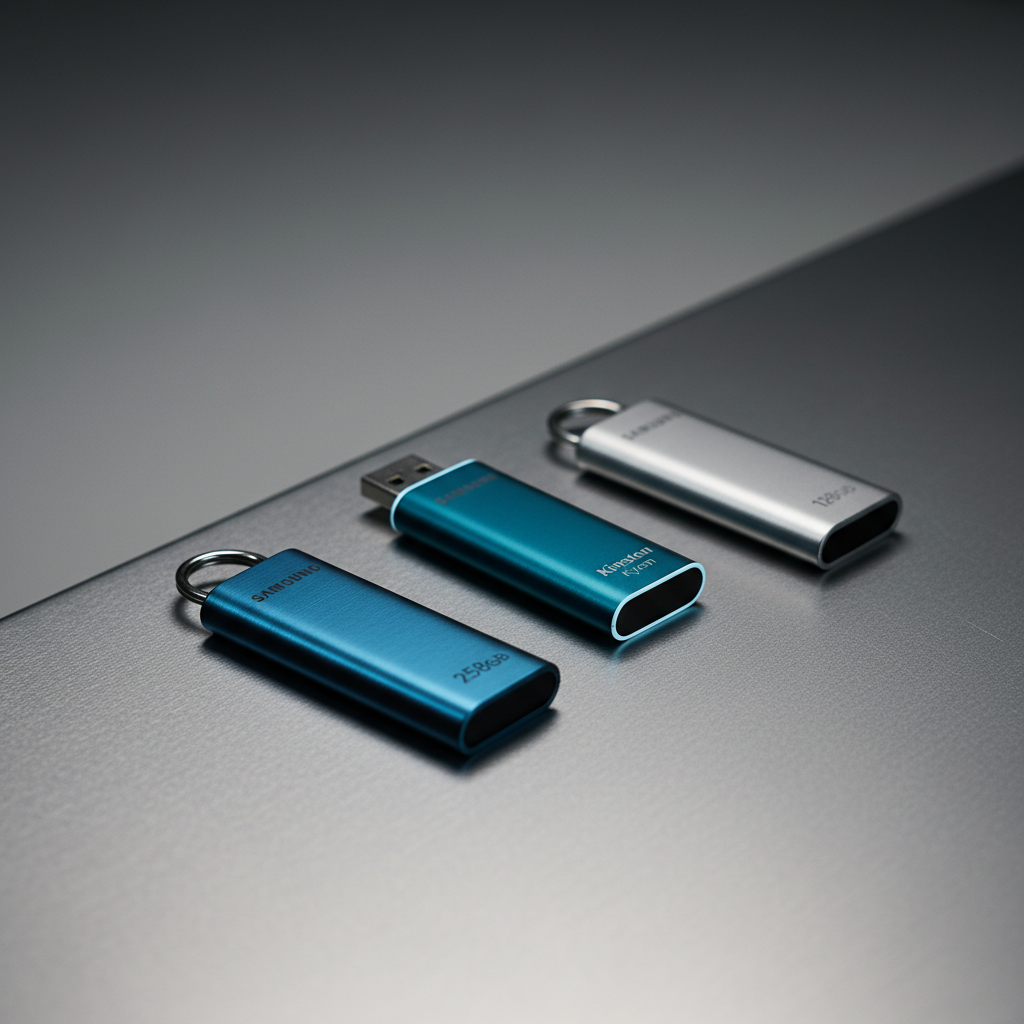
When you need a flash drive that can survive drops, spills and the occasional magnetic field, a metal‑cased model is the obvious choice. We compared 14 rugged USB drives, spanning a price range from $17.30 for the Kingston DataTraveler Kyson 128 GB up to $164.99 for the SanDisk Ultra Luxe 1 TB, and all of them carry strong user ratings of 4.5 / 5 or higher.
For daily commuters or students who want fast access without breaking the bank, the mid‑range Samsung BAR Plus 256 GB shines with a sequential read speed of 400 MB/s, waterproof protection for 72 hours in seawater and a 4.7 / 5 rating at $32.99. Creative professionals who demand both speed and security will appreciate the premium SanDisk Ultra Luxe 256 GB, which pairs the same 400 MB/s read rate with a 240 MB/s write rate, 128‑bit AES encryption and a $46.99 price tag. If your priority is hardened encryption rather than raw speed, the premium Kingston IronKey Locker+ 50 128 GB offers FIPS‑certified hardware encryption and earned a 4.5 / 5 rating at $88.99, making it the go‑to for security‑focused users.
Below we break down each model’s durability, speed and price so you’ll match the right rugged drive to your workflow.
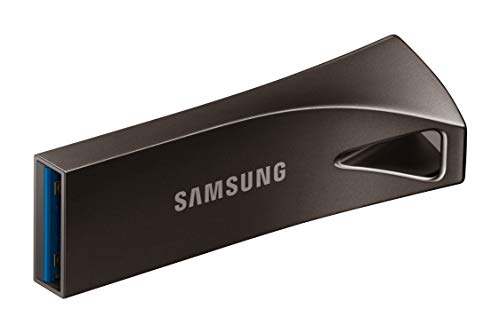
Samsung BAR Plus 256GB
Its 15000‑gauss magnet proof rating ensures data stays safe even around strong magnets, making it a reliable mid‑range choice.

Samsung BAR Plus 128GB
Ideal for budget‑conscious users who need solid performance, it's $21.49—about $11.50 less than the 256GB model, delivering reliable storage at a lower price.

Kingston DataTraveler Kyson 128GB
At just 4.8 mm thick, the ultra‑thin design lets it slip into tight pockets where bulkier drives won’t fit, offering a distinct advantage for on‑the‑go users.
Also considered
Score Analysis
Key score advantages vs. runner-up (Samsung BAR Plus)
Price Range
Samsung BAR Plus 256GB
$51.99
Samsung BAR Plus 128GB
$21.49
Kingston DataTraveler Kyson 128GB
$17.30

Lexar D400 128GB
$21.28

SanDisk Ultra Luxe 256GB
$46.99

PNY PRO Elite V3 256GB
$47.99

Kingston DataTraveler Micro 256GB
$42.99
SanDisk Ultra Luxe 1TB
$164.99

Lexar D40E 128GB
$27.98

Kingston Ironkey Locker+ 50 128GB
$88.99

SanDisk Ultra Dual Drive Luxe 128GB
$32.99
SanDisk Ultra Dual Drive Luxe 1TB
$157.55

Mecheer 8GB
$26.88
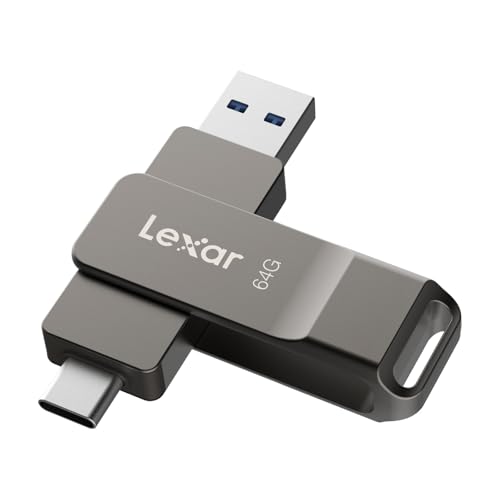
Lexar D40E 64GB
$22.99
Spec Comparison
TL;DR: The Samsung BAR Plus 256 GB flash drive packs a 400 MB/s read speed, all‑metal waterproof body and a 5‑year warranty into a feather‑light 0.0025‑pound key‑chain companion.
This drive’s standout feature is its rugged aluminum casing that survives up to 72 hours in seawater, endures shocks of 1500 g and resists magnetic fields of 15000 gauss. It also delivers a manufacturer‑claimed maximum read speed of 400 MB/s while writing at 100 MB/s under typical conditions. The compact dimensions—12 mm tall, 40 mm long and 15.5 mm wide—keep it pocket‑friendly.
At $32.99 it sits comfortably in the mid‑range price bracket, yet it’s noticeably lighter than many rivals: the Lexar D400 tips the scales at about 0.0392 pounds, the SanDisk Ultra Dual Drive Luxe at 0.03 pounds, and the Kingston DataTraveler Micro at roughly 0.0198 pounds. Its height of 12 mm also measures shorter than the SanDisk’s 8.6 mm profile, while its overall size stays comparable to the Samsung BAR Plus 128 GB model.
Everyday users praise the drive’s speed for moving large files and its durability for travel‑heavy scenarios. Professional reviewers highlight the “excellent read performance” and the sealed metal body, but they also note that sustained writes can dip to 4–5 MB/s, and the lack of an activity LED makes transfer monitoring tricky. The USB‑A 3.1 Gen 1 interface ensures broad compatibility, and the 5‑year limited warranty adds confidence for long‑term storage.
Pros
Cons
Best for: Most users looking for a well‑reviewed, reliable mainstream option
Avoid if: You need advanced features or professional‑grade performance
“Very fast and reliable”
“Durable and stylish”
TL;DR: The Samsung BAR Plus 128 GB USB‑A flash drive delivers 400 MB/s read speeds in a rugged metal case, weighs just 0.0025 lb, and comes with a 5‑year warranty for $21.49.
This drive packs a 128 GB Samsung V‑NAND chip inside a sleek champagne‑silver metal unibody that measures 11.9 mm × 15.5 mm × 40.1 mm and tips the scales at 0.0025 lb (1.13 g). The USB‑A connector supports USB 3.1 Gen 1, giving you up to 400 MB/s sequential read and 60 MB/s write performance. An integrated keyring loop keeps it tethered to a bag or belt, and Samsung backs it with a five‑year warranty.
Against the 13 other drives in this roundup, the BAR Plus is dramatically lighter than the Lexar D40E 128 GB, which weighs 0.05732018812pounds, and far shorter than the Lexar D400’s 60.6 mm height. Its 400 MB/s read speed outpaces the Lexar D40E’s 100 MB/s and even doubles the Kingston DataTraveler Kyson’s 200 MB/s, while the write speed matches Kingston’s 60 MB/s but remains slower than the Samsung BAR Plus 256 GB’s typical 100 MB/s write. The metal shell feels more robust than the plastic‑capped Mecheer 8 GB drive.
Buyers consistently praise the drive’s “plug‑and‑play” ease and the confidence that it survives drops, magnets, and even 72 hours submerged in seawater. Professional reviewers highlight the 15,000 gauss magnet resistance, 1500 G shock tolerance, and 50 Roentgen X‑ray proofing as genuine military‑grade durability. The most common gripe is the 60 MB/s write speed ceiling, which feels sluggish when moving large batches of files, and the lack of built‑in hardware encryption for sensitive data.
The BAR Plus also endures extreme conditions, operating from –25 °C to 85 °C and surviving non‑operating temperatures down to –40 °C. Its waterproof rating (up to 72 hours in seawater at 1 m depth) and X‑ray resistance add layers of protection for travelers and field workers who need data to survive harsh environments.
Pros
Cons
Best for: Students, professionals, and travelers who need fast read access, rugged durability, and a compact metal design.
Avoid if: You require high write throughput for large backups or built‑in encryption for sensitive data.
“Very fast and reliable”
“Durable and stylish”
TL;DR: The Kingston DataTraveler Kyson 128 GB offers a sturdy metal case, cap‑less sliding design, 200 MB/s read speed and 5‑year warranty at a budget‑friendly $17.30 price point.
The Kyson’s most eye‑catching feature is its all‑metal housing combined with a capless sliding connector, which eliminates the risk of lost caps while adding durability. It packs 128 GB of storage, reads up to 200 MB/s, and weighs 0.0440924524 pounds (20 g) in a compact 4.8 mm × 12.7 mm × 39.1 mm package.
Compared with other rugged metal‑cased drives in this roundup, the Kyson sits between the lighter Samsung BAR Plus (0.0025 pounds) and the heavier Lexar D40E (0.05732018812 pounds). Its 4.8 mm height is thicker than Lexar’s 1.0 mm profile but far slimmer than Samsung’s 11.9 mm height. In read performance, the Kyson’s 200 MB/s outpaces the Lexar D40E’s 100 MB/s and the Lexar D400’s 130 MB/s, though it trails the Samsung BAR Plus’s advertised 400 MB/s.
Reviewers consistently praise the fast read speed and the solid metal feel, noting that the sliding design feels premium for everyday use. However, many users report that sustained write speeds often settle between 12 MB/s and 40 MB/s, well below the advertised 60 MB/s, making the drive less suitable for large file transfers or 4K video editing. Professional reviewers also point out the lack of built‑in encryption, which may deter security‑focused users.
Technically, the Kyson uses a USB 3.2 Gen 1 (Type‑A) interface and supports Windows 8/10/11, macOS 10.10+, Linux kernels 2.6+ (officially 4.4+), and Chrome OS. It operates from 0 °C to 60 °C, can be stored between –20 °C and 85 °C, and it comes with a five‑year warranty.
Pros
Cons
Best for: Students, office workers and photographers who need fast read access, solid metal durability and a budget‑friendly 128 GB drive.
Avoid if: You require sustained high‑speed writes such as 4K video editing, large‑scale data archiving, or built‑in encryption for security.
“Works great”
“Kingston products always live up to expectations”
TL;DR: The Lexar D400 128GB offers a metal‑cased, dual‑USB‑A/C flash drive with 130 MB/s read speed, 128 GB capacity, and a five‑year warranty, making it a sturdy, versatile choice for on‑the‑go users.
The standout feature is its dual‑connector design: a USB‑A and a USB‑C plug on the same metal housing, letting you move files between legacy PCs and modern smartphones without an adapter. It delivers a maximum read speed of 130 MB/s and holds 128 GB of data, all within a compact 9.7 mm length, 16.2 mm width and 60.6 mm height package that weighs 0.039242282636 pounds.
While the D400 is heavier than the ultra‑light Samsung BAR Plus 128GB, its metal case feels more rugged than the plastic‑cased Mecheer 8GB. Its 128 GB capacity matches the Lexar D40E 128GB and adds both USB‑A and USB‑C, whereas the D40E offers only a swivel‑only design. At 9.7 mm long, the drive is markedly shorter than the 40.1 mm Samsung BAR Plus, making it easier to slip into a pocket or keyring loop.
User feedback highlights the convenience of the dual connectors and the durability of the metal swivel housing. Reviewers appreciate that it works straight out of the box with Android, Windows and macOS devices, and many note the keyring loop as a handy addition. Common complaints focus on the USB‑A side being a tight fit, slower write speeds that aren’t officially listed, and the fact that encryption relies on software rather than a dedicated hardware module. Professional reviewers also point out the sturdy metal build and the protective swivel mechanism as strong design choices.
The D400 runs on a USB 3.2 Gen 1 interface, includes Lexar’s DataShield software for 256‑bit AES encryption, and comes with a five‑year limited warranty from Lexar. It operates between 0 °C and 50 °C and can be stored from –10 °C to 70 °C, ensuring reliable performance in typical indoor and travel environments.
Pros
Cons
Best for: Mobile professionals, students, photographers, travelers, and general users who need a compact, durable drive with cross‑platform compatibility.
Avoid if: You need hardware‑based encryption, Lightning compatibility, or cannot tolerate slower write speeds.
“"coolest USB flash drive"”
“"is 2.0"”
TL;DR: The SanDisk Ultra Luxe 256 GB USB flash drive delivers 400 MB/s reads, 240 MB/s writes, a full‑metal swivel body, and 128‑bit AES encryption, all backed by a 5‑year warranty.
What really sets this drive apart is its speed: SanDisk lists read performance up to 400 MB/s and write performance up to 240 MB/s, which puts it in the same league as many external SSDs. The 256 GB capacity gives you plenty of room for large media files, while the capless metal swivel design feels premium and resists everyday wear. At just 0.023 pounds (10.4 g), it’s lightweight enough to clip onto a keyring without adding bulk.
Compared with the other 13 entries, the Ultra Luxe is heavier than the ultra‑light Samsung BAR Plus (0.0025 pounds) but still lighter than the PNY PRO Elite V3, which tips the scales at 41 g. Its 11.9 mm height is marginally shorter than Samsung’s 12 mm, yet its 45.7 mm length exceeds Samsung’s 40 mm and is shorter than PNY’s 57 mm. Width-wise, it sits between Samsung’s 15.5 mm and PNY’s 19 mm. The drive is also slimmer than the Kingston DataTraveler Micro (4.5 mm height) and far less tall than the Lexar D400 (60.6 mm height), making it one of the more compact metal‑cased options in the set.
Users consistently rave about the “blazing” transfer speeds, especially when moving 4K video clips, and professional reviewers note that the all‑metal housing helps dissipate heat during long transfers. A recurring complaint is that write speeds can dip on older or low‑powered USB ports, and the bundled RescuePRO Deluxe and encryption tools require an extra download and registration step. The drive offers 128‑bit AES encryption for added security, but it lacks a native USB‑C connector, so you’ll need an adapter if you rely on USB‑C‑only devices.
Pros
Cons
Best for: Buyers willing to invest in a proven, high-quality option
Avoid if: You're on a tight budget or only need basic functionality
“It outperforms standard USB 3.0 drives by a wide margin, with read speeds up to 400 MB/s rivaling some external SSDs.”
“Users consistently praise the drive’s speed, noting quick transfers of large video files.”
TL;DR: The PNY PRO Elite V3 256 GB delivers SSD‑like 1000 MB/s reads and 800 MB/s writes in a rugged metal case, but its price and lack of encryption keep it a premium‑only choice.
The drive’s headline spec is its USB 3.2 Gen 2 interface, which enables read speeds up to 1000 MB/s and write speeds up to 800 MB/s. At 256 GB capacity it fits a sizable media library in a compact 57 mm × 19 mm × 6 mm form factor, and the premium metal housing adds a retractable captive sleeve for added durability and heat dissipation. The unit weighs 41 g and ships with a 2‑year limited warranty.
Compared with the other 13 metal‑cased sticks in this roundup, the PNY's noticeably heavier than the SanDisk Ultra Luxe (10.4 g) and Kingston DataTraveler Micro (9 g), and far heavier than the Samsung BAR Plus (1.13 g). However, its read speed of 1000 MB/s dwarfs the 400 MB/s tops of those rivals, and the 800 MB/s write rating outpaces the 240 MB/s write of the SanDisk and the roughly 20 MB/s of the Kingston. Unlike the SanDisk Ultra Luxe, the PNY offers no hardware encryption, which may matter for security‑focused users.
Users consistently praise the flash drive for its “blazing speed” and the solid feel of the metal shell, noting that the retractable design eliminates a dangling cap. Professional reviewers highlight the SSD‑like performance and effective heat management, but they also point out that sustained writes drop to around 280 MB/s on very large transfers, making it the third‑fastest among 10 Gbps sticks. The higher price tag compared with many peers draws another frequent comment.
Beyond speed, the drive supports Windows XP and later, macOS 8.6 and later, iOS, and Android, and it works over USB 3.2 Gen 1, USB 3.0, and USB 2.0 ports. Operating temperatures range from 0 °C to 70 °C, while storage temperatures span –40 °C to 85 °C, giving it a solid environmental envelope for most desktop and travel scenarios.
Pros
Cons
Best for: Content creators moving 4K video, RAW photos, and large datasets; professionals needing fast portable storage.
Avoid if: You need continuous high‑throughput writes, hardware encryption, or a lower‑priced option.
“I have PNY drives that are 10+ years old and still kickin. This one is my new fav. Fast and well built.”
“fastest drive I've owned, just the transfer speed sold me.”
TL;DR: The Kingston DataTraveler Micro 256GB packs 256 GB into a 4.5 mm metal stick, reads up to 200 MB/s, but writes only about 20 MB/s and carries a $42.99 price tag.
Kingston’s ultra‑compact DataTraveler Micro measures just 24.95 mm × 12.2 mm × 4.5 mm and weighs 0.01984160358 lb (9.0 g), making it one of the thinnest metal‑cased USB‑A drives on the market. The 256 GB NAND flash gives plenty of room for games, media, or work files, while the advertised read speed of up to 200 MB/s lets you pull data quickly. A built‑in key loop and a plug‑and‑stay design mean you can leave it in a laptop port without worrying about a loose connector.
Compared with the other 13 contenders, Kingston sits between the lighter Samsung BAR Plus (0.0025 lb) and the slightly heavier SanDisk Ultra Luxe (0.023 lb). Its 24.95 mm length is markedly shorter than SanDisk’s 45.7 mm and PNY’s 57 mm, and its 4.5 mm height is far lower than the 11.9 mm height of the SanDisk Ultra Luxe. However, its read speed of up to 200 MB/s trails the 400 MB/s offered by both SanDisk Ultra Luxe and Samsung BAR Plus, and the write speed of approximately 20 MB/s is well below the 240 MB/s write speed of SanDisk and the 800 MB/s write speed of PNY.
Users consistently applaud the drive’s sleek metal finish and the convenience of the key loop, noting that the low profile fits snugly into tight laptop slots. The 4.6‑star rating from 2,274 reviews reflects solid general satisfaction, but many reviewers point out that real‑world write speeds hover around 20 MB/s, far short of the advertised performance. A handful of owners also mention premature failures within months, suggesting that durability may not match the premium price.
Technically, the Micro uses a USB 3.2 Gen 1 (formerly USB 3.0) interface, which is backward compatible with USB 2.0 and works across Windows 11/10/8.1, macOS 10.14+, Linux 2.6+, and Chrome OS. Kingston backs the drive with a five‑year limited warranty and specifies an operating temperature range of 0 °C to 60 °C and a storage temperature range of –20 °C to 85 °C.
Pros
Cons
Best for: Most users looking for a well‑reviewed, reliable mainstream option
Avoid if: You're shopping on a tight budget — it's priced at $42.99
“Works great”
“Kingston products always live up to expectations”
TL;DR: The SanDisk Ultra Luxe 1TB delivers a massive 1 TB of storage, all‑metal swivel design and up to 400 MB/s read speed in a compact 9.07 g package, but it carries a premium price tag.
The drive packs a full 1 TB of capacity into a tiny 1.0 mm × 10.2 mm × 15.2 mm metal shell. A swivel mechanism exposes both USB‑C and USB‑A connectors, so you can plug straight into modern laptops or older PCs without an adapter. SanDisk lists a read speed of up to 400 MB/s, and the unit weighs just 9.07 g, making it easy to slip onto a keyring via the built‑in lanyard hole.
Compared with the other rugged metal‑cased flash drives in this roundup, the Ultra Luxe is lighter than the Kingston Ironkey Locker+ 128 GB (27 g) and the SanDisk Ultra Dual Drive Luxe 1TB (13.6 g), yet it’s still heavier than the ultra‑light Samsung BAR Plus 256 GB, which weighs only 1.13 g. Its price sits above most 256 GB options, reflecting the premium capacity and all‑metal construction.
Users consistently rate the drive 4.6/5 stars across 1,855 reviews, praising the massive capacity, fast read performance and the convenience of dual connectors. Professional reviewers note the sturdy metal swivel and the absence of a dongle as strong points, while many users mention the drive can become warm during large file transfers and miss a built‑in hardware encryption module.
Pros
Cons
Best for: Buyers willing to invest in a proven, high‑quality option
Avoid if: You need advanced features or professional‑grade performance
“It outperforms standard USB 3.0 drives by a wide margin, with read speeds up to 400 MB/s rivaling some external SSDs.”
“Users consistently praise the drive’s speed, noting quick transfers of large video files.”
TL;DR: The Lexar D40E 128 GB offers a rugged metal case, dual USB‑A/C connectors and 100 MB/s read speed at a budget‑friendly $19.99, though its 80 MB/s write speed lags behind many rivals.
The standout feature is the 360° swivel mechanism that protects both the USB‑A and USB‑C connectors while the metal housing adds a solid, cap‑free feel. At just 0.05732018812 pounds (26 g) it’s light enough for a pocket‑sized carry, and the drive packs 128 GB of storage. Lexar lists a read speed of 100 MB/s and a write speed of 80 MB/s, which aligns with the USB 3.2 Gen 1 (formerly USB 3.0) interface.
Compared with the other 13 entries, the D40E is heavier than the Samsung BAR Plus 128 GB (0.0025 pounds) but dramatically slimmer—its height is 1.0 mm versus Samsung’s 11.9 mm. In terms of speed, Samsung advertises up to 400 MB/s read, Kingston up to 200 MB/s, and the Lexar D400 128 GB reaches 130 MB/s, so the D40E’s 100 MB/s read is modest within the group. The dual‑connector design gives the drive broader compatibility than single‑port rivals, and its price of $19.99 places it in the budget tier of the roundup.
Reviewers consistently praise the metal build and swivel design for durability, noting that the cap‑free solution reduces loss risk. Users also like the seamless switch between USB‑A and USB‑C devices—especially for photographers and frequent travelers. However, several comments mention that real‑world write speeds often fall short of the advertised 80 MB/s, and the bundled Lexar DataShield encryption software can feel cumbersome to install. The package omits a keyring, which some users miss for on‑the‑go security.
Beyond speed, the drive supports 256‑bit AES encryption and includes Lexar DataShield for data protection. It operates from 0 °C to 50 °C and can be stored between –20 °C and 60 °C, making it suitable for varied environments. A three‑year limited warranty backs the product, reinforcing Lexar’s confidence in its durability.
Pros
Cons
Best for: Budget‑conscious buyers seeking a reliable entry‑level option
Avoid if: You need advanced features or professional‑grade performance
TL;DR: The Kingston IronKey Locker+ 50 128 GB offers rugged metal durability, FIPS‑certified 256‑bit hardware encryption, and fast USB 3.2 performance, though it comes at a premium price.
This drive’s standout feature is its FIPS 197‑certified XTS‑AES 256‑bit hardware encryption, which includes brute‑force protection that locks after 10 failed user attempts and crypto‑erases after 10 failed admin attempts. Kingston lists sequential read speeds up to 145 MB/s and write speeds up to 115 MB/s on USB 3.2, while independent testing shows read speeds of 158.6 MB/s and write speeds of 136.2 MB/s. The metal casing measures 9.6 mm in height, 60.6 mm in length, and 18.6 mm in width, and it weighs about 27 g.
Compared with other options in this roundup, the IronKey’s 60.6 mm length exceeds the Lexar D400’s 9.7 mm length, while its height of 9.6 mm is shorter than the Lexar’s 60.6 mm height. At 27 g, it's heavier than the SanDisk Ultra Luxe’s 10.4 g, reflecting its solid metal build. It also carries a higher price tag than many peers, positioning it as a premium‑tier choice rather than a budget pick.
User feedback consistently highlights the drive’s straightforward plug‑and‑play setup, the peace of mind from hardware encryption, and the durability of the metal housing. Professional reviewers note the rugged build and security‑first design, and they point out that the tested speeds surpass the manufacturer’s advertised figures. However, users mention that the requirement for two consecutive free drive letters can cause occasional conflicts, the software may become unresponsive after the host computer sleeps, and there is no official Linux support.
Pros
Cons
Best for: Professionals handling sensitive data who need strong hardware encryption, durability, and cloud backup integration.
Avoid if: You need Linux compatibility, a budget‑friendly flash drive, or advanced remote‑wipe features.
“Great product… set-up was easy… heavy duty… I would definitely recommend.”
“Simple to use… small enough to carry… 10/10 recommend.”
TL;DR: The SanDisk Ultra Dual Drive Luxe 128 GB offers a premium all‑metal case, dual USB‑C/USB‑A connectors and up to 400 MB/s read speed for $32.99, though its price and occasional heat buildup may deter budget‑focused buyers.
The drive’s most eye‑catching spec features an all‑metal housing combined with a reversible USB‑C connector and a traditional USB‑A plug, all fitting inside a compact 0.34 in (8.6 mm) high, 1.75 in (44.5 mm) long, 0.48 in (12.2 mm) wide body that weighs just 0.03 pounds (13.6 g). It stores 128 GB and can read data at up to 400 MB/s, while a swivel cap protects the connectors and an integrated keyring loop keeps it tethered to a bag or belt.
Compared with the other 13 entries in this roundup, the Luxe is heavier than the Samsung BAR Plus 256 GB (0.0025 pounds) but lighter than the Lexar D400 128 GB (0.039242282636 pounds). Its 400 MB/s read speed matches Samsung’s BAR Plus 256 GB and outpaces Lexar D400’s 130 MB/s and Kingston DataTraveler Micro’s 200 MB/s. Capacity aligns with Lexar D400’s 128 GB, while its 8.6 mm height is shorter than Samsung BAR Plus’s 12 mm profile, giving it a slimmer footprint than many metal‑cased rivals.
Reviewers consistently praise the drive’s rapid file transfers, especially for off‑loading 4K video, and the sturdy metal feel that survives daily travel. Professional reviewers highlight the dual‑connector design as a practical solution for photographers juggling USB‑C phones and legacy laptops. On the flip side, users note that the drive can become noticeably warm during large transfers and that real‑world read speeds sometimes fall short of the advertised 400 MB/s. The lack of hardware encryption or password protection also shows up in several complaints, and iPhone users can’t record video directly to the drive.
Beyond speed, the Ultra Dual Drive Luxe supports Android OTG, works with iPhone 15/Pro via the Apple Files app, and pairs with SanDisk’s Memory Zone app for automatic photo backups. A five‑year limited warranty rounds out the offering, giving peace of mind for frequent travelers.
Pros
Cons
Best for: Mobile photographers and videographers who need fast, reliable off‑loading between USB‑C devices and legacy computers.
Avoid if: You require built‑in encryption or direct video recording on an iPhone.
“It outperforms standard USB 3.0 drives by a wide margin, with read speeds up to 400 MB/s rivaling some external SSDs.”
“Users consistently praise the drive’s speed, noting quick transfers of large video files.”
TL;DR: The SanDisk Ultra Dual Drive Luxe 1TB packs a full terabyte into an all‑metal, dual‑connector stick that reads up to 400 MB/s, but its premium $159.99 price and lack of encryption may limit its appeal.
This drive’s standout feature is its dual USB‑C and USB‑A male connectors, which sit in a sleek, all‑metal case. At 8.6 mm high, 44.5 mm long, 12.2 mm wide and weighing just 0.03 pounds (13.6 g), it delivers 1 TB of storage while staying pocket‑friendly. The manufacturer lists a maximum read speed of 400 MB/s, which reviewers repeatedly note as “fast” for a flash drive.
Compared with the other 13 contenders, the Ultra Dual Drive Luxe is heavier than the ultra‑thin SanDisk Ultra Luxe 1TB (which weighs 0.02 pounds) and larger than that model’s 1.0 mm height and 10.2 mm length. It’s still considerably lighter and more compact than the Kingston Ironkey Locker+ 128 GB, which tips the scales at over 0.05 pounds and measures 60.6 mm long. In short, it sits toward the premium end of the size‑and‑weight spectrum while offering a much larger capacity than many rivals.
Professional reviewers highlight the dual‑connector design as a real time‑saver, eliminating the need for adapters when moving files between modern smartphones and legacy laptops. Everyday users rave about the “tiny wonder” feel and the speed boost during large photo or video transfers, yet several mention the drive heating up during prolonged writes. Reviewers praise the included SanDisk Memory Zone app for its backup scheduling, though they describe its social‑media backup feature as unreliable. Importantly, the drive doesn't provide hardware encryption or password protection, which security‑focused users flag as a drawback.
Pros
Cons
Best for: Mobile professionals, content creators, and travelers who need a high‑capacity, dual‑connector flash drive and are willing to pay a premium for durability and speed.
Avoid if: You require hardware encryption, SSD‑level write performance, or cannot tolerate occasional overheating during heavy transfers.
“It outperforms standard USB 3.0 drives by a wide margin, with read speeds up to 400 MB/s rivaling some external SSDs.”
“Users consistently praise the drive’s speed, noting quick transfers of large video files.”
TL;DR: The Mecheer 8 GB USB 2.0 flash drive comes in a 10‑pack with a rugged 360° swivel metal case, red LED indicator, and 4.5‑star rating, but its 10–30 MB/s read speed and 8 GB capacity keep it in the budget tier.
What really stands out is the 360° swivel metal casing that protects the connector and a built‑in keychain hole, all packed into a compact 55.9 mm × 17.8 mm × 2.5 mm drive. Each unit offers 8 GB of storage, of which about 7.4 GB is usable, and defaults to FAT32 with a 4 GB maximum file size.
Compared with the other 13 entries, the Mecheer set costs more than the Samsung BAR Plus 128 GB ($21.49) and weighs less than the Samsung BAR Plus 128 GB (1.13 g per drive). It's also heavier than the Lexar D400 128 GB (17.35 g) when considering the whole 10‑pack (130–142 g). Its USB 2.0 interface (read 10–30 MB/s, write 4–15 MB/s) runs slower than the USB 3.2 Gen 1 speeds listed for the Lexar D400, which advertises 130 MB/s read.
User feedback repeatedly praises the sturdy metal swivel and the convenience of a cap‑less design that never gets lost. Reviewers also like the red LED that signals activity, making safe removal easier. The main complaints focus on the USB 2.0 transfer rates, which feel sluggish for larger files, and the limited 8 GB capacity that caps single files at 4 GB due to the FAT32 format.
Technically, the drive plugs straight into any USB Type‑A port and works with Windows, macOS, and Linux without driver installation. The 1‑year manufacturer warranty adds a safety net for occasional drive failures, and the bulk 10‑pack pricing makes it attractive for classrooms or small businesses that need to hand out files quickly.
Pros
Cons
Best for: Budget‑conscious buyers seeking a reliable entry‑level option
Avoid if: You need advanced features or professional‑grade performance
“Perfect for school projects—my kids use them all the time.”
“Love the metal swivel design—no more lost caps!”
TL;DR: The Lexar D40E 64GB offers a sturdy metal swivel body, dual USB‑A/C connectors, 100 MB/s read speed, and a 3‑year warranty at $22.99, making it a solid mid‑range flash drive.
This dual‑connector drive packs a 64 GB capacity, a read speed of 100 MB/s and a write speed of 80 MB/s, and it weighs 0.05732018812 Pounds. The metal swivel housing protects the connector when you flip it 360°, and the included 3‑year limited warranty adds peace of mind. At $22.99 it lands in the budget‑friendly tier while delivering 100 MB/s read and 80 MB/s write speeds.
Compared with the Samsung BAR Plus, which tips the scales at just 0.0025 Pounds, the D40E is noticeably heavier, and it also outweighs the Lexar D400’s 0.039242282636 Pounds. Capacity-wise it sits below the 128 GB and 256 GB options in the roundup, so you’ll carry less data than those larger drives. However, the dual USB‑A and USB‑C design mirrors the Lexar D400’s versatility, a feature many single‑port rivals lack.
Users consistently praise the metal feel and the convenience of having both USB‑A and USB‑C plugs in one stick, noting that it removes the need for separate adapters. Professional reviewers highlight the 256‑bit AES encryption as a strong security bonus. On the downside, some owners mention a slightly loose fit in certain ports and note that the default FAT32 format caps single files at 4 GB unless you reformat. The write speed of 80 MB/s also trails faster‑write competitors, which shows up in a few complaints.
Pros
Cons
Best for: Mobile professionals, students, photographers, and security‑conscious travelers who need a rugged, versatile flash drive without extra adapters.
Avoid if: You require the highest possible write speeds, larger than 64 GB capacity, or an ultra‑lightweight drive.
Breakdown
Samsung BAR Plus 256GB
Pros
Samsung BAR Plus 128GB
Pros
Kingston DataTraveler Kyson 128GB
Pros
Lexar D400 128GB
Pros
Based on scoring data and product specs
Personalized picks
Best Overall Pick
Samsung BAR Plus 256GB
Best Mid-Range PickBest for: Most users looking for a well-reviewed, reliable mainstream option
Samsung BAR Plus 128GB
Best for: Budget-conscious buyers seeking a reliable entry-level option
$21.49-$30.50 vs winner
Skip Lexar D40E 64GB if…
You have limited desk space or need portability
Samsung’s BAR Plus 256 GB flash drive takes the top spot thanks to its solid 4.7‑star rating from 49,602 reviewers, a 5‑year limited warranty, and a full‑metal aluminum shell that resists shocks up to 1500 g and stays waterproof for 72 hours in seawater. It also offers sequential reads up to 400 MB/s while weighing just 1.13 g, making it both fast and ultra‑light for everyday carry.
Coming in as the runner‑up, the 128 GB BAR Plus is ideal if you need a compact, budget‑friendly drive for daily file swaps or travel‑size backups. At $21.49 it matches the larger model’s 4.7‑star rating, shock resistance of 1500 G, and 72‑hour seawater waterproofing, while delivering up to 400 MB/s reads and 60 MB/s writes in a 15.5 mm‑wide, 1.13 g package.
For tighter budgets, the Kingston DataTraveler Kyson 128 GB at $17.30 offers reliable metal construction at the lowest price point. If you prefer a premium, high‑capacity option, the SanDisk Ultra Luxe 1 TB at $164.99 delivers the largest storage in the lineup while keeping the same rugged metal design.
Pick the Samsung BAR Plus 256 GB for the best blend of speed, durability, and value, and you’ll be set for any demanding storage task.
The Samsung BAR Plus 256 GB stands out for value, offering a large 256 GB capacity, up to 400 MB/s read speed and 1500 g shock resistance for just $32.99. Its all‑metal aluminum body and five‑year warranty make it a solid all‑rounder at a modest price.
Please sign in to leave a review
No reviews yet. Be the first to review!
