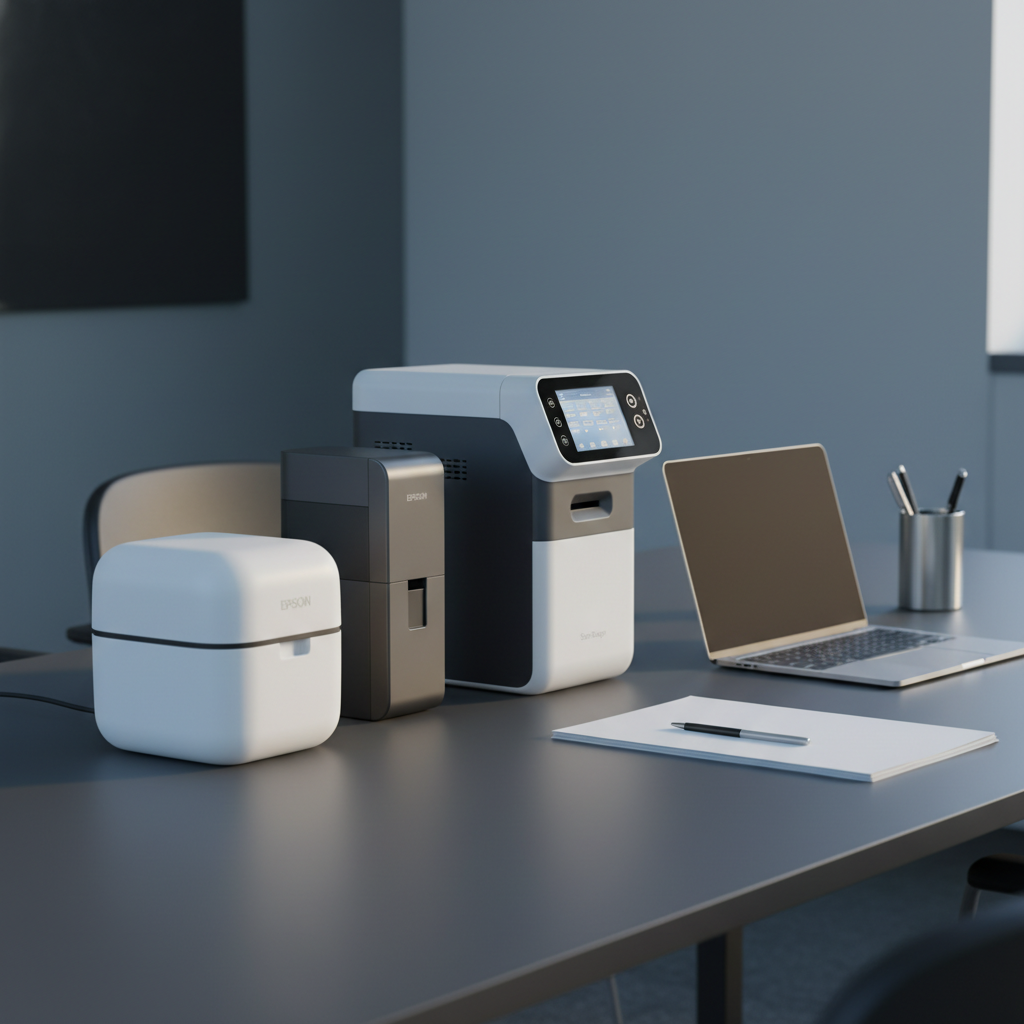
When you need to digitize two‑sided paperwork without a paper jam, a scanner with duplex capability and an automatic document feeder (ADF) becomes essential. In this roundup we evaluated 7 models, from the $199.00 Plustek PS186 up to the $549.99 ScanSnap iX1500, which has the highest user rating at 4.6 / 5 from 2,204 reviews. All contenders support at least 20‑sheet ADFs, and the Epson Workforce ES-C320W even reaches 30 ppm single‑pass duplex speed while offering Wi‑Fi cloud scanning.
Our selection spans three price tiers: the budget tier includes the Plustek PS186, Fujitsu iX500 ($203.78) and Canon imageFORMULA R30 ($221.77); the mid‑range tier includes the Epson Workforce ES-C220 at $249.99; and the premium tier features the Epson Workforce ES-C320W ($279.99), Xerox XD‑Combo ($299.99) and ScanSnap iX1500 ($549.99). Each offers a different balance of speed, capacity and connectivity, so you can match a scanner to a home office, a small business or a mobile professional. Below we break down each model’s strengths so you can choose the right scanner for your workflow.

Epson Workforce ES-C320W
Offers 30-bit input color depth (24-bit output), delivering richer scan detail than typical office models.

Epson Workforce ES-C220
Ideal for small offices needing reliable duplex scanning on a tighter budget—priced at $249.99, about $30 less than the Best Overall.

ScanSnap iX1500
Stands out with a 292 mm depth, handling bulk or oversized documents that the other two can't, which justifies its $549.99 price for heavy‑duty scanning needs.
Also considered
Score Analysis
Key score advantages vs. runner-up (Epson Workforce ES-C220)
Price Range
Epson Workforce ES-C320W
$279.99
Epson Workforce ES-C220
$279.99
ScanSnap iX1500
$549.99

Plustek PS186
$199.00

Xerox XD-Combo
$299.99

Canon imageFORMULA R30
$219.00

Fujitsu iX500
$205.00
Spec Comparison
TL;DR: The Epson WorkForce ES-C320W delivers fast single‑pass duplex scanning in an ultra‑compact, Wi‑Fi‑enabled package, ideal for small workspaces and mobile professionals.
This scanner fits on a tight desk thanks to its 4.7 in depth (straight‑path) and 5.0 in width, while standing just 11.7 in tall in the vertical scanning position. Weighing only 3.85 lb, it’s lighter than many office‑class rivals. Its 20‑sheet auto‑document feeder lets you stack a modest batch of papers, and the 30‑bit color‑scan input (24‑bit output) preserves detail for color documents.
Compared with the Xerox XD‑Combo, the ES‑C320W is noticeably lighter and more space‑efficient, though the Xerox offers a larger 35‑sheet ADF. It shares the same 60 ipm duplex speed and 30 ppm simplex speed as Epson’s own ES‑C220, but the ES‑C320W adds dual‑band Wi‑Fi for cloud scanning—a feature the ES‑C220 lacks. Against heavier models like the Canon imageFORMULA R30 (6.6 lb) and Fujitsu iX500 (5.6 lb), the Epson remains the most portable option in the lineup.
Users consistently praise the scanner’s quick duplex throughput and the convenience of wireless scanning straight to cloud services. Professional reviewers highlight the accurate OCR and the space‑saving design. Common complaints focus on the lack of an LCD screen, occasional jams with very thin or crumpled sheets, and the need to manually support the fold‑out tray extensions.
Under the hood, the ES‑C320W uses a 3‑color RGB LED light source and a Contact Image Sensor (CIS) to deliver 600 dpi optical resolution (up to 1200 dpi interpolated). Power draw stays modest at 10 W when running over USB and 11 W on Wi‑Fi, dropping to just 0.1 W when turned off. ENERGY STAR qualifies the unit and it comes with a 1‑year limited warranty.
Pros
Cons
Best for: Home offices, small businesses, and mobile professionals who need a compact, wireless scanner with reliable duplex performance.
Avoid if: You run high‑volume scanning workloads, require an LCD interface, or need robust multi‑feed handling.
TL;DR: The Epson WorkForce ES‑C220 delivers 30 ppm simplex and 60 ipm duplex speeds in a ultra‑compact vertical design with a 20‑sheet ADF, making it a fast, space‑saving choice for home‑office and small‑business scanning.
The ES‑C220’s standout spec is its single‑step duplex technology, which reaches 60 images per minute, while simple‑x scans hit 30 pages per minute. Its vertical footprint measures just 104.14 mm deep, letting it fit into tight workspaces, and the built‑in 20‑sheet ADF handles small batches without constant reloading.
At 3.85 pounds, the scanner's lighter than Canon’s 6.6‑pound R30 and considerably lighter than Fujitsu’s 5.6‑pound iX500, yet it matches the weight of its sibling ES‑C320W. Its depth of 104.14 mm is less than half of Canon’s 251 mm depth and shallower than Xerox’s 330 mm chassis, giving it a clear space‑saving edge. However, the 20‑sheet ADF is smaller than Canon’s 40‑sheet legal capacity and Xerox’s 35‑sheet feeder, though it aligns with the ES‑C320W’s capacity.
Users repeatedly praise the scanner’s lightning‑fast digitisation and the way it “fits in a drawer,” while professional reviewers note the convenience of Epson ScanSmart’s OCR and cloud upload features. A downside that surfaces in both user and expert feedback is the lack of Wi‑Fi or network connectivity, which ties the unit to a USB‑only setup, and the CIS sensor’s limited suitability for high‑resolution photo work. The plastic housing also feels less premium than metal‑chassis rivals.
It supports up to 1200 dpi interpolated resolution, 30‑bit color input and 24‑bit output, and it runs entirely off a USB 2.0 Type‑C bus, earning Energy Star compliance. With a maximum daily duty cycle of 3500 scans, it’s built for steady office use without overheating concerns.
Pros
Cons
Best for: Home‑office users, small‑business owners, students and educators, remote workers, genealogists and anyone needing fast, reliable document digitisation.
Avoid if: You need wireless or network scanning, high‑resolution photo archiving, or a metal‑chassis scanner.
TL;DR: The ScanSnap iX1500 delivers fast 60 ipm duplex scanning, a 50‑sheet ADF and a 4.3‑inch touchscreen, but its premium $549.99 price may deter budget shoppers.
The standout feature is the 4.3‑inch color TFT touchscreen, which lets you select scan modes, adjust settings and preview files without opening a computer. Combined with a 600 dpi optical sensor and a 50‑sheet automatic document feeder, the iX1500 can pull a full stack of papers through in a single pass.
Compared with the other six scanners, the iX1500’s 50‑sheet ADF outpaces the 35‑sheet capacity of the Xerox XD‑Combo and the 20‑sheet trays of both Epson Workforce models. Its 60 ipm duplex speed also exceeds the Xerox’s 50 ipm at 300 dpi and matches the Epson ES‑C220’s 60 ipm duplex rate, while the Canon R30 offers a similar 60‑sheet capacity for letter‑size documents.
Users consistently praise the machine’s reliability and OCR accuracy, noting that it generates searchable PDFs with minimal errors.
Professional reviewers highlight the software bundle—including ScanSnap Home and ABBYY FineReader—as a productivity boost, though they point out the lack of an Ethernet port and the absence of a TWAIN driver for some workflows.
Additional technical details include a dual‑sensor LED light source, single‑pass duplex scanning, and support for common file formats like JPEG and searchable PDF. Power consumption peaks at 17 W, and it drops to just 1.5 W in sleep mode over USB.
Pros
Cons
Best for: Buyers willing to invest in a proven, high‑quality option.
Avoid if: You're on a tight budget or need basic functionality without a touchscreen or Ethernet.
“Extremely fast and reliable — scans 50-page documents without a single jam.”
“The touchscreen makes scanning so easy — I can send PDFs to Dropbox with one tap.”
TL;DR: The Plustek PS186 offers fast 25 ppm duplex scanning, a 50‑sheet ADF and built‑in OCR at a budget‑friendly $199 price, making it a solid choice for small‑office document digitization.
The standout hardware is its dual CIS sensor paired with an LED light source, delivering 600 dpi optical resolution and 1200 dpi interpolated output. In B&W mode the scanner pushes 25 pages per minute, while the 50‑sheet automatic document feeder (ADF) handles both standard paper and up to 20 business‑card sheets.
At 3.66 pounds, the PS186 is lighter than the Fujitsu iX500 and the Canon imageFORMULA R30, and also lighter than the Epson Workforce ES‑C220 (3.85 pounds). Its 50‑sheet ADF outpaces the Epson’s 20‑sheet feeder and the Xerox XD‑Combo’s 35‑sheet capacity, though it scans slower than Epson’s 30 ppm simplex speed. It sits in the same budget tier as the Fujitsu iX500 while offering a larger feeder than most peers.
Users consistently praise the quick setup and the accuracy of the built‑in OCR, which creates searchable PDFs without extra software. Professional reviewers note the one‑touch workflow automation and reliable barcode (1D/2D) recognition. Common complaints involve occasional vertical lines caused by missing calibration sheets, occasional software conflicts, and limited support for newer macOS versions. Many view the USB 2.0 interface as dated compared with newer scanners.
From a technical standpoint, the scanner requires a minimum 2.0 GHz CPU and 4 GB RAM, with a recommended 2.8 GHz Intel Core i5 and 8 GB RAM for optimal performance. Power comes from a 0.75 A, 24 VDC supply. The unit handles a daily duty cycle of 1500 sheets, with a pad lifetime of 20,000 scans and a roller lifetime of 100,000 scans. Additional features include up to 255 customizable scan settings, intelligent color adjustments, and FTP/NAS file transfer.
Pros
Cons
Best for: Shoppers on a tight budget who want the most for their money.
Avoid if: You need the latest macOS support, USB 3.0 speeds, or an on‑device status display.
TL;DR: The Xerox XD‑Combo scans duplex documents at up to 25 ppm, holds 35 sheets in its ADF, and packs a full‑size flatbed into a compact 13 × 5.5 × 15.8‑inch chassis for around $300.
The standout spec is its single‑pass duplex speed: the ADF can process 25 pages per minute (50 images per minute) at 300 dpi, letting you digitize a stack of paperwork in seconds. It also offers a 35‑sheet ADF, which is larger than the 20‑sheet feeders on the Epson ES‑C320W and ES‑C220, yet smaller than the 60‑sheet capacity of the Canon imageFORMULA R30.
In size, the XD‑Combo measures 13 in deep, 5.5 in high and 15.8 in wide, giving it a larger footprint than the Epson models (around 4.7 in depth and 5 in width) but keeping it slimmer than the Canon R30 (251 mm depth, 293 mm width) and the ScanSnap iX1500 (292 mm depth, 152 mm width). At 5.95 lb it is heavier than the Epson and Plustek units (3.85 lb and 3.66 lb respectively) but lighter than the Canon (6.6 lb) and ScanSnap (7.5 lb). The Fujitsu iX500 sits close in weight at 5.6 lb but does not list an ADF capacity, making the Xerox a clearer choice for batch document work.
Users consistently praise the fast duplex throughput and the OneTouch presets that streamline PDF or email scans. Professional reviewers note the minimalist control panel and the advantage of single‑pass duplex over manual‑duplex scanners. Edge cropping on ADF scans draws complaints, and the photo multi‑crop mode sometimes splits images incorrectly, while reviewers frequently note the lack of wireless or network scanning as a missing feature. Technically, the scanner delivers 600 dpi optical resolution, 24‑bit color depth, a CIS sensor with an instant‑on RGB LED, and consumes ≤15 W during operation, fitting comfortably into a small office power budget.
Pros
Cons
Best for: Those prioritizing quality and willing to pay for premium performance
Avoid if: Reliability and user satisfaction are your top concerns
“Users appreciate the scanner’s durability — many report using previous models for over a decade.”
“The OneTouch presets are frequently cited as time‑saving, especially for repetitive tasks like scanning to PDF or email.”
TL;DR: The Canon imageFORMULA R30 delivers fast 25 ppm duplex scanning, a roomy 60‑sheet ADF, and plug‑and‑play USB connectivity, all packed into a compact desktop unit for budget‑friendly offices.
The standout spec is its 60‑sheet Letter‑size automatic document feeder, which lets you scan large batches without constant reloading. Coupled with a duplex speed of 25 ppm and a 600 dpi optical resolution, the R30 can handle contracts, invoices, or business cards in a single pass. Its footprint measures 251 mm deep, 245 mm high, and 293 mm wide, and it weighs 6.6 pounds, so it's a solid desktop presence without dominating the desk.
When you compare it with the six peers, the R30 provides the most generous ADF capacity—Epson’s ES‑C220 and ES‑C320W list only 20‑sheet feeders, and Xerox’s XD‑Combo tops out at 35 sheets. At 251 mm deep, its footprint exceeds the Fujitsu iX500 (139.7 mm), Plustek PS186 (127.5 mm), and both Epson models (around 104 mm), yet remains shallower than Xerox’s 330 mm and the ScanSnap iX1500’s 292 mm. It weighs 6.6 lb, which is more than the Fujitsu (5.6 lb) and Plustek (3.66 lb) but lighter than the ScanSnap iX1500 (7.5 lb). The R30’s USB 2.0‑only connection also means it lacks Wi‑Fi options some rivals provide.
Reviewers consistently praise the plug‑and‑play setup—CaptureOnTouch Lite works straight out of the box, and the built‑in image correction (deskew, blank‑page skip, bleed‑through removal) reduces manual cleanup. Professionals note the reliable handling of mixed media batches, from thin paper to thick cards. Common complaints focus on the absence of wireless networking and occasional jams with very thin or very thick sheets, as well as limited OCR features in the bundled software.
Under the hood, the scanner uses a Contact Image Sensor (CIS) illuminated by an RGB LED, delivering crisp scans at 600 dpi. Power consumption stays low, with ≤0.1 W when off and ≤10 W during scanning, and a 1.0 W sleep mode. It supports Windows 10/11 and macOS 11‑13, covering most small‑office environments.
Pros
Cons
Best for: Entry-level buyers or those on a tight budget
Avoid if: You want the best value-per-dollar in its price range
“Ease of use is the most praised feature—many note they were scanning within seconds of plugging it in.”
“The scanner is energy-efficient, lightweight, and designed with eco-friendly materials.”
TL;DR: The Fujitsu ScanSnap iX500 delivers 25 ppm duplex scanning, a 50‑sheet ADF and built‑in Wi‑Fi at a modest $203.78 price, making it a solid entry‑level workhorse for home offices.
The iX500’s most eye‑catching spec delivers 25 ppm duplex speed in Auto/Normal mode, paired with an ADF that holds up to 50 sheets of A4 paper. Its Wi‑Fi range reaches up to 50 m indoors, so you can scan from across a small office without a cable. Optical resolution sits at 600 dpi, with a maximum interpolated monochrome resolution of 1200 dpi, ensuring crisp text and graphics.
When you line it up against the six other scanners in this roundup, the iX500 is heavier than the Plustek PS186 (5.6 lb vs 3.66 lb) and deeper than the Epson ES‑C220 (139.7 mm vs 104.14 mm), but it offers a far larger feeder than the Epson models (50 sheets vs 20 sheets). It’s lighter than the Canon imageFORMULA R30 (5.6 lb vs 6.6 lb) and far shallower than the Xerox XD‑Combo (139.7 mm vs 330 mm), while still beating the Xerox’s 35‑sheet feeder. Compared with the ScanSnap iX1500, the iX500 is more compact (139.7 mm depth vs 292 mm) and lighter (5.6 lb vs 7.5 lb), though the iX1500 carries a higher price tag.
Everyday users rave about the iX500’s speed and reliability – many note “zero misfeeds” and praise the ABBYY FineReader OCR for turning scans into searchable PDFs without fuss. Professionals echo the same sentiment, calling the duplex throughput “exceptionally fast.” The main gripe comes from the missing TWAIN/ISIS drivers, which forces a two‑step workflow: scan first, then open the file in your chosen application. Some reviewers also point out that the supported operating systems stop at macOS 10.12 and Windows 10, limiting future upgrades.
Beyond speed, the iX500 packs an ultrasonic multifeed sensor that detects overlapping pages and length anomalies, helping avoid jams. Power draw stays low, with standby consumption under 0.4 W and operating power capped at 20 W. It tolerates a temperature range of 5 °C to 35 °C and humidity from 20 % to 80 %, making it suitable for most office climates.
Pros
Cons
Best for: Entry-level buyers or those on a tight budget
Avoid if: You want the best value‑per‑dollar in its price range
“Very fast at scanning to searchable PDF.”
“Misfeed-free in our testing.”
Breakdown
Epson Workforce ES-C320W
Pros
ScanSnap iX1500
Pros
Cons
Plustek PS186
Pros
Cons
Based on scoring data and product specs
Personalized picks
Best Overall Pick
Epson Workforce ES-C320W
Best OverallBest for: Those prioritizing quality and willing to pay for premium performance
Epson Workforce ES-C220
Best for: Most users seeking a balanced, mainstream option
$279.99
Skip Fujitsu iX500 if…
You want the best value-per-dollar in its price range
The Epson Workforce ES-C320W takes the top spot thanks to its 20‑sheet auto‑document feeder, a duplex speed of 60 images per minute at 300 dpi, and a lightweight 3.85 lb chassis that fits comfortably on a home office desk. Its 30‑bit color input depth and ENERGY STAR qualification also give you high‑quality scans while keeping power use low.
Epson's runner‑up, the ES‑C220, shines when desk real‑estate is at a premium – its vertical design claims to save up to 60 % of space. It matches the ES‑C320W’s 20‑sheet ADF and 60 ipm duplex speed, and being USB‑bus‑powered means you can run it straight from a laptop without a wall outlet.
For tighter budgets, the Plustek PS‑186 offers solid performance at $199.00, making it the best value pick. If you prefer a mid‑range option, the ES‑C220 at $249.99 delivers the same 60 ipm speed and space‑saving design. When premium features and top user ratings matter most, the Fujitsu‑branded ScanSnap iX1500 stands out at $549.99.
Pick the Epson Workforce ES‑C320W today for the most reliable duplex scanning experience.
Both the Epson Workforce ES‑C320W and the Epson Workforce ES‑C220 deliver 60 ipm duplex speed, but the ES‑C320W adds dual‑band Wi‑Fi and a USB‑C connection for only $30 more. That extra connectivity makes the ES‑C320W the better value for offices that want wireless scanning without sacrificing speed.
Please sign in to leave a review
No reviews yet. Be the first to review!
