Logitech
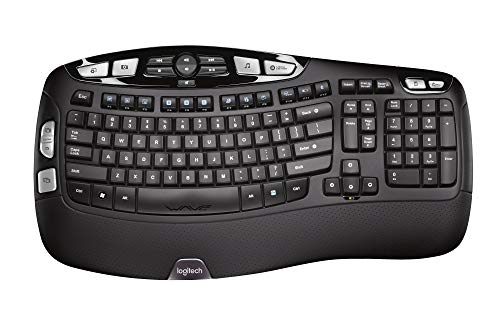
The Logitech K270 is a full‑size 108‑key wireless membrane keyboard that connects via a 2.4 GHz Unifying USB receiver, offering up to 30‑33 ft range and up to 24‑month battery life with two AAA cells. It features spill‑resistant keys, eight media shortcut keys, adjustable tilt legs, and a 3‑year limited warranty, targeting Windows‑based office and home users.
Pros
Current
$19.95
Average
$22.33
Lowest
$18.69
Highest
$24.99
Lower = better sales rank

Crayola

Paper Mate

Pilot
PILOT

StarTech.com

Oxford

Tops

Tops

Sharpie

Post-it


Crayola

Post-it

Highland
TECKNET
Logitech

Pyle

Logitech

Post-it
Please sign in to leave a review
No reviews yet. Be the first to review!
Get notified when the price drops. Track this product on BigBangPrice, our price tracking partner.
Cons
From Expert Reviews
Praised by Experts
Expert Opinion
Professional reviewers and editors consistently commend the K270 for its dependable 2.4 GHz Unifying connection, long battery life, spill‑resistant construction, and productivity‑focused shortcut keys, positioning it as a solid, value‑driven choice for Windows office environments.
What Users Say
Everyday users appreciate the plug‑and‑play setup, long battery lifespan, and the convenience of the numeric keypad and media shortcuts, while common informal feedback points to a desire for a more tactile key feel and the absence of backlighting.
Common Complaints
Users frequently mention the basic membrane key feel, the lack of backlighting, and occasional confusion over the exact wireless range specifications.
How It Compares
vs. Microsoft Wireless Keyboard 2000
Advantages
Disadvantages
Choose the K270 for longer battery life and extra shortcut keys; opt for the Microsoft model only if brand preference or specific Microsoft features are required.
vs. Logitech K120 (Wired Alternative)
Advantages
Disadvantages
Select the K270 for mobility and durability; stick with the K120 if you prefer a simple, always‑connected wired keyboard.
pairwise