Planar
Get notified when the price drops. Track this product on BigBangPrice, our price tracking partner.
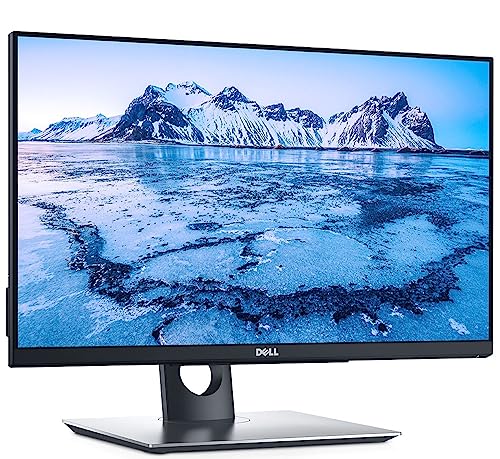
The Planar Helium PCT2485 is a 24‑inch Full HD interactive touchscreen monitor featuring a 10‑point projected capacitive touch layer, integrated 720p webcam with microphone, and built‑in USB hub and speakers. It offers plug‑and‑play HID‑compliant operation across Windows and Linux, with flexible mounting options via an adjustable stand or VESA mount.
Pros
Cons
Current
$469.00
Average
$478.79
Lowest
$350.00
Highest
$519.00
Lower = better sales rank

Planar

Planar

Planar

Gator

Planar
Dell

LINKUP

ASUS

ViewSonic

Sidiwen

ViewSonic
![IVANKY 4K Mini DisplayPort to HDMI Cable 10FT, 4K@30Hz Thunderbolt to HDMI Cable, [Alum Shell/Braided/Optimal Chip], Mini DP to HDMI for MacBook Air/Pro, Surface Pro/Dock, Monitor, Projector -10FT](https://m.media-amazon.com/images/I/416d-9W-ktL._SL500_.jpg)
IVANKY

Dell
Please sign in to leave a review
No reviews yet. Be the first to review!
From Expert Reviews
Praised by Experts
Criticized by Experts
From User Reviews
Users Love
Users Complain About
Best For
Software developers and designers who benefit from touch‑enabled UI manipulation, corporate power users needing a secondary touch screen for shortcuts, retail and kiosk installations, education labs for multi‑user interaction, home automation panels, and hybrid workspaces pairing a laptop or Surface with a touch display.
Not Ideal For
Users who require high brightness for very bright rooms, those who need high‑fidelity audio from built‑in speakers, professionals needing pen input or stylus pressure sensitivity, and installations where weight or unclear DisplayPort version could be a constraint.
Expert Opinion
Professional reviewers praise the Helium PCT2485 for its responsive 10‑point touch, solid picture quality, and enterprise‑grade reliability, noting its HID‑compliant design that works seamlessly with Windows, Surface devices, and even Raspberry Pi. They also highlight its value in commercial kiosks, design studios, and collaborative workspaces, while pointing out minor drawbacks such as limited brightness, modest speaker output, and ambiguous DisplayPort specifications.
What Users Say
Everyday users consistently commend the monitor’s sleek all‑glass look, easy plug‑and‑play setup, and usefulness for video calls and media consumption. Recurring complaints focus on the screen’s modest brightness in bright environments, the need to press harder on the touch surface during intensive tasks, and the low‑volume built‑in speakers. Overall sentiment is positive, with average ratings around 4‑4.5 out of 5.
Common Complaints
Brightness not sufficient in well‑lit spaces, touch requiring firmer pressure under load, underpowered built‑in speakers, lack of pen input, and uncertainty about DisplayPort version support.
What People Are Saying
“In my opinion, the Planar has the better touch feel and better picture”
“Absolutely stunning”
“Works great for video conferencing, general computing, and watching movies”
“Easy to install—just plugged in HDMI and it worked”
How It Compares
vs. ViewSonic TD2435
Advantages
Disadvantages
Choose ViewSonic if you need higher brightness and IR touch; choose Planar for smoother touch and built‑in webcam.
vs. Acer T242H
Advantages
Disadvantages
Acer is a budget option for basic touch needs; Planar provides a premium touch experience with extra features.
vs. Asus T300L
Advantages
Disadvantages
Asus suits users needing a larger ultra‑wide display; Planar is better for standard 24" setups requiring precise touch.
pairwise