Dell
Get notified when the price drops. Track this product on BigBangPrice, our price tracking partner.
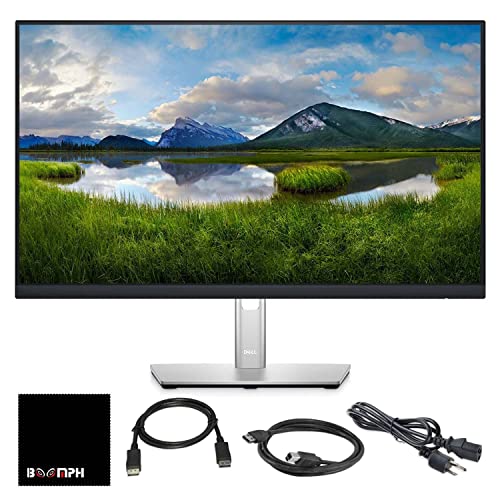
The Dell P2417H is a 23.8‑inch professional‑grade IPS monitor offering Full HD resolution, extensive ergonomic adjustments, and a versatile set of ports including HDMI, DisplayPort, VGA and a USB‑3.0 hub. It targets office and business users who need reliable image quality, eye‑comfort features and flexible mounting options.
Pros
Cons
Current
$189.00
Average
$274.62
Lowest
$189.00
Highest
$309.99
Lower = better sales rank
Dell

Dell

FQQ

UK BONITOYS

KTC
Please sign in to leave a review
No reviews yet. Be the first to review!
From Expert Reviews
Praised by Experts
Criticized by Experts
From User Reviews
Users Love
Users Complain About
Best For
Office professionals, remote workers, and business environments that need long‑hour comfort, reliable Full HD image quality, and flexible mounting; also ideal for multi‑monitor productivity setups and light creative work such as basic photo editing.
Not Ideal For
Gamers, video editors requiring 4K or HDR, users who need USB‑C connectivity or ultra‑slim bezels, and anyone who expects high‑refresh adaptive‑sync performance.
Expert Opinion
Professional reviewers from TechRadar, PCMag and Tom’s Hardware commend the P2417H for its outstanding ergonomics, accurate IPS color reproduction and robust connectivity, calling it a reliable workhorse for office environments. They note the omission of modern features such as USB‑C and adaptive‑sync, but consider these acceptable trade‑offs for a productivity‑focused monitor.
What Users Say
Everyday users appreciate the monitor’s adjustability, clear text, accurate colors and the convenience of the built‑in USB hub, often highlighting its suitability for dual‑monitor setups. Common complaints revolve around the lack of speakers, confusing USB port specifications, the monitor’s weight for wall‑mounting, and the limited 60 Hz refresh rate for gaming.
Common Complaints
No built‑in speakers, inconsistent USB‑port documentation, heavy weight for wall mounting, 60 Hz refresh limit, occasional loose pivot mechanism.
What People Are Saying
“Perfect for dual-monitor setup—adjustable height and pivot are a game-changer.”
“Text is crisp, colors are accurate, and the screen doesn’t glare even in a bright office.”
“Love the USB hub—keeps my desk clean and connected.”
“Easy setup with both new laptops and older desktops thanks to HDMI and VGA.”
“No speakers—had to buy external ones.”
“USB ports are USB 3.0, but the listing says USB 2.0—confusing.”
“A bit heavy to mount, but the VESA support works well.”
“Fine for basic use, but not for gaming—6 ms is okay, but 60 Hz feels sluggish.”
“Loose pivot mechanisms over time.”
How It Compares
vs. Dell P2419H
Advantages
Disadvantages
Choose P2417H if you need pivot and a USB‑3.0 hub; otherwise P2419H offers a similar experience.
vs. HP Z24n G2
Advantages
Disadvantages
P2417H is better for users who prioritize ergonomics and USB connectivity.
vs. LG 24MP59G-P
Advantages
Disadvantages
Pick the LG for gaming; pick the P2417H for office productivity and comfort.
vs. Acer SB242Y
Advantages
Disadvantages
Acer is a good budget option for basic use; P2417H wins for adjustable ergonomics and connectivity.