Amazon Basics
The Amazon Basics 2.4 GHz Wireless Optical Mouse is a budget‑friendly, plug‑and‑play peripheral offering reliable 2.4 GHz connectivity, a fixed 1000 DPI optical sensor, and up to six months of battery life. Its compact ambidextrous design and stowable nano receiver make it ideal for everyday home, office, or travel use, though it lacks advanced features like Bluetooth or side buttons.
Pros
Cons
Current
$11.45
Average
$12.20
Lowest
$8.99
Highest
$14.90
Lower = better sales rank
Please sign in to leave a review
No reviews yet. Be the first to review!
Get notified when the price drops. Track this product on BigBangPrice, our price tracking partner.
From Expert Reviews
Praised by Experts
Criticized by Experts
From User Reviews
Users Love
Users Complain About
Best For
Casual home or office users, students, travelers, and anyone needing a low‑cost, reliable secondary mouse for web browsing, email, document editing, and presentations. Ideal for Windows and macOS laptops with a USB‑A port or when using an adapter.
Not Ideal For
Gamers, graphic designers, or power users who require high DPI, low latency, side buttons, or Bluetooth connectivity. Also unsuitable for users with USB‑C‑only devices who lack an adapter or for environments with reflective glass surfaces.
Expert Opinion
Professional reviewers consistently describe the Amazon Basics mouse as a solid, no‑frills option that "just works," emphasizing its reliable 2.4 GHz connection, plug‑and‑play simplicity, and excellent price‑to‑performance ratio. While they note the lack of adjustable DPI, Bluetooth, and premium build quality, they recommend it for users who need a dependable secondary or travel mouse without extra features.
What Users Say
Everyday users appreciate the mouse’s immediate functionality, long battery life, and portability, often citing it as a reliable replacement or backup device. Common complaints revolve around its inability to track on glass, the cheap feel of the plastic housing, the absence of side buttons, and occasional durability issues such as double‑clicking after extended use.
Common Complaints
Inability to track on glass or highly reflective surfaces, cheap plastic feel, lack of side buttons, need for a USB‑A to USB‑C adapter, and occasional double‑clicking button failures after several months.
What People Are Saying
“Works perfectly right out of the box.”
“Great for my home office and doesn’t drain batteries.”
“Small enough to carry in a laptop bag.”
“Reliable connection even across the room.”
“Perfect replacement for a lost mouse.”
“Doesn’t work on glass or dark granite desks.”
“Feels a bit cheap, but I expected that for the price.”
“Wish it had side buttons for browsing.”
“Had to buy a USB‑A to USB‑C adapter for my new laptop.”
“One of the buttons started double‑clicking after 8 months.”
How It Compares
vs. Logitech M185
Advantages
Disadvantages
Choose the M185 if you want longer battery life and a sturdier feel, and are willing to pay a bit more.
vs. Microsoft Wireless 3600
Advantages
Disadvantages
Pick the Microsoft 3600 when security and surface compatibility are priorities over the lowest price.
vs. Anker Wireless Mouse
Advantages
Disadvantages
Opt for the Anker mouse if you need higher DPI and are okay with a slightly shorter battery life.
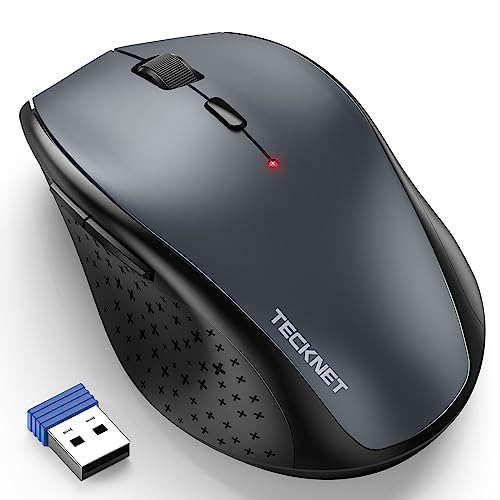
Tecknet M003 vs Amazon Basics Wireless Mouse Silver
pairwise