Keychron
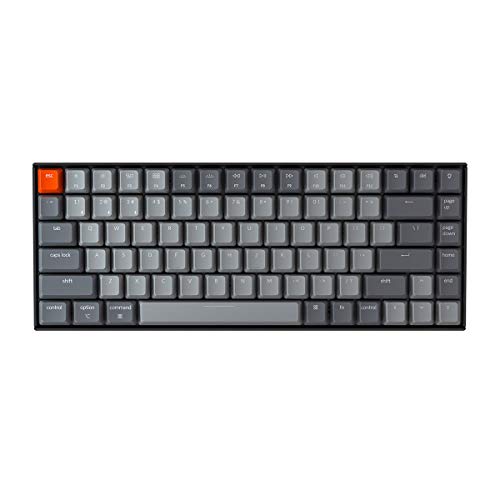
The Keychron K2 Pro is a premium 75% wireless mechanical keyboard featuring hot‑swappable Brown switches, QMK/VIA firmware, and a robust 4000 mAh battery. It offers a compact layout with Mac‑ and Windows‑friendly keycaps, south‑facing RGB lighting, and solid build options in plastic or aluminum.
Pros
Current
$79.99
Average
$74.27
Lowest
$55.98
Highest
$79.99
Lower = better sales rank

Keychron

Keychron
Keychron

Keychron

Keychron

Keychron
Keychron

Keychron
Please sign in to leave a review
No reviews yet. Be the first to review!
Get notified when the price drops. Track this product on BigBangPrice, our price tracking partner.
Cons
From Expert Reviews
Praised by Experts
Criticized by Experts
From User Reviews
Users Love
Users Complain About
Best For
Developers, programmers, and keyboard enthusiasts who need deep key‑remapping, macro support, and multi‑OS compatibility; Mac users seeking a native layout; remote workers juggling multiple devices; writers and typists who value tactile feedback and ergonomic angles.
Not Ideal For
Travelers who prioritize ultra‑lightweight gear; gamers needing high‑speed wireless polling; users who want plug‑and‑play keyboards without any firmware learning curve.
Expert Opinion
Professional reviewers commend the K2 Pro for its QMK/VIA support, refined build quality, and south‑facing RGB, noting it as a premium evolution of the original K2. They highlight the added sound‑dampening foam, silicone pad, and steel plate as significant improvements, while acknowledging the keyboard’s weight as a trade‑off for its sturdiness.
What Users Say
Everyday users love the tactile Brown switches, long battery life, and seamless macOS compatibility, often praising the ergonomic angle and RGB lighting. Common complaints revolve around the lack of precise battery indicators, the heavy aluminum model, and the initial learning curve for QMK/VIA customization.
Common Complaints
Inaccurate battery level reporting via LED only; heavy aluminum chassis; confusing QMK/VIA setup process; learning curve when switching OS key layouts.
How It Compares
vs. Keychron K2 (v2)
Advantages
Disadvantages
Choose K2 Pro if you need programmable firmware and wireless use; stick with K2 (v2) for a more budget‑friendly, lighter option.
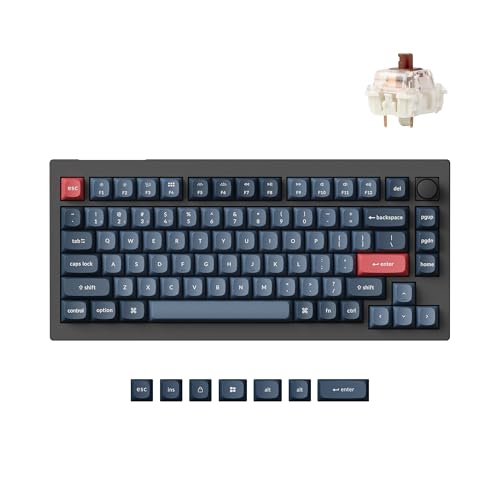
vs. Keychron Q1 Pro
Advantages
Disadvantages
Pick K2 Pro for wireless flexibility and a slightly larger layout; opt for Q1 Pro if you prioritize a bigger battery and fully modular hot‑swap platform.
vs. Drop ALT
Advantages
Disadvantages
Select K2 Pro for wireless capability and hot‑swap convenience; choose Drop ALT if you want a compact, fully soldered board with a minimalist design.