Microsoft
Get notified when the price drops. Track this product on BigBangPrice, our price tracking partner.
The Microsoft Bluetooth Mouse (RJN-00001) is a compact, ambidextrous Bluetooth 5.0 mouse that prioritizes portability, long battery life, and cross‑platform compatibility. It offers a 4‑way scroll wheel and basic customization, making it a solid entry‑level choice for everyday tasks.
Pros
Cons
Current
$33.95
Average
$23.96
Lowest
$14.99
Highest
$39.95
Lower = better sales rank

Normdecos

ProtoArc

Kovess

Incase

TECKNET
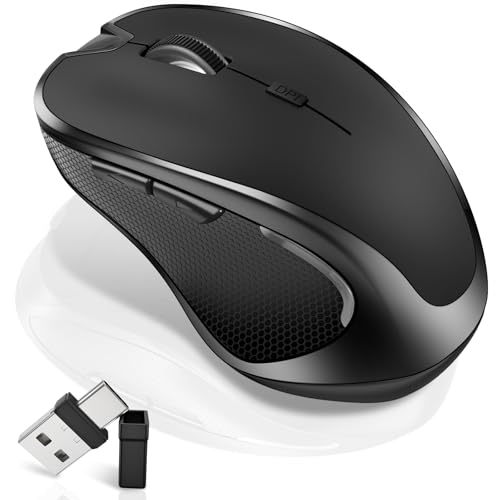
Normdecos
Please sign in to leave a review
No reviews yet. Be the first to review!
From Expert Reviews
Praised by Experts
Criticized by Experts
From User Reviews
Users Love
Users Complain About
Best For
Students, remote workers, casual users, left‑handed users, and minimalists who need a lightweight, dongle‑free mouse for travel and light productivity tasks such as web browsing, document editing, and presentations.
Not Ideal For
Gamers, graphic designers, users with large hands or carpal‑tunnel issues, heavy‑daily‑use power users, and anyone requiring high DPI, advanced customization, or ergonomic support.
Expert Opinion
Professional reviewers note that the RJN‑00001 delivers the comfort and simplicity expected of Microsoft’s productivity line, with Swift Pair providing near‑instant Windows setup and a 4‑way scroll wheel that boosts spreadsheet work. However, they criticize its lack of a rechargeable battery, modest build quality, limited customization, and ergonomics that fall short of Microsoft’s higher‑end ergonomic models and competing premium mice.
What Users Say
Everyday users appreciate the mouse’s instant pairing, ultra‑light weight, year‑long battery life, and ambidextrous shape, especially for travel and left‑handed use. Recurring complaints focus on the tiny form factor causing hand fatigue, a flimsy feel, the absence of a physical on/off switch, and occasional scroll‑wheel skipping.
Common Complaints
Small size causing hand fatigue, flimsy feel, lack of a physical on/off switch, scroll wheel skipping or lacking precision, and absence of a rechargeable battery.
What People Are Saying
“Pairs instantly with my Surface and MacBook.”
“Perfect for travel — fits in any bag.”
“Battery lasted over a year with daily use.”
“Love the 4-way scroll — makes Excel much easier.”
“Great for left-handed users — rare to find ambidextrous mice that feel good.”
“Too small for my hand — causes discomfort after an hour.”
“Feels flimsy — like it could break if dropped.”
“Wish it had a switch instead of a button to turn it off.”
“Had to buy a new one because the scroll wheel started skipping.”
“Works fine, but not as smooth as my old Logitech.”
How It Compares
vs. Logitech MX Anywhere 3
Advantages
Disadvantages
Choose the MX Anywhere 3 when you need premium performance, battery convenience, and extensive customization; stick with the Microsoft mouse for ultra‑light travel and budget constraints.
vs. Microsoft Sculpt Ergonomic
Advantages
Disadvantages
Select the Sculpt Ergonomic for users who prioritize wrist comfort and don’t mind a larger, wired‑receiver mouse; the RJN‑00001 is better for portable, ambidextrous use.
vs. Microsoft Bluetooth Ergonomic
Advantages
Disadvantages
Opt for the Bluetooth Ergonomic if you need better tracking and ergonomic support and can handle a larger right‑handed mouse; the RJN‑00001 remains the go‑to for lightweight, ambidextrous, budget‑friendly travel.