SteelSeries
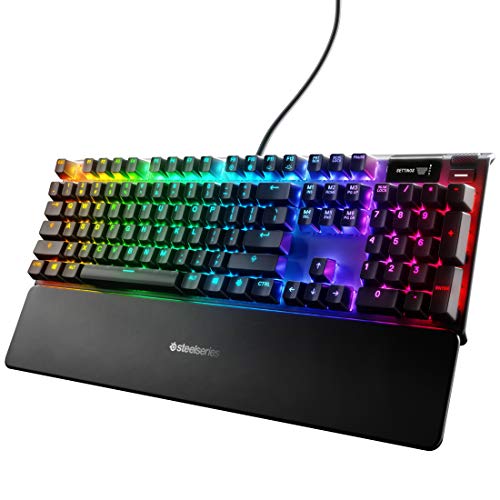
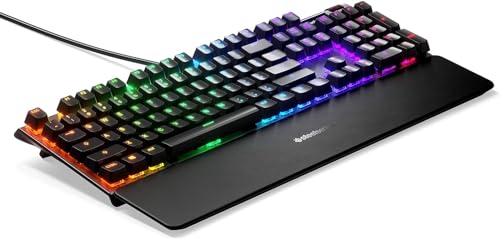
The SteelSeries Apex 5 Hybrid Mechanical Gaming Keyboard blends tactile hybrid Blue switches with a premium aluminum frame, per-key RGB, and a customizable OLED display, offering high-end features at a mid‑tier price. It targets gamers and creators who want mechanical‑like performance without the full cost of a pure mechanical board.
Pros
Current
$97.99
Average
$88.93
Lowest
$68.42
Highest
$99.99
Lower = better sales rank

Logitech

Cherry

Logitech G
SteelSeries

SteelSeries
SteelSeries

Orzly

SteelSeries

HyperX
SteelSeries

SteelSeries

Keychron
Keychron

Orzly

Azio

Keychron

HyperX
Please sign in to leave a review
No reviews yet. Be the first to review!
Get notified when the price drops. Track this product on BigBangPrice, our price tracking partner.
Cons
From Expert Reviews
Praised by Experts
Criticized by Experts
From User Reviews
Users Love
Users Complain About
Best For
Casual to mid‑core gamers seeking mechanical‑like performance without a premium price, streamers and content creators who benefit from the OLED display, office users who want a stylish yet functional keyboard, and RGB enthusiasts who desire per‑key lighting.
Not Ideal For
Hardcore mechanical‑purist gamers who demand pure mechanical switches, users who need a built‑in USB pass‑through for peripherals, and anyone requiring a heavily cushioned wrist rest for extended typing sessions.
Expert Opinion
Professional reviewers such as PCMag commend the Apex 5 for blending membrane cost‑savings with a mechanical‑like feel, noting its sleek aluminum chassis, vibrant per‑key RGB, and the functional OLED screen. However, they point out compromises like the missing USB passthrough and slightly weaker anti‑ghosting compared to flagship models, and they acknowledge that purists may prefer a true mechanical board.
What Users Say
Everyday users overwhelmingly praise the Apex 5’s looks, RGB lighting, and especially the OLED display for showing Discord and Spotify info. Many say the typing experience feels almost like a full mechanical keyboard, and the magnetic wrist rest is appreciated for its stability. Recurring complaints focus on the Caps Lock LED inconsistency, the need to keep the SteelSeries Engine running, and the lack of cushioning in the wrist rest.
Common Complaints
Inconsistent Caps Lock LED, metallic ping on aggressive typing, requirement to keep SteelSeries Engine 3 running for OLED features, and the non‑cushioned wrist rest.
What People Are Saying
“finds a better way to blend money-saving membrane and snappy but pricey mechanical switches.”
“The keyboard feels nearly indistinguishable from a full mechanical one.”
How It Compares
vs. Corsair K68 RGB
Advantages
Disadvantages
Choose the K68 if you need higher durability and a USB hub; choose the Apex 5 for a premium look and OLED features.
vs. Logitech G512 Carbon
Advantages
Disadvantages
The G512 is better for users who prioritize a solid aluminum build and USB hub, while the Apex 5 wins on visual customization and smart display.
vs. Razer BlackWidow Lite
Advantages
Disadvantages
The BlackWidow Lite suits those who want a lightweight, tactile Razer experience, whereas the Apex 5 offers richer lighting, a premium frame, and a smart display.