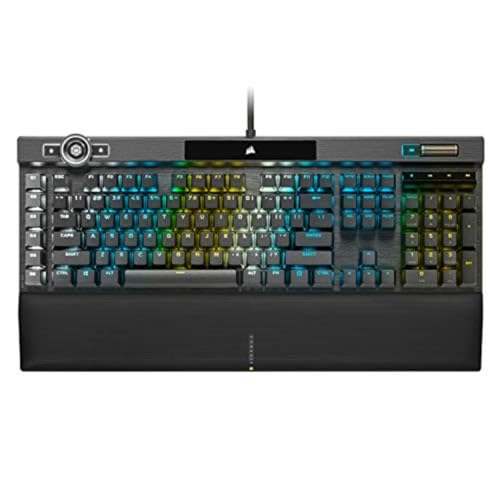
Corsair
The Corsair K100 RGB Mechanical Gaming Keyboard with Cherry MX Speed switches is a high‑end, full‑size keyboard offering ultra‑fast 8,000 Hz polling, premium aluminum construction, and extensive customization via iCUE software and 200 onboard profiles. It targets competitive gamers and streamers who need rapid response, macro depth, and vibrant RGB, but its size, price, and complexity make it less ideal for casual users.
Pros
Current
$249.99
Average
$222.55
Lowest
$174.99
Highest
$289.99
Lower = better sales rank

Clorox

CyberPower

SteelSeries

Keychron

Kensington

ASUS

Keychron

Rii
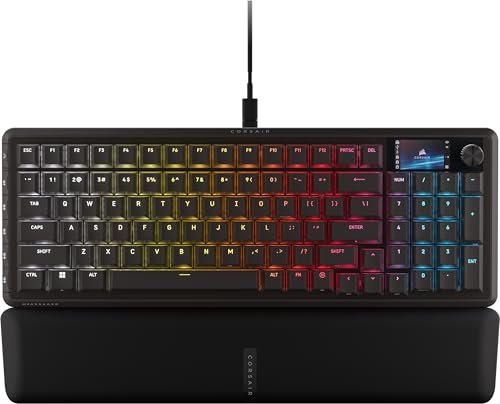
Corsair
Please sign in to leave a review
No reviews yet. Be the first to review!
Get notified when the price drops. Track this product on BigBangPrice, our price tracking partner.
Cons
From Expert Reviews
Praised by Experts
Criticized by Experts
From User Reviews
Users Love
Users Complain About
Best For
Competitive gamers needing ultra‑fast response, streamers who use G‑keys and the iCUE wheel for scene and audio control, mechanical‑keyboard enthusiasts who enjoy deep customization, and users with large desks who can accommodate its size.
Not Ideal For
Typists preferring tactile or clicky switches, users seeking a compact or portable keyboard, budget‑conscious buyers, and anyone unfamiliar with advanced mechanical‑keyboard software.
Expert Opinion
Professional reviewers consistently rate the K100 as a top‑tier gaming keyboard, highlighting its ultra‑fast 8,000 Hz polling, premium aluminum construction, extensive iCUE customization, and useful macro features. While they praise its performance and build, they note the high cost, complex software, and large footprint limit its appeal to enthusiasts rather than casual users.
What Users Say
Everyday users love the keyboard’s build quality, vibrant RGB, and macro capabilities, especially the magnetic wrist rest. Common frustrations revolve around the complicated iCUE software, the keyboard’s size, the light feel of the Cherry MX Speed switches, a wobbly control wheel, and a stiff braided cable.
Common Complaints
Complex and occasionally unstable iCUE software, oversized footprint, light Cherry MX Speed switch feel leading to accidental keypresses, wobbly iCUE control wheel, and stiff braided cable routing.
What People Are Saying
“The magnetic wrist rest is one of the most comfortable available.”
“iCUE software can be complex and occasionally unstable.”
How It Compares
vs. Corsair K95 RGB Platinum XT
Advantages
Disadvantages
Choose K100 for ultimate speed and feature set; choose K95 if you want a solid build at a lower cost and can live without extreme polling.
vs. Logitech G915 Lightspeed
Advantages
Disadvantages
Pick G915 for a wireless, minimalist setup; pick K100 for wired ultra‑fast performance and extensive macro capabilities.
vs. SteelSeries Apex Pro
Advantages
Disadvantages
Choose Apex Pro if you need adjustable actuation; choose K100 for the fastest fixed actuation and deeper customization.
