Microsoft
Get notified when the price drops. Track this product on BigBangPrice, our price tracking partner.
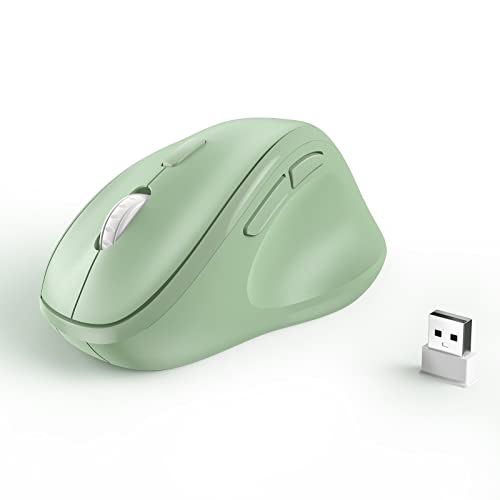
The Microsoft Bluetooth Ergonomic Mouse (Pastel Blue, Model 222‑00049) is a right‑handed, vertical‑tilt ergonomic mouse with a rubberized thumb rest, Bluetooth 5.0 connectivity for up to three devices, and a BlueTrack laser sensor up to 2400 DPI. It offers long‑lasting AAA‑battery power (up to 15 months) and premium build quality, targeting office and creative professionals who need comfort and multi‑device flexibility.
Pros
Cons
Current
$59.99
Average
$28.99
Lowest
$26.99
Highest
$59.99
Lower = better sales rank
MICROPACK Digitally Yours

Incase
Please sign in to leave a review
No reviews yet. Be the first to review!
From Expert Reviews
Praised by Experts
Criticized by Experts
From User Reviews
Users Love
Users Complain About
Best For
Office professionals, remote/hybrid workers, designers and writers who spend many hours at the desk and value ergonomic comfort, Bluetooth multi‑device convenience, and long battery life without a dongle. Ideal for travelers who need a compact, plug‑and‑play mouse for Windows 10/11 environments.
Not Ideal For
Gamers, left‑handed users, macOS power users needing full customization, anyone requiring horizontal scrolling or onboard profile memory, and users who prefer a rechargeable battery solution.
Expert Opinion
Professional reviewers commend the mouse’s modern ergonomic shape, especially the thumb rest, and the versatile BlueTrack sensor that tracks on almost any surface. They appreciate the premium feel from the aluminum wheel and Teflon feet, as well as the convenience of Bluetooth 5.0 multi‑device pairing. However, they note the lack of horizontal scrolling, onboard memory, and a modest 135 Hz polling rate, which keep it from being a choice for gamers or power users, and they criticize the absence of a rechargeable battery.
What Users Say
Everyday users overwhelmingly praise the comfort and wrist relief the mouse provides during long sessions, the ease of pairing across laptops, tablets, and phones, and the virtually endless battery life. Recurring complaints focus on a scroll wheel that can grow sluggish, a noticeable wake‑up delay, stiff left/right clicks, and limited macOS support. Overall sentiment is positive for Windows‑centric office and creative work, but mixed for cross‑platform power users.
Common Complaints
Scroll wheel lag or inconsistency over time, 3–5 second wake‑up delay after inactivity, stiff left/right click feel, lack of macOS customization, and occasional perception of lower build quality due to fulfillment errors.
What People Are Saying
“Extremely comfortable for long workdays”
“Love the thumb rest and the way it fits my hand”
How It Compares
vs. Logitech MX Vertical
Advantages
Disadvantages
Choose the MX Vertical if you need higher sensitivity, rechargeable power, and saved profiles; stick with the Microsoft mouse for a lighter, dongle‑free, budget‑friendly option.
vs. Anker Vertical Ergonomic Mouse
Advantages
Disadvantages
Anker is a cost‑effective alternative for basic ergonomic needs, but the Microsoft mouse offers better tracking, premium materials, and true Bluetooth multi‑device support.
vs. Microsoft Sculpt Ergonomic Mouse
Advantages
Disadvantages
The Sculpt is suitable for users who already own a USB receiver and don’t need Bluetooth; the newer Bluetooth Ergonomic Mouse provides superior sensor performance and wireless flexibility.