Vxeei
The Vxeei Wireless Mouse is a budget-friendly, lightweight mouse offering Bluetooth 5.2, Bluetooth 3.0, and 2.4 GHz dual‑receiver connectivity. It features a rechargeable 800 mAh battery, silent click technology, and adjustable DPI, making it suitable for basic productivity across multiple devices.
Pros
Cons
Current
$11.69
Average
$13.04
Lowest
$9.38
Highest
$14.99
Lower = better sales rank
![XAOSUN [10Gbps] USB C Female to USB Male Adapter (2-Pack), 3.1 USB A to C Adapter, SuperSpeed Data Sync & 100W Fast Charging for iPhone 15 16 Plus Pro Max, Laptop, Charger, Quest Link, etc. Gray](https://m.media-amazon.com/images/I/31FBZqYGy0L._SL500_.jpg)
XAOSUN

HOTLIFE
![cimetech Wireless Mouse for Laptop, M01 Rechargeable Silent LED Computer USB Mice, [BT5.1 and 2.4G Receiver] Dual Mode Slim Sleek, Plug and Play for iPad Mac Chromebook Tablet PC Notebook](https://m.media-amazon.com/images/I/31kqgnYdpYL._SL500_.jpg)
cimetech

cimetech

Normdecos

Normdecos

TENMOS
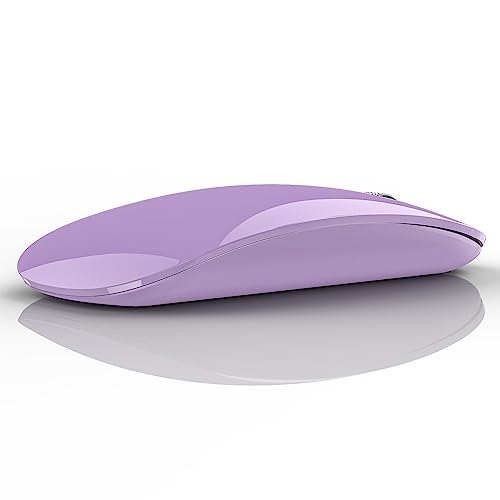
TENMOS

TENMOS

LMUBOY

LIAUBN

Suteke

Kovess

Kovess

TECKNET
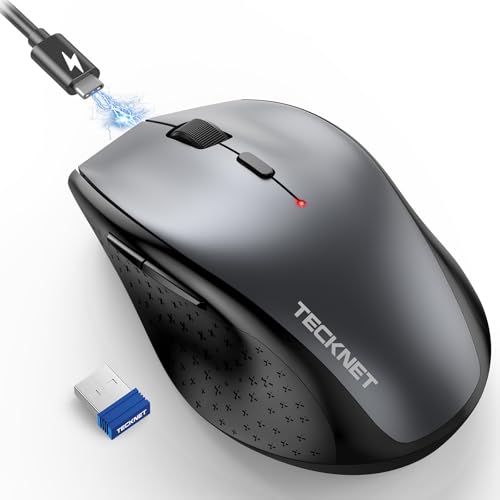
TECKNET

ProtoArc
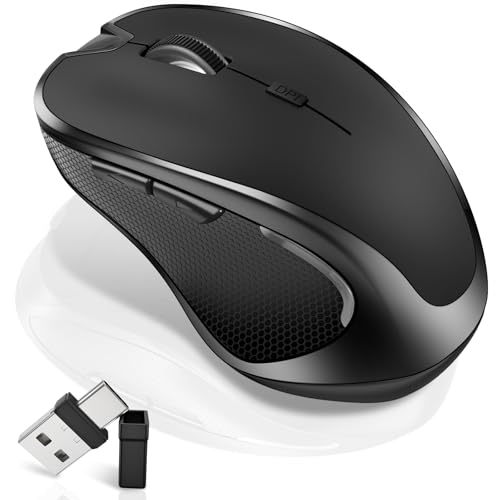
Normdecos
Please sign in to leave a review
No reviews yet. Be the first to review!
Get notified when the price drops. Track this product on BigBangPrice, our price tracking partner.
From Expert Reviews
Praised by Experts
Criticized by Experts
From User Reviews
Users Love
Users Complain About
Best For
Students, office workers, travelers, and casual users who need a lightweight, silent mouse for web browsing, document editing, and switching between a laptop and tablet. Ideal for quiet environments like libraries, coffee shops, and open‑plan offices, as well as remote‑work setups requiring quick device swaps.
Not Ideal For
Gamers, graphic designers, or power users who need high DPI, programmable buttons, or long‑lasting battery life. Also unsuitable for those preferring a premium, heavy‑feel mouse or requiring simultaneous dual‑mode connections.
Expert Opinion
Professional reviewers commend the Vxeei mouse for its triple‑mode connectivity, silent click design, and USB‑C rechargeable battery, calling it a solid, budget‑friendly option for students and remote workers. However, they note the lack of customizable buttons, tilt wheel, and surface calibration, positioning it as a basic performer rather than a premium alternative.
What Users Say
Everyday users appreciate the mouse’s portability, silent operation, and hassle‑free charging, rating it highly for value and cross‑device use. Recurring complaints focus on short or inconsistent battery life, occasional Bluetooth drops, a cheap‑feel plastic build, and the absence of side buttons or tilt scrolling.
Common Complaints
Short battery life requiring frequent charging, occasional Bluetooth connection drops, a cheap‑feeling plastic chassis, lack of side/forward‑back buttons, and difficulty activating Bluetooth 5.2 mode.
What People Are Saying
“Works great with MacBook Pro and iPad — easy setup and smooth switching.”
“Very slim and comfortable to grasp — perfect for travel.”
“Silent clicks are a game-changer in the library.”
“Battery doesn’t last long — need to charge every few days with moderate use.”
“Bluetooth connection drops occasionally, especially after a few weeks.”
How It Compares
vs. Logitech MX Anywhere 3
Advantages
Disadvantages
Choose Vxeei for budget‑friendly, multi‑device use; choose MX Anywhere 3 for higher precision and advanced customization.
vs. Razer Basilisk X
Advantages
Disadvantages
Pick Vxeei for everyday productivity and cross‑device work; pick Basilisk X for gaming or high‑DPI tasks.
vs. Microsoft Sculpt Comfort
Advantages
Disadvantages
Vxeei is better for travelers and multi‑device users; Sculpt Comfort suits those who prioritize ergonomic hand positioning over portability.