Razer
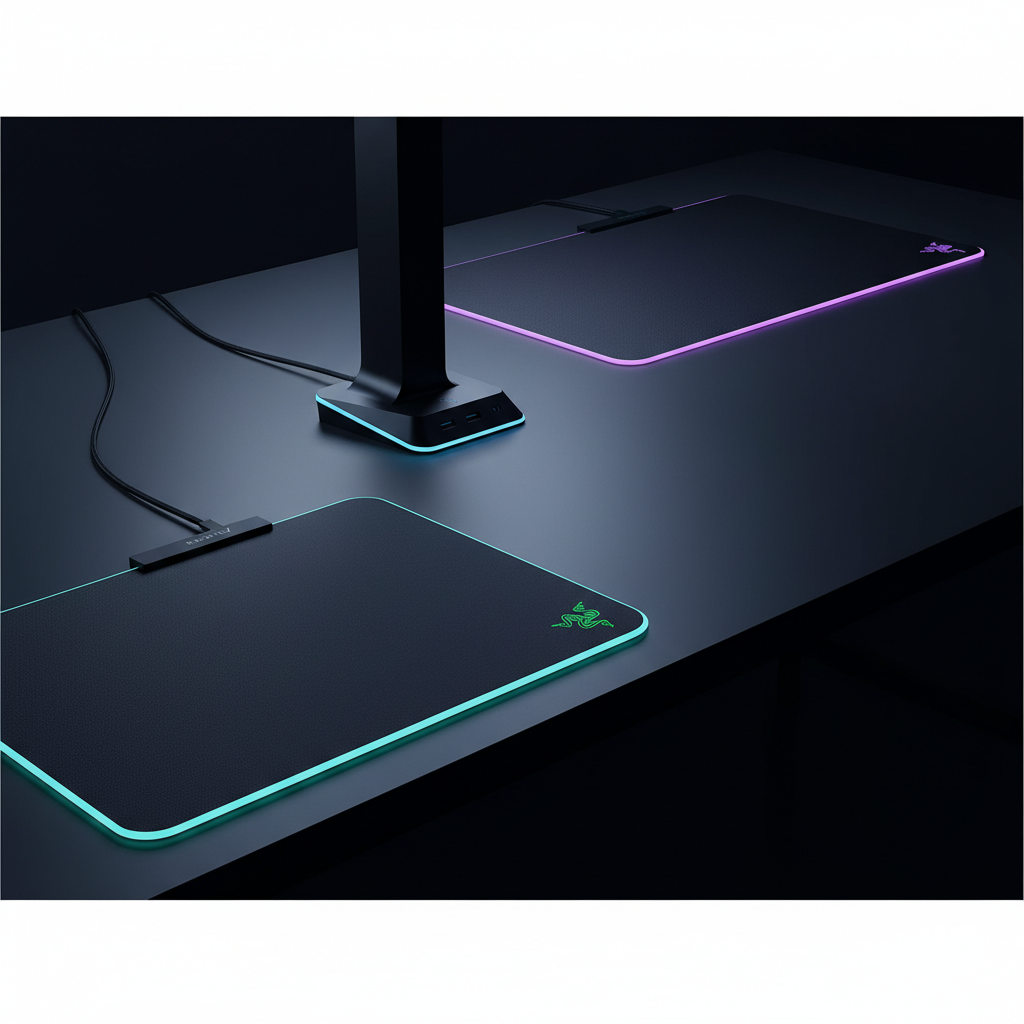
The Razer Strider Chroma Hybrid Gaming Mouse Mat is a premium XL-sized mat that combines a soft‑hard hybrid surface with 19‑zone Razer Chroma RGB lighting. It offers a balanced glide for both speed and precision while delivering extensive lighting customization and a durable, water‑resistant design.
Pros
Cons
Current
$129.99
Average
$130.41
Lowest
$129.99
Highest
$178.81
Lower = better sales rank
Please sign in to leave a review
No reviews yet. Be the first to review!
Get notified when the price drops. Track this product on BigBangPrice, our price tracking partner.
From Expert Reviews
Praised by Experts
Criticized by Experts
From User Reviews
Users Love
Users Complain About
Best For
Competitive gamers and streamers who want a balanced high‑performance surface with deep RGB customization, as well as desktop enthusiasts with large desks who value a clean, immersive aesthetic.
Not Ideal For
Budget‑conscious buyers, gamers who need a compact mat for limited desk space, or purists who demand either the fastest hard surface or the highest control of a pure soft mat.
Expert Opinion
Professional reviewers praise the Strider Chroma for its groundbreaking hybrid surface and the unprecedented 19‑zone Chroma lighting, noting its solid build, flatness, and seamless edges as significant improvements over stitched competitors. While the mat’s performance is lauded, some editors point out that the hybrid feel may not fully satisfy gamers who favor the extreme characteristics of dedicated hard or soft mats.
What Users Say
Everyday users overwhelmingly appreciate the mat’s smooth, balanced glide, the eye‑catching RGB effects, and its durability—especially the flat, warp‑resistant surface and sturdy anti‑slip base. Common complaints focus on the edge‑centric lighting, the non‑detachable USB cable, and the mat’s large footprint on smaller workspaces.
Common Complaints
Users frequently mention that the RGB lighting is primarily visible along the edges rather than the full surface, the USB cable cannot be detached for easy storage, and the mat’s large size can be problematic on smaller desks.
What People Are Saying
“It’s so cool, it’s so smooth, just awesome.”
How It Compares
vs. Razer Goliathus Chroma (Extended)
Advantages
Disadvantages
Choose Goliathus if you prioritize control and budget over multi‑zone lighting and hybrid surface benefits.
vs. Razer Firefly V2
Advantages
Disadvantages
Opt for Firefly V2 when you need a fast, compact mat and can sacrifice the hybrid surface and extra lighting zones.
vs. Corsair MM3000
Advantages
Disadvantages
Pick Corsair MM3000 if you want reliable performance without the premium price and don’t need advanced RGB or hybrid surface features.
vs. Logitech G840
Advantages
Disadvantages
Logitech G840 is suitable for gamers who prefer a straightforward hard mat with solid performance and minimal lighting.