Turtle Beach
The Turtle Beach VelocityOne Flightstick is a universal joystick for PC and Xbox that offers high‑precision 16‑bit HallEffect axes, an OLED flight‑management display, and extensive onboard programmability, aiming to bridge the gap between entry‑level sticks and full HOTAS setups.
Pros
Current
$139.99
Average
$123.21
Lowest
$89.99
Highest
$145.00
Lower = better sales rank

YuXuan Pavilion

Honeycomb Aeronautical

PXN
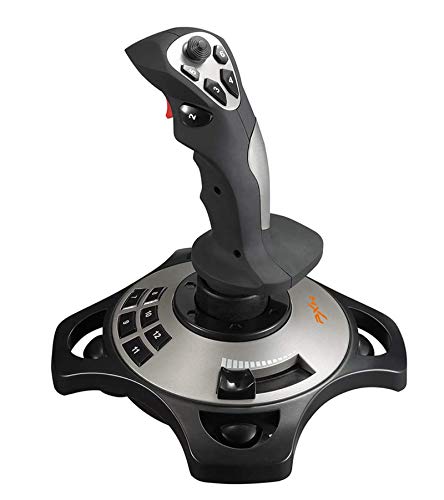
PXN

ARES WING

GTPLAYER
Please sign in to leave a review
No reviews yet. Be the first to review!
Get notified when the price drops. Track this product on BigBangPrice, our price tracking partner.
Cons
From Expert Reviews
Praised by Experts
From User Reviews
Users Love
Users Complain About
Best For
Intermediate flight simmers who want more control than a basic stick but aren’t ready for a full HOTAS, Xbox flight‑sim players seeking a high‑end controller with PC compatibility, space‑combat enthusiasts needing many programmable buttons, VR users who can use the touchpad for menu navigation, and home‑cockpit builders planning to pair the stick with VelocityOne Rudder Pedals.
Not Ideal For
Pilots who prioritize a heavy, stable base, users who need a mouse‑like touchpad for precise cursor work, hardcore DCS World enthusiasts who demand mechanical switches and extensive physical feedback, and anyone looking for a wireless joystick solution.
Expert Opinion
Professional reviewers from FSElite and MaxGaming praise the VelocityOne Flightstick for its high‑precision 16‑bit HallEffect sensors, innovative onboard OLED display with rotary dial, and versatile response profiles that let pilots fine‑tune sensitivity on the fly. They note the ultra‑light main lever and extensive button count as strong points, while acknowledging the lack of a direct head‑to‑head comparison with competing HOTAS products.
What Users Say
Everyday users love the realistic feel, responsive throttle/flap levers, and the Pro‑Aim mode that helps with precision tasks. The RGB lighting and deep customization are frequently highlighted, but many complain about the lightweight base that can lift, an overly sensitive scroll wheel, a tiny touchpad, and a static OLED screen that doesn’t reflect live stick movement.
Common Complaints
The most common issues are the lightweight base lifting during aggressive maneuvers, scroll‑wheel trim being too sensitive in MSFS, the touchpad’s small size and lack of precision, firmware‑update quirks in the PC companion app, and the OLED screen being static rather than dynamic.
What People Are Saying
“feeling like a real aircraft controller”
How It Compares
vs. Thrustmaster TPRC
Advantages
Disadvantages
Choose the TPRC if you need a solid, stable base and prefer a separate throttle; choose VelocityOne for more axes, on‑device tuning, and console compatibility.
vs. Logitech X56
Advantages
Disadvantages
Select the X56 for a proven PC‑only setup with tactile levers; select VelocityOne for higher axis count, on‑device configuration, and Xbox compatibility.