Logitech
The Logitech MX Keys is a full‑size, low‑profile wireless scissor keyboard featuring smart white LED backlighting, multi‑device connectivity via Logi Bolt and Bluetooth, and a rechargeable USB‑C battery that lasts up to five months without backlight. It targets productivity‑focused professionals who need a stable, premium typing experience across Windows and macOS devices.
Pros
Current
$129.99
Average
$109.20
Lowest
$84.95
Highest
$149.99
Lower = better sales rank

Logitech

Logitech

Kensington

Logitech
![ELC 500-Watt Voltage Converter - Step Down - 220v to 110v / 240v to 120v Travel Power Converter - for Hair Straightener, Hair Dryer, Laptops and Chargers, CE Certified [3-Years Warranty]](https://m.media-amazon.com/images/I/41Bfjz1YHFL._SL500_.jpg)
ELC

Logitech

Lekvey

Keychron

Logitech

Keychron

GABRYLLY

co2CREA
Keychron

Logitech

Logitech
Keychron

Keychron
Keychron
Keychron
POWZAN
Please sign in to leave a review
No reviews yet. Be the first to review!
Get notified when the price drops. Track this product on BigBangPrice, our price tracking partner.
Cons
From Expert Reviews
Praised by Experts
Criticized by Experts
From User Reviews
Users Love
Users Complain About
Expert Opinion
Professional reviewers consistently commend the MX Keys for its low‑profile perfection, premium build, smart backlighting, and seamless multi‑device workflow enabled by Logitech Flow. They also note the USB‑C charging, long battery life, and quiet scissor mechanism as strong productivity features, while criticizing the fixed angle and heavyweight design for limiting ergonomic flexibility and portability.
What Users Say
Everyday users love the comfortable, quiet typing experience, the reliable multi‑device switching, and the long battery life, often stating that the keyboard feels more solid and premium than cheaper alternatives. Common complaints revolve around the fixed angle, the heavy weight, and the large footprint, especially for users with limited desk space or who need a portable solution.
Common Complaints
Fixed, non‑adjustable angle causing wrist fatigue; heavy 810 g weight hindering portability; large full‑size footprint unsuitable for compact desks; lack of tilt or ergonomic feet; reduced battery life when backlighting is active.
How It Compares
vs. Apple Magic Keyboard (Full‑Size)
Advantages
Disadvantages
Choose MX Keys for a premium, stable typing experience with advanced software; choose Apple Magic Keyboard for a lighter, more portable solution.
vs. Logitech MX Keys Mini
Advantages
Disadvantages
Select the full‑size MX Keys when a numeric keypad and desk stability are needed; opt for the Mini if space and weight are primary concerns.
vs. Keychron K3 (Low‑Profile)
Advantages
Disadvantages
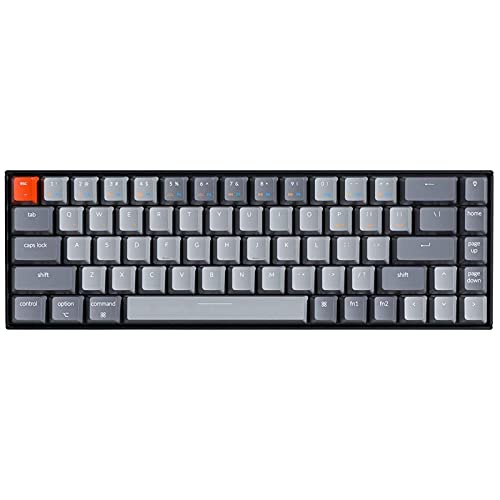
Prefer MX Keys for a quiet, premium office keyboard with advanced software; choose Keychron K3 if you want tactile mechanical feel and customizable RGB lighting.
pairwise