Logitech
The Logitech MX Keys S is a premium wireless keyboard with low‑profile scissor keys, smart illumination, and multi‑device support, aimed at professionals who need comfort and productivity across platforms. It combines long battery life, USB‑C fast charging, and sustainable materials.
Pros
Current
$119.99
Average
$108.77
Lowest
$84.95
Highest
$149.99
Lower = better sales rank

Logitech

Logitech

Kensington

Logitech

Keychron

Keychron

co2CREA
Keychron

Logitech

Logitech

Logitech
Logitech

Logitech

Logitech

Logitech

Keychron

Logitech

Logitech

Logitech

Logitech
Please sign in to leave a review
No reviews yet. Be the first to review!
Get notified when the price drops. Track this product on BigBangPrice, our price tracking partner.
Cons
From Expert Reviews
Praised by Experts
Criticized by Experts
From User Reviews
Users Love
Users Complain About
Best For
Professionals and knowledge workers who type extensively (writers, developers, analysts), hybrid/remote workers juggling multiple devices, cross‑platform users needing Windows/macOS/Linux compatibility, eco‑conscious buyers, and power users who benefit from Smart Actions and Logi Flow integration. Use cases include long‑form writing, coding across machines, managing emails on phone and laptop, presenting with a tablet while controlling a desktop, and reducing repetitive keystrokes in design or data entry.
Not Ideal For
Users who prefer mechanical tactile feedback, those who need always‑on backlighting, Linux or iOS users requiring full software customization, and anyone who dislikes a slightly compact keyboard layout.
Expert Opinion
Professional reviewers consistently rank the MX Keys S among the top productivity keyboards, praising its ergonomic low‑profile design, Smart Actions automation, reliable Logi Bolt receiver, and strong battery efficiency. They also commend its sustainability credentials, though they note the lack of mechanical switches and the reliance on the Logi Options+ app for full feature access.
What Users Say
Everyday users love the MX Keys S for its buttery, quiet typing experience, solid build quality, and seamless multi‑device workflow, often calling it the best keyboard they’ve owned. Common complaints revolve around the motion‑activated backlight, occasional Bluetooth pairing hiccups on macOS, and the compact form factor that differs from traditional full‑size keyboards.
Common Complaints
Inconsistent or slow backlight activation, Bluetooth pairing problems with macOS FileVault, limited customization on non‑Windows/macOS platforms, and the keyboard’s more compact dimensions compared to standard full‑size models.
What People Are Saying
“Best keyboard I’ve ever used”
“The typing feels buttery, precise and quiet, even after hours of coding.”
“I wish the backlight stayed on permanently; the motion‑activated mode is annoying.”
How It Compares
vs. Apple Magic Keyboard
Advantages
Disadvantages
Choose MX Keys S for cross‑platform power users needing backlight and automation; choose Magic Keyboard for pure Apple ecosystem users who prefer a minimalist design.
vs. Microsoft Surface Keyboard
Advantages
Disadvantages
MX Keys S is better for users who need multi‑device workflows and advanced customization; Surface Keyboard suits those who stay within the Windows/Surface ecosystem and prefer a simpler design.
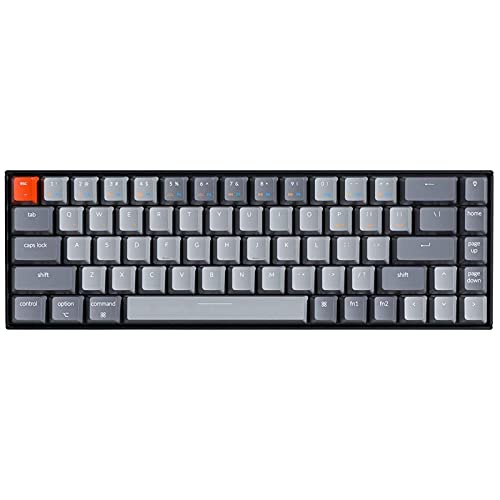
vs. Keychron K8 (Wireless Mechanical)
Advantages
Disadvantages
Select MX Keys S for a quiet, premium productivity keyboard; select Keychron K8 if you prioritize mechanical feel and customizable RGB lighting.