Logitech
The Logitech Wave Keys Wireless Ergonomic Keyboard features a wave-shaped layout with a cushioned palm rest, dual Bluetooth and Logi Bolt connectivity, and up to three-device switching. It offers up to 36 months of battery life and extensive OS compatibility, targeting users who need comfort and flexibility.
Pros
Current
$52.49
Average
$62.32
Lowest
$50.99
Highest
$69.99
Lower = better sales rank

Kensington

Logitech
Logitech

KINESIS

CyberPower


Perixx

HUANUO

Perixx

Padarsey

Perixx

Logitech
COYAHO
ERGOSLIDER

OMOTON

X9 Performance

Tonmom

Lamicall

Keychron
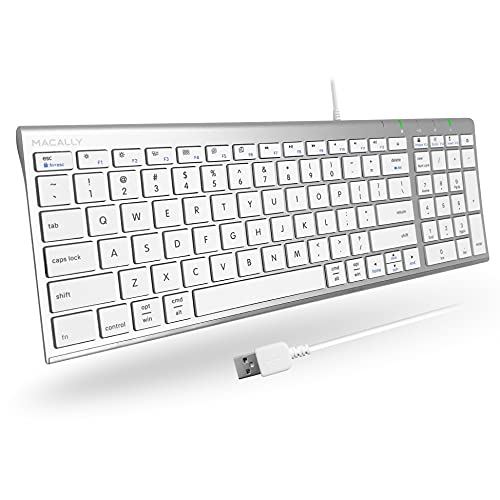
Macally
Please sign in to leave a review
No reviews yet. Be the first to review!
Get notified when the price drops. Track this product on BigBangPrice, our price tracking partner.
Cons
From Expert Reviews
Praised by Experts
Criticized by Experts
From User Reviews
Users Love
Users Complain About
Best For
Office workers, remote professionals, writers, coders, and anyone who types for extended periods and needs ergonomic relief; multi‑device users who switch between laptop, tablet, and phone; sustainability‑conscious buyers who value recycled materials and long battery life.
Not Ideal For
Gamers, mechanical‑keyboard enthusiasts, users who rely heavily on navigation keys, anyone who needs backlit keys for low‑light environments, and those who prefer a fully split or highly adjustable ergonomic layout.
Expert Opinion
Professional reviewers praise the Wave Keys for its ergonomic wave shape, solid construction, long battery life, and flexible dual‑mode connectivity, noting that it helps improve posture and reduces shoulder strain. However, they criticize the cramped key spacing, awkward arrow‑key placement, and the absence of backlighting, and they point out that it lacks the premium feel of higher‑end mechanical options.
What Users Say
Everyday users overwhelmingly appreciate the comfort of the palm rest and the hassle‑free three‑year battery life, as well as the ease of switching among multiple devices. Common complaints focus on the cramped layout, poorly positioned arrow keys, lack of backlighting, and the need for software to unlock full function‑key capabilities.
Common Complaints
Arrow keys are too small and awkwardly placed, overall key layout feels cramped, lack of backlighting, small left Shift key, and the requirement to install Logi Options+ for full function‑key support.
What People Are Saying
“Finally, a keyboard that doesn’t hurt my wrists after hours of typing.”
“Love the 3‑year battery — no more charging anxiety.”
“Easy to switch between my Mac, iPad, and Windows PC.”
“The palm rest is soft and supportive — a big upgrade from flat keyboards.”
“Arrow keys are too small and poorly placed — constantly miss them.”
“No backlight is a dealbreaker for night use.”
How It Compares
vs. Logitech MX Keys
Advantages
Disadvantages
Choose Wave Keys for ergonomic comfort, sustainability, and battery life; choose MX Keys if you need backlighting and a premium typing feel.
vs. Microsoft Sculpt Ergonomic
Advantages
Disadvantages
Wave Keys suits users who want a wireless, multi‑device ergonomic keyboard with long battery life; Sculpt is better for those preferring a fully split layout and wired hub.
vs. Kinesis Freestyle Pro
Advantages
Disadvantages
Select Wave Keys for affordable wireless ergonomics and battery longevity; select Freestyle Pro if you need a fully split mechanical keyboard with extensive adjustability.