Tecknet
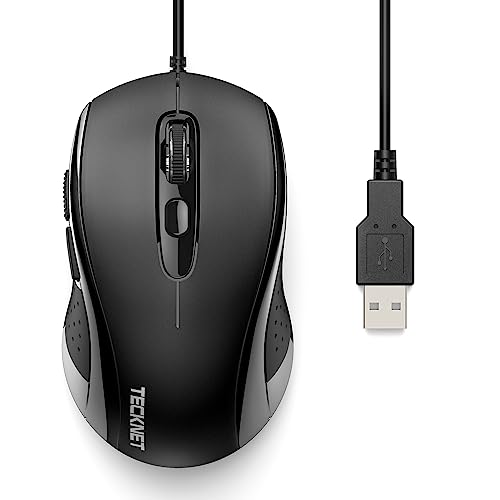
The TECKNET Wired Mouse is a budget-friendly, right‑handed ergonomic USB mouse offering up to 3600 DPI with four adjustable sensitivity levels, six buttons and plug‑and‑play simplicity. It targets Windows users needing comfort and precision for everyday tasks without the hassle of batteries or wireless latency.
Pros
Cons
Current
$10.99
Average
$9.95
Lowest
$6.99
Highest
$11.99
Lower = better sales rank
Please sign in to leave a review
No reviews yet. Be the first to review!
Get notified when the price drops. Track this product on BigBangPrice, our price tracking partner.
From Expert Reviews
Praised by Experts
From User Reviews
Users Love
Users Complain About
Best For
Office workers needing ergonomic comfort for extended typing and browsing; students requiring a durable, portable mouse for laptops and Chromebooks; budget‑conscious users who want adjustable DPI without wireless complexity; light‑use graphic designers and casual gamers who benefit from 3600 DPI precision.
Not Ideal For
Mac users who rely on side navigation buttons; individuals with large hands or who prefer a higher‑arch or vertical ergonomic mouse; competitive gamers needing ultra‑high DPI or high‑frequency polling rates.
Expert Opinion
Professional reviewers note that the TECKNET wired mouse delivers surprising precision for its price, praising its 3600 DPI sensor and ergonomic curvature that outperforms flat OEM models. Affiliate editors label it a solid budget pick for office environments, highlighting its comfort and plug‑and‑play ease.
What Users Say
Everyday users appreciate the mouse’s comfort during long sessions, immediate plug‑and‑play operation, and useful DPI button, while common complaints focus on Mac incompatibility of side buttons, a stiff cable, cramped size for large hands, and a loose scroll wheel.
Common Complaints
Side buttons not working on macOS, cable stiffness and tendency to tangle, small size uncomfortable for large hands, and a loose scroll wheel that can overscroll.
What People Are Saying
“Perfect for long workdays—my wrist doesn’t hurt anymore.”
How It Compares
vs. Logitech B100
Advantages
Disadvantages
Choose TECKNET for higher precision and comfort; stick with B100 if you need a lighter mouse with macOS side‑button support.
vs. HP Wired Mouse 100
Advantages
Disadvantages
TECKNET is the better option for users wanting DPI control and ergonomic support; HP 100 is a basic alternative with a longer cable.
vs. Uineer 7200 DPI Wired Mouse
Advantages
Disadvantages
Pick TECKNET for affordability, comfort, and quieter operation; opt for Uineer if ultra‑high DPI is essential.
