Acer
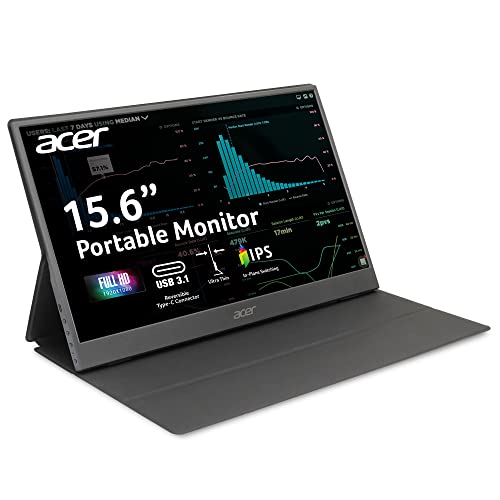
The Acer PM161Q Bbmiuux is a 15.6" Full HD portable IPS monitor that offers dual USB‑C DP Alt Mode connectivity, a Mini HDMI fallback, and a magnetic foldable cover that doubles as a stand. It targets mobile professionals needing a lightweight, plug‑and‑play second screen for indoor productivity.
Pros
Current
$99.99
Average
$104.50
Lowest
$80.00
Highest
$158.31
Lower = better sales rank
InnoView
InnoView

ViewSonic

acer
acer

ARZOPA

ARZOPA

ARZOPA

AOPEN

MP

Ingnok

Teamgee

FOPO

FQQ

Ladomi

StarXnDa
InnoView
![Portable Monitor - [2025 Upgrade] Mobile Pixels Duex Max DS 14.1'' Laptop Screen Extender, USB C/HDMI Plug and Play, 1080P Monitor for 14''-17 '' Laptops, Compatible with Mac/Windows/Android/Switch](https://m.media-amazon.com/images/I/61UoJNSNdGL._AC_UF894,1000_QL80_FMwebp_.jpg)
Please sign in to leave a review
No reviews yet. Be the first to review!
Get notified when the price drops. Track this product on BigBangPrice, our price tracking partner.
Cons
From Expert Reviews
Praised by Experts
Criticized by Experts
From User Reviews
Users Love
Users Complain About
Best For
Remote and hybrid workers, students, and professionals who need a second screen for email, documents, video calls, and light multitasking in dim to moderate indoor lighting; presenters who require quick dual‑monitor setups with HDMI fallback; travelers who prioritize a slim, lightweight monitor with VESA mount compatibility.
Not Ideal For
Outdoor or bright indoor use due to low brightness; graphic designers, photographers, or anyone needing accurate color reproduction; competitive gamers requiring high refresh rates; users whose laptops lack USB‑C DP Alt Mode and have no HDMI output.
Expert Opinion
Professional reviewers consider the Acer PM161Q a solid budget‑friendly portable monitor for indoor productivity, highlighting its crisp IPS panel, dual USB‑C connectivity, and magnetic cover. However, they caution that its real‑world brightness and limited color gamut make it unsuitable for bright environments or color‑critical tasks, and they note that HDR10 support is largely cosmetic.
What Users Say
Everyday users appreciate the monitor’s plug‑and‑play simplicity, lightweight design, and the convenience of the magnetic cover stand. Common frustrations revolve around lower than advertised brightness, cable confusion with the Mini HDMI port, and compatibility issues when the laptop’s USB‑C lacks DP Alt Mode.
Common Complaints
Brightness falls short of advertised levels, leading to washed‑out images in bright rooms; confusion over Mini HDMI versus standard HDMI cables; USB‑C ports that don’t support DP Alt Mode not being recognized; occasional screen flicker with low‑quality cables; need to re‑plug after laptop sleep.
How It Compares
vs. ThinkVision M15
Advantages
Disadvantages
Choose the ThinkVision M15 for brighter indoor use and lighter weight; choose Acer for better connectivity flexibility and included stand.
vs. MSI Pro MP161 E2
Advantages
Disadvantages
Acer is preferable if you need HDMI fallback and a built‑in stand; otherwise MSI offers similar performance.
vs. Lenovo L15
Advantages
Disadvantages
Select Lenovo L15 for brighter display and lighter carry; select Acer for richer connectivity options and an integrated stand.
pairwise