Microsoft
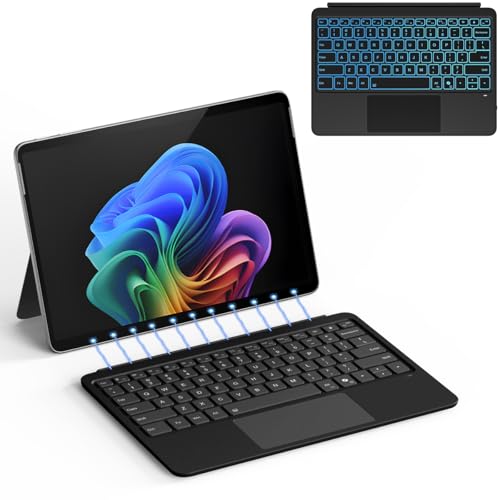
The Microsoft Surface Pro Keyboard (11th Edition, Copilot+) is a premium detachable keyboard cover that adds a laptop‑like typing experience to the Surface Pro. It features mechanical keys, a large precision touchpad, Alcantara® fabric, and dedicated AI and privacy keys for modern workflows.
Pros
Current
$143.99
Average
$149.44
Lowest
$104.99
Highest
$259.99
Lower = better sales rank

XIWMIX

Microsoft

SSS·GRGB

Kemida

Microsoft

ArtiConnexl

DJW

Doohoeek

Aulaiiex

Aulaiiex
Sooguard
Please sign in to leave a review
No reviews yet. Be the first to review!
Get notified when the price drops. Track this product on BigBangPrice, our price tracking partner.
Cons
From Expert Reviews
Praised by Experts
Criticized by Experts
From User Reviews
Users Love
Users Complain About
Best For
Professionals, remote and hybrid workers, students, educators, and accessibility‑focused users who need a portable, laptop‑like typing experience with AI shortcuts, privacy controls, and premium ergonomics. Ideal for daily office work, video conferencing, AI‑assisted writing, and mobile productivity on the go.
Not Ideal For
Users who require a built‑in numeric keypad, those who need integrated pen charging, or anyone who prefers a completely rigid, non‑flexing keyboard for lap use. Also not ideal for users who dislike fabric finishes or want extensive backlight customization.
Expert Opinion
Professional reviewers from The Verge and Windows Central highlight the keyboard’s seamless integration with the Surface line, praising the dedicated Copilot key for AI productivity and the precision touchpad for its responsiveness. The ergonomic design and premium Alcantara finish receive strong commendation, though reviewers note the single‑color backlight as a minor drawback.
What Users Say
Everyday users love the tactile mechanical keys, the instant AI and mute shortcuts, and the large, accurate touchpad. Common complaints revolve around the Alcantara material staining, the absence of pen charging, and a feeling of flex when used on the lap.
Common Complaints
Alcantara staining, lack of pen charging, slight flex on lap, missing numeric keypad, and single‑color backlight limitation.
How It Compares
vs. Surface Pro Flex Keyboard
Advantages
Disadvantages
Choose the Flex Keyboard if you need wireless flexibility and pen charging; choose the Pro Keyboard for a slimmer, premium feel with AI shortcuts.
vs. Surface Pro Type Cover (older models)
Advantages
Disadvantages
Opt for the Type Cover if budget is primary; the Pro Keyboard offers far more functionality and premium build for power users.