Sandisk
The SanDisk 4TB Extreme PRO Portable SSD uses USB4 to deliver up to 3800 MB/s read and 3700 MB/s write speeds in a rugged, IP65‑rated aluminum‑silicone enclosure. It offers hardware‑encrypted, bus‑powered storage compatible with Windows, macOS, consoles and other USB‑C devices.
Pros
Cons
Current
$758.81
Average
$440.81
Lowest
$365.49
Highest
$758.81
Lower = better sales rank

ACASIS
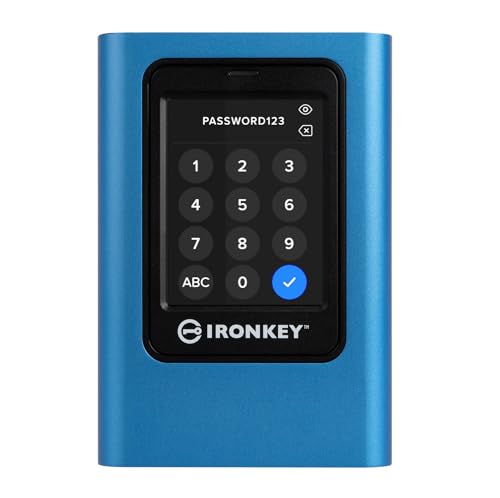
Kingston

Sandisk

SanDisk

WD_BLACK

Qwiizlab

TERRAMASTER
Please sign in to leave a review
No reviews yet. Be the first to review!
Get notified when the price drops. Track this product on BigBangPrice, our price tracking partner.
From Expert Reviews
Praised by Experts
Criticized by Experts
From User Reviews
Users Love
Users Complain About
Best For
Creative professionals such as 4K/8K video editors, photographers, field engineers, and gamers who need fast, secure, and rugged portable storage; ideal for using as a scratch disk on laptops via Thunderbolt 4 or as expanded console storage on PS5/Xbox Series X|S.
Not Ideal For
Users who prioritize ultra‑lightweight portability, or those with older computers lacking full USB4/Thunderbolt 4 support, as they will not experience the drive’s maximum speeds.
Expert Opinion
Professional reviewers commend the Extreme PRO USB4 SSD for its blazing peak speeds and rugged build, but repeatedly warn that real‑world performance hinges on a fully compatible 40 Gbps host. PCWorld and The SSD Review note that without BIOS or firmware updates the drive often falls back to slower USB 3.x rates, and some USB4 implementations cap at 32 Gbps, keeping it slightly behind rivals like the Samsung X5. Nonetheless, on Thunderbolt‑4 Macs the drive consistently hits its advertised 3800 MB/s reads.
What Users Say
Everyday users, especially video editors and photographers, praise the drive’s speed, plug‑and‑play ease, and durable design for on‑location work. The average rating hovers around 4.5 / 5, though recurring complaints focus on initial connection hiccups, the larger form factor, and occasional speed throttling after the cache is exhausted.
Common Complaints
Drive often defaults to lower USB speeds until BIOS/firmware updates are applied; size and weight are larger than previous models; no USB‑A adapter is included; sustained write performance drops after cache exhaustion; some users find model numbers confusing.
What People Are Saying
“Great SSD for the price”
“sustained 3000 MB/s speeds on a MacBook Pro”
How It Compares
vs. Samsung X5 Thunderbolt 3 (4TB)
Advantages
Disadvantages
Choose Samsung X5 if you need a Thunderbolt 3 drive and can accept lower speeds; otherwise SanDisk offers faster performance and better protection.
vs. Sabrent Rocket XTRM‑Q (4TB)
Advantages
Disadvantages
SanDisk is preferable for users needing top write performance, encryption, and stronger ruggedness.
vs. WD Black P50 (4TB)
Advantages
Disadvantages
WD Black P50 suits users prioritizing size over speed and security; SanDisk is the better choice for high‑performance, rugged, secure storage.

Best External SSDs Designed for Gaming Consoles
roundup