Kamrui
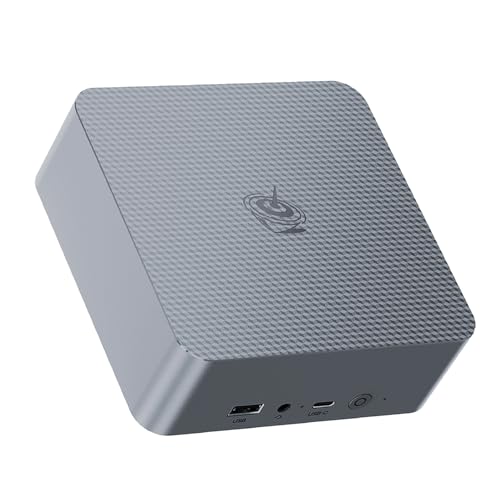
The KAMRUI Mini PC E1 is a ultra‑compact desktop powered by an Intel N150 quad‑core processor, offering dual 4K video output, up to 16 GB RAM and configurable SSD storage while consuming very little power.
Pros
Cons
Current
$329.00
Average
$201.21
Lowest
$161.47
Highest
$329.00
Lower = better sales rank
GEEKOM

MINISFORUM

HEIGAOLAPC
![GEEKOM XT1 Mega Mini PC with Ultra 9 185H[Beats i9-13900HK],Best Intel NUC14 Alternative,1TB SSD 32GB DDR5 Mini Desktop Computers,3-Year Quality Support|8 X USB|Dual LAN| Win 11 Pro| 8K Display](https://m.media-amazon.com/images/I/41rHhsPYqGL._SL500_.jpg)
GEEKOM

Blackview

SOAYAN
Beelink

QAZIPO

GEEKOM
Please sign in to leave a review
No reviews yet. Be the first to review!
Get notified when the price drops. Track this product on BigBangPrice, our price tracking partner.
From Expert Reviews
Praised by Experts
Criticized by Experts
From User Reviews
Users Love
Users Complain About
Best For
Home office users needing a compact, low‑power desktop; students for research and writing; media‑center builds (Kodi, Plex) with dual‑4K output; digital signage or kiosk installations thanks to VESA mount and low energy draw; light productivity tasks like web browsing, video conferencing and light photo editing.
Not Ideal For
AAA gaming, heavy 3D rendering, or any workload that requires high‑end discrete graphics; users who need more than 16 GB RAM or multiple storage drives; scenarios demanding USB‑C connectivity or the latest Wi‑Fi 6/Bluetooth 5.2 across all units.
Expert Opinion
Professional reviewers describe the KAMRUI E1 as a small, energy‑efficient mini PC that delivers noticeably faster performance than the older N100, thanks to its quad‑core N150 CPU and 16 GB of RAM. They commend its dual‑4K output, solid build quality with an NCVM‑coated chassis, and the flexibility of an upgradeable M.2 slot, while noting the integrated graphics are only suitable for light media and productivity tasks.
What Users Say
Everyday users appreciate the fast boot times, silent idle operation, and the ability to mount the unit behind a monitor, making it ideal for home offices and media centers. Common complaints revolve around fan noise under load, occasional mismatches between advertised NVMe storage and shipped SATA drives, and the lack of modern ports such as USB‑C and Wi‑Fi 6.
Common Complaints
Fan becomes audible under load; some units arrive with SATA SSD despite NVMe claims; Wi‑Fi 5 instead of Wi‑Fi 6 on certain models; Bluetooth 4.2 considered outdated; no USB‑C port.
What People Are Saying
“small and efficient mini PC that moves fast on desktop”
“pretty cheap option with dual 4K display support”
How It Compares
vs. ACEMAGIC V1
Advantages
Disadvantages
Choose the KAMRUI E1 for better performance and dual‑4K needs; stick with ACEMAGIC V1 only if price is a primary concern.